Project Story
What is ScreenPilot?
ScreenPilot is a Gemini‑powered UI navigator agent that takes over boring browser work like filling weekly timesheets. Instead of clicking through the same form every Friday, a user describes their goal once (“Fill my timesheet with 8 hours per weekday”) and ScreenPilot drives a real browser to complete the task end‑to‑end, showing exactly what it’s doing and why.
Inspiration
We kept seeing the same pattern: knowledge workers repeatedly filling identical internal tools (timesheets, ticket systems, admin dashboards). Existing automation is either too technical (scripts, RPA) or too brittle (breaks on every small UI change). The UI Navigator track felt like the perfect place to show that Gemini can become “hands on screen” for a focused, realistic workflow instead of a toy demo.
What it does
- Lets a user select a “Fill weekly timesheet” task and provide simple parameters (week, hours per day).
- Uses Playwright to open a real timesheet demo web app and capture screenshots.
- Sends screenshots + goal to Gemini, which returns structured actions (click, type, scroll) and brief reasoning.
- Executes those actions in the browser, step by step, until the timesheet is filled.
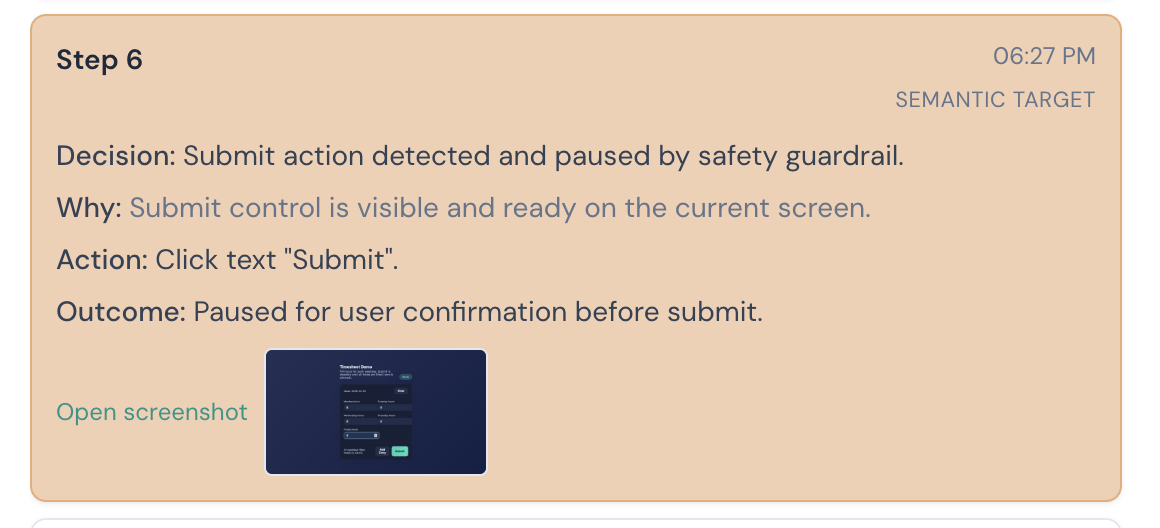
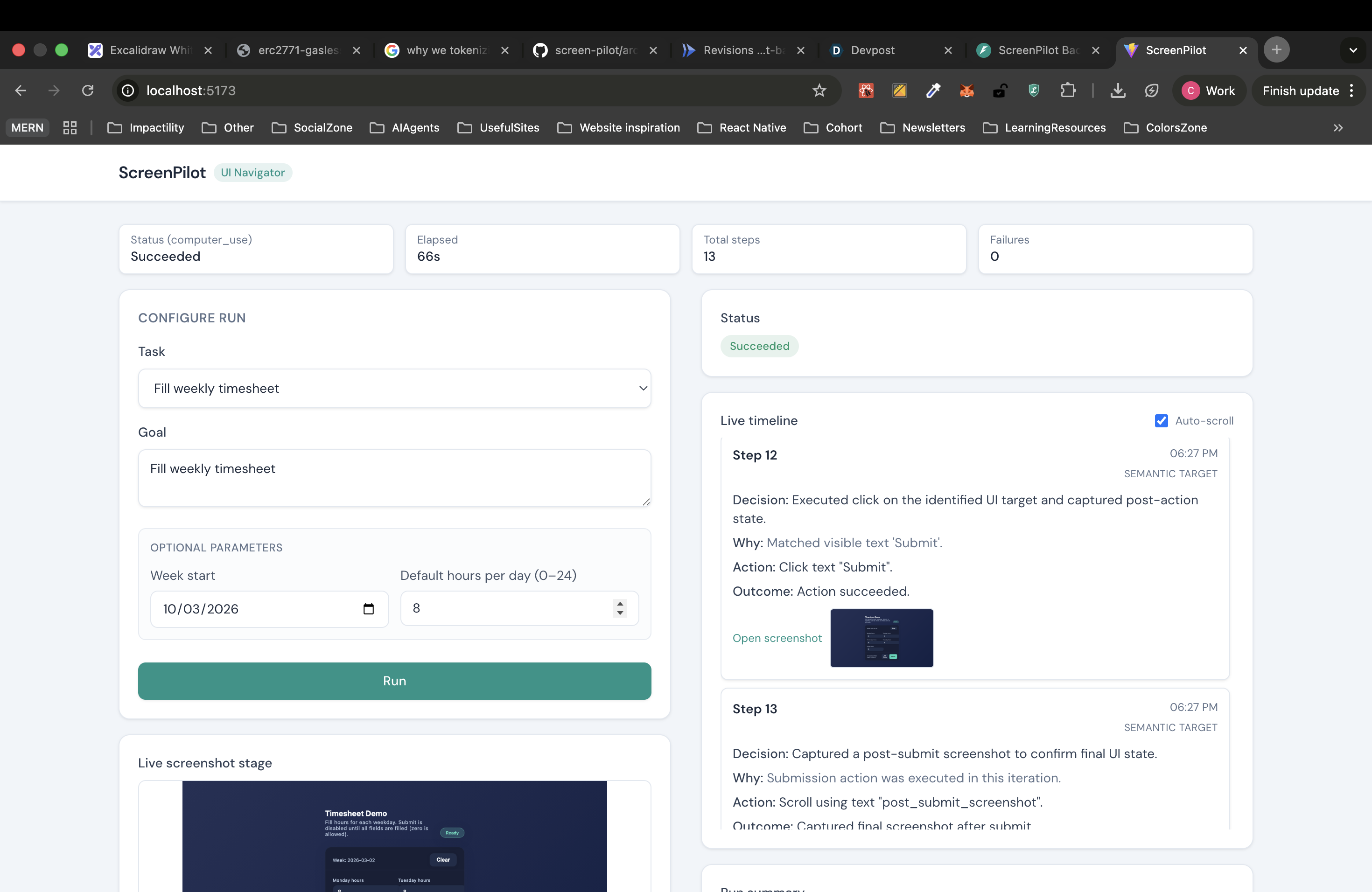
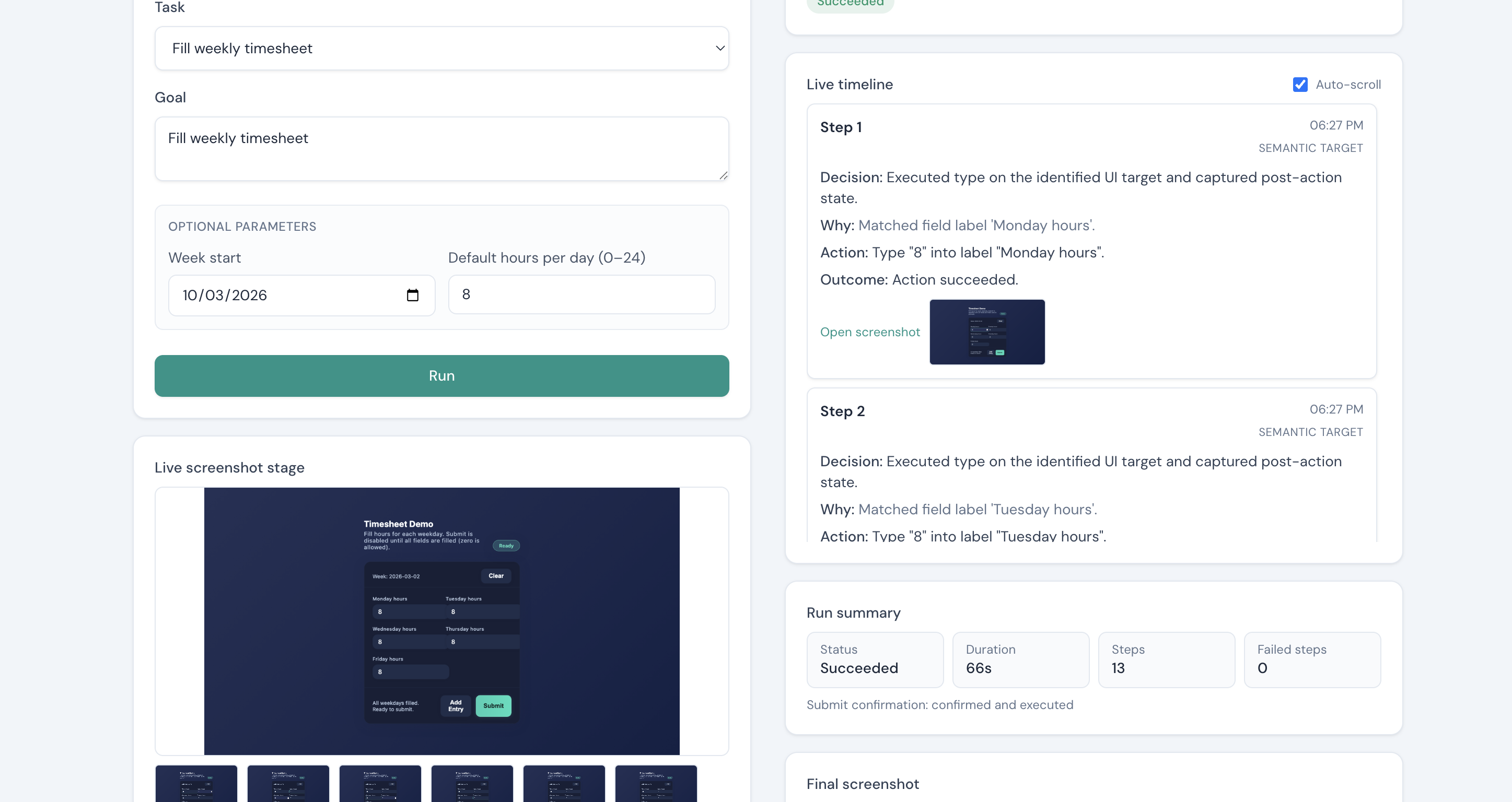
- Streams a control‑room style UI: timeline of decisions, actions, outcomes, and the latest screenshot.
- Persists runs and screenshots in Firestore and Cloud Storage when running in GCP mode.
How we built it
- A FastAPI backend orchestrates the planner–executor loop:
- Playwright captures screenshots from Chromium.
- Gemini (via the Google GenAI SDK) receives goal + screenshot and returns JSON actions.
- The backend validates actions, runs them in Playwright, logs every step, and stores evidence.
- A React + TypeScript + Vite + Tailwind frontend gives a single‑page control panel:
- Task selector, parameter form, run status panel, step cards, screenshot stage, final summary.
- The backend is containerized using the official Playwright Python image and deployed to Google Cloud Run.
- Firestore stores run metadata and step logs; GCS stores screenshots with signed URLs for the frontend.
Challenges we ran into
- Getting Gemini to always emit valid JSON that matches our action schema required careful prompt design, retries, and strict validation.
- Balancing “visual intelligence” with robustness: we wanted Gemini to truly reason about the screenshot, not just blindly click based on fixed selectors.
- Packaging Playwright + FastAPI for Cloud Run while keeping cold‑start latency and image size reasonable.
Accomplishments we’re proud of
- A full end‑to‑end timesheet workflow completed by a real browser, not a mock UI.
- A transparent agent UX: every step shows Decision, Why, Action, Outcome, plus screenshots so judges can see exactly what happened.
- Automated, repeatable Cloud Run deployment using scripts and a Dockerfile, plus Firestore/GCS integration.
What we learned
- Good prompt + schema design is as important as code when building reliable agents.
- Visual feedback (screenshots + human‑readable logs) dramatically increases trust compared to “black box” automations.
- Cloud Run + Playwright + Gemini is a practical stack for production‑grade UI agents when combined with simple deployment automation.
What’s next
- Adding additional focused flows (e.g., support ticket intake) on top of the same architecture.
- Richer guardrails and recovery strategies when elements move or layouts change.
- Exploring the Gemini Agent Development Kit (ADK) for deeper computer‑use integrations.
Built With
- Gemini / Google GenAI SDK (
google-genai) - FastAPI and Uvicorn
- Playwright (Python, Chromium)
- React + TypeScript + Vite
- Tailwind CSS
- Google Cloud Run
- Google Cloud Firestore
- Google Cloud Storage (GCS)
- Docker
- Pytest and HTTPX
GitHub Repository
- Public repo URL:
https://github.com/chinmaynawkar/screen-pilot
Architecture Diagram
- See the architecture diagram in the README and
/architecture.md.
Proof of Google Cloud Deployment
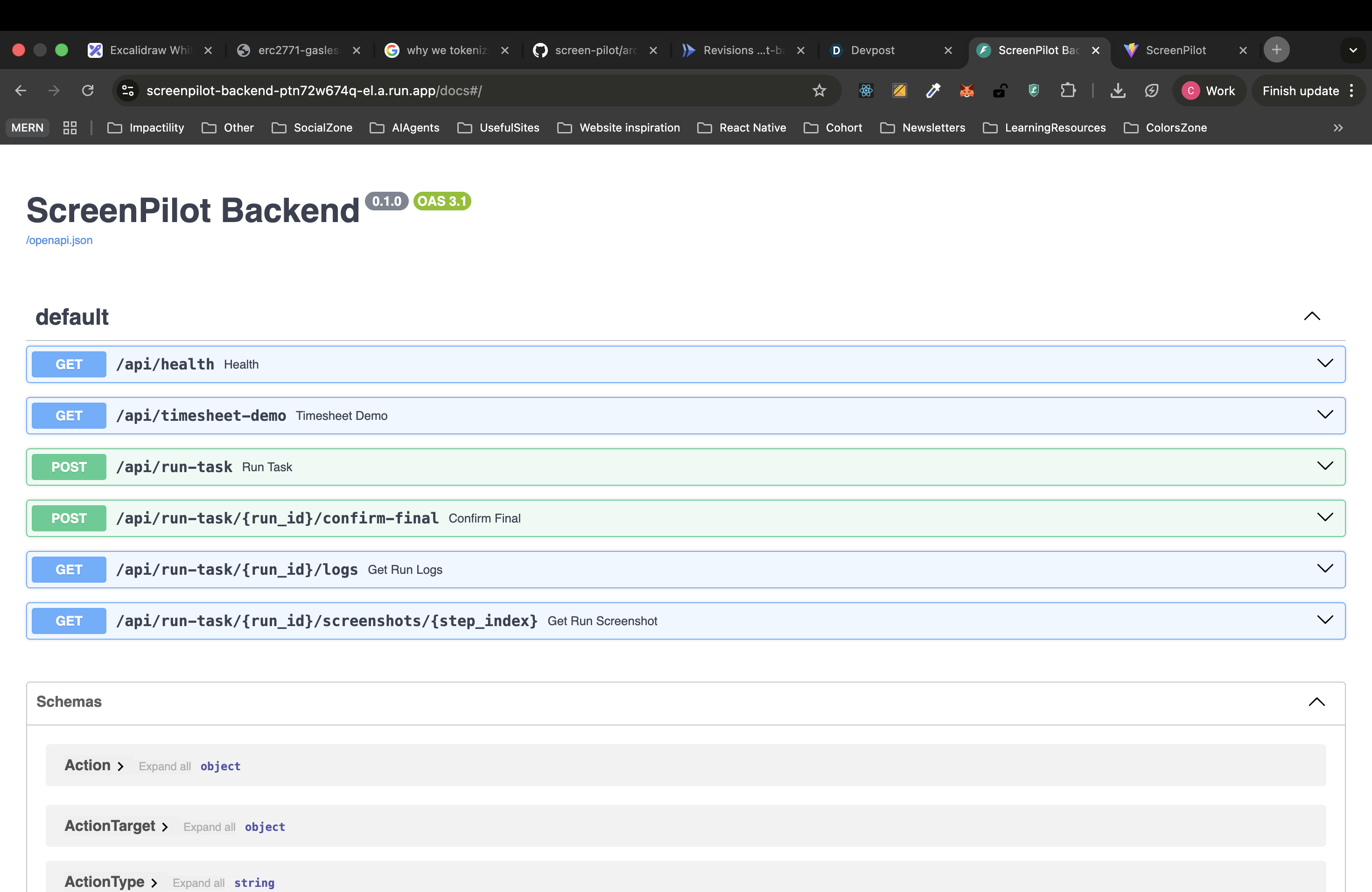
- Screen recording: Short clip showing the
screenpilot-backendCloud Run service, hitting/api/healthor/docs, and viewing logs. - Code proof (links in repo):
backend/scripts/setup_docker_env.sh– sets up Cloud Run, Artifact Registry, Firestore, GCS, and IAM.backend/scripts/deploy_cloud_run.sh– builds and deploys the backend container to Cloud Run with environment variables for GCP services.backend/app/infrastructure/screenshot_store_gcs.py– usesgoogle-cloud-storagefor screenshot storage and signed URLs.backend/app/infrastructure/run_repository_firestore.py– usesgoogle-cloud-firestoreto persist runs and run steps.

Log in or sign up for Devpost to join the conversation.