-
-
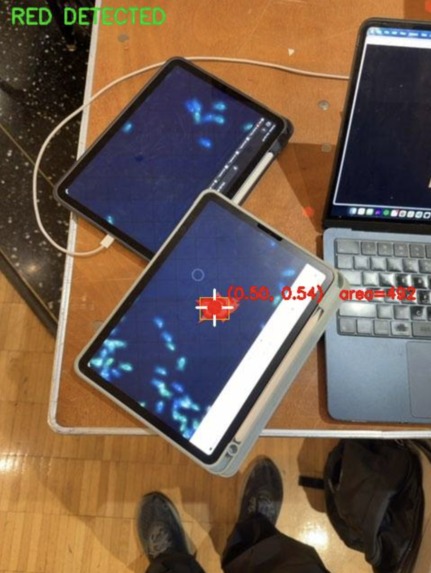
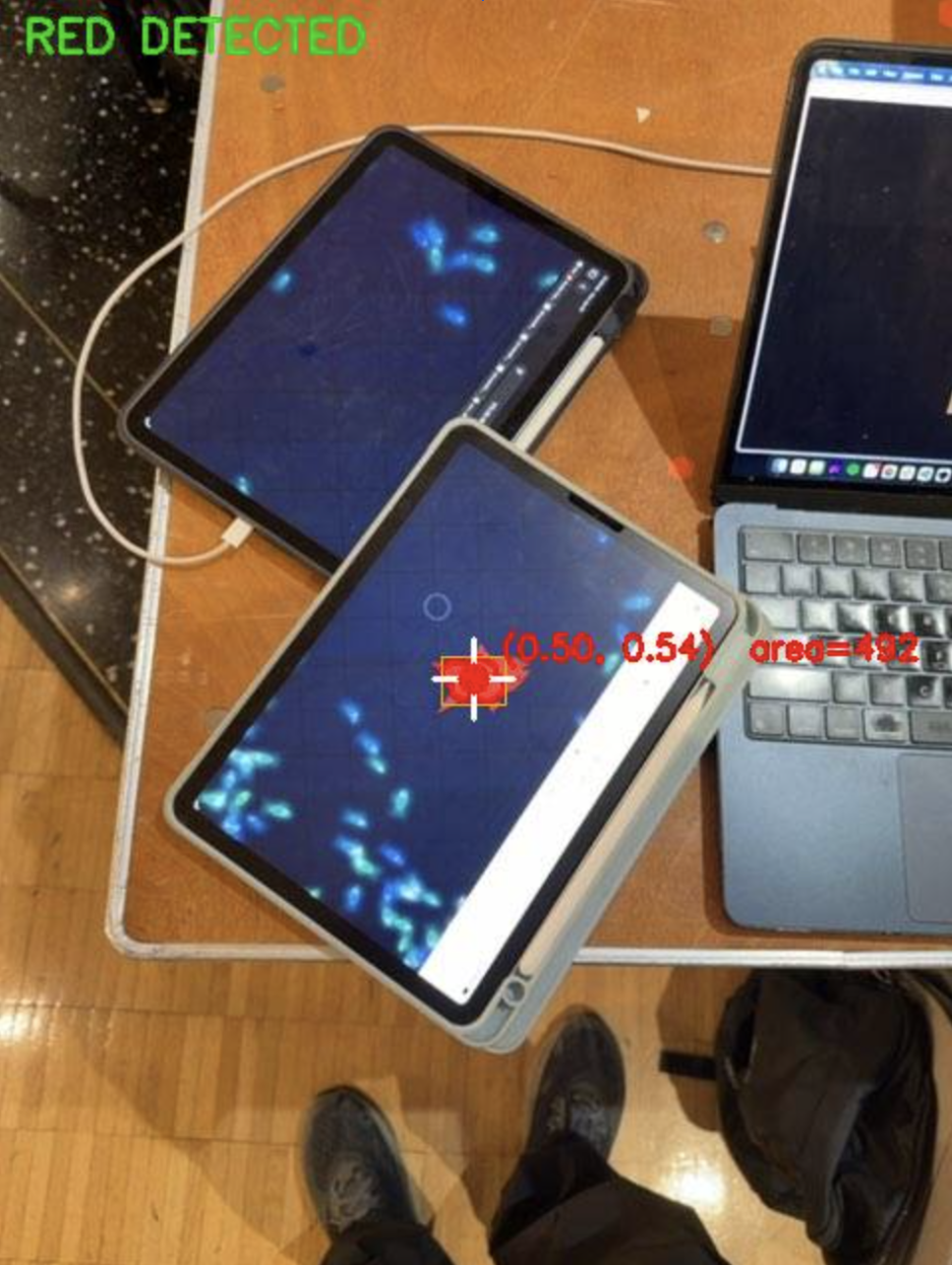
debug menu for object segmentation
-
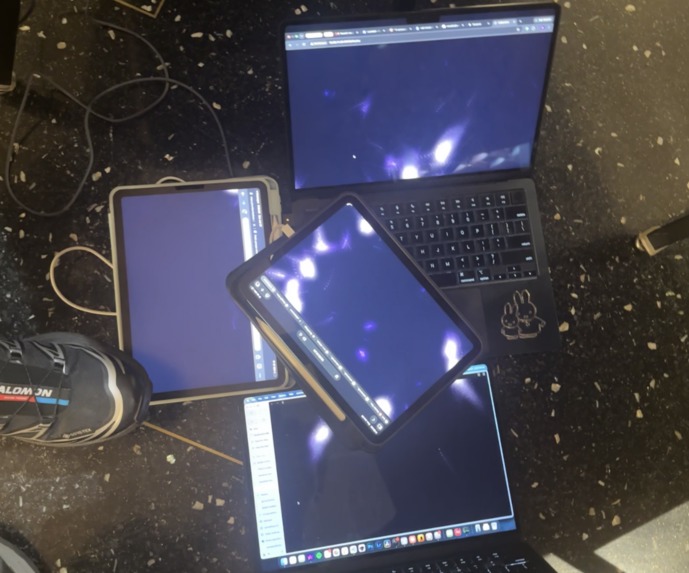
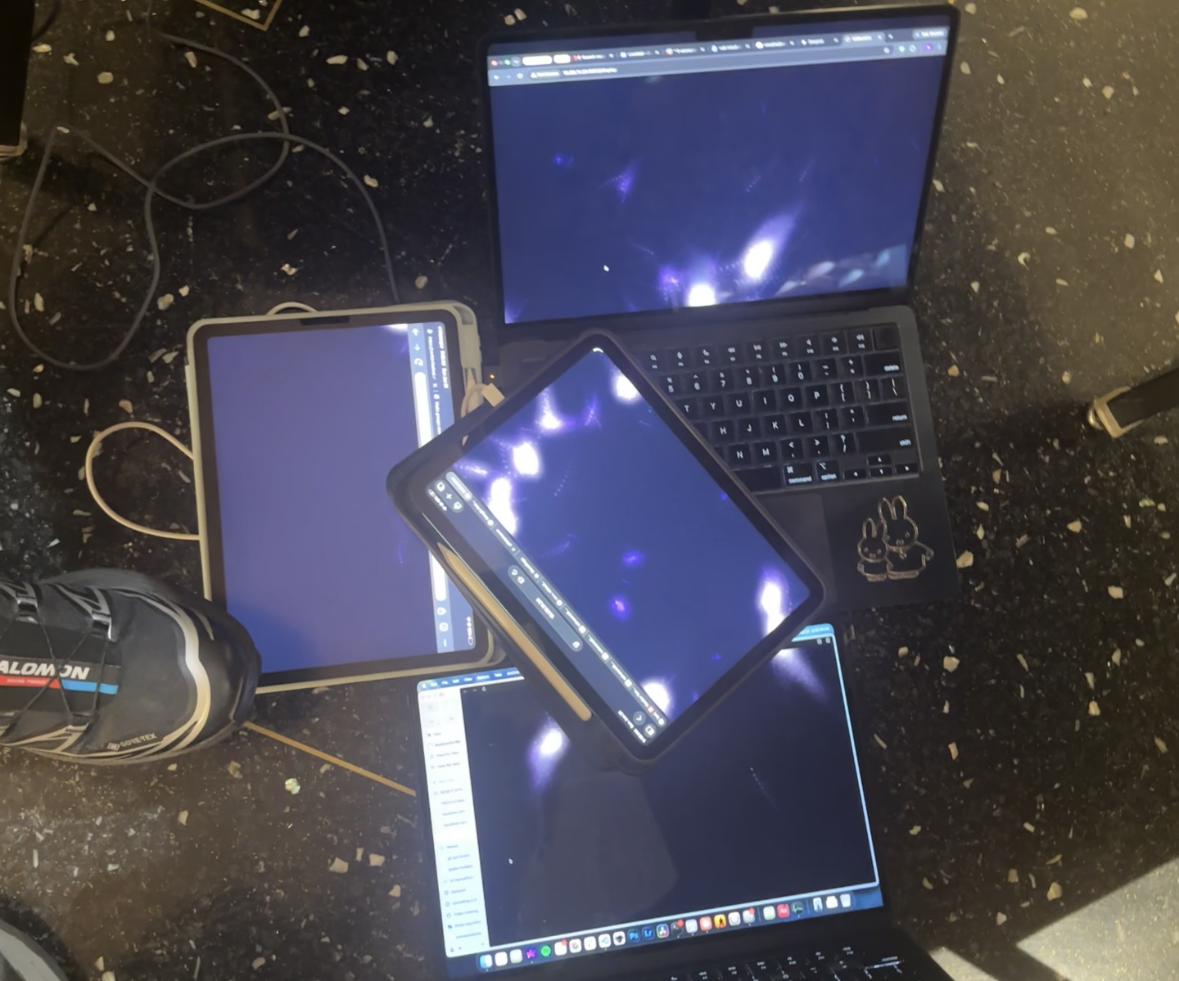
particle simulation seamlessly going between screens
-
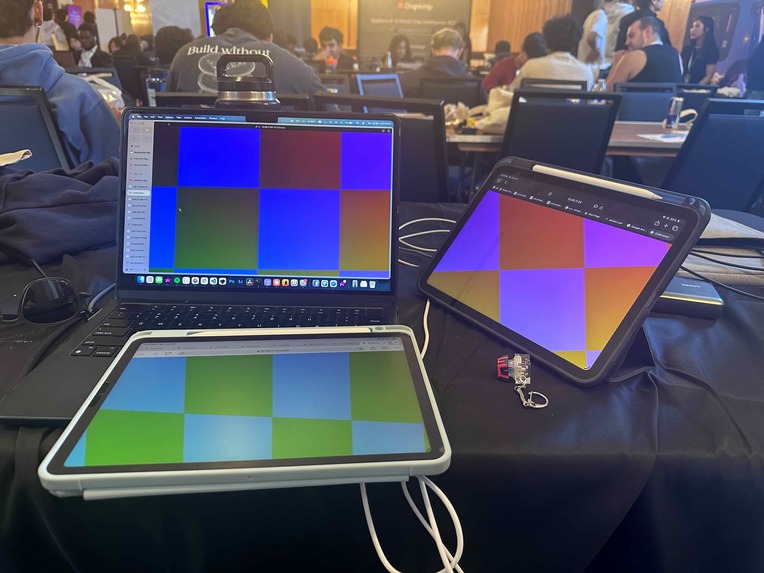
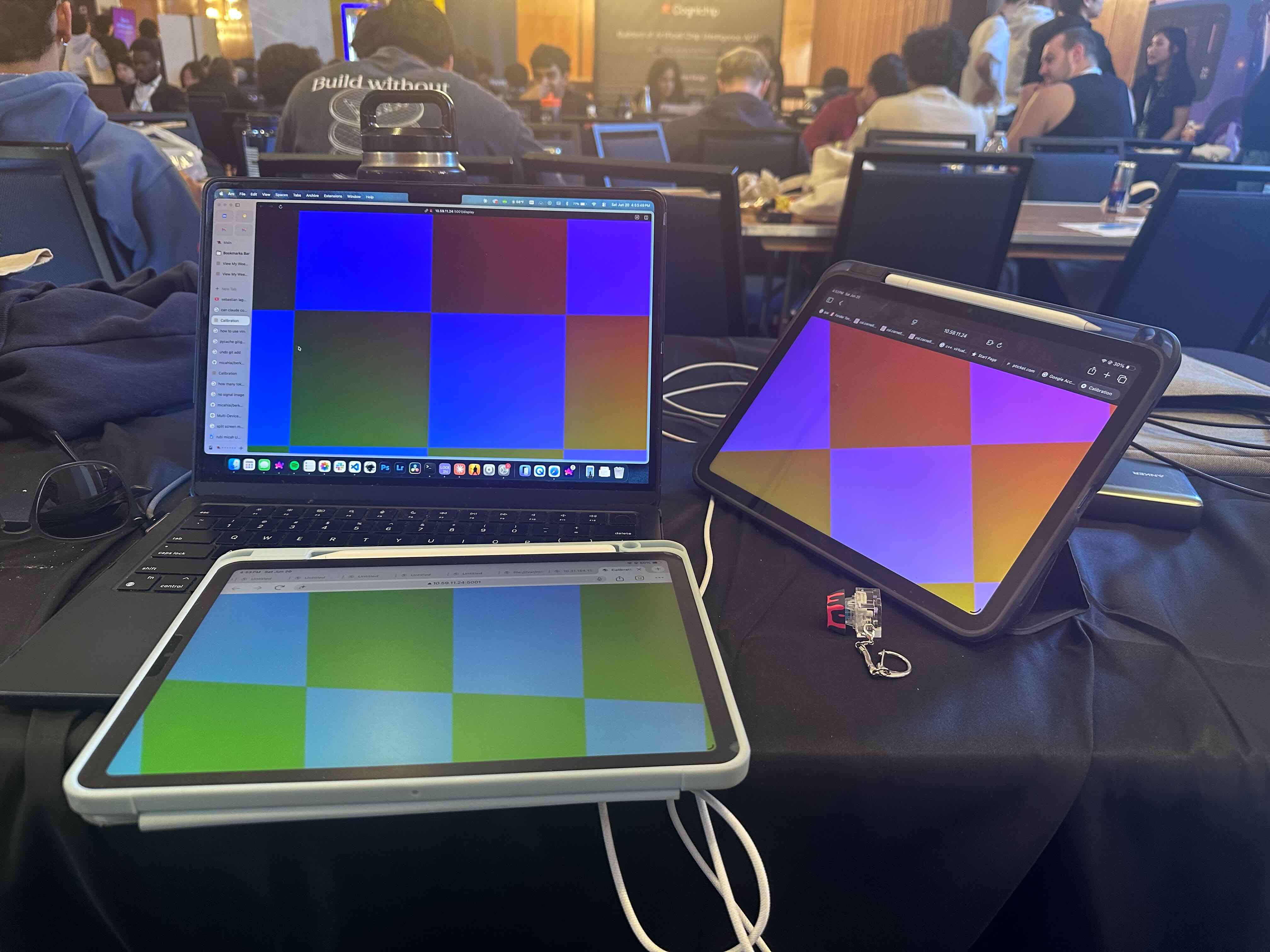
UV map early test for skew and rotation
-
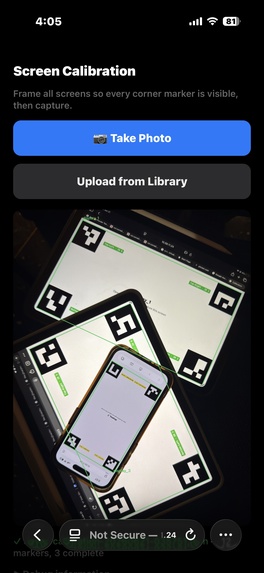
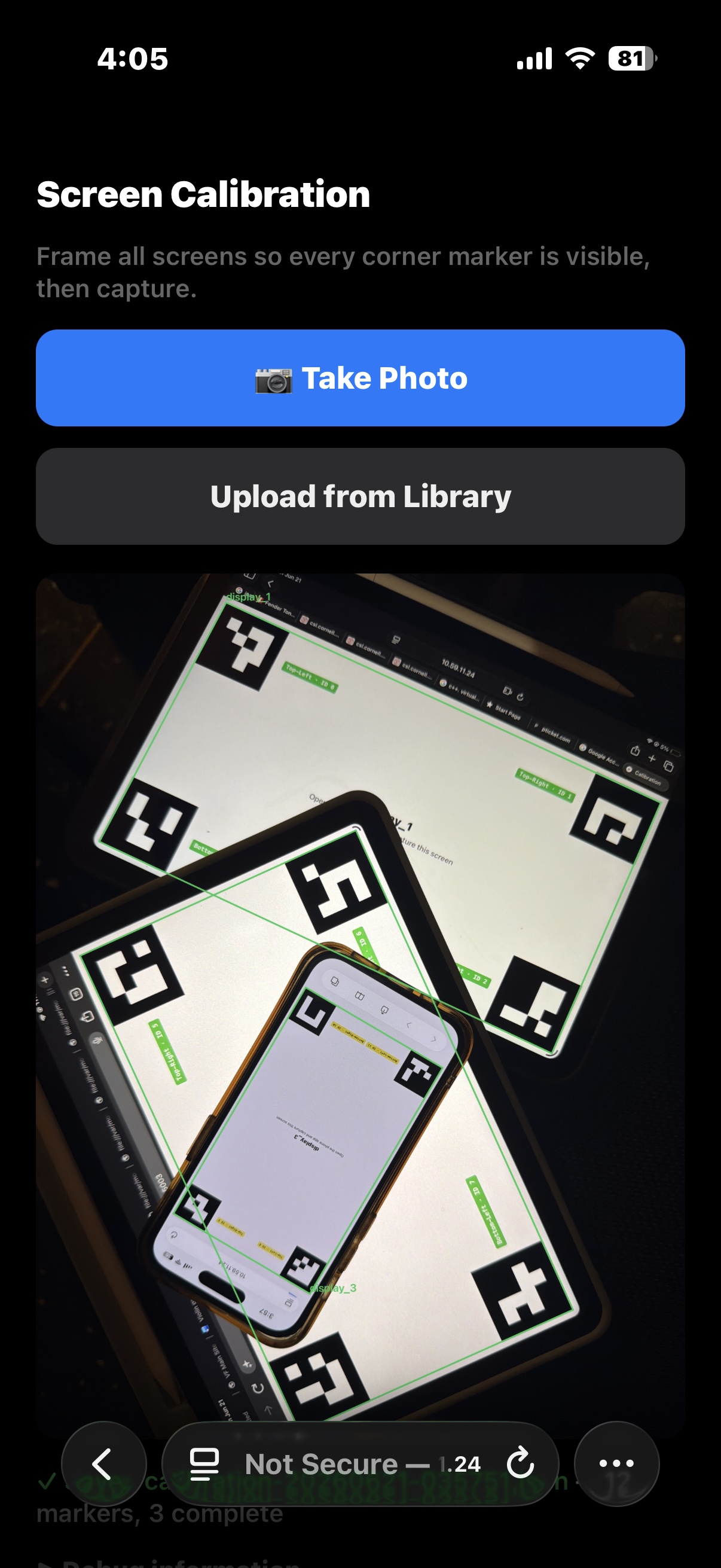
phone ui after scanning overlapping screens
What inspired us: Studios like teamLab showed us that a screen can feel alive, that it can have creative empathy, that the best interfaces leave a human touch. That relationship, where the screen responds to you and your body is the interface, felt like the most honest expression of what human-computer interaction is becoming. We wanted to bring that same spirit into an AI Hackathon format: walk up to the interface, reach out, and watch the world on screen react.
What it does: Screen Mosaic transforms an array of independent displays into a single spatially-aware canvas. A phone camera "remote" scans the physical position of each screen via ArUco markers (4 corners on each screen), then warps the display across all screens to create a seamless image. Three experiences live inside it:
- Calibration Scan: Snap a photo, and the CV system on the phone captures every screen's real-world position. Rearrange the screens, and the mosaic re-adjusts automatically. This even adjusts for rotation and skew.
- Dynamic Calibration: The mosaic perspective updates with a live camera feed. This allows for the displays to be rotated or skewed at runtime, leaving potential for movable pieces in the artwork.
- Interactive Media w/Color-Based Object Segmentation: OpenCV scans for clusters of red pixels in front of the screens. This allows the user to interact with physics-based visuals such as a smoke simulation, charged particle simulation, or (our personal favorite) hundreds of fish as a part of a boid simulation, which you can scare away as a "red shark".
How we built it: The server runs on a laptop, handling the websocket for the phone remote and the screens. During the calibration phase, ArUco markers are used to determine the photo coordinates of all of the corners. A linear transformation of the image is then applied to each of the displays based on the markers.
The visuals and object segmentation model are also ran on the host as well. This allows us to add multiple remotes and/or screens without additional software, allowing us to keep adding to the screen mosaic wih ease.
Challenges: ArUco detection drifts at steep angles and under glare, so we spent significant time tuning detection parameters and handling partial occlusion. Additionally, optimization was a huge issue for us. Because one host was handling the physics simulation, object segmentation, and rendering for each of the screens, we had to use techniques like ROI sprite blending and GPU acceleration to make the interactive media feel responsive with minimal latency. Synchronizing frame timing across independent browser clients without hardware sync was another constraint we designed around carefully, which we solved using a timestamp-based solution.
What we learned: As AI becomes more embedded in everyday life, it is easy to assume technology is something that acts on people; however, this project reminded us that it can go the other way. We demonstrated this by embedding a screen that responds to the human body, position, and gesture, putting the human back at the center. The technology disappears, and what is left is just the feeling that the space around you is physically and emotionally alive.

Log in or sign up for Devpost to join the conversation.