-
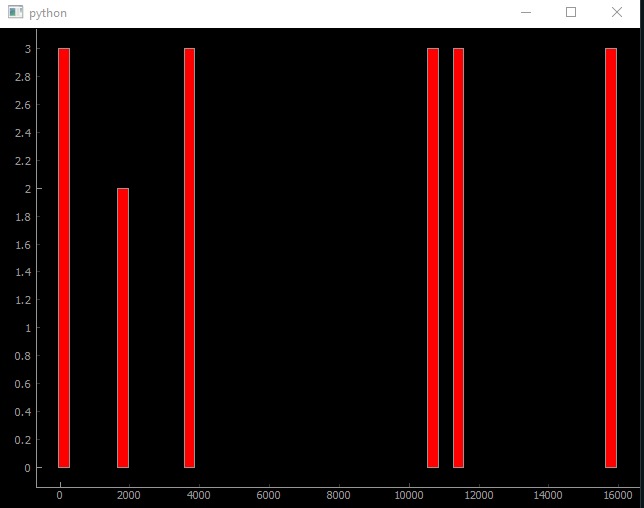
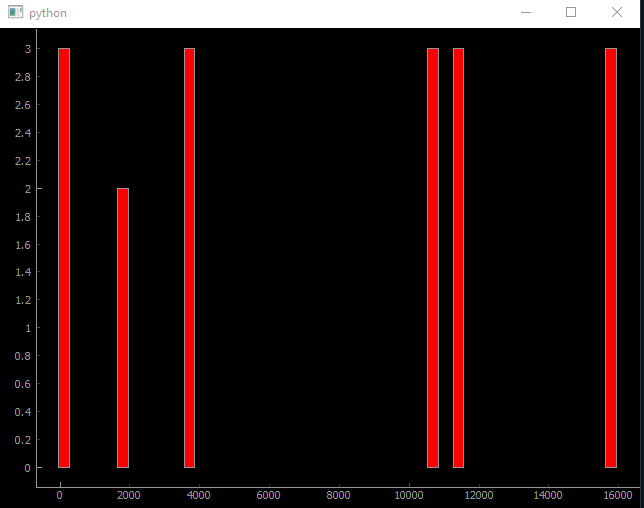
Bar graph showing Chrome, Sublime Text, Command Prompt, File Explorer, and Spotify running for 3 minutes and Discord for 2.
Inspiration
Being indoors for so long during a pandemic has made me realize how much I use my phone, as the number of hours on iOS's screen time skyrocket. I was curious how much time I spend on my computer, and how productive I am with that time, thus the idea for Screen Hawk was born.
What it does
Screen Hawk checks for applications running on any Windows Computer and displays each application as a bar graph that displays the number of minutes spent on the app.
How I built it
I used Python as it was a language I was familiar with. I used the PyWinAuto library and the Python wrapper for the Windows Management Instrumentation to get the list of applications running. I use PyQt5 and PyQtGraph to display the data in a bar graph.
Challenges I ran into
Trying to decide on a library that fits my use case. This is my first hackathon so I didn't realize, especially as a solo developer, how time consuming being indecisive would be.
Generating a human-readable version of the application name, without being excessively verbose.
App Runtime processor occasionally miscalculates which app is running.
The application freezes up, I attempted to use separate threads for generating the list of running applications and for displaying the graph but saw no improvement in performance.
PyQtGraph is limiting in how I can format the graph. E.g., cannot label x axis of bar graph values with a string value.
Accomplishments that I'm proud of
Generating an accurate list of running applications using Windows Process ID.
Creating a simple to use application blacklist
Learning the basics of three different Python GUI libraries (Tkinter, Kivy, PyQt) within the 24 hours to attempt displaying the data.
What I learned
When under a time limit, I should plan which libraries I intend using, so I know it fits my use case beforehand.
How Windows stores data about an application, both in the background or foreground.
What's next for Screen Hawk
Plan to use the executable file name to query the window text to generate a guess of a human-readable name for each application, and allow the user to rename the program if needed, saved to an XML or txt file.
The application commonly freezes up and windows takes it to be a not responding program, I'm not sure why, but I plan to investigate and fix this.
The data visualization library I used seems to be very limiting, and thus the applications are labeled by their Process ID, which is not human-readable. I plan to rebuild the display with Electron or as an UWP, as Python GUI libraries gave me many difficulties.
Place applications into genres and classify screen time by those genres.
Allow user to create screen time limit for certain types of apps to improve productivity.
Built With
- pyqt
- pyqt5
- python
- pywinauto
- wmi

Log in or sign up for Devpost to join the conversation.