ScoutAI — Autonomous Research & Intelligence Agent
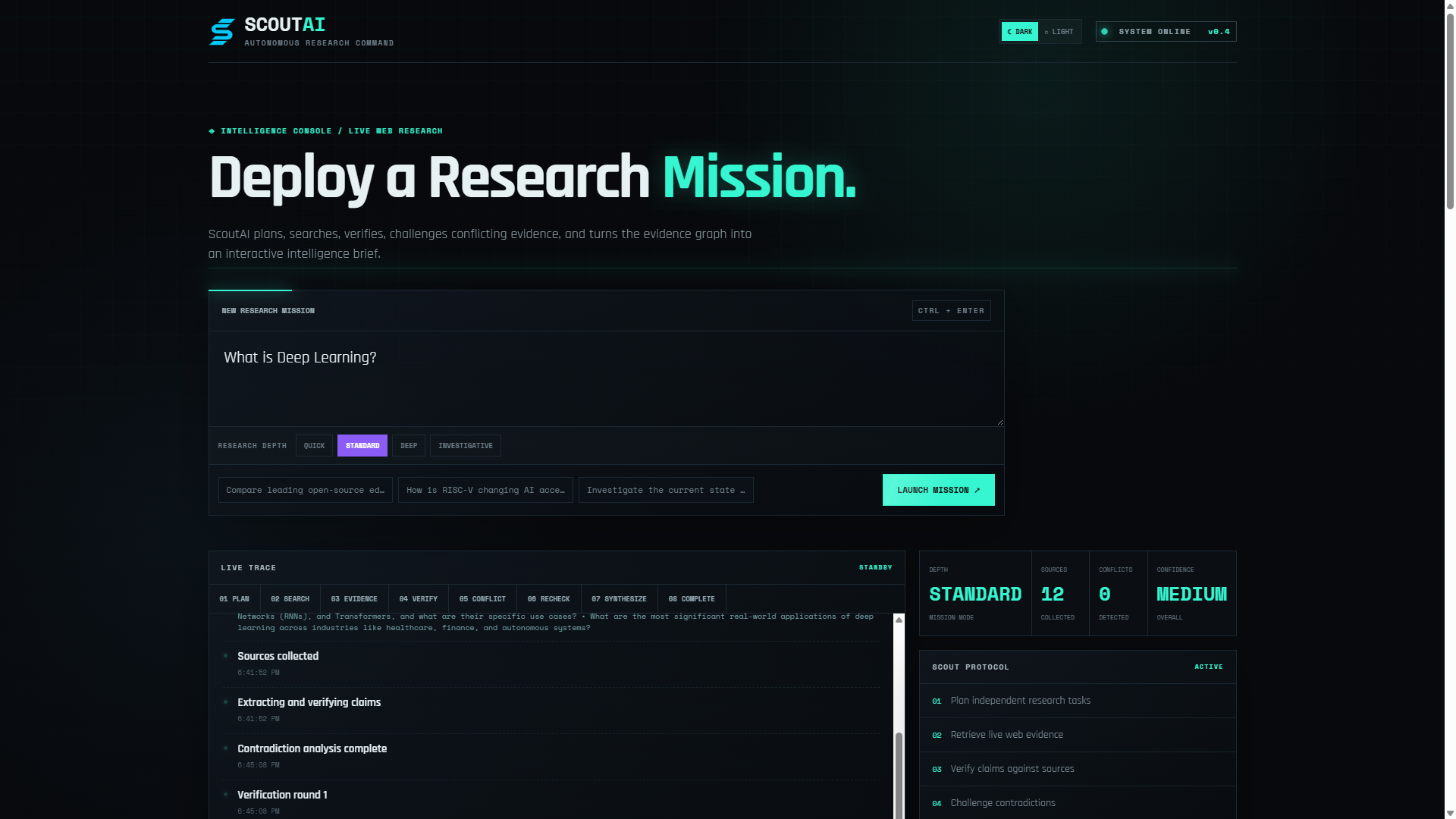
ScoutAI is an autonomous research console that turns a broad question into a structured, evidence-backed intelligence report.
Instead of treating research as a single LLM prompt, ScoutAI runs an investigation loop:
Plan → Search → Verify → Challenge → Recheck → Synthesize → Report
It combines Gemma for planning, reasoning, multimodal analysis and synthesis with SerpApi for live web retrieval. A FastAPI backend orchestrates the research process and a responsive Next.js console exposes the live investigation trace.
Live site: https://scoutai-nine.vercel.app/
Core Features
Autonomous research
- Research planning — decomposes a broad question into searchable research tasks.
- Live web retrieval — gathers current information through SerpApi.
- Evidence collection — normalizes retrieved sources and extracts claim-supporting evidence.
- Verification rounds — checks unresolved claims and evidence gaps.
- Contradiction detection — explicitly surfaces conflicting evidence.
- Targeted follow-up research — launches additional searches when evidence is insufficient or contradictory.
- Evidence-aware synthesis — Gemma produces the final report from the collected research context rather than from an isolated prompt.
Adaptive investigation depth
Users can select four research profiles:
| Mode | Search tasks | Source cap | Verification rounds | Follow-ups |
|---|---|---|---|---|
| Quick | 3 | 7 | 1 | 2 |
| Standard | 5 | 12 | 2 | 4 |
| Deep | 7 | 18 | 3 | 5 |
| Investigative | 9 | 24 | 4 | 7 |
This lets the same system handle a quick factual lookup as well as a more thorough investigation.
Multimodal attachments
ScoutAI can use user-provided material as research context.
Supported formats include:
PDF
DOC / DOCX
XLS / XLSX
PPT / PPTX
CSV
TXT / Markdown
PNG / JPG / JPEG / WEBP
- PDFs and documents are text-extracted before entering the research workflow.
- Spreadsheets are converted into structured row/cell text.
- Presentations are processed slide by slide.
- Images are passed to the configured multimodal Gemma model for visual analysis.
- Visual analysis can extract readable text, diagrams, charts, tables, quantities, relationships and uncertainty.
- Individual attachments are limited to 10 MB.
This makes it possible to ask questions such as:
Verify the claims in this presentation against current web evidence.
or:
Analyse this diagram and investigate whether the proposed design is technically suitable.
Resilient research sessions
A temporary browser/network disconnect should not automatically destroy a running investigation.
ScoutAI uses a mission-based streaming architecture:
Start Mission
     ↓
Mission ID
     ↓
Research continues independently
     ↓
Events + result retained temporarily
     ↓
Browser reconnects
     ↓
Existing mission resumes
The backend keeps active/completed mission state temporarily, while the frontend automatically retries the research stream with exponential backoff.
Live research trace
The console exposes the investigation as it happens:
PLAN
 ↓
SEARCH
 ↓
EVIDENCE
 ↓
VERIFY
 ↓
CONFLICT
 ↓
RECHECK
 ↓
SYNTHESIZE
 ↓
COMPLETE
The trace is delivered using Server-Sent Events (SSE).
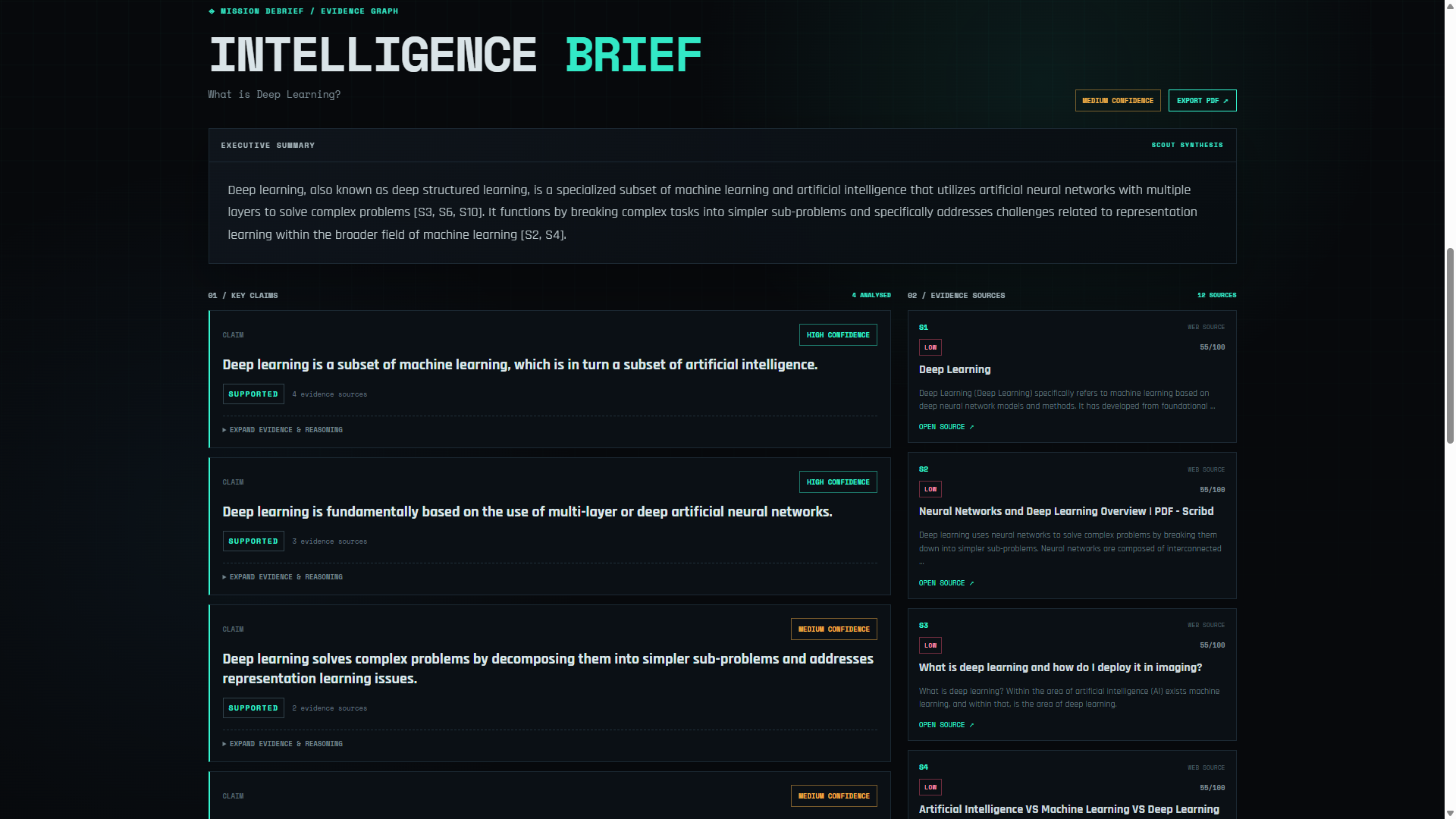
Research report
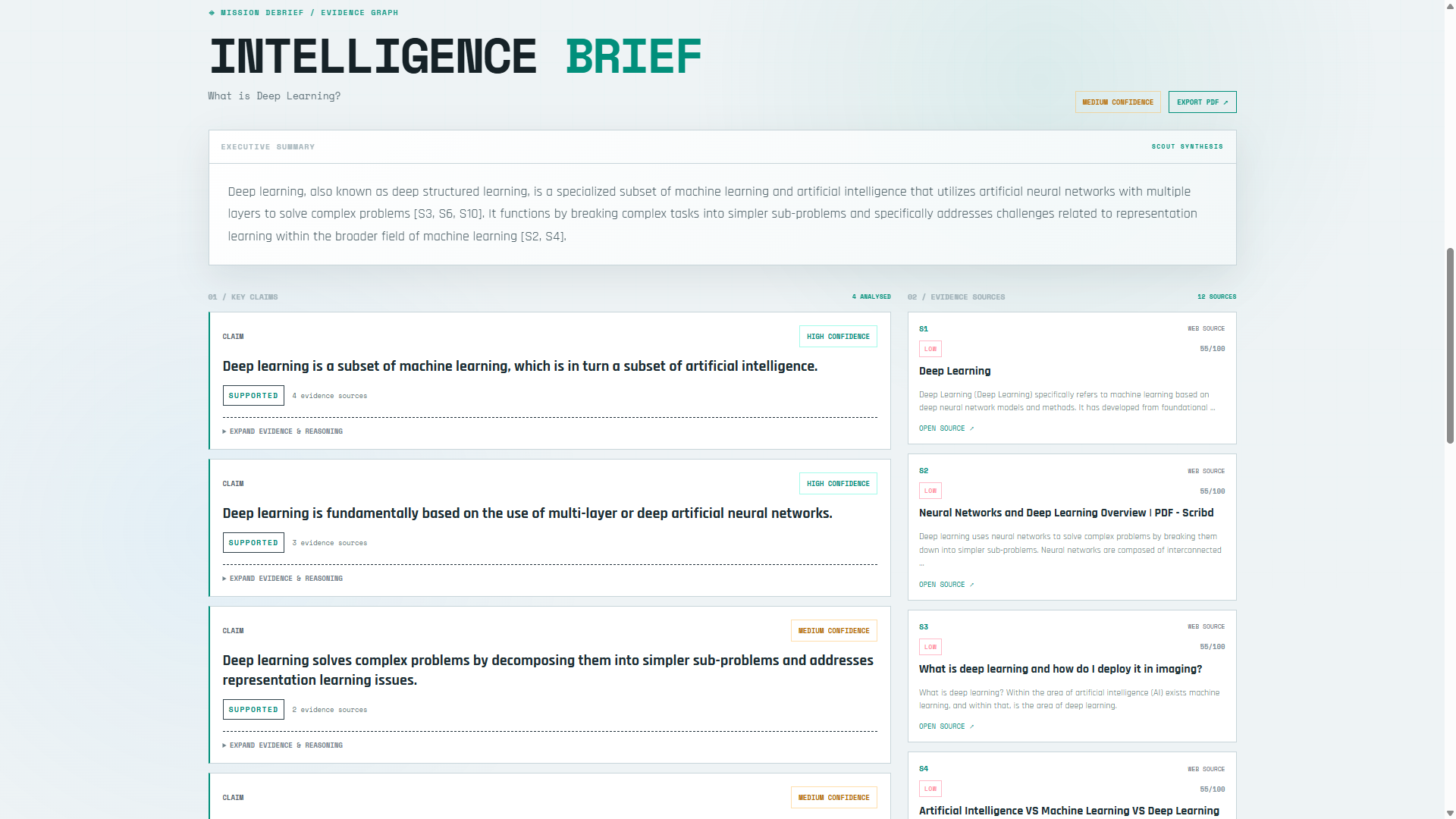
Completed investigations provide:
- executive summary
- research plan
- key findings
- claim confidence
- evidence/source cards
- source-quality signals
- verification record
- contradiction matrix
- limitations
- cited source URLs
Reports can also be exported as a PDF research brief.
Source quality signals
ScoutAI attaches transparent heuristic metadata to normalized sources using signals such as:
- authoritative or institutional domains
- primary-source indicators
- technical/documentation indicators
- publisher signals
- URL/domain characteristics
These are heuristics, not proof of correctness. Claim verification remains evidence-driven.
Responsive interface
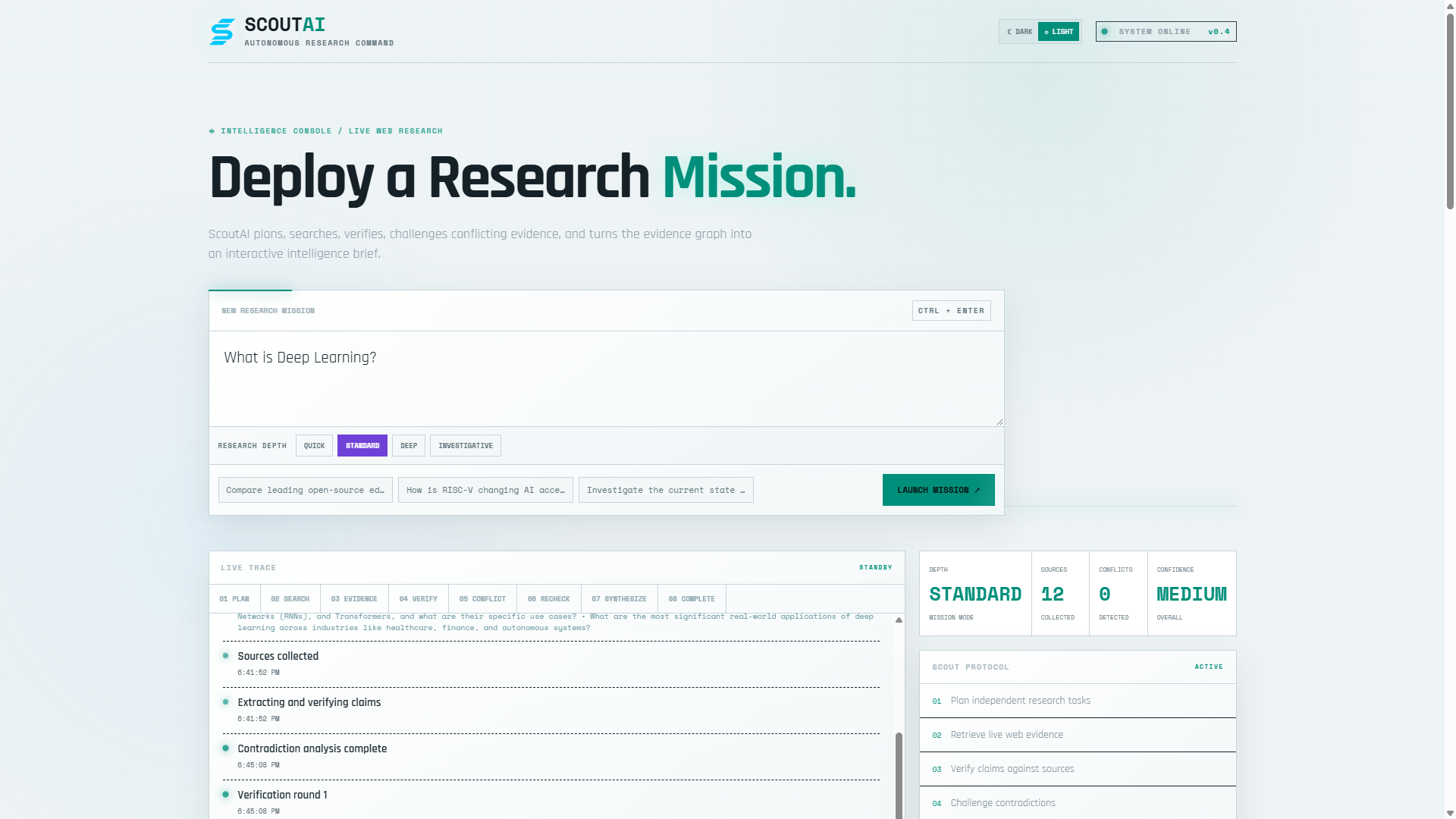
The Next.js console supports:
- desktop and mobile layouts
- dark/light themes
- live mission statistics
- research-depth selector
- attachment picker
- source and claim cards
- contradiction panels
- expandable evidence/reasoning
- PDF export
- responsive research trace
Architecture
                              USER
                               │
                               ▼
                    ┌──────────────────────┐
                    │   Next.js Console    │
                    │  Desktop + Mobile    │
                    └──────────┬───────────┘
                               │
                       HTTP + SSE
                               │
                               ▼
                    ┌──────────────────────┐
                    │    FastAPI API       │
                    │ Mission Orchestrator │
                    └──────────┬───────────┘
                               │
             ┌─────────────────┼──────────────────┐
             │                 │                  │
             ▼                 ▼                  ▼
      ┌─────────────┐   ┌─────────────┐   ┌──────────────┐
      │    Gemma    │   │   SerpApi   │   │   Evidence   │
      │ Planning    │   │ Live Web    │   │ Verification │
      │ Vision      │   │ Retrieval   │   │ Contradiction│
      │ Synthesis   │   │             │   │ Follow-ups   │
      └─────────────┘   └─────────────┘   └──────────────┘
             │                 │                  │
             └─────────────────┼──────────────────┘
                               ▼
                    ┌──────────────────────┐
                    │ Intelligence Report  │
                    │ + Evidence + Trace   │
                    └──────────────────────┘
Technology Stack
Backend
- Python
- FastAPI — API and streaming layer
- Google GenAI SDK — model communication
- Gemma 4 — planning, reasoning, image analysis and synthesis
- SerpApi — live web search
- Pydantic — request/response validation
- python-dotenv — environment configuration
- ReportLab — PDF report generation
- pypdf — PDF text extraction
- python-docx — DOCX extraction
- openpyxl — XLSX extraction
- python-pptx — PPTX extraction
- python-multipart — multipart file uploads
- FAISS / NumPy — retrieval/memory scaffolding
- Pytest / HTTPX — testing
Frontend
- Next.js 16.3.6
- React 19.1
- JavaScript
- Responsive CSS
- Server-Sent Events (SSE)
- Native browser
FormDataand file APIs
Infrastructure
GitHub
   │
   ├──────────────► Vercel
   │                  └── Next.js frontend
   │
   └──────────────► Render
                      └── FastAPI backend
                            │
                            ├── Google AI / Gemma
                            └── SerpApi
Project Structure
ScoutAI/
│
├── app/
│   ├── agents/
│   │   └── research_agent.py       # Research planning, verification,
│   │                               # follow-ups, visual analysis, synthesis
│   │
│   ├── api/
│   │   ├── models.py              # API models
│   │   └── routes.py              # Research, streaming, reconnect, PDF
│   │
│   ├── research/
│   │   ├── attachments.py         # File extraction + attachment context
│   │   ├── events.py              # Research event definitions
│   │   ├── evidence.py            # Source/evidence normalization
│   │   └── verifier.py            # Claim verification logic
│   │
│   └── main.py                    # FastAPI application + CORS
│
├── config/
│   └── settings.py                # Models, API keys and research profiles
│
├── data/                          # Runtime/data workspace
│
├── frontend/
│   ├── app/
│   │   ├── page.js                # Main ScoutAI console
│   │   ├── globals.css            # UI/theme/responsive styles
│   │   ├── layout.js              # SEO metadata + favicon
│   │   ├── robots.js              # Search crawler rules
│   │   └── sitemap.js             # Generated sitemap
│   │
│   ├── public/
│   │   ├── favicon.svg            # ScoutAI cyan logo
│   │   └── google*.html           # Search Console verification file
│   │
│   ├── package.json
│   └── README.md
│
├── docs/
│   └── screenshots/               # Project screenshots used by README
│
├── scripts/
├── tests/
├── .env.example
├── render.yaml
├── requirements.txt
├── pyproject.toml
└── README.md
Research Pipeline
A typical investigation follows:
User Question
     │
     ▼
Research Plan
     │
     ▼
Live Search
     │
     ▼
Evidence Collection
     │
     ▼
Verification
     │
     ├─────────── consistent ───────────┐
     │                                  │
     └────────── contradiction ──► Challenge
                                        │
                                        ▼
                                Targeted Re-search
                                        │
                                        ▼
                                   Re-verification
                                        │
                                        ▼
                                   Synthesis
                                        │
                                        ▼
                              Cited Intelligence Brief
Attachments enter the same pipeline as additional research context.
API
Health
GET /health
Returns:
{"status":"healthy"}
Standard Research
POST /api/research
Content-Type: multipart/form-data

question=Your research question
depth=standard
files=<optional attachment>
Streaming Research
POST /api/research/stream
Content-Type: multipart/form-data

question=Your research question
depth=standard
files=<optional attachment>
The response is an SSE stream.
Typical event progression:
planning
  ↓
planning_complete
  ↓
searching
  ↓
sources_found
  ↓
verifying
  ↓
contradictions
  ↓
followup_search
  ↓
synthesizing
  ↓
complete
Reconnect to an Existing Mission
GET /api/research/stream/{run_id}
This endpoint allows a disconnected frontend to resume receiving events from an existing research mission.
PDF Export
POST /api/research/pdf
Content-Type: application/json

{
  "report": { "...completed report..." },
  "depth": "standard"
}
Returns:
application/pdf
Local Setup
1. Clone
git clone https://github.com/Barnona/ScoutAI.git
cd ScoutAI
2. Backend environment
python -m venv .venv
.\.venv\Scripts\Activate.ps1
pip install -r requirements.txt
3. Environment variables
Create .env from .env.example:
Copy-Item .env.example .env
Configure:
GEMINI_API_KEY=your_google_ai_studio_key
GEMMA_MODEL=gemma-4-31b-it
GEMMA_FALLBACK_MODEL=gemma-4-26b-a4b-it
SERPAPI_API_KEY=your_serpapi_key
Optional research-budget variables:
MAX_SEARCHES=5
MAX_SOURCES=12
MAX_VERIFICATION_ROUNDS=2
MAX_FOLLOWUP_SEARCHES=4
Never commit .env or API keys.
4. Run backend
uvicorn app.main:app --reload
Backend:
http://127.0.0.1:8000
Swagger/OpenAPI:
http://127.0.0.1:8000/docs
5. Run frontend
In another terminal:
cd frontend
npm install
npm run dev
Open:
http://localhost:3000
The frontend defaults to:
http://localhost:8000
Override it with frontend/.env.local:
NEXT_PUBLIC_API_URL=http://localhost:8000
Deployment
Backend — Render
The repository includes render.yaml.
Render runs:
pip install -r requirements.txt
uvicorn app.main:app --host 0.0.0.0 --port $PORT
Required environment variables:
GEMINI_API_KEY
SERPAPI_API_KEY
GEMMA_MODEL
GEMMA_FALLBACK_MODEL
FRONTEND_ORIGINS
Set FRONTEND_ORIGINS to the Vercel production origin.
Frontend — Vercel
Recommended configuration:
Root Directory: frontend
Framework: Next.js
Build Command: npm run build
Install Command: npm install
Set:
NEXT_PUBLIC_API_URL=<your Render service URL>
NEXT_PUBLIC_SITE_URL=https://scoutai-nine.vercel.app
Production
https://scoutai-nine.vercel.app/
Search Engine Setup
ScoutAI includes:
- favicon
- SEO metadata
- robots rules
- generated sitemap
- Google Search Console verification file
Production endpoints:
https://scoutai-nine.vercel.app/robots.txt
https://scoutai-nine.vercel.app/sitemap.xml
The site is configured to allow indexing.
Testing
Run:
pytest
Before a release, verify:
- backend
/health - all four research depths
- research completion
- live event trace
- source cards and citations
- contradiction handling
- PDF export
- dark/light themes
- mobile layout
- attachment upload
- PDF/DOCX/XLSX/PPTX extraction
- image analysis
- temporary network disconnect/reconnection
- Vercel → Render communication
- Search Console verification
Design Philosophy
Research should be a process, not a single prompt.
ScoutAI deliberately makes the investigation visible instead of presenting an unexplained final answer.
Plan
 ↓
Retrieve
 ↓
Verify
 ↓
Challenge
 ↓
Recheck
 ↓
Synthesize
The system surfaces evidence gaps, contradictions, source metadata and research progress as part of the user experience.
Current Scope
ScoutAI currently provides:
- autonomous web research
- adaptive research depth
- evidence collection and verification
- contradiction analysis
- targeted follow-up searches
- multimodal document/image attachments
- resilient streaming research sessions
- cited intelligence reports
- PDF export
- responsive desktop/mobile UI
- light/dark themes
- SEO/indexing support
FAISS/NumPy retrieval and memory components remain available as scaffolding for future expansion; they are not required by the current core research loop.
License
See LICENSE.

Log in or sign up for Devpost to join the conversation.