Inspiration
My foray into the workforce was as a growth associate in an ed-tech startup. Despite being a tiny team of ~15 members, every single person carried the deep conviction that every child should be given the opportunity to thrive, regardless of academic or behavioural challenges. We spent countless hours focussing on making educational content more accessible for children.
And now with the explosion of AI tools, students have a multitude of web-based tools for learning in a way that suits them. Yet, there's one critical thing missing: web accessibility.
Shockingly, of a million websites homepages, 50,960,288 distinct accessibility errors were detected—an average of 51 errors per page. And most of these are quite simple fixes.
For students (and any other users) using screenreaders to navigate the site, the lack of web accessibility is a frustrating barrier. What might seem like an insignificant label attribute, can be the difference between disabled users being able to use a website...or not.
As AI expands what's possible, let's make sure a lack of accessibility isn't keeping people stuck.
That's why I'm proud to introduce Scout, a VS Code extension that helps you catch and fix accessibility issues, right from your code editor. Think of Scout as your AI powered companion for building a more inclusive web.
What Scout does
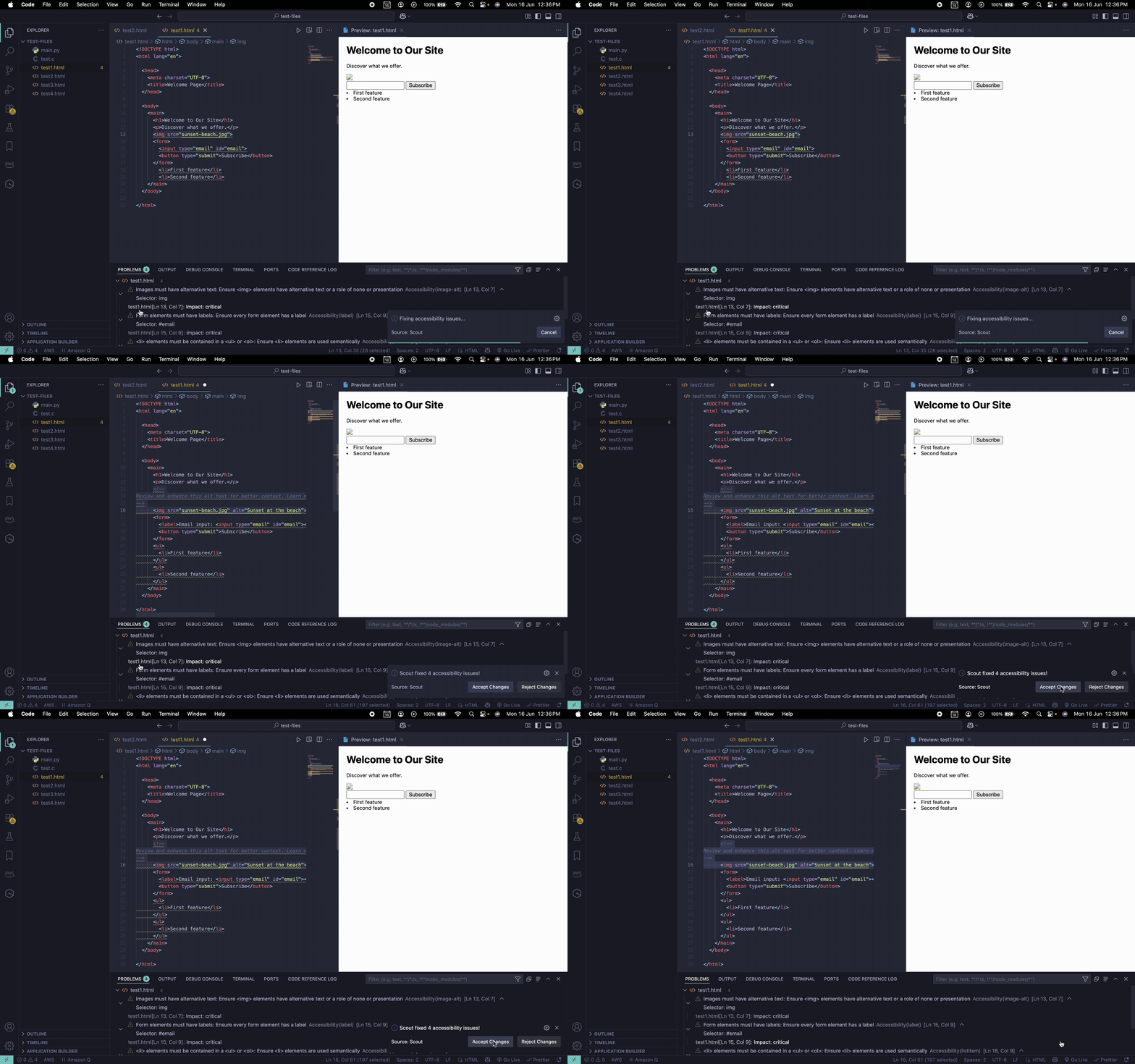
- Scans HTML files for accessibility issues - catches problems like missing labels, alt text, and list structure errors.
- Suggests and applies fixes with AI - uses MistralAI for smart, one-click solutions.
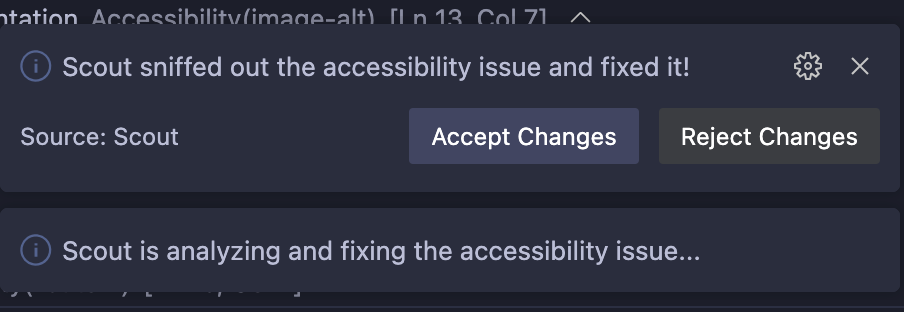
- Lets you accept or reject changes - maintain full control over what gets updated.
- Leverages native VS Code features - for a familiar developer experience
- Keyboard shortcuts - to scan and fix issues without disrupting your workflow
- Powered by axe-core - the most comprehensive, standard-based accessibility checks
How I built it
Once I had an idea of what I wanted to build, I spent some time on Perplexity to flesh out my project and the necessary features. I watched a few videos on web accessibility and building VS Code extensions before I wrote my first line of code.
Throughout the development process I used Cursor, and enhanced its abilities using prompts and guides from Perplexity. I built Scout as a VS Code extension using TypeScript and leveraged the VS Code Extension API for features like quick fixes and webviews. To ensure reliable accessibility checks, I integrated the axe-core library, and for smart fixes, I connected to MistralAI.
I spent ages testing and debugging Scout using VS Code’s Extension Development Host, making sure everything worked smoothly before packaging and sharing the extension
Challenges I ran into
You'd think once you have the idea, it would be relatively straightforward. My experience was anything but. Especially since it was my first ever hackathon.
Right off the bat I had trouble getting my extension to run, only to realise that the fix was to update my VS Code. I did initially want to support tsx, .jsx files and spent hours trying to make it happen but ultimately decided to focus on getting the basic functionality right before expanding the project. I also wanted to setup the demo in Codespaces for easy testing but ran into some issues there as well. But I did have lots of fun trying to debug this and I can't wait to use it for a future project.
The biggest challenge for me though, was pushing through despite everything to build something from scratch.
Accomplishments that I'm proud of
Honestly? Submitting this project.
There were moments I didn't even think I'd get this far.
But I think I've implemented some core functionality quite well, keeping in mind user experience. I'm particularly proud of how Scout can fix all issues with one click. There's also the functionality to accept/reject changes (like Cursor!). Oh, and I enjoyed injecting a little brightness into the success and error messages.
Adding keyboard shortcuts was a highlight for me. I know how much developers appreciate quick ways to scan and fix issues, and it's a simple feature that improves daily workflow. I'm also quite happy I could leverage VS Code's native features (like webview and light bulb fix icons) so users can hit the ground running, without any starting trouble.
What I learned
Besides becoming more comfortable with Typescript and the VS Code Extensions API, I think there are two big takeaways from this experience -
- A powerful Cursor workflow that helps me get better results. After all, AI is only as powerful as the person using it.
- The importance of scoping - this was crucial for me as a solo developer at my first hackathon. I learned to be less stubborn and set more realistic goals i.e. focussing on what I could accomplish well, rather than trying to solve everything at once.
What's next for Scout - AI Powered Accessibility
There’s so much more I want to do with Scout. For one, I’d love to expand file support beyond HTML—think .tsx, .jsx, and even more file types, so Scout can help as many devs as possible. I’m excited to expand the number of AI-powered fixes, making them even smarter and more intuitive. And of course, I'd love to publish my extension to the VS Code Marketplace so more people can use it.
Ultimately, my goal is to make Scout a go-to tool for accessibility, right inside VS Code. With the growing legal and social imperative for accessible digital content, I believe there’s a real market need for solutions like this. The unique approach of automating the fix of accessibility issues—fills a critical gap in current developer tooling. Plus, Scout is built to be highly scalable, so it has the potential to support web, mobile, and desktop applications across multiple languages.
That’s why I really believe Scout could become something much bigger—maybe even a full-fledged startup that helps make the web accessible for everyone, one line of code at a time.
Built With
- axe-core
- copilot
- cursor
- github
- mistralai-api
- npm
- perplexity
- typescript
- vs-code-extension-api

Log in or sign up for Devpost to join the conversation.