-
-
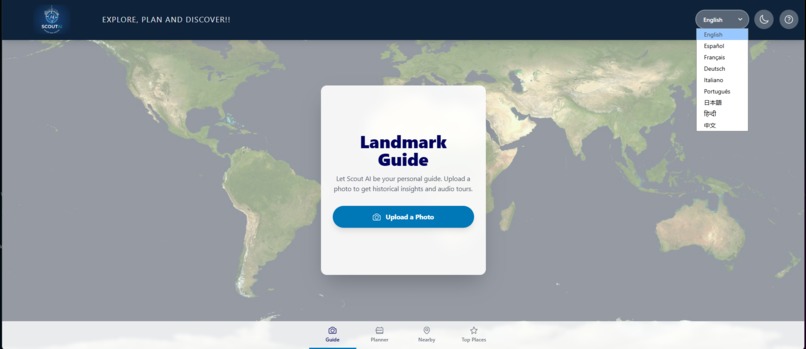
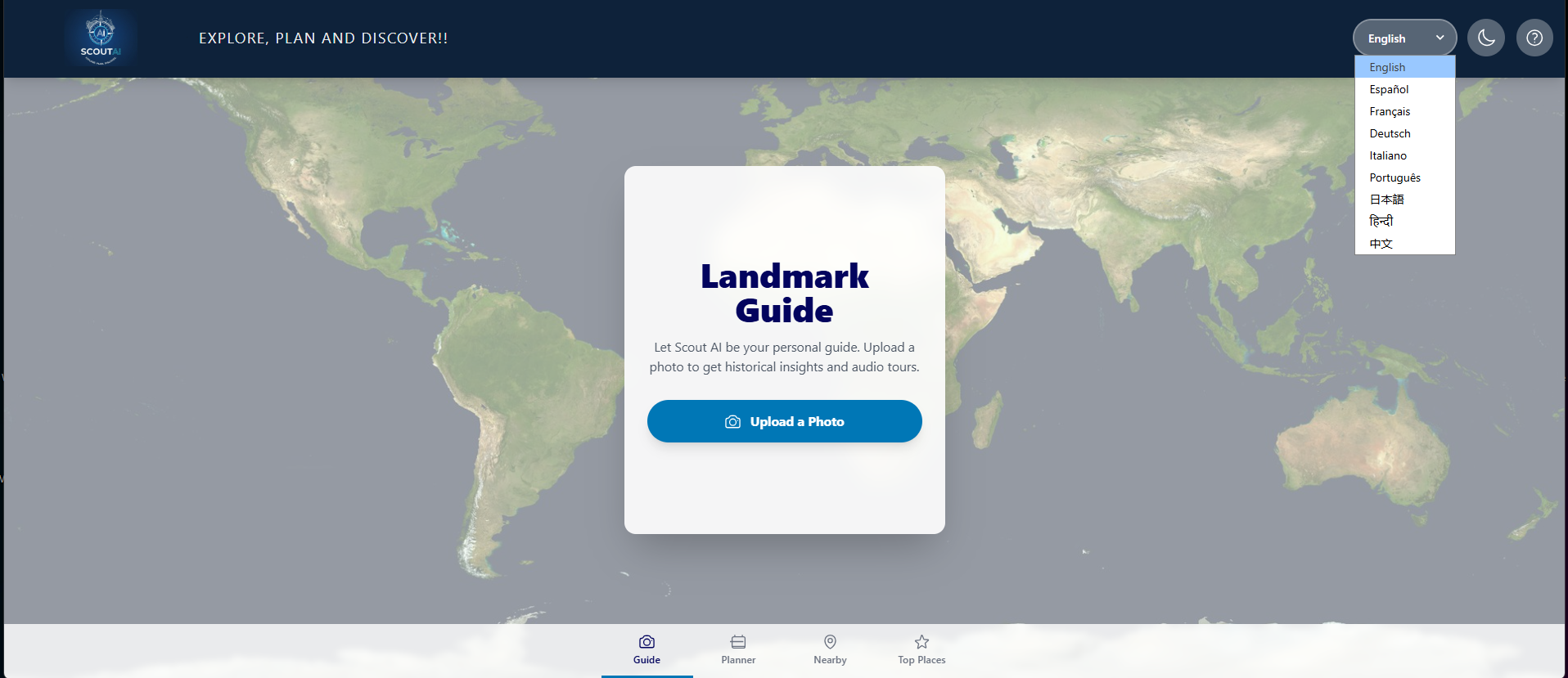
Index Page - Light Mode
-
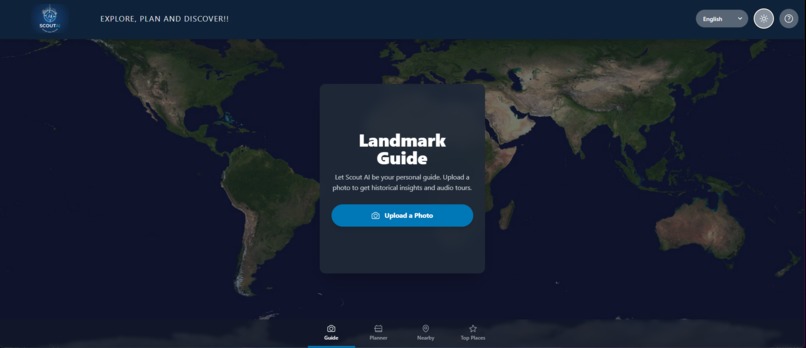
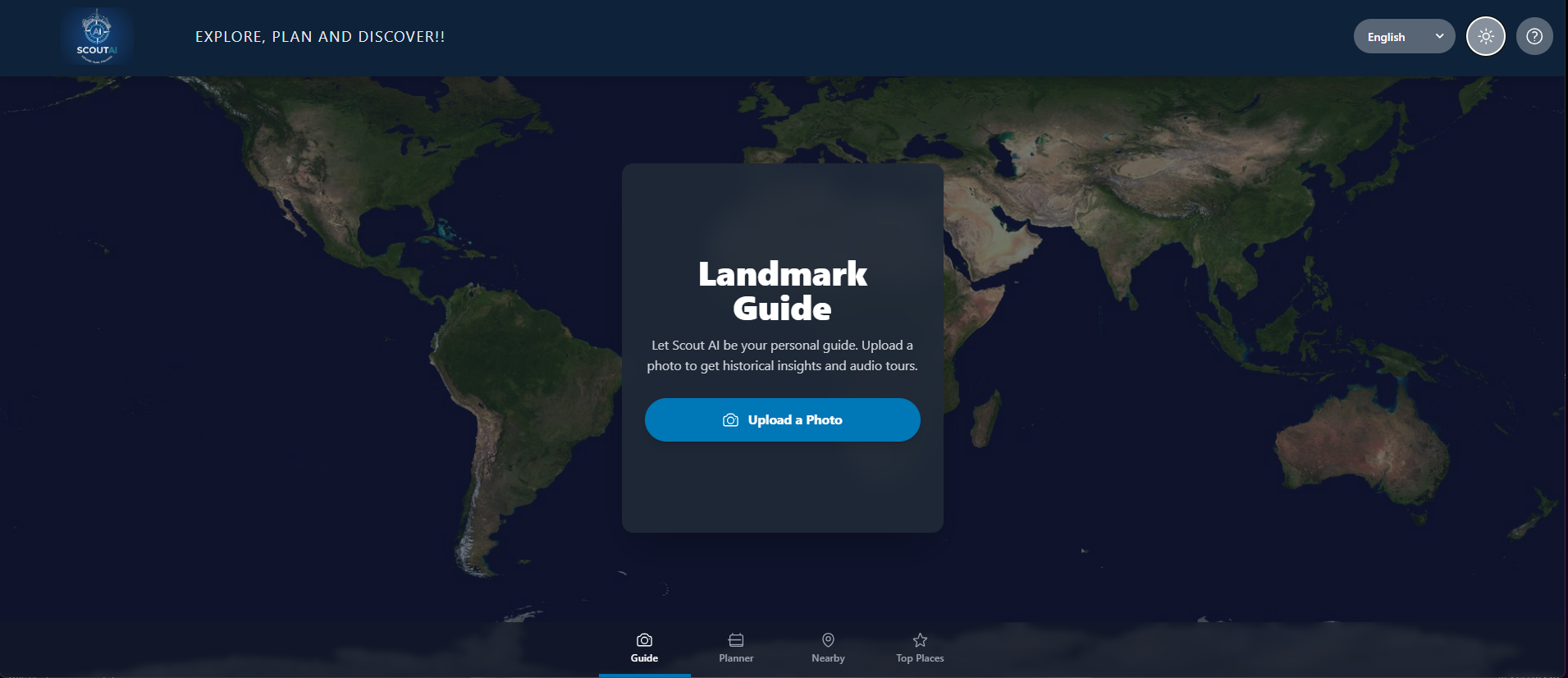
Index Page - Dark Mode
-
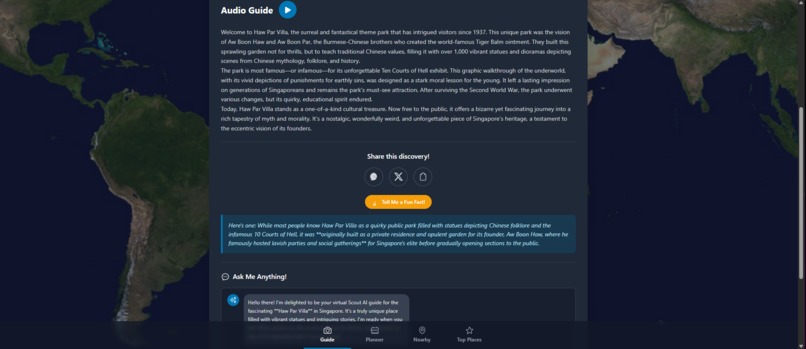
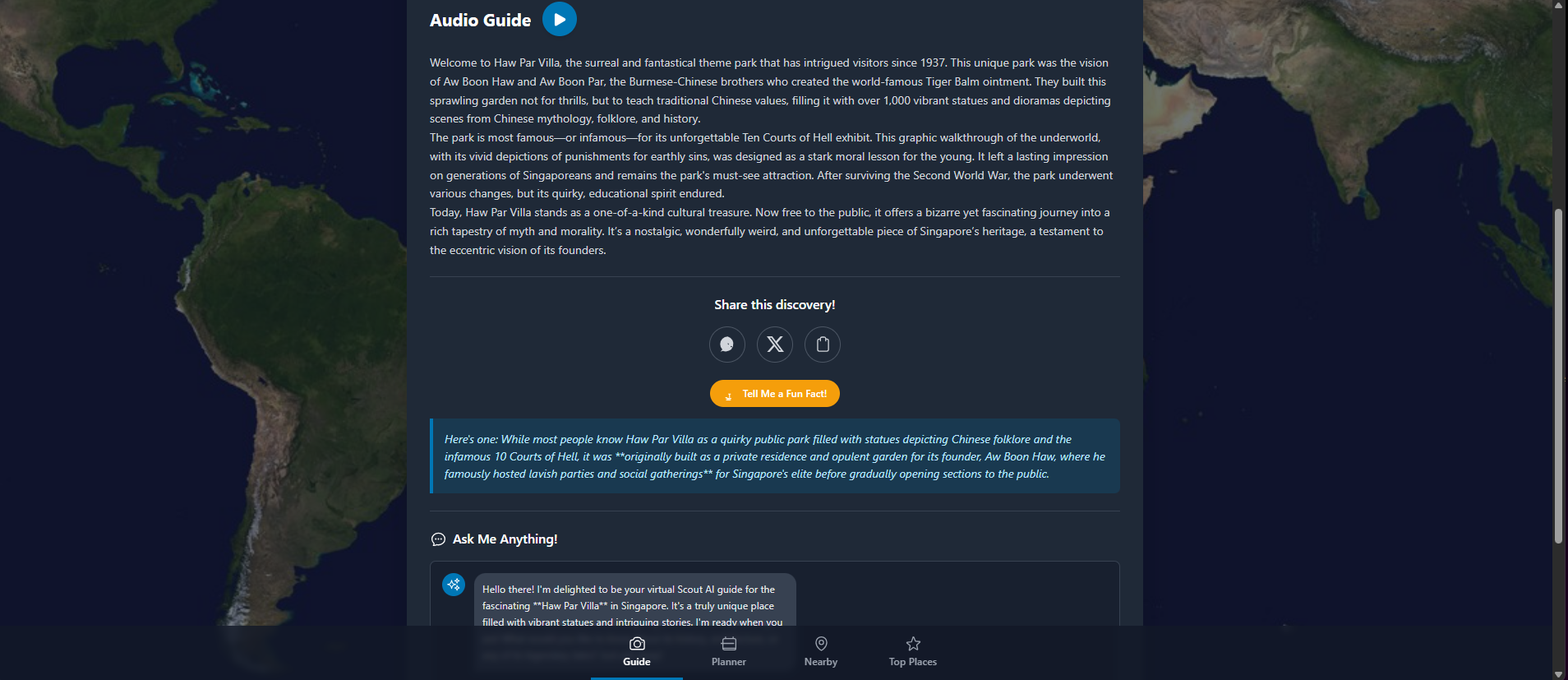
"Guide": Audio guide, Fun facts and Chat
-
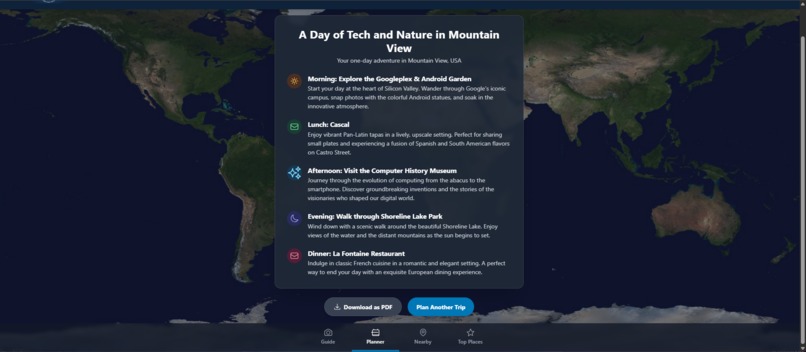
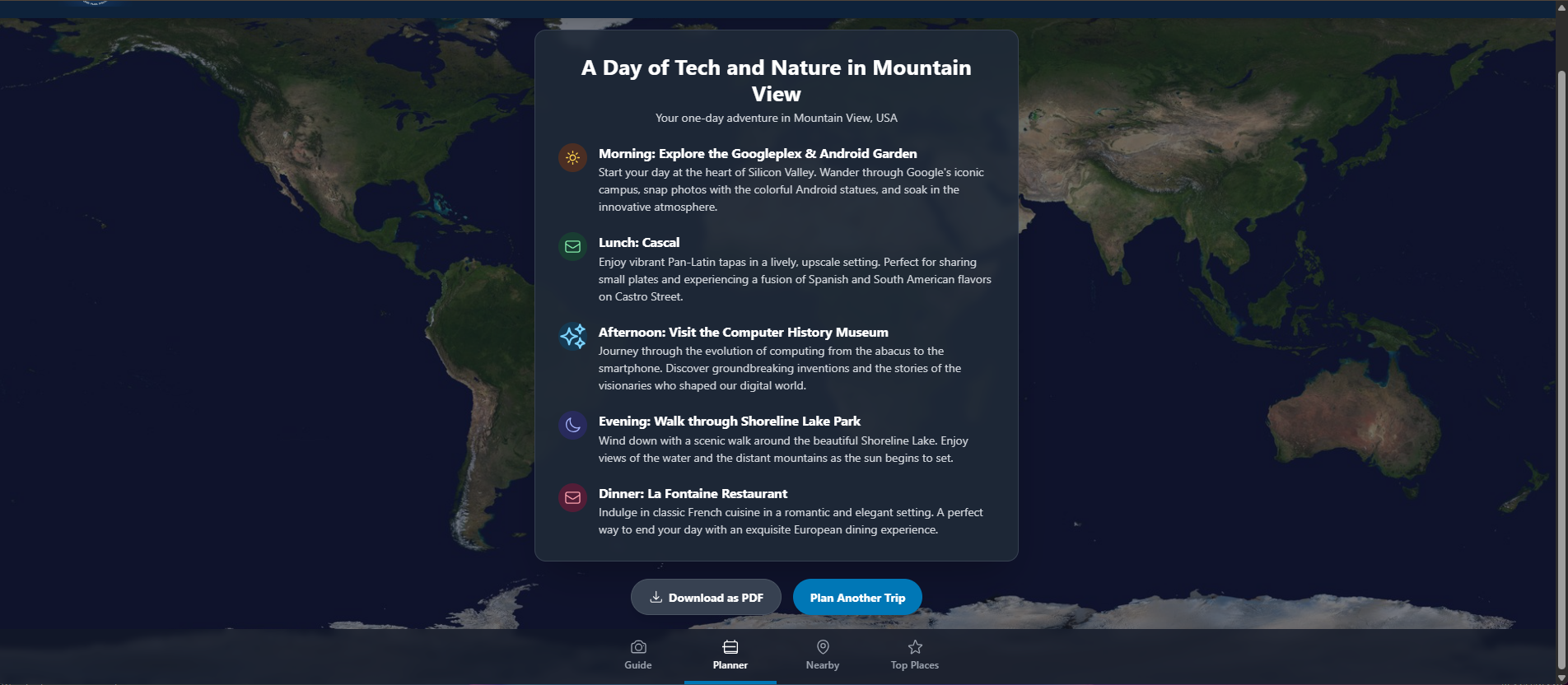
"Planner": Personalized one-day tour plan
-
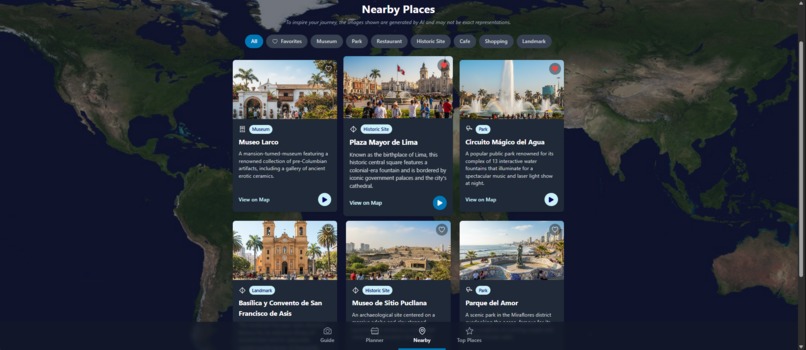
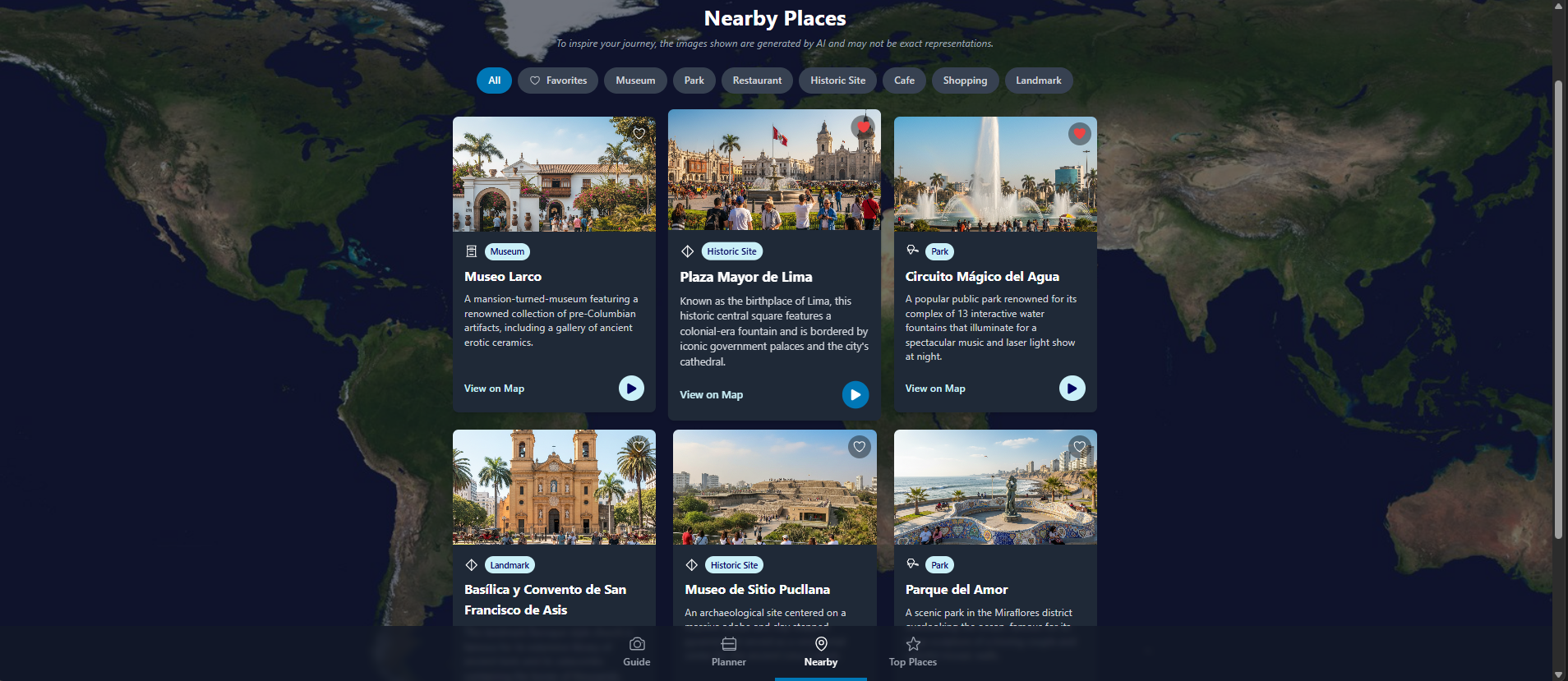
"Nearby": Find interesting spots near your location (English)
-
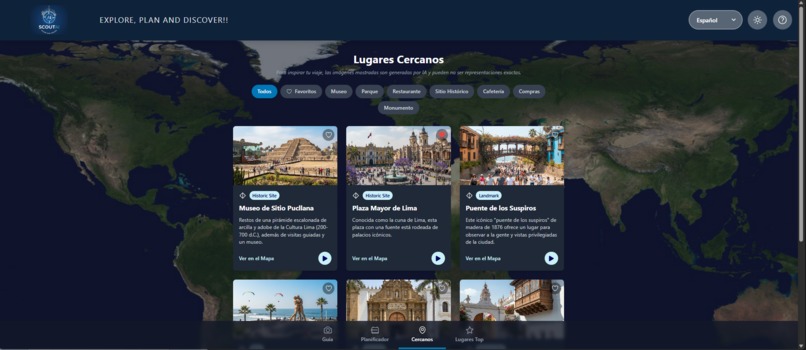
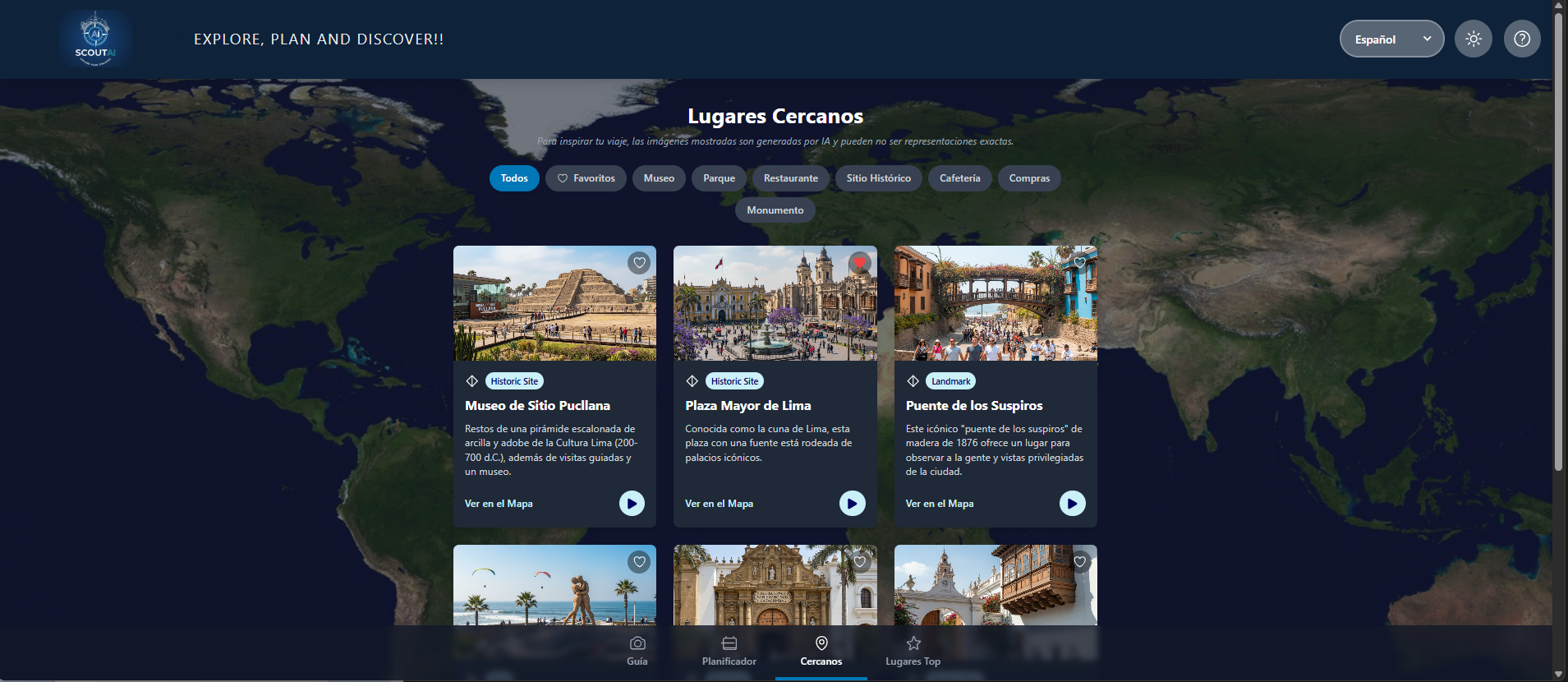
Find interesting spots near your location (Spanish)
-
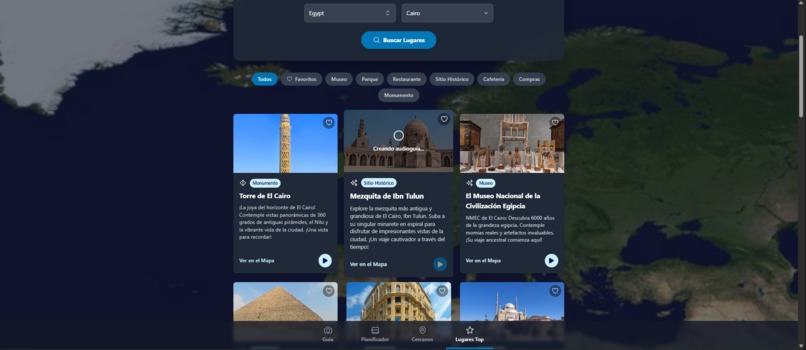
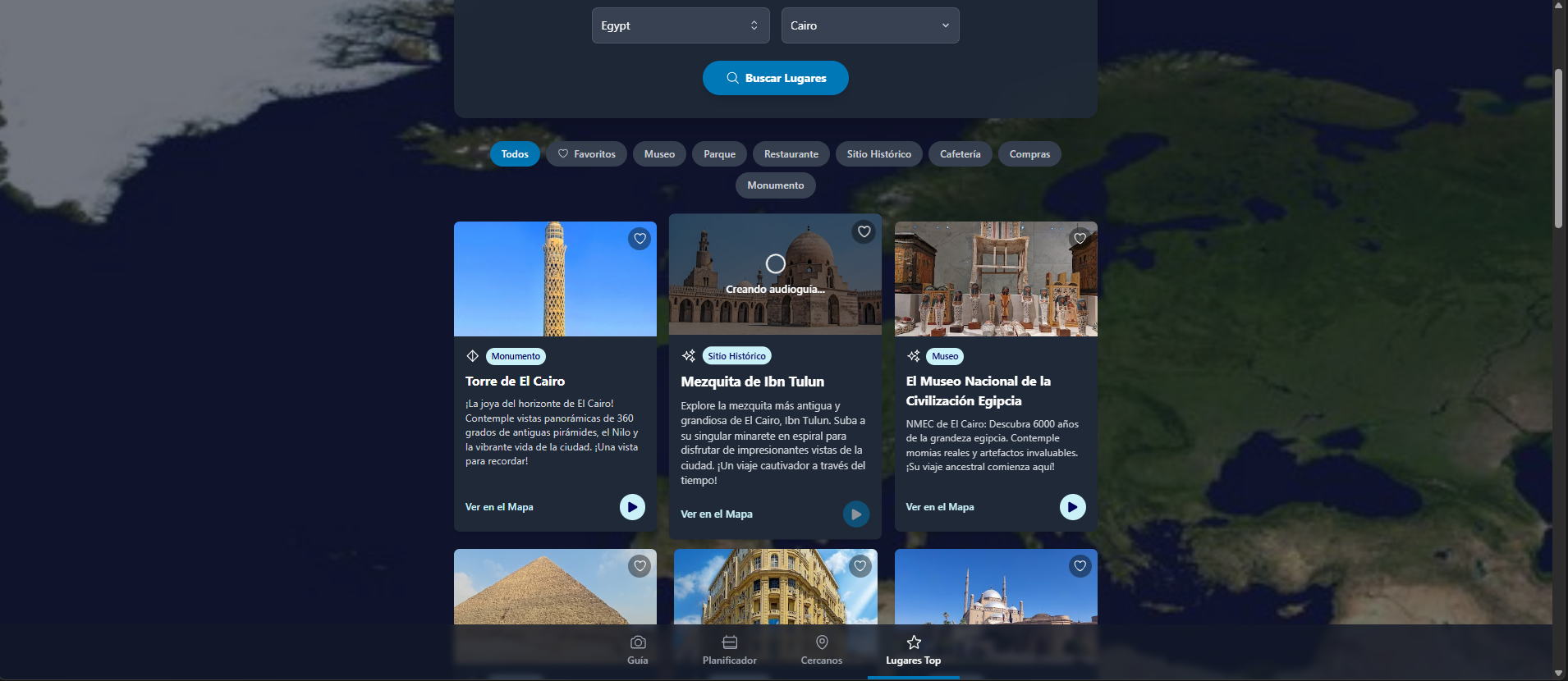
"Top Places": Explore curated lists of the most popular places from around the globe.
-
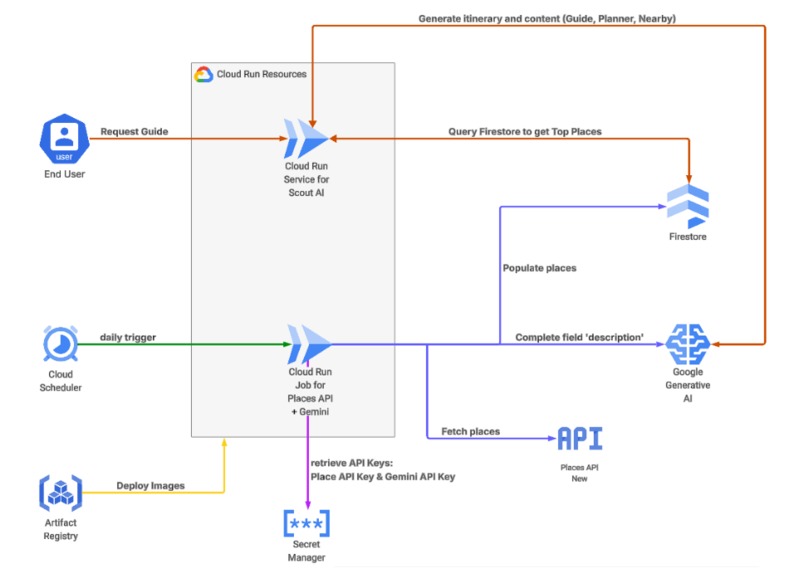
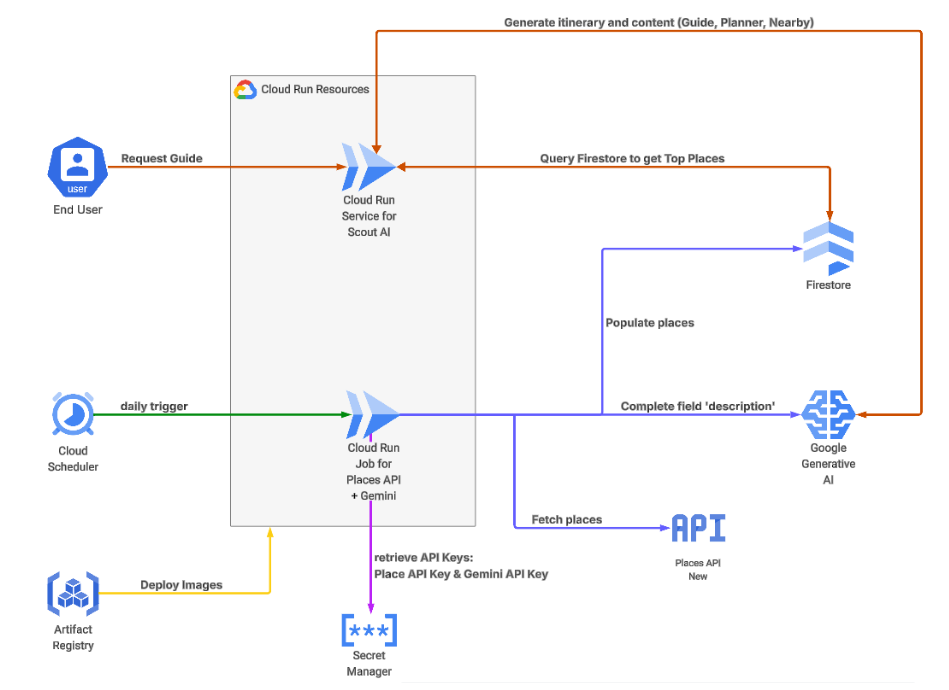
Diagram Architecture
-
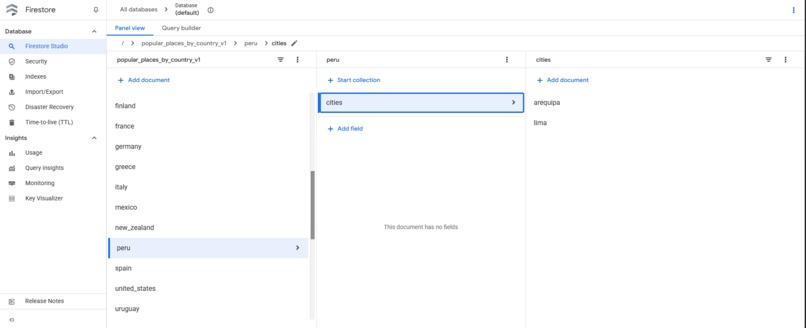
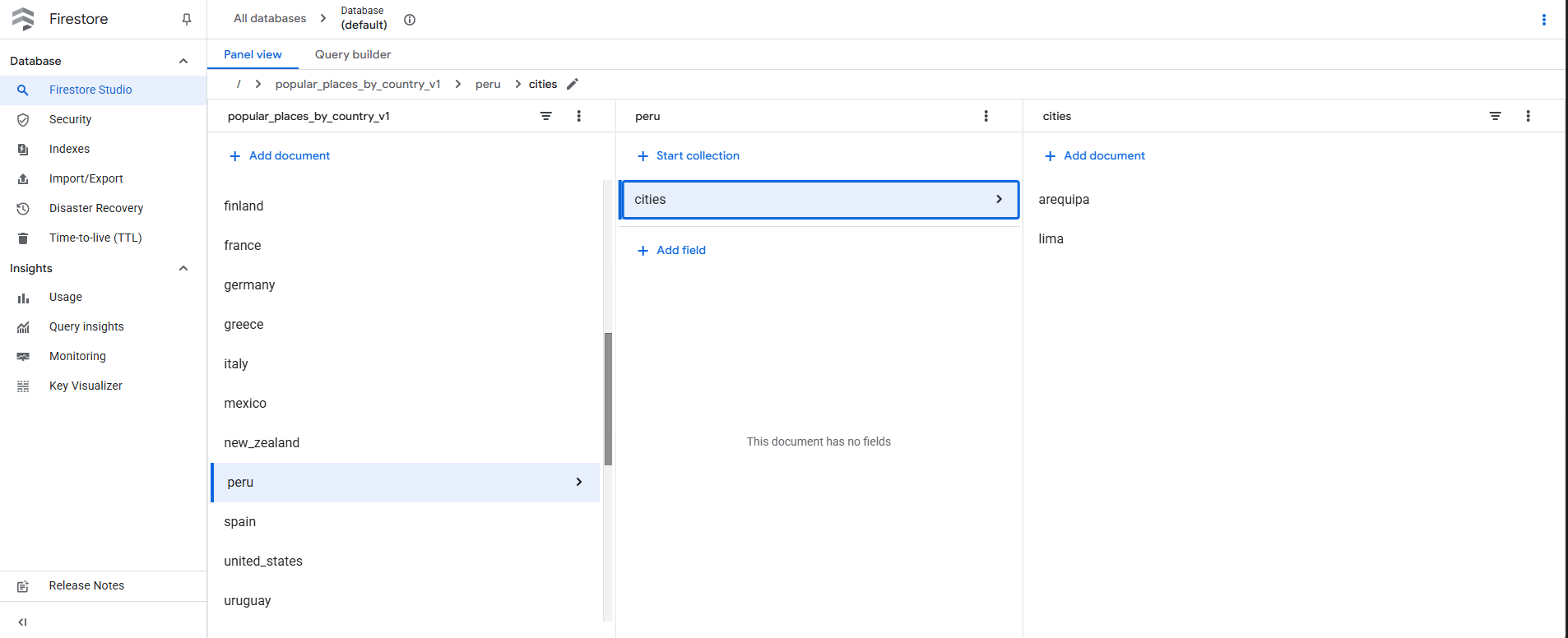
Firebase Database
-
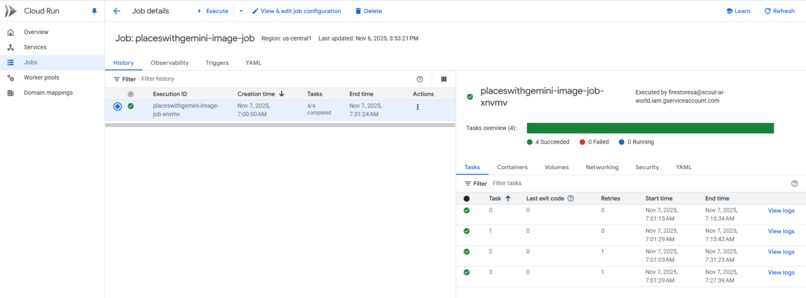
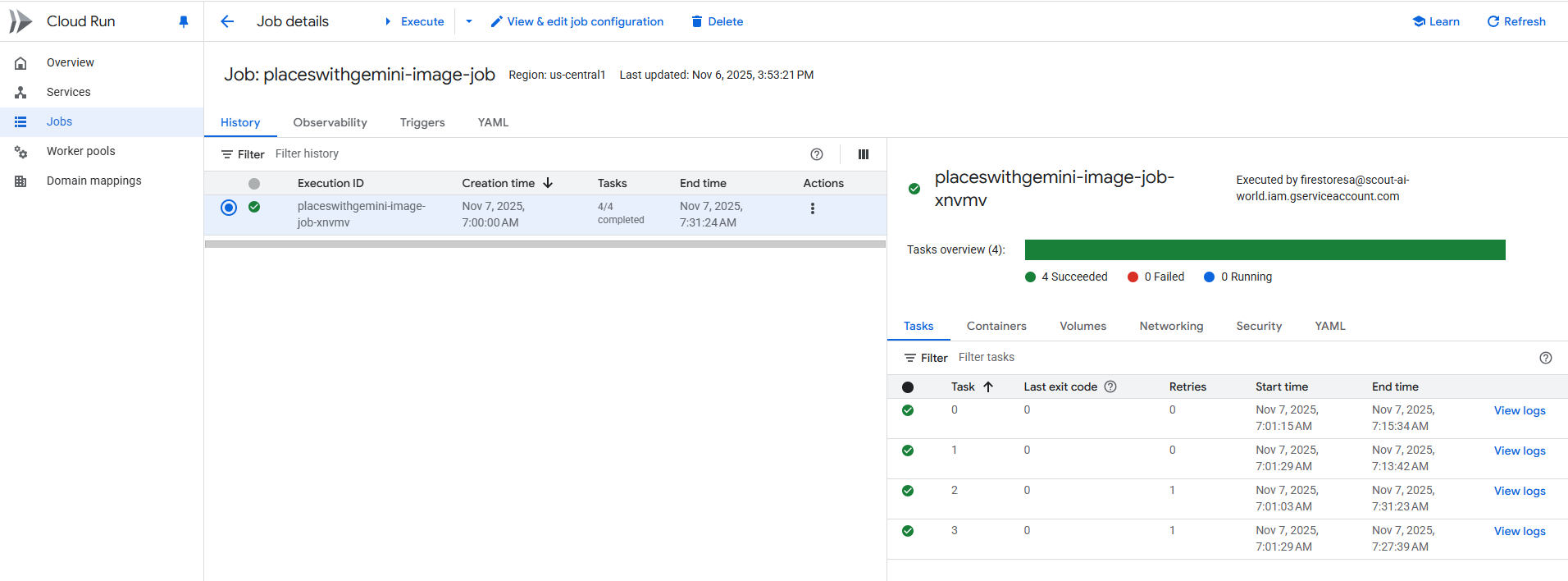
Multiprocessamento Cloud Run Job
🗺️ Project Story: Scout AI
✨ Inspiration
The idea for Scout AI was born out of a personal need I had while traveling, especially when time was short and I was alone. Although Google Maps is essential, I felt the experience was fragmented: it shows me all the places, but not a top of the most relevant ones, forcing me to rely on forums or external websites that lack the immediacy and volume of data that Google Maps handles.
Sometimes, I would stumble upon an interesting place while walking. To find out what it was, I would use Google Maps, and to learn more about the place, I would do a Google search. While reading about its history, I would lose focus on appreciating the place, so I thought of an audio guide, as if someone were giving you information that you could listen to without missing out on the experience of exploring the new place.
Another issue is that Google Maps highlights many points of interest, but the information about which ones might be of interest to me is scattered. To solve this lack of clarity, I used Places API New to curate and present a quick visualization of the 20 most relevant places in a city.
🚀 What it does
Scout AI aims to be a solution that combines the immediacy of a phone camera with the in-depth expertise of a tour guide, all in one place. Gemini was the perfect tool because its multimodal understanding (image + text) allowed me to merge these actions, going from a photo to a detailed report with fun facts and an interactive chat, creating a one-day tourism itinerary, and finding information on nearby places or within a specific city.
🛠️ How we built it
Frontend Architecture
- Frontend Base: I used AI Studio to generate the foundations of the Frontend in React (JSX). To handle the complexity (8 languages, 4 sections, dark mode), I used robust
useStatefor global state and navigation. - Styling: Tailwind CSS ensured a mobile-first design that was fully responsive and accessible, including the dynamic implementation of dark/light mode.
AI Integration and Logic
- Gemini API: We used
gemini-2.5-proandgemini-2.5-flashin two critical flows:- Guide: Multimodal usage (image + text) for place identification.
- Planner: Usage of
responseSchemato force the output into structured JSON, ensuring that the one-day itinerary was easy to parse and visualize.
- Persistence and Data: Firestore was implemented for the "Top Places" section. I ensured initialization and authentication using global variables (
__firebase_config,__initial_auth_token), and the use ofonSnapshotfor real-time data visualization. - Serverless Backend (Future Vision): Cloud Run was defined as the extension layer to host heavy and sensitive logic (Places API New data curation and robust PDF generation), ensuring scalability and security of API keys. The API Keys are hosted at secret manager.
🛑 Challenges we ran into
We faced typical challenges of a full-stack application operating almost entirely on the client side:
| Challenge | Implemented Solution |
|---|---|
| Multimodal Latency Management | I had to dedicate time to refining the loading interface or improve the User Experience confirming to the user that the image or audio was being processed by the AI, mitigating frustration caused by latency. |
| Nearby Instability | The code is functional, but it took more than 15 minutes to load. I reduced the number of items to 6, and the audio is generated on demand, so the loading time decreased to an average of 3-4 minutes. It sometimes seems unstable, but in my latest tests, everything worked. |
🏆 Accomplishments that we're proud of
- Fluid Multimodal Experience: Moving from a simple photo to a detailed report of history, fun facts, and a real-time follow-up chat (thanks to Gemini and Grounding) is an achievement that eliminates friction during travel.
- Complete and Dynamic I18N System: I successfully implemented the full translation of the entire interface into 8 languages dynamically, storing all content in state dictionaries without requiring page reloads, which is vital for a traveler app.
- Data Reactivity and UX: The implementation of
onSnapshotin Firestore for "Top Places" demonstrated a fully reactive design, where any change in the database is reflected instantly in the interface, using the same attractive card design as "Nearby." - Integration with Places API and Firestore Implementation to obtain relevant places from the Places API and save the data in Firestore.
🧠 What we learned
The key takeaway was the power of Structured Generation with responseSchema to ensure robust JSON itineraries, and the need to prioritize reactive design with onSnapshot over one-off queries. Isaw how AI Studio helps a lot for development, acting as a tutor / pair programmer that helped me learn and apply advanced concepts.
Also I learned about the Places API New. This is the first time I've applied it to a project.
🚀 What's next for Scout AI: Explore, Plan and Discover!!
- Explore more information that I can get from Places API New and integrate it into the solution.
- Generate background audio and store it in Cloud Storage (based on the description generated by Gemini) to make page loading lighter. *Better customization of the travel itinerary. Perhaps extending it to more than one day.
Built With
- ai-studio
- artifact-registry
- cloud-run
- fast-api
- firebase
- gemini
- places-api-new
- python
- react
- secret-manager
- typescript

Log in or sign up for Devpost to join the conversation.