-
-
Cover
-
Report screen
-
Tutorial UI screen
-
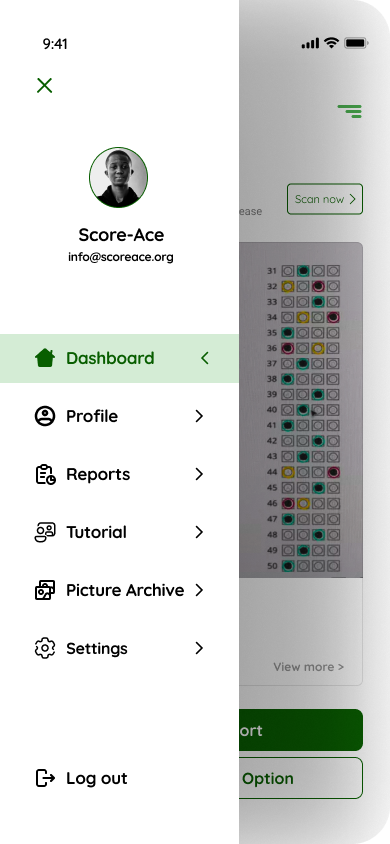
Dashboard
-
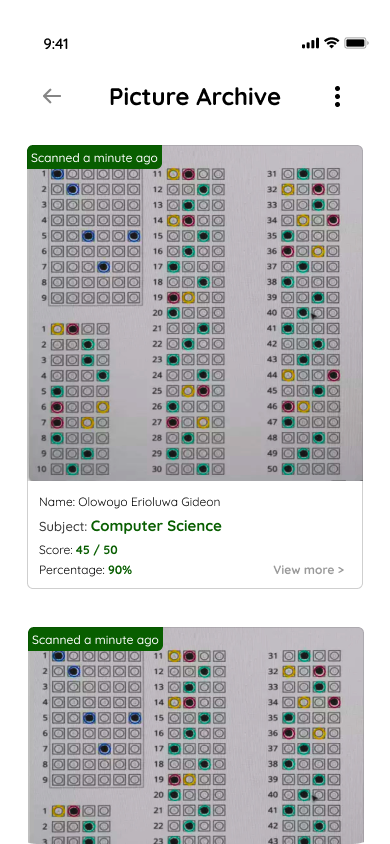
Picture Archive
Inspiration
Teachers are burning countless hours grading paper tests by hand instead of actually teaching and mentoring their students. We looked at existing "AI grading" tools and realized a massive problem: they all assume schools have perfect, high-speed internet and teachers have expensive smartphones. That simply doesn't reflect the reality of most of our communities.
For this hackathon, we wanted to build something that respects these real-world limits. Score Ace was inspired by the need to give teachers their time back using an offline tool that actually works in their everyday environment.
What it does
Score Ace is designed to be a smart, completely offline grading assistant.
- The Rules: A teacher enters the correct answers and keywords for a test.
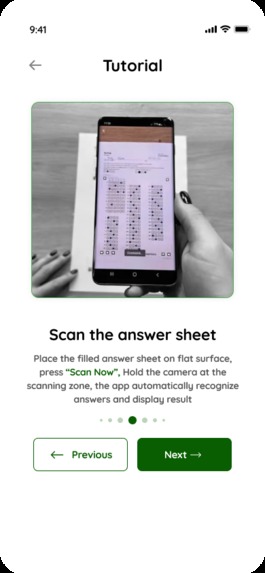
- The Scan: The teacher uses the app to take a picture of the student's handwritten paper.
- The Result: The app reads the handwriting, matches it against the teacher's rules, and instantly - provides a grade without needing an internet connection.
- The Sync: The grades are saved locally on the phone and automatically uploaded to a cloud dashboard whenever the teacher eventually connects to Wi-Fi.
What we built so far
With only four days to work, we knew we couldn't build a perfect AI from scratch. Instead, we focused strictly on what matters most for a new startup: user experience, the right data, and market validation.
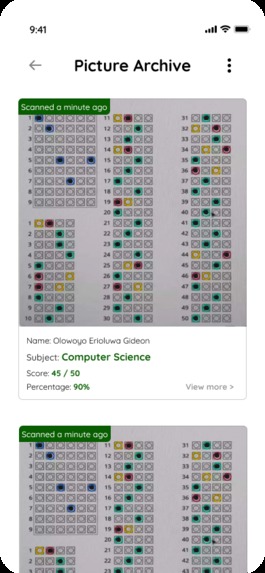
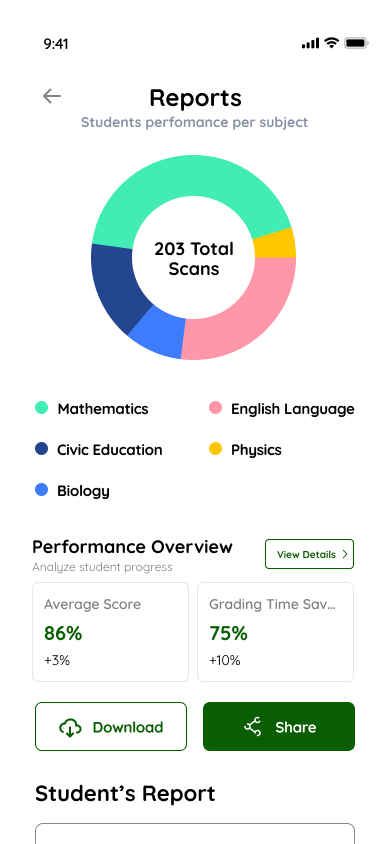
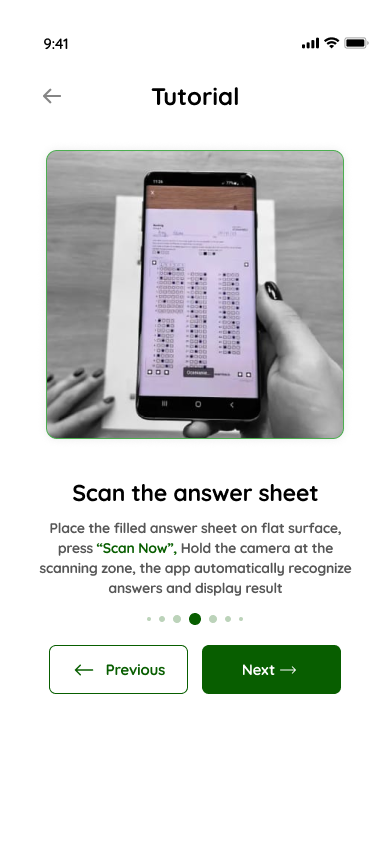
The Blueprint (UI/UX Design) A smart AI is useless if the app is confusing to use. We spent a major part of the hackathon designing a high-fidelity, interactive prototype in Figma. We mapped out the exact user journey, focusing especially on a "smart camera" interface that guides the teacher to take a clear, well-aligned photo so the future AI has an easier time reading it.
Our Dataset AI needs to learn from data. Instead of wasting time trying to code a basic AI, we spent hours hunting down and compiling a massive dataset of real student handwriting. We specifically gathered images of "bad," messy, and rushed handwriting. This dataset is the crucial foundation we need to eventually train an AI that can handle unpredictable, real-world students.
Market Validation (The Waitlist) We wanted to prove that "Score Ace" is something people actually need. So, we built and launched a waitlist landing page. This allows us to start gathering interest from real teachers and educators immediately, proving there is a business case for our solution.
How we are planning to build it
Because our goal is to build a reliable, offline-first tool, we couldn't rush the coding in just four days. Instead, we used this hackathon to build the design and data foundation. Moving forward into the 5-month Buildathon, here is our exact step-by-step plan to bring Score Ace to life:
Phase 1: Building the Mobile App (Frontend) We will translate our interactive Figma prototypes into a real, coded mobile application using React Native and Expo. We chose this framework because it allows us to build the app for both Android and iOS at the same time, which is critical since our target teachers use a wide variety of older Android devices.
Phase 2: Engineering the "Smart Camera" (Image Processing) Before the AI even tries to read the handwriting, we need to ensure the photo is readable. We plan to integrate a technology called OpenCV into the app's camera. This will act as an automatic editor it will instantly find the edges of the test paper, crop out the desk background, and apply high-contrast filters to make faded ink look bold and clear.
Phase 3: Training the AI on Messy Handwriting (Machine Learning) We will take the large dataset of real, messy student handwriting we collected this weekend and use TensorFlow or PyTorch to train our core AI model. We will spend weeks feeding it terrible handwriting so it learns how to confidently recognize shapes and patterns, rather than relying on perfect cursive.
Phase 4: Shrinking the AI for Offline Use (Edge Computing) This is the core of our solution. A standard AI model is too heavy for a regular phone to handle. We plan to use TensorFlow Lite to compress and optimize our trained model. This allows the AI to live directly inside the app on the teacher's phone, meaning it can instantly grade papers without ever connecting to the internet.
Phase 5: Seamless Data Syncing (Backend) We want teachers to feel secure that they won't lose their data. We will use Firebase and Node.js to build an "offline-first" database. When a teacher grades a stack of papers offline, all the scores are safely stored locally on the device. The moment the phone detects a Wi-Fi or mobile data connection, Firebase will quietly and automatically sync those grades to the cloud in the background.
Challenges we ran into
Our biggest challenge was realizing the sheer scale of building an offline machine learning model. We quickly learned that 4 days is not enough time to train an AI to read messy handwriting accurately. That realization forced us to pivot our strategy: we stopped trying to rush the code and instead focused on building a rock-solid design and data foundation.
Accomplishments that we're proud of
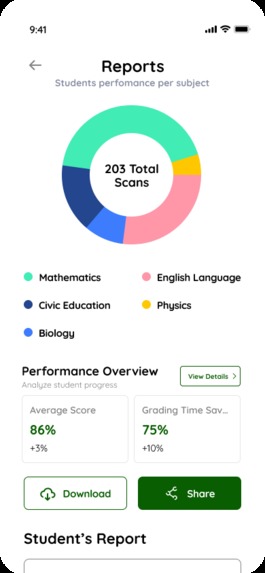
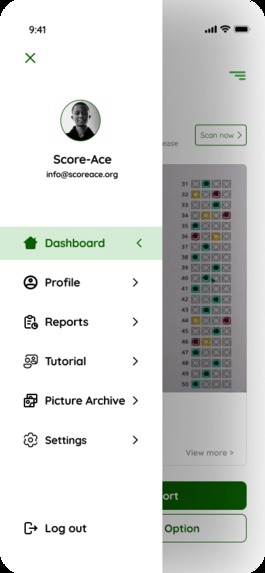
We are incredibly proud of our Figma prototype because it visually proves how simple and intuitive this complex tool can be for a teacher. We are also proud that we didn't take shortcuts; by gathering a difficult dataset of messy handwriting and launching a waitlist, we treated this weekend like the birth of a real startup, not just a coding exercise.
What we learned
We learned that the most important part of building an AI product isn't the code it's the data and the user interface. If you don't have good data (the messy handwriting) and a good camera design (to help the user take a good picture), the AI will fail.
What's next for Score Ace
We have the blueprint, the data, and the waitlist. Our immediate next step is to secure a spot in the 5-month Ingenious Buildathon and the funding from the $5000. Over those 5 months, we will use our gathered dataset to actually train the offline machine learning model and bring our Figma designs to life in code.


Log in or sign up for Devpost to join the conversation.