-
-
ScopeMatch-Poster-A3
-
agreed
-
compare
Inspiration
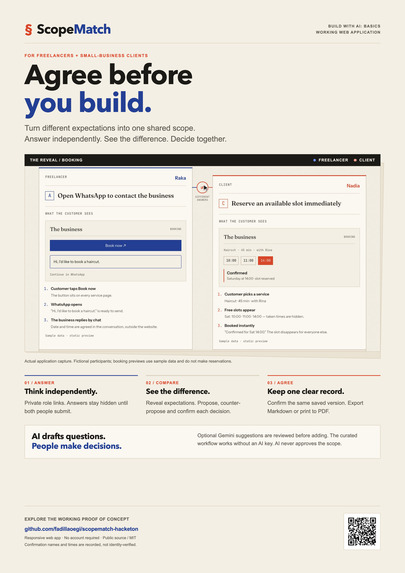
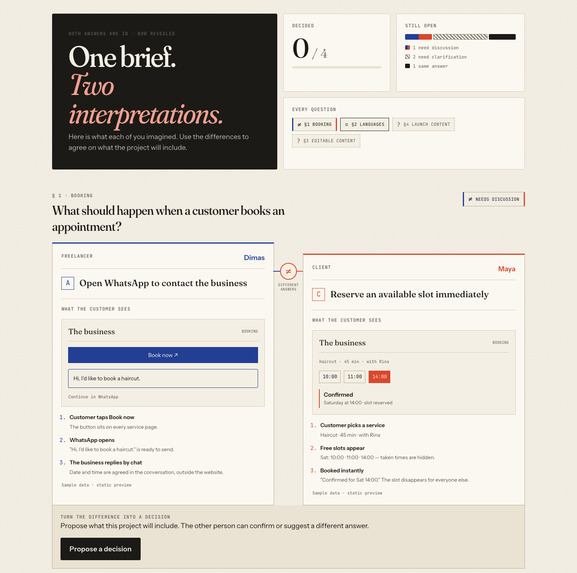
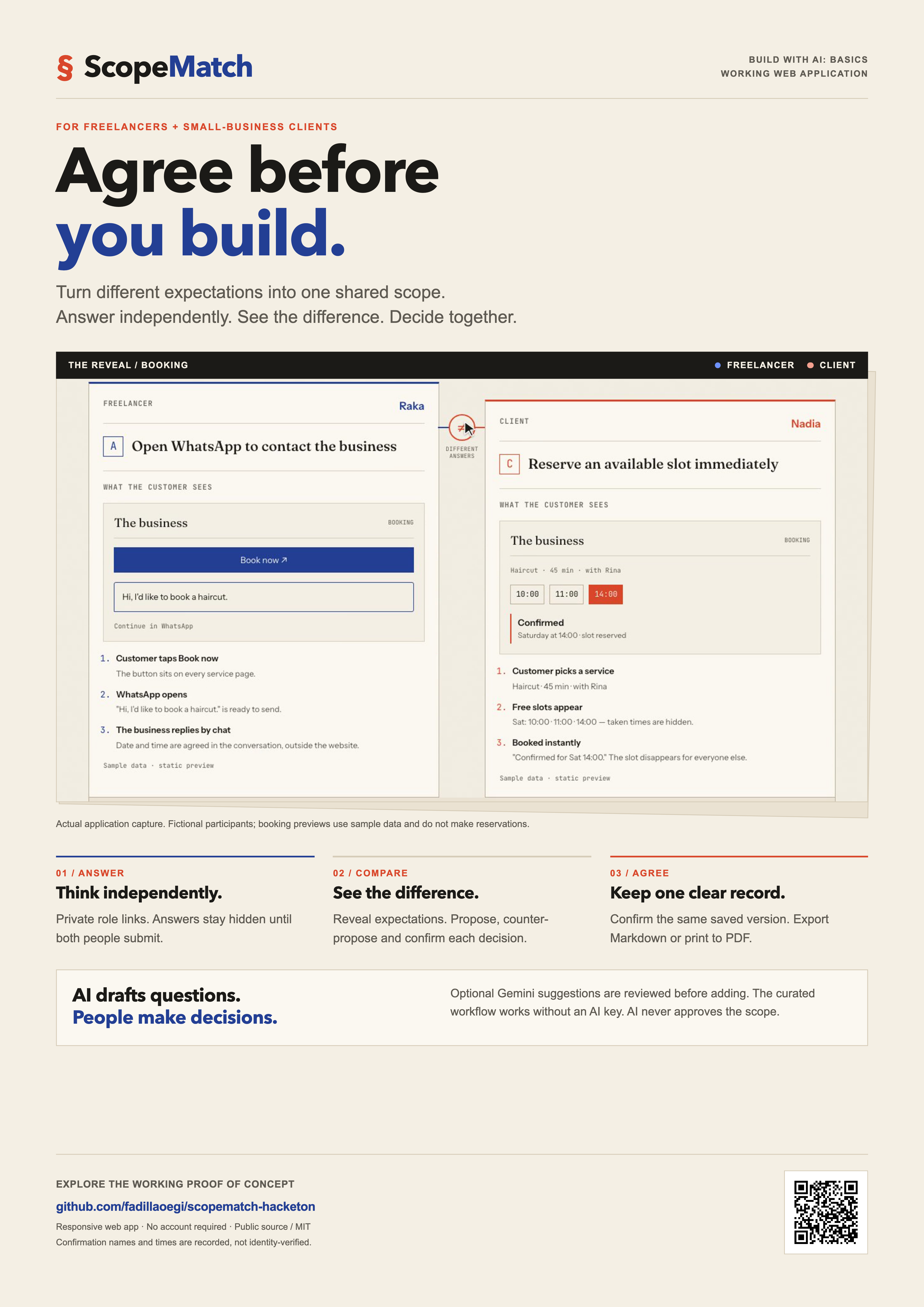
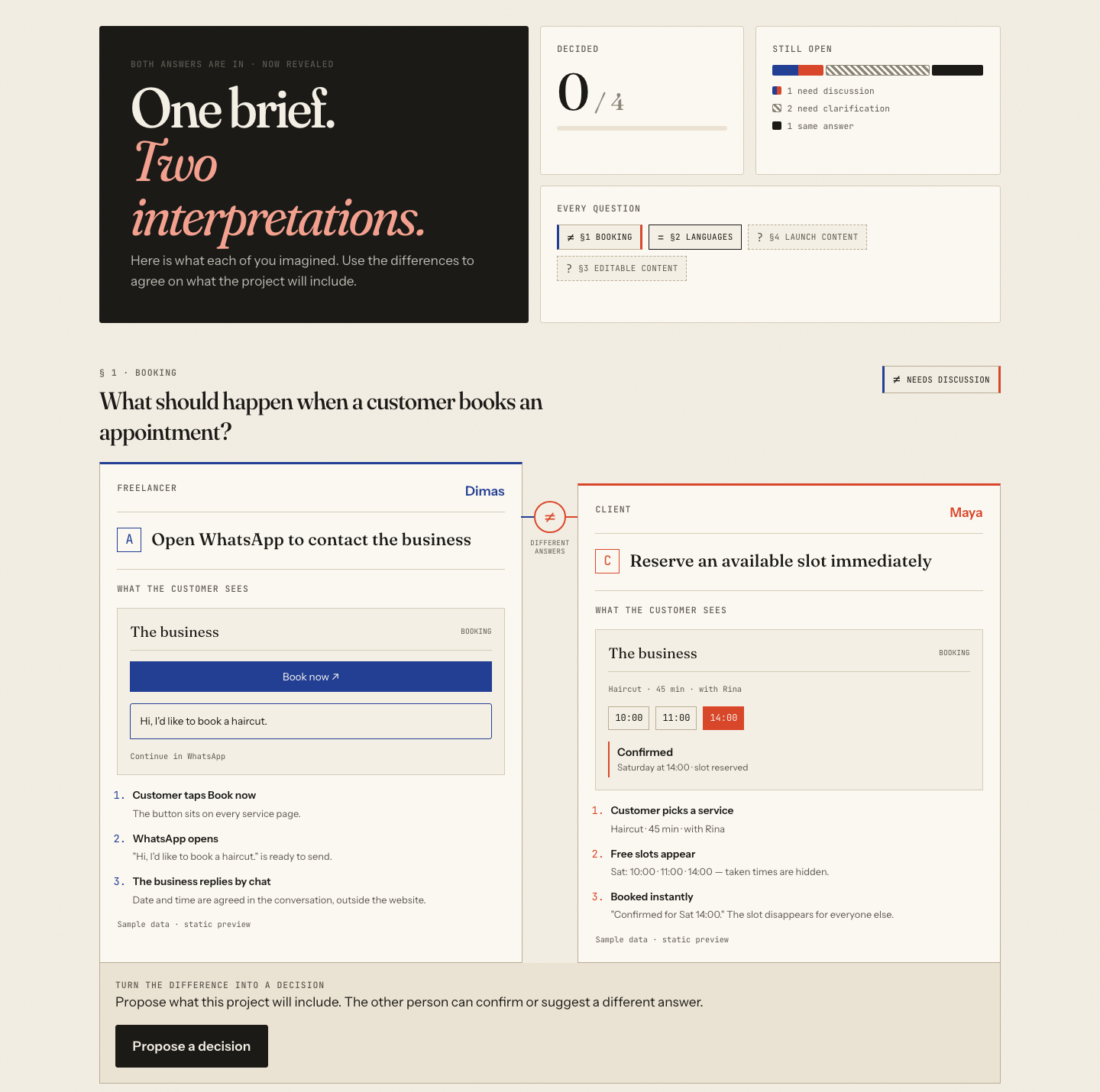
A client asks for “online booking.” The freelancer imagines a WhatsApp button. The client expects a calendar with instant reservations.
Both people have read the same brief, but they picture different products. Approving the words does not necessarily mean agreeing on their meaning.
ScopeMatch was created to make these differences visible before development begins. It helps freelancers and small-business clients turn vague requirements into concrete decisions, with a clear record of what they agreed to build.
What it does
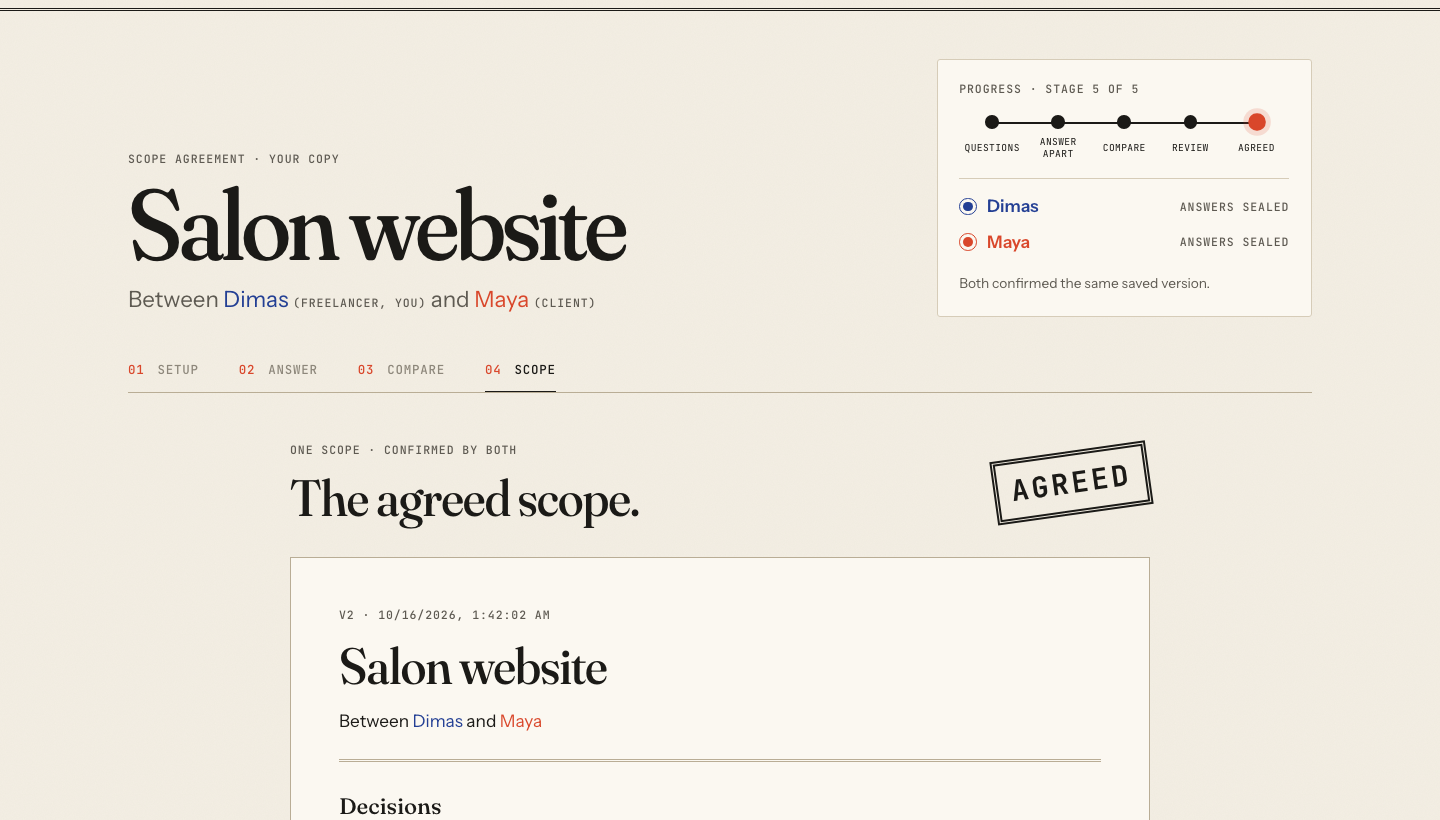
ScopeMatch guides one freelancer and one client from a brief to an agreed scope.
The freelancer enters the brief and selects relevant questions from a curated library. Optional Google Gemini integration can draft additional questions, which the freelancer reviews before adding.
Both people answer independently. The server keeps their answers hidden until both have submitted. They then compare their interpretations, see visual examples for booking options, and resolve differences through proposals, counter-proposals, and explicit confirmations.
Matching answers still require confirmation: choosing the same option does not automatically create an agreement.
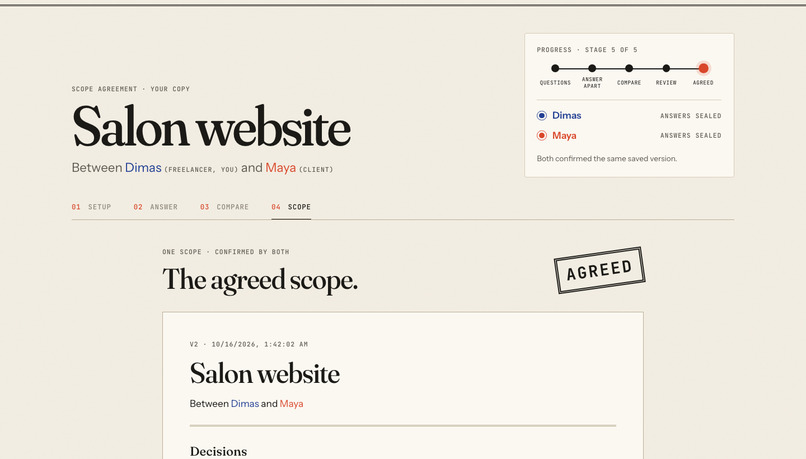
Confirmed decisions become a structured scope covering included work, exclusions, client responsibilities, acceptance criteria, and open questions. Both people must confirm the same saved version. Editing the draft creates a new version and resets earlier confirmation.
The agreed scope can be downloaded as Markdown or saved as a PDF through the browser.
How we built it
ScopeMatch was developed with the Devpost Learn Skill Pack, using scope.md, prd.md, and spec.md to define the proof of concept before implementation.
The frontend uses React, TypeScript, and Vite. The backend uses Go and SQLite. Both follow Clean Architecture, keeping business rules separate from HTTP, persistence, and presentation.
AI coding assistants supported implementation and verification. Inside the app, Gemini has a limited, optional role: drafting questions for human review. It never chooses answers, resolves disagreements, or approves a scope. The core workflow works without an AI API key.
The interface follows a “two inks on contract paper” design: blue represents the freelancer, red represents the client, and the shared document brings their decisions together.
Challenges we ran into
One challenge was preserving independent answers. Hiding them visually was insufficient; the server also had to omit the other person's answers from its response until both submissions were complete.
Another challenge was making agreement precise. Confirmations needed to refer to the same stored version, and earlier confirmation needed to reset when that version changed.
AI suggestions also needed a clear boundary. Drafted questions and their scope details must be reviewed before joining the project.
Accomplishments that we're proud of
The proof of concept completes the entire journey: brief, questions, independent answers, comparison, negotiation, versioned scope, confirmation, and export.
Verification includes backend rule tests, frontend architecture checks, production builds, and automated browser walkthroughs across desktop and mobile views.
The demo shows the actual Markdown download, the Print / Save as PDF action, and the resulting PDF with both confirmation records.
What we learned
The project demonstrates why important guarantees belong in backend rules and tests, rather than relying on interface state alone.
It also shows how planning documents help keep an AI-assisted build focused, and how a narrowly defined AI feature can support a workflow while leaving decisions with people.
What's next for ScopeMatch
The next step is testing with real freelancer–client pairs to understand which questions reveal useful differences and where the workflow needs clearer explanations.
Future improvements could include more scenario libraries and a way to reopen an agreed scope as a new revision while preserving the earlier agreement.
The current demonstration uses fictional participants. Confirmation records are recorded acknowledgments, not identity-verified signatures.

Log in or sign up for Devpost to join the conversation.