Inspiration
Freelancers often receive vague client requests such as “build me a website with AI features.” Before development begins, they need to understand what the client expects, what is included in the project, and how success will be measured.
Unclear requirements can lead to scope creep, missed expectations, unpaid extra work, and unnecessary conflict.
I wanted to build a practical tool that helps freelancers clarify a project before writing code.
What it does
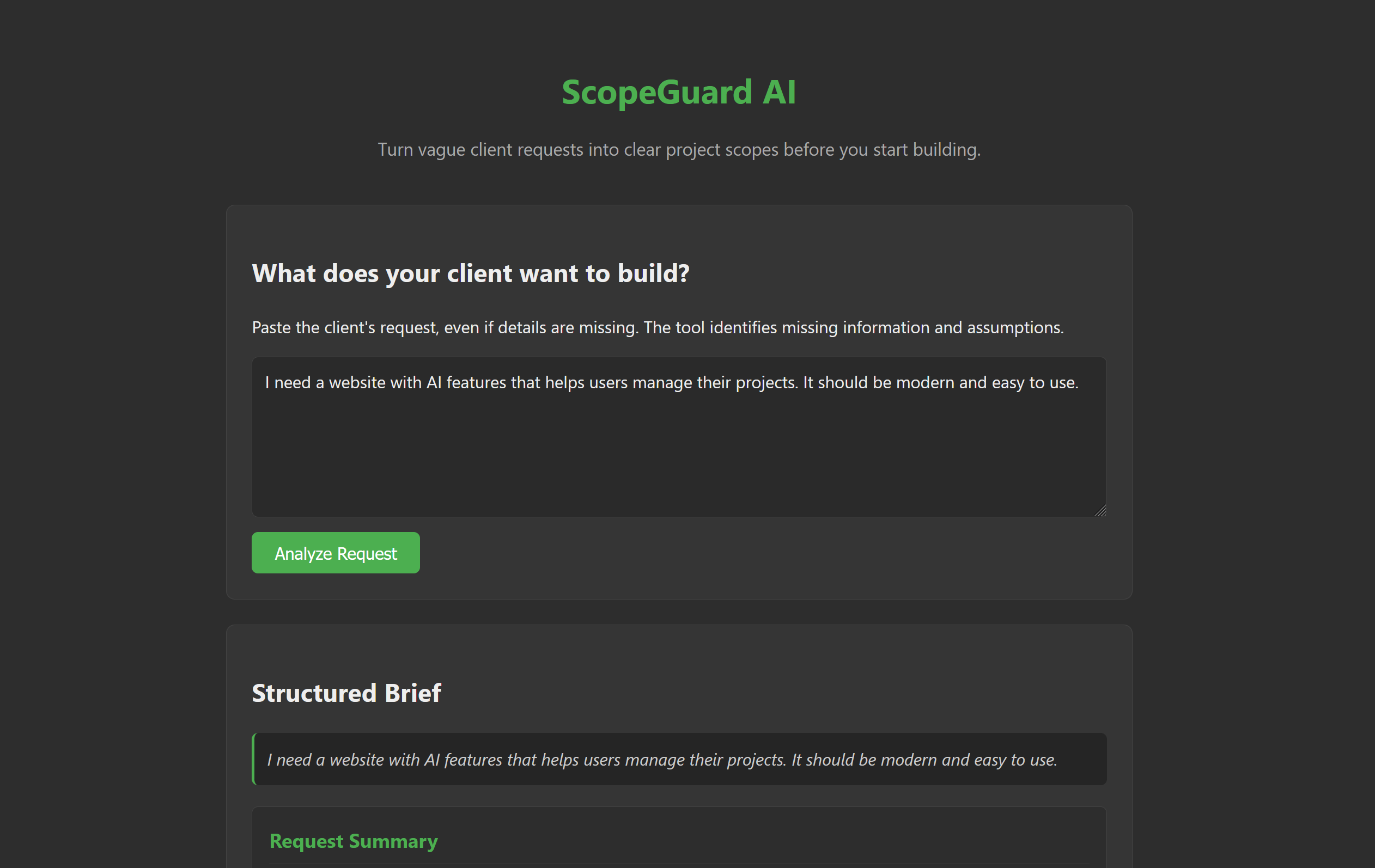
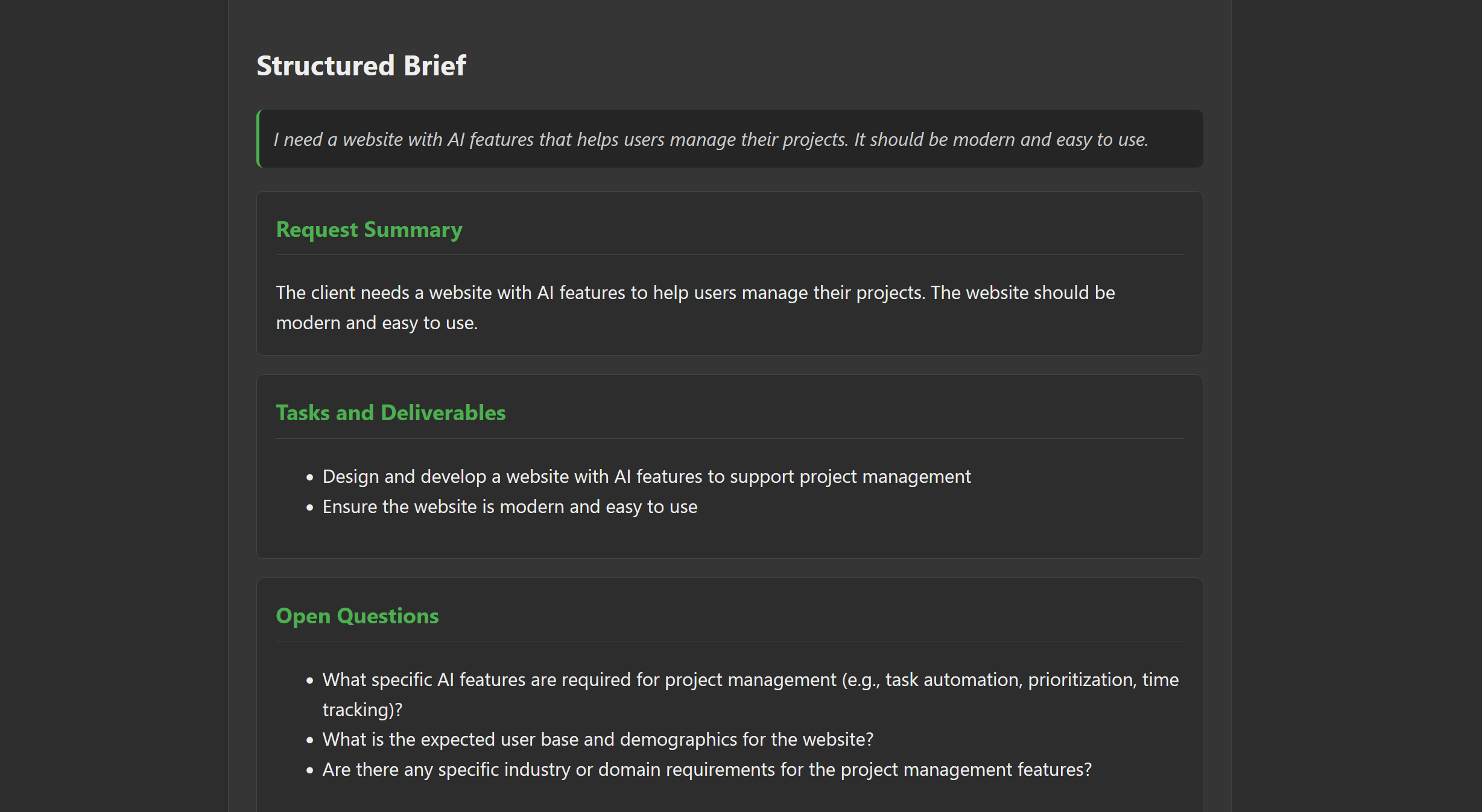
ScopeGuard AI transforms vague client requests into structured project briefs.
It organizes the output into six sections:
- Request Summary — a concise overview of the client's request.
- Tasks and Deliverables — the work that needs to be completed.
- Open Questions — missing information that needs clarification.
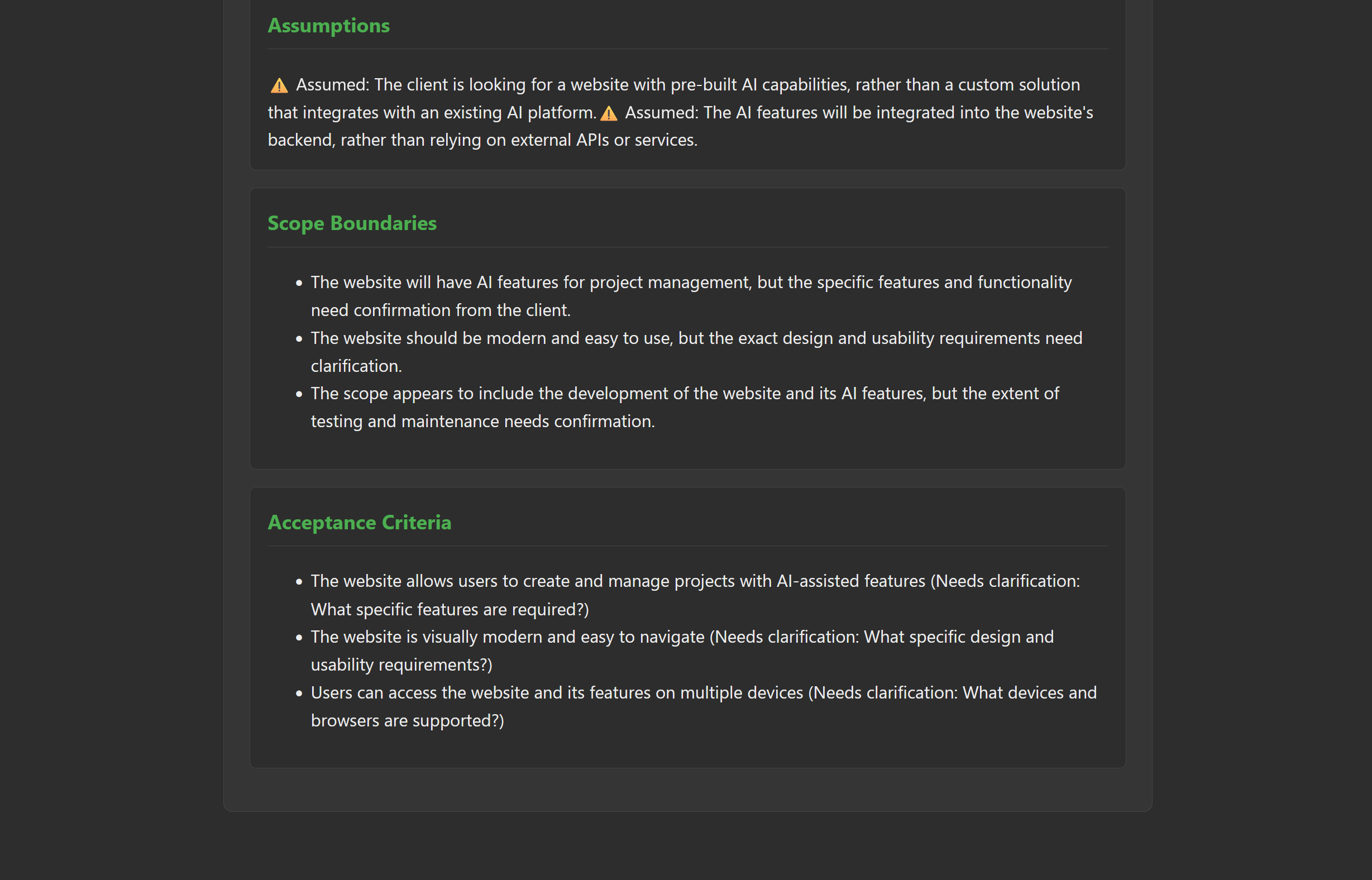
- Assumptions — details that should not be treated as confirmed facts.
- Scope Boundaries — what is included, excluded, or still needs agreement.
- Acceptance Criteria — practical conditions for determining whether the work is complete.
The central principle is simple: missing requirements should be made visible, not silently invented by AI.
How we built it
ScopeGuard AI was built as a lightweight web application using HTML, CSS, and JavaScript. It uses Ollama for local AI inference with the Llama 3.1 8B model.
I followed a plan-first, specification-driven workflow. Before implementation, I worked on the project scope, product requirements document (PRD), and technical specification. I then used AI coding tools to help implement the application, review changes, and run regression tests.
I kept the project focused on the core workflow instead of building unnecessary accounts, dashboards, or project management features.
Challenges we ran into
The main challenge was presenting AI-generated content in a useful, structured format without losing important distinctions between confirmed information, assumptions, and unanswered questions.
Another challenge was maintaining consistent output formatting while making targeted changes without breaking existing behavior.
I addressed these challenges through a limited Markdown-rendering approach, focused regression tests, and an iterative review process.
Accomplishments that we're proud of
- Built a working prototype around a real freelance workflow.
- Organized project scoping into six clear, reviewable sections.
- Made missing information and assumptions explicit parts of the workflow.
- Used a plan-first development process with project documentation and regression testing.
- Kept the application lightweight and focused on solving one problem.
What we learned
I learned how to use coding agents as part of a structured development process rather than relying on generated code alone.
Writing a scope, PRD, and specification before implementation helped me make decisions more deliberately. Reviewing changes and running regression tests also reinforced the importance of verifying behavior after each targeted fix.
Most importantly, I learned that a useful AI tool should communicate uncertainty instead of presenting every generated suggestion as a fact.
What's next for ScopeGuard AI
The next step is to test ScopeGuard AI with real freelance project requests and gather feedback from potential users.
Future improvements could include exporting project briefs for client review, refining the distinction between confirmed requirements and assumptions, and improving the consistency of generated acceptance criteria.
The priority is to validate whether the tool helps freelancers clarify expectations before development begins.
Built With
- app
- artificial
- css
- html
- intelligence
- javascript
- llm
- web

Log in or sign up for Devpost to join the conversation.