Inspiration
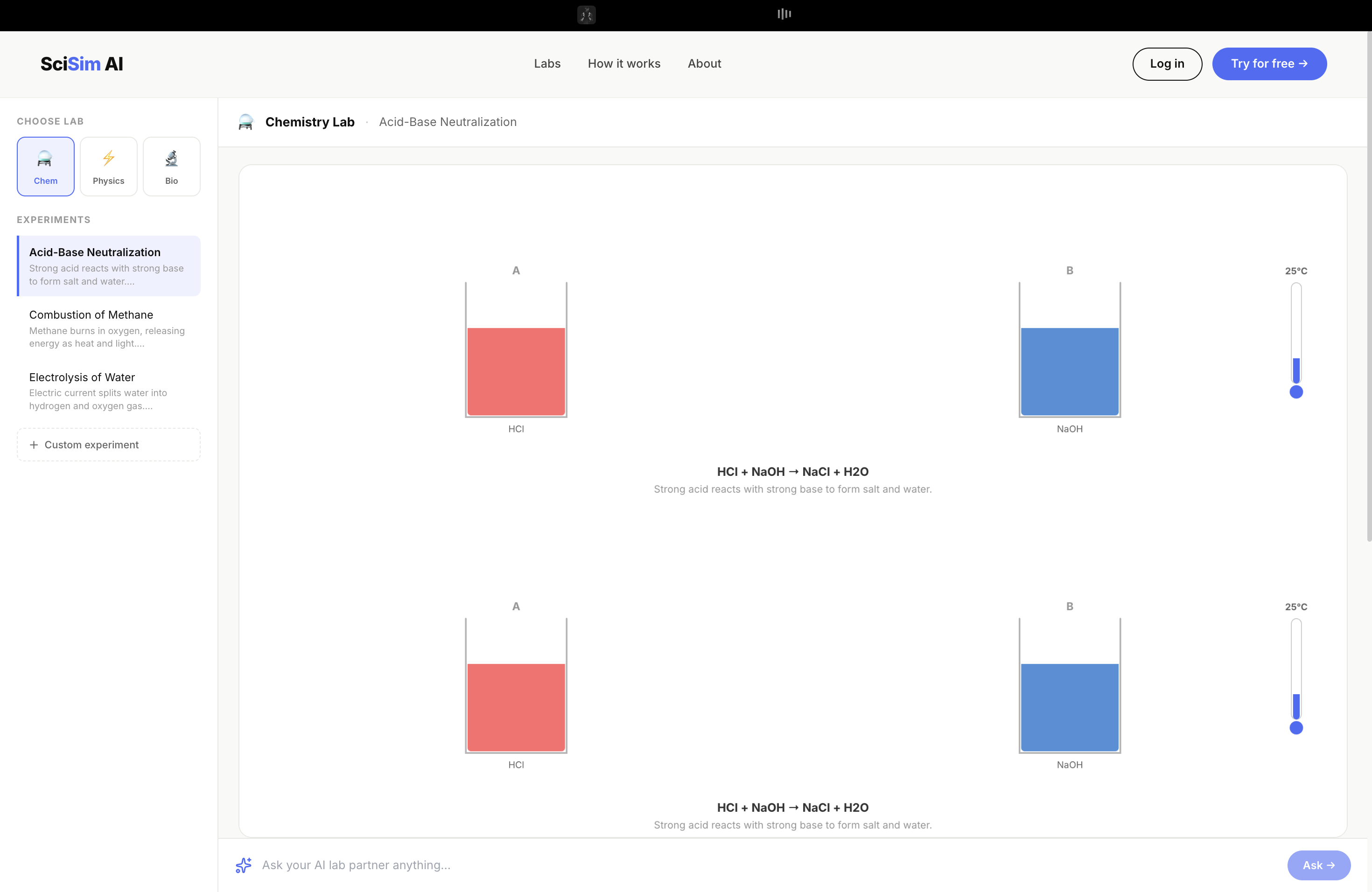
I remember sitting in my 9th grade science class, staring at a textbook diagram of a chemical reaction — a static image of two beakers with an arrow between them. My teacher was explaining what happens when hydrochloric acid meets sodium hydroxide, and I was supposed to just... imagine it. We didn't have the chemicals. We didn't have the equipment. We barely had a functioning fume hood.
That moment stuck with me. Not because it was dramatic, but because it was so ordinary. Millions of students around the world go through their entire science education without ever running a real experiment. They memorize reactions they've never seen. They calculate projectile paths they've never traced. They label cell diagrams they've never looked through a microscope to find.
When I saw the theme for DSH Hacks V1 — AI × STEM Education — I knew exactly what I wanted to build. Not another quiz app. Not a flashcard generator. I wanted to build the lab I never had.
What it does
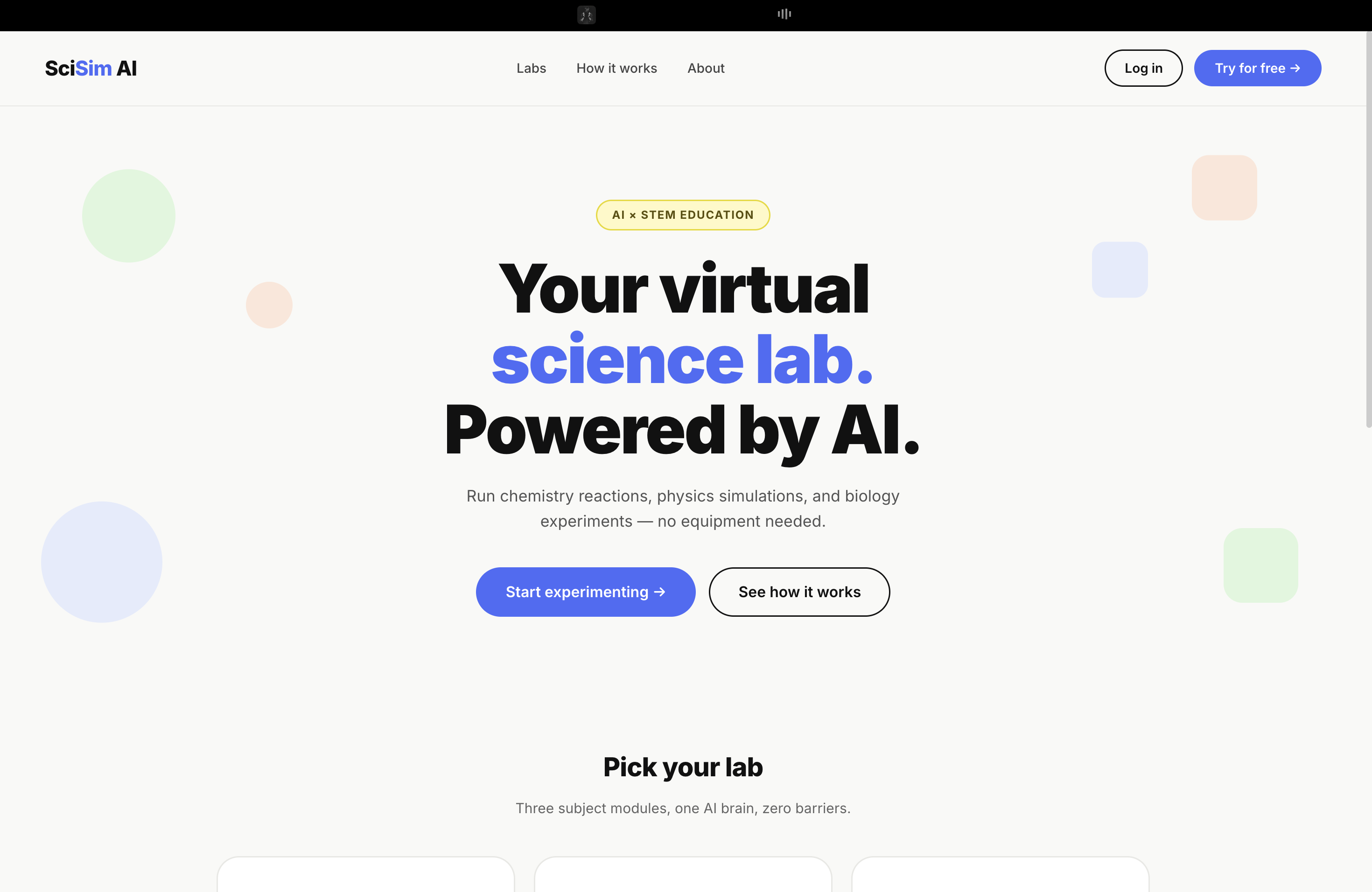
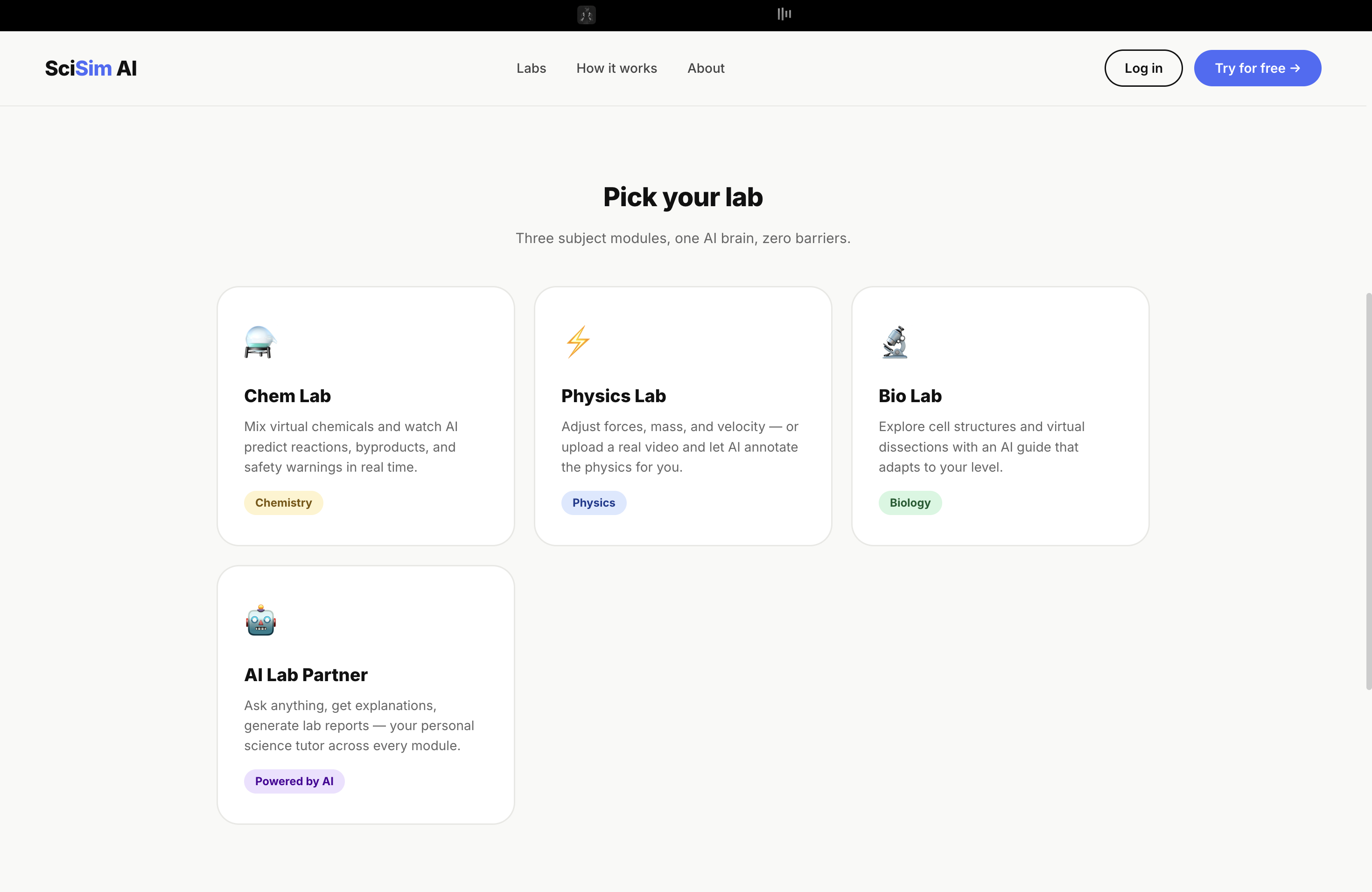
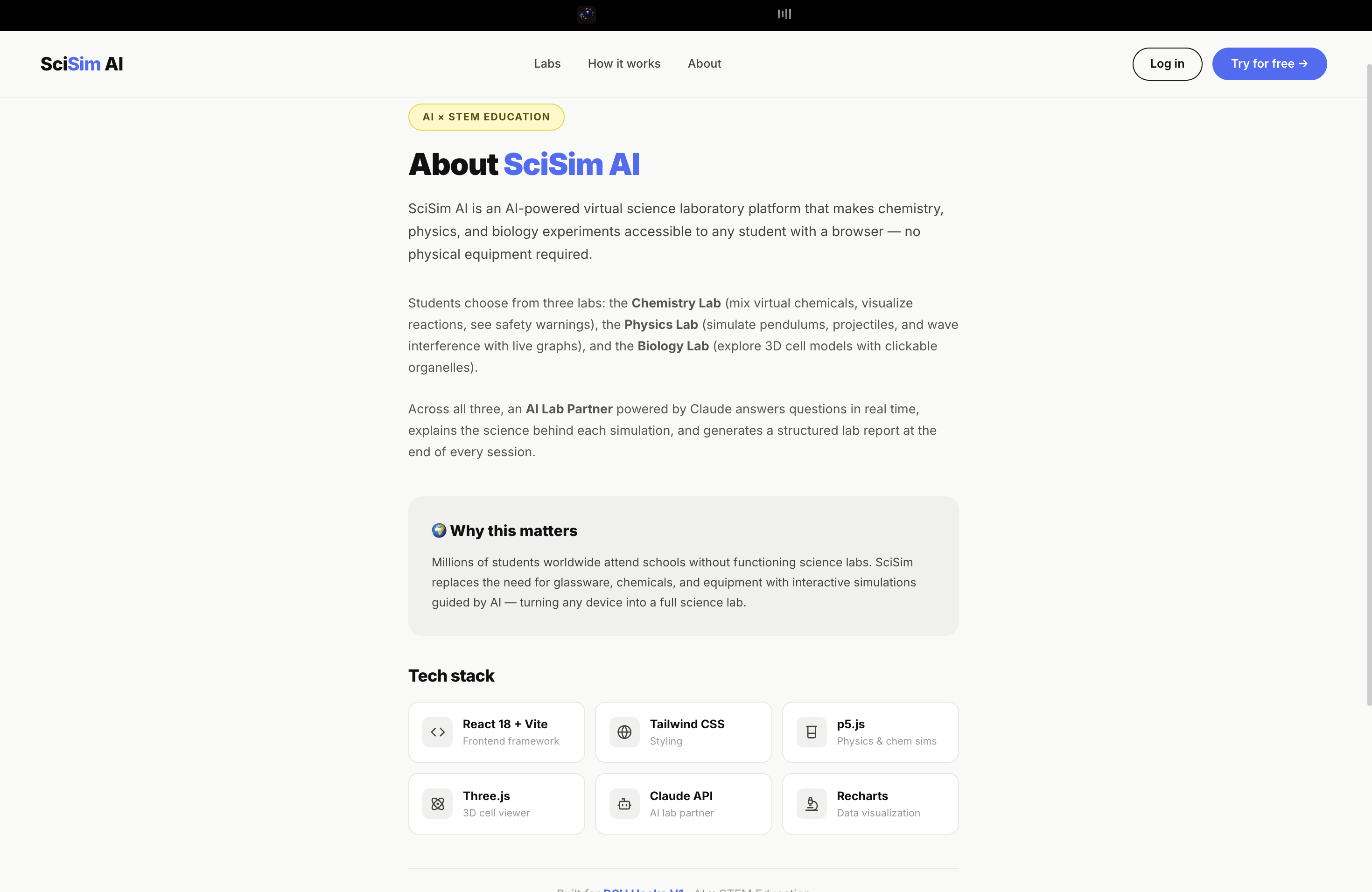
SciSim AI is a unified virtual science laboratory that runs entirely in your browser. It has three fully interactive labs:
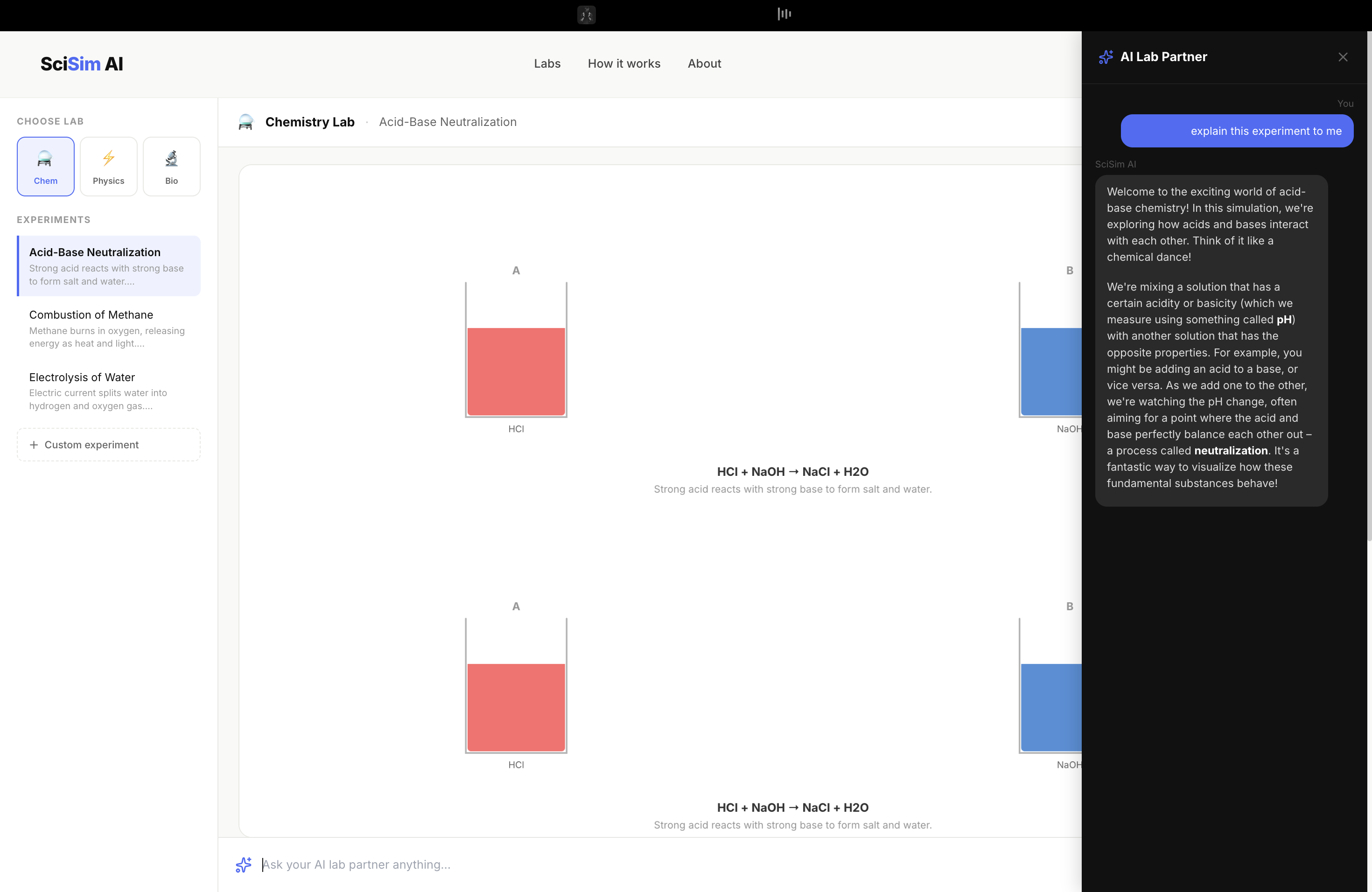
⚗️ Chemistry Lab — Pick elements from a simplified periodic table, mix them into virtual beakers, and watch reactions animate in real time. The liquid changes color based on pH. Bubbles rise when gases are produced. A temperature gauge climbs for exothermic reactions. Safety warnings appear automatically — because learning that HCl is corrosive matters even in a simulation.
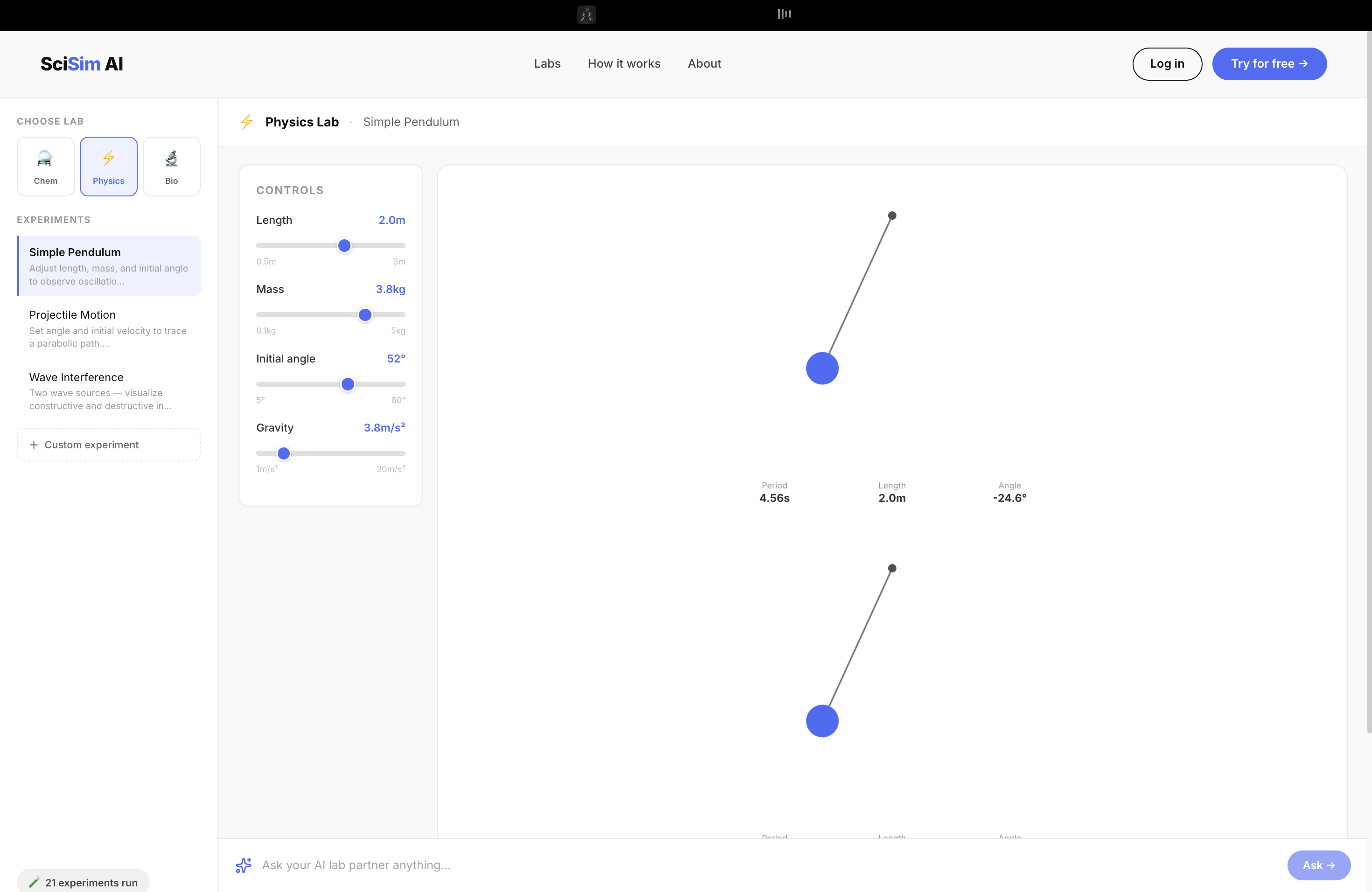
⚡ Physics Lab — Adjust variables like string length, launch angle, or wave frequency using sliders and watch the physics respond instantly. A pendulum swings with real angular acceleration governed by:
$$\alpha = -\frac{g}{L} \sin\theta$$
A projectile traces its parabolic arc. Two wave sources create interference patterns pixel by pixel across the canvas.
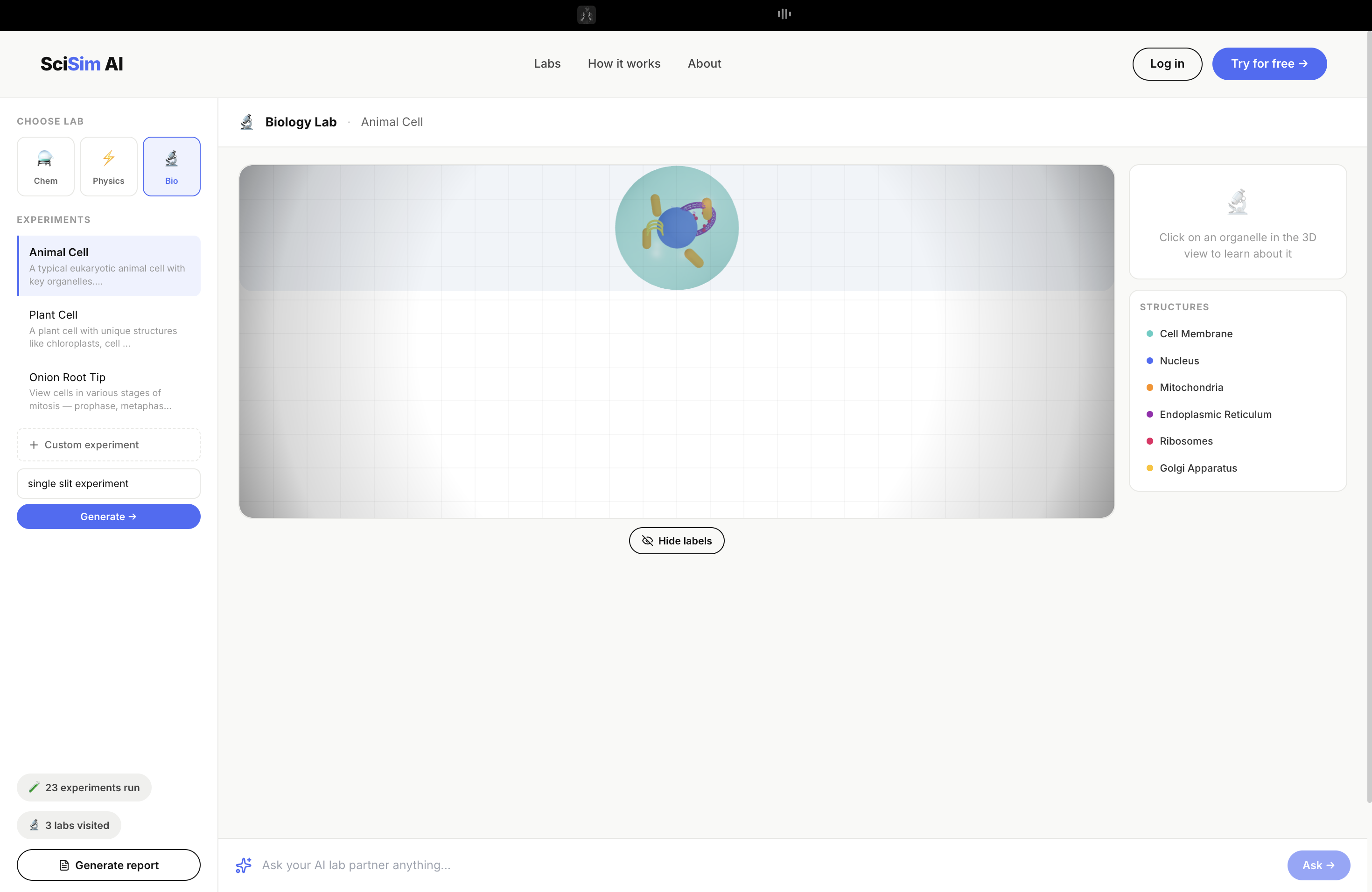
🔬 Biology Lab — Explore a fully interactive 3D cell model built in Three.js. Click on any organelle — the mitochondria, the nucleus, the endoplasmic reticulum — and the AI immediately explains what it does, why it's shaped that way, and what happens when it fails.
Across all three labs, an AI Lab Partner powered by Claude is always present. It knows exactly what experiment you're running, what variables you've set, and what you just observed. Ask it anything. It explains the science behind what you're seeing in plain language — like a patient tutor who never gets tired of your questions.
At the end of any session, hit Generate Report and the AI writes a complete, structured lab report: objective, hypothesis, procedure, observations, analysis, conclusion. Everything a real lab report needs — auto-drafted, ready to review and download.
How we built it
I built this solo over the course of the hackathon, which meant making fast, deliberate decisions about the stack.
React + Vite for the frontend — fast build times, clean component structure, and React Router for navigating between the landing page and the lab environment.
p5.js for the Chemistry and Physics simulations. p5 is perfect for this because
it gives you a draw loop, which means simulations respond to state changes in real
time. The pendulum uses Euler integration with dt = 0.016. The wave interference
map computes displacement at every pixel using:
$$d(x, y) = A\sin(kr_1 - \omega t) + A\sin(kr_2 - \omega t)$$
where $r_1$ and $r_2$ are distances from each wave source. It's genuinely satisfying to watch constructive and destructive interference emerge from math.
Three.js + React Three Fiber for the Biology lab. Building the cell took the most time — each organelle is a separate mesh (spheres, capsules, toroids, wireframes) with its own material and position. A raycaster handles click detection so the AI knows which organelle you tapped.
Anthropic Claude API (claude-sonnet-4-6) powers all three AI features: the
Lab Partner chat, the Lab Report Generator, and Text-to-Experiment (where you
describe an experiment in plain English and the AI configures the simulation).
Tailwind CSS + Framer Motion for the UI. I wanted the design to feel like the STEMise website — clean, minimal, approachable. White backgrounds, one teal accent color, generous whitespace, no gradients or drop shadows. Science doesn't need to look intimidating.
Challenges we ran into
Getting the AI to be context-aware was harder than I expected. Early versions of the Lab Partner gave generic answers — useful, but not grounded in what the student was actually doing. The fix was building a rich context object that gets injected into every system prompt: active lab, experiment name, current variable values, and a log of recent observations. Once the AI knew exactly what was on screen, the quality of explanations jumped dramatically.
The wave interference simulation almost broke me. Computing displacement for every pixel at 30fps is expensive. My first implementation dropped to under 10fps on slower devices. I ended up reducing canvas resolution and only recomputing the interference map when source positions or frequency changed — not on every frame. That brought it back to smooth.
The Three.js cell was a positioning puzzle. Organelles can't overlap, need to look anatomically plausible, and need to be large enough to click accurately. I ended up placing them by hand, tweaking coordinates until it looked right, which was tedious but worth it.
Time. Eleven hours to build three labs, an AI layer, a report generator, and a polished landing page — solo — is a lot. I had to make hard cuts: no user accounts, no saved sessions, no mobile-optimized lab canvas. These are real limitations I'm aware of.
Accomplishments that we're proud of
Honestly? That it works. All three labs run. The AI partner is genuinely helpful. The lab report comes out structured and scientifically accurate. For a solo build in under a day, that feels like a lot.
I'm also proud of the design. It would have been easy to slap a dark theme on it and call it "techy." Instead I pushed for something that feels welcoming — something a nervous 13-year-old opening a science app for the first time wouldn't find intimidating. I think we got there.
The wave interference simulation is my personal favorite. Watching constructive interference patterns form in real time from two draggable source points — and then being able to ask the AI "why are there bright and dark bands?" and get a clear explanation — is exactly the kind of learning moment I was trying to create.
What we learned
I learned that the hardest part of building an AI-powered educational tool isn't the AI — it's the context. Claude is capable of brilliant explanations, but it needs to know what it's explaining. Building the infrastructure to pass rich, accurate simulation state into every API call was what made the difference between a generic chatbot and a genuine lab partner.
I also learned that p5.js and React don't always play nicely together. Managing the p5 sketch lifecycle inside React's render cycle requires careful use of refs and cleanup functions. I broke this several times before getting it stable.
And I learned that scope discipline is a superpower in hackathons. Every hour I spent on something beautiful but non-essential was an hour not spent on something that mattered for the demo. I made that mistake with the cell viewer and had to cut features elsewhere to recover.
What's next for SciSim
The version I built for this hackathon is a proof of concept. Here's what a real version looks like:
More experiments. Three per lab is enough to demo — not enough to learn from. I want 20+ experiments per lab, covering every major secondary school science topic.
Student accounts + progress tracking. Right now, nothing persists between sessions. With accounts, SciSim could track which concepts a student has explored, suggest what to try next, and build a learning portfolio over time.
Teacher dashboard. Let teachers assign experiments, see which students completed them, and review AI-generated lab reports. SciSim becomes a real classroom tool, not just a personal one.
Mobile-first lab canvas. The simulations work on desktop. On a phone, the canvas is cramped and touch interactions are rough. A proper mobile experience would unlock SciSim for students whose only device is a smartphone — which, globally, is most students.
Multilingual AI partner. Claude supports many languages. Enabling the Lab Partner to respond in the student's native language would dramatically expand who SciSim can actually help.
The version here is small. The idea behind it isn't.
Built With
- anthropic-claude-api
- framer-motion
- javascript
- lucide
- p5.js
- react
- react-router
- react-three-drei
- react-three-fiber
- recharts
- tailwind-css
- three.js
- vite

Log in or sign up for Devpost to join the conversation.