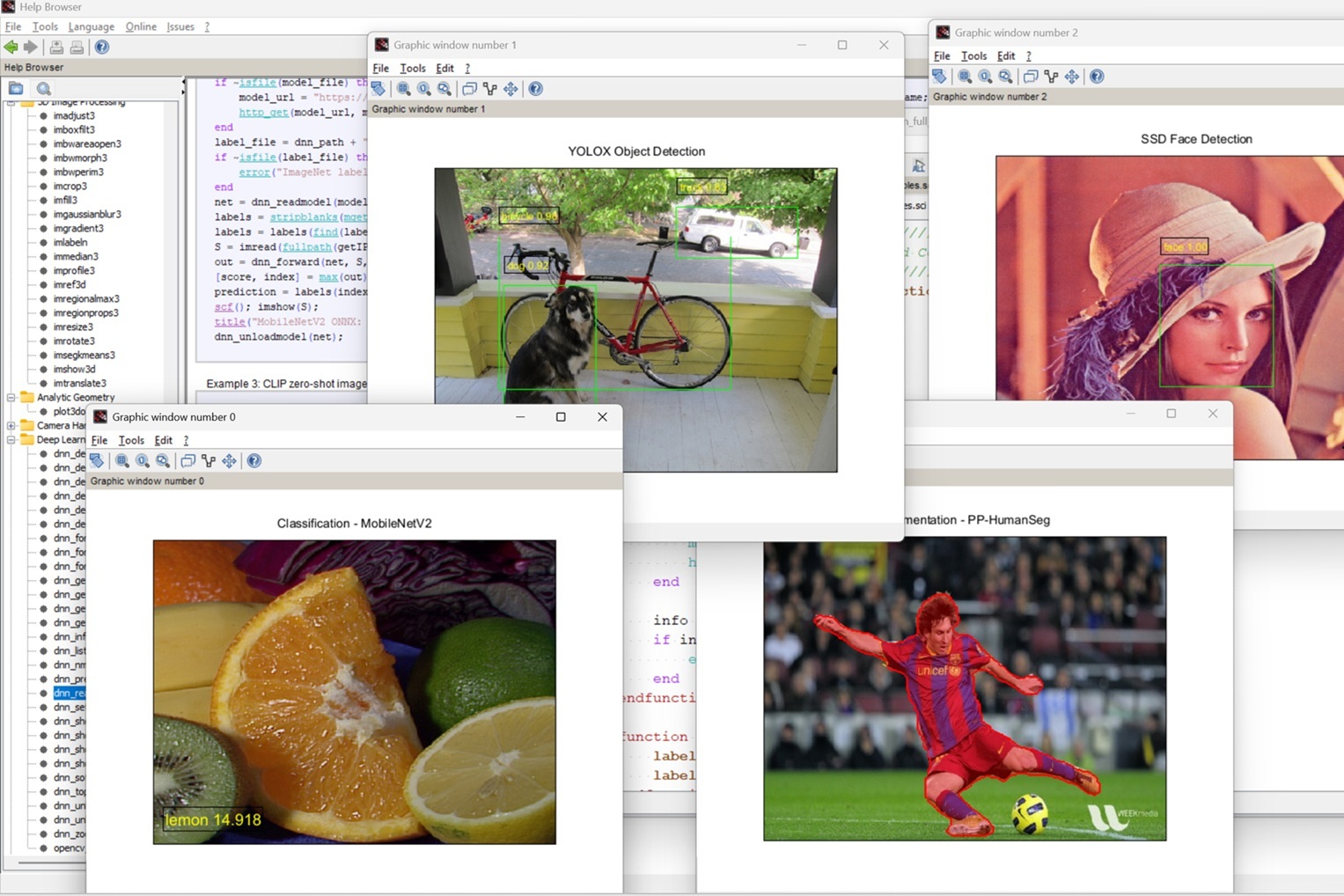
IPCV brings image processing and computer vision to Scilab through hundreds of open, inspectable functions—from fundamental mathematics to modern OpenCV-backed workflows.
Inspiration
IPCV was started with the objective of giving students a genuine open-source option for learning image processing and computer vision.
Around 2012, expensive commercial products were the clear leaders in this field. Their image-processing toolboxes were mature and widely used by universities, but licensing costs were a barrier for many students and institutions. Scilab already offered a capable open-source numerical environment, but it did not yet have a sufficiently complete image-processing toolbox for the same learning journey.
This gap needed to be closed.
IPCV was inspired by SIVP, the Scilab Image and Video Processing toolbox, which originally grew from a competition. The goal was never simply to copy a list of functions from commercial products, but to help students understand what the algorithms were doing.
A basic operation such as two-dimensional convolution,
$$ g(x,y)=\sum_{i=-a}^{a}\sum_{j=-b}^{b}h(i,j)\,f(x-i,y-j), $$
should be something a student can implement, visualize, change, and apply without first needing an expensive software license.
From 2012 to 2017, I developed IPCV gradually while supporting local students and universities. Their assignments, research projects, and practical problems shaped many of its functions and examples.
Around 2016, I was offered an opportunity to hand the project over and turn it into proprietary software. I declined. Closing the source would have gone against the reason I started the project: I wanted to remove barriers to education, not create another one.
IPCV 1.0 was officially released as open-source software on 17 March 2017.
What IPCV does
IPCV brings image processing and computer vision to Scilab through hundreds of functions that students can run, inspect, change, and understand.
The current IPCV source tree contains 477 active Scilab function files. This breadth—not one GUI or one downloader—is the heart of the project. It gives students, lecturers, researchers, and engineers an open environment where mathematics, code, and visible results stay connected.
The toolbox covers:
- Image reading, writing, display, and pixel exploration
- Image types, color conversion, arithmetic, filtering, and enhancement
- Restoration, morphology, thresholding, segmentation, and image analysis
- Shape measurement, statistics, and structural analysis
- Feature detection, description, matching, registration, and transformation
- Image fusion, panorama stitching, and camera geometry
- Camera, video, object-detection, and tracking workflows
- Three-dimensional image and volume processing
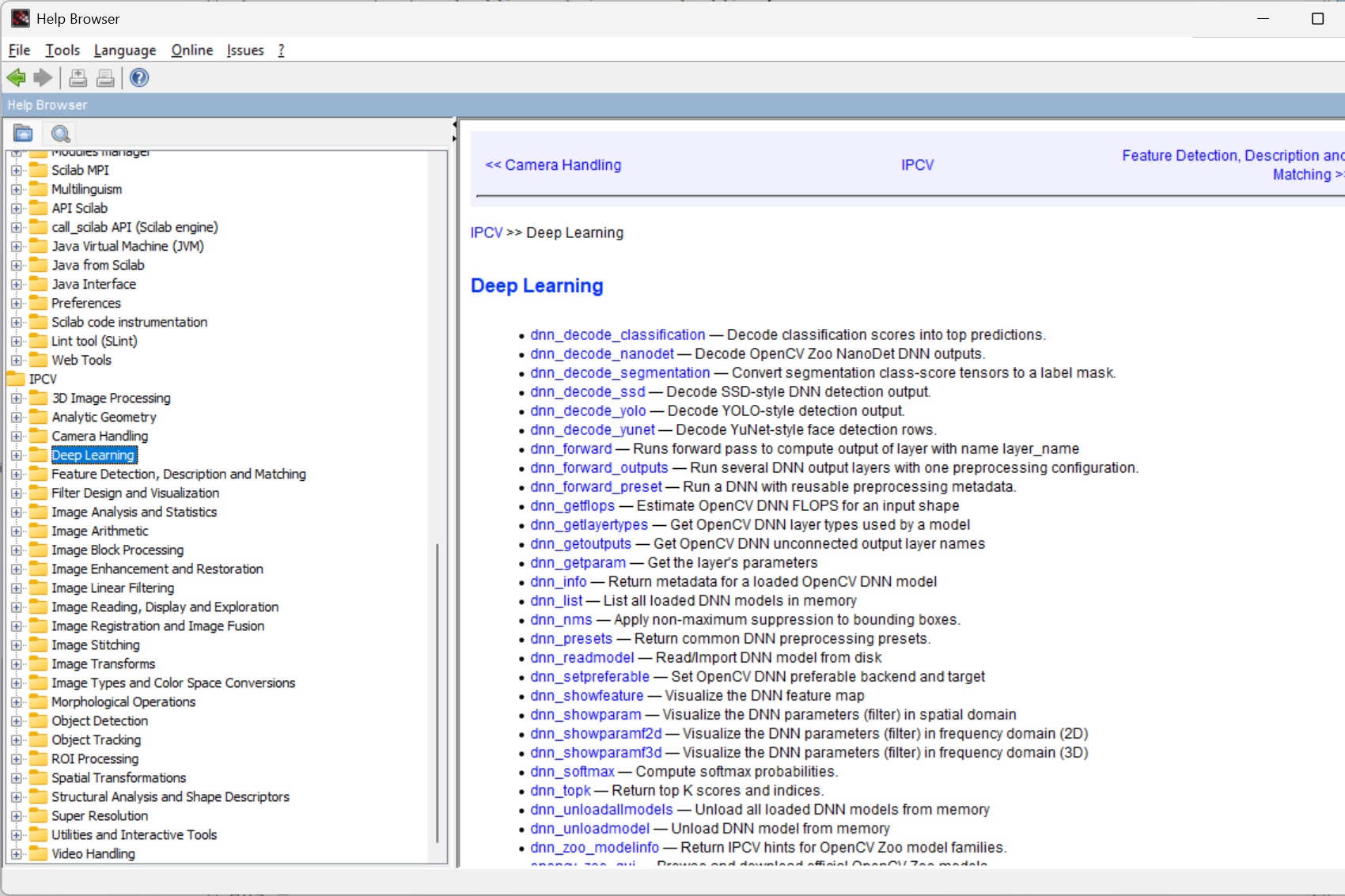
- Classical machine learning and deep-learning inference
A beginner can start with binary, grayscale, and RGB matrices. The same learner can then run image conversion, convolution, smoothing, edge detection, thresholding, morphology, region measurement, feature matching, geometric transforms, classification, and modern inference without changing to a different environment.
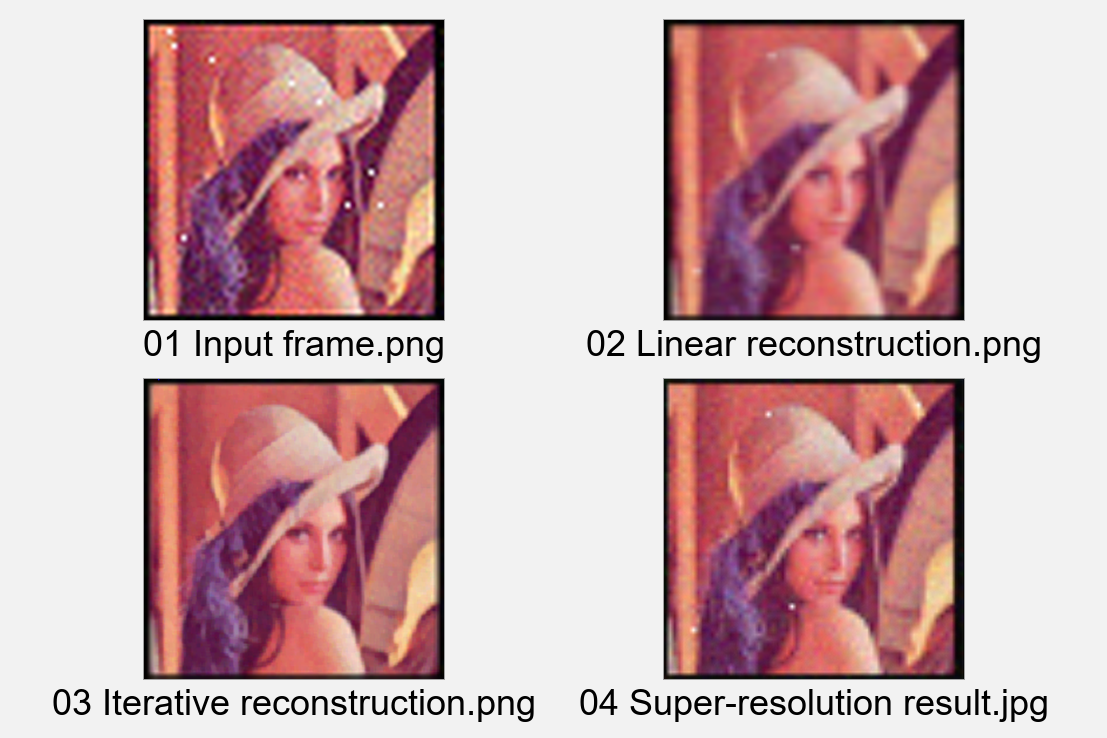
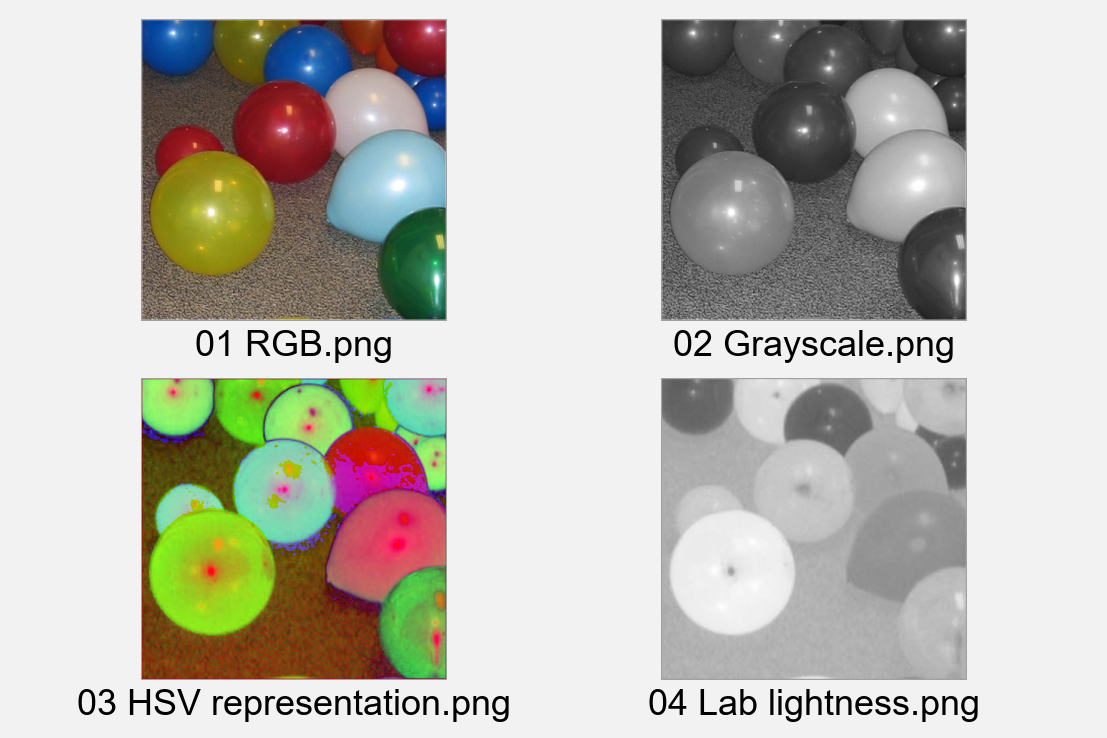
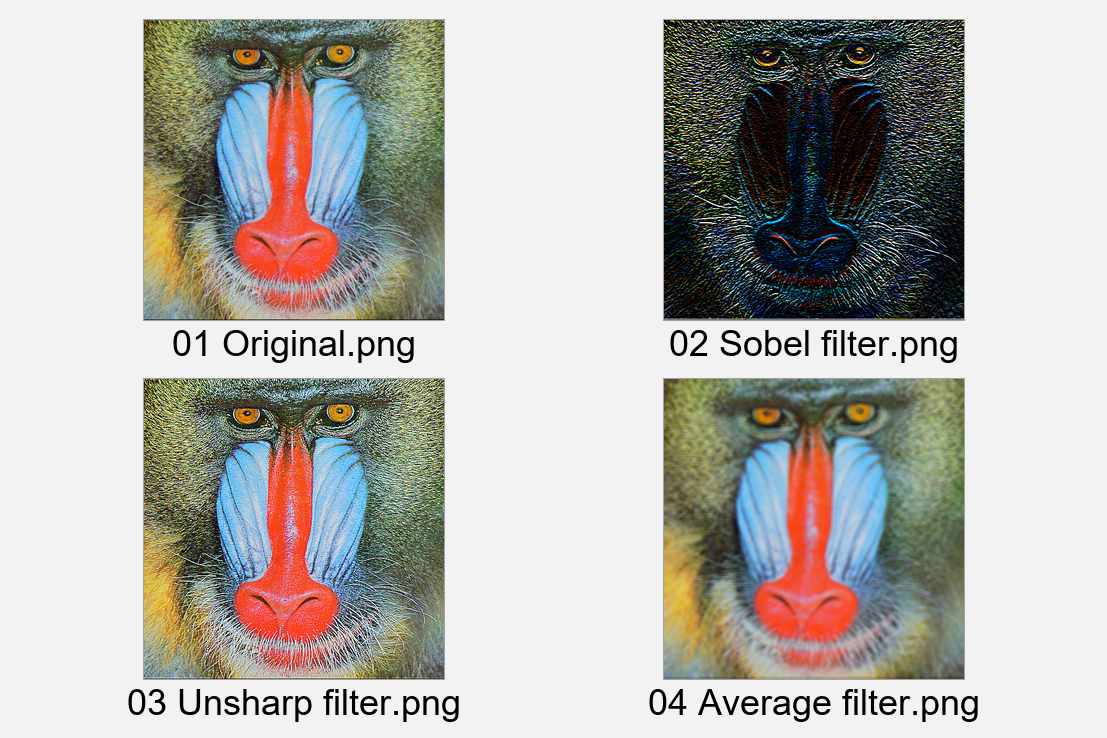
The 2018 Scilab computer-vision training material makes that learning path concrete. Its worked material moves from balloon images and pixel values to color conversion, averaging and Laplacian filters, Otsu thresholding, object counting, Radon-based angle measurement, feature matching, image transformation, and handwritten-digit recognition. Students see the code beside the result and can immediately change the experiment.
IPCV also includes interactive tools:
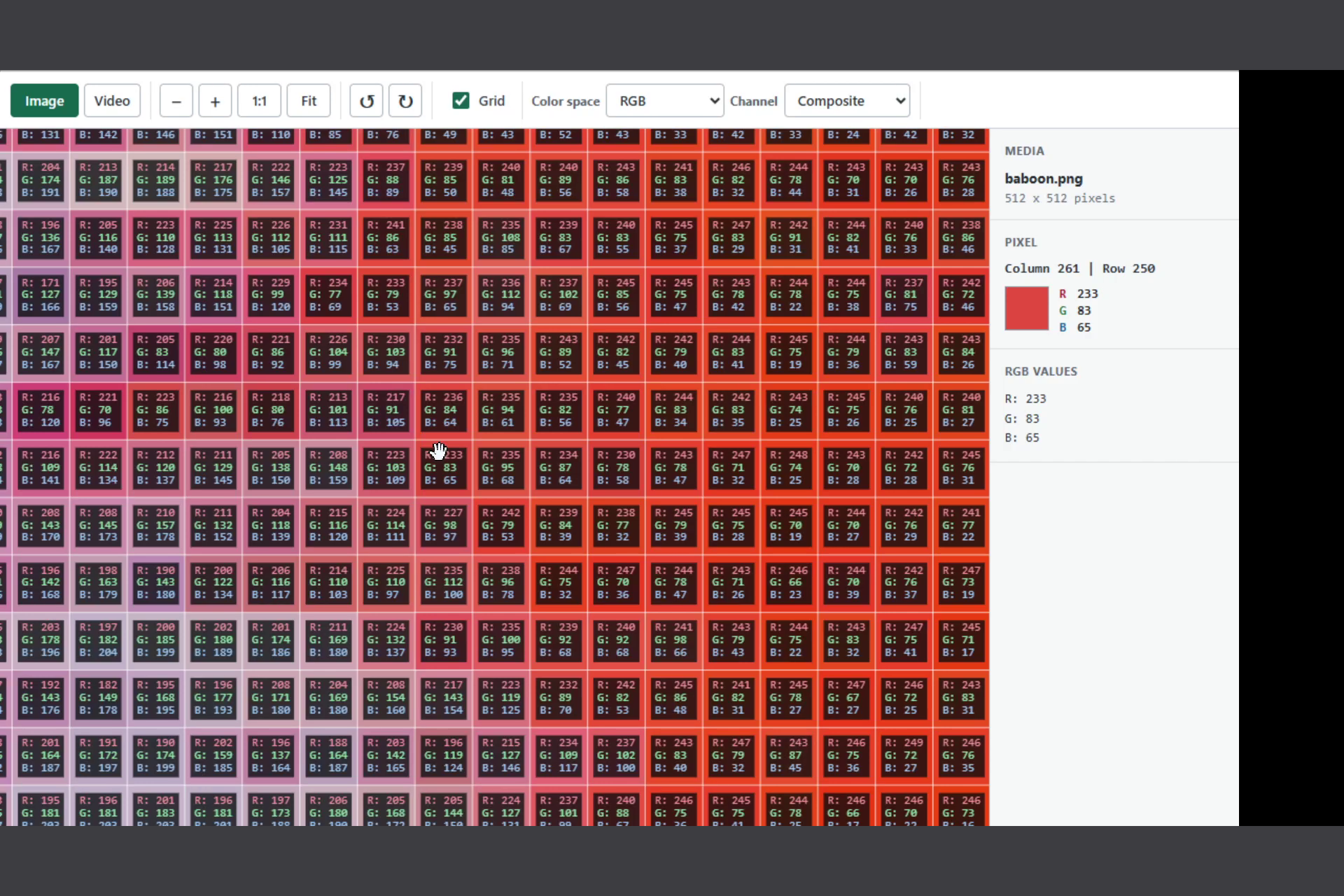
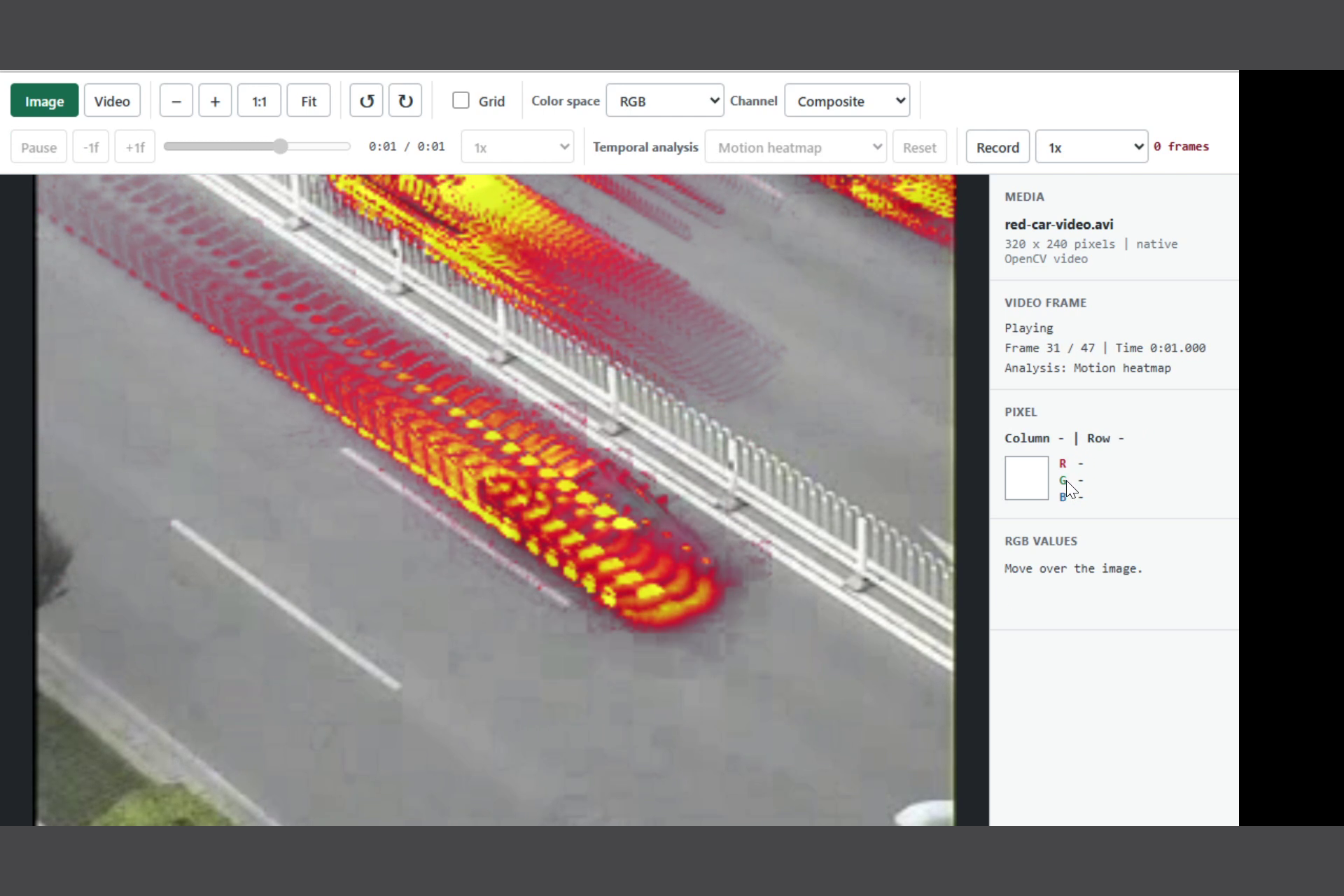
imtoolsupports hands-on image and video inspection.- OpenCV Zoo browser supports model discovery and presets.
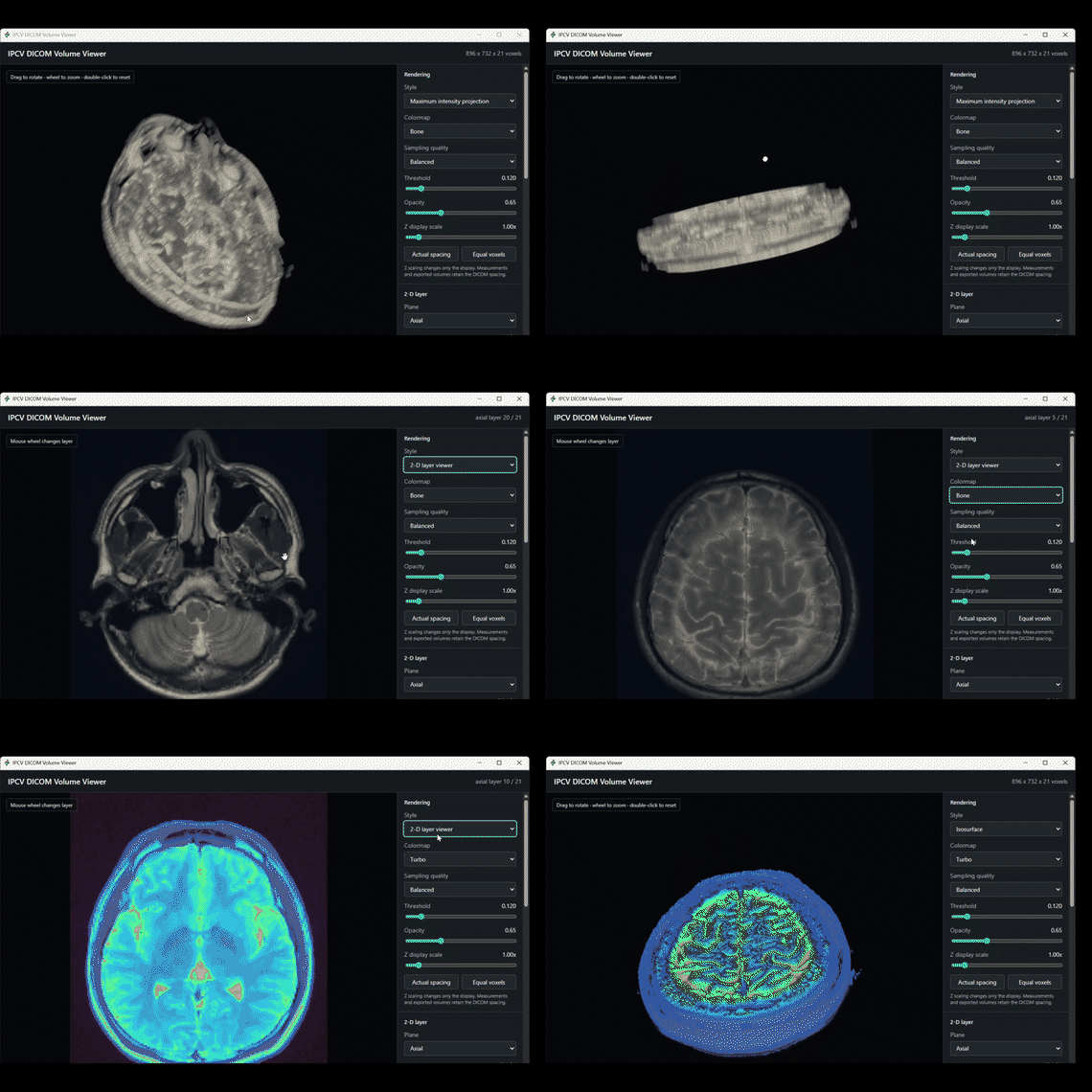
volshowprovides interactive visualization of three-dimensional image volumes and DICOM data.
These interfaces are useful companions behind the broader toolbox; the functions remain the foundation.
How I built it
IPCV combines Scilab macros with native C++ gateways backed by OpenCV.
Scilab provides the numerical and interactive environment. OpenCV provides the image-processing and computer-vision engine. The native gateway connects the two, while the Scilab layer keeps the functions accessible to users.
The project has moved through several generations:
- IPCV 1.x established the core image-processing, visualization, morphology, analysis, and geometry functions for Scilab 6.
- IPCV 2.0 moved to OpenCV 3.4 and introduced deep-learning inference.
- IPCV 4.1 adopted OpenCV 4 and expanded video, tracking, image-format, and DNN support.
- IPCV 4.5 updated the engine to OpenCV 4.5 and kept IPCV working with newer Scilab releases.
- IPCV 5.0 is being rebuilt around OpenCV 5.0 and Scilab 2026.1, with a modernized native gateway and a much wider collection of functions.
Teaching has influenced the design as much as software development. I added functions because students, lecturers, researchers, and engineering projects needed them—not simply because they appeared on a feature checklist.
Challenges I faced
The hardest technical problem has been keeping three moving systems compatible: Scilab, OpenCV, and the operating systems that run them.
Major OpenCV releases change and remove APIs. Scilab gateways and build tools also evolve. Native libraries must be compiled and packaged separately for Windows, Linux, and macOS. Cameras, codecs, DNN models, and hardware-dependent features add another layer of platform-specific problems.
Time was an equally important challenge. From 2022 onward, I could only update IPCV occasionally.
During that period, Stéphane Mottelet made important contributions to macOS compilation, packaging, and distribution. Together with Scilab core developer Vincent Couvert, he kept IPCV compatible with newer Scilab releases between 2022 and 2026. Their work kept the project usable while its computer-vision engine remained on OpenCV 4.5.
The continuing challenges are practical:
- Keep behavior consistent across operating systems
- Modernize old interfaces without breaking existing workflows
- Test hundreds of functions and interactive tools
- Write documentation and examples that users can reproduce
- Manage cameras, codecs, models, and external dependencies
- Support advanced capabilities without making the toolbox difficult for students
Accomplishments I am proud of
Keeping IPCV open source
The accomplishment that matters most to me is that IPCV is still open source.
I had the opportunity to close it, and I chose not to. Students and universities can still use it, inspect it, modify it, and learn from it freely.
What began as a toolbox for local students and universities has become an international project. The Scilab ATOMS repository has recorded more than 340,000 downloads across IPCV releases.
I am also grateful that the project survived the years when I had less time to maintain it. Stéphane Mottelet and Vincent Couvert helped keep IPCV working with new Scilab releases and on multiple platforms.
Reviving IPCV with Codex and GPT-5.6
In July 2026, I revived IPCV using Codex with GPT-5.6.
The first decisive task was rebasing IPCV from its old OpenCV 4.5 foundation to OpenCV 5.0. Codex helped inspect the legacy gateway, trace changed and removed APIs, reorganize the native C++ boundary, update the build workflow, migrate whole families of functions, and run validation repeatedly as the architecture changed.
The core rebase reached a working state in about one day. Based on my experience maintaining IPCV manually, the same investigation, migration, debugging, and verification would normally have taken weeks—and potentially months across hundreds of functions and multiple platforms.
This was not a one-click conversion. I made the decisions about architecture, compatibility, naming, educational value, and which behaviors had to remain stable. Codex accelerated the engineering loop:
- Inspect the old design
- Propose and implement a migration
- Compile and test
- Diagnose failures
- Revise, document, and validate
- Repeat
Function growth from IPCV 4.5 to IPCV 5.0
The increase in breadth is visible directly in the source tree:
| Measurement | IPCV 4.5 | Current IPCV 5.0 development |
|---|---|---|
| Active Scilab function files | 196 | 477 |
That is a net increase of 281 functions, or 143.4% growth—2.43× the IPCV 4.5 count.
Codex helped accelerate function creation, migration, documentation, examples, and validation. I remained responsible for the API design, compatibility decisions, educational direction, and definition of correct behavior.
The current Windows stability suite reports 35 checks passed.
The July development burst
The acceleration is also visible in the public GitHub contribution matrix and repository history:
- 73 public contributions between July 5 and July 17
- Peaks of 19 contributions on July 6 and again on July 9
- 73 IPCV repository commits from July 5 through July 20
Those commits include the OpenCV 5 migration, expanded image workflows, DNN support, GUI work, documentation, validation, and the new native DICOM and volume-visualization capabilities.
What was completed during OpenAI Build Week
The timeline below distinguishes the existing IPCV foundation, the OpenCV 5 migration before the event, and the work completed inside the official Build Week window. Function counts use active Scilab function files, excluding files kept in the legacy macros/old area.
| Date (Malaysia time) | Development milestone | OpenCV backend | Active function files | Change |
|---|---|---|---|---|
| Before 6 July | IPCV 4.5 baseline | OpenCV 4.5 | 196 | — |
| 6–7 July | OpenCV 5 migration began; the major gateway and function-family rebase was merged. The OpenCV Zoo model browser was also added on 7 July. | OpenCV 5.0.0 | 215 | +19 |
| 8–9 July | IPCV 5 release preparation, Linux packaging, DNN improvements, macro reorganization, and new workflow helpers | OpenCV 5.0.0 | 284 | +69 |
| 10 July to the event cutoff | Stability work and Step 3 API expansion. There were no additional IPCV commits from 11 July through the official start. | OpenCV 5.0.0 | 326 | +42 |
| Build Week began: 14 July, 12:00 AM MYT | Official eligible-period baseline, corresponding to 13 July at 16:00 UTC | OpenCV 5.0.0 | 326 | — |
| 17 July | Large image-processing expansion merged, including imtool, interactive and video tooling, 3D processing, analysis, restoration, registration, segmentation, morphology, features, and optical flow |
OpenCV 5.0.0 | 469 | +143 during Build Week |
| 18–19 July | Project video, containerized browser demo, gallery assets, Project Story, and submission materials completed | OpenCV 5.0.0 | 469 | Media and demonstration work |
| 20 July | Native 3D DICOM reading and display, interactive volshow volume visualization, native C++ volume operations, documentation, sample data, and tests committed to GitHub |
OpenCV 5.0.0 | 477 | +8; +151 during Build Week |
The source history shows that the OpenCV 5 rebase was already underway on 6 July and its major migration branch was merged on 7 July, rather than beginning on 9 July. From the end of 9 July to the hackathon-start baseline, the active function count increased from 284 to 326, adding 42 functions through stability, helper, and API-expansion work.
During the official OpenAI Build Week period:
- 151 active Scilab function files were added, increasing the count from 326 to 477.
- Repository history records 468 files changed, 17,579 insertions, and 1,985 deletions across five commits.
imtoolwas added and expanded for interactive image and video inspection, recording, and export, with documentation and screenshots.- The OpenCV Zoo browser received further integration and documentation; its original GUI was added on 7 July before the official event window.
- Major new coverage was added for 3D processing, analysis, restoration, registration, segmentation, morphology, feature processing, video, and interactive tools.
- On 20 July, commit
4436568added native 3D DICOM and volume visualization across 65 files, with 4,855 insertions and 272 deletions. It introduceddicomread,dicomshow, an interactivevolshowGUI, native volume-processing gateways, licensed sample DICOM data, documentation, and automated tests. - A three-minute narrated project video was produced and published.
- A compact Linux container and restricted HTTP API were created so judges could run real Scilab and IPCV processing from a web browser.
- The live IPCV browser demo, demo source, gallery images, and Devpost submission materials were completed.
This distinction makes clear how an existing open-source foundation was extended into the hackathon project.
Codex made it possible to move much faster, but the direction still came from years of experience with the project: what students need, where the old design was weak, which interfaces should remain compatible, and which changes were worth making.
What I learned
IPCV taught me that an educational open-source project is much more than its source code.
A function has limited value if a student cannot install it, understand its inputs, run its example, or connect the result to the underlying mathematics. Documentation, testing, examples, packaging, and long-term maintenance matter just as much as adding algorithms.
I also learned that open-source projects survive through collaboration. IPCV continued because people were willing to maintain builds, solve compatibility problems, and support new Scilab releases.
Most importantly, I learned that access matters.
When students are free to inspect, modify, and experiment with their tools, the software becomes part of the learning process instead of a black box.
The latest revival also showed me where AI-assisted engineering is most useful. Codex with GPT-5.6 can help explore, implement, document, and test ideas at a speed that was not previously practical. Human judgment is still essential for the mission, architecture, compatibility decisions, and definition of what “good” means.
What's next
IPCV 5.0 is still a work in progress.
The next steps are:
- Broader Windows, Linux, and macOS validation
- More automated testing
- Better documentation and runnable examples
- Release packaging
- Continued refinement of the new functions and workflows
The mission has not changed:
Give students, educators, researchers, and engineers an open and accessible environment for learning, researching, and understanding image and video processing—from fundamental mathematics to modern computer-vision workflows.
What began as a small project for local students has grown into a toolbox downloaded hundreds of thousands of times. I am now working on its next chapter.
Note on the browser demo
IPCV is primarily a desktop toolbox that requires Scilab, IPCV, and its native dependencies to be installed locally. To make evaluation easier, I used Codex with GPT-5.6 to create a streamlined, headless Linux Docker image containing the real Scilab and IPCV runtimes.
A lightweight web interface sends requests to a restricted HTTP API, which executes a curated selection of IPCV functions inside the container and returns the processed images to the browser. The demo also shows how simple and concise IPCV commands can be for performing image-processing tasks.
Although it demonstrates only a small sample of IPCV’s hundreds of functions, judges can experience genuine IPCV processing without completing the full desktop installation.

Log in or sign up for Devpost to join the conversation.