-
-
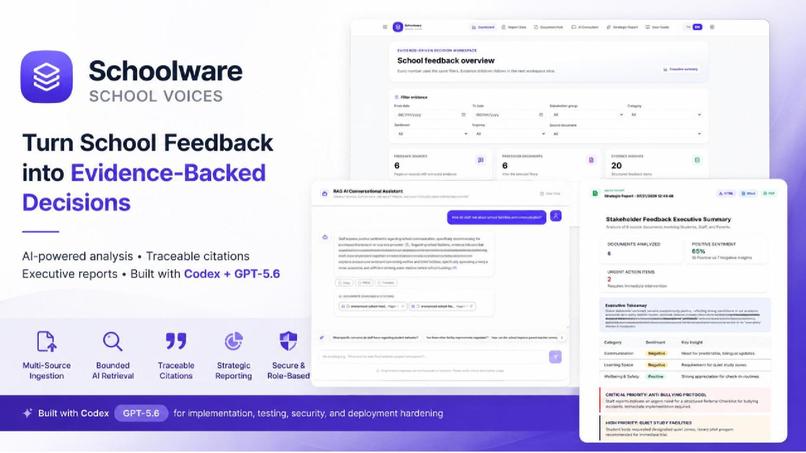
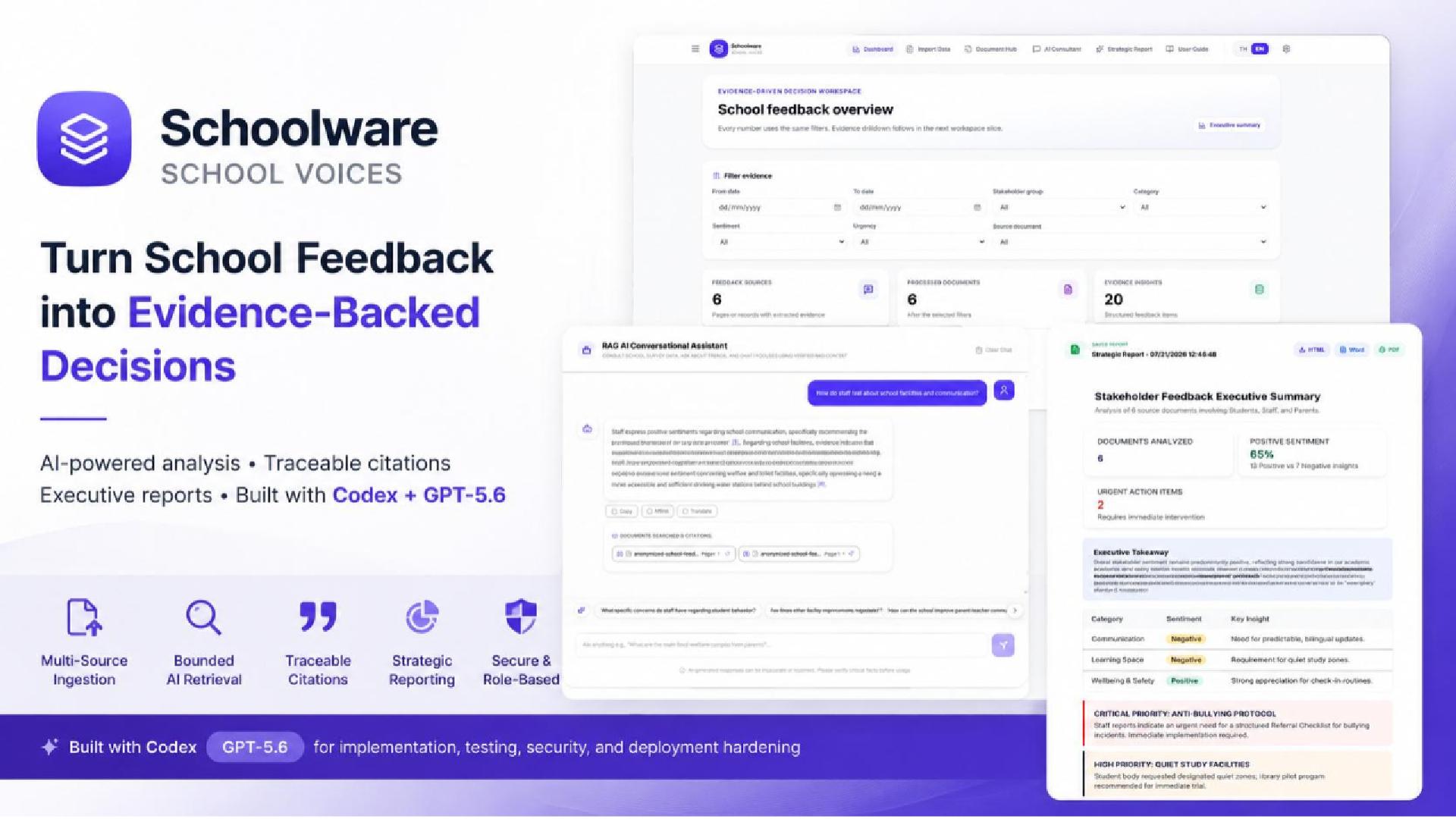
Cover Page
-
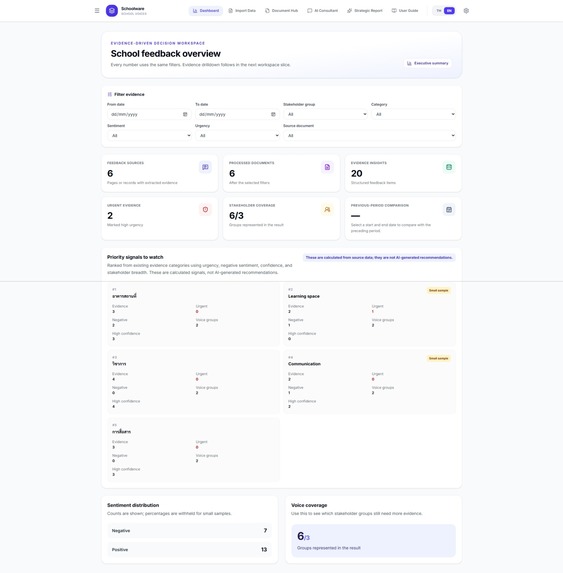
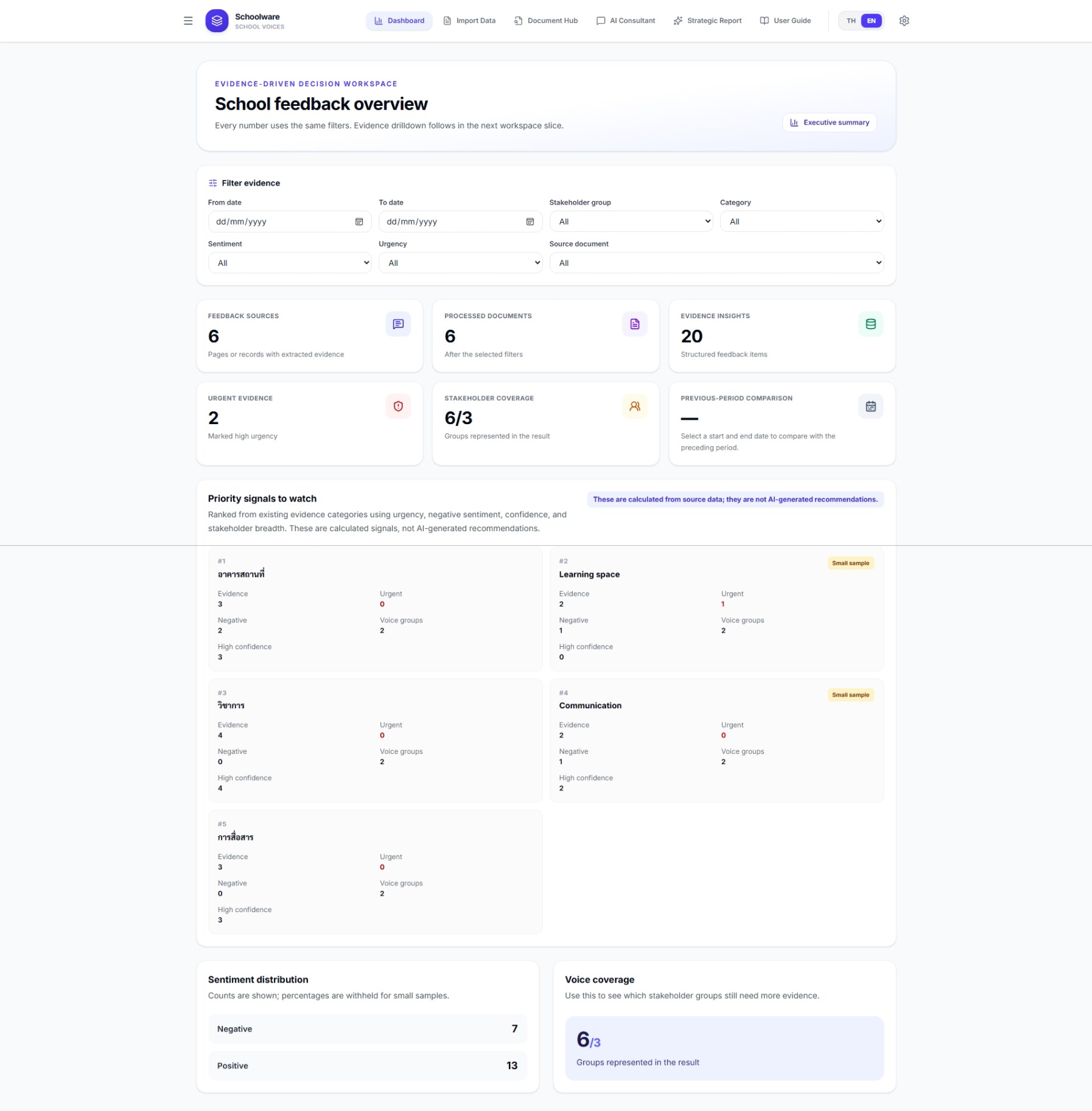
Dashboard
-
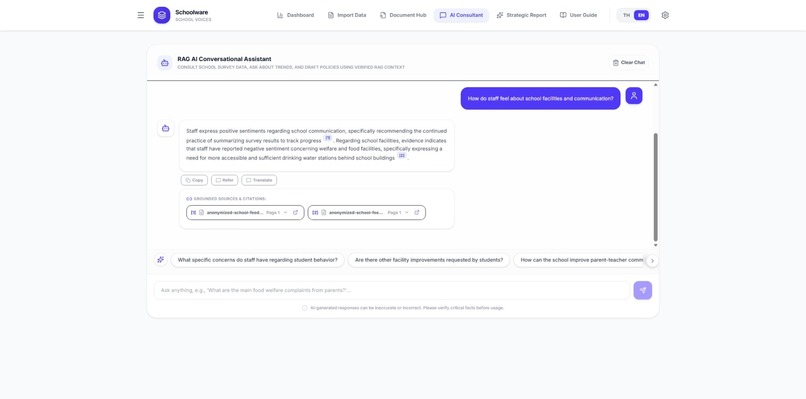
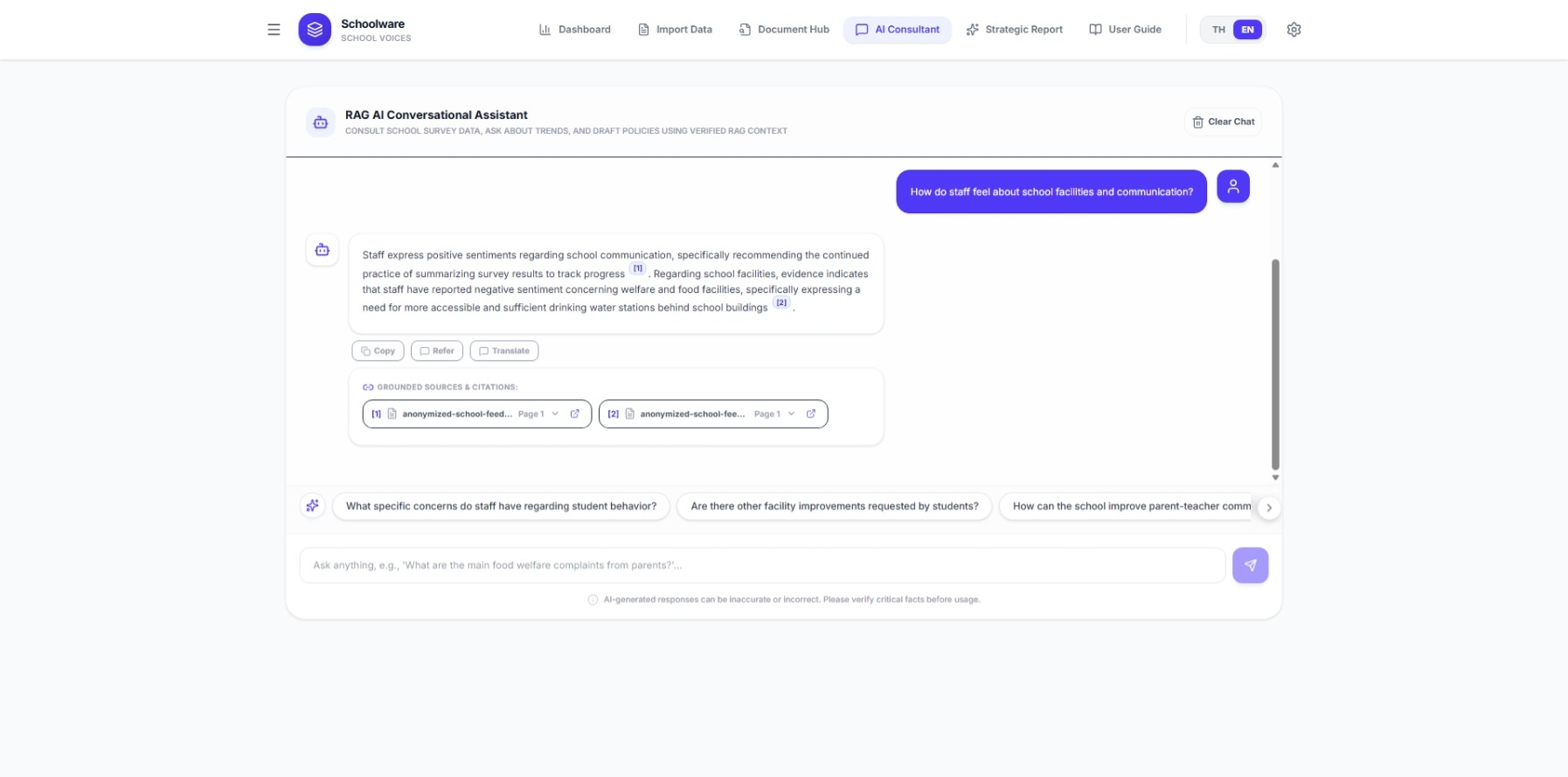
AI Chatbot
-
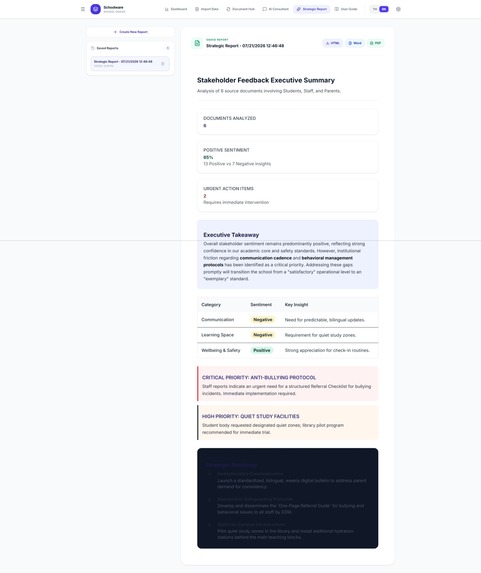
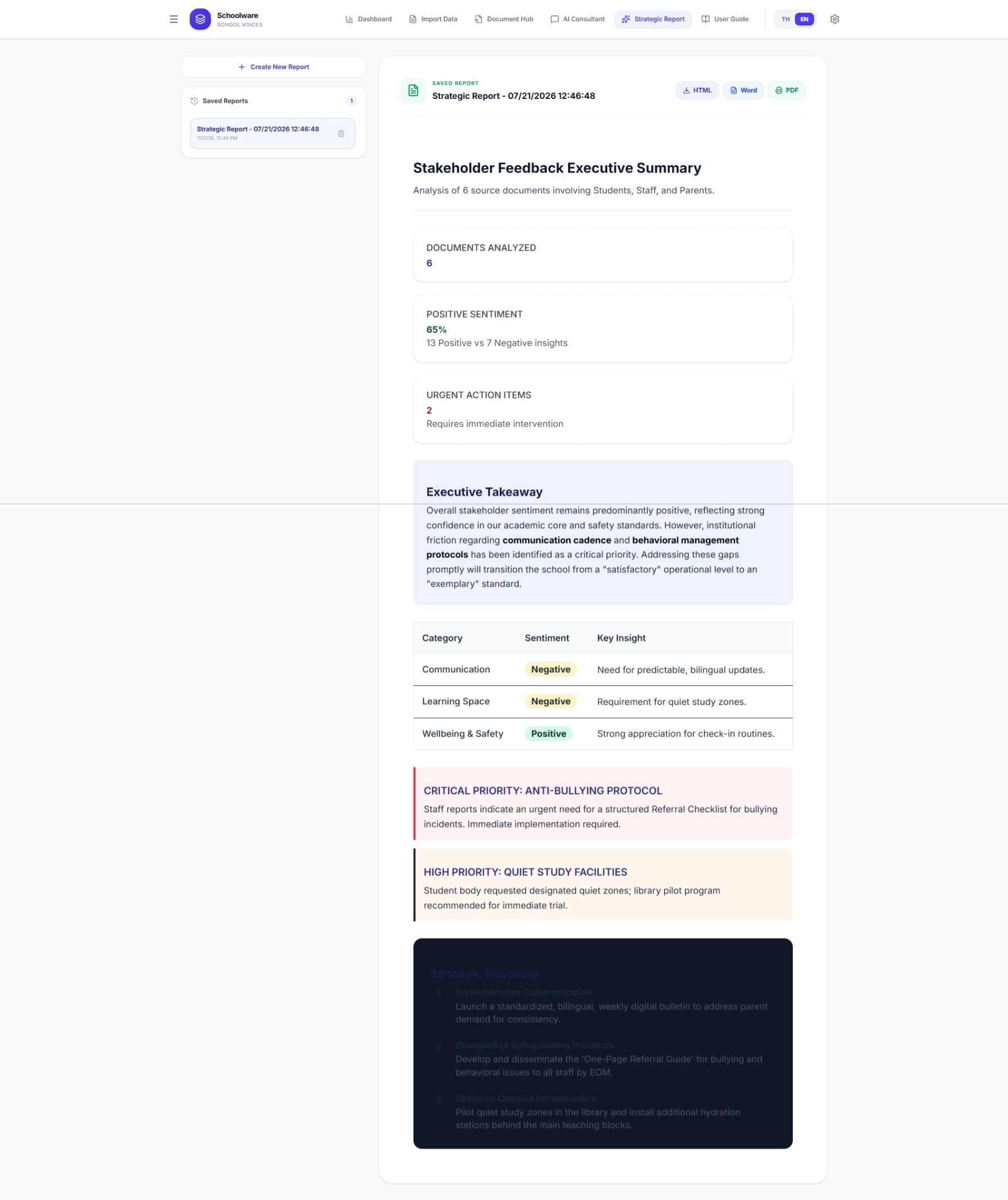
Strategic Report
Inspiration
I am a fresh-graduated in Digital Transformation and Innovation. My degree focused on digital business and management. I also gained some technical experience through internships in data science and AI.
My first job was an Innovation Engineer at a school. My main goal was simple: help teachers, school leaders, and parents work more easily without adding unnecessary tasks.
One problem quickly caught my attention. Even though the school accepts online feedback and applications, more than 70% of parents still prefer to complete paper forms. These documents contain useful information, but they are not stored in a structured database. In many cases, they are only scanned and saved as images.
When the number of documents becomes large, school leaders cannot read every page. This means valuable information may be missed. The documents can show what parents expect from the school, whether those expectations match the school’s direction, what the school is doing well, and what still needs improvement.
For example, the school may focus on age-appropriate child development, while some parents may expect a stronger academic focus. When the school can identify a small group with this concern, it can arrange a focused discussion instead of inviting thousands of parents. This can reduce both cost and time.
This is only one possible use case. I believe the same system can support many more school decisions in the future.
What it does
Schoolware is a system that turns feedback and documents into structured, searchable insights.
1. Document import and AI analysis
Users can upload documents and choose whether to use OCR to convert them into digital text. An LLM then analyzes the content and extracts information such as:
- expectations
- suggestions
- sentiment
- urgency level
- confidence level
The system also classifies the document type automatically.
When a document matches a known form, the extracted data is stored using a defined schema. This makes the information easier to search, filter, and display in the user interface.
2. Interactive dashboard
The dashboard gives school leaders a clear overview of the available data.
Users can filter the results and select individual cards to explore more details, supporting evidence, and related source documents.
3. RAG-based AI chatbot
The chatbot allows teachers and school leaders to ask questions in natural language. They do not need to understand databases or write queries.
The chatbot can answer overview questions, search for specific issues, and compare selected groups. Its answers include references to supporting evidence. Users can also navigate directly from a citation to the related document and insight.
4. Strategic reports
The system can create an executive summary from the information stored in the school’s document collection.
The report uses structured statistics and selected evidence instead of loading every document into the AI model. This keeps the process more efficient while still giving school leaders a useful summary of major issues, expectations, and recommendations.
How we built it
The first version was created through rapid AI-assisted development using Google AI Studio. Firebase was used as the original database.
As the project became larger, I moved the development workflow to Codex. I created project files such as plan.md, design.md, and agents.md to give the coding agent clearer goals, rules, and context.
My current workflow is to discuss the problem and plan the next step with ChatGPT. Codex then inspects the code, implements the agreed scope, and runs tests. For some tasks, Codex also creates its own technical plan, although I use this less often because it can consume more tokens.
I also migrated the backend from Firebase to Supabase. The current system uses React and Vite for the frontend, an Express server for backend logic, Supabase for authentication and data storage, and vector search for the RAG workflow. Gemini is still used for document processing and AI analysis.
The main reason for changing the workflow was that the project had grown beyond a simple prototype. I needed more control, clearer testing, better security boundaries, and a development process that was closer to production standards.
Challenges we ran into
The database migration was one of the biggest challenges.
Moving from Firebase to Supabase was not a direct copy. Firebase stored much of the information as flexible JSON documents. In Supabase, I had to redesign the data as relational tables, JSONB fields, database functions, and access policies.
I also had to make sure that documents, pages, insights, reports, users, and schools remained correctly connected during the migration.
Another major problem appeared later. The original application sent large and frequent API requests. Some pages loaded complete documents, pages, insights, and related data even when the user only needed a small summary.
With hundreds of documents, some requests became extremely large. This caused the application to reach the free-tier usage limit and created request-header errors.
I had to inspect each workflow separately. I replaced full-data requests with smaller metadata queries, server-side aggregates, bounded search results, request cancellation, and workspace-based loading. This reduced unnecessary database traffic without removing the main features.
Privacy was another important challenge. Enrollment forms may contain names, addresses, phone numbers, health information, and family details. The system therefore needs clear role-based access, data redaction, school-level separation, and strict limits on what the chatbot is allowed to retrieve.
Accomplishments that we're proud of
I am proud that Schoolware has grown from an AI-assisted prototype into a more structured system with authentication, school-level data separation, dashboards, document processing, RAG search, citations, source navigation, and report generation.
I am especially proud of the performance improvements.
I did not have a professional background as a backend developer or DevOps engineer. However, I was still able to investigate the database usage problem, find the main causes, redesign the retrieval flow, and verify the improvements through automated and manual tests.
The system can now work with hundreds of documents without repeatedly loading the complete data graph into the browser or sending very large requests to the database.
I am also proud that the AI answers are connected to real evidence. Users can review the source instead of accepting an answer without knowing where it came from.
What we learned
Before this project, I was very new to Codex and AI coding tools. My main experience was with GitHub Copilot.
Working on Schoolware taught me that AI-assisted development is not only about asking an AI to write code. Good results require clear scope, project context, testing, review, and small checkpoints.
I learned how useful tools such as plugins, MCP connections, subagents, automated tests, and repository-based instructions can be. I also learned that AI-generated code still needs human review, especially for security, privacy, database design, and system performance.
I would also like to give credit to the Codex and ChatGPT Thailand Community. The community regularly shares new knowledge, techniques, and practical examples that helped me learn throughout this project.
Most importantly, I learned that building with AI does not remove the need to understand the problem. The developer still needs to make decisions, check assumptions, test the result, and take responsibility for the final system.
What's next for Schoolware
Schoolware currently focuses mainly on school leaders and management teams.
In the future, I want to expand it into a platform that also supports teachers. The system could provide tools for analyzing student work, classroom evidence, feedback, and learning progress based on criteria defined by each school.
The AI should not replace the teacher’s judgment. Teachers understand their students, classroom context, and learning goals better than a general AI system.
For this reason, the future direction of Schoolware will follow a human-in-the-loop approach. AI can organize information, find patterns, and prepare an initial analysis. Teachers can then add context, correct the result, and make the final decision.
Future work will also include stronger privacy controls, clearer access policies, more reliable search methods, structured reports, and better integration with the tools that schools already use.

Log in or sign up for Devpost to join the conversation.