Inspiration
I was inspired to create SchoolTimeOptimizer because I wanted a simple tool to help students manage their weekly tasks and see their workload at a glance. Many students struggle with organizing homework, projects, and study sessions, so I wanted to make a visual planner that is easy and interactive.
What it does
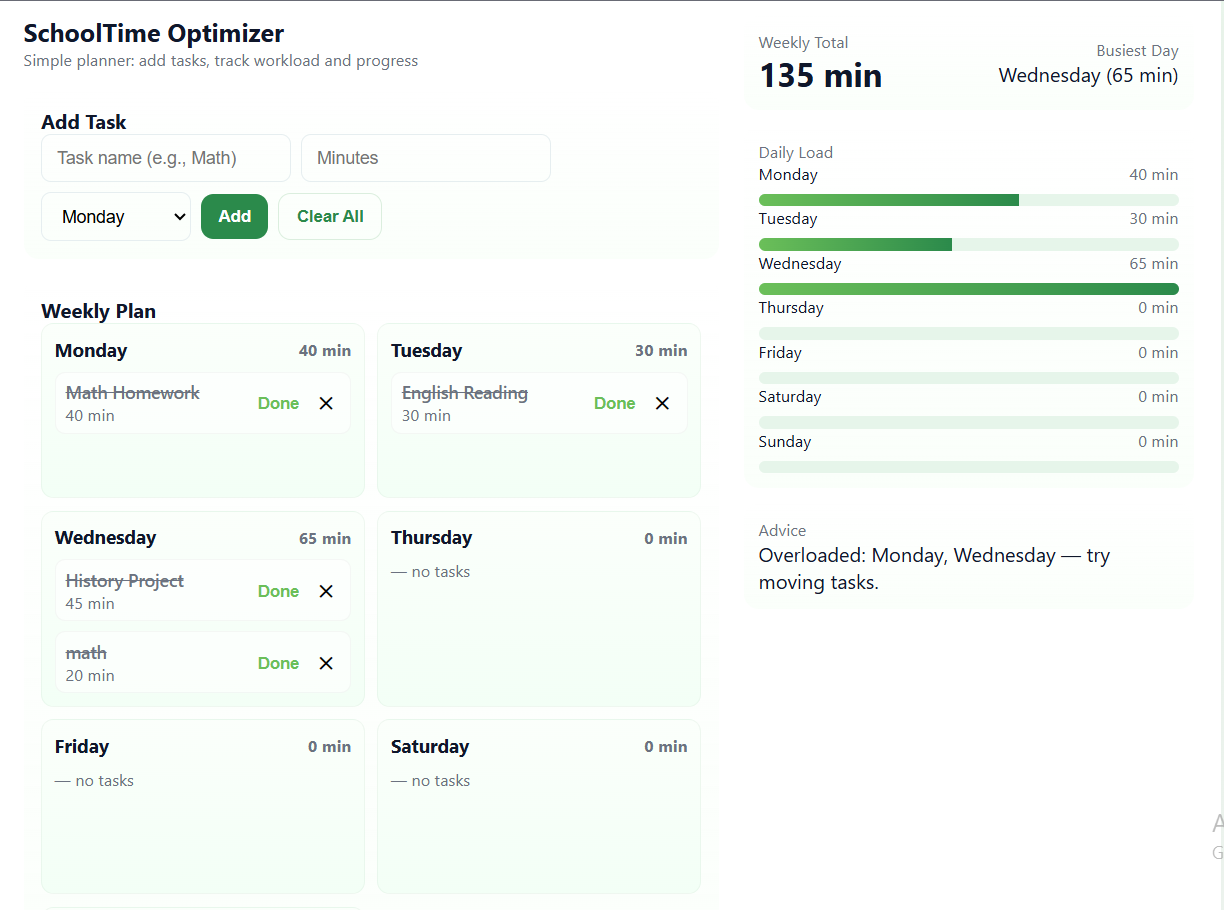
SchoolTimeOptimizer is a lightweight web planner that allows you to:
- Add tasks with a set duration (in minutes).
- Organize tasks by days of the week.
- Mark tasks as done.
- See real-time analytics, including:
- Total weekly workload
- Workload per day
- The busiest day
- Total weekly workload
How we built it
- Frontend: HTML, CSS, and JavaScript (no frameworks, pure code for simplicity).
- Design: Minimalist, clean interface with visual progress bars for each day.
Challenges we ran into
- Managing dynamic updates in real-time when tasks are added, removed, or marked as done.
- Keeping statistics accurate without refreshing the page.
- Designing a user-friendly interface that works on both desktop and mobile.
Accomplishments we're proud of
- Fully functional weekly planner with analytics.
- Interactive UI with drag-and-drop-like feel (tasks update instantly).
What we learned
- How to dynamically render tasks and statistics with JavaScript.
What's next for SchoolTimeOptimizer
Currently, this is a demo version of the application. In the future, we plan to: Add a timer feature to help students track time spent on tasks. Improve data management, so the app can securely store tasks and progress even across devices. Enhance the user interface with more interactive elements and better visuals. Expand analytics, giving deeper insights into study habits and workload distribution. Our goal is to turn SchoolTimeOptimizer into a fully functional productivity tool that helps students plan, track, and manage their weekly tasks efficiently.

Log in or sign up for Devpost to join the conversation.