-
-
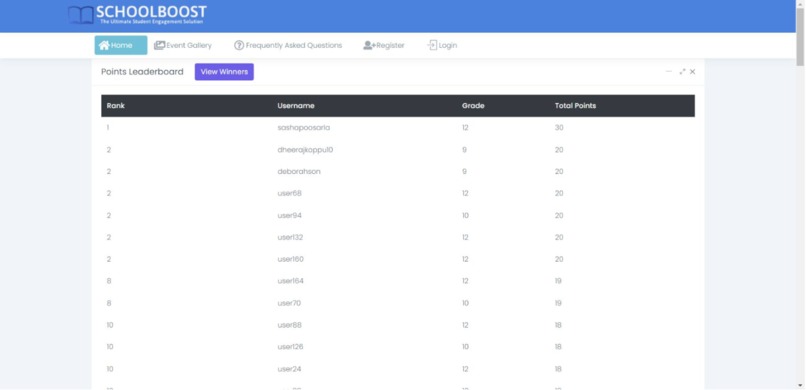
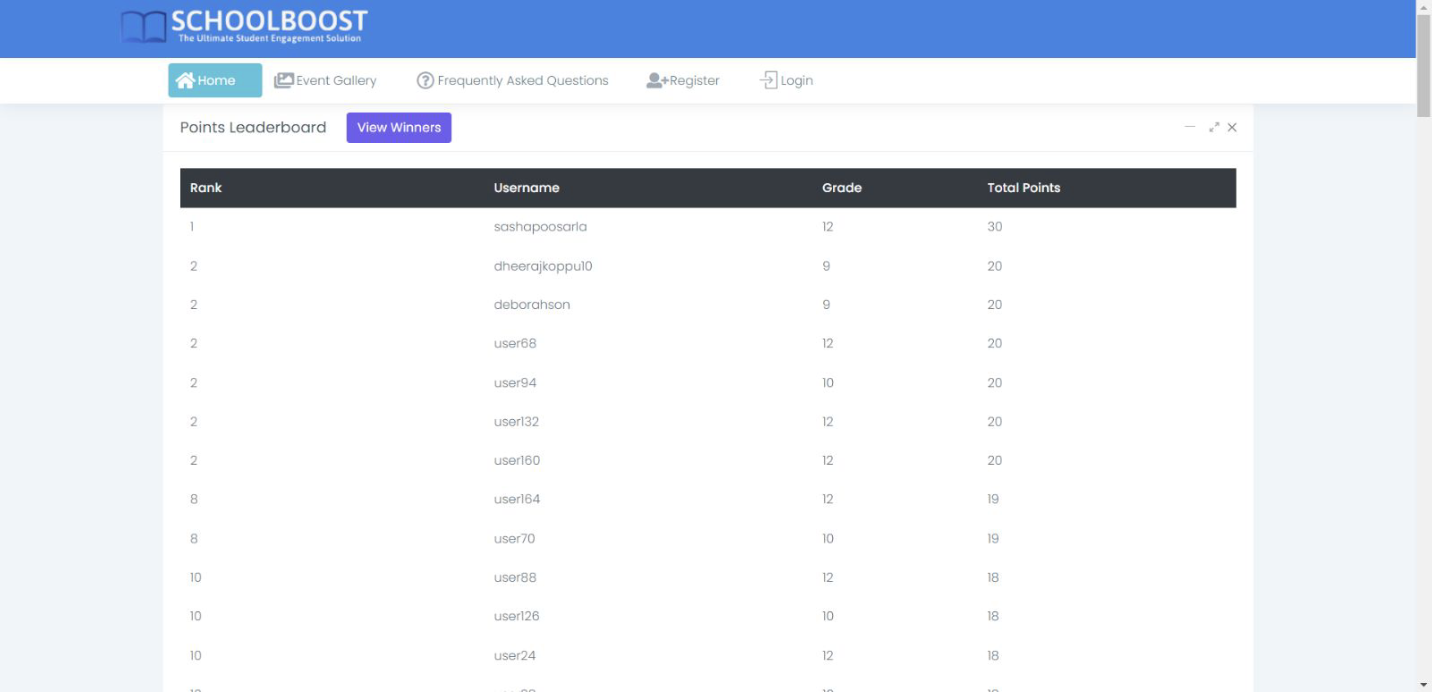
Homepage with Leaderboard
-
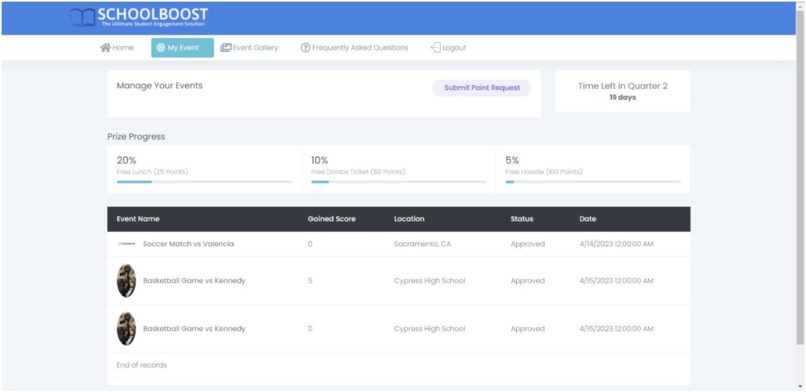
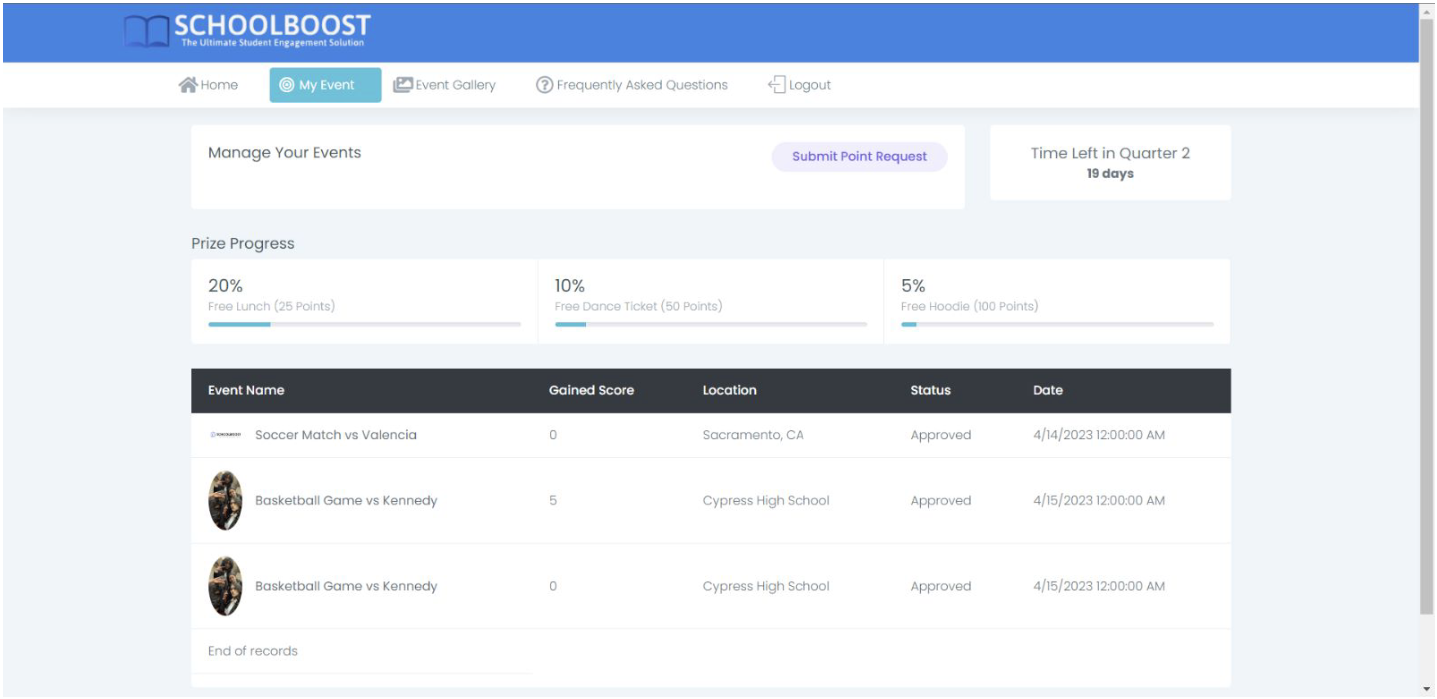
My Events Page where students can view points, prize target, and submit and view past event submissions
-
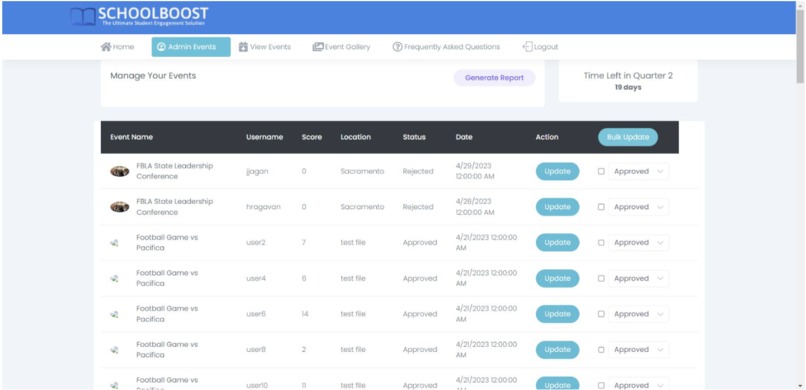
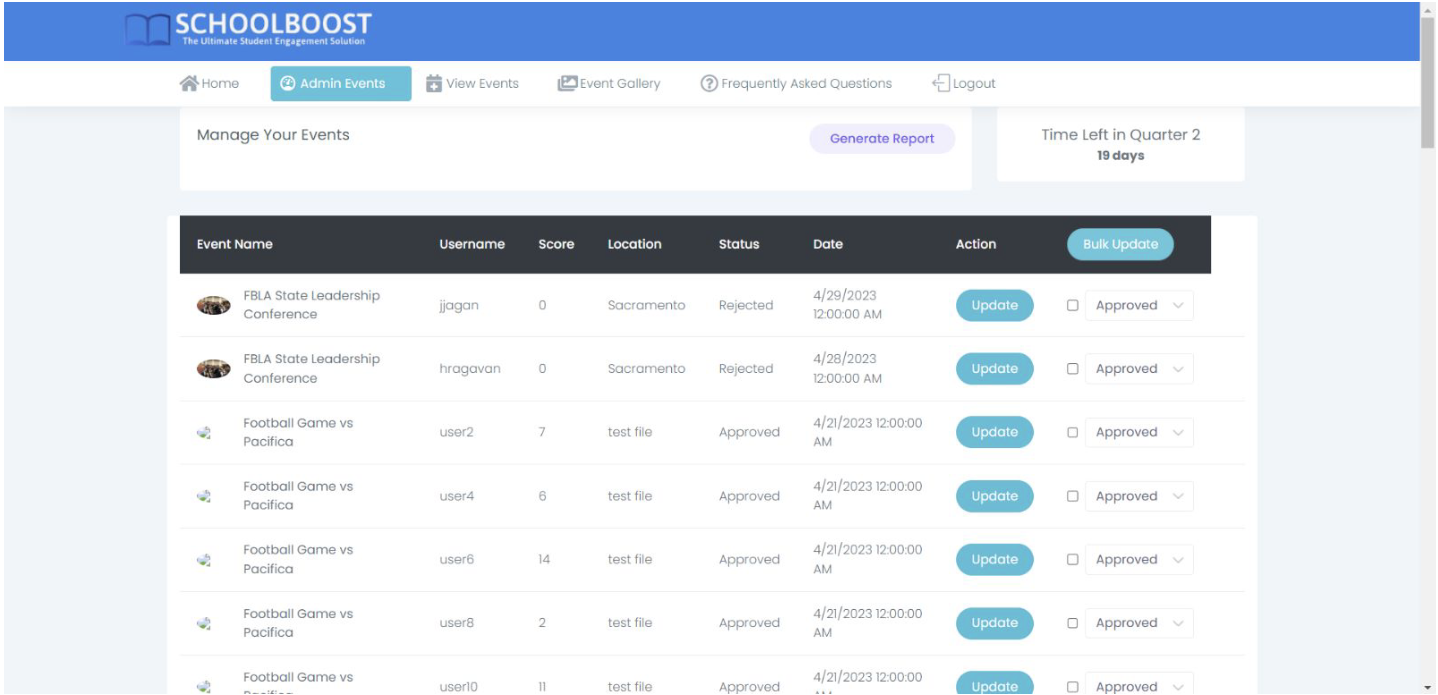
Admin Events page where admins can approve user event submissions for points
-
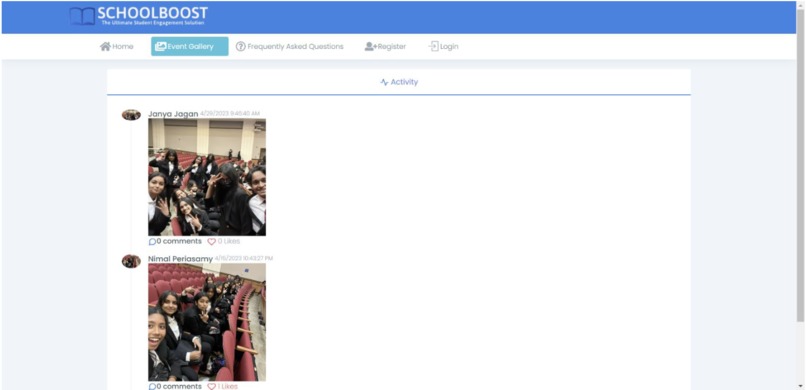
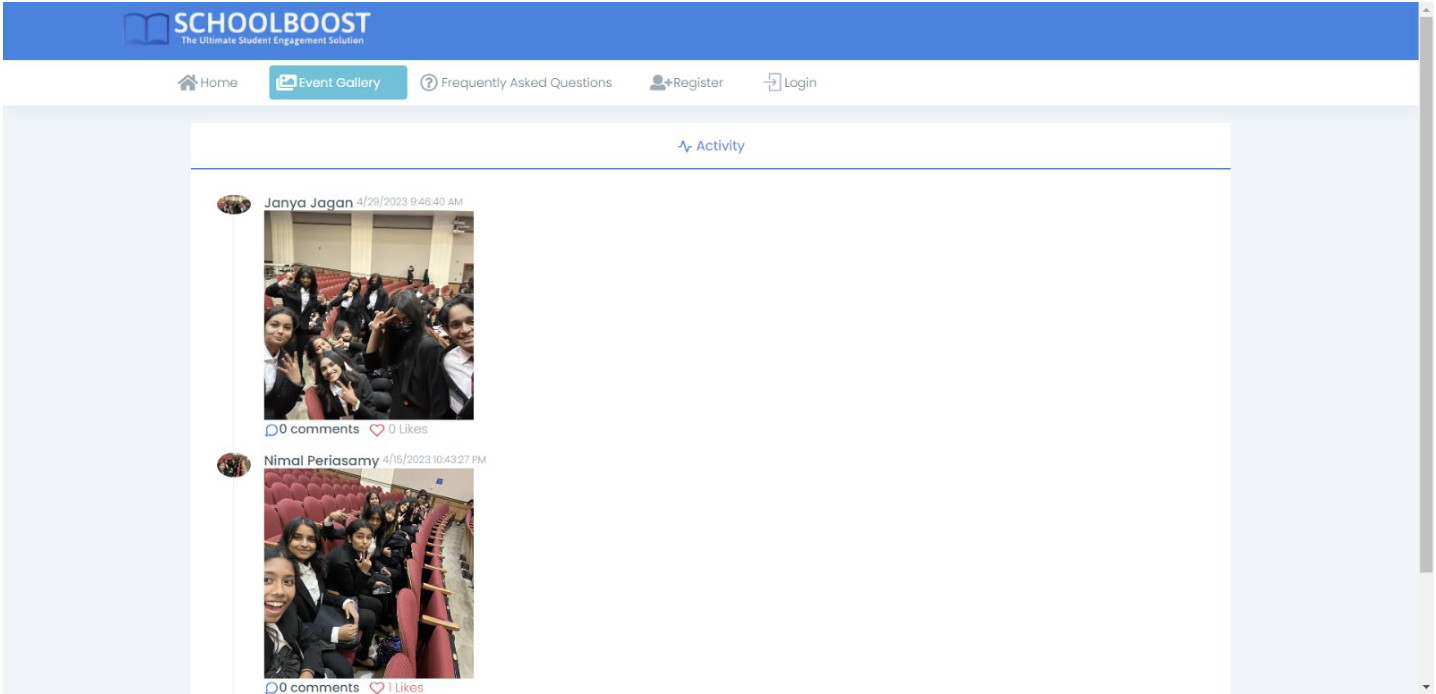
Event Gallery Page where users can upload photos like a social media page
-
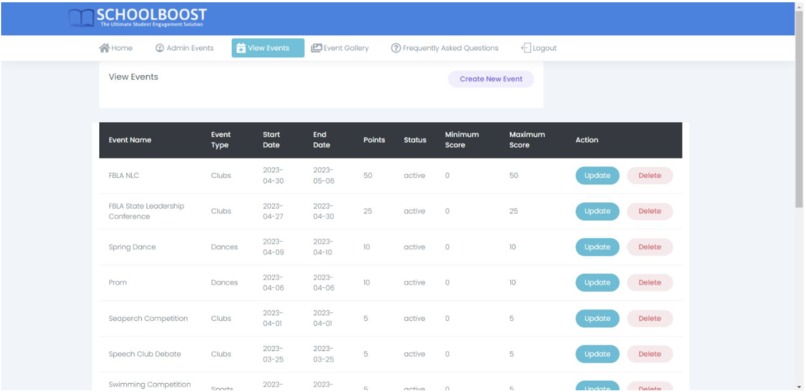
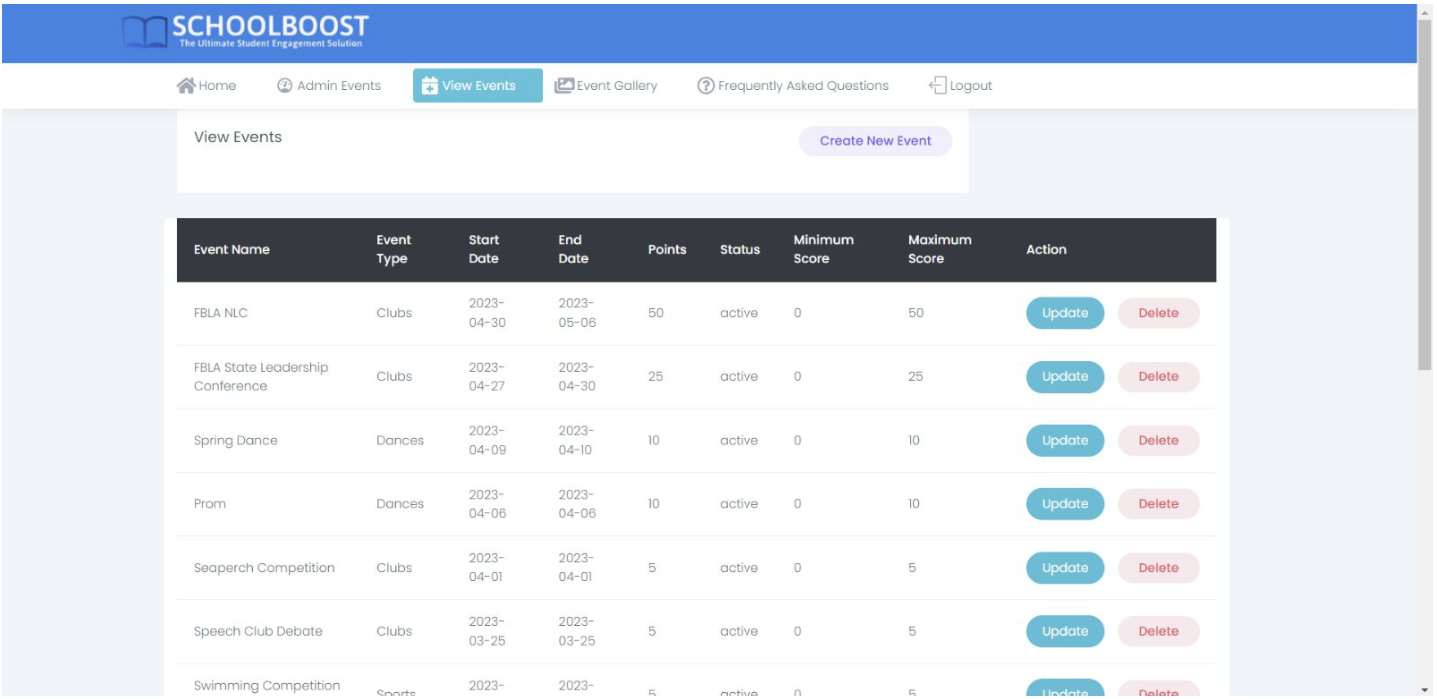
View Events Page where admins can add or delete events
-
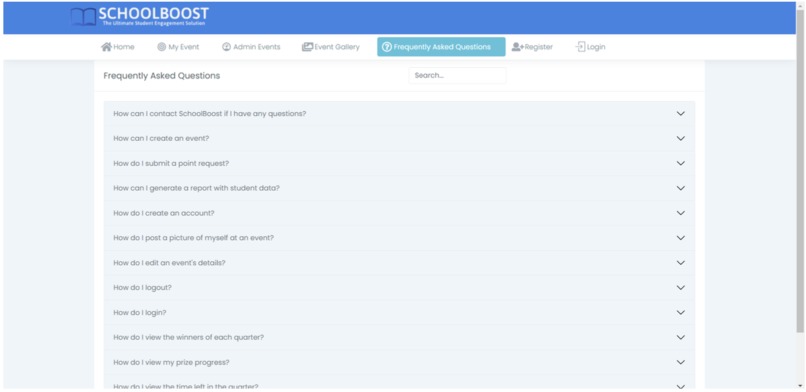
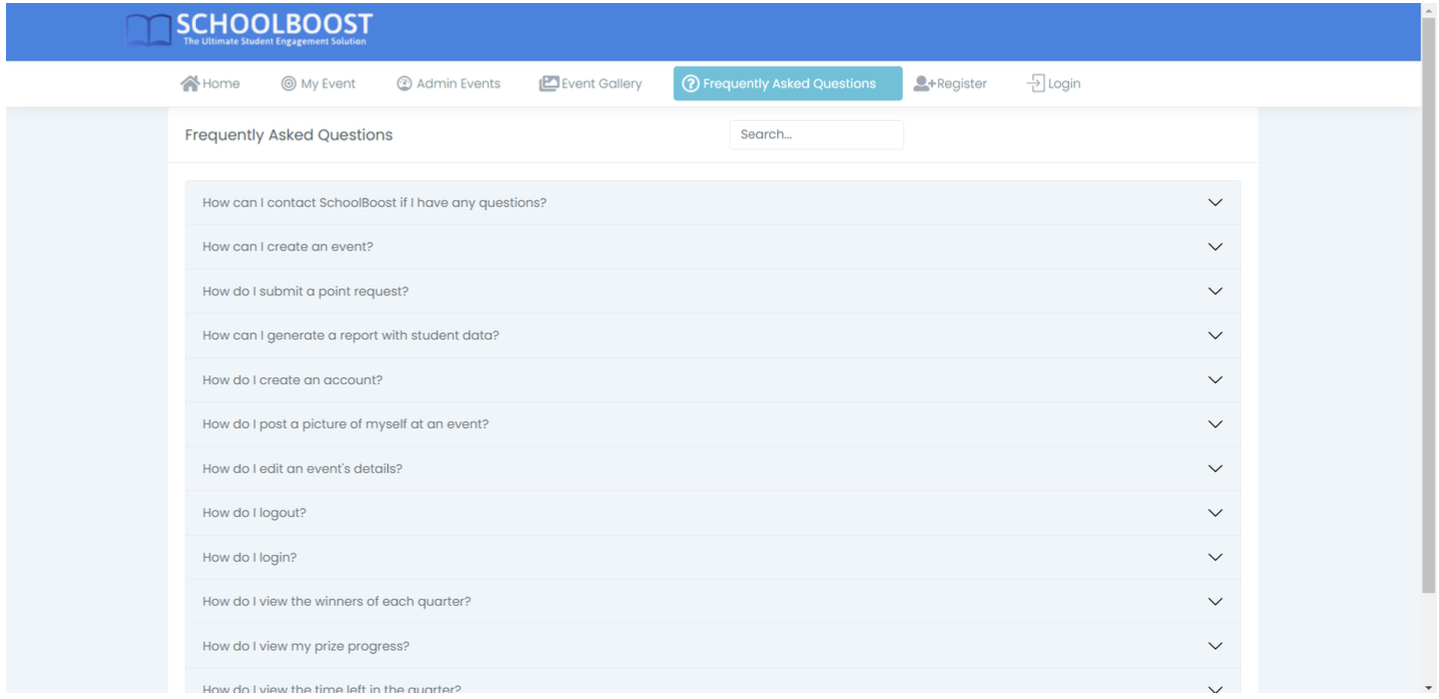
User Interactive and Dynamic FAQ Page
-
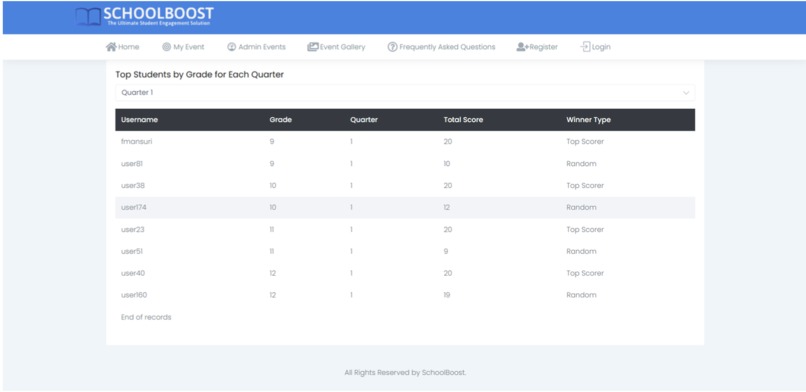
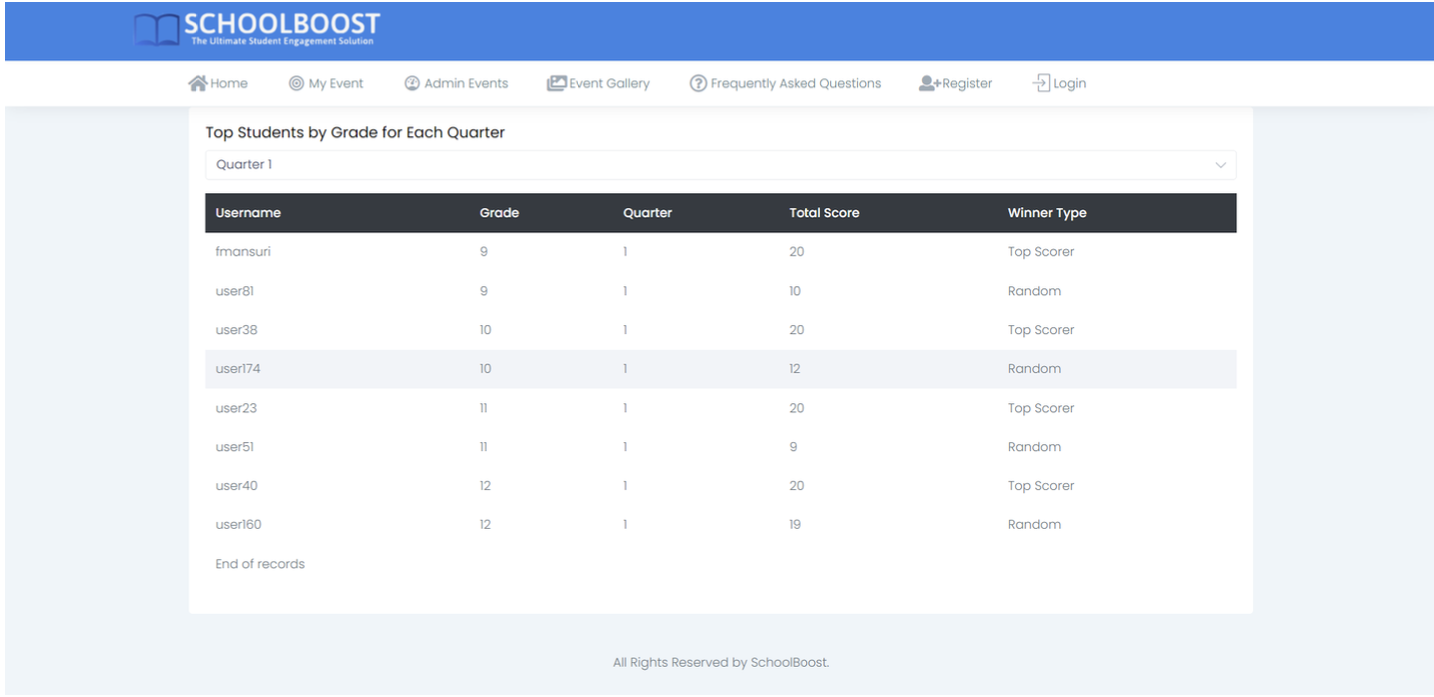
Winners Page with student with the highest points and a randomly chosen winner
SchoolBoost: Enhancing Student Involvement Through Technology
Inspiration
The inspiration for creating SchoolBoost came from witnessing the significant social and academic disruptions caused by the COVID-19 pandemic. My brother, among many other students, struggled to reconnect with the school community and engage in extracurricular activities. This motivated me to develop a platform that would facilitate student involvement in school events, fostering a sense of community and enhancing their overall school experience, especially for first-generation students.
What I Learned
Building SchoolBoost was an incredible learning experience that deepened my understanding of software development, project management, and user-centered design. I learned how to:
- Design and implement a semi-3-tier architecture using .NET.
- Manage and interact with SQL databases.
- Develop responsive web pages that adapt to various screen sizes.
- Implement user authentication and role-based access control.
- Create a user-friendly interface that encourages engagement and participation.
How I Built the Project
Tools and Technologies
- Framework: .NET v4.8
- Development Environment: Visual Studio v17.5.4
- Database: Microsoft SQL Server Management Studio v19.0
- Frontend: Material Pro HTML Template for design
- Hosting: Microsoft Azure for SQL backups and hosting
Key Features
- Home Page: Displays the student points leaderboard and provides navigation through a dynamic menu bar.
- Registration and Login: Secure user registration with email verification and login with multiple validators.
- Event Gallery: Allows students to upload and share pictures from events, with functionality for liking and deleting posts.
- My Events Page: Personalized dashboard for students to track their event participation and progress towards prizes.
- Admin Events Page: Admin interface for managing events, generating reports, and bulk updating event statuses.
- View Events Page: Centralized page for administrators to create, update, and delete school events.
- Winners Page: Displays top performers and randomly selected winners by quarter.
- Frequently Asked Questions Page: Provides users with answers to common questions and tips for using the platform.
Program Structure
- Home Page: Accessible to all users, displaying the leaderboard and dynamic menu based on user roles.
- Registration and Login: Pages for user authentication with robust validation and email verification.
- Event Gallery: Feature-rich page for posting and interacting with event photos.
- My Events and Admin Events Pages: Role-specific dashboards providing relevant data and functionality for students and administrators.
- View Events and Winners Pages: Interfaces for event management and recognizing top performers.
- FAQ Page: Comprehensive help section to assist users in navigating the platform.
Challenges Faced
- Ensuring Data Security: Protecting user data was a top priority. Implementing secure authentication methods and robust error handling mechanisms was challenging but essential.
- Scalability and Performance: Ensuring the application could handle a growing number of users and events required careful optimization and efficient database queries.
- User Experience: Designing an intuitive and engaging user interface involved multiple iterations and feedback from potential users.
- Email Functionality: Integrating email verification and notifications posed challenges in managing email servers and ensuring reliable delivery.
Future Plans
To further enhance SchoolBoost, I plan to:
- Host the website on a dedicated web server for increased reliability.
- Implement additional security measures to protect user data.
- Improve the performance and efficiency of the application.
- Add new features such as event comments, a forgot password functionality, Google sign-in, and more comprehensive error notifications.
- Expand usability across all major operating systems and introduce paging functionality for large tables.
- Enhance the aesthetics and user experience of the application.
By continually improving and expanding SchoolBoost, I aim to provide an even more effective platform for fostering student involvement and enhancing the high school experience.
Built With
- css
- dotnet
- html
- javascript
- smtp
- sql


Log in or sign up for Devpost to join the conversation.