-
-
Map View
-
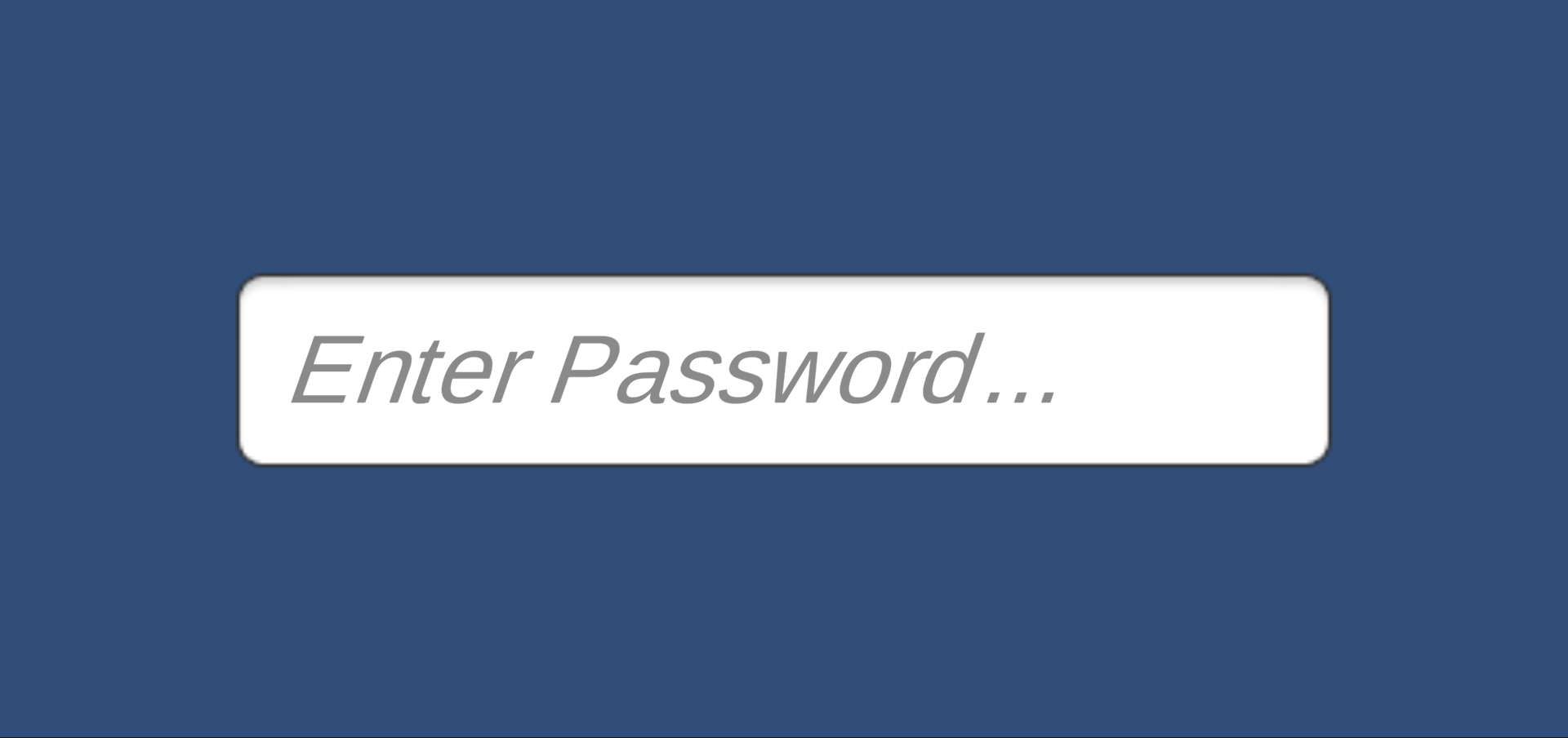
Password Screen
-
Loading Screen
Inspiration
At my school and my friends' schools, I noticed difficulty in transitioning from middle school to high school. A peer I know attended an entire period of the wrong class and I myself was late to a class due to my difficulting in navigating the building. Also, when another person I know sustained an injury to his leg, he had to relearn his paths to classes using the elevator. I noticed that there was no system in place to help students navigate their school; this inspired me to make a novel solution to this problem.
What it does
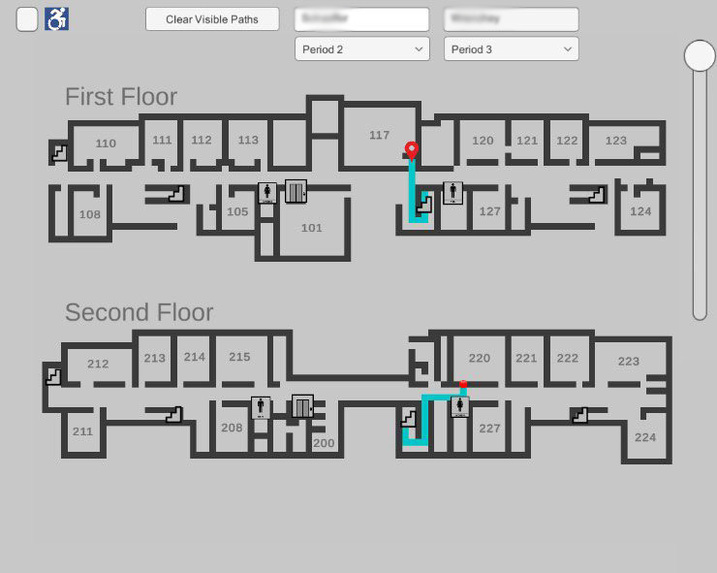
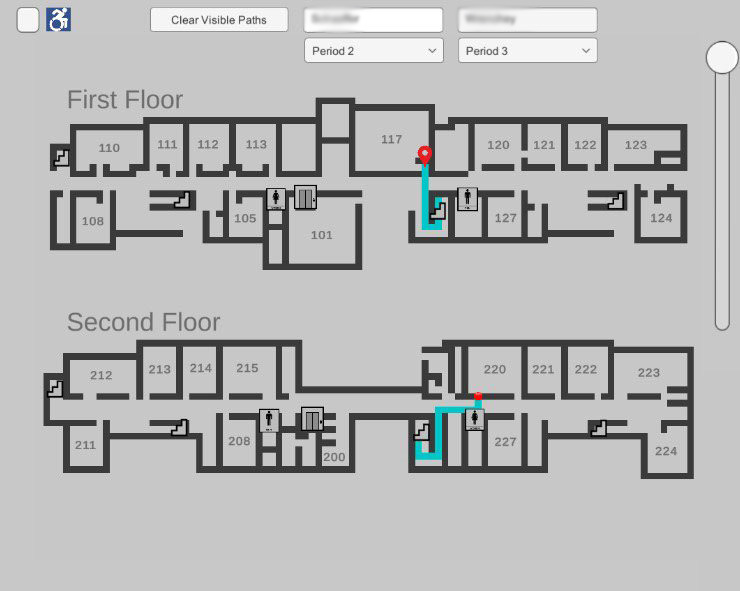
This app allows the user to find the shortest path between any two points on the map. They have multiple ways to input their start location and destination. Firstly, they tap two points on the map and will be shown the shortest path in blue between the two points. Secondly, they may enter room numbers and be shown the shortest path between the rooms. Lastly, the user can enter two teacher names along with what period they have that teacher and be shown the shortest paths between the rooms the teachers are in at that time. If the start location and the destination are on two separate floors, the app will find the staircase which is the most efficient one to take. If the user has difficulty taking the stairs, they can simply press a button to enable accessibility features and be shown a path using the elevator instead.
How I built it
This project was made in Unity 2D and C#.
I followed the engineering design process throughout the development of this app, which allowed for fast development and testing. The first step I took is identifying the problem. Not putting enough time and effort into this step will hinder the quality of the product no matter how much time goes into it. This was done by finding what students have the most difficulty with, and after thorough research, the navigation problem was identified.
The next step was to describe the problem, meaning I needed to research similar solutions and get ideas to build on for my product. also learned a lot about the anxiety people experience in new places and hope that this app will help reduce at least one factor that contributes to their stress.
Next, I generated a rough prototype so I could visualize our idea and agree on how our project would look. I created a rudimentary building out of game pieces and 3D printed parts and used a pipe cleaner to show the path that avoids obstacles. This is how the general design of the app was decided upon using inexpensive materials.
I created a usable prototype that allowed the user to create a maze and the program would find the shortest path from any given starting or ending point. Since a school is just a closed maze that I need to find the shortest path through, this embodied the problem well and now just needed to embody a school building.
Once I had a prototype made using the school as the maze, I started collecting user feedback. I shared the app with my peers and allowed them to test it inside of our school and have them tell me what they liked and disliked. The main feature that was disliked was the color scheme of the map. Everything was an extremely dark color making it difficult to differentiate between the path and the background. Using the data I collected I was able to improve the usability of the app.
The best way to improve a product is to iterate, improving one thing at a time until I arrive at the final version. As I mentioned earlier, the app started as a simple maze solver, then it was designed to match the school. Next colors were changed for contrast and after that, the GUI was updated. Furthermore, I added room numbers and buttons for the user to press. Penultimately, more GUI changes were made to make buttons and functionality easier to understand, and searching by teacher name was added. Finally, after 5,134 lines of code and 120 hours (about 5 full days) of development, the final version of the app was created with final additions including start/endpoint markers and more accurate stair finding.
Challenges I ran into
The earliest challenge I ran into was finding which algorithm to employ for pathfinding. After lots of research on candidates such as Breadth-First Search, Depth-First Search, Dijkstra's Algorithm, Best-First Search, and A*, I found A* to be the most efficient in spaces such as a school since it more intelligently avoids obstacles (eg. walls) and moves in more promising directions than algorithms such as Dijkstra's or Depth-First Search.
Another challenge I ran into was map design. I needed to make the map easy to view if you were color blind, but due to some issues in the settings of Unity which I could not find, the colors were extremely dark. For example, if I set the background color to white (RGB: (255, 255, 255)), Unity would display the color as charcoal gray (RGB: (40, 40, 40)). I spent time looking through the color settings inside of the project settings and found out that there was an automatic gray tint added to all colors.
Since this was the first time I published an application, I encountered difficulty with the various steps I had to take in order to set it for production. I especially ran into issues with my Keystore for the app since I have not had experience with creating and managing Keystores before.
Accomplishments that I am proud of
At the start of the coming school year, this app will be available on the school's website. It will be used by the incoming freshman, parents, and new teachers on registration day, and whenever they need to find their way.
In addition, I will also be working with my school's principal to make this app available for other schools in my school district. This will allow more students to attain a better experience as they transition from middle school to high school.
What I learned
I learned a lot about Unity, the google play store, the engineering design process, UX design, and the world of searching algorithms.
Since I built this app using Unity, I got an in-depth understanding of it, especially the canvas system. The canvas system is what allows to make interactive GUI. It allowed me to make toggle buttons, sliders, normal buttons, dropdowns, and textboxes. I also could make the app compatible with every aspect ratio using the canvas system with a helpful tool called anchors. These anchors make it so all GUI elements are always a fixed distance from a part of the screen, no matter the size of the screen.
What's next for School Navigator App
Next, I plan on adding indoor location finding so the app knows exactly where the user is inside the school. My plan for this is to use the phone's connection to the different WiFi points around the school to know which room the user is closest to. To mitigate the problem of knowing which floor they are on, I can use the phone's built-in GPS to find the altitude or use the air pressure sensor on the phone.
I also plan on making outreach programs for other schools in my area to help as many students as I can.

Log in or sign up for Devpost to join the conversation.