-
-
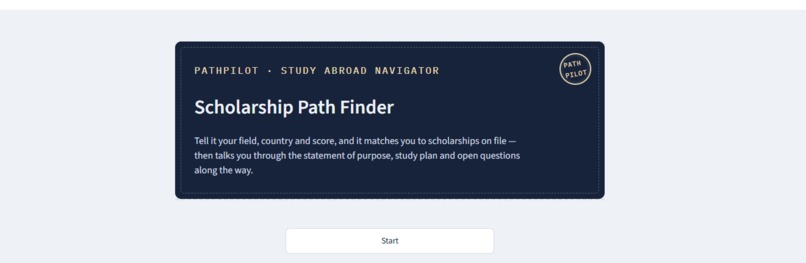
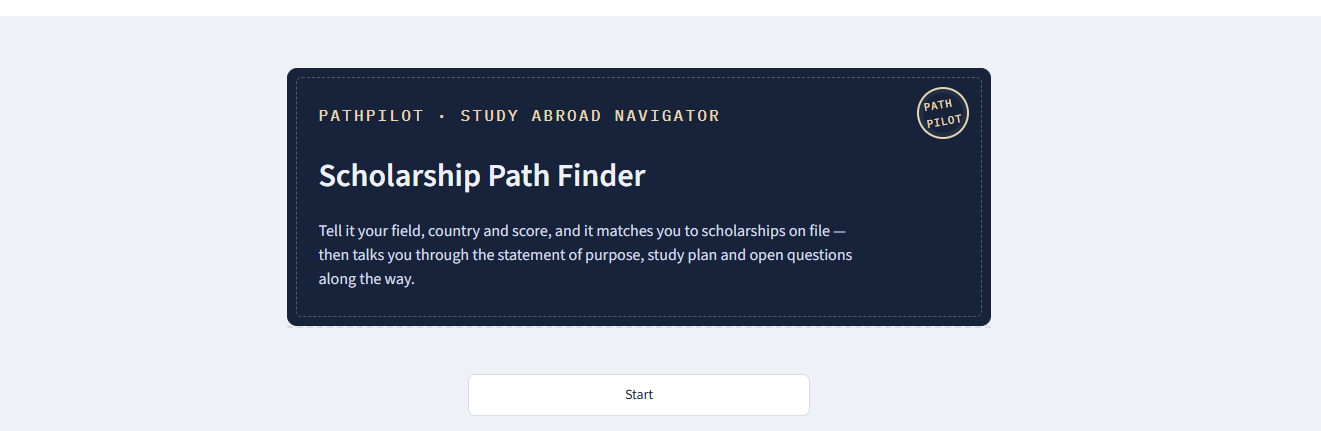
Hero screen — Scholarship Path Finder with Path pilot, the app's built-in AI guide
-
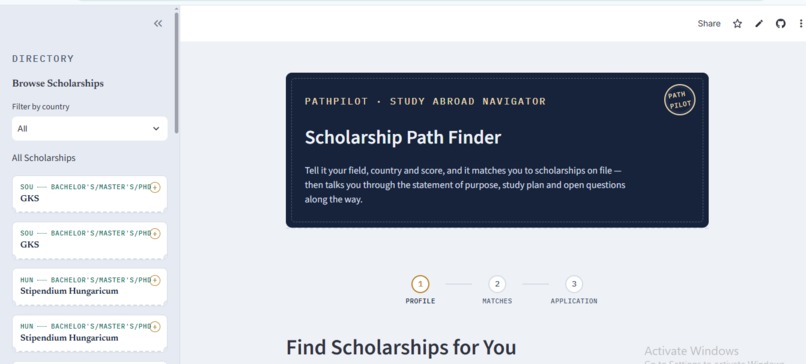
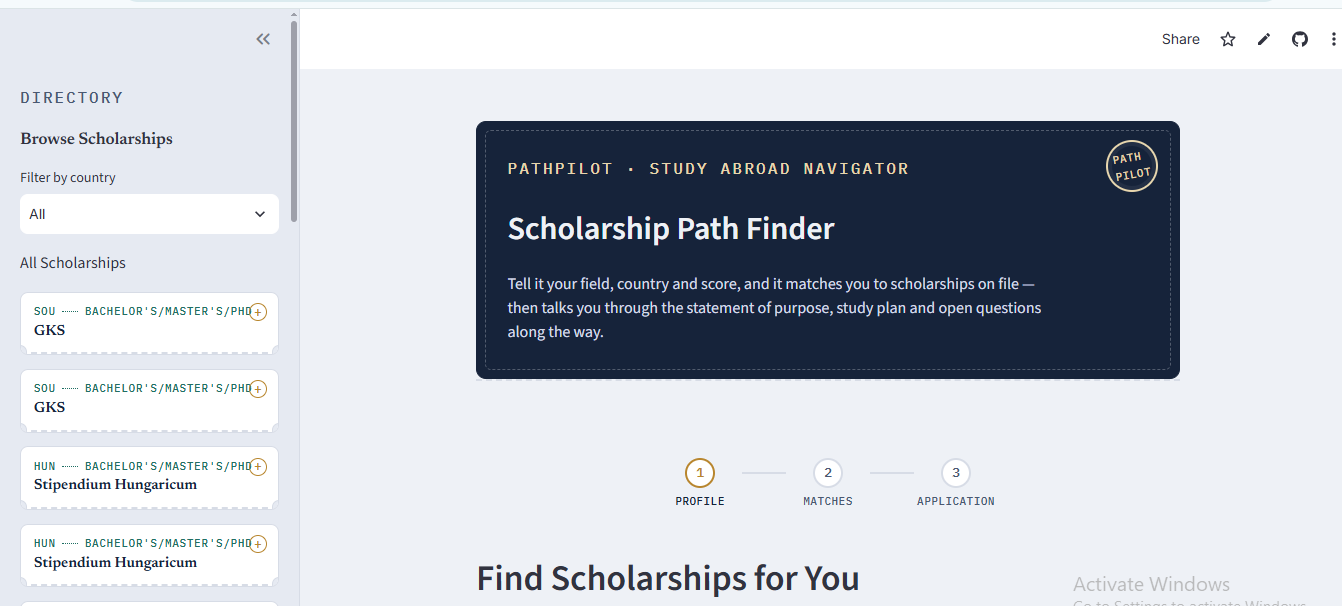
Browse mode - scholarships shown as boarding-pass stubs, with a stepper guiding the profile → matches → application flow
-
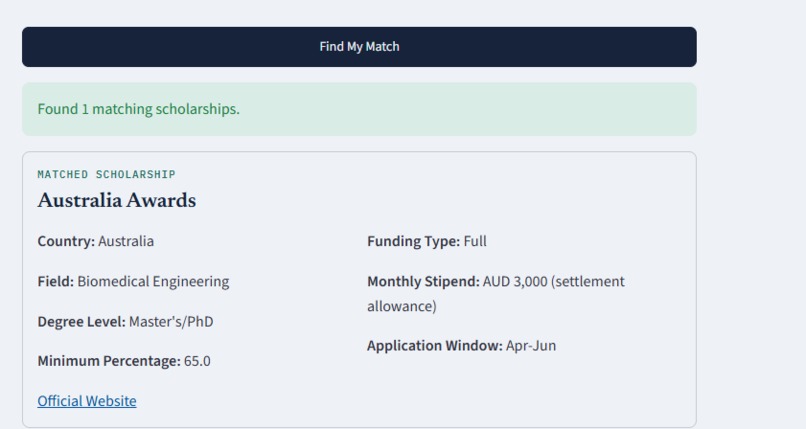
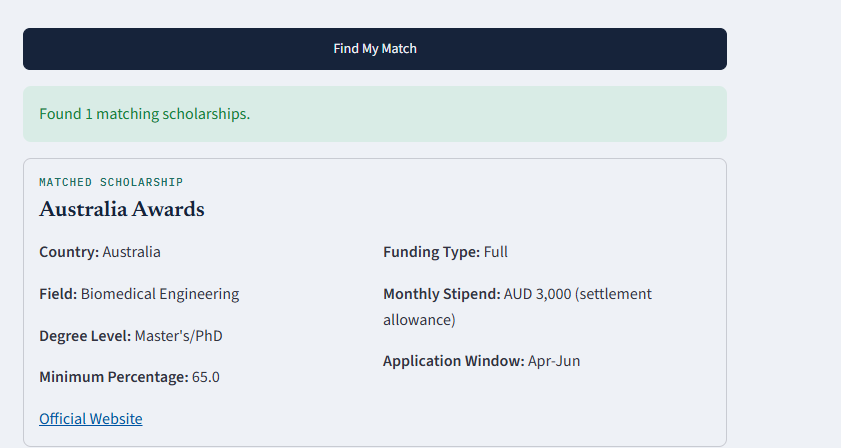
A personalized scholarship match, shown as a ticket-style card with country, funding, stipend, and deadline at a glance
-
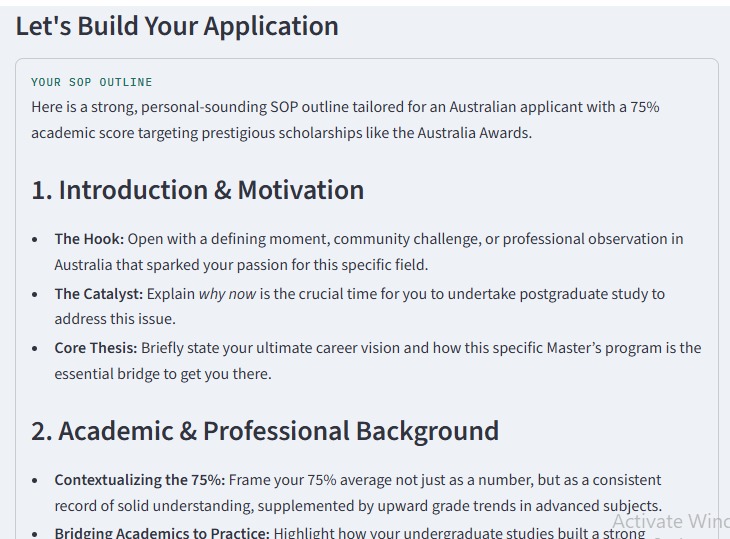
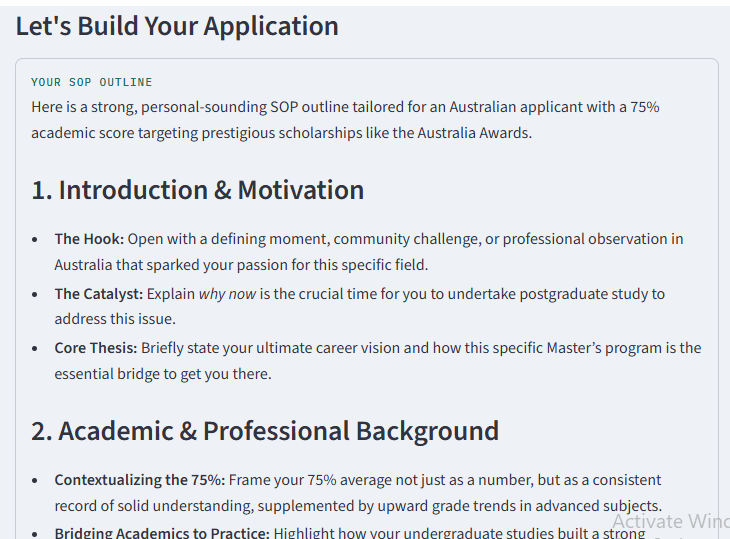
Pathpilot lays out the SOP structure — section-by-section guidance generated by Gemini, shown as a ticket-style card
Inspiration
This one's personal. While looking for scholarships to study abroad myself, I kept running into the same wall — one site would have great scholarships but no clear eligibility info, another would list deadlines that had already passed, and even after finding a match, I'd stare at a blank page trying to figure out how to start a Statement of Purpose that didn't sound like everyone else's. There was no single place that took me from "here's a scholarship you qualify for" to "here's how you actually apply for it." So I built Scholarship Path Finder to be that place — the tool I wish I'd had when I started my own search.
What it does
Scholarship Path Finder is a scholarship matcher with an AI guide built in, called Pathpilot.
You tell it your field of study, country, degree level, and academic percentage, and it filters a scholarship dataset down to real matches — not just a list, but a short personalized explanation of why those scholarships fit, read aloud automatically. From there, Pathpilot (powered by Google's Gemini API) can:
- Lay out the structure a Statement of Purpose should follow — section by section guidance tailored to your actual profile and the scholarship you matched with
- Build a step-by-step study plan — exam prep, document checklist, application timeline
- Answer specific follow-up questions ("do I need IELTS for this one?") using your profile as context, like a chat with someone who already knows your situation
There's also a browse mode in the sidebar for students who'd rather explore the full scholarship list themselves, styled as boarding-pass-style stubs you can tap open for details.
How I built it
- Streamlit for the app itself
- Google Gemini API for the personalized summaries, SOP guidance, study plans, and Q&A
- gTTS to read the personalized match summary out loud
- pandas to filter the scholarship dataset (country, field, degree level, funding, deadlines)
- A custom CSS theme + a
.streamlit/config.tomltheme file to move the whole UI away from Streamlit's default look toward something that felt more like a real product — navy/gold "travel document" styling, a serif+mono font pairing, and boarding-pass-style cards throughout
Challenges I ran into
The biggest challenge was that I came into this hackathon only knowing Python — everything else needed to build a real, polished web app was completely new to me. I'd never written CSS before, never called an LLM API, never used st.session_state to manage app state, and never deployed anything for other people to actually use.
So this project turned into learning all of that under a deadline, one piece at a time. Figuring out how CSS and Streamlit's theming system actually work so the app didn't look like a default template. Learning how to call the Gemini API and structure prompts so the guidance came back feeling personal instead of generic. Learning how session state keeps the app from resetting every time a button gets clicked. And learning the deployment side too — like keeping the API key out of the public GitHub repo and setting it up properly through Streamlit Community Cloud instead.
None of it came easy, since none of it was familiar. But that was also the point — I wanted to walk out of this hackathon knowing more than I walked in with.
Accomplishments that I am proud of
Honestly, just finishing something that actually works — end to end — given where I started. A week ago I only knew Python, and now there's a live, deployed app where a student can get matched to real scholarships, get guided through their SOP structure, get a study plan built, and get their follow-up questions answered, all wrapped in a UI I designed and styled myself from scratch.
I'm especially proud of the visual design. It would've been easy to leave it looking like a default Streamlit app, but I pushed to make it feel like a real product — the navy-and-gold "travel document" theme, the boarding-pass-style sidebar, the ticket-style cards for matches, SOP guidance, and study plans. None of that was necessary to make the app functional, but it mattered to me that it didn't look like something thrown together in a week by someone learning CSS for the first time — even though that's exactly what it was.
What I learned
The biggest thing I learned is that I can pick up an entire new skill set in a week if I have to. I started this project only knowing Python, and by the end I'd taught myself CSS and how Streamlit's theming actually works, how to call the Gemini API and write prompts that produce personalized, specific output instead of generic text, how st.session_state keeps an app from resetting itself on every click, and how to deploy something live while keeping API keys out of a public repo.
None of that was something I could do a week ago. Now it's part of how I build things.
What's next for Scholarship Path Finder
- A bigger, regularly updated scholarship dataset instead of a fixed CSV
- Letting students save matches and track where they are in each application
- Multi-language support for Path pilot, since a lot of students searching for scholarships abroad aren't native English speakers

Log in or sign up for Devpost to join the conversation.