-
-
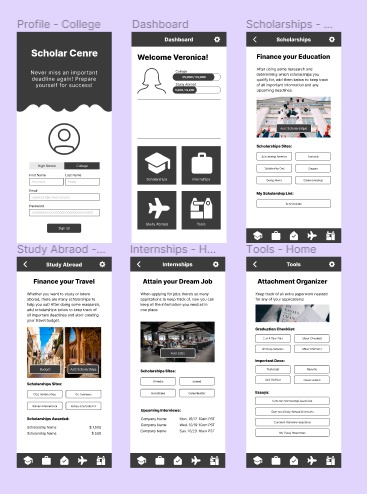
College Path
-
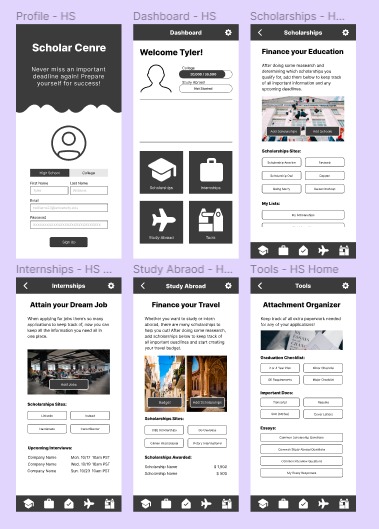
High School Path
-
Pages
-
Pages
💡Inspiration
Throughout my academic career, I have consistently used spreadsheets to help myself stay organized and keep track of all important deadlines that are coming up. However, spreadsheets are not ideal as the interface provides a better experience for desktop users and is not very user-friendly for mobile users. I decide to make an app that would help students prepare for college, study abroad, and internships
⚙️What it does
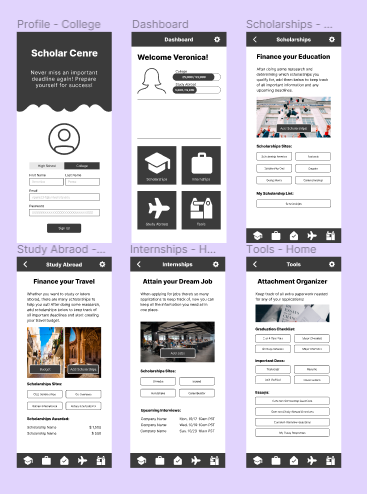
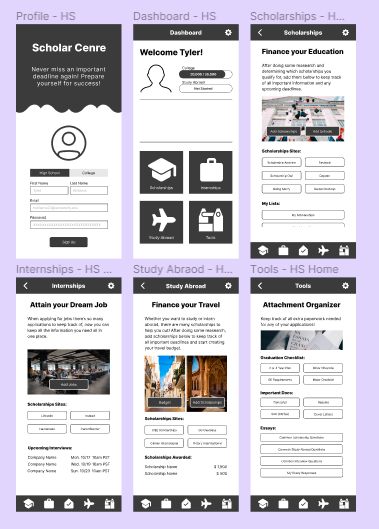
My app provides two separate paths, one for high school students and another for college students.
- High School:
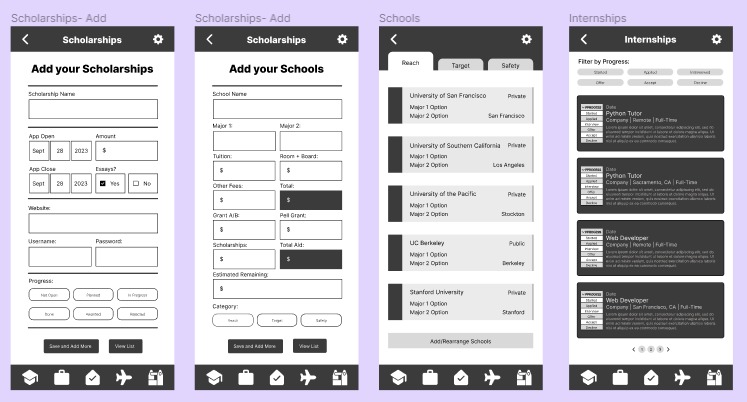
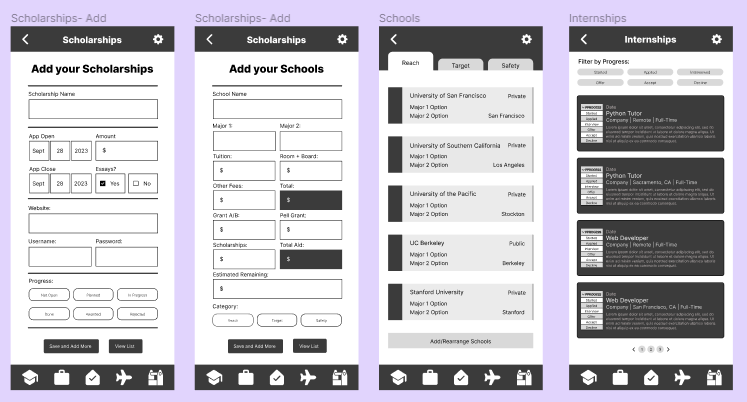
- Allows students to add the colleges they applied to and also include their financial aid package information once it has been released. This helps students separate their higher education choices through Safety, Target, and Reach Schools.
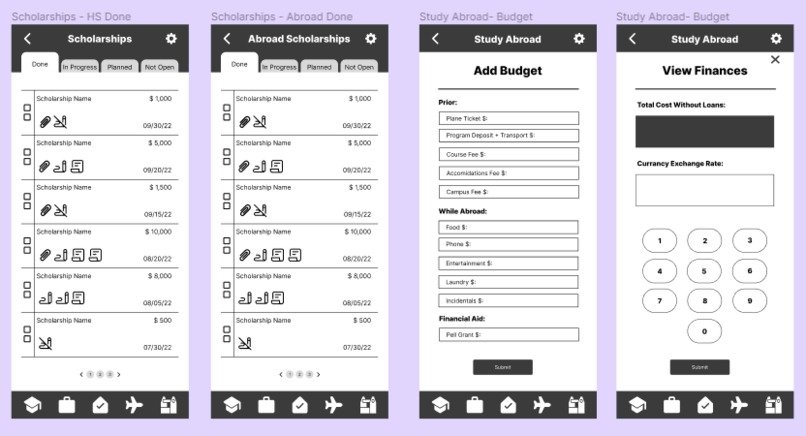
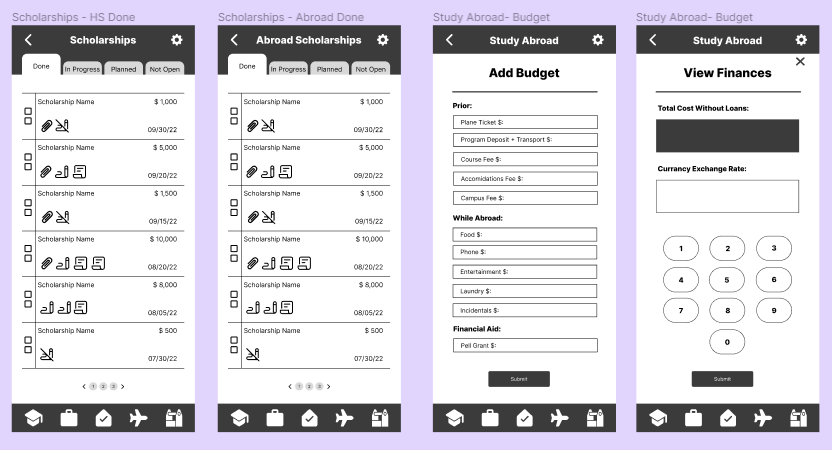
- Students can also add scholarships to finance their studies or broaden their horizons and study abroad.
- Students also have the ability to add any internships or jobs they have applied to and track their application/hiring process.
- College
- Students can add scholarships to finance their studies or broaden their horizons and study abroad.
- Students also have the ability to add any internships or jobs they have applied to and track their application/hiring process.
⚠️Challenges we ran into
As I was trying to figure out how to include icons in my designs, I found out Font Awesome not only works for web development but also works on Figma as well. I began looking at different plugins and how I could use them in my design.
👏🏼Accomplishments that I'm proud of
I am proud of my final product, although I was not able to develop it, I did make it highly interactive. I used over 100 frames and was able to focus on all the small details. The dates in the Apps Open and Apps Close portions of the scholarship add page is scrollable when changing the dates.
🌱What we learned
I learned how to implement Figma Plugins into my designs. I also learned how to make multiple user flows within Figma which helped me differentiate between the High School path and the College Path.
🚀What's next for Scholar Centre
I will work on creating a logo for my app and then identify some users to test my project. Given the feedback, I would make any changes if necessary and then start the development process.
Built With
- figma

Log in or sign up for Devpost to join the conversation.