-
-
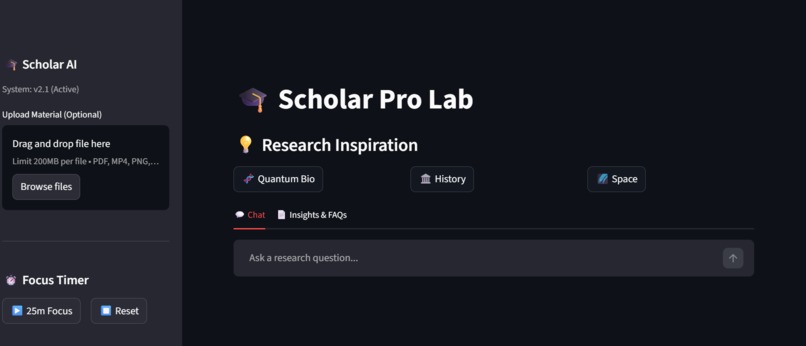
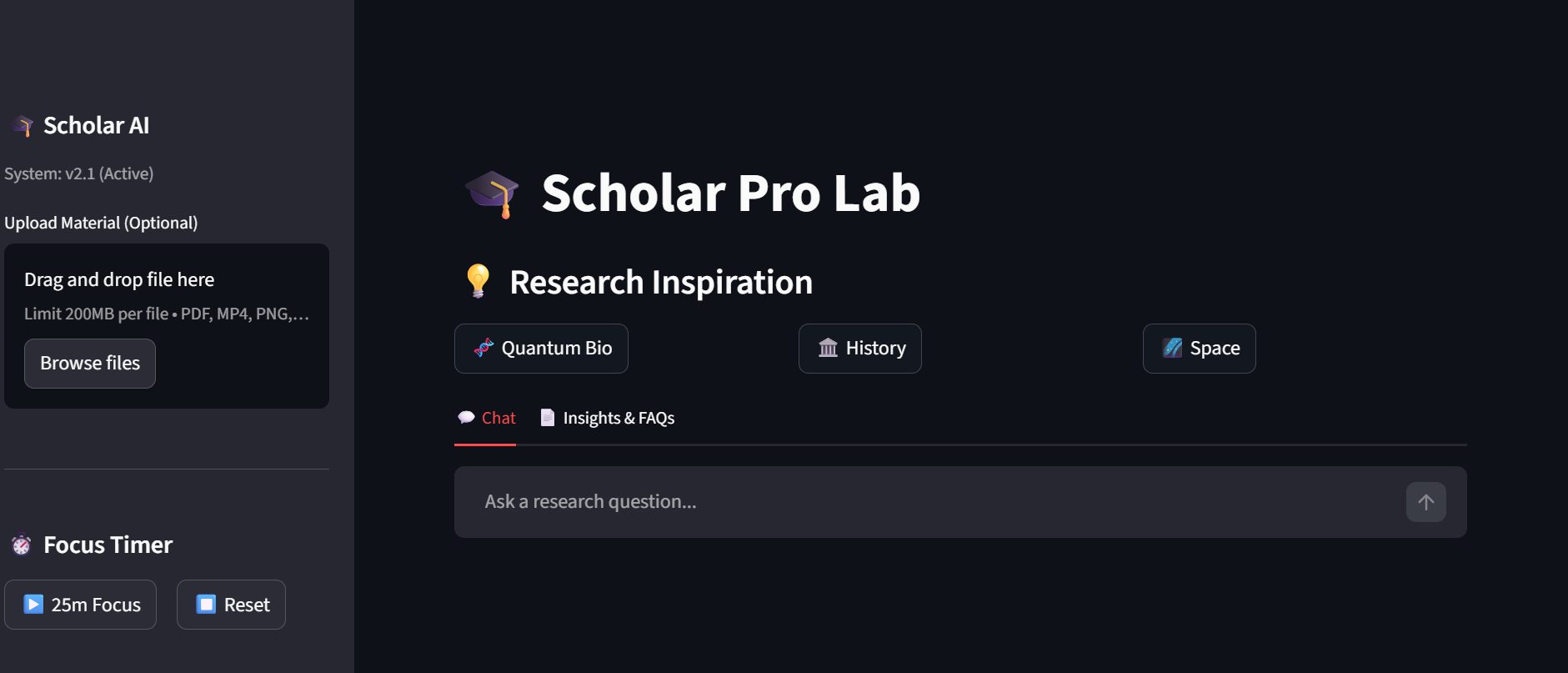
Scholar AI Pro
-
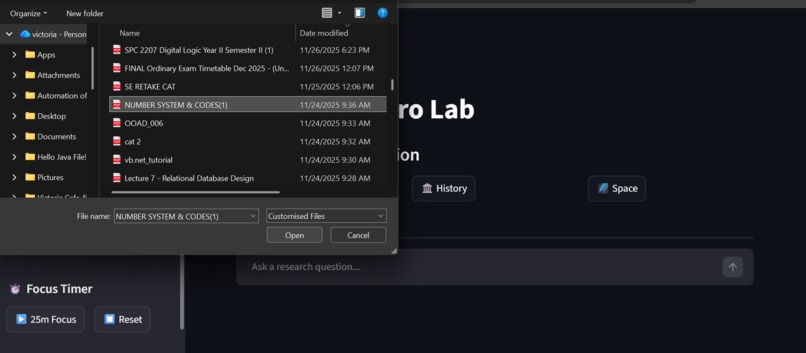
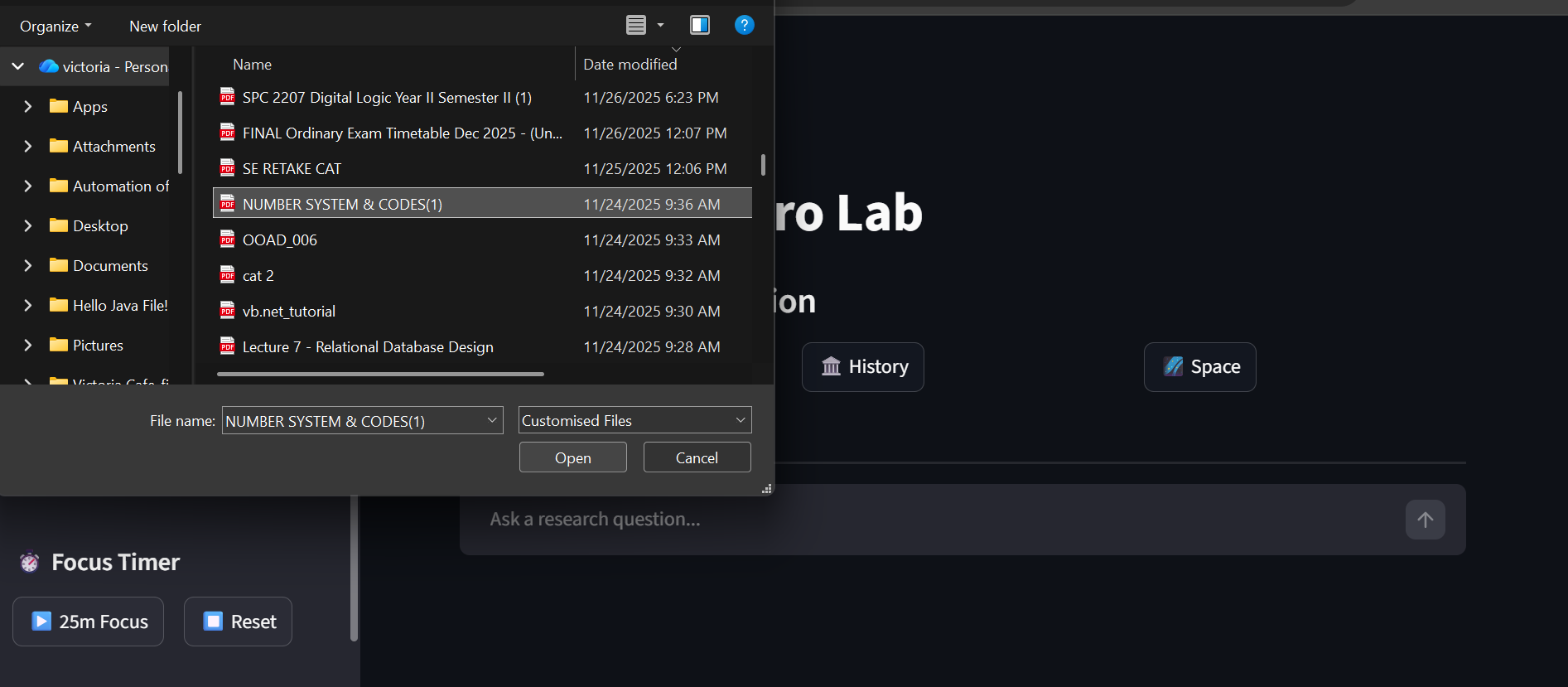
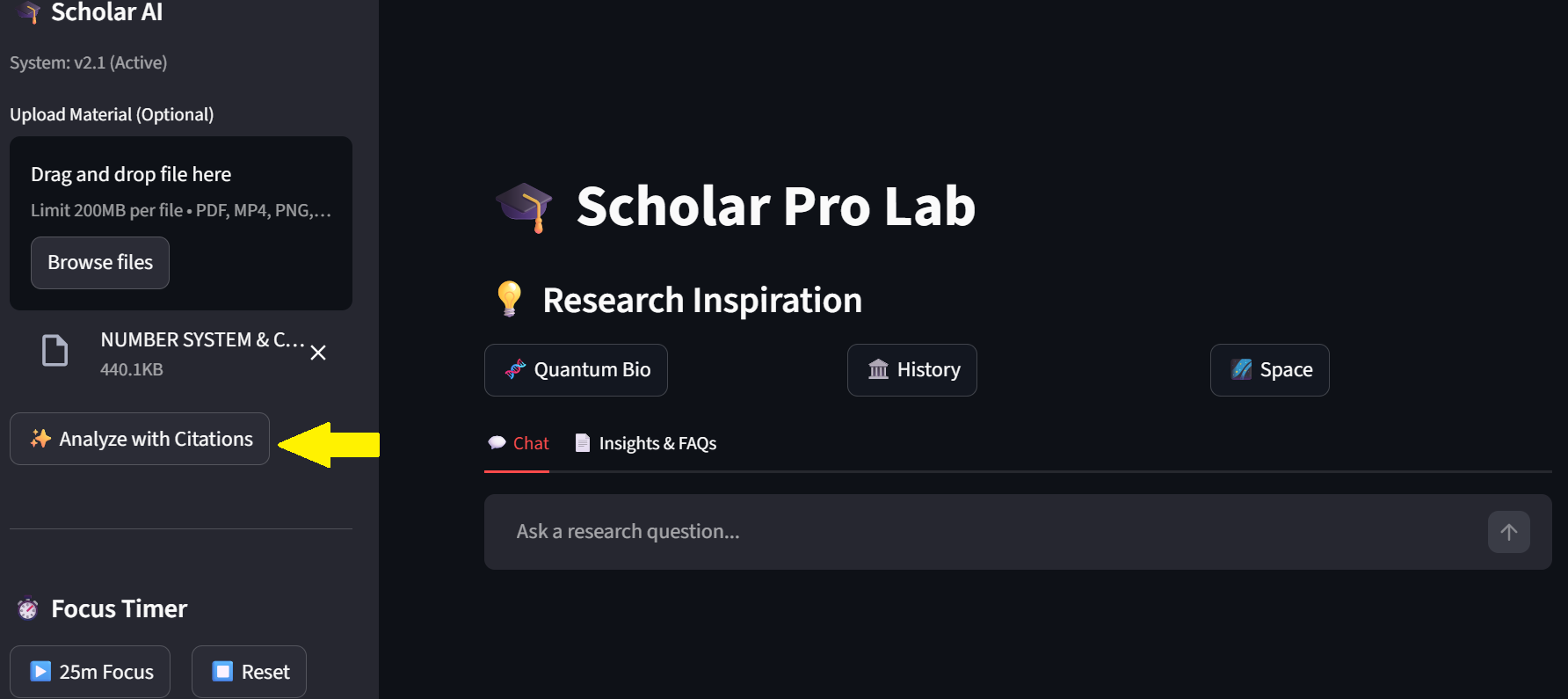
Browse files from file explorer if on pc
-
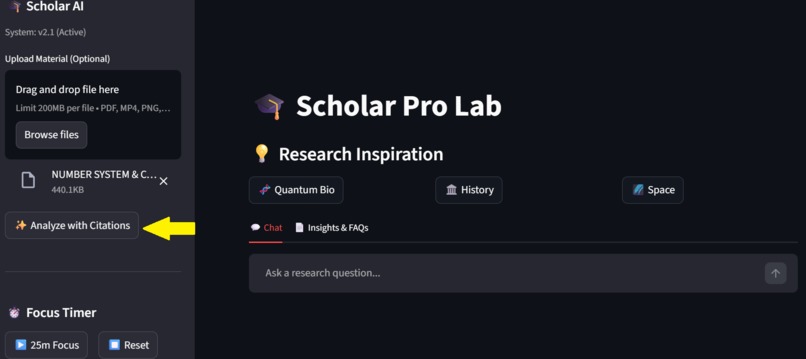
Then analyze with citations
-
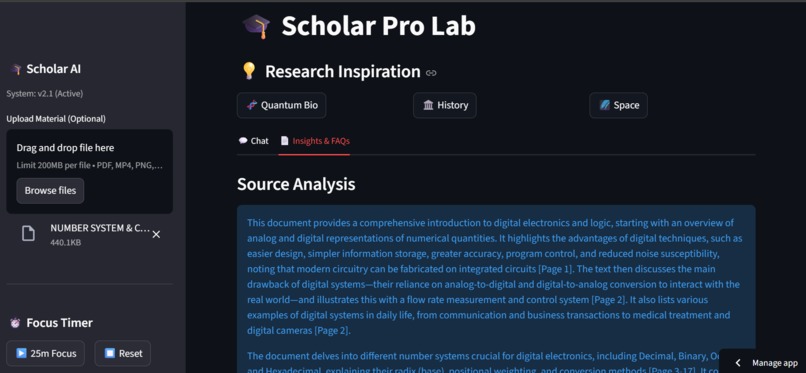
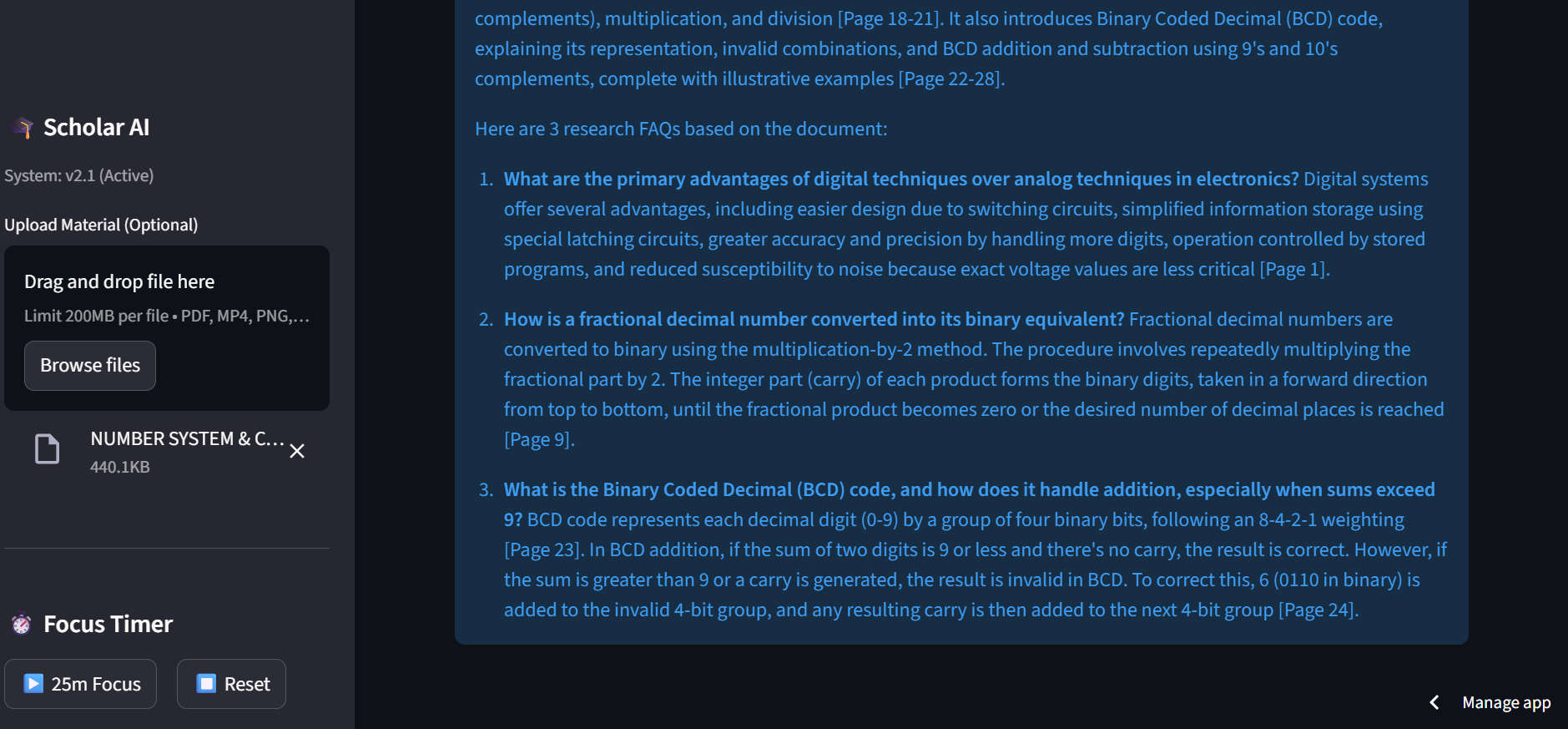
It then provides a source analysis with FAQs
-
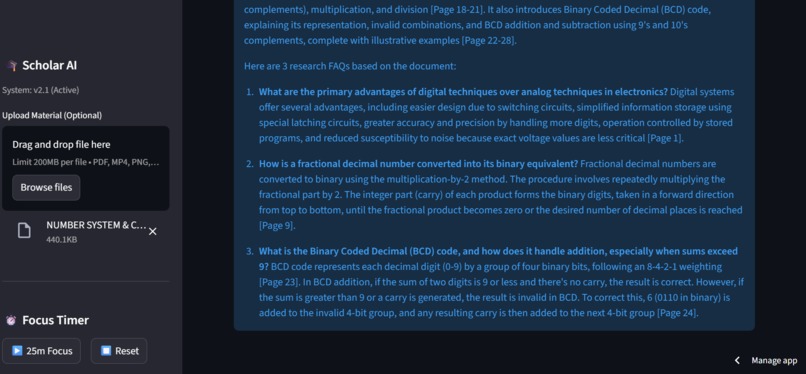
Provides FAQs
-
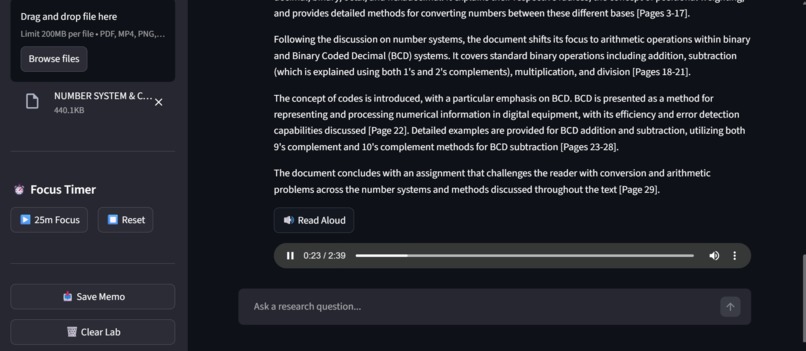
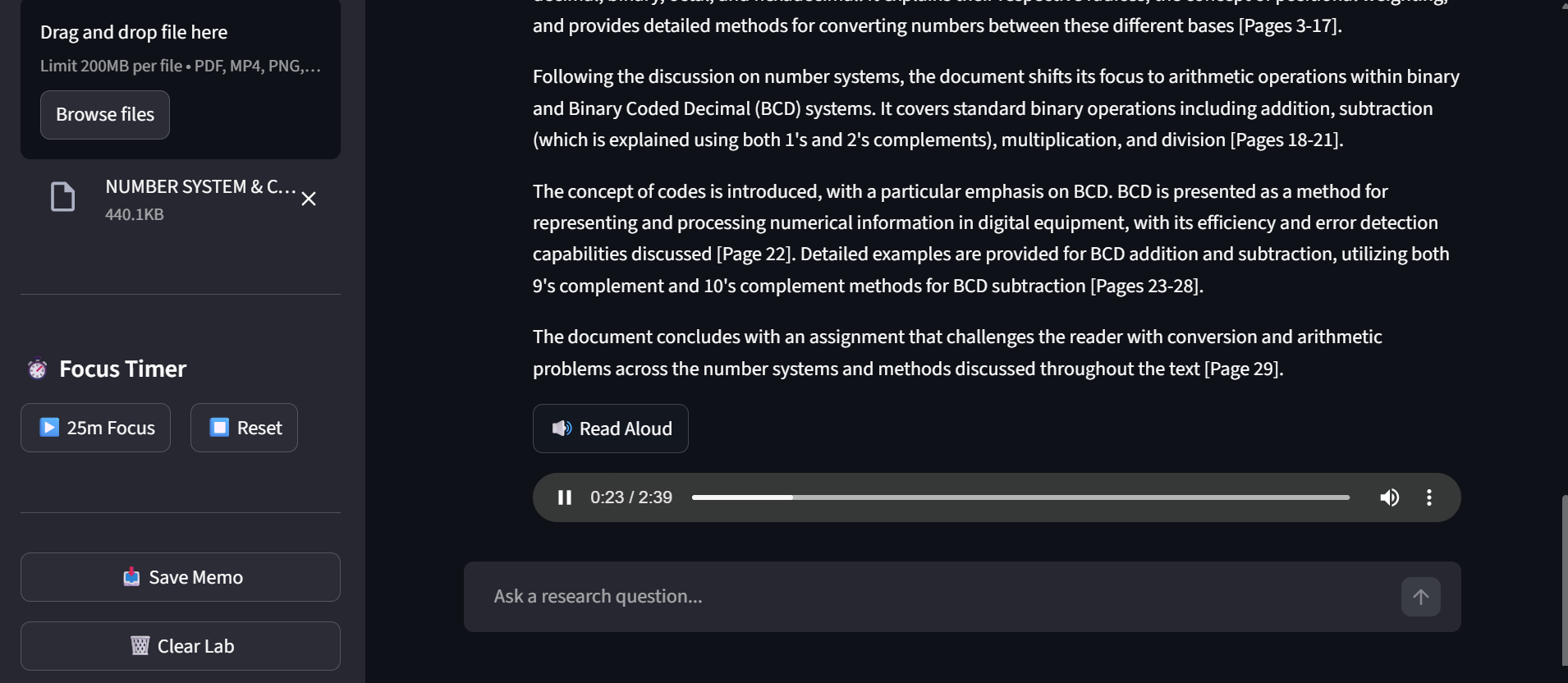
Has a read aloud engine, You can save your memo as pdf , which automatically saved to your file explorer, you can clear lab.Has a timer

Inspiration
We are currently drowning in information but starving for truth. As students and researchers, we’ve all faced the "AI Trust Gap": you ask a chatbot to summarize a 50-page paper, it gives a brilliant answer, but you have no idea if it’s hallucinating or which page the data came from. For a serious academic, a hallucinated fact is worse than no fact at all.
I built Scholar AI Pro to restore that trust. I wanted to move away from "chatting with a bot" and toward a Verifiable Research Lab where every claim the AI makes is backed by a precise source citation.
What it does
Scholar AI Pro is a multimodal research environment that "sees" what you see. Whether it’s a complex PDF, a 2-hour lecture video, or a technical diagram, the app analyzes the material and creates a "Living Knowledge Base."
The Citation Engine: Every answer includes [Page X] or [Timestamp X] tags, allowing you to verify facts instantly.
Interactive Insights: It generates FAQs and high-density summaries to skip the "fluff."
Personalized UX: It actually learns what you're interested in, evolving its suggestions as you study.
Academic Export: It compiles your entire research session into a professional, "Professor-ready" PDF Research Memo.
How we built it
The "brain" of the lab is Gemini 1.5 Flash. We chose this specifically for its native multimodality and massive context window.
Frontend: Streamlit, customized with CSS keyframe animations for a premium "Product" feel.
Architecture: We designed a "Heavy-to-Light" pipeline. The app processes large binary files once, extracts the core data, and "pins" it to the session state. This keeps the chat snappy and prevents crashing.
Voice & Logic: We integrated gTTS for accessibility and a heuristic engine using Python’s collections.Counter to track user research themes in real-time.
Challenges we ran into
The biggest hurdle was the "429 Quota Wall." Sending massive video files and PDFs to an API with every single chat message is a recipe for failure. We faced constant rate-limit errors during early testing.
We solved this by engineering a Stateless Context Injection strategy. By storing a high-fidelity summary in the app's memory, we could answer complex questions using only a fraction of the original token cost. We also had to build a Dynamic Model Discovery system to handle regional API shifts, ensuring the app "self-heals" if a specific model ID becomes unavailable.
Accomplishments that we're proud of
Zero-Hallucination Logic: Successfully forcing a generative model to act as a grounded researcher through our Citation Engine.
Resilient UX: We turned the frustration of API limits into a polished "System Recharge" feature. It turns a technical bottleneck into a moment of user trust.
The "Feel": Creating a tool that feels like a professional laboratory rather than just another AI wrapper.
What we learned
This project was a masterclass in State Management. We learned that "AI Engineering" isn't just about writing good prompts; it’s about managing data flow. We discovered how to handle multimodal "blobs" efficiently and how to build a UI that stays responsive even when the backend is performing heavy academic heavy-lifting.
What's next for Scholar AI Pro
This is just the beginning. The roadmap for the #1 spot includes:
Vectorized Vault (RAG): Moving from single-file analysis to "Library-scale" search across thousands of documents.
BibTeX Automator: One-click generation of academic bibliographies to save students hours of manual labor.
Collaborative Labs: Real-time, encrypted research sessions where multiple scholars can analyze the same data simultaneously.
Built With
- collections(python-standard-library)
- fpdf2
- github
- google-gemini-1.5-flash
- google-generative-ai-sdk
- gtts(google-text-to-speech)
- python-3.10+
- regex(regular-expressions)
- streamlit
- streamlit-community-cloud
- streamlit-session-state
- streamlits-secrets-management


Log in or sign up for Devpost to join the conversation.