-
-
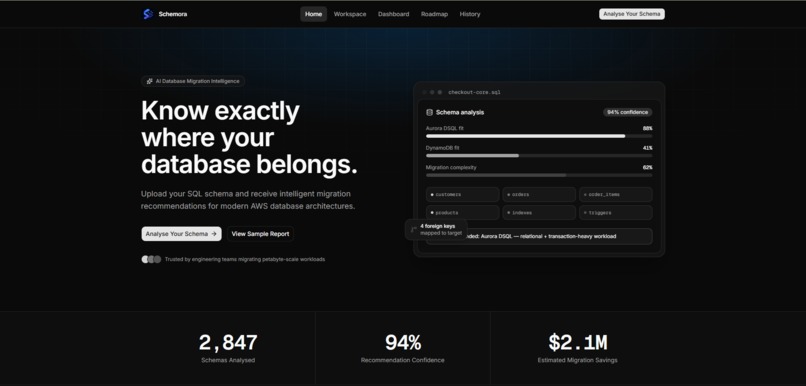
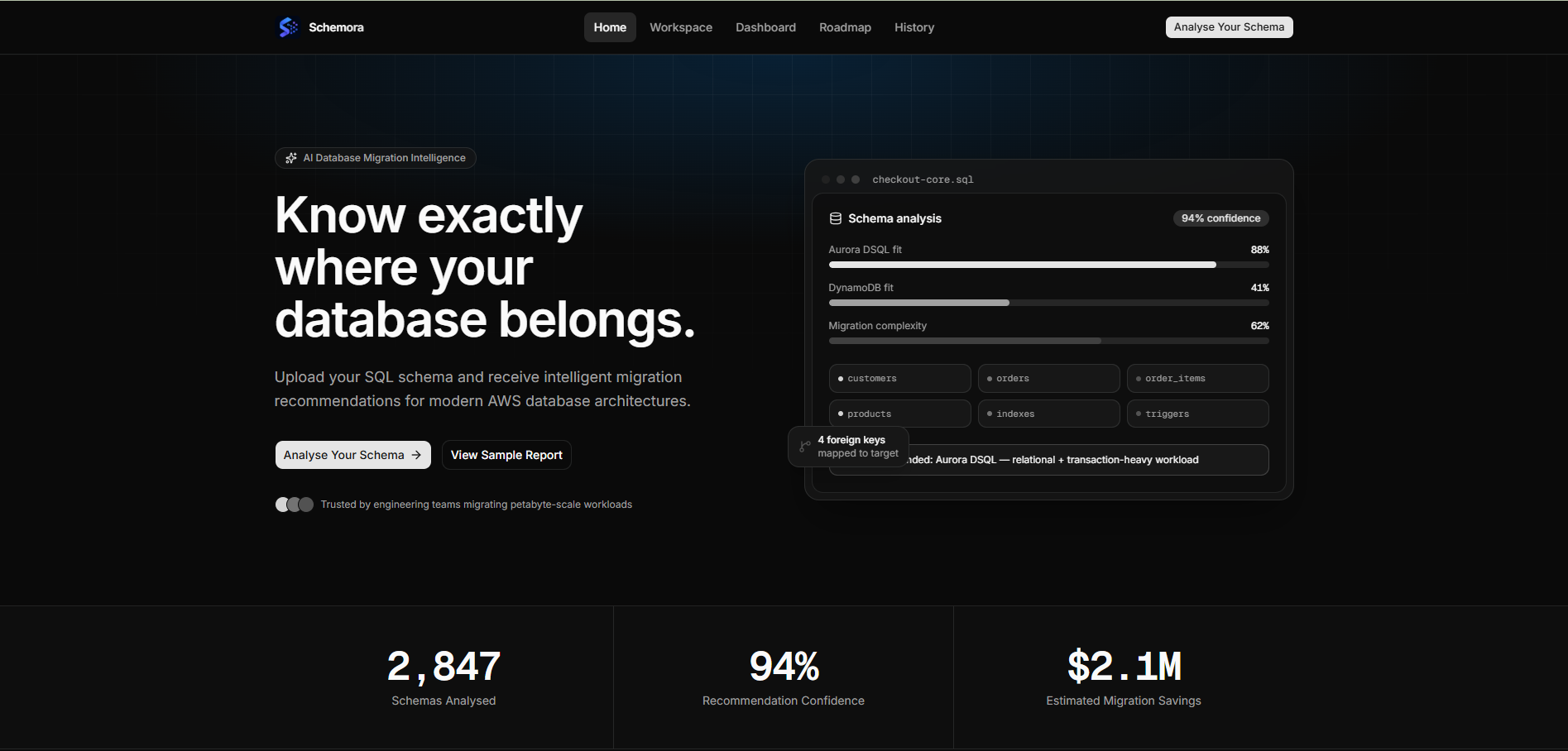
Home Page
-
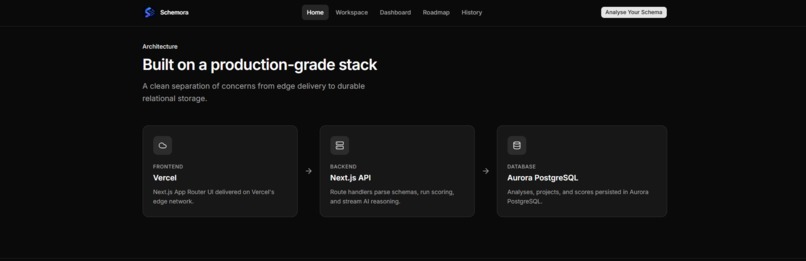
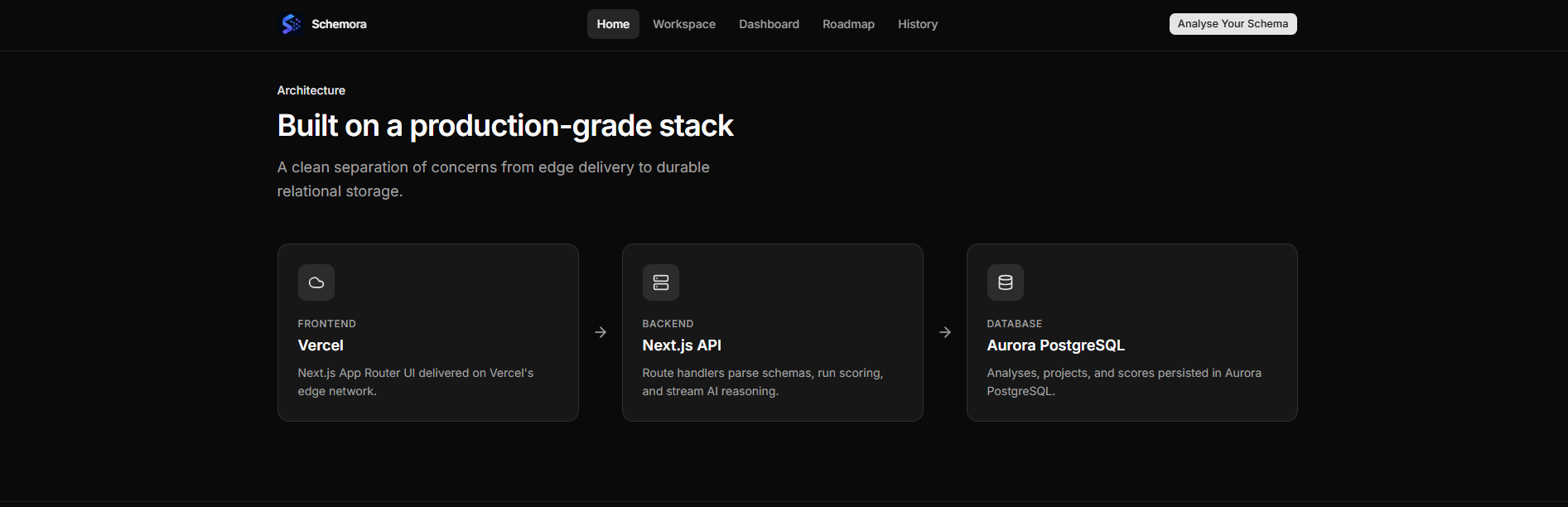
Architecture
-
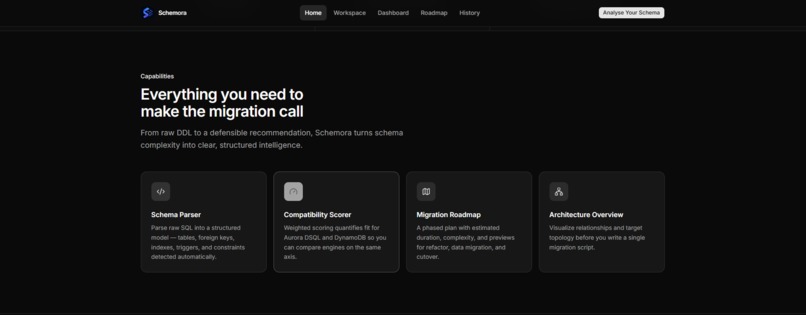
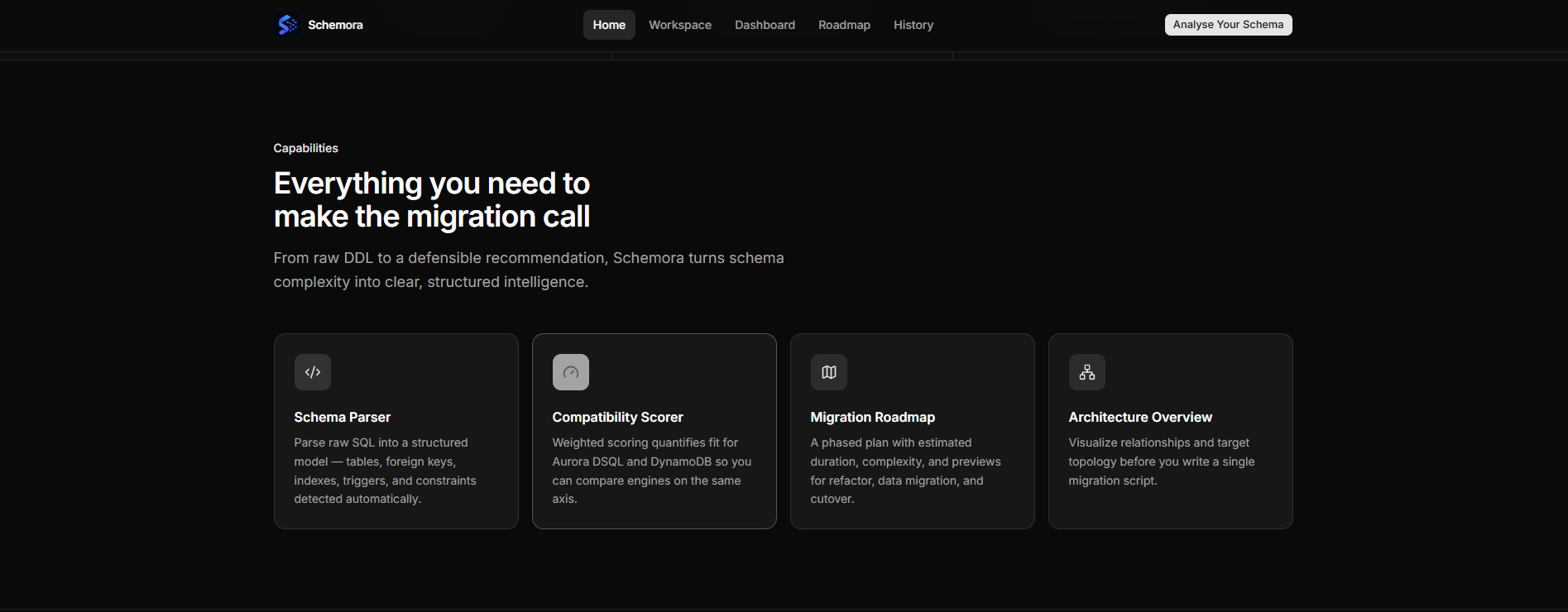
Capabilities
-
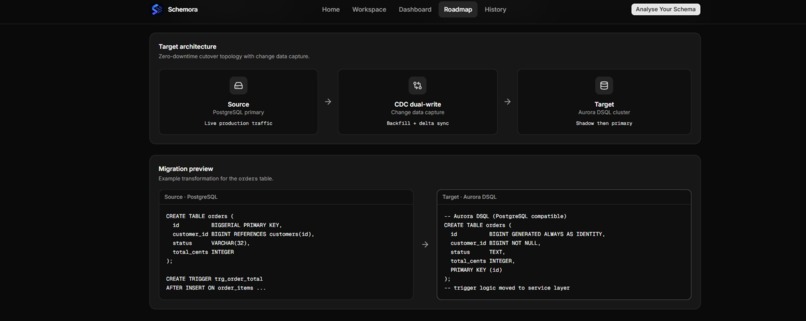
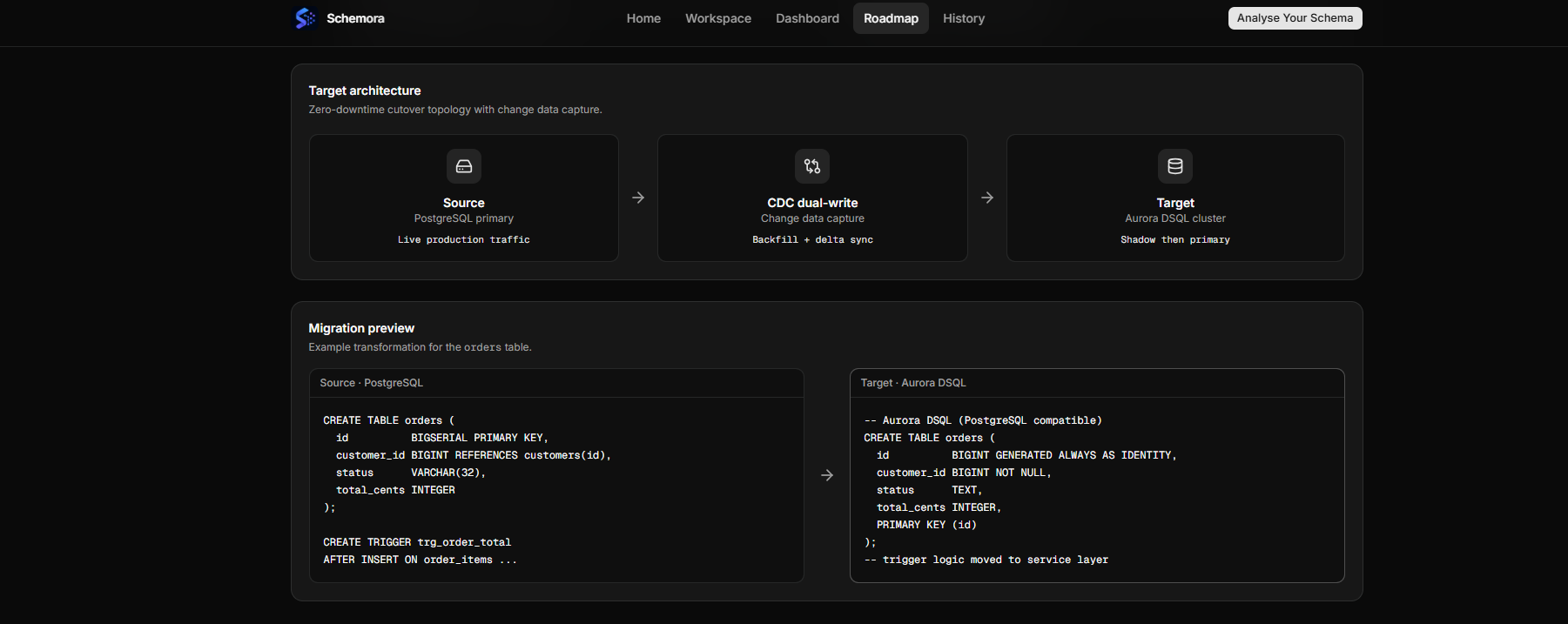
Target architecture & Migration preview
-
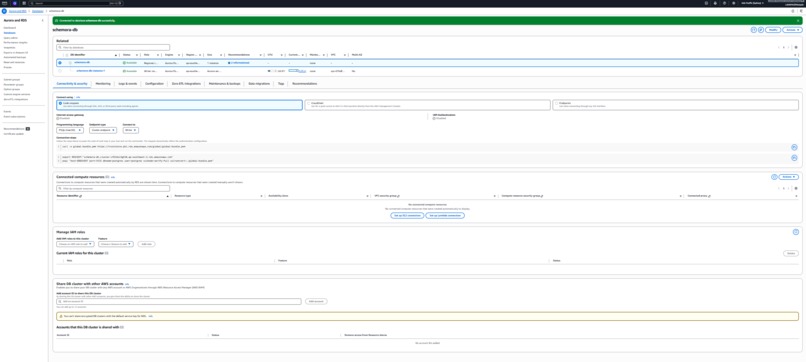
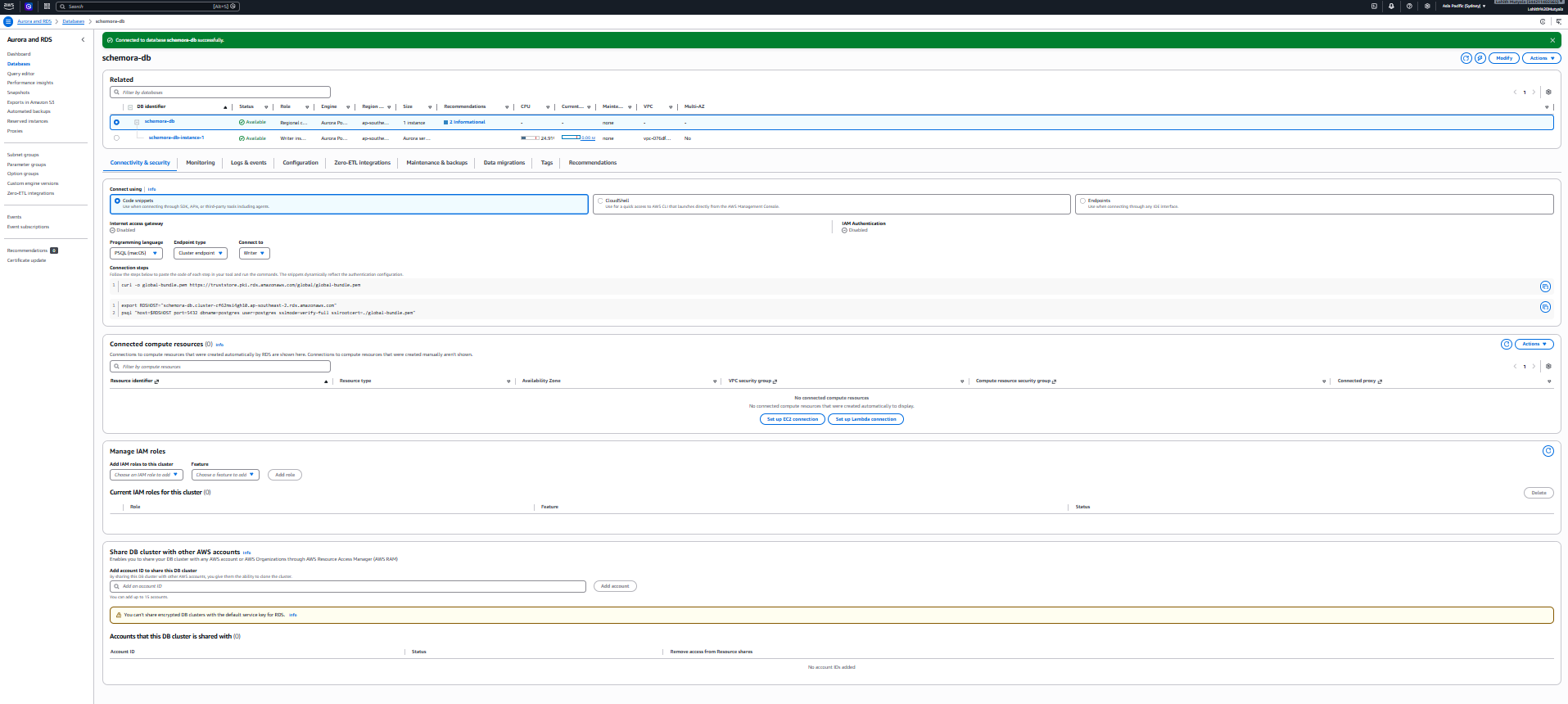
AWS Aurora Connection
-
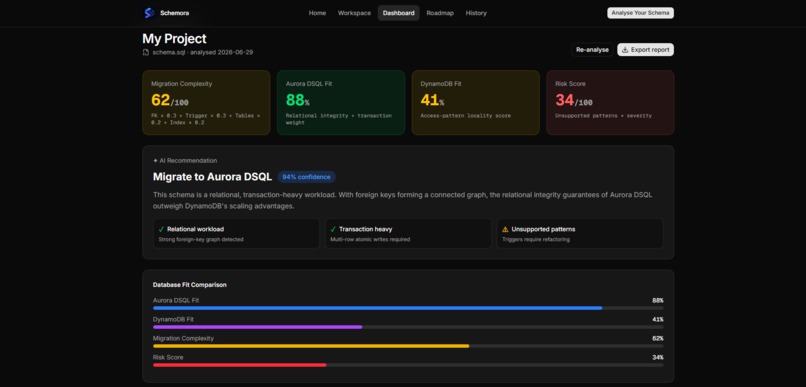
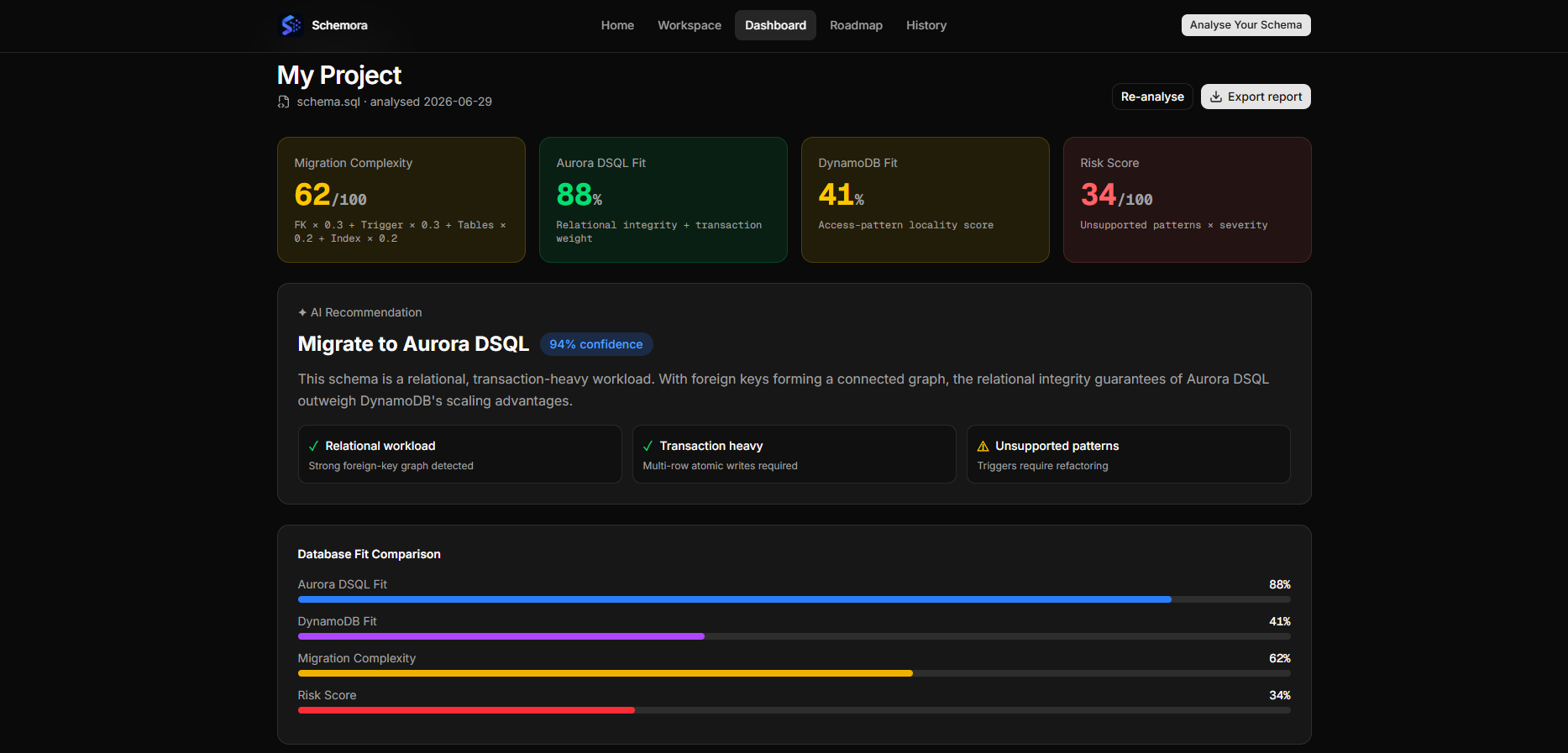
Analysis Dashboard
-
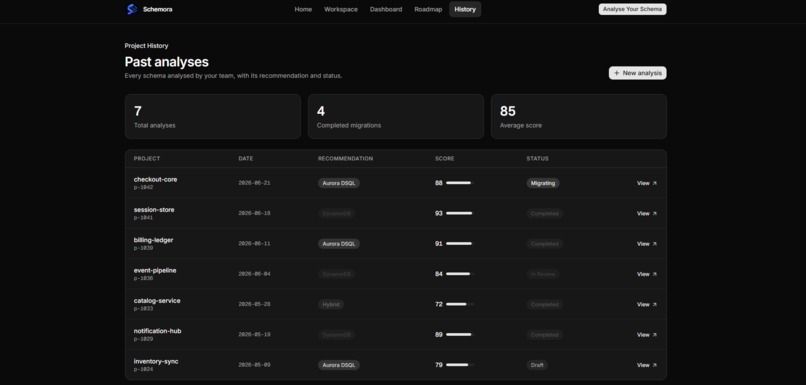
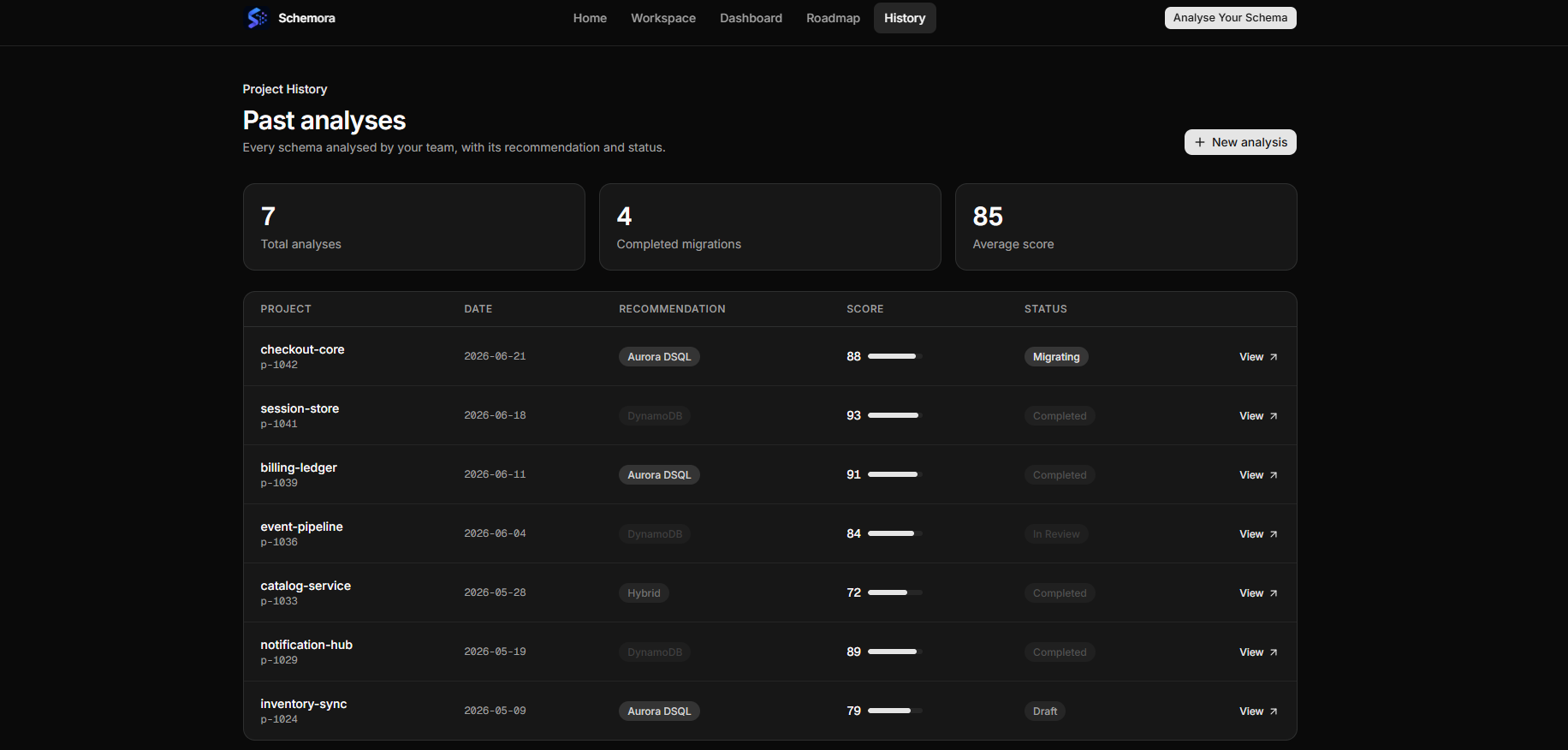
Project History
-
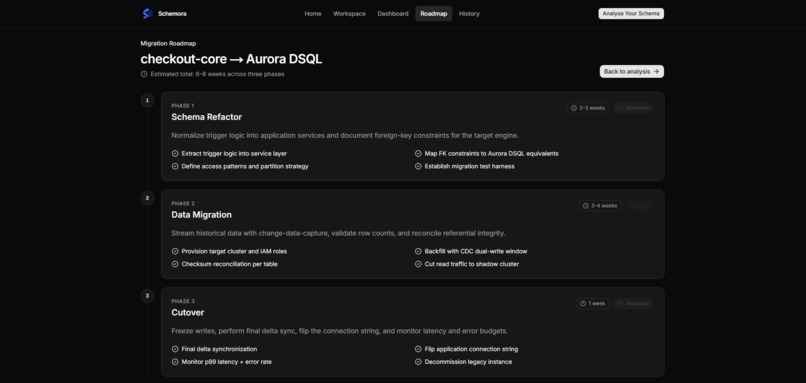
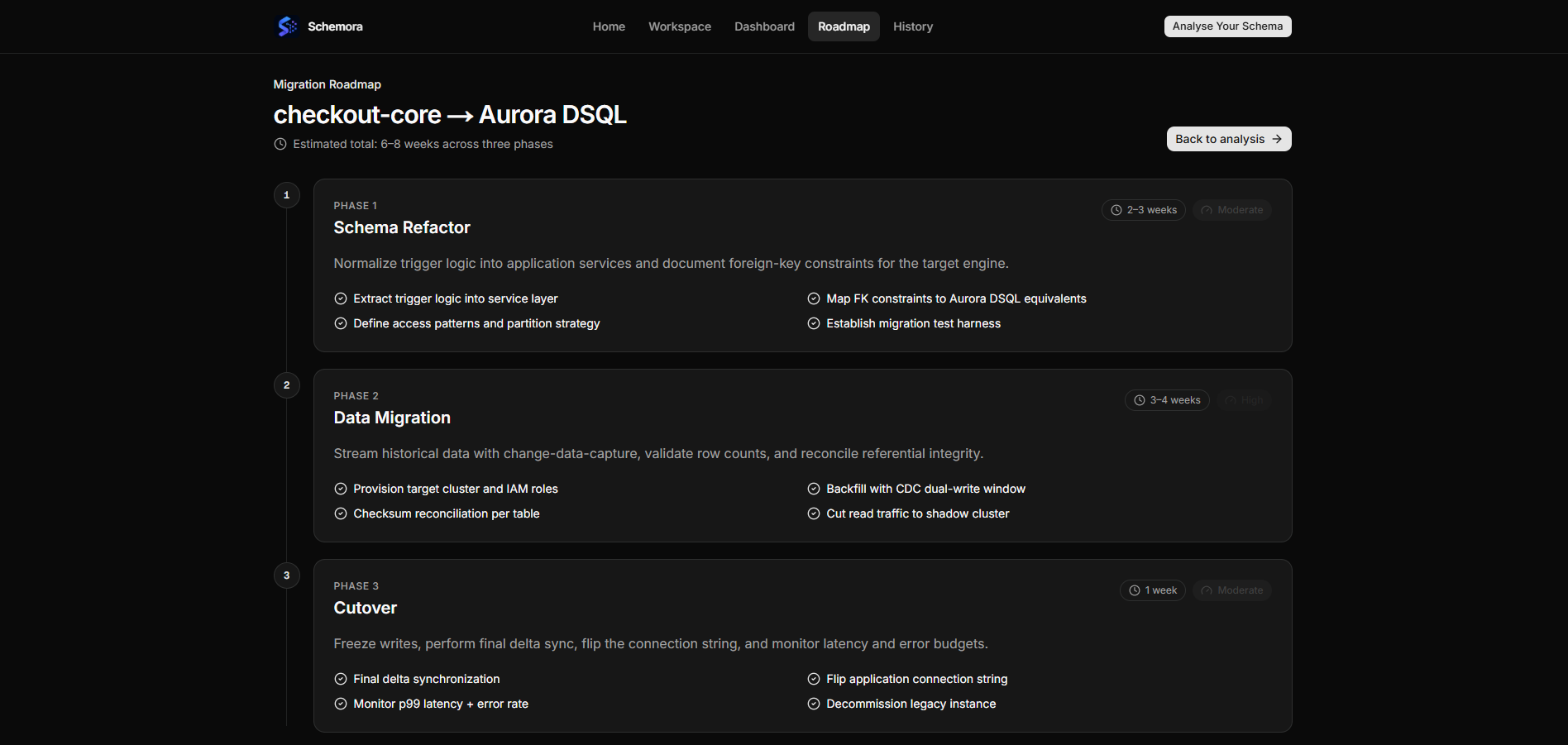
Migration Roadmap
-
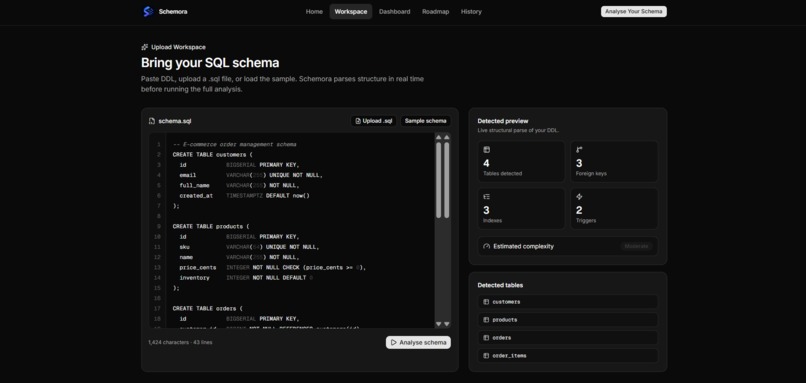
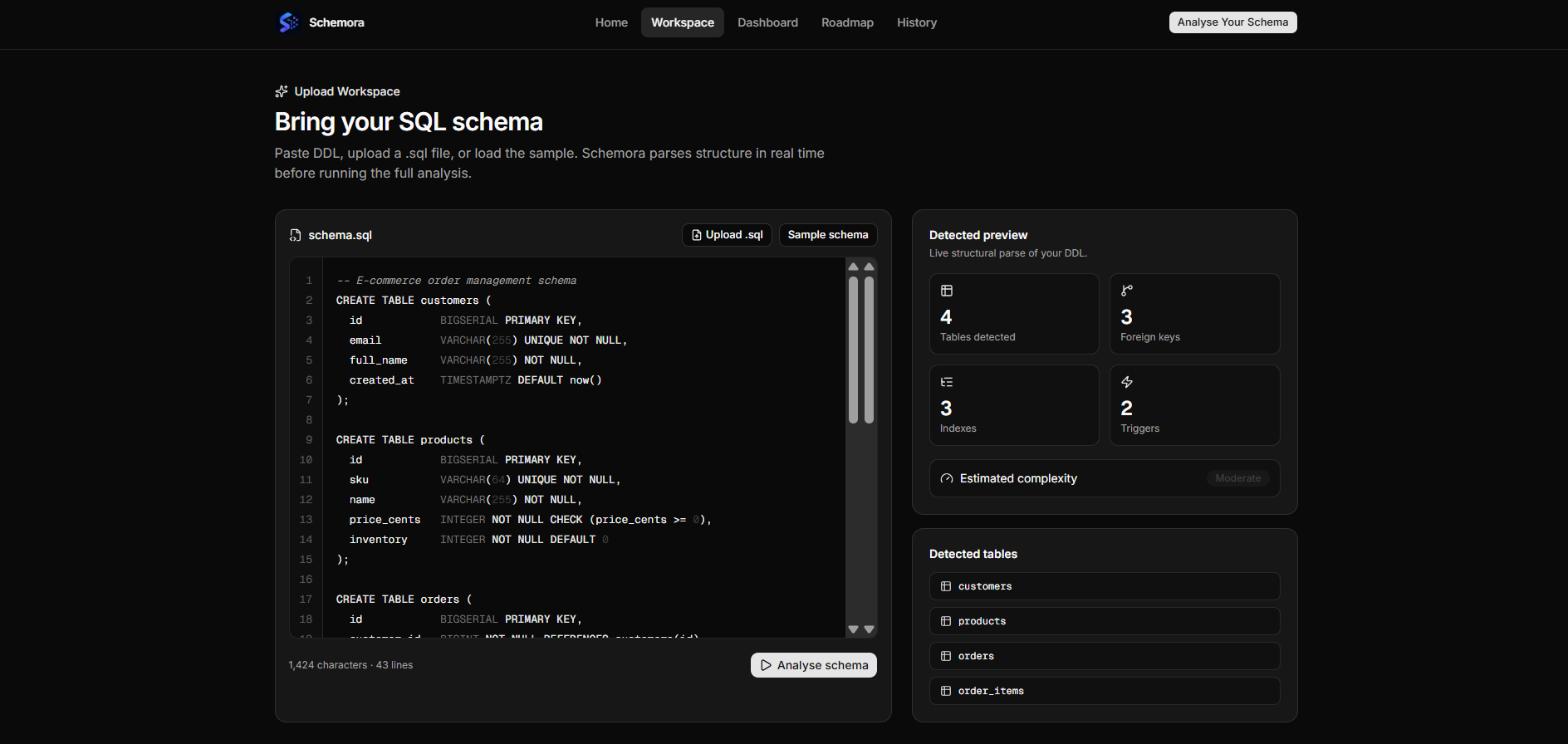
Upload Workspace
-
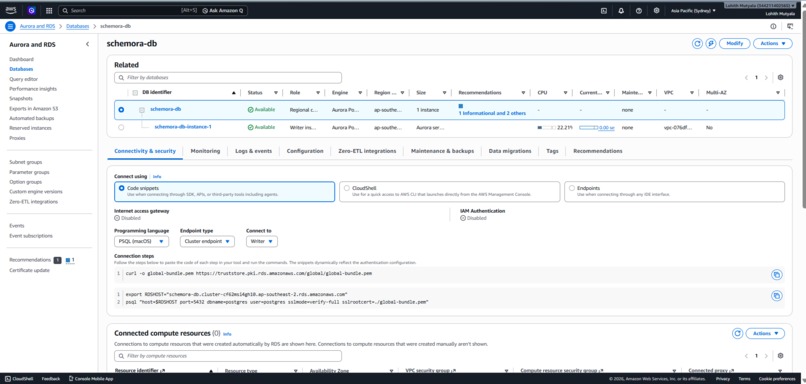
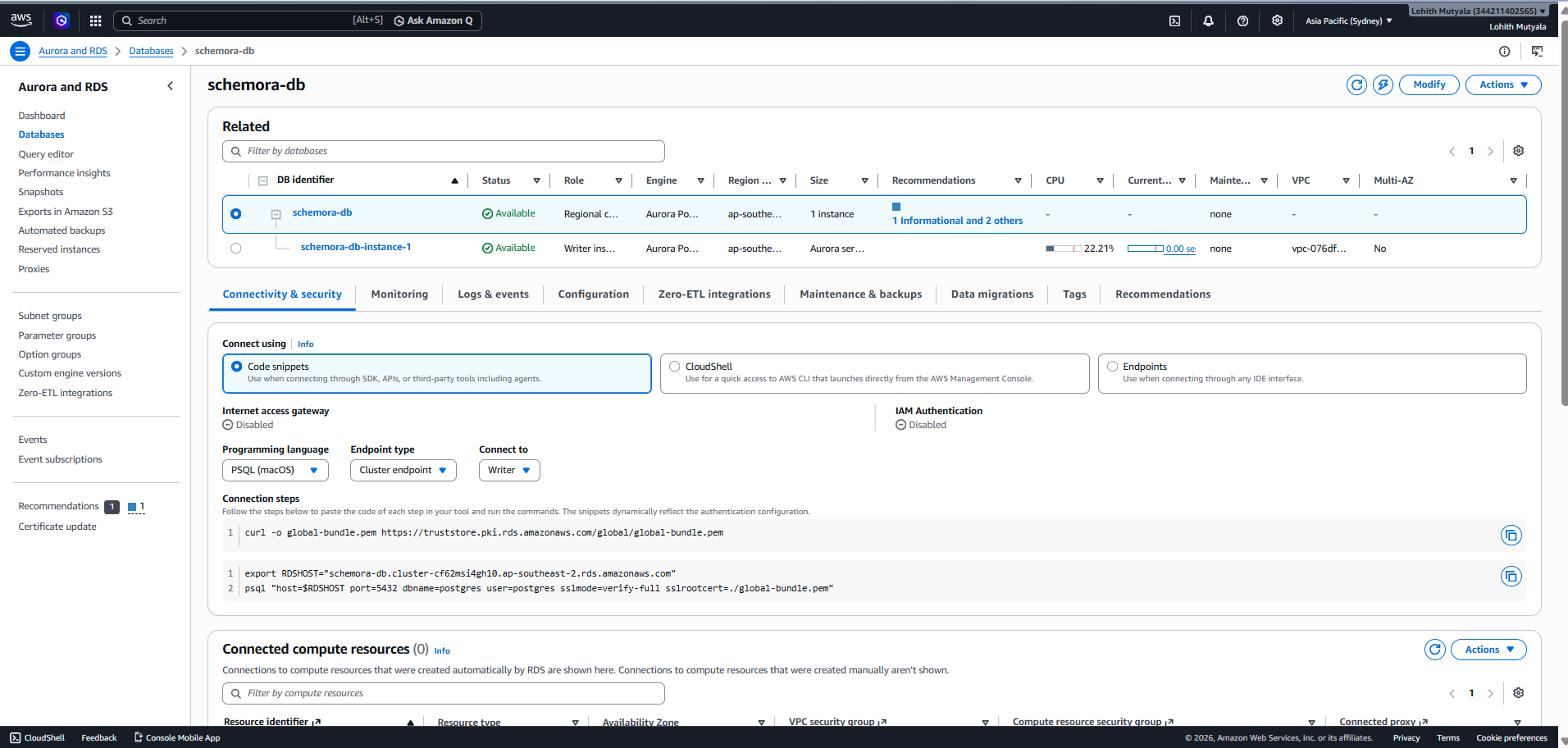
AWS Aurora DB
-
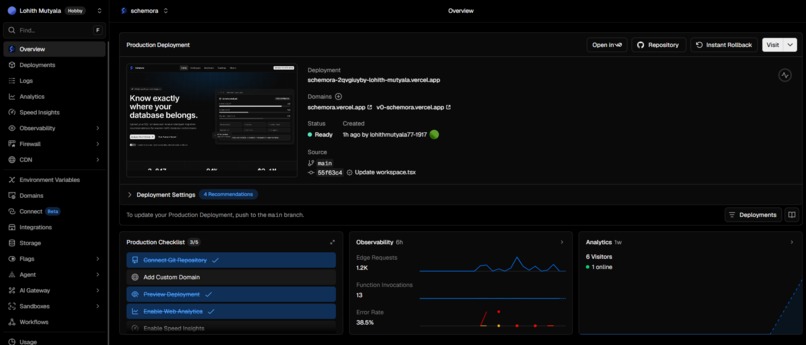
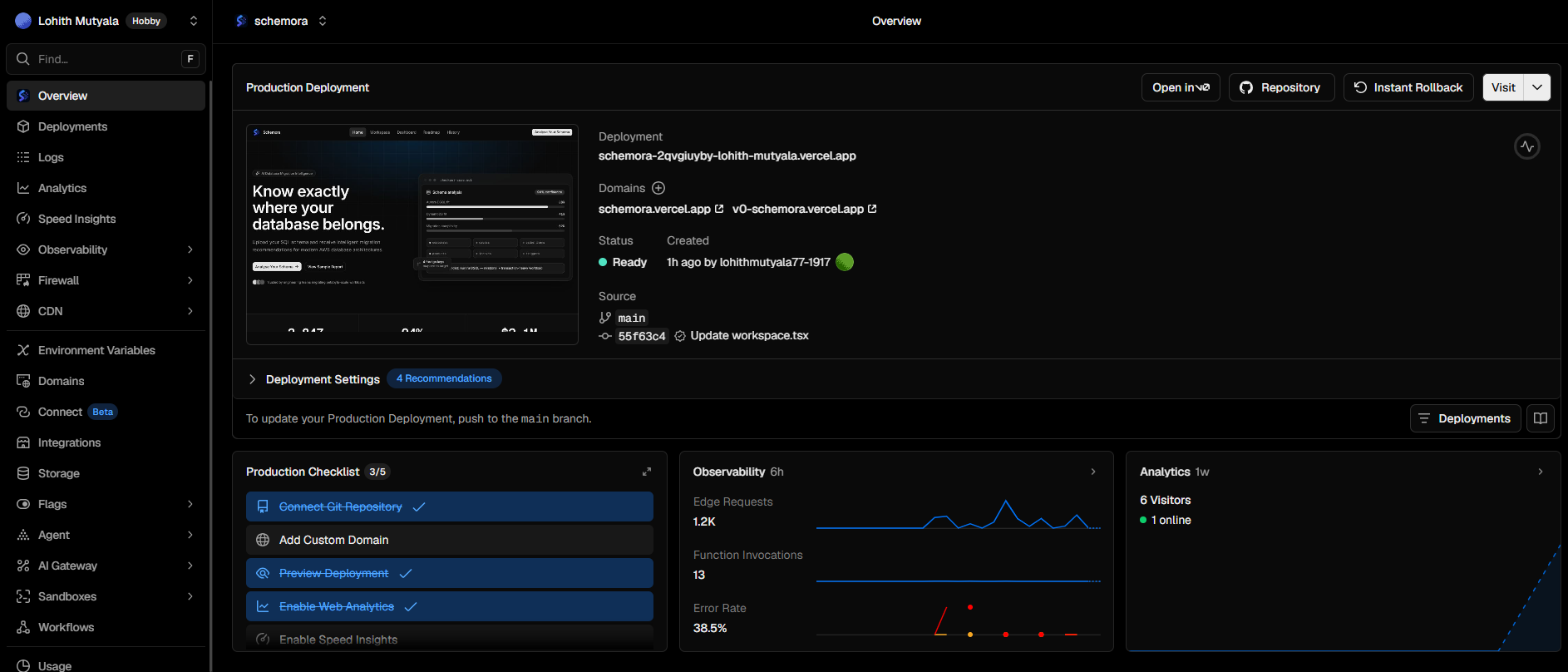
Vercel Production Deployment
Inspiration
Every engineering team that grows past its first database eventually hits the same fork in the road: stay on what you have, or migrate to something built for scale. AWS gives teams powerful options for that next step — Aurora DSQL for distributed relational workloads, DynamoDB for key-value access patterns at scale — but the decision of which one is almost never obvious from the outside. In practice, teams either hire expensive migration consultants, spend weeks running their own audits, or just guess and hope the architecture holds up under production load.
We wanted to compress that decision-making process from weeks into seconds, and put it directly in the hands of the engineers who actually own the schema — not a consultant who has to be onboarded onto the codebase first.
The H0 hackathon's framing made the idea click. The judging panel was made up of AWS database architects and product managers — people who spend their working lives thinking about exactly this kind of tradeoff. That told us something important: the most interesting thing we could build wasn't another app that happens to use a database. It was a tool that helps people make a better decision about which database to use in the first place — one that puts the database architecture itself at the center of the product, instead of treating it as backend plumbing nobody looks at during a demo.
So the question we kept coming back to was: what if the migration audit that normally takes a consulting team two weeks could instead run the moment you paste your schema?
What it does
Schemora takes a raw SQL schema — pasted directly into an editor, uploaded as a .sql file, or loaded from a built-in sample — and immediately begins parsing its structure. As you type or paste, a live "Detected preview" panel updates in real time, showing the number of tables, foreign keys, indexes, and triggers found in the schema, along with an early read on overall complexity. This is the first thing that separates Schemora from a typical AI wrapper: the structural analysis is a real parse of the DDL, not a guess generated by a language model.
Once you click Analyse schema, that structural fingerprint feeds into a set of deterministic scoring formulas:
- Migration Complexity (0–100) — a weighted combination of foreign key count, trigger count, table count, and index density
- Aurora DSQL Fit (0–100%) — how strongly the schema's relational integrity and transactional needs favor a distributed relational database
- DynamoDB Fit (0–100%) — how well the schema's access patterns would suit a key-value, single-table design
- Risk Score (0–100) — an estimate of how many structural patterns (like triggers or complex joins) won't translate cleanly to either target
Every one of these numbers comes with its formula shown directly on the dashboard — for example, complexity is explicitly broken down as a weighted sum of foreign keys, triggers, tables, and indexes. We made this choice deliberately: it would have been easy to ask an AI model to "just generate a score," but that produces a number nobody can verify or trust. Instead, the AI's job in Schemora is reserved for the part language models are actually good at — explaining why — while the scoring itself stays transparent and reproducible.
On top of those scores, an AI reasoning layer generates a plain-language recommendation — for instance, recommending Aurora DSQL with a stated confidence percentage, and explaining that recommendation by pointing to specific schema characteristics like a densely connected foreign-key graph or multi-row transactional writes. The dashboard also surfaces compatibility flags — green checks for patterns that transfer cleanly (relational workload, transaction-heavy writes), and warnings for patterns that need rework (like triggers, which often require manual translation during a real migration).
The result is a tool that turns "we should probably migrate, but to what?" into a concrete, explainable answer in under a minute.
How we built it
Frontend. We started by generating the initial UI rapidly in v0.app, describing the product as a premium, enterprise-grade SaaS dashboard rather than a typical hackathon prototype — landing page, upload workspace, analysis dashboard, migration roadmap, and project history, all in a dark, Linear/Vercel-style aesthetic. From there, we iterated directly through GitHub commits as the build progressed, with every change automatically and continuously deployed to Vercel.
Backend. Next.js API routes handle the core logic: accepting an uploaded schema, running it through a SQL parser to extract structural metadata, computing the deterministic scores, and persisting the results.
Database. Aurora PostgreSQL (Serverless v2) on AWS is the system of record. It stores projects, the raw uploaded schemas, parsed structural metadata, and full analysis history — including the scores, the recommendation, and the AI-generated reasoning behind it. We deliberately modeled this with multiple related tables (projects, schemas, parsed_metadata, analyses) connected by foreign keys, which let Schemora itself demonstrate the same kind of relational, multi-table workload it's designed to evaluate for other teams. Using a serverless configuration also meant we could scale capacity down to near-zero between hackathon demo sessions, keeping cost well within our AWS credits.
AI layer. Once the deterministic scores are computed, an AI reasoning step generates the natural-language explanation behind the recommendation — grounded in the actual computed scores and detected schema features, rather than inventing a narrative independently of the numbers.
The overall build process was intentionally iterative and fast: generate the UI, provision Aurora, wire up the connection string, build the scoring API, connect the frontend's upload flow to that API, debug the inevitable gaps, and deploy continuously. At every step, we treated the database not as an afterthought wired in at the end, but as the foundation the entire product reasons about — which felt appropriate for a hackathon judged by the people who build that infrastructure for a living.
Challenges we ran into
Aurora credential setup. Aurora's "Easy create" path defaults to IAM-only authentication, which doesn't expose a retrievable password — we discovered this only after trying to connect from our application and getting silent failures. We had to delete that cluster and recreate it using the "Standard create" path with self-managed credentials to get a real, usable connection string.
Environment variable timing on Vercel. This was the trickiest bug of the whole build. We added DATABASE_URL to our Vercel project's environment variables, but our application kept falling back to local placeholder data instead of writing to Aurora. After digging through Vercel's runtime logs, we found the real cause: environment variables don't retroactively apply to deployments that were already built — Vercel only picks up new variables on a fresh build. The fix was a redeploy with the build cache cleared, but figuring that out cost real time we didn't have much of.
A one-letter route mismatch. At one point, our analyze endpoint started returning 404s that, at first glance, looked exactly like a database connection failure. The actual cause was much simpler: one part of the frontend called /api/analyse (British spelling) while the actual route lived at /api/analyze (American spelling). It was a good reminder that under time pressure, it's worth checking the simplest explanation before assuming the infrastructure is broken.
Severe time pressure. One of our team members had an exam two days before the submission deadline, which meant our real, uninterrupted build time was closer to 48 hours than the full hackathon window. That constraint forced sharp, continuous prioritization — deciding in real time what counted as "must work for the live demo" versus "nice to have," and making sure the core flow (upload → parse → score → recommend) was rock solid even if a few secondary features stayed simpler than originally planned.
Accomplishments that we're proud of
We're proud that Schemora ended up being a genuinely full-stack, production-shaped application rather than a static mockup — a real schema parser, a transparent and verifiable scoring engine, a live AI reasoning layer, and a real Aurora PostgreSQL database underneath all of it, deployed continuously to a live URL.
We're especially proud of the decision to keep the scoring deterministic and explainable instead of letting an AI model freely generate numbers. Showing the actual formula on the dashboard — foreign keys, triggers, tables, and indexes feeding into a weighted score — turned Schemora from "another AI dashboard" into something a database architect could actually interrogate and trust.
We're also proud of how much real infrastructure debugging we pushed through under serious time pressure: diagnosing an IAM-only Aurora credential dead end, tracing a silent fallback-to-local-data bug all the way to a Vercel build-cache timing issue, and shipping a working, live, end-to-end product despite losing a chunk of our build window to an exam.
What we learned
Building Schemora taught us, very concretely, what it actually takes to connect a polished frontend to a real, managed production database — not in theory, but under a ticking clock, where every misconfigured environment variable or mismatched route name has an immediate, visible cost. We came away with a much sharper mental model of how Aurora's authentication options work, how Vercel's build and deployment lifecycle interacts with environment configuration, and how much faster debugging goes when you check logs systematically instead of guessing.
The bigger lesson, though, was about trust in AI-assisted tools. It's tempting — especially under deadline pressure — to let an AI model just generate a number and move on. But we found that the moment we made our scores deterministic and showed the formula behind them, the entire product felt more credible, both to us and to anyone evaluating it. Reserving the AI for the part it's genuinely good at — turning structured data into a clear, human explanation — rather than asking it to invent the data itself, turned out to be the single design decision we were most confident about by the end.
What's next for Schemora
The natural next step is closing the loop between analysis and action: generating an actual migration script preview from the detected schema, rather than only the roadmap framing we show today, so teams can see concrete DDL changes alongside the recommendation.
We'd also like to expand the rule engine beyond foreign keys, triggers, and indexes to account for more nuanced access patterns — query frequency, read/write ratios, and join depth — to make the DSQL-versus-DynamoDB recommendation even more precise. On the AI side, we want to let the reasoning layer answer follow-up questions about a specific recommendation directly, so a team could ask "why is this trigger flagged as high risk?" and get a grounded, schema-specific answer.
Finally, we'd like to add support for exporting a shareable, judge- or stakeholder-ready PDF report straight from the dashboard, and to extend the parser to handle dialect-specific SQL (MySQL, SQL Server) so Schemora isn't limited to PostgreSQL-flavored schemas going in.
Built With
- amazon-web-services
- aurora-postgresql
- nextjs
- node-sql-parser
- postgresql
- react
- tailwindcss
- typescript
- v0
- vercel

Log in or sign up for Devpost to join the conversation.