Inspiration
Building hardware is hard for a reason that goes beyond writing code. You have to choose the right components, understand how they connect, keep track of pin mappings, think about how the system should behave, write firmware, and constantly make sure the thing you are imagining matches the thing you are actually building. AI helps with parts of this, but the experience is still mostly conversational. You describe a circuit to an agent, it gives you some code and wiring instructions, and then you have to trust that it understood everything correctly. If something is wrong, you go back and forth through more messages trying to reconstruct the same context. We built Schematic so the answer becomes the project. Schematic gives makers, students, educators, and developers one shared workspace where they and their agent can inspect and change the same hardware design.
What it does
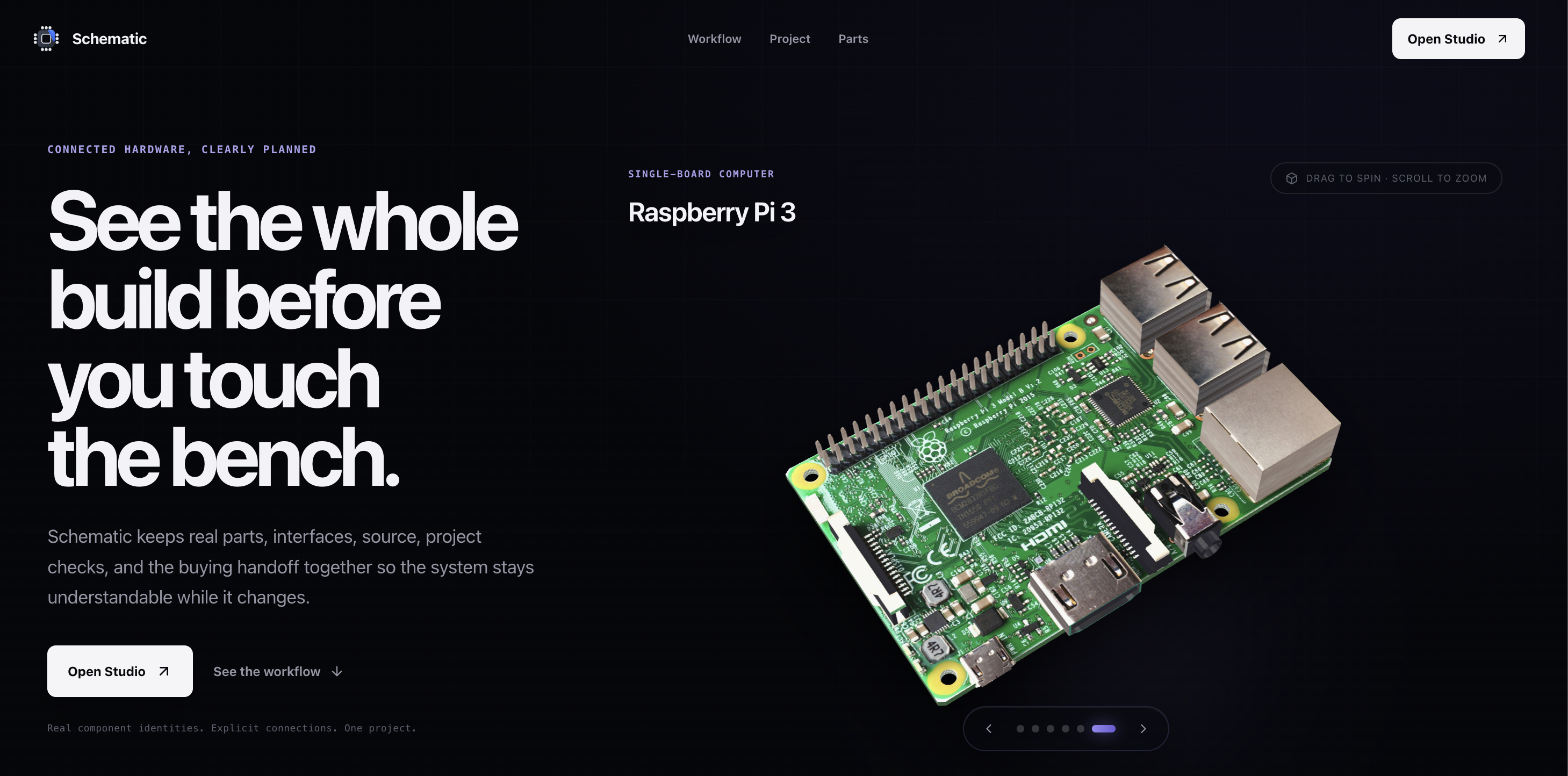
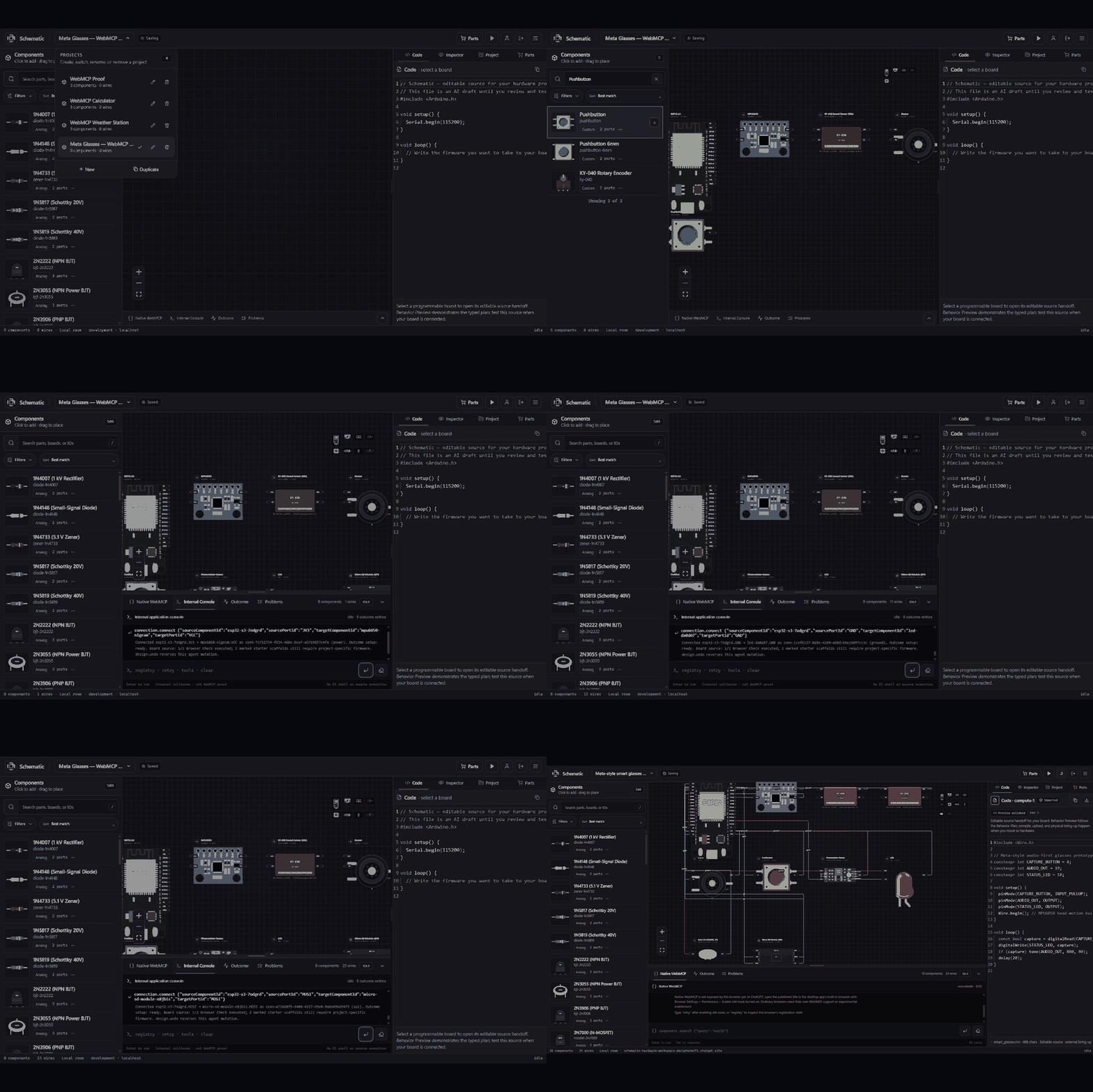
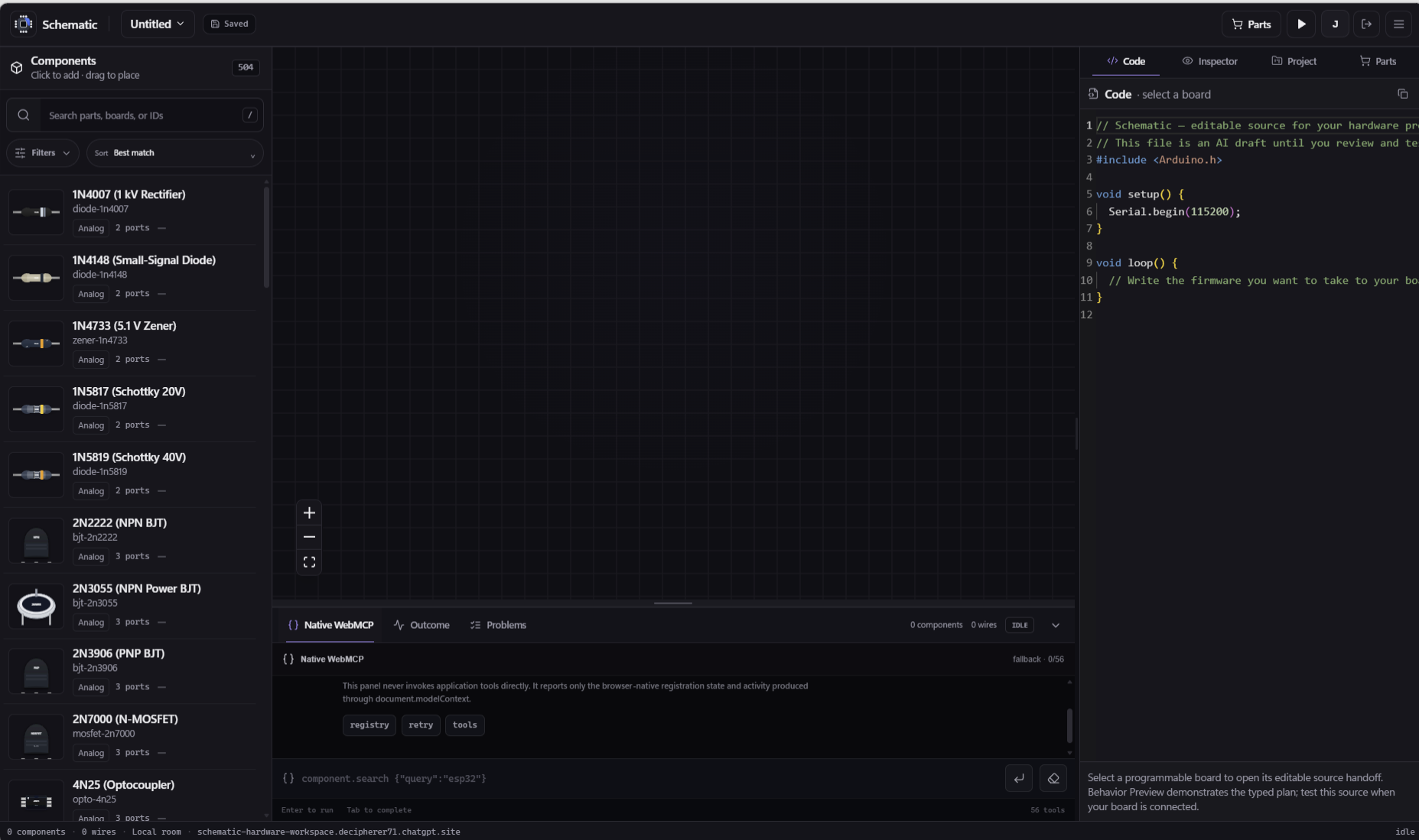
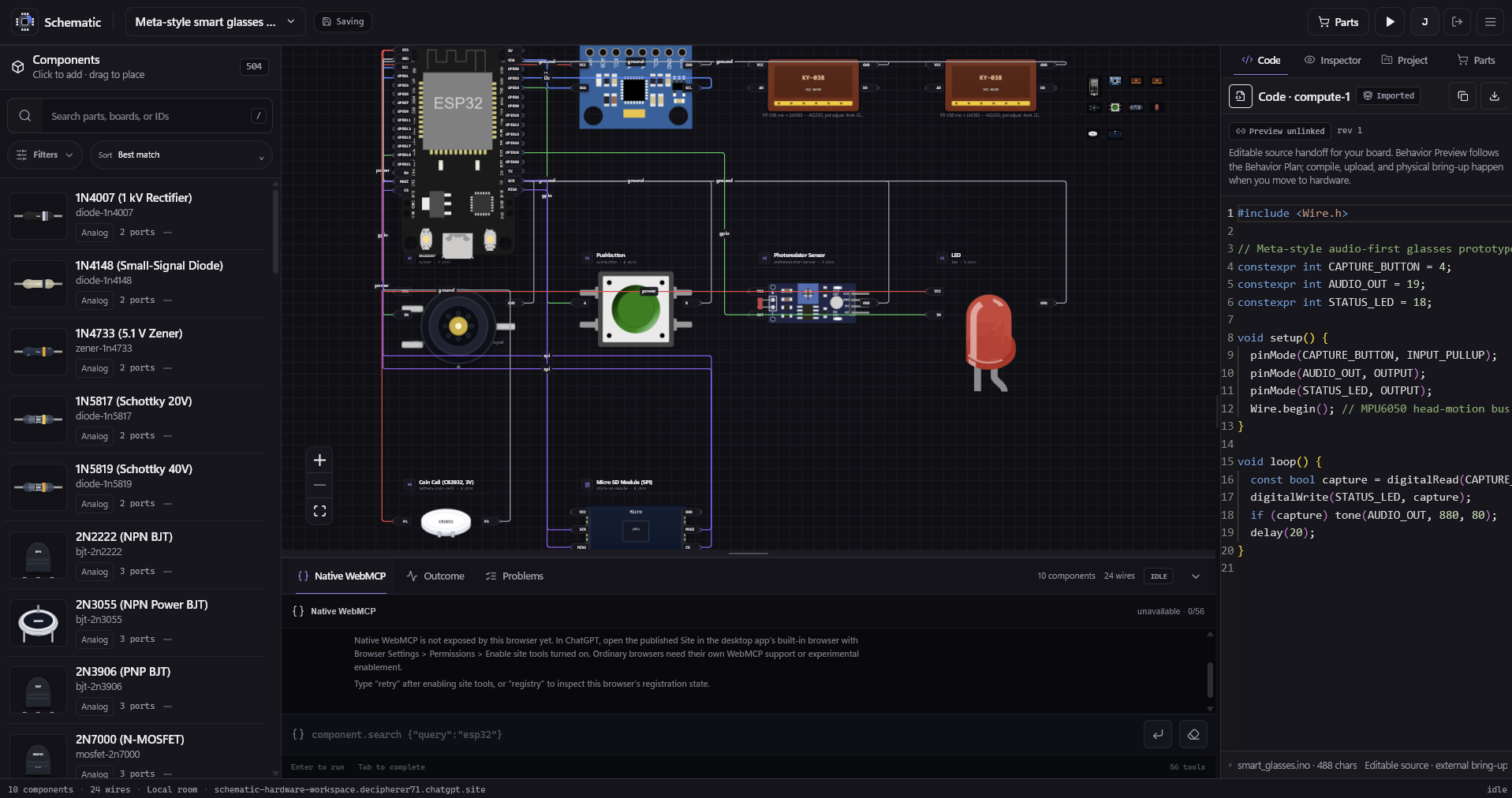
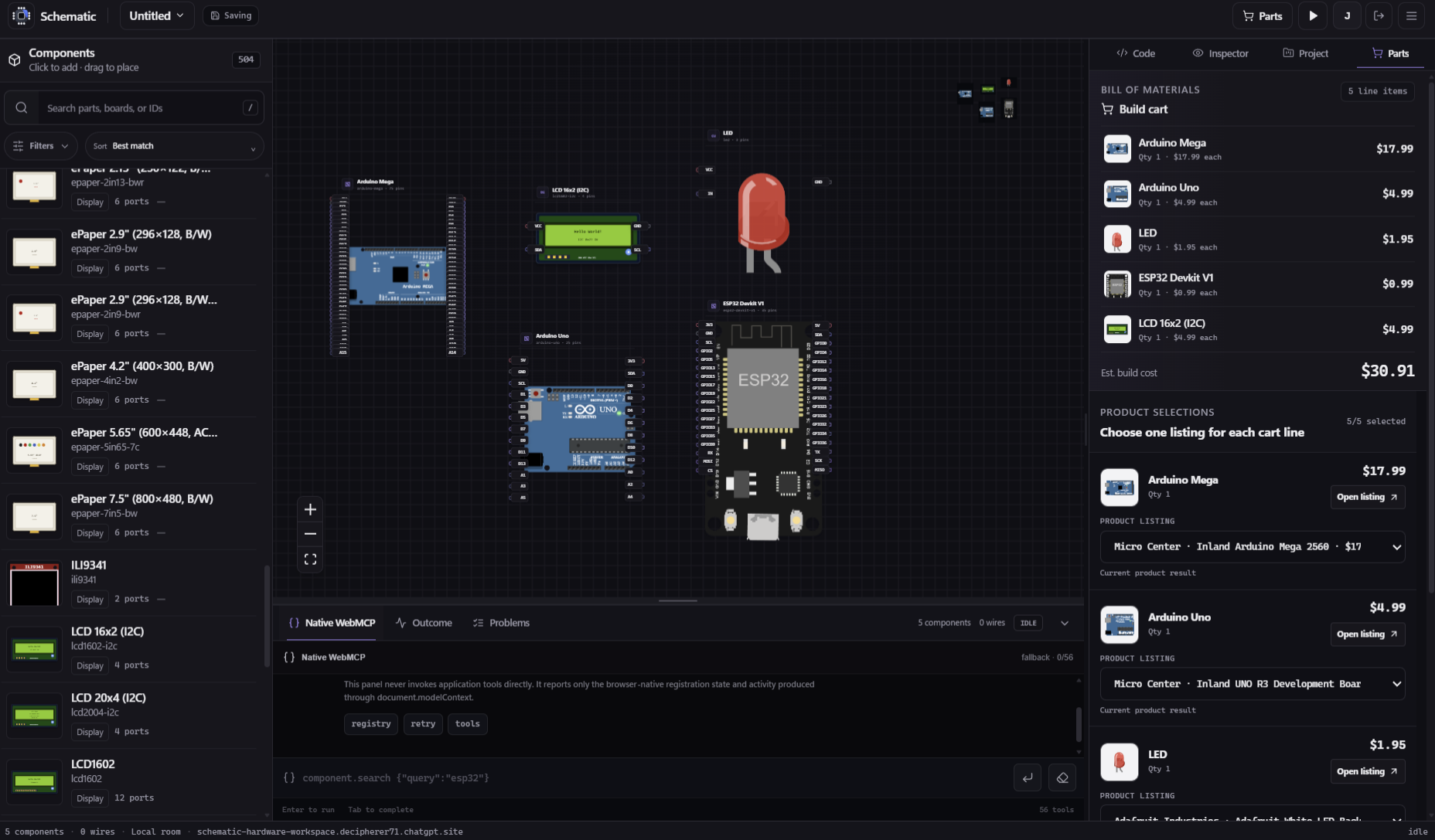
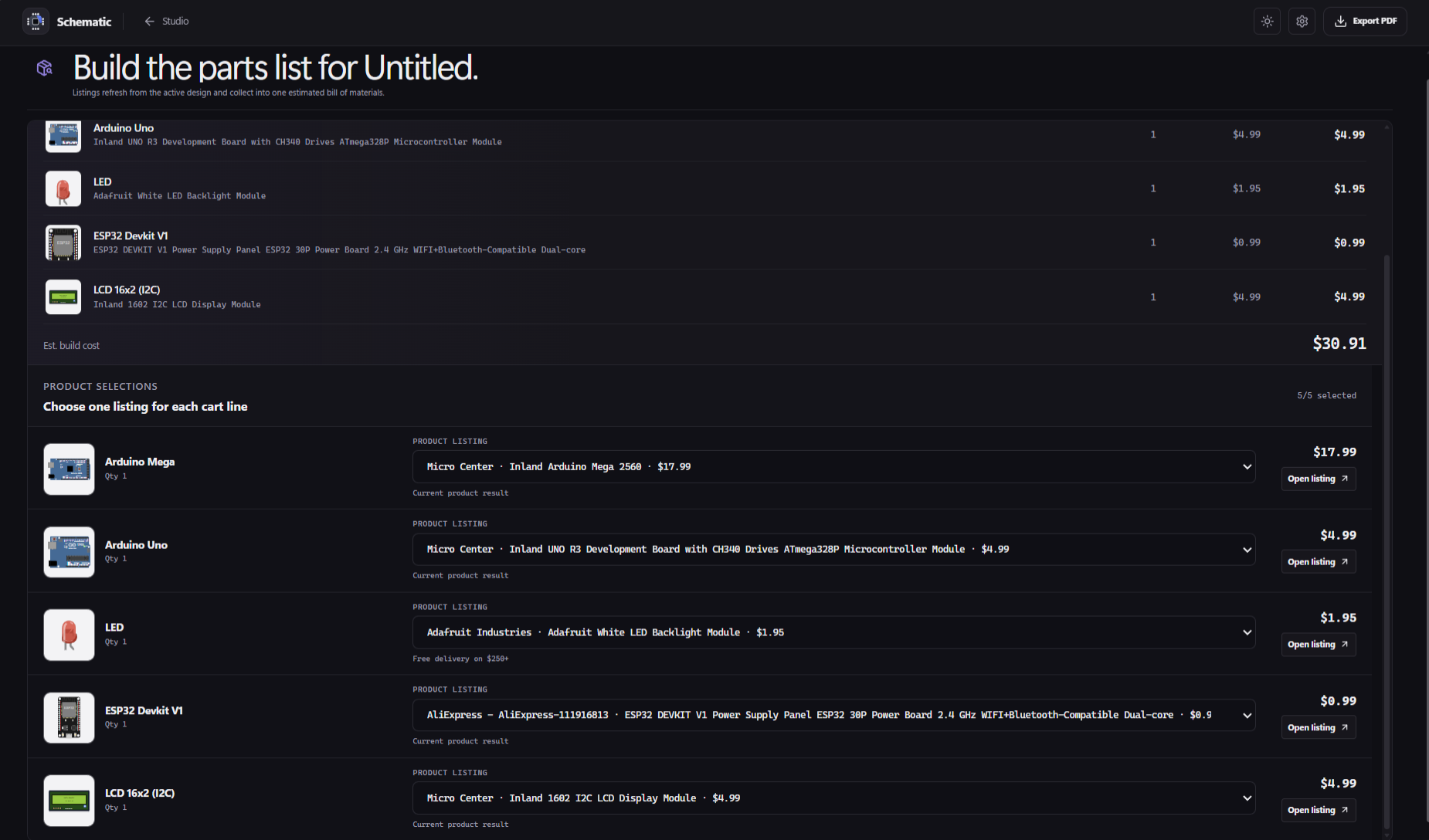
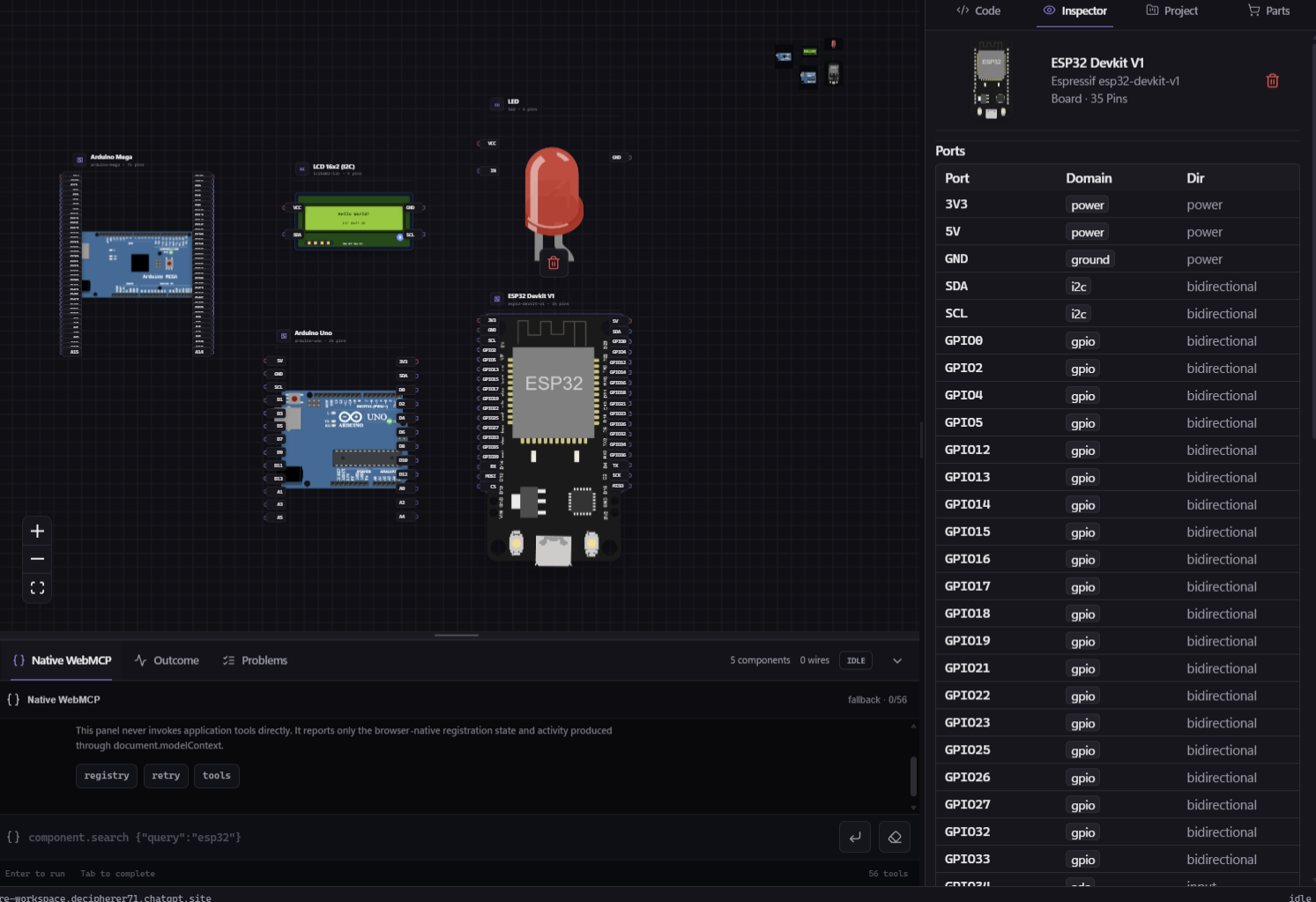
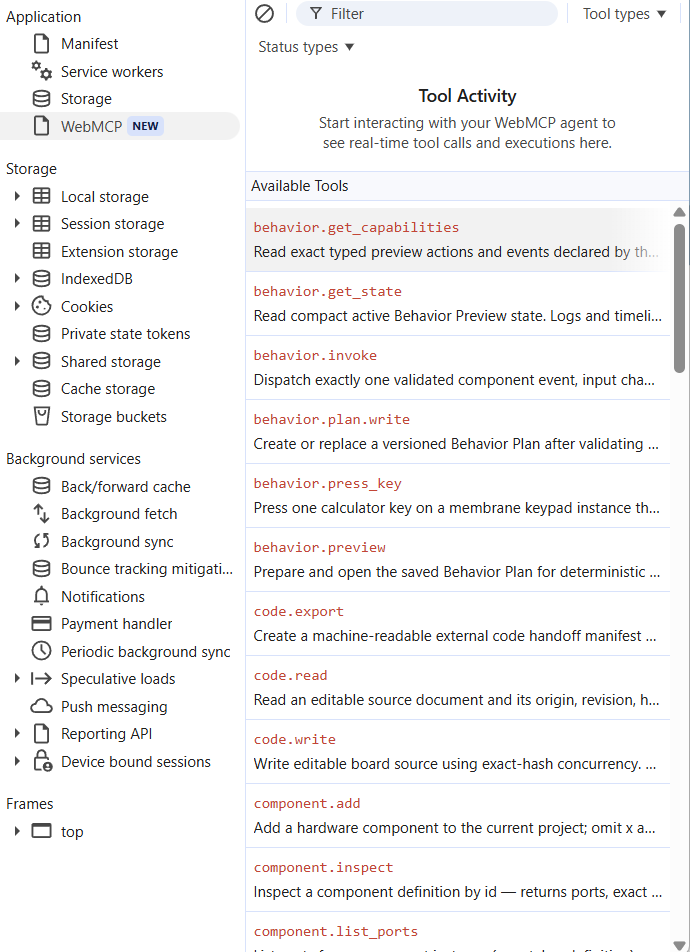
Schematic is an agent native hardware workbench with 504 searchable components and 56 native WebMCP tools for designing hardware prototypes. You can open a visual canvas containing real hardware components, connect them through typed ports, inspect the design, define what the project is supposed to do, and preview that behavior visually alongside it. Ask the agent to build a calculator with an Arduino Uno, a membrane keypad, and an I2C LCD. Through WebMCP, it proposes the actual design instead of returning instructions. After approval, it adds three components, creates twelve typed connections, validates the graph, and leaves everything visible on the canvas. The agent can then define a typed Behavior Plan describing the intended outcome. For example, pressing a button should turn an LED on, moving a control should change a servo angle, or a display should show a particular message. Schematic can run a deterministic visual preview of those declared behaviors so the user can immediately see the intended result on the canvas. Alongside that, the agent can generate normal Arduino, C/C++, or Python source into an editable Monaco-based Code workspace. The code remains a real artifact the user can inspect, modify, export, and take into their normal SDK, IDE, compiler, or physical hardware workflow. Schematic deliberately keeps those two ideas separate. The visual preview shows the behavior the user and agent agreed on. It does not pretend that generated firmware was compiled or that physical electronics were tested. That makes the workspace useful for understanding exactly what the AI thinks it is building before you commit to physical hardware.
How we built it
Schematic is primarily written in TypeScript and React. The hardware canvas uses React Flow to represent components and typed connections. Zustand manages application and project state, while Zod provides strict schemas and validation across the graph and agent-facing interfaces. The Behavior system is a separate typed package built around versioned, data-only Behavior Plans. Components expose explicitly supported events and actions, such as a button press, LED state change, display text, servo angle, motor speed, relay state, or numeric sensor reading. Those actions are handled by deterministic reducers that produce visual projections on the canvas. Plans, project state, session logs, and snapshots also carry hashes so Schematic can track exactly which project and behavior produced a preview. For code editing, we integrated Monaco Editor and built a durable multi-file document system. Source files have revisions and content hashes so an agent cannot silently overwrite code that the human edited in the meantime. Projects are stored locally in the browser using IndexedDB, keeping the core workspace browser-side rather than requiring a separate project server. For the hackathon, we built a native WebMCP layer exposing the workspace as structured tools. All WebMCP operations call the same application commands as the visual interface, which keeps human actions and model actions consistent. The deployed version runs as a ChatGPT Site and can be used directly from ChatGPT's WebMCP-capable in-app browser.
Challenges we ran into
The hardest part was deciding where the agent's authority should stop. Giving a model generic access to application state would have taken less work, but it also would have made the system unpredictable and difficult to trust. Hardware makes that especially dangerous because a plausible-looking result is not necessarily a valid one. We instead built explicit schemas and operations around components, connections, behavior, and code. Unsupported component behavior fails instead of being guessed. Another challenge was keeping generated code and behavior preview honest. It would be tempting to make a visual LED turn on and imply that the firmware caused it. But without actually compiling that firmware and running it against a hardware or electrical simulator, that claim would be misleading. Schematic therefore treats the Behavior Plan as the source of truth for the visual preview and generated source as a separate editable artifact. The UI keeps track of their relationship and can mark the connection stale when either side changes. We also had to solve collaboration problems that normally only appear once both a human and an agent can modify the same workspace, including stale writes, destructive actions, project isolation, imports, state recovery, and persistence.
Accomplishments that we're proud of
The model can build and inspect structured hardware projects through 56 native WebMCP tools while the person retains a visual, editable representation of every change. Both sides use the same validation and application logic. An agent can search for components, construct a hardware graph, inspect ports, connect components, diagnose invalid connections, discover supported behaviors, create a Behavior Plan, invoke events, preview outcomes, generate multi-file code, inspect existing source, and export the project for an external development workflow. At the same time, the system keeps clear provenance about what was actually validated and what was not. That combination of agent capability and human inspectability is what we think makes Schematic different.
What we learned
The biggest thing we learned is that giving an AI more tools is not automatically the same as giving it a better interface. The useful part of WebMCP is not simply that a model can call functions from a webpage. It is that the website can expose its own concepts to the agent. For Schematic, those concepts are not generic UI actions like "click here" or "change this field." They are hardware concepts such as components, ports, connections, behaviors, validation, projects, and code documents. Once those concepts become part of the agent interface, the collaboration model changes completely. The agent can reason about the same structured environment the human sees, while the human can inspect the consequences of that reasoning directly.
What's next for Schematic
The long-term goal is to make Schematic the workspace between an idea and real hardware. We want to expand the component and behavior library, improve automated layout and design assistance, add deeper electrical validation, make agent-generated behavior easier to inspect and modify visually, and create stronger handoff paths into real toolchains and physical boards. Eventually, a user should be able to start with something as simple as: "Build me a device that measures room temperature and warns me when it gets too hot." The agent should be able to turn that into a complete visible prototype, explain every part of the design, let the user modify it directly, update itself around those changes, prepare the software, and carry the project toward real hardware without losing the context established between the human and the agent. Schematic is our attempt at making hardware creation feel less like asking an AI for instructions and more like actually building something together.
Built With
- c++
- chatgpt-sites
- cloudflare
- cloudflare-workers
- fastapi
- indexeddb
- monaco-editor
- next.js
- node.js
- openai
- python
- react
- react-flow
- tailwind-css
- typescript
- vinext
- vite
- vitest
- webassembly
- webmcp
- wrangler
- zod
- zustand


Log in or sign up for Devpost to join the conversation.