-
-
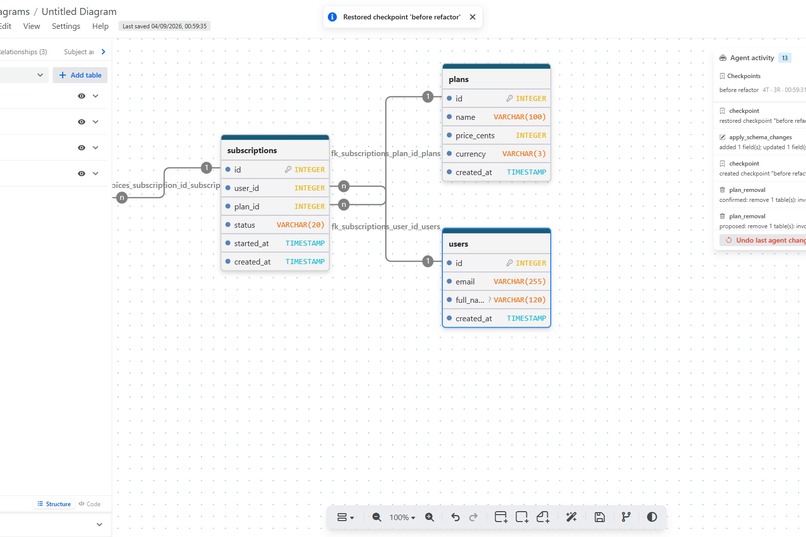
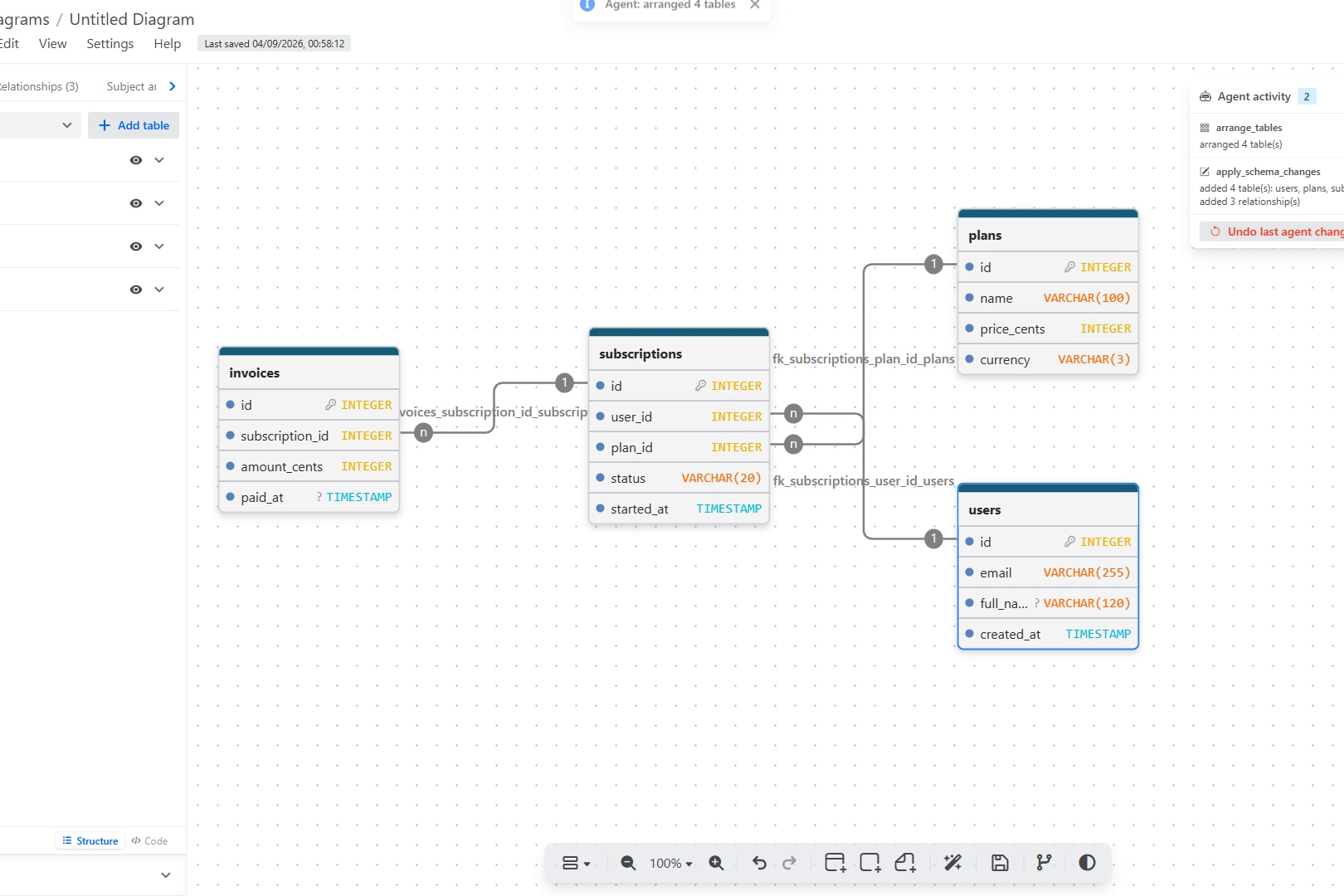
build: One prompt, four tables, three foreign keys. Validated first, one undo step, canvas pans to the change.
-
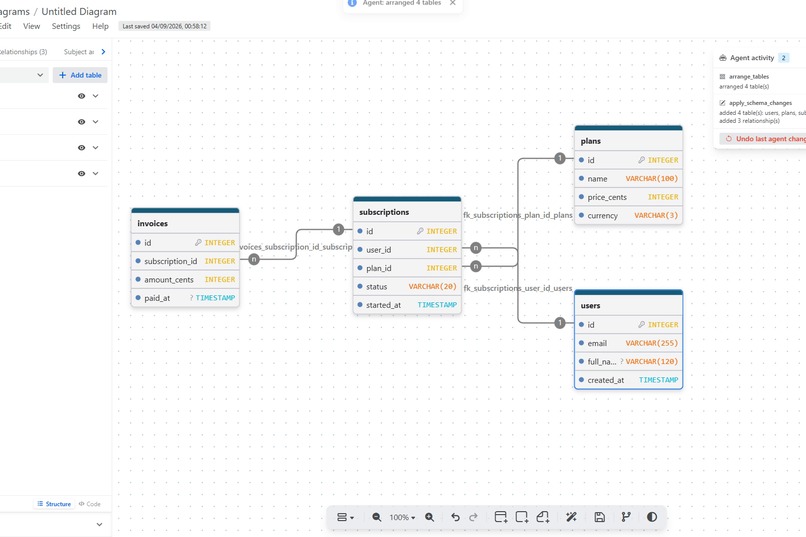
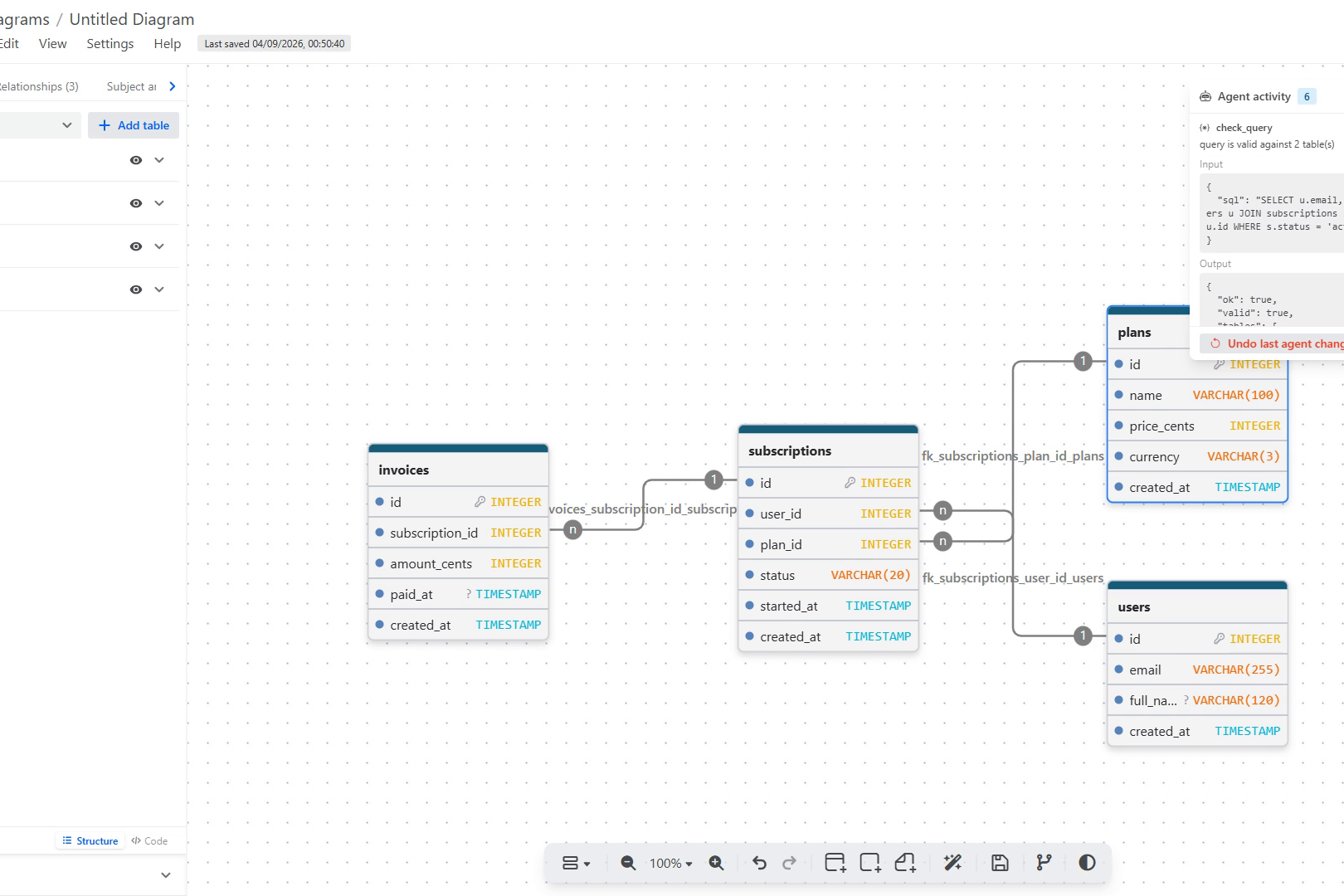
query: check_query tests real SQL against the diagram without running it, and flags join and filter columns that need an index.
-
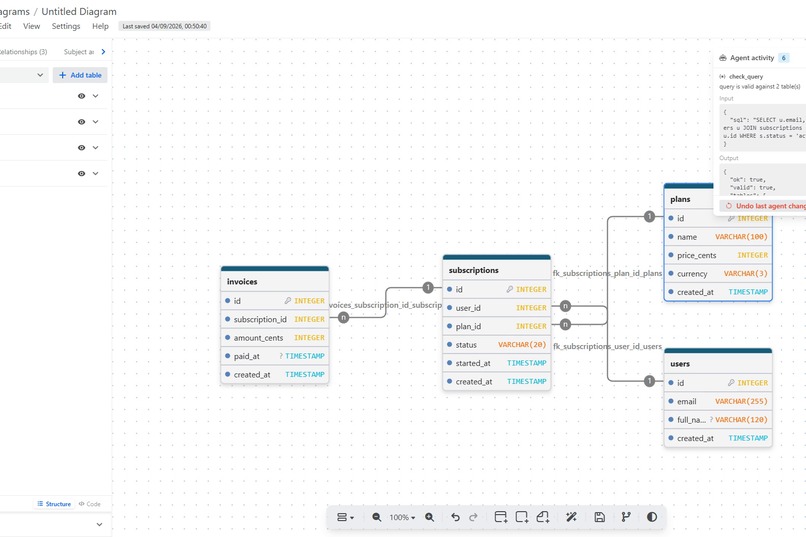
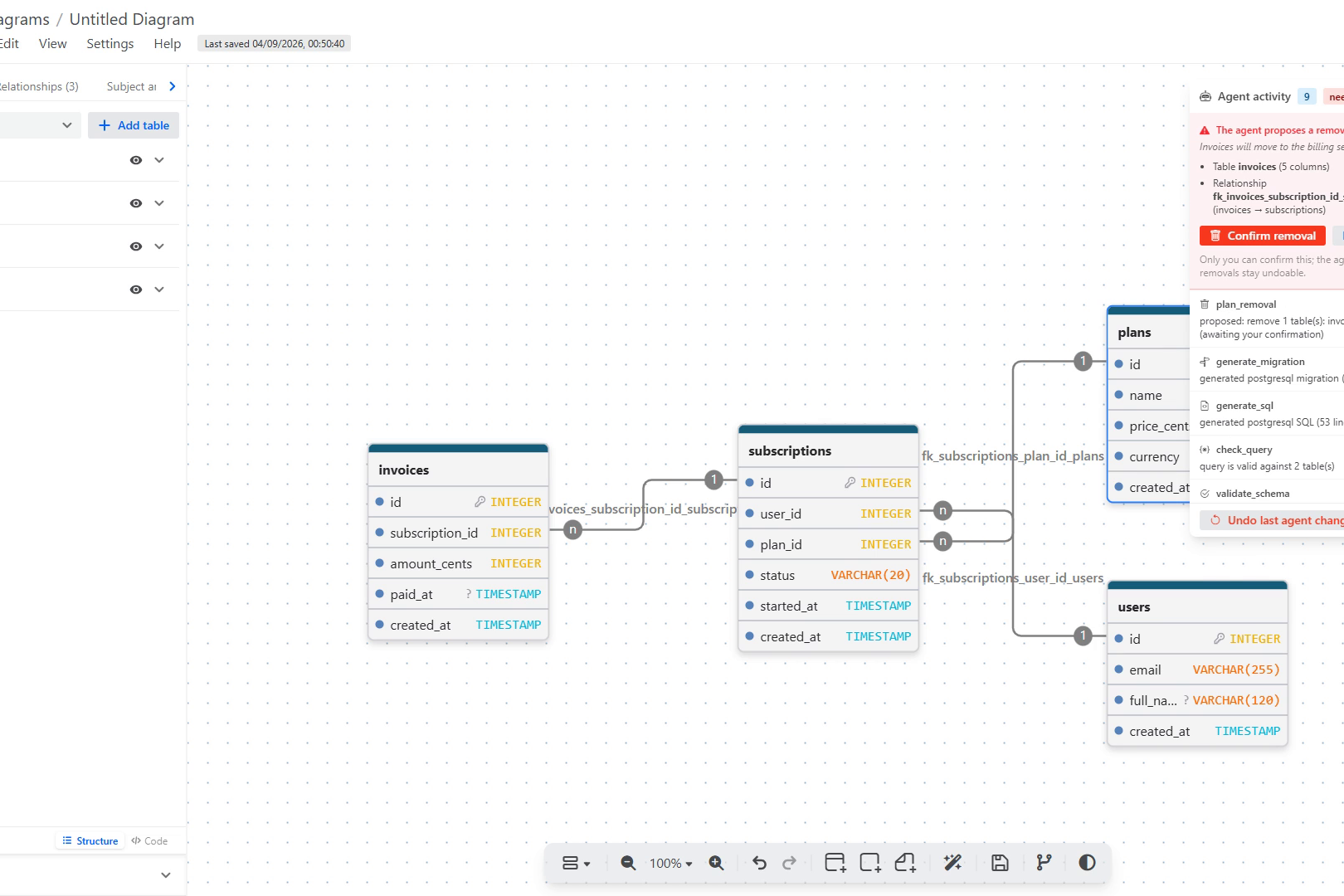
removal: Deletes are proposal-only. The agent shows the cascade; only a human click on Confirm applies it. Still undoable.
-
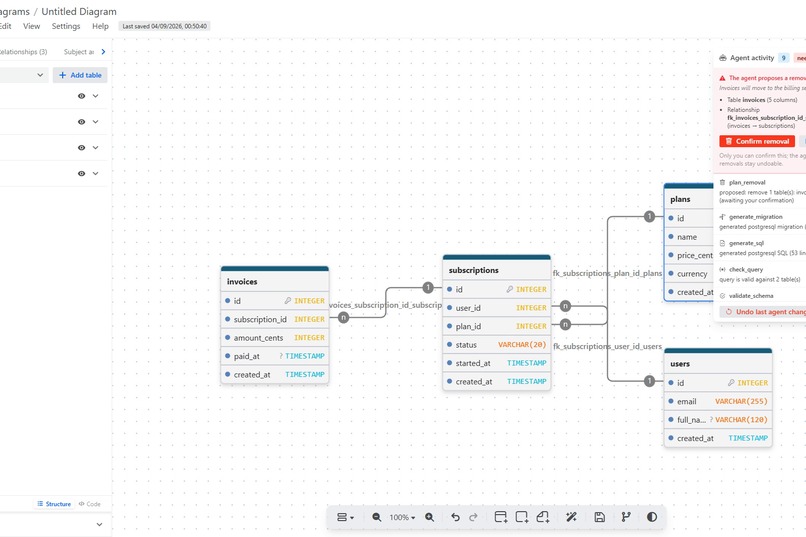
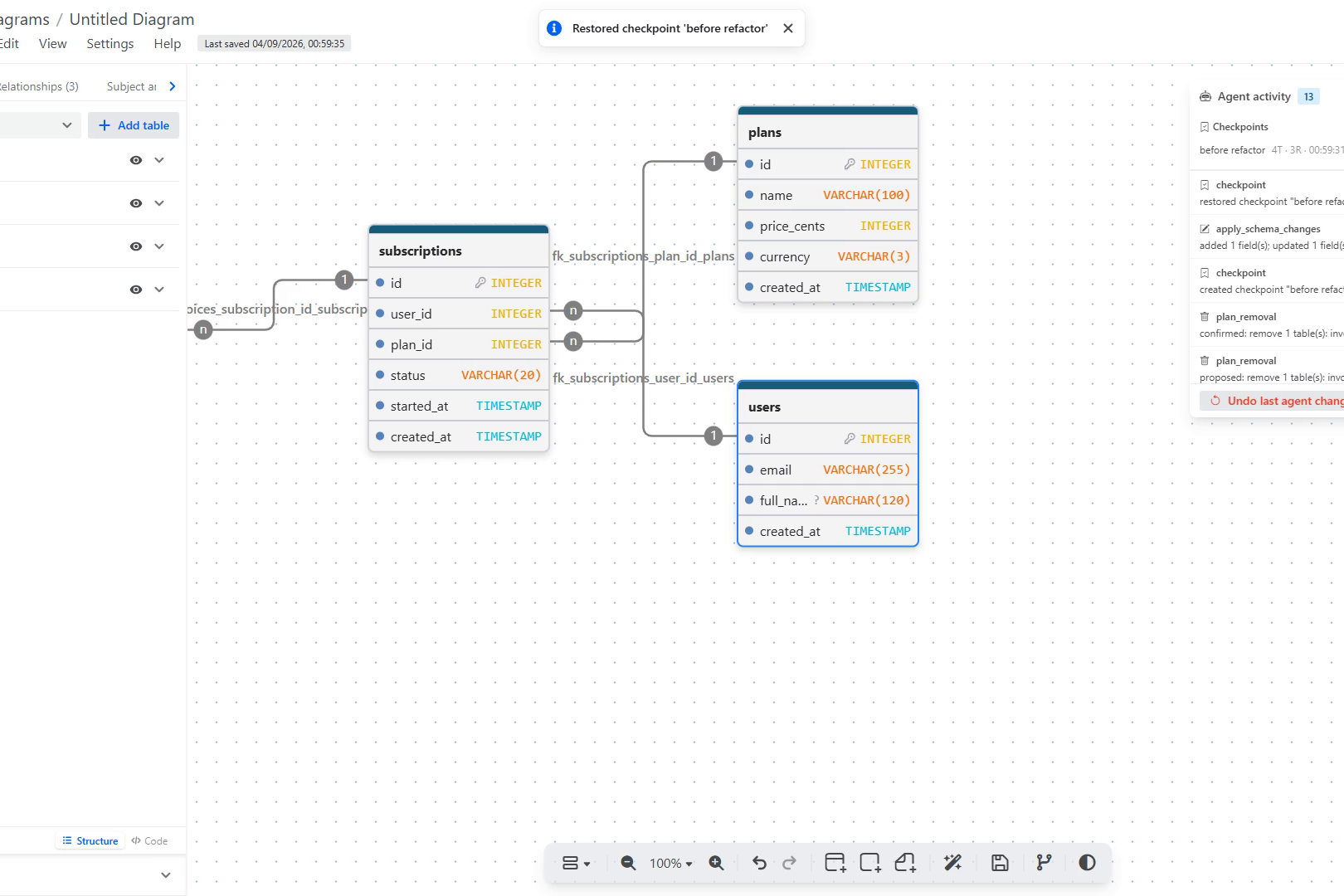
checkpoint: Named checkpoints: save before a risky change, restore with one click. Every tool call is logged.
Inspiration
Every application stands on its database. Get the schema right at the start and every service, query, and migration downstream gets easier; get it wrong and you pay for it for years. Schema design happens on a visual canvas, and that is exactly where AI agents have been locked out: they can scrape the DOM, or work on a separate copy of your schema in a chat window, but they cannot touch the diagram you are actually looking at. WebMCP changes that. We wanted the agent to help lay the foundation properly, on the same live canvas the human uses, with the human keeping undo and the final say.
What it does
SchemaPair is drawDB, the open-source ER diagram editor, with 17 WebMCP tools registered on document.modelContext. An agent running in the browser can:
- Design: turn "a SaaS billing schema with users, plans, subscriptions and invoices" into tables, columns, primary and foreign keys on the canvas. The whole request is validated before it touches state, lands as one undo step, and the editor pans to the change (
apply_schema_changes,import_sql). - Review: run drawDB's own validator plus production checks (foreign keys without indexes, nullable FKs, missing timestamps, unsized VARCHARs) and get ready-to-apply fixes (
validate_schema,review_schema). - Verify: check that a real SQL query works against the diagram without executing it, with index suggestions (
check_query), and explain the join path between any two tables (explain_join_path). - Ship: generate DDL from drawDB's exporters, up/down migrations since the diagram was opened, and sample INSERTs (
generate_sql,generate_migration,generate_sample_inserts). Text only, never executed. - Organise: add notes and areas, tidy the layout, open saved diagrams and templates (
annotate_diagram,arrange_tables,list_workspace,open_diagram). - Stay safe: removals are proposal-only.
plan_removalcomputes the full cascade and shows a confirmation card; only a human click applies it, and there is no tool parameter that lets the agent confirm. Namedcheckpoints can be created and restored by either party.
An Agent activity panel lists every tool call with its exact input and output, hosts the confirmation cards and checkpoints, and has an "Undo last agent change" button.
How we built it
- A single
WebMCPBridgeReact component, mounted in the editor page, feature-detectsdocument.modelContextand registers all tools under oneAbortController, so they are removed when you leave the editor. Browsers without WebMCP get plain drawDB. - Handlers read the live React state through refs (no parallel copy of the diagram) and commit changes as a snapshot entry on drawDB's existing undo stack, so autosave, Ctrl+Z and the timeline work unchanged.
- Pure planners in
src/webmcp/validate whole requests before any state change, enforce limits (25 ops per call, 64-char names), reject ambiguous names instead of guessing, and reuse drawDB's validator, SQL exporters, importer and migration generator as-is. - 53 unit tests on Node's test runner, and a 71-check Chrome DevTools Protocol harness that drives all 17 tools through
document.modelContext.executeToolin a real WebMCP-enabled Chrome, against the dev server, the production bundle and the deployed URL. - Deployed on Vercel with the
Origin-Agent-Cluster: ?1header WebMCP needs.
Challenges we ran into
- WebMCP is only exposed in origin-isolated documents, so the production deploy needed an explicit
Origin-Agent-Clusterheader beforedocument.modelContextappeared at all. - Making one agent call equal one undo step on an undo stack designed for single UI actions. Applying several
addTablecalls in one tick reversed undo order; we commit through a single snapshot entry instead. - Migration baselines: the first autosave of a new diagram reloads state, so "since I opened the diagram" had to be pinned to the state seen with an empty undo stack.
- Keeping deletes safe without making them useless: the answer was a proposal card the agent can create but never confirm.
- Validator messages follow the editor's language, so tests had to pin i18n and agents key off structured
suggestionsrather than message text.
What we learned
The best WebMCP tools are not new features; they are the app's existing logic exposed against live state. Every tool in SchemaPair wraps something drawDB already did. What WebMCP adds is the shared canvas: the human sees exactly what the agent did, on the diagram they were already looking at, and can undo it with one key.
What's next
- Connect to a real database for migration diffs and query checks against actual data.
- Multi-agent sessions on one canvas with per-agent activity.
- Upstream the WebMCP layer to drawDB.
Attribution
SchemaPair is a fork of drawDB and retains its AGPL-3.0 license. Everything added during the challenge starts at upstream commit 5efc5fd and lives in src/webmcp/, src/components/WebMCPBridge.jsx, src/components/WebMCPActivityPanel.jsx, scripts/ and docs/.
Built With
- chrome-devtools-protocol
- codex
- dexie
- drawdb
- indexeddb
- javascript
- node-sql-parser
- node.js
- react
- tailwind
- vercel
- vite
- webmcp

Log in or sign up for Devpost to join the conversation.