-
-
-
-
Full Screen Mode
Inspiration
Manually writing Schema.org JSON-LD structured data is a major headache. A single missing comma, unmatched bracket, or subtle syntax error in a traditional code editor can instantly invalidate the metadata, causing search engines to ignore your rich results entirely. We wanted to eliminate this friction by turning a fragile, code-heavy developer task into a bulletproof, visual experience. The inspiration was to build a "Command Center" for SEO—giving creators and developers the power to generate flawless structured data dynamically without writing a single line of raw code.
What it does
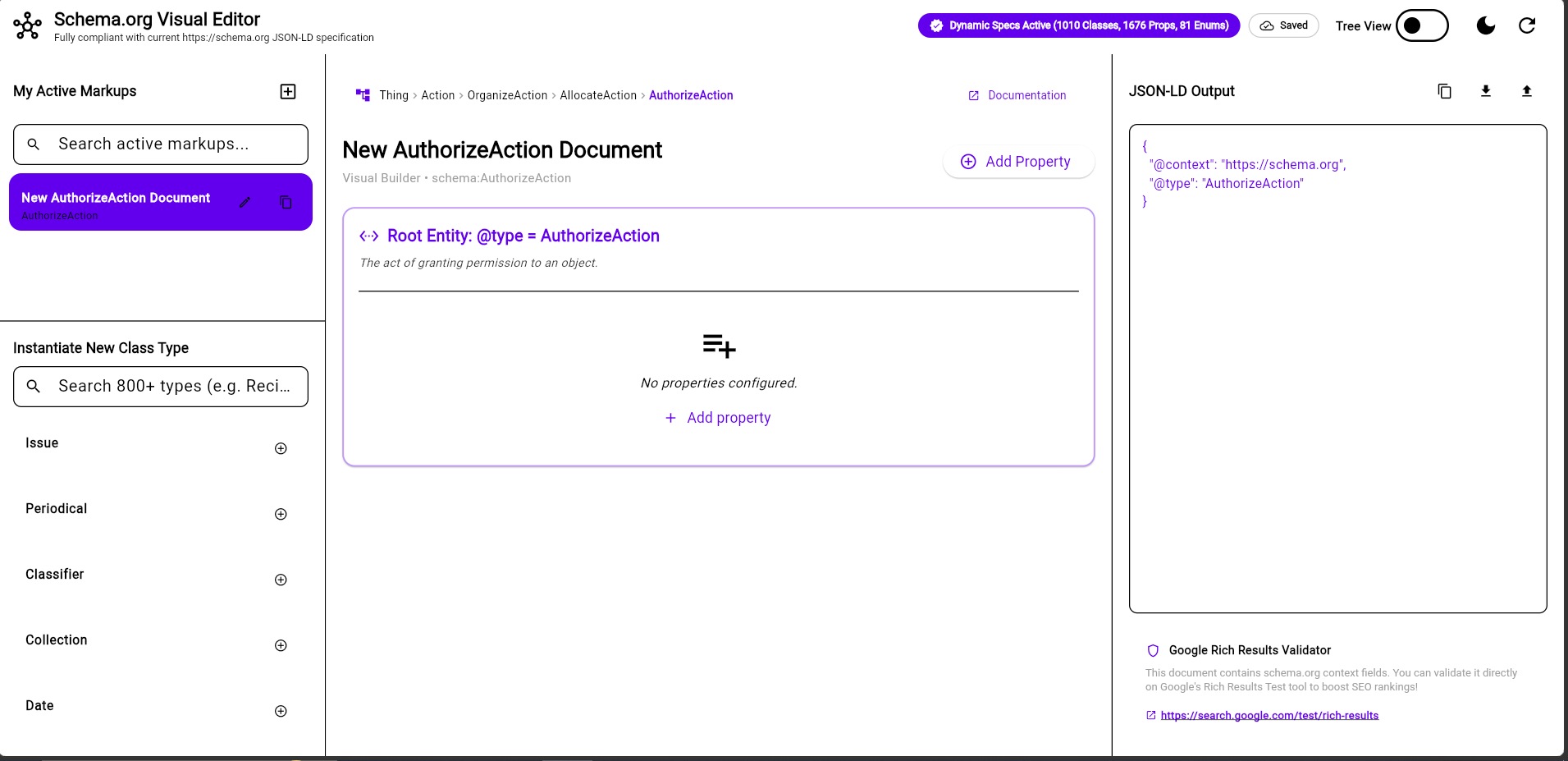
The JSON LD Visual Editor is an intelligent, no-code web environment designed to generate real-time, error-free JSON-LD schemas.
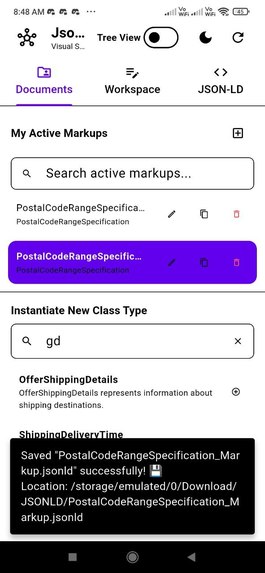
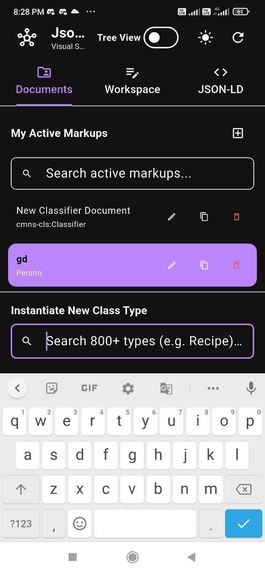
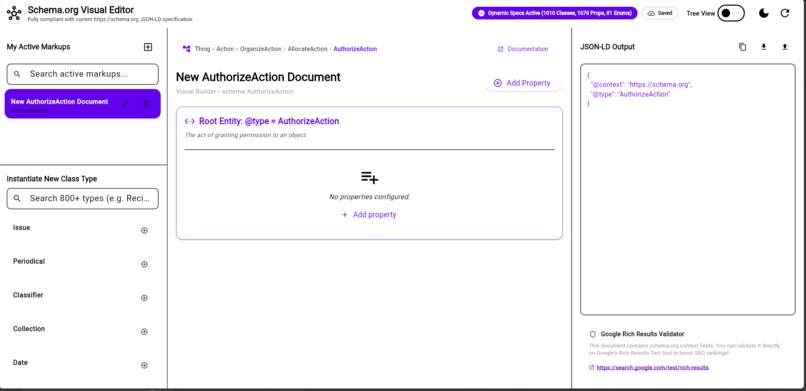
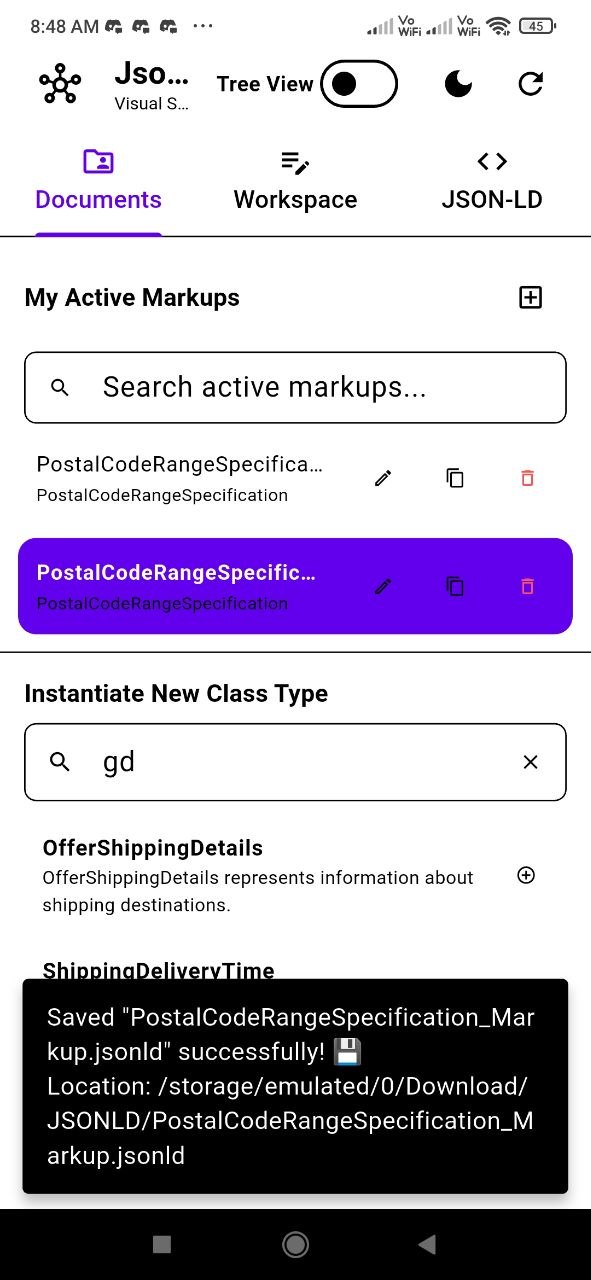
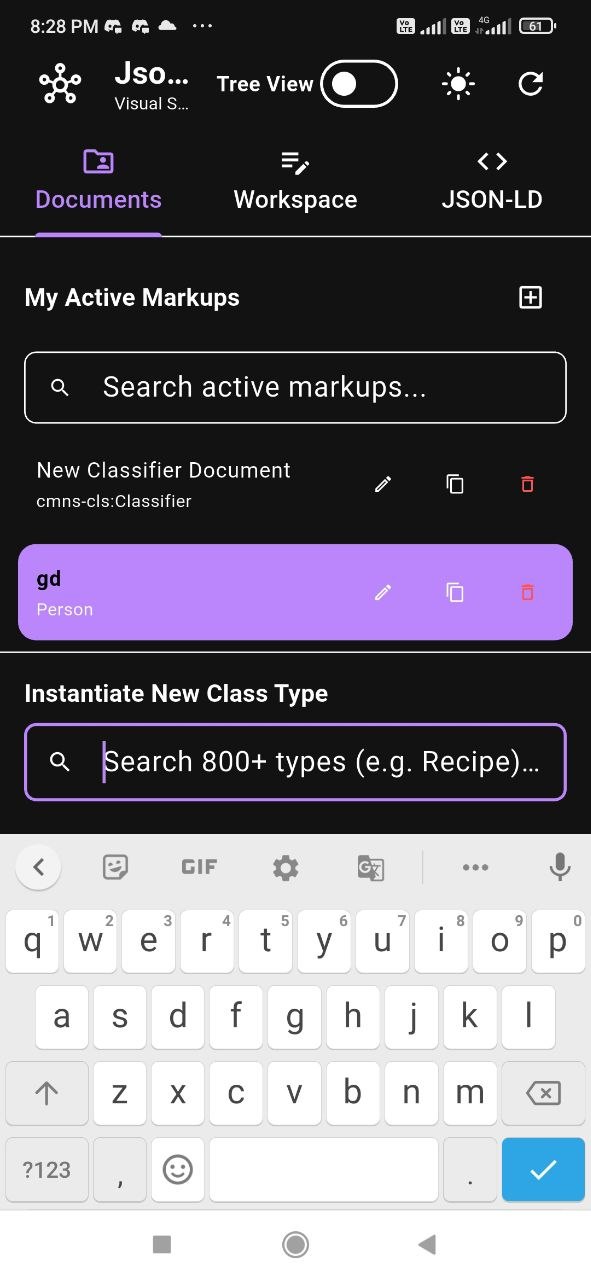
- High-Efficiency Layouts: On desktop, it features a unified, three-pane architecture displaying active documents, a form-based editing workspace, and live JSON-LD code side-by-side. On mobile devices, the environment intelligently adapts into a streamlined, thumb-friendly three-tab system (Documents, Workspace, and JSON-LD).
- Massive Spec Library: Users can instantly search and instantiate over 800 Schema.org classes (like Person, Product, Issue, and Recipe) and thousands of matching properties.
- Bi-directional Workflow: Beyond generating schemas from scratch via clean text inputs, users can import existing JSON-LD structures to edit them visually, copy code blocks with one click, or export data directly for validation.
How we built it
We leveraged a cutting-edge, multi-AI pipeline to accelerate our development cycle during OpenAI Build Week:
- Research: We utilized ChatGPT to deep-dive into the vast Schema.org structural specifications, mapping out structural relationships and validating edge-case object behaviors.
- Prototyping: We used Nowa to quickly map out, prototype, and refine the responsive UI layouts, ensuring a seamless transition between the side-by-side desktop view and the tabbed mobile interface.
- Building: The production-ready core codebase was generated and assembled using OpenAI's Codex, establishing clean state synchronization between the visual inputs and the JSON generation layer.
- Maintenance & Refinement: We utilized Google's Jules to review, maintain, debug, and optimize the final code architecture, ensuring high-performance data binding across complex schema hierarchies.
Challenges we ran into
Our biggest hurdle was architecting the Visual Editor's cascading UI layout for absolute scalability. Schema.org types aren't just flat key-value pairs; they are heavily nested structures (e.g., defining a Person who has a JobTitle, who works for an Organization, which has a PostalAddress). Building a dynamic form UI that gracefully handles infinite levels of recursive nesting without breaking the responsive grid design, causing layout shifts, or introducing UI lagging during real-time compilation was a rigorous challenge. We overcame this by building isolated, modular field components that handle state rendering recursively.
Accomplishments that we're proud of
- True Real-Time Compilation: Achieving absolute zero-lag synchronicity between the form fields and the JSON-LD output pane.
- Fluid Responsiveness: Successfully executing a UI model that shifts from a comprehensive command console on desktop to an intuitive, uncluttered workflow on small mobile screens.
- Scope Completeness: Providing robust search capabilities across a massive vocabulary of 800+ schema classes inside it in a smooth way.
What we learned
Building this tool reinforced just how powerful an AI-collaborative workflow can be when utilizing specific tools for distinct stages (Researching with ChatGPT -> Prototyping with Nowa -> Coding with Codex -> Maintaining with Jules). We also learned deeper strategies regarding data reactivity, specific parsing mechanisms for complex tree structures, and how to elegantly map deeply nested abstract relationships into clear UI hierarchies that feel natural to non-technical users.
What's next for Schema.org Visual Editor
The next steps focus on expanding ecosystem integrations:
- Support for some other keywords: :
⚠️ Implementation Notice: Keywords marked with
[UNSUPPORTED](including@graph,@included,@list,@set,@nest,@json,@container,@import,@protected,@propagate, custom keys, and iterable variables) are currently not supported in this environment.
Unsupported Keywords & Features
❌ The following keywords, container maps, scoping rules, layout wrappers, and iterable variables are currently unsupported:
Structure & Graph Layout [UNSUPPORTED]
@graph: Wrapping multiple top-level node objects in a single graph array.@included: Bundling auxiliary top-level nodes inside another node's scope.@nest: Grouping properties inside JSON sub-objects without creating intermediate graph nodes.
Collections, Containers & Iterables [UNSUPPORTED]
@list: Preserving strict array ordering in graph processors.@set: Explicitly defining unordered sets for single-item array protection.@json: Direct JSON literal value type specification.@container: Mapping JSON maps/arrays directly to properties (e.g.,@container: @language).- Custom Keys & Iterable Variables: Custom non-standard term mappings or dynamic iterable loops.
Context Control & Scoping (JSON-LD 1.1) [UNSUPPORTED]
@import: Importing external context files into inline@contextblocks.@protected: Preventing term overrides in child contexts.@propagate: Controlling context inheritance flow across child object boundaries.
Quick Reference Summary
| Keyword | Category | Status | Primary Purpose |
|---|---|---|---|
@context |
Vocabulary | ✅ Supported | Terms/keys to IRI mapping |
@id |
Node ID | ✅ Supported | Unique node identifier |
@type |
Class / Type | ✅ Supported | Node class or data type |
@vocab |
Vocabulary | ✅ Supported | Default base URL for vocabulary |
@base |
Base IRI | ✅ Supported | Base URL for relative @id resolution |
@value |
Literal | ✅ Supported | Raw value inside value objects |
@language |
Text | ✅ Supported | BCP 47 language tag |
@direction |
Text | ✅ Supported | Text direction (ltr/rtl) |
@reverse |
Structure | ✅ Supported | Incoming/inverse relationships |
@index |
Metadata | ✅ Supported | Local non-semantic lookup tags |
@graph |
Layout | ❌ Unsupported | Array of top-level nodes |
@included |
Layout | ❌ Unsupported | Unlinked secondary node bundling |
@list |
Collections | ❌ Unsupported | Strict array ordering |
@set |
Collections | ❌ Unsupported | Explicit unordered set |
@nest |
Layout | ❌ Unsupported | Grouping sub-properties |
@json |
Data Type | ❌ Unsupported | Raw JSON literal types |
@container |
Container | ❌ Unsupported | Context-level syntactic sugar maps |
@import |
Context Control | ❌ Unsupported | External context import |
@protected |
Context Control | ❌ Unsupported | Term override protection |
@propagate |
Context Control | ❌ Unsupported | Local context scope boundary |
- Next-Gen Iteration Preview: An improved version for this tool is under active development here: https://github.com/mg3994/JSON-LD-Visual-Editor. I will continue to build, refine, and officially ship it once I am completely satisfied with its performance and stability.
- Direct Google Validation or Schema.Org Validation API Integration: Adding a direct one-click testing toggle that queries Google’s Rich Results Test or Schema.Org Validation tool directly from the workspace without needing to leave the app.
- Live URL Scraping: Allowing users to paste an existing website URL, extract its current schema components visually into the workspace, fix any highlighted errors, and re-export the corrected code instantly.
- AI Based JSON LD BUILDER: Build Schemas with AI


Log in or sign up for Devpost to join the conversation.