-
-
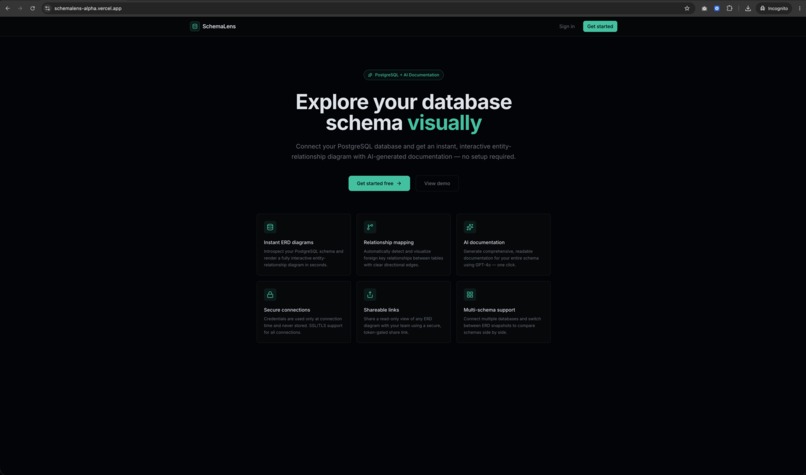
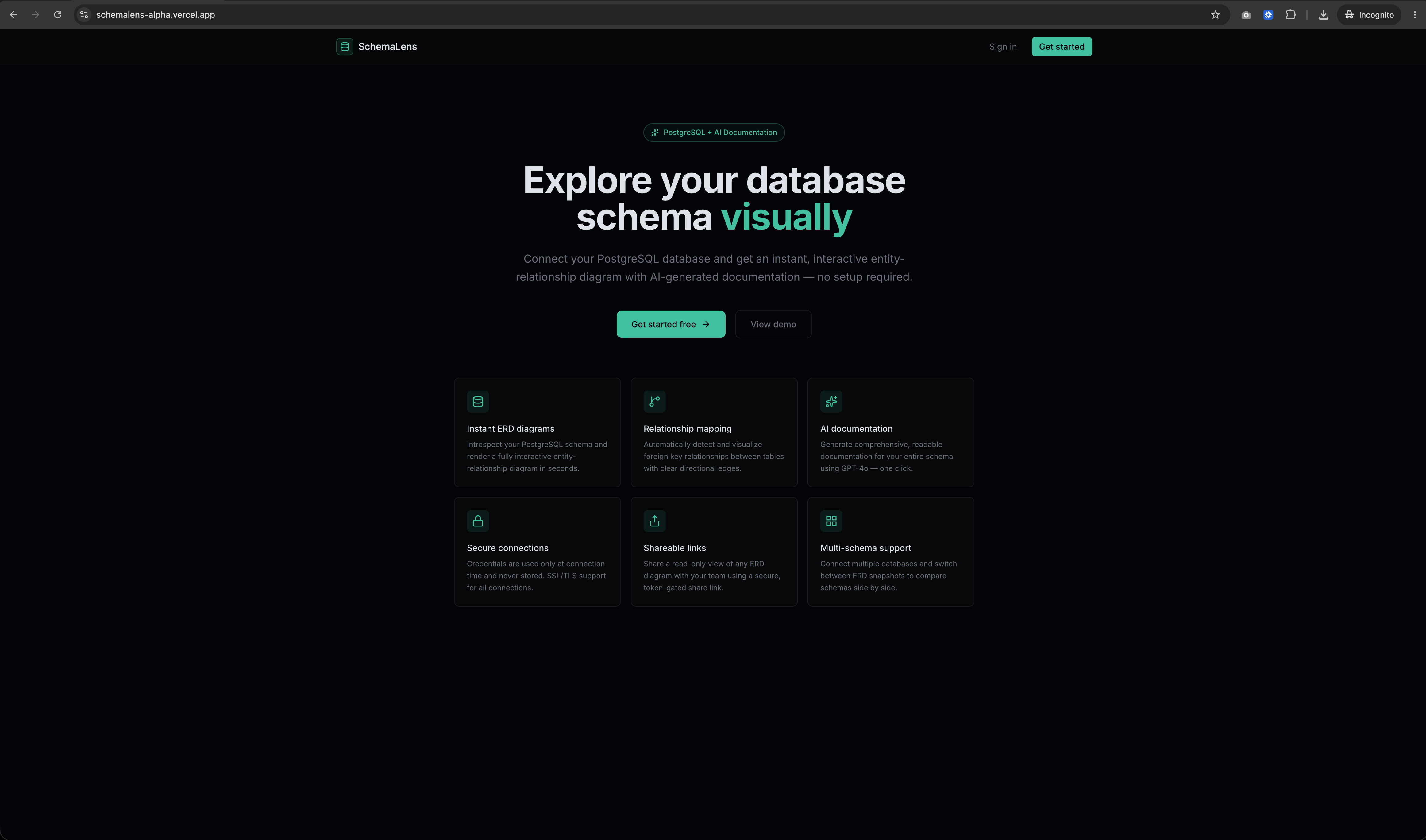
Landing page
-
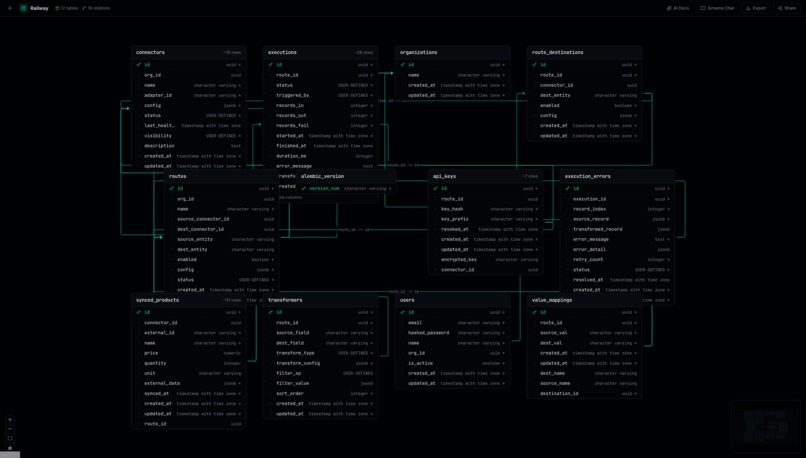
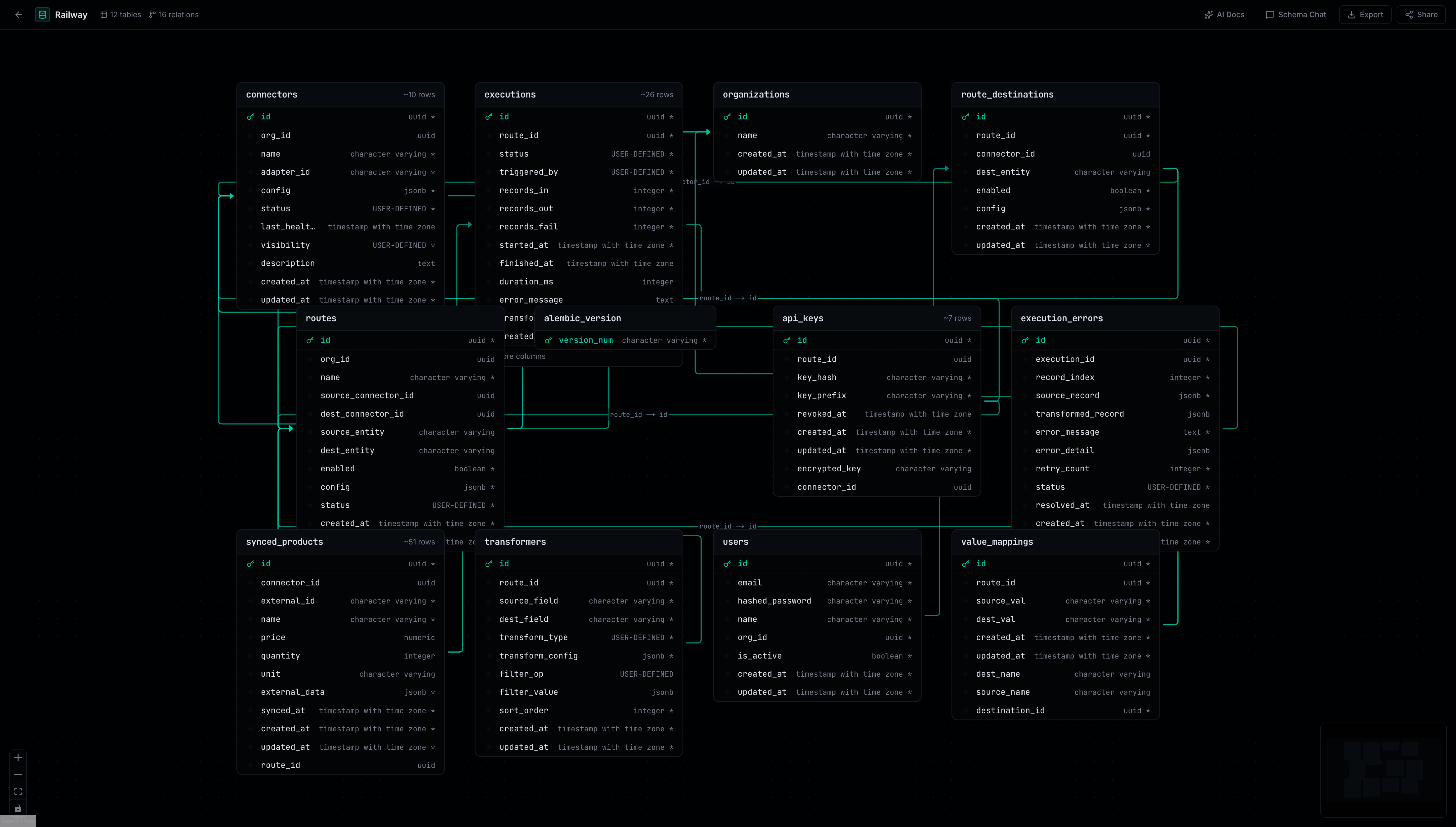
ERD
-
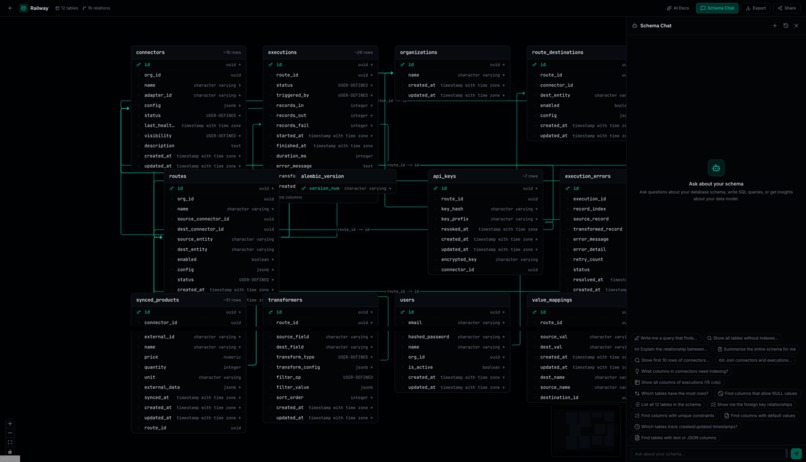
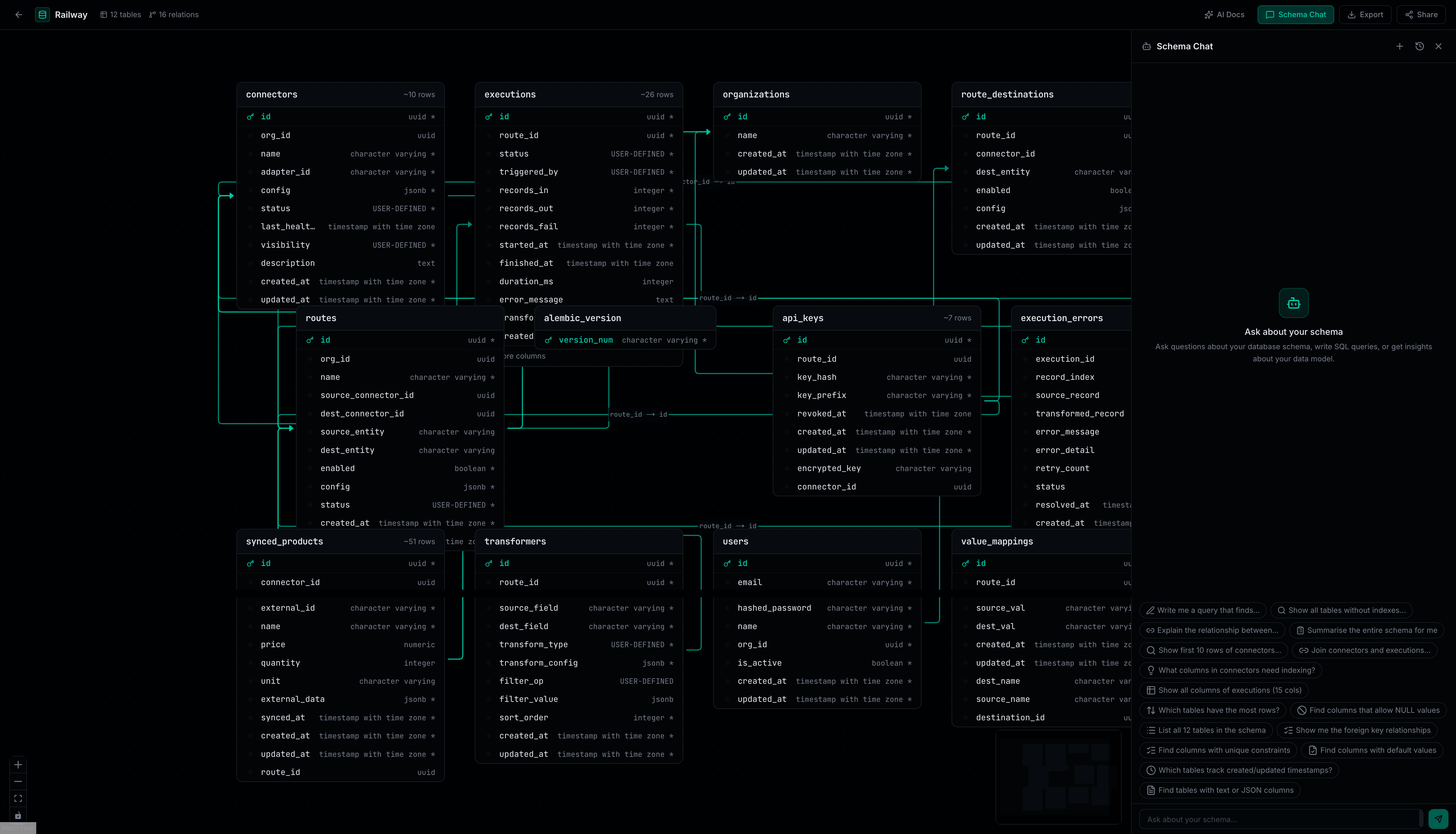
Schema chat
-
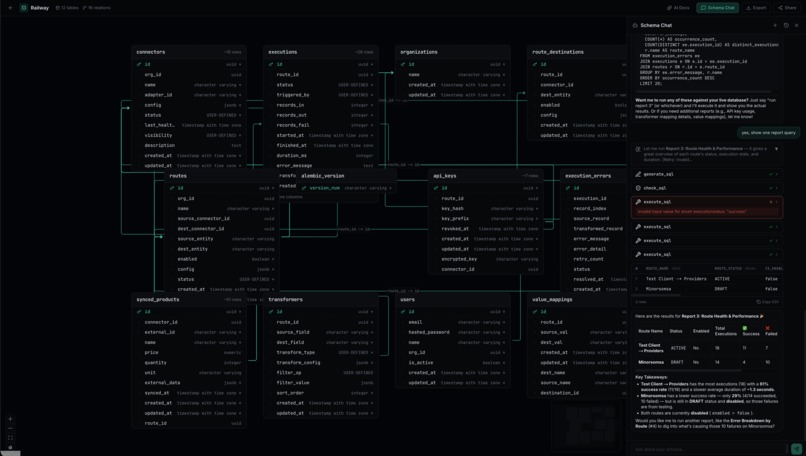
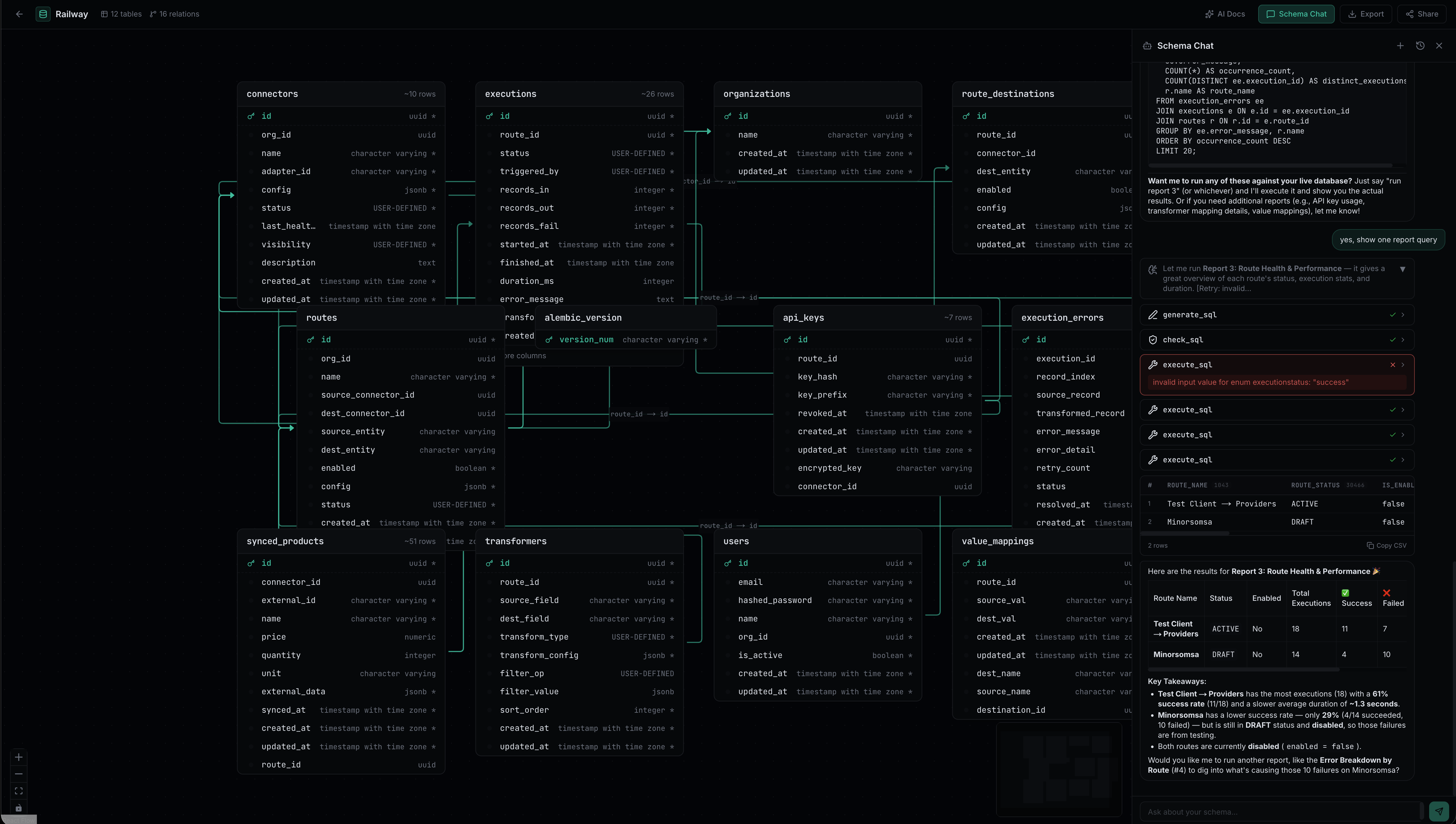
Schema chat
Inspiration
You join a new project. The database has 30 tables. No documentation. No ERD. No one remembers why status_v2_legacy exists.
Existing tools force a tradeoff. pgAdmin gives raw access but no visualization. dbdiagram.io lets you draw schemas but requires manual input that goes stale after every migration. SchemaSpy needs CLI setup and Java. DBeaver is desktop-only — you can't share a link with a new hire.
We looked for a web tool that auto-discovers schemas, visualizes them, documents them, and lets you query them with AI. We found nothing that does all four. SchemaLens does.
What it does
1. Schema Discovery — paste a PostgreSQL connection string. SchemaLens queries information_schema to pull tables, columns, types, constraints, foreign keys, and row estimates. No manual input. No DSL.
2. Interactive ERD — renders a full entity-relationship diagram. Zoom, pan, click any table to see columns with types, nullability, defaults, and constraints. Foreign keys become edges. The diagram builds itself from your real schema.
3. Schema Health Scoring — runs 10 automated checks and produces a weighted score with letter grade (A–F). Checks: primary keys, foreign key validity, naming conventions, column types, NOT NULL constraints, timestamps, oversized columns, unique constraints, boolean naming, and column count. Each finding includes a severity level and suggested fix.
4. AI Schema Agent — an AI assistant that understands your schema and can execute queries against your live database:
- No more writing SQL — ask in plain English ("show me all users who signed up last month") and the agent writes the query for you, runs it, and shows the results
- Generate SQL from natural language ("show me the 5 largest tables")
- Execute queries and return results in a formatted table
- Auto-retry on errors — reads the PostgreSQL error, fixes the query, tries again
- Show reasoning — you see the agent's thought process and tool calls in real-time
The agent uses three tools: generate_sql (writes queries), check_sql (validates safety), and execute_sql (runs against your database). All queries are double-locked read-only:
- Application layer — blocks destructive keywords and injection attempts
- Database layer — PostgreSQL itself is set to read-only mode, rejecting any write regardless of what the application misses
Even if the AI generates an INSERT, PostgreSQL rejects it. The agent cannot write data.
5. Shareable Links — one click generates a public URL. Your team sees the full ERD and docs without signing up.
How we built it
- Aurora PostgreSQL — auto-discovers schemas from the system catalog. Schema snapshots stored as JSONB. User data, sessions, and chat history all in Aurora
- Next.js 16 on Vercel — server-side auth, ISR-ready share pages, Vercel Analytics
- Drizzle ORM — type-safe access with relations for users, schemas, conversations, and messages
- React Flow — interactive canvas with custom table nodes, foreign key edges, auto-layout
- AI SDK + OpenAI-compatible provider — powers documentation generation and the schema chat agent. Handles the generate → validate → execute → retry loop
- better-auth — email/password authentication with httpOnly cookie sessions
- shadcn/ui + Tailwind v4 — dark mode design system with loading states, empty states, and error handling
Challenges we ran into
- SSL for Aurora on Vercel — Aurora requires SSL but the database driver rejects self-signed certs. Connection pool failed silently until we configured it to accept the certificate chain
- Better-auth Drizzle adapter — table key naming mismatch caused silent auth failures. The handler swallowed errors and returned empty responses. Required debugging the handler output to find the real error
- AI agent SQL safety — the agent generates and executes SQL against a live database. Protected by two independent layers: application-level validation and PostgreSQL's own read-only mode. The database rejects any write regardless
- Agent retry logic — when the AI generates invalid SQL, it reads the database error, fixes the query, and retries automatically. Getting this self-correcting loop to work reliably with real-time streaming took significant effort
- Schema health tuning — what looks good on paper (check every table for primary keys) produces noise on real schemas. Each check needed iteration to balance sensitivity with specificity
Accomplishments we're proud of
- The AI agent executes real SQL — not a chatbot that hallucinates. It generates queries, validates them, runs them against your actual database, shows results in a table, and auto-retries on errors. You see reasoning, tool calls, and results streaming in real-time
- Bank-vault security — read-only at both application and database level. The agent cannot write or delete data. Safe to connect to production databases
- Schema health scoring — automated analysis that catches real problems: missing primary keys, broken foreign keys, naming violations, wrong column types. Actionable fixes, not just complaints
- Instant shareability — click one button, get a URL. No signup, no install, no CLI
- Product-quality UX — dark mode, loading skeletons, empty states, error handling, conversation history. Feels like something you'd pay for
What we learned
- PostgreSQL's system catalog is rich — the database already knows everything about itself: table structure, constraints, indexes, row estimates. You just have to ask
- AI agents need guardrails, not just prompts — the schema chat works because of defense in depth. Validation catches obvious issues. The database's own protections catch everything else
- Self-correcting agents need boundaries — the generate → validate → execute → retry loop lets the agent fix its own mistakes, but you need clear retry limits to prevent infinite loops
- Health checks need real-world tuning — theoretical checks (check every table for PKs) produce noise on real schemas. Each check needed sensitivity/specificity iteration
- Vercel + Aurora is production-ready — not just a hackathon shortcut. Clean integration, fast deploys, real scaling potential
What's next for Schema Lens
- Schema diff — re-introspect to see what changed. Added tables, removed columns, modified constraints
- Export — generate SQL migrations, dbdiagram.io DSL, or markdown docs from discovered schemas
- Team features — shared schema libraries, RBAC, Slack integration
- Multi-database — MySQL, SQLite, MongoDB
- Schema monitoring — scheduled re-introspection with drift alerts
Built With
- ai-sdk
- aurora-postgresql
- drizzle-orm
- next.js
- react
- react-flow
- shadcn/ui
- tailwind-css
- typescript
- vercel

Log in or sign up for Devpost to join the conversation.