-
-
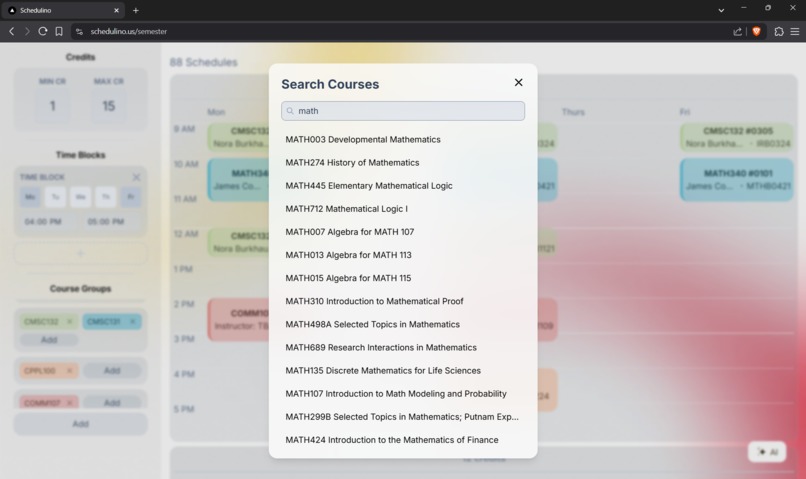
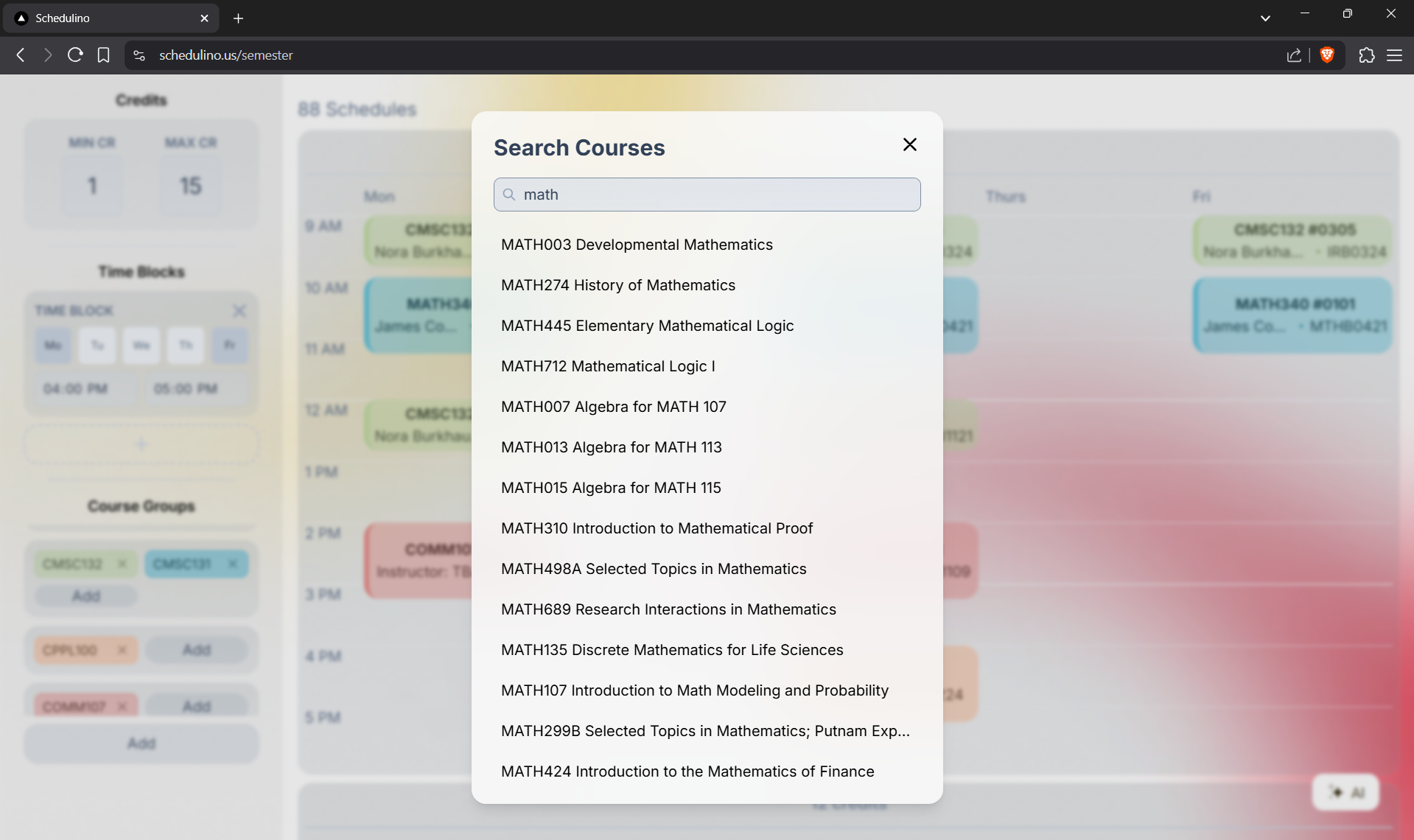
An example image of adding a course to our schedule
-
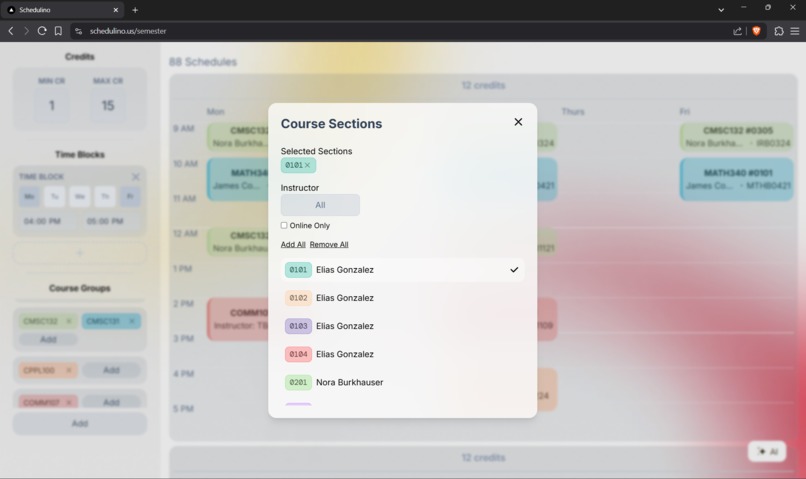
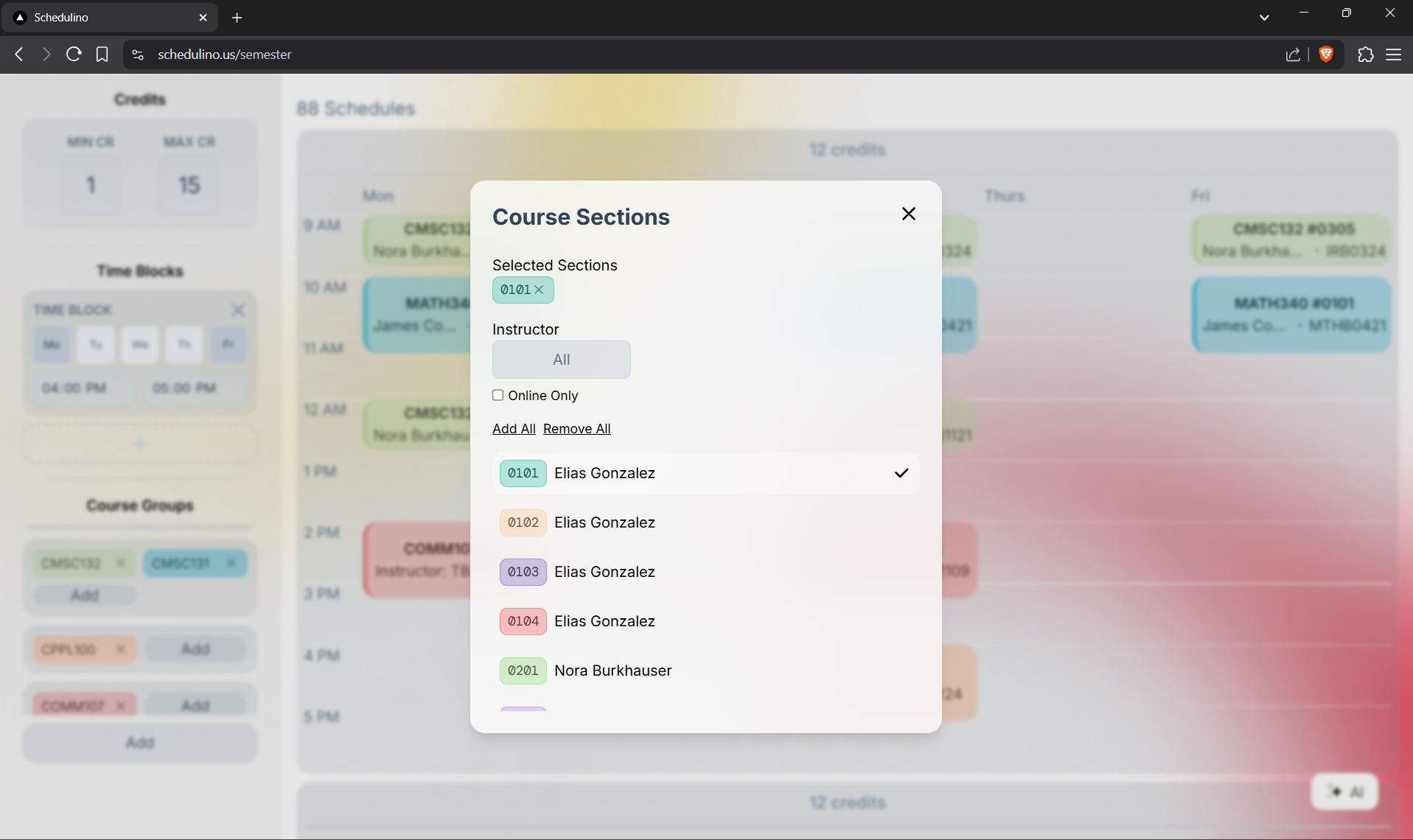
An example image of choosing sections for a course
-
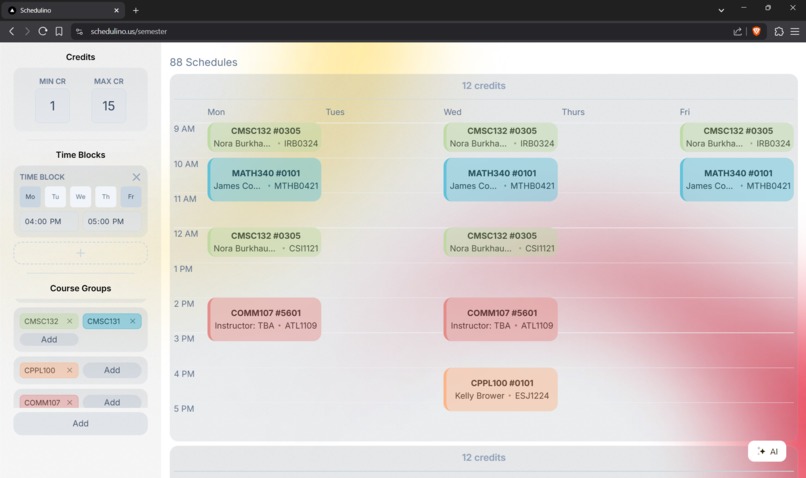
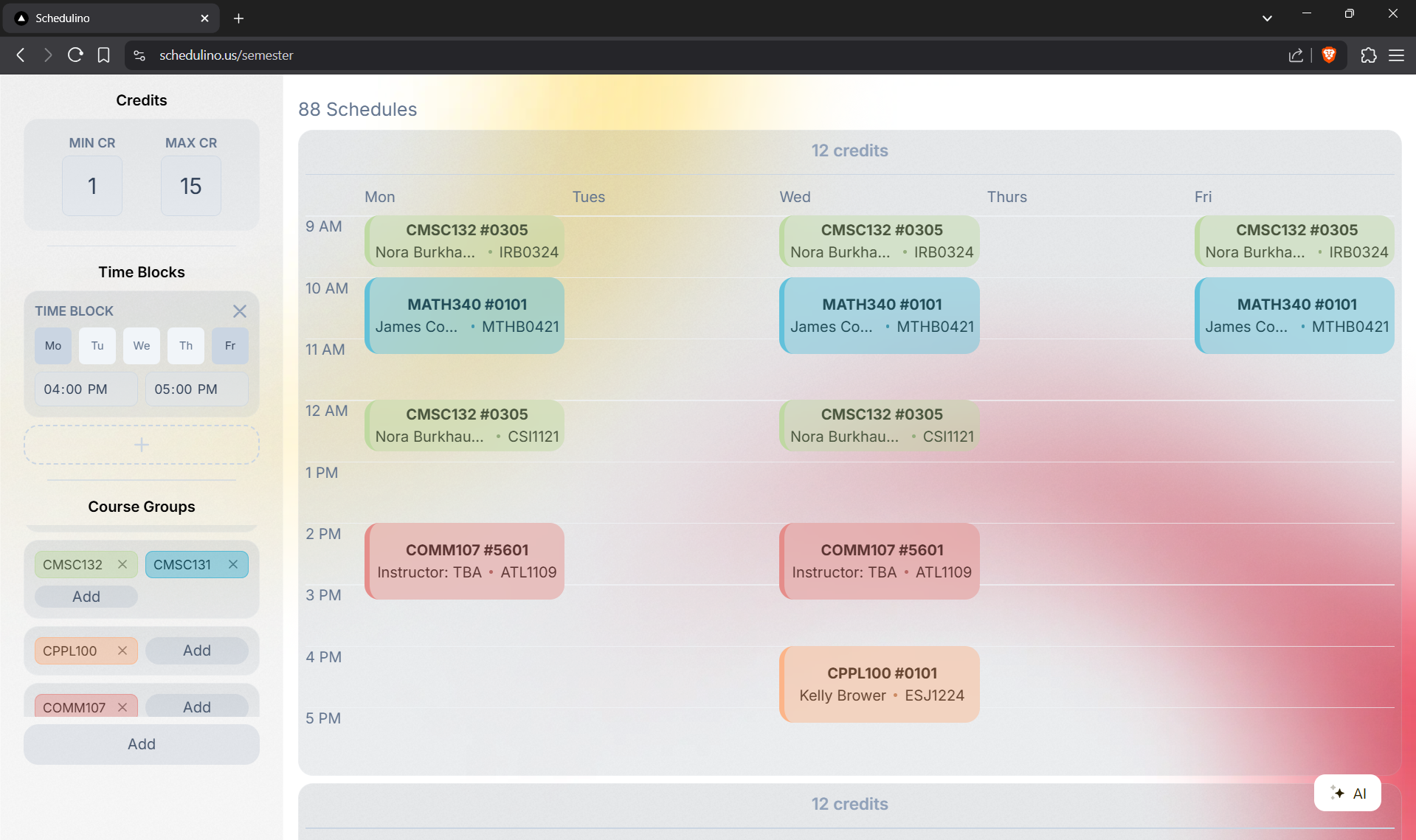
An example image of a built schedule on our website
-
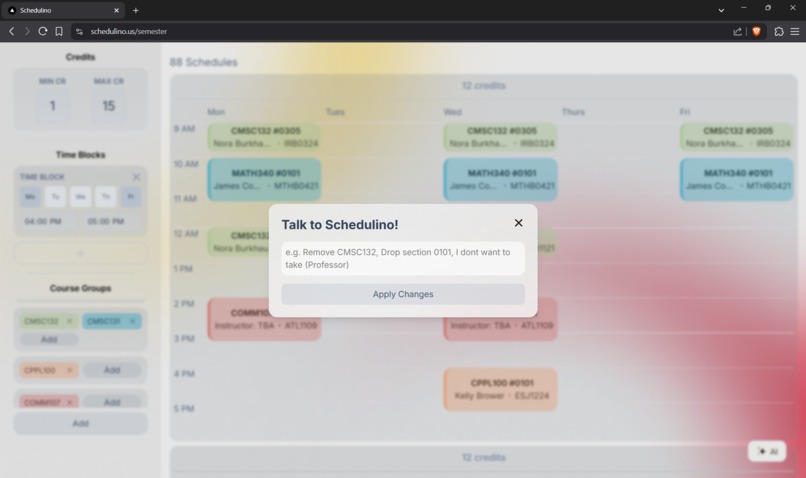
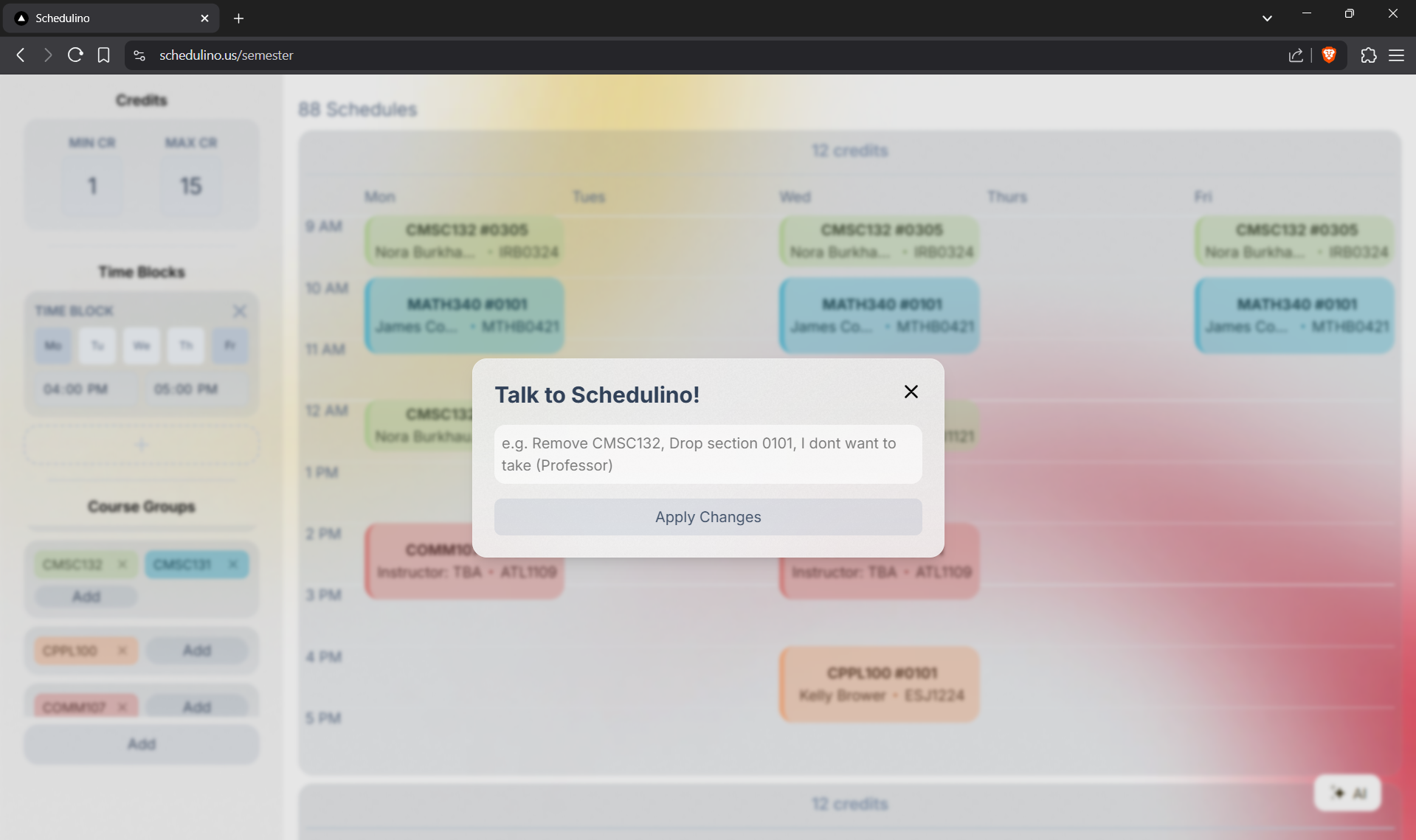
The AI popup window
Inspiration
Registration for many fall college classes opened this past week, and with it came the usual struggle of building the perfect schedule. Manually piecing together different class sections took excessive time — and no matter how much time we spent, it was impossible to consider every possible combination. We personally felt this, as students at the University of Maryland.
At UMD, there exists an automatic schedule builder available, but it quickly became clear it wasn’t enough. It lacked customization, didn’t offer useful filters, and didn’t even sort the schedules in a helpful way. The student sentiments that we observed overwhelmingly reflected dissatisfaction and a desire for a simpler, more efficient way to create schedules and find the best possible one.
So, we decided to build a better tool: one that's faster, easier to navigate, cleaner in design, and much more powerful when it comes to finding the schedule that actually works best for you.
What it does
Our website takes in inputs such as needed courses, optional courses, and filters like time and date; then, it creates as many possible schedules, then sorts it by the best from top to bottom. (We consider a schedule 'good' when the classes save as much time in between as possible, therefore shortening the students' days).
That's it, users can now view all possible combinations of different sections of different courses, and choose the best one for themselves.
On top of that, another option for the user is to use the integrated Gemini AI, where tasks like adding, editing, filtering,… basically anything can be done just from a simple user prompt.
How we built it
We used React, TypeScript, and Tailwind CSS to build the entire functional website. We also included additional features such as an AI assistant embedded within the site that automatically performs tasks that one would have to do manually, such as adding the classes to the 'added' list.
Challenges we ran into
Many difficult challenges came from the brainstorming phase of the project. For example, many students have multiple interchangeable classes. For instance, STAT400 and STAT410 give the same credit, and we would want to choose the one that creates the optimal schedule. In short, some classes are essential, some have 1 that can replace them, and some can be chosen among a group of 5 or 6 classes. We ended up solving this by using a 2D array, where each row stores ONE course that will be added. In this way, any row can contain either one (essential) or many (choose 1) courses.
Accomplishments that we're proud of
We are proud of how efficient and user-friendly Schedulino turned out to be. It not only generates schedules quickly but also sorts them based on criteria that matter to students, minimizing time gaps and creating shorter days. We are especially proud that we kept the interface clean and easy to navigate, even with the wide range of customizations available. Watching students find their ideal schedules with just a few clicks made the effort worth it.
What we learned
Firstly, we learned the incredible amount of brainstorming, user-data gathering, and testing that goes into creating such a tool. At first, we had thought that the project would be simple; after all, it is just a class builder. However, as we progressed in the project, and as more and more issues and challenges arose needing to be solved, we were forced to think critically about edge cases, user behavior, and system performance. We learned how important it is to anticipate how different users might interact with the tool — and how even small design choices can have a big impact on usability. Most importantly, we learned how to approach a complex problem systematically, breaking it down into manageable steps and continually refining our work through feedback and iteration.
What's next for Schedulino
We have great vision for Schedulino! At UMD, we have to go through the long process of building our schedules every semester. For us, this task is especially long, as we lack a program that includes the user's degree progress (what credits they're missing, etc), filtering by specific credits, and detailed course/professor ratings. This means a lot of the time is just spent on switching around and searching on 5 different websites/tools. We hope to, and are on track, to combine all 5 tools: The school's official dataset, course/professor ratings, degree audits, automatic course suggester, and the course builder.

Log in or sign up for Devpost to join the conversation.