-
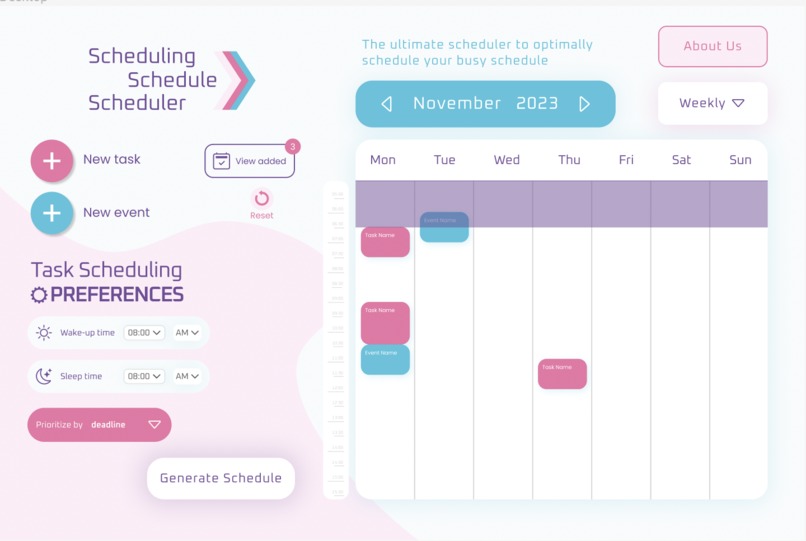
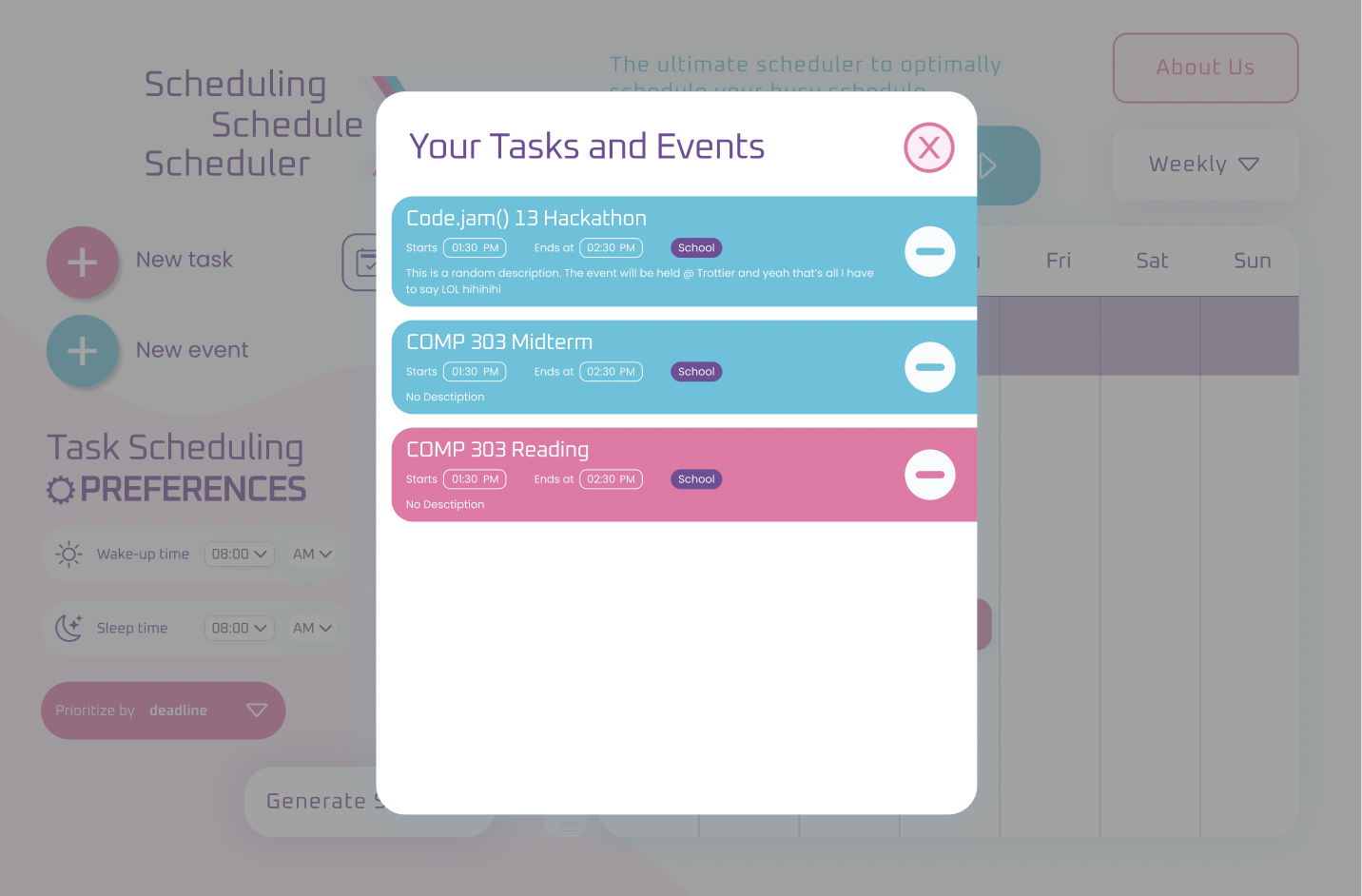
View of Our App
-
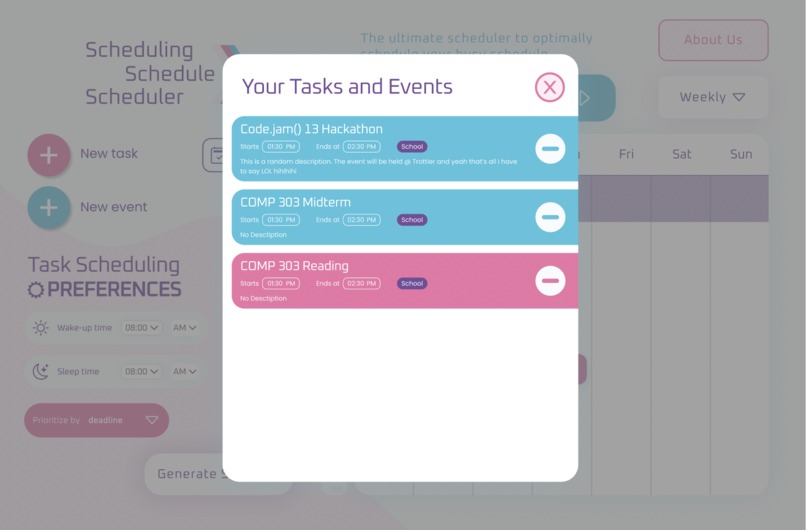
Some functionality
-
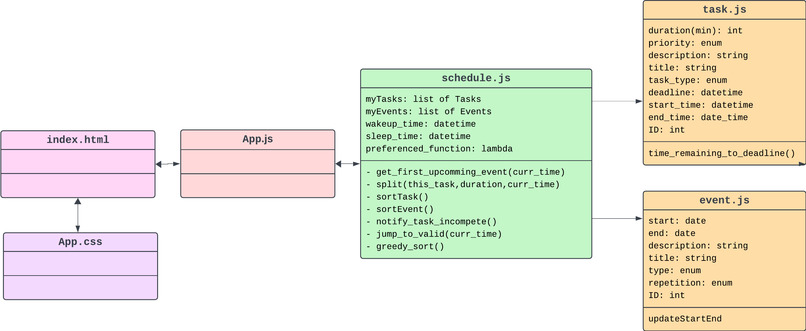
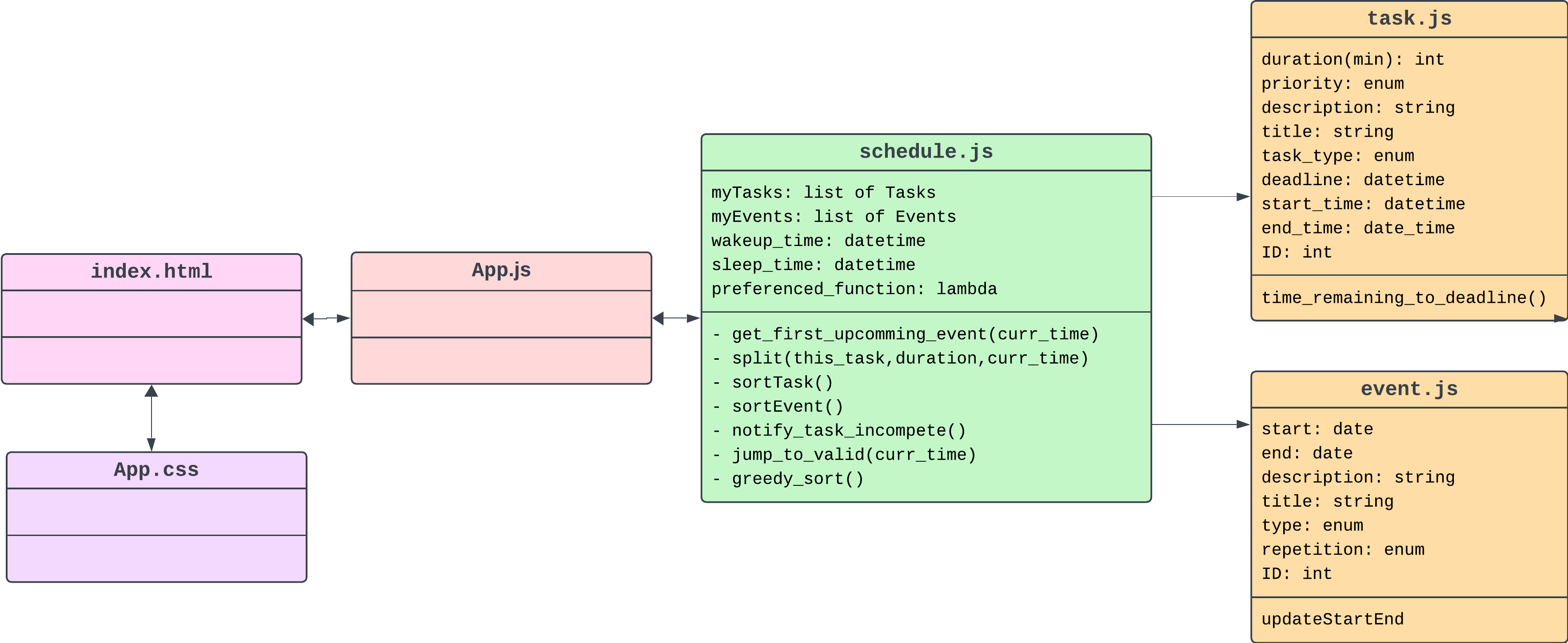
UML diagram explaining the backend relations, structure, field and methods
Inspiration
Remember your Algorithms and Data Structures lecture slides and homework? Good times, right? No? No worries! Our user friendly Scheduler will come in handy just for you to schedule your tasks, so you don't need to run your boring CLI homework projects if you're ever interested in ✨optimizing✨ your schedule.
What it does
Well, given the time constraints, the project wasn't able to come to life just yet... So we can't quite tell you what it does, but we sure know what it SHOULD do and all the necessary steps to reach our goal!
The way it’s structured (see UML diagram below) shows that a Schedule object is basically comprised of Tasks and Events. We make sure to separate those two types of schedule items, since they have a subtle but key difference that our scheduling algorithm takes into account: Tasks have deadlines, weights (priority), estimated duration times, and can be split up over intervals of time. Whereas Events have fixed start and end times, they can’t be moved around by our scheduler, and they can be repeated.
The scheduling algorithm will only work with Task objects; and by that we mean, it will first “block out” all the events and other preferences that the user gives to the app, such as sleep schedules, and task deadlines. Then the algorithm will optimally schedule the given tasks around those constraints. Sounds simple, right?
How we built it
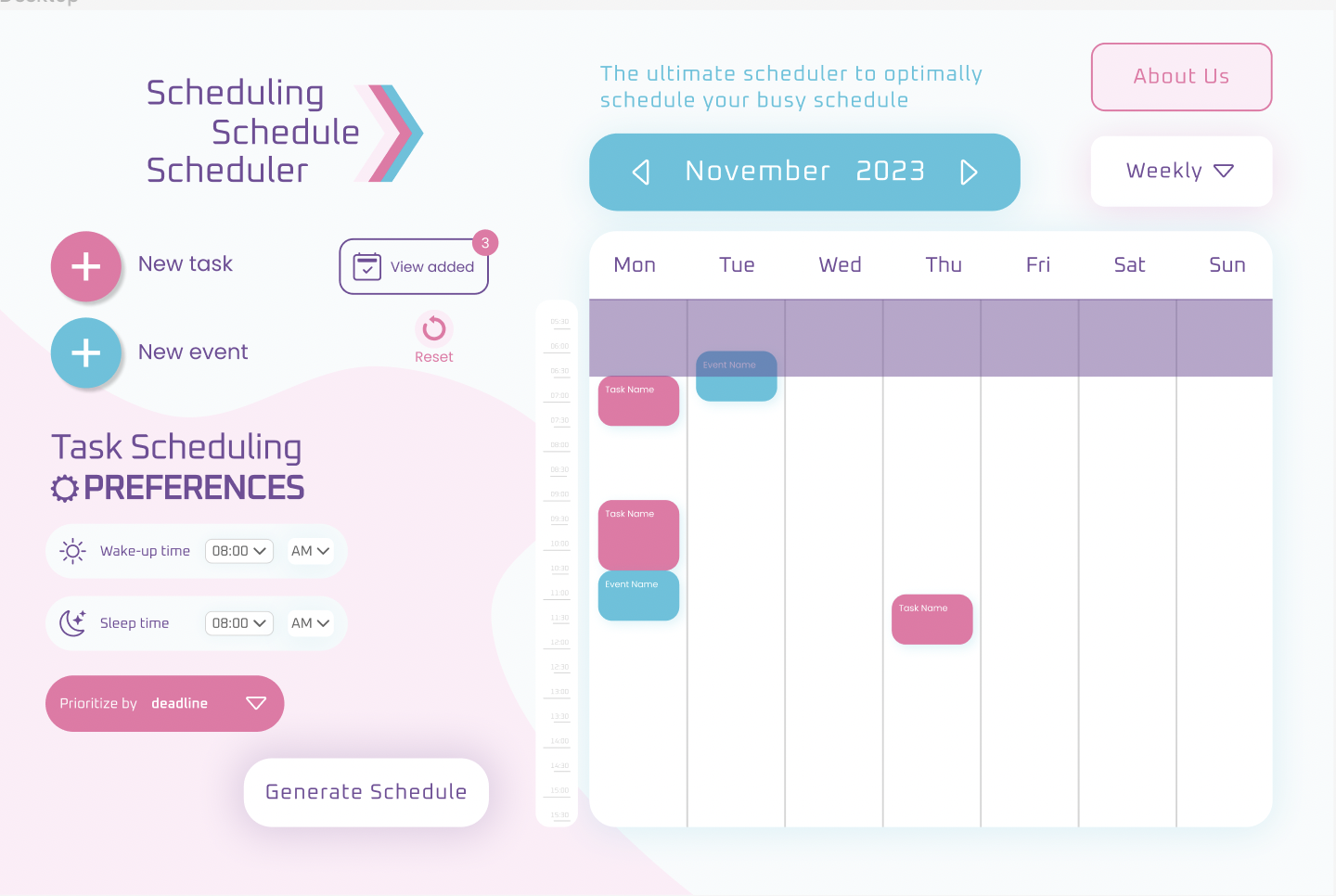
Our vision for the project slowly and incrementally grew as all three of us took a deep dive in our roles. Since it’s a web app, HTML/CSS/JavaScript was essential, as well as Python to implement our backend logic. Although arguably most of the commits you’ll see in the repository are in Python, one would say it’s a Python project, but it’s not XD. A functioning and user-friendly UI was also carefully designed in Figma along with a simple prototype to accurately demo our complete goal for the Scheduling Schedule Scheduler. (see gallery below for visuals)
Challenges we ran into
Our main challenge was tackling our lack of expertise with certain technologies needed to make the project come to life.
Algorithm Wise
Since the times we were dealing with were on “discrete” 15-minute intervals (like Google Calendar), that made the code error-prone and challenging to debug. Being able to separate the tasks introduced a different level of complexity to the scheduling algorithm, in addition to the strict 15-minute intervals. Throwing in events as “obstacles” in the scheduled also opened room for error, hence implementing and debugging the algorithm became much more tedious than we had anticipated
Frontend Wise
Having a certain design vision in mind and not wanting to compromise on the design, we overestimated our ability to replicate that in CSS in such a short time span.
Overall
In the end, we have two separate parts that make up our project: the Python scripts with the backend, which have a CLI you can play with to test and use our algorithm, and a Figma design file with all its components and a simple prototype to walk through the concept.
Accomplishments that we're proud of
We’re proud of our “bipartite” app, for we know that we can make it come to life if we invest just a tad bit more time, and take the time to master the tools and tech to have a truly productive and efficient workflow. We’re also proud of the fact that we combined our forces and were able to make something that has the potential to be optimally elegant!

Log in or sign up for Devpost to join the conversation.