-
-
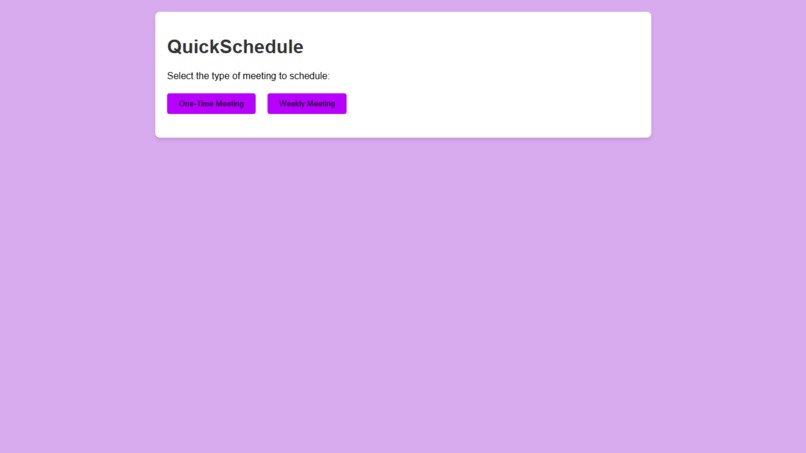
The home page
-
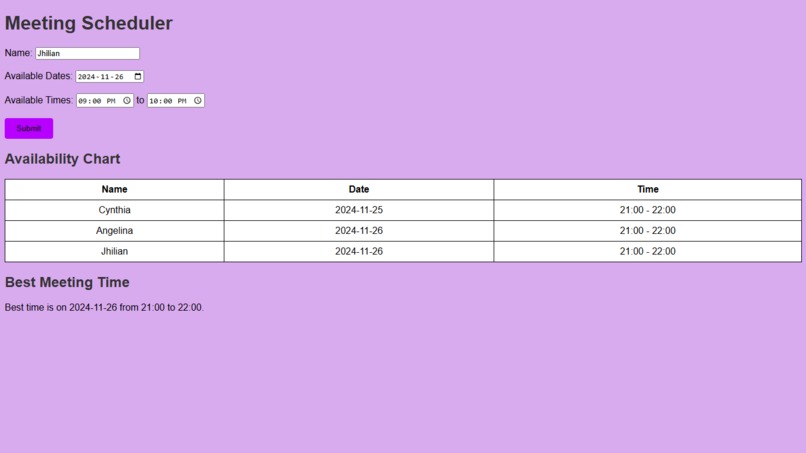
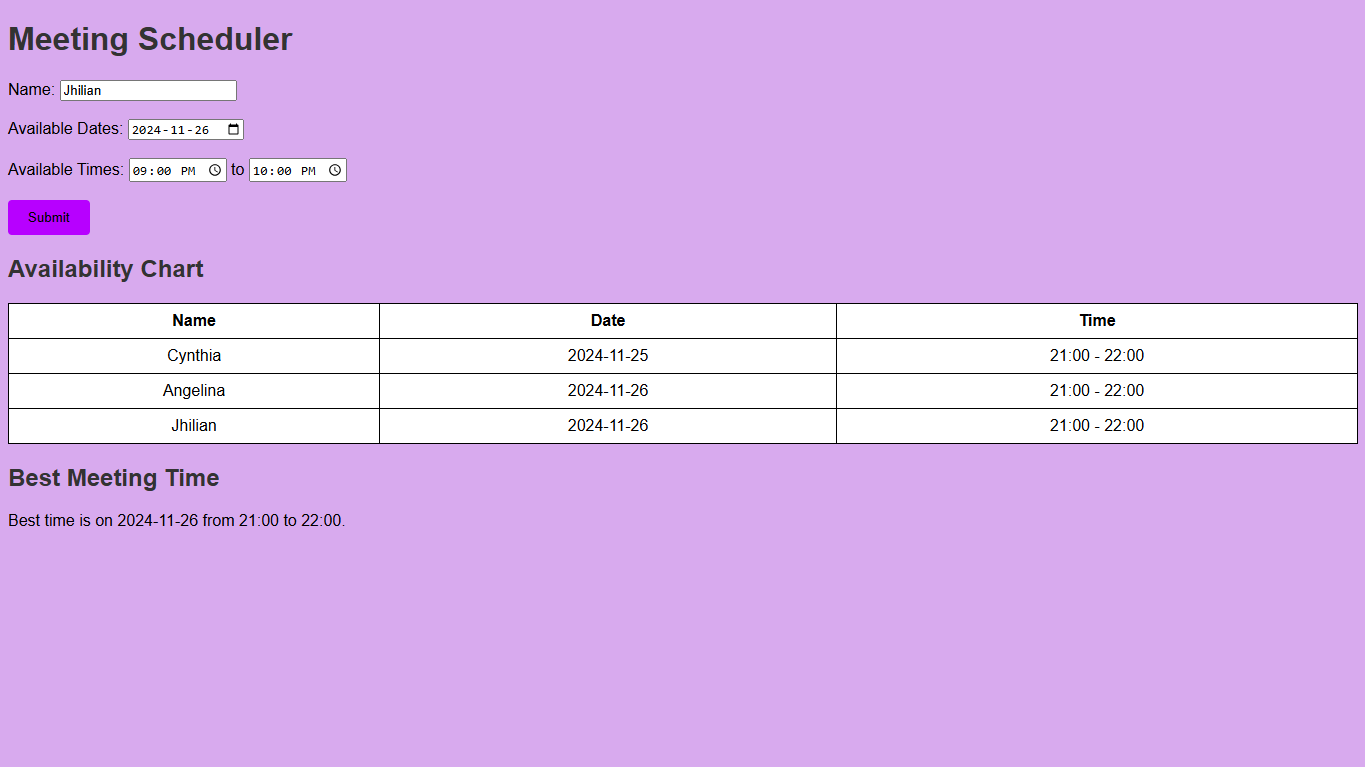
One time meeting page
-
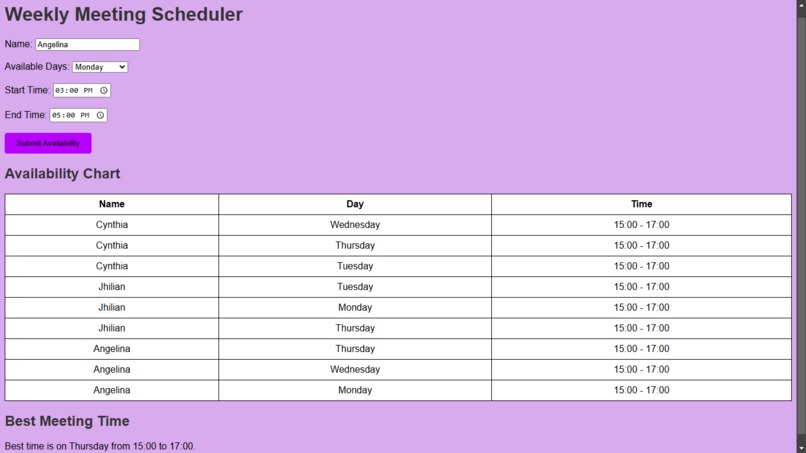
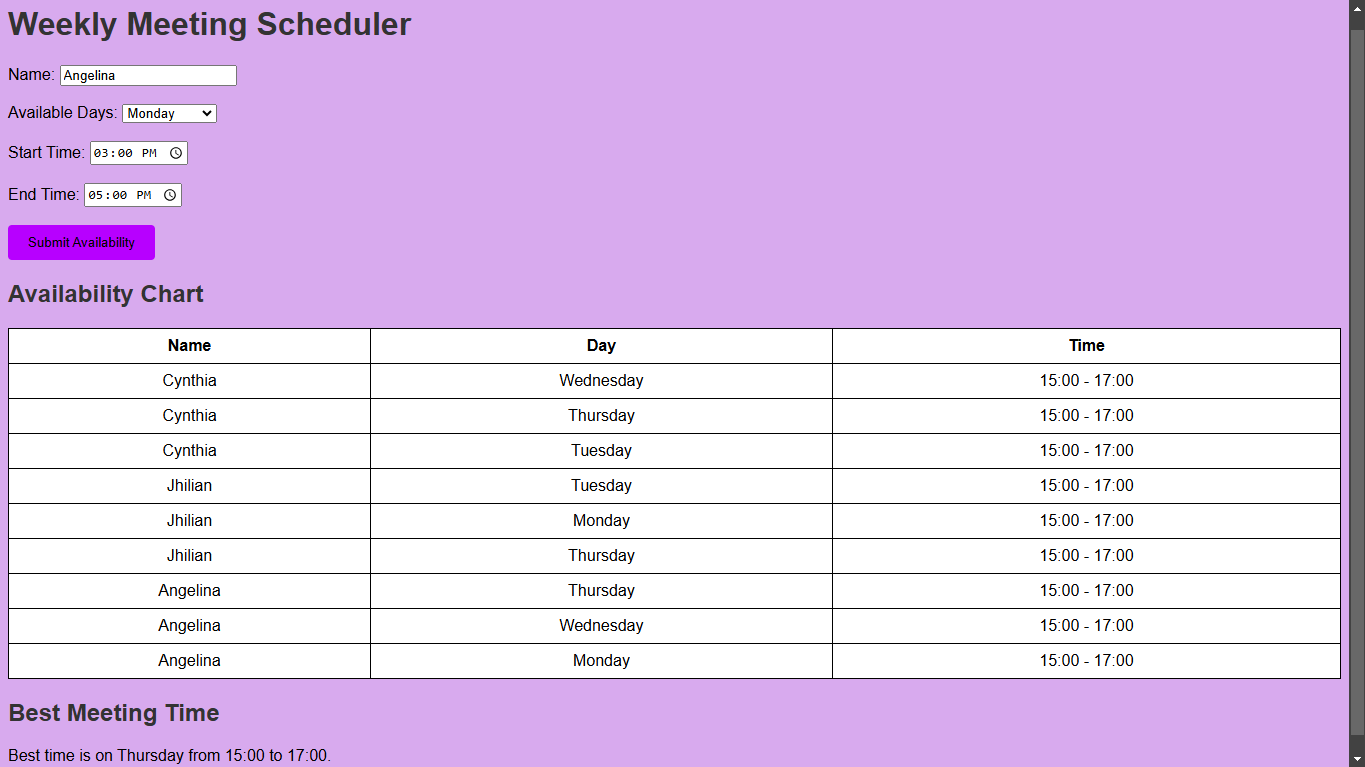
Weekly meeting page
Inspiration
QuickSchedule was inspired by our personal need to simplify the process of scheduling meetings. All of us are working together on F1 in Schools team and we've found it difficult to find optimal meeting dates given our busy schedules. While many scheduling tools are available, we saw an opportunity to create a more simple and efficient solution, minimizing the back-and-forth messaging required to find the best meeting time. We created this program to make scheduling less of a hassle by allowing users to quickly coordinate with their team to find availability.
What it does
This program determines the best time to schedule weekly and one-time meetings by gathering participants’ availabilities. Users are required to input participants' names and the specific days or days of the week as well as the times that they are available. Using this data, this program suggests optimal meeting times and eliminates the need for email threads or third-party tools.
How we built it
Since we only knew Java and basic Python, we first coded a version on Java however we couldn't make a user interface with those languages so we decided to learn HTML, CSS, and JavaScript to build a website for this program. The design prioritizes simplicity and user-friendliness, with clean layouts and a straightforward process flow. JavaScript powers the logic for displaying the appropriate form (weekly or one-time meeting) based on the user’s selection, and for capturing the inputs.
Challenges we ran into
This is our first hackathon so we didn't really know what to expect. We had no idea how to code a website so we spent the first few hours watching YouTube videos and learning the basics of HTML, CSS, and JavaScript. We had problems ensuring that the data entered by users was the correct format, especially the date, so we spent some time improving the interface by allowing users to click on the calendar and choose times from a list.
Accomplishments that we're proud of
We are proud of how well the user interface came together, as well as learning HTML, CSS, and JavaScript in a short amount of time.
What we learned
We learned how to make a graphic user interface, use HTML, CSS, and JavaScript.
What's next for QuickSchedule
The next step is to incorporate more advanced features. We plan to implement an account system in order to be able to sync with popular calendar platforms like Google Calendar or Outlook, allowing automatic updates to users’ schedules. We can save participants' email addresses in order to easily send out an invitation to a planned meeting date. Finally, we also plan to introduce a back-end component where user data and meeting information can be saved for future reference.


Log in or sign up for Devpost to join the conversation.