-
-
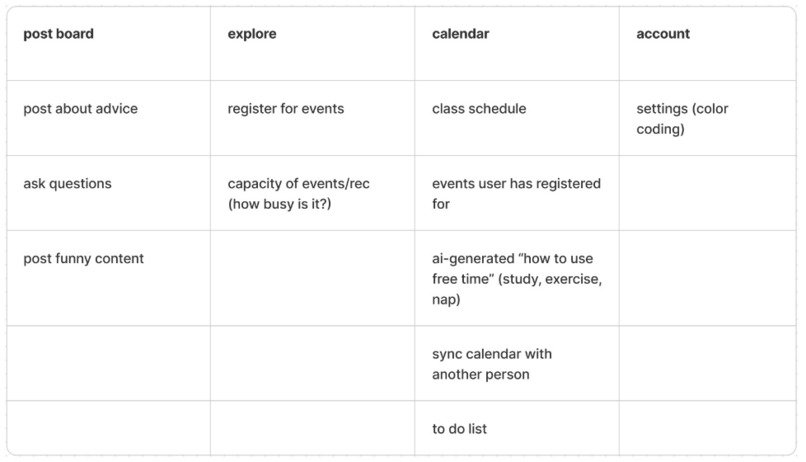
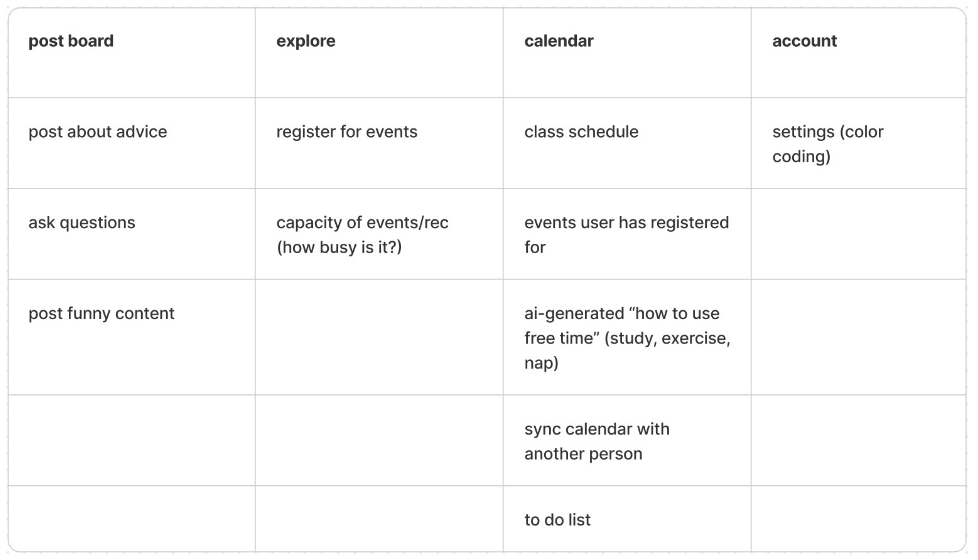
Chart of our categorizing functionalities
-
-
-
-
-
-
-
-


Prototype link (Please submit a link to a playable prototype, not a link to your design file) Link
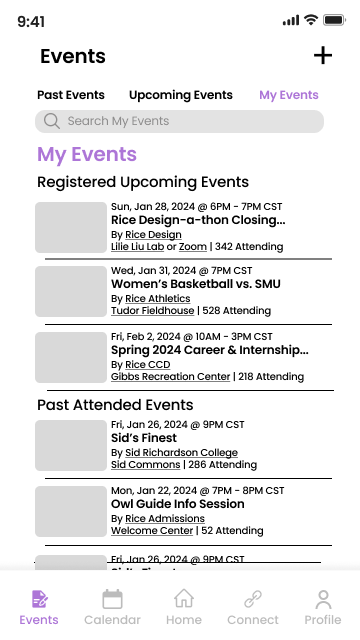
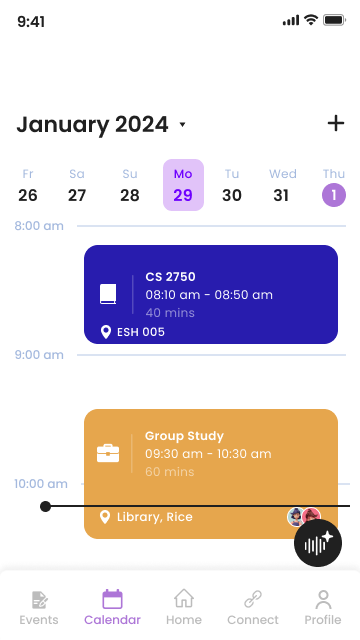
Describe your project (max 150 words) As undergraduate students, we are well aware of how busy our semesters can get. Not only must we time manage our courses, we want to attend fun events, helpful career development panels, make time for ourselves, etc. Through this app, we aim to help ease undergraduate students’ lives through time management assistance and create a more seamless experience for students as they coordinate their lives academically, professionally, and socially. With the Scheduled Venture, students will be able to connect with other students seamlessly through overlaid calendars, register for various types of events, promote their own events, and have AI assistance in managing their valuable time.
Describe your research process and findings. If you conducted any surveys or interviews, please include the survey form and/or interview questions here. If you conducted secondary research by pulling from online sources, please include a link to your sources. (Max 500 words) While discussing our initial thoughts for the app, we discussed common issues on our own college campuses. This was beneficial since each team member is from a different college. We expressed our frustrations with current apps available and found common themes that would function as a starting point.
To conduct further research, we decided to conduct interviews using the master-apprentice model where we allowed people who have had their own personal experiences using the apps from their university to describe their experiences of finding opportunities, connecting with other students, and managing their time. The users were regarded as the experts in using the product whereas we were the apprentices who would learn about their experiences. We avoided asking any leading questions which could create biassed responses while also allowing interviewees to speak about their experiences with no interruptions. Alongside our general interview questions, we had our participants perform different tasks to navigate their university’s app.
Pre-task interview questions: What year are you in? How familiar are you with your university’s app? In general, how has your experience with your university’s app been? What do you typically use the app for? Do you use additional apps to help manage your life as a student?
Task: Could you give me a general overview of the app by showing me how it works? Could you show me how you connect with students from your school? Do you use any apps/virtual platforms for that purpose? Could you show me how you stay updated about event happening in your university? Do you use any apps/virtual platforms for that purpose? Could you show me how you keep track of your schedule? Do you use any apps/virtual platforms for that purpose?
Post-task interview questions: In general, how would you rate your experience with your university’s app/apps from 1 (bad) to 5 (good)? How would you describe your experience with connecting with other people on campus? How would you describe your experience with knowing about different events on campus? How would you describe your experience with time management and scheduling?
Our findings revealed a majority of the students faced difficulties keeping track of the people, opportunities, and the resources on campus. With so much going on, it was proved to keep track of things and engage in a balanced life. While discussing the social circumstances, many students expressed the vastness of their student body and its impact on one’s ability to connect with others. Some students mentioned that they noticed better academic performance and better overall wellbeing after making friends in college. Further, students mentioned not having knowledge about the different events around campus that are relevant to them. This ranges from club events and recreational activities to academic support and professional events. Most of the students highlighted facing difficulties with time management, some even when they had schedules. They mentioned facing difficulties with maintaining a balance and conflicting schedules with activities/events or with other students.
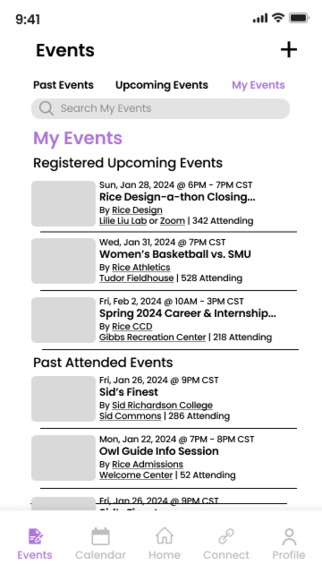
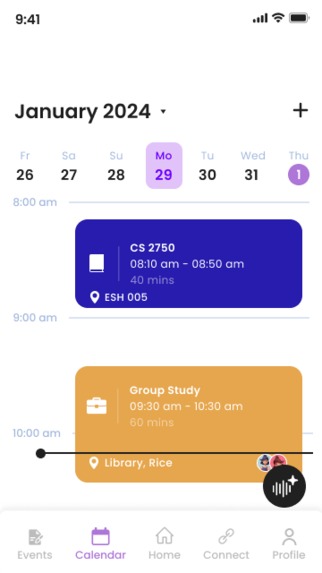
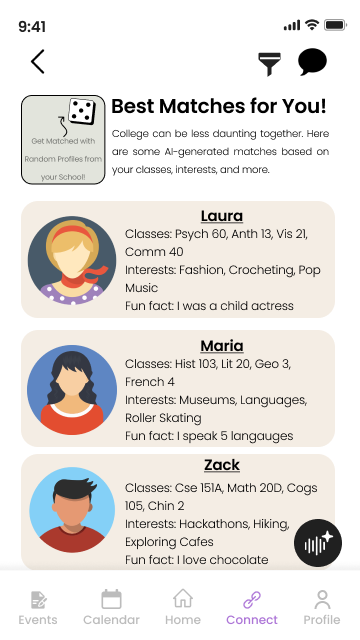
- Describe your most important design decisions. What research findings and/or user testing results led you to make these decisions? (Max 500 words) As we envisioned our app, a key challenge emerged in comprehending the user flow due to the diverse functionalities we intended to incorporate. To ensure user-friendly navigation, we aimed to organize features intuitively. The app's functions encompassed registering for events, overlaying the campus event calendar, viewing past and upcoming events, creating and advertising personal events, syncing calendars for collaborative projects, acquiring event details, managing to-do lists with AI-driven optimal time suggestions, time management assistance, connecting with peers through AI-recommended profiles, a random profile matcher, or filtered criteria-based profiles, and chatting with fellow students. To streamline the development process and visualize the app's flow, we created a table classifying its various components.
(View chart)
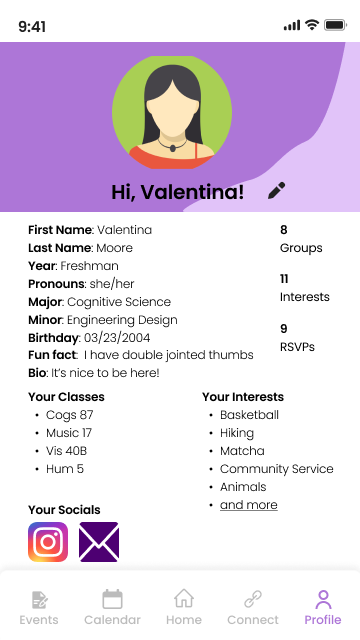
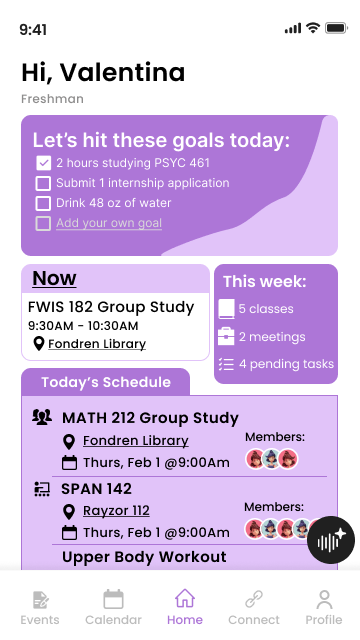
Crucial design decisions centered on defining the main functionalities and understanding user flow. Merging initial ideas, we prioritized a mobile app for its seamless scheduling, catering to students always on the go. Our aesthetic choices, employing a pop of color (purple and beige), rounded font, and corners, aimed at creating an inviting yet practical environment. A minimalist design prevented overwhelming users, and a consistent font size, tailored for a younger audience, maximized information display.
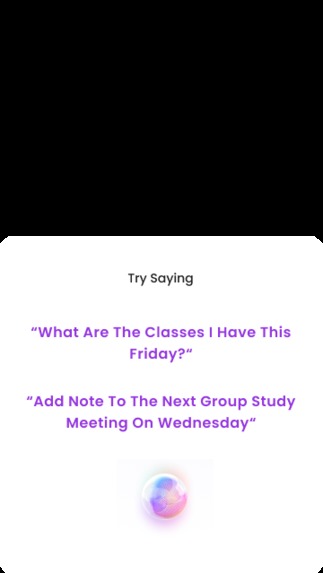
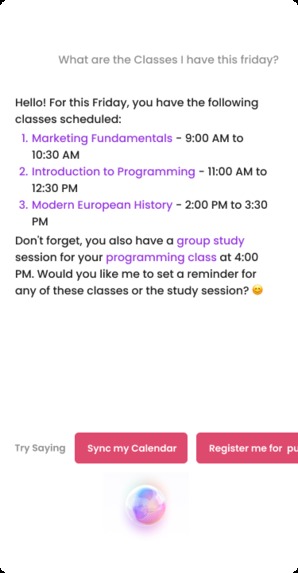
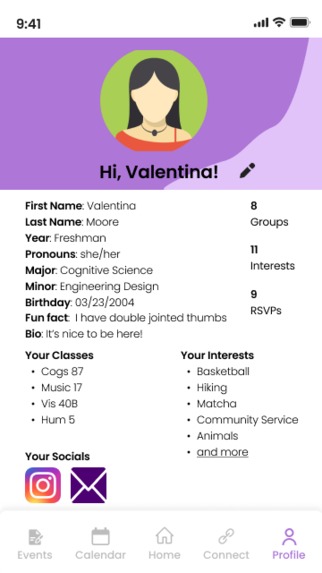
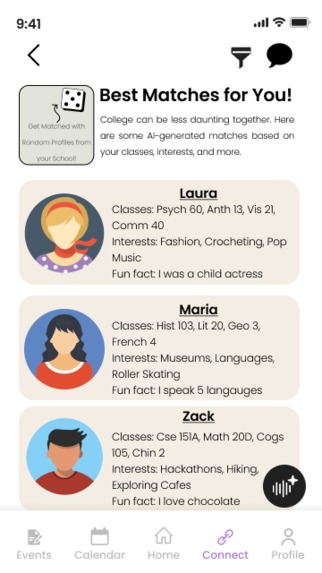
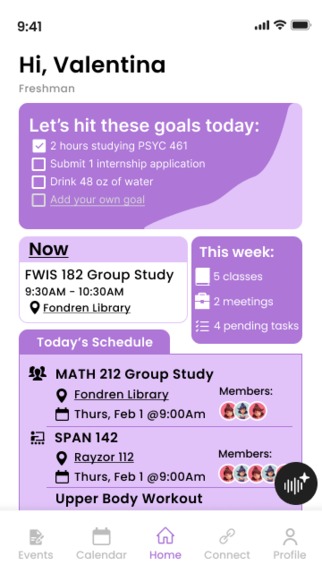
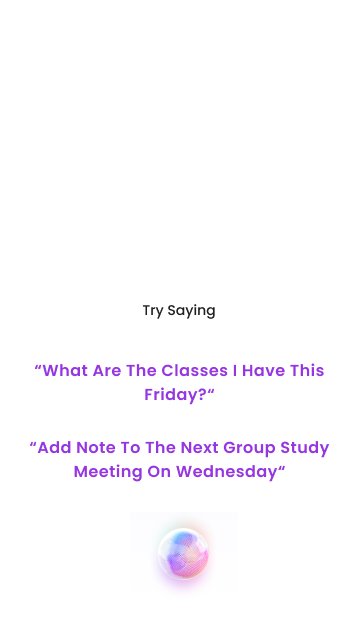
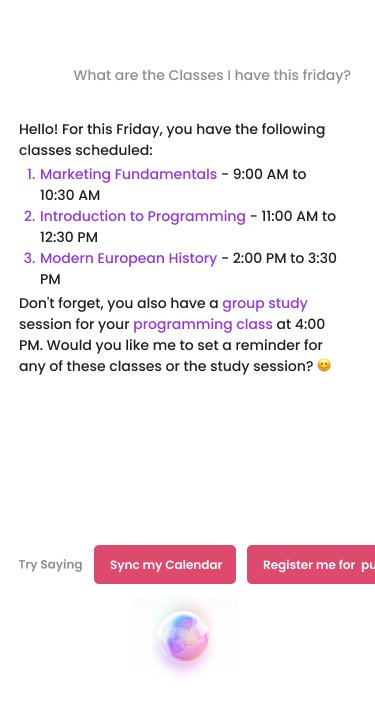
The app's appeal and functionality were further enhanced by incorporating AI. Inspired by social media and dating apps, the "Best Matches for You" feature on the "Connect" tab utilized AI to match profiles based on categories like classes, interests, and majors, fostering networking among students. Additionally, AI played a pivotal role in scheduling students' free time, matching schedules for collaborative projects, and generating daily goals based on past productivity, health, and schedule. The integration of AI aimed to simplify scheduling and searching processes, allowing undergraduate students to dedicate more time to learning and experiencing.
In summary, our app design journey involved addressing the challenge of user flow, classifying functionalities through a visual framework, and making deliberate design choices to ensure both practicality and appeal. The integration of AI not only personalized the user experience but also streamlined various aspects of student life, aligning with the goal of maximizing time for learning and personal growth.
Built With
- figjam
- figma


Log in or sign up for Devpost to join the conversation.