-
-
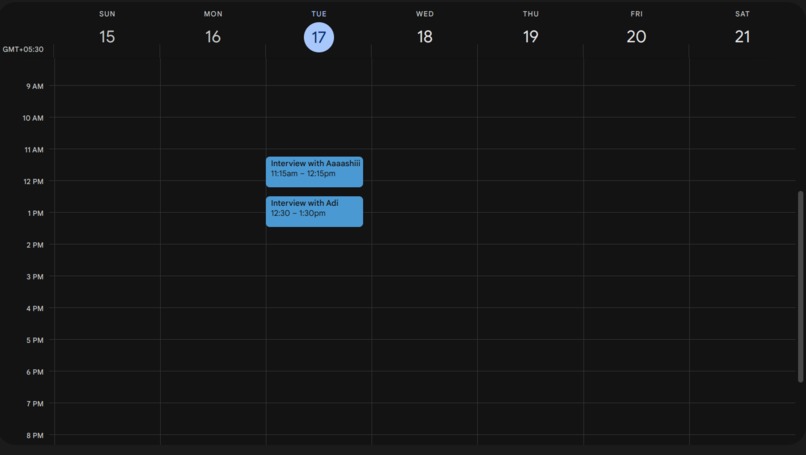
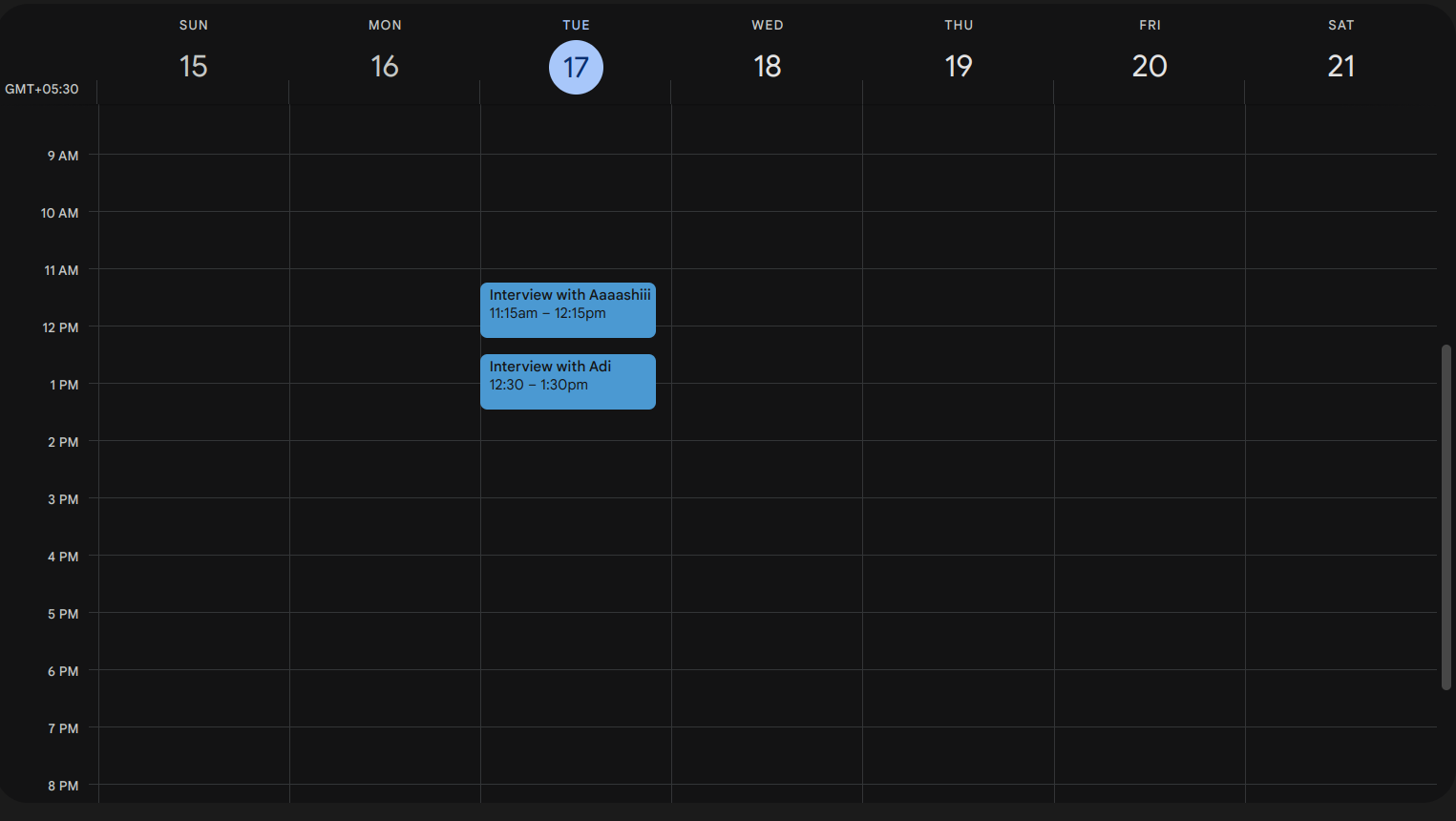
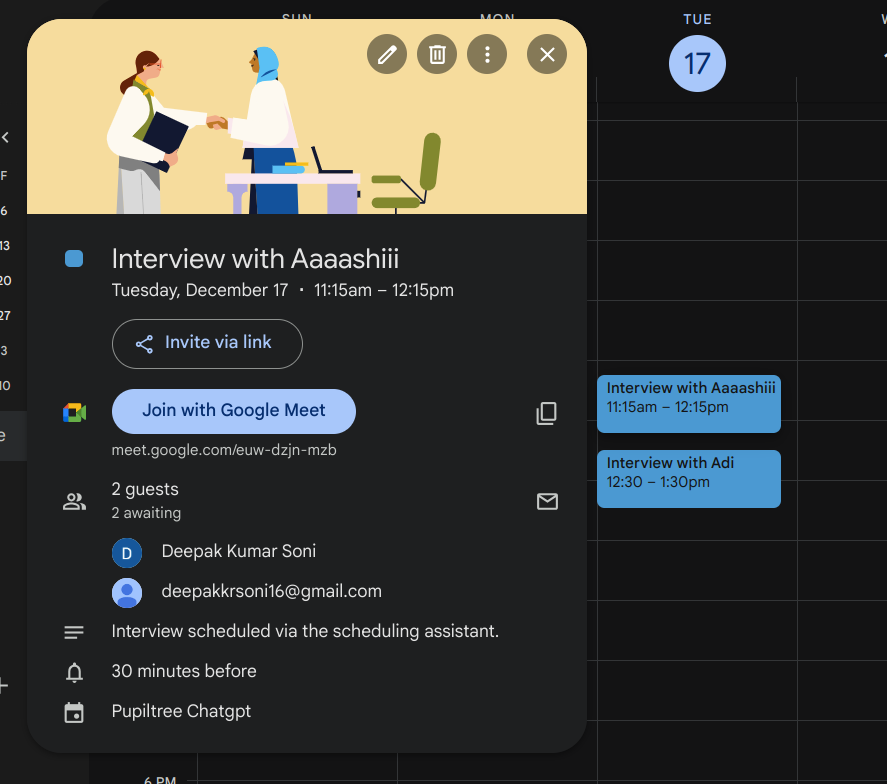
Google Calendar of Interviewer (Deepak)
-
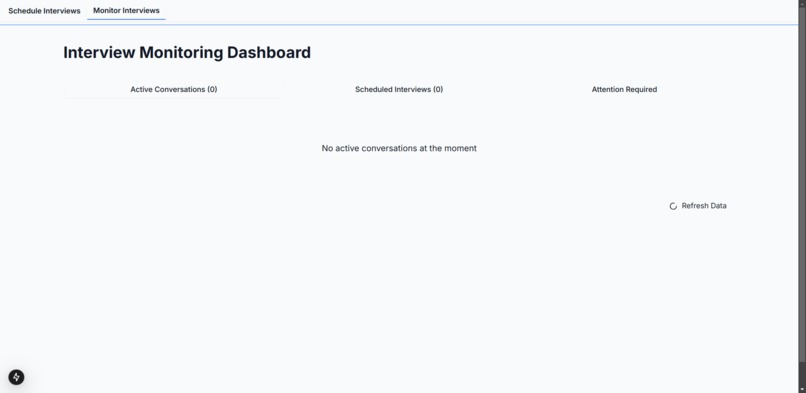
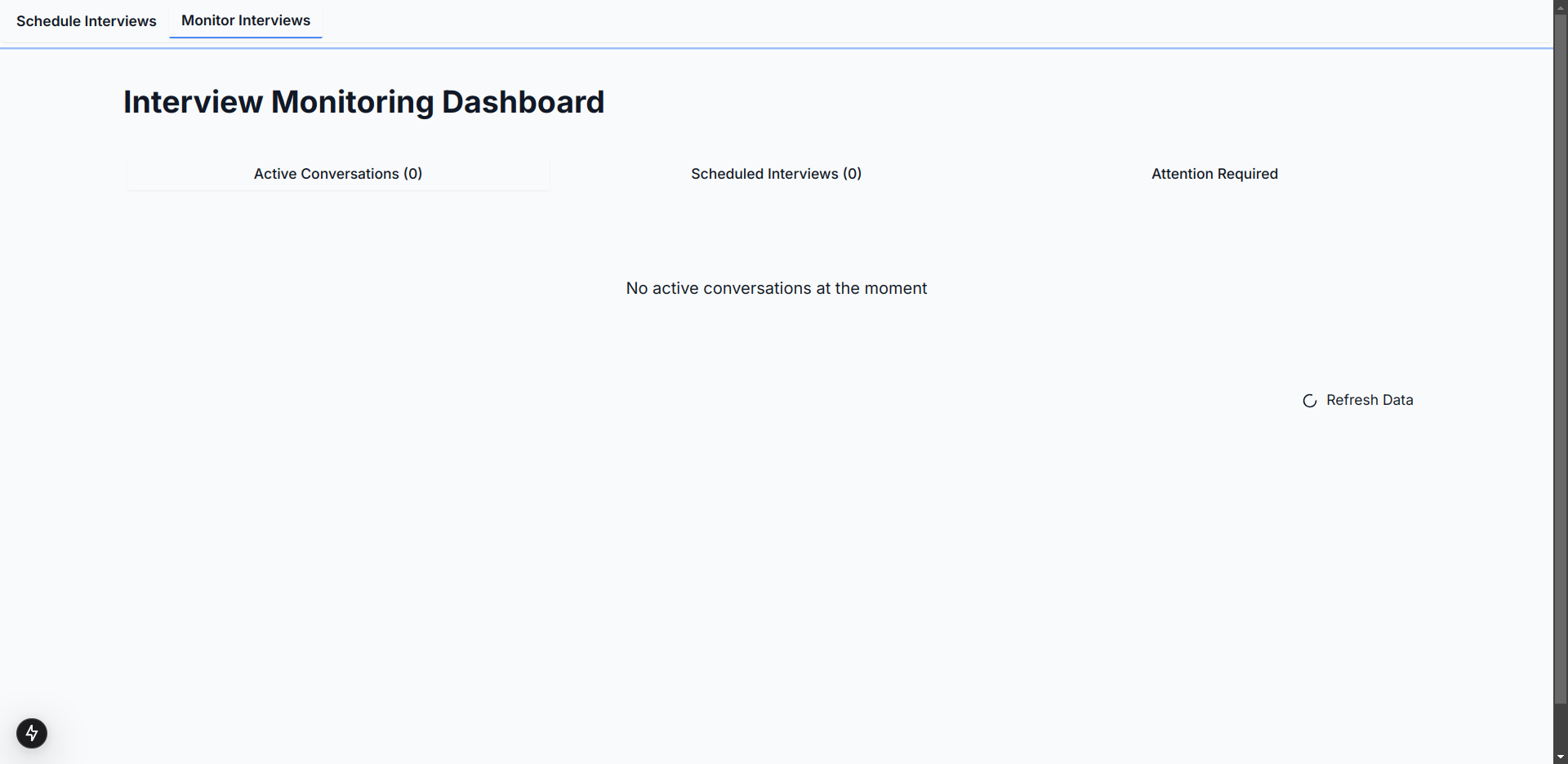
Before Initialising
-
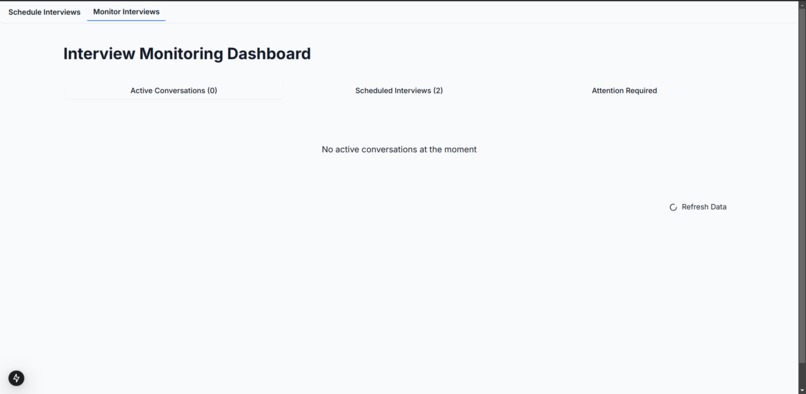
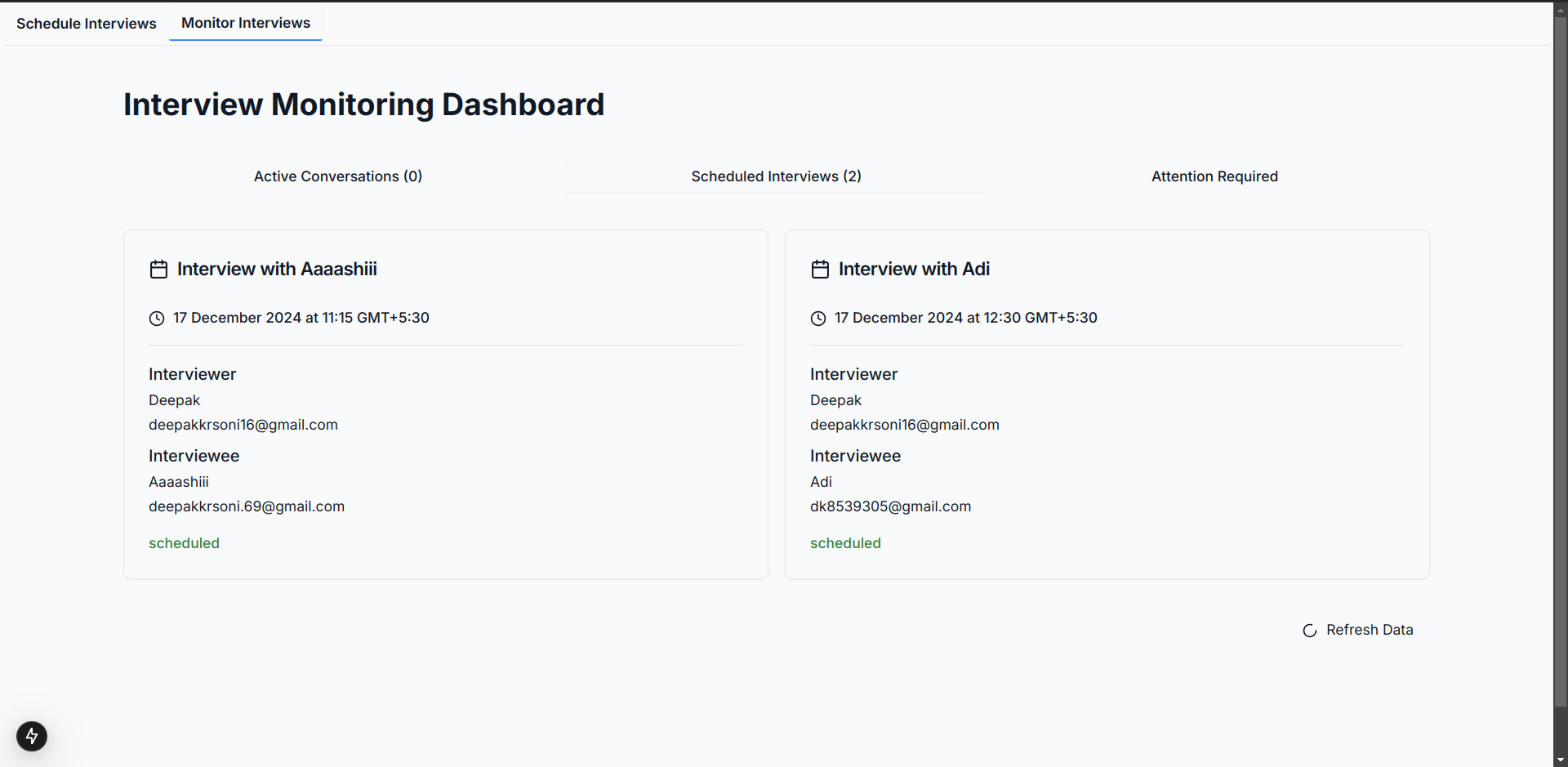
Both of the interviews have been scheduled, hence no active conversations
-
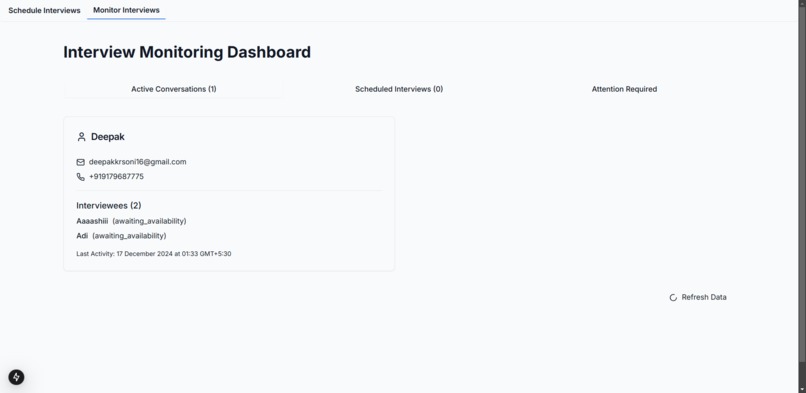
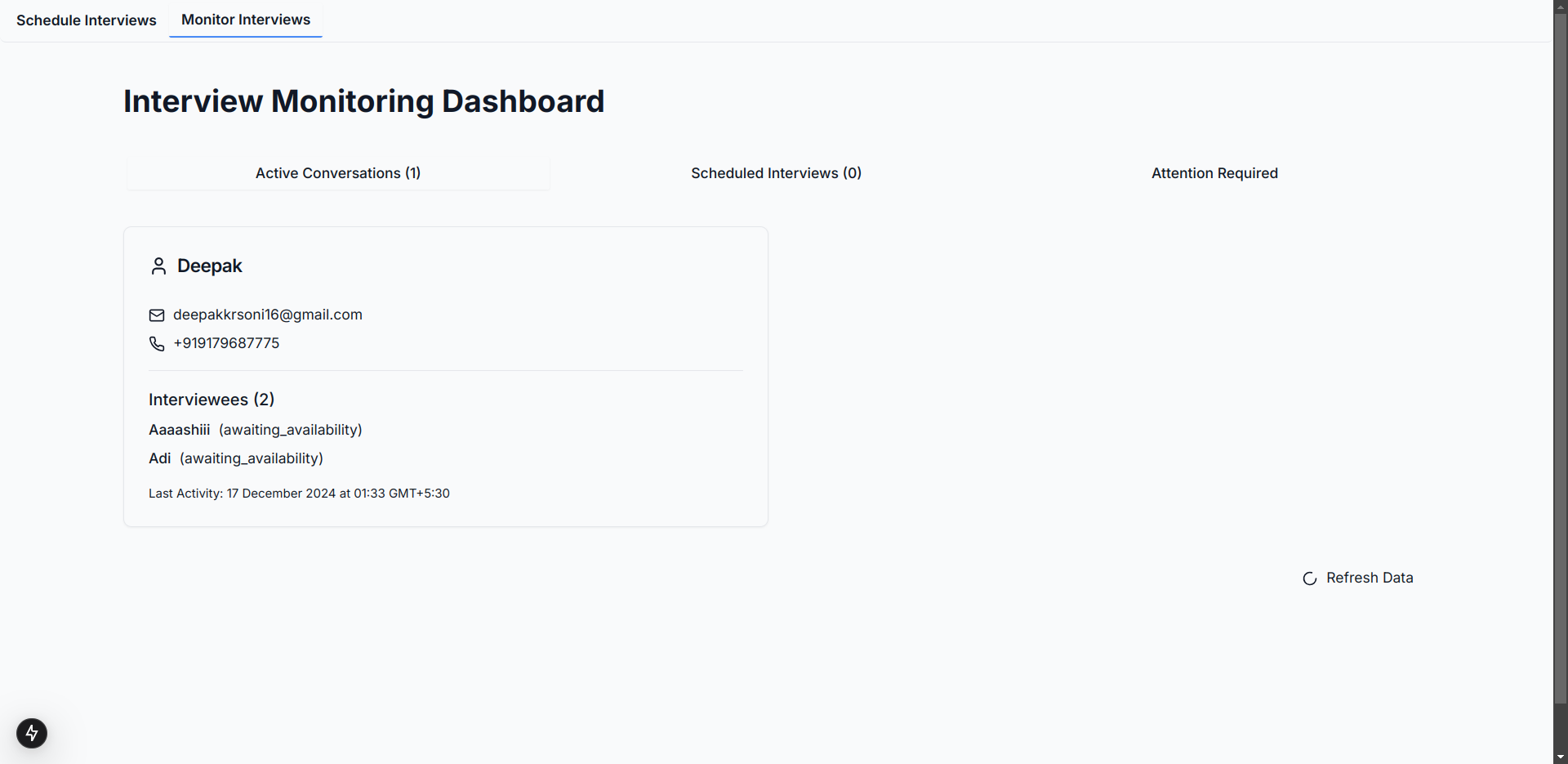
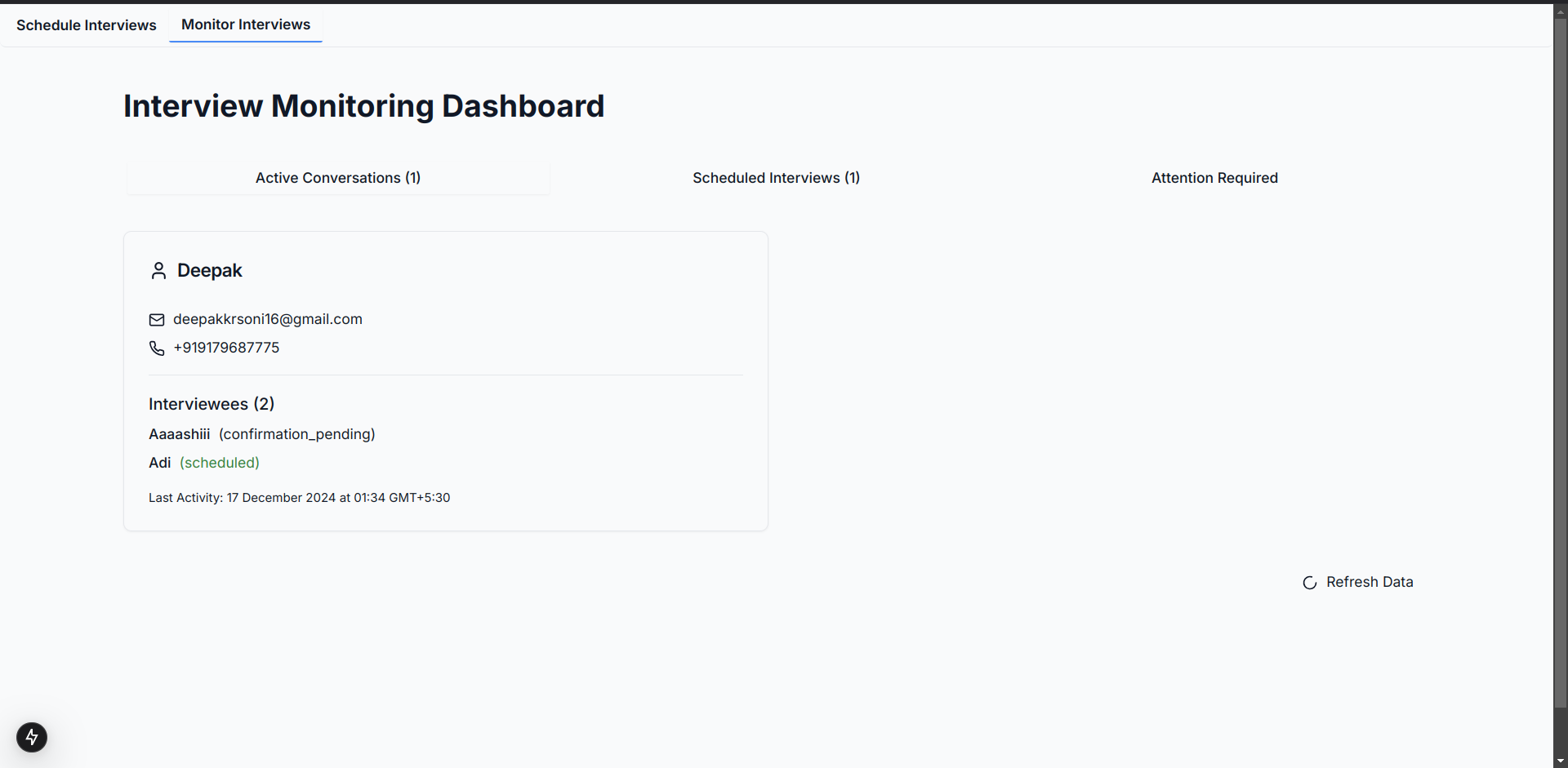
When the conversation is initialised using a csv file
-
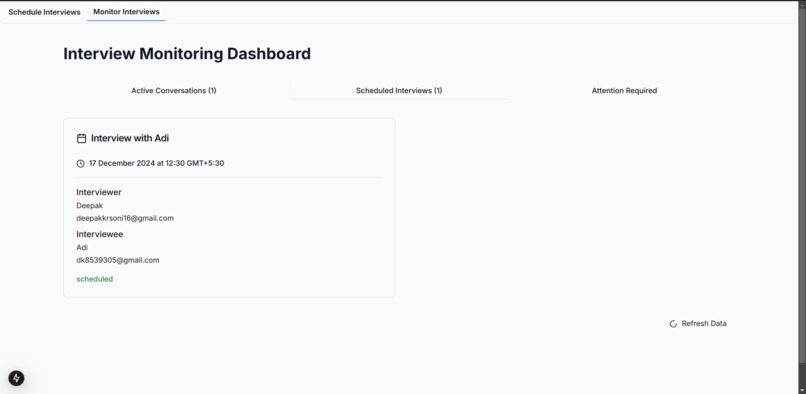
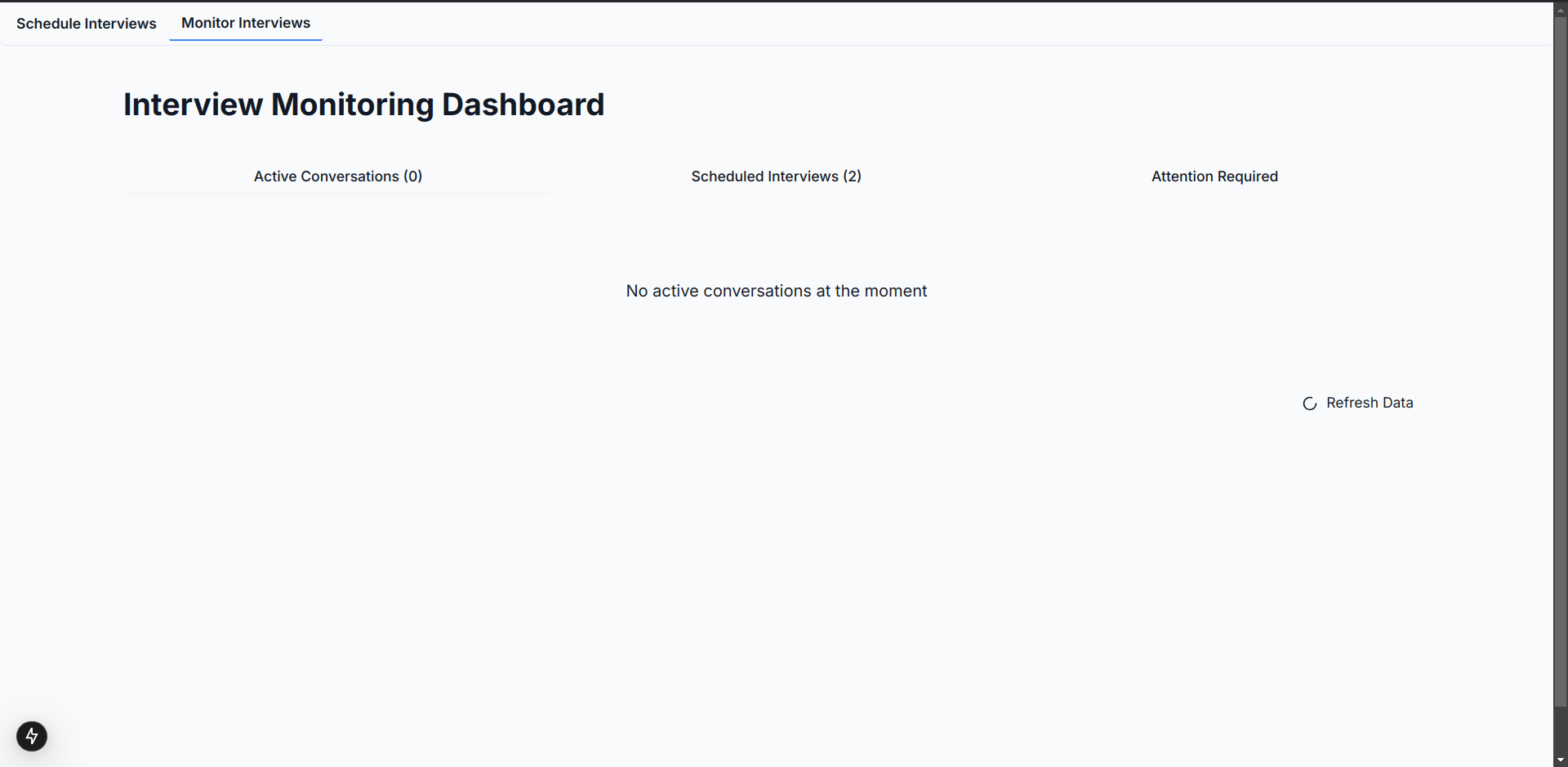
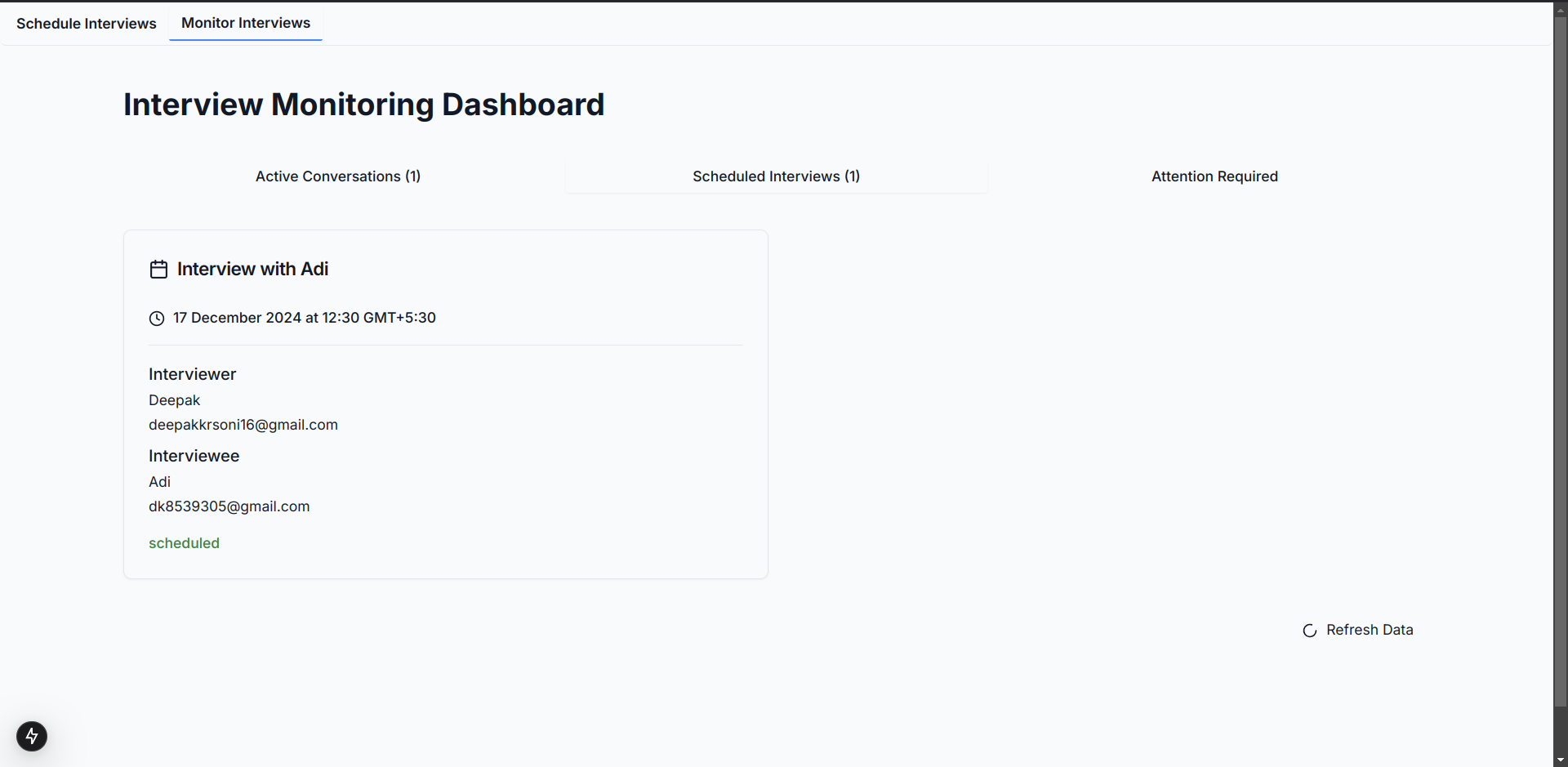
When Adi's meeting has been scheduled, you can see it in scheduled interviews tab
-
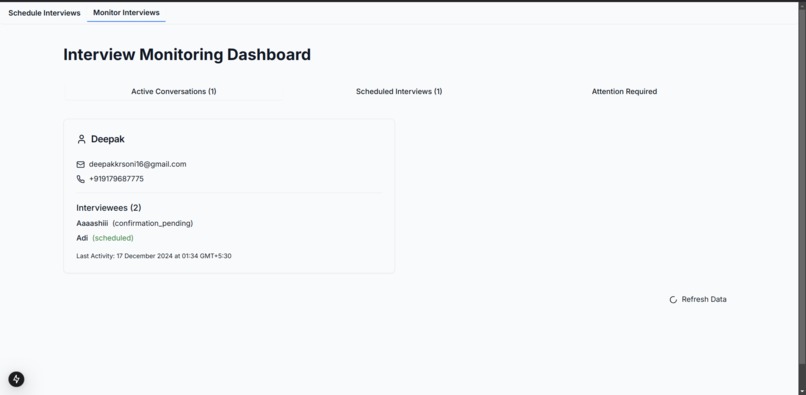
When Adi's meeting is confirmed and Aaaaashii reschedules
-
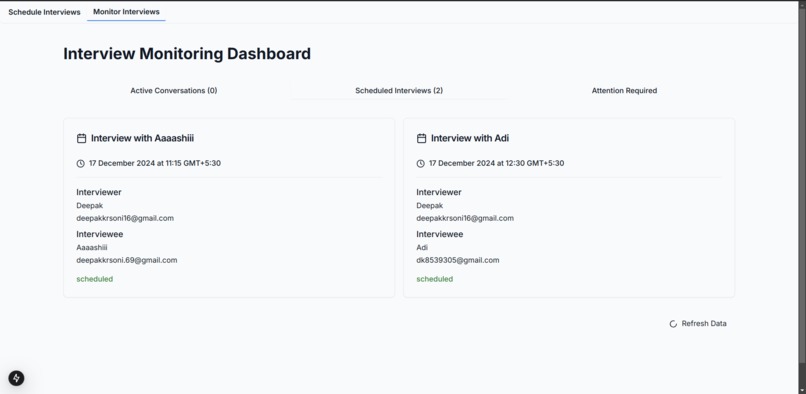
Both scheduled interviews in Scheduled Interviews Tab
-
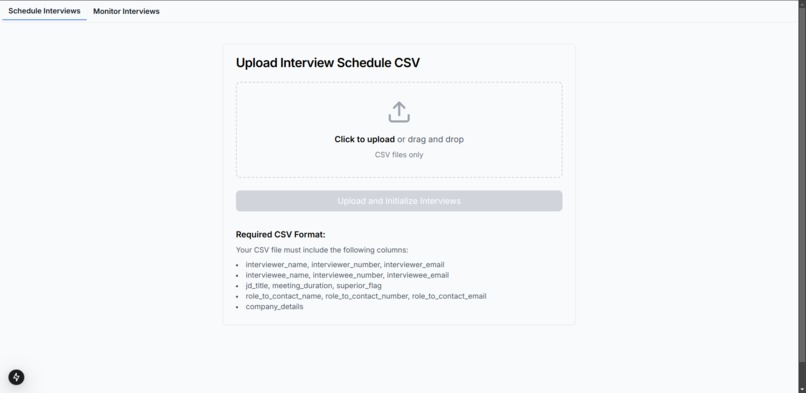
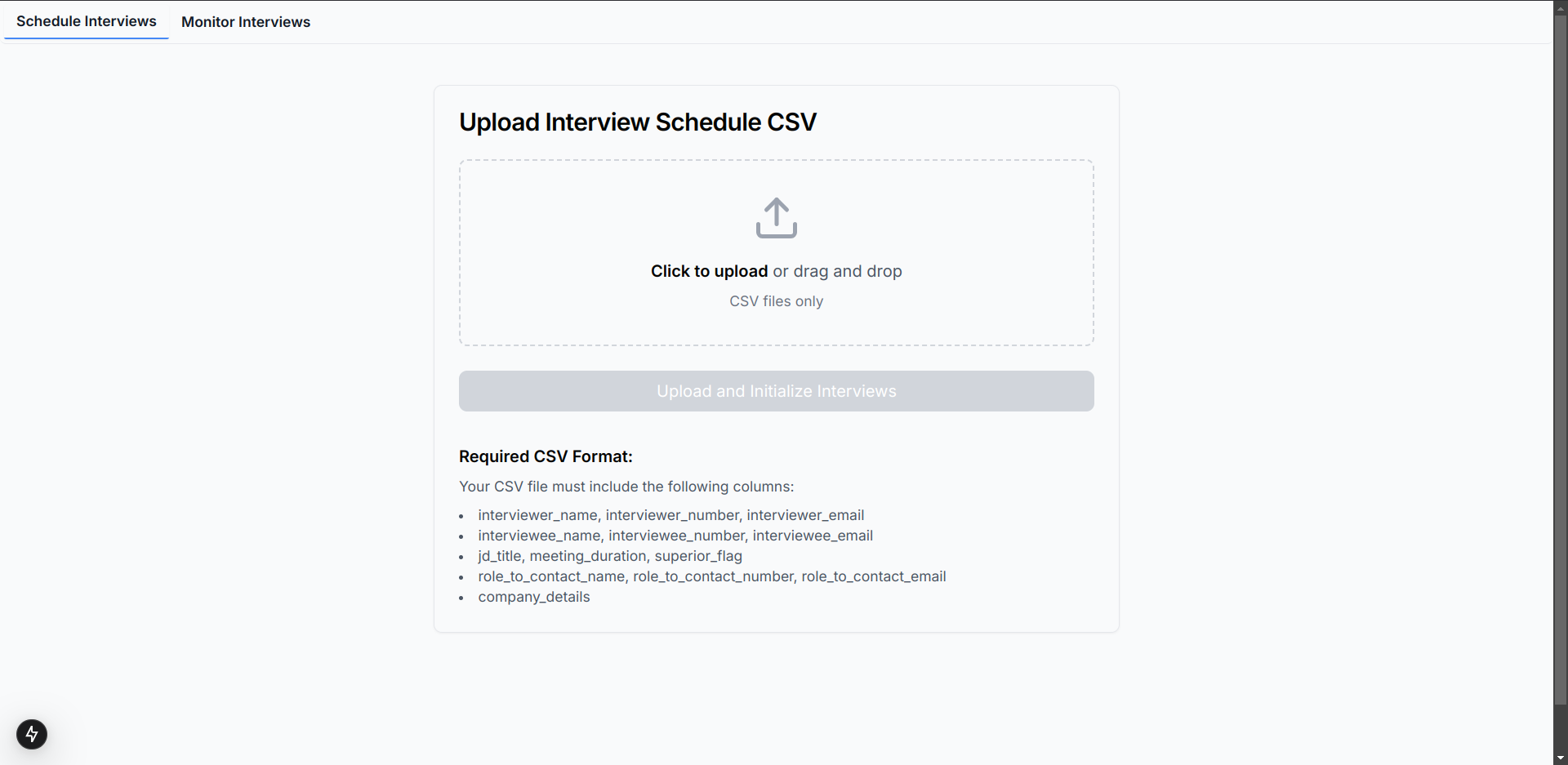
Before Initialising
-
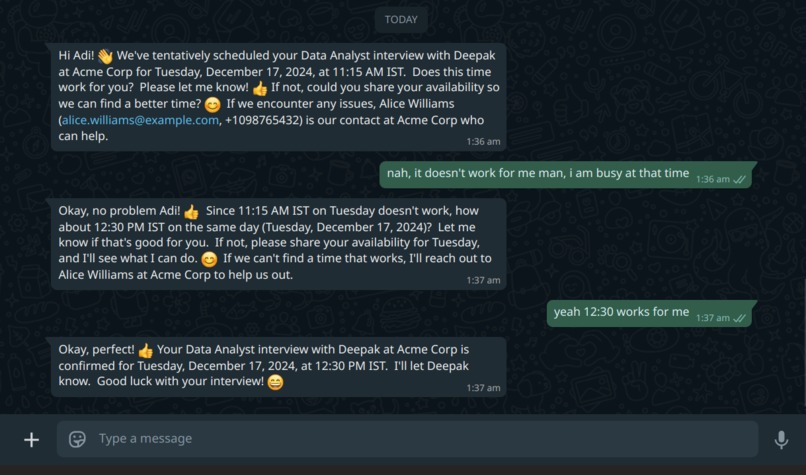
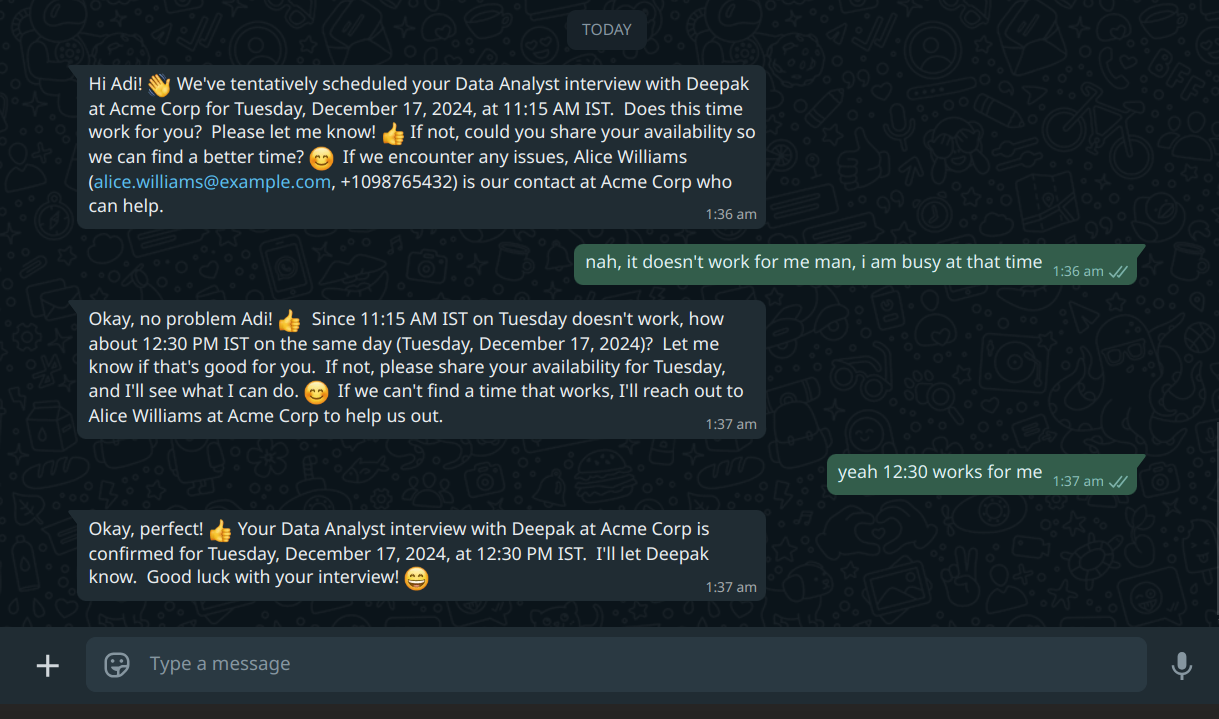
Converstion History of the interviewee (Adi)
-
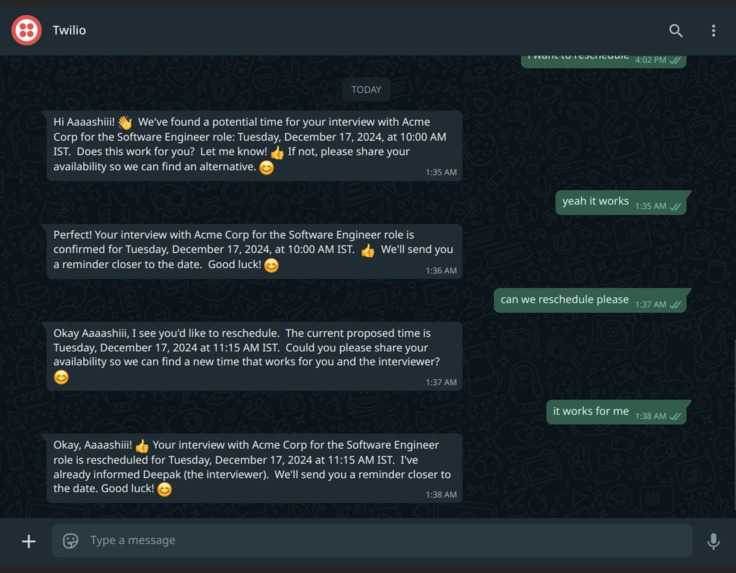
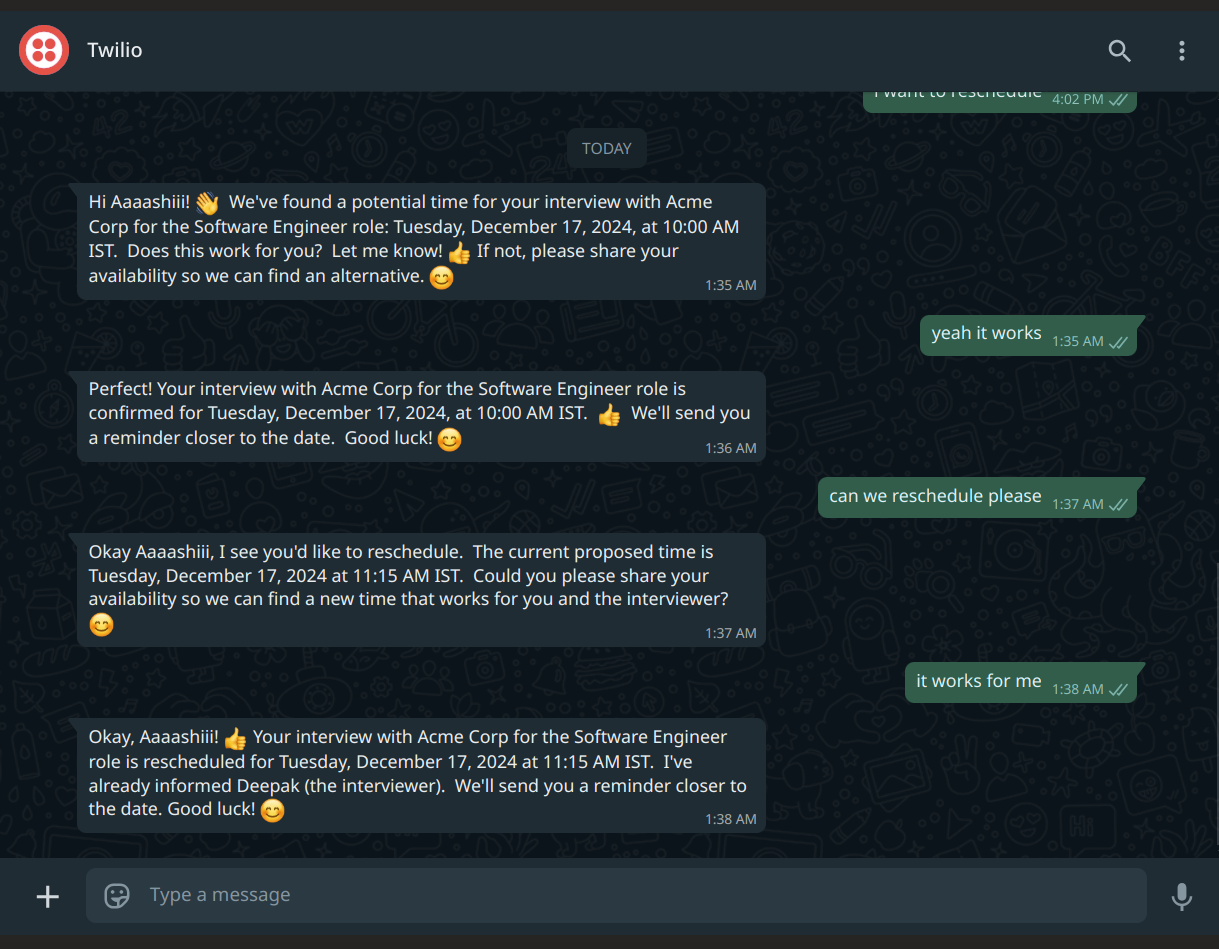
Converstion History of the interviewee (Aaaashiii)
-
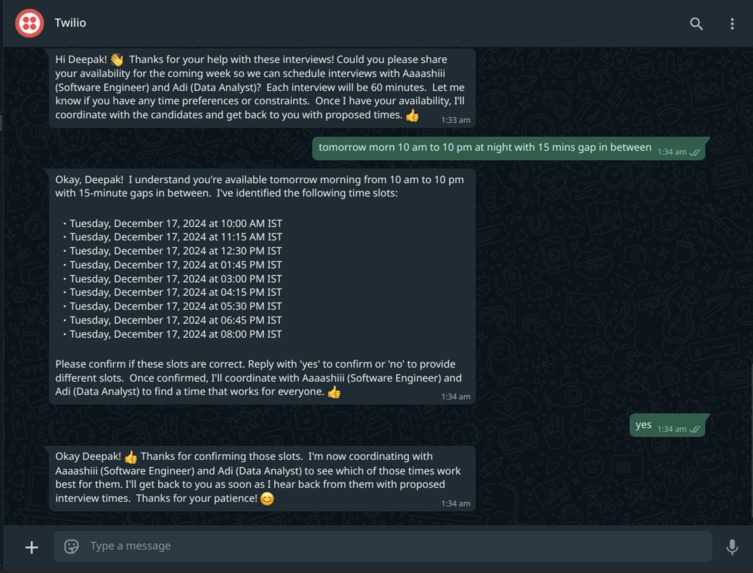
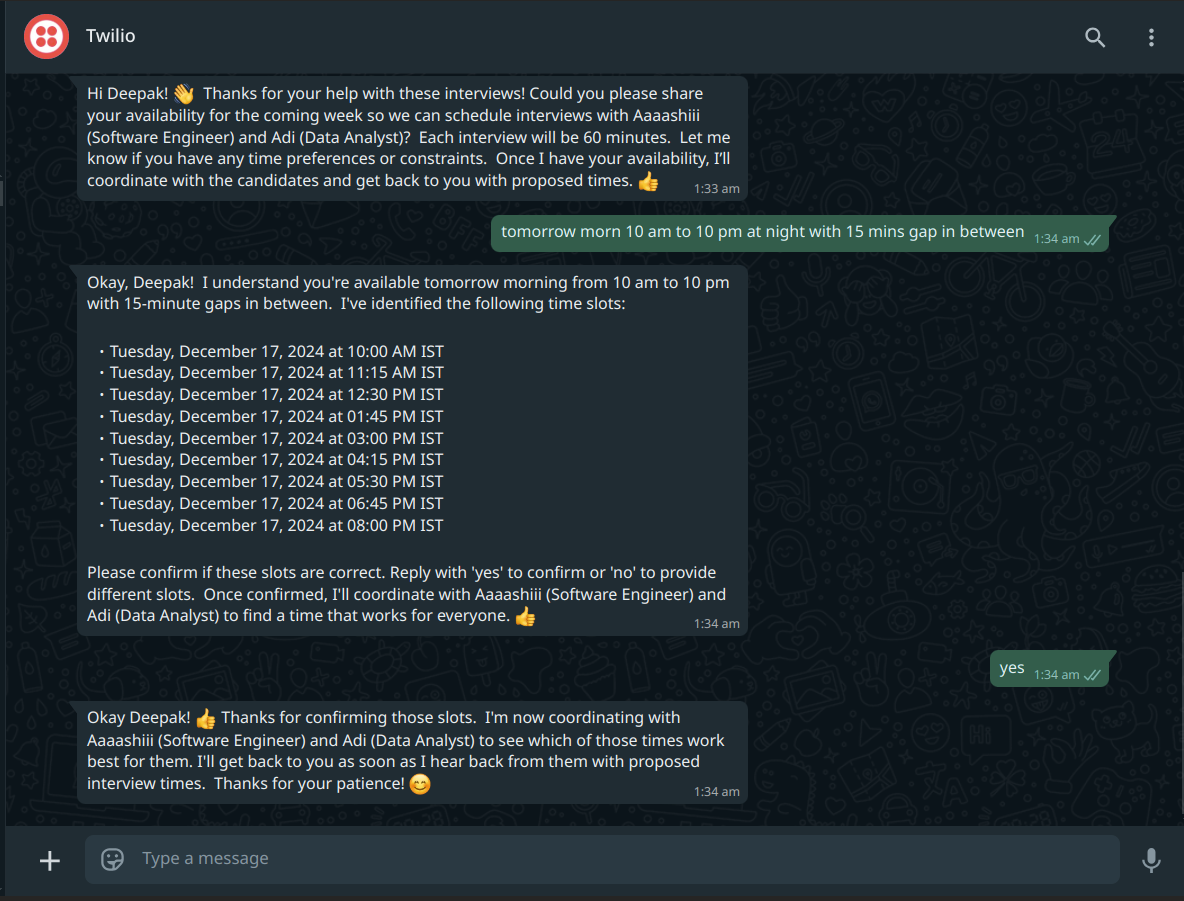
Conversation History of Interviewer (Deepak)
-
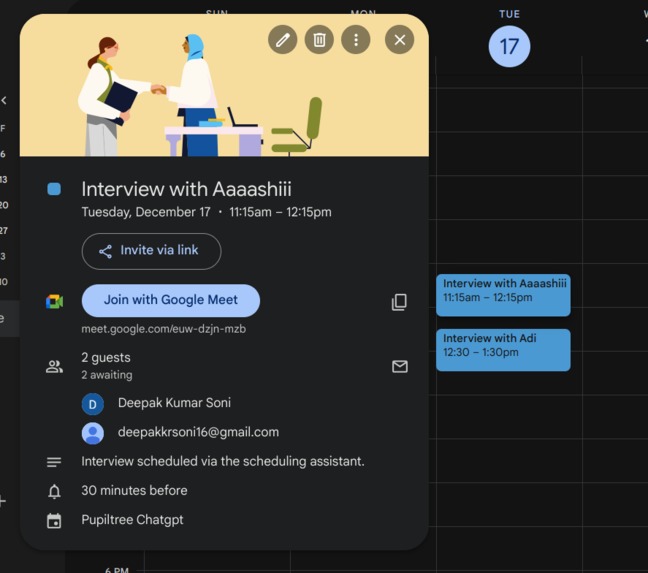
Scheduled Meeting with Google Meet Link in Calendar
About the Project
This project, SCHEDULEBOT, is a WhatsApp-based interview scheduling assistant designed to automate and streamline the interview process for multiple candidates. It leverages Twilio, Google Calendar, Flask, and MongoDB to orchestrate conversations between interviewers, interviewees, and a potential contact person (like an HR manager or team lead). The bot performs actions such as parsing CSV files to bulk schedule interviews, prompting for availability, and handling edge cases like cancelling or rescheduling interviews.
Inspiration
The core inspiration for this project came from the repeated challenge of scheduling multiple interviews for different roles, each with various time zone constraints. Coordinating over email or manual messaging quickly became cumbersome, especially when last-minute cancellations or re-scheduling requests arose. This project aims to harness the immediacy and familiarity of WhatsApp messaging to make scheduling more conversational, efficient, and less error-prone.
Additionally, integrating a Large Language Model (LLM) to detect user intent (e.g., wanting to reschedule, cancel, or confirm time slots) created a more human-like and intuitive interaction with the scheduling bot. Instead of rigid commands, users can chat more naturally to get interviews scheduled or changed.
What We Learned
Twilio API and Webhook Validation
We explored how to securely handle incoming Twilio webhook requests and validate them with Twilio’sRequestValidator. Proper signature verification prevents unauthorized or replayed requests.Google Calendar OAuth2 Flow
Managing OAuth2 in a server application, storing credentials securely, and handling token refresh logic taught us best practices in integrating with Google APIs. We learned how to efficiently build the user flow to handle re-authentication when tokens expire.Conversational State Management
A big learning curve was building out the entire conversation state machine—tracking where each participant (interviewer or interviewee) was in the scheduling pipeline, dealing with partial confirmations, and gracefully handling No Available Slots scenarios.MongoDB for Conversation Persistence
Persisting all conversation data in MongoDB meant we could reload the application or even scale out horizontally without losing crucial context or scheduling states. Storing structured “conversation” documents and using queries to update subfields (like interviewee states) was a valuable lesson in NoSQL data design.LLM Prompt Engineering
We integrated an LLM (through theLLMModelclass) to detect user intents such asCANCELLATION_REQUESTEDorRESCHEDULE_REQUESTEDby analyzing the user’s incoming message. This approach requires carefully designing prompt templates and systematically validating correctness.
How We Built It
Flask as the REST API
app.pyis the main entry point, housing the Flask app. It exposes various API endpoints (/api/initialize,/api/test,/api/twilio-webhook, etc.) to handle scheduling, CSV uploads, authentication, and more.- We leveraged Flask CORS to safely allow requests from different origins (like a frontend dashboard).
Twilio Inbound Message Handling
twilio_webhookendpoint processes incoming WhatsApp messages. Once verified, it routes them to theMessageHandler.receive_messagemethod.MessageHandlerclass orchestrates what happens when a message arrives: determining which conversation and participant the message belongs to, logging the conversation, then generating a response or taking an action via the LLM.
Google Calendar Integration
calendar_module/calendar_service.pyandcalendar_module/auth.pymanage the OAuth2 flow for Google Calendar, along with scheduling and deleting events.- The user can authenticate, and the bot automatically creates or cancels events in the interviewer’s Google Calendar once the interviewee confirms a time slot.
Scheduling Logic (Conversation State Machine)
chatbot/conversation.pyhouses our logic for scheduling. We maintain in-memory and MongoDB states for each conversation (the interviewer, multiple interviewees, each of their states).- The code also checks for attention flags (like “no response for 24 hours” or “no slots available”) and can notify a designated contact person if an intervention is required.
MongoDB Persistence
store/mongodb_handler.pyprovides CRUD operations for storing and updating conversation states in MongoDB.- On every state or message update, the bot persists changes to MongoDB, allowing for consistent data even if the bot or server restarts.
CSV Bulk Upload
- Through
/api/upload-csv, you can upload a CSV file describing multiple conversations (multiple interviewers, multiple interviewees). This triggers an entire pipeline that starts each scheduling conversation automatically.
- Through
Challenges Faced
Ensuring Accurate Time Zone Handling
Dealing with participants across multiple time zones was tricky. We had to convert times to and from UTC, store each participant’s local time zone, and update all scheduling logic accordingly.Maintaining Consistency Across Re-Initialization
We had to ensure the bot’s conversation state in memory (inscheduler.conversations) matches what’s stored in MongoDB. Thorough updates after every action or message guaranteed our data stayed in sync.LLM Reliability and Unexpected User Inputs
The LLM approach can introduce unpredictability if user messages are unclear or if the LLM misinterprets the intent. We mitigated this by carefully engineering prompts, building robust fallback logic, and logging unexpected scenarios.Twilio Verification and Duplicate Webhook Calls
Twilio can sometimes re-send messages or call the webhook multiple times. We tackled duplicates by maintaining aPROCESSED_SIDSset in the Flask app, ignoring repeated calls for the sameMessageSid.Bulk Scheduling
Parsing a CSV with multiple interviews and grouping interviewees under the same interviewer was non-trivial. The code inapp.pyensures all necessary columns are present and processes them into the conversation initialization flow.
Closing Thoughts
By fusing together Flask, Twilio, MongoDB, and Google Calendar, this SCHEDULEBOT demonstrates how an automated agent can coordinate multiple interviews with minimal human intervention, saving time and reducing errors. The conversational approach makes the experience more natural for both interviewers and interviewees.
Features like rescheduling, cancellations, and out-of-context message detection underscore how a well-structured state machine and a capable LLM can handle real-world scheduling complexities.
We hope this inspires future improvements—like better AI-driven language understanding, more nuanced error handling, and extended functionality for recurring interviews or multi-participant events.
Built With
- css
- docker
- docker-compose
- dotenv
- flask
- google-calendar-api
- google-cloud
- google-gemini-pro-api
- html
- javascript
- langchain
- mongodb
- mongodb-atlas
- next.js
- pymongo
- python
- react
- redis
- requests
- shadcn/ui
- swr
- tailwind-css
- twilio
- typescript


Log in or sign up for Devpost to join the conversation.