Inspiration
Our inspiration is that the KU schedule builder is currently down because they are switching to a new software for next year. This made us want to try and make a schedule builder of our own.
What it does
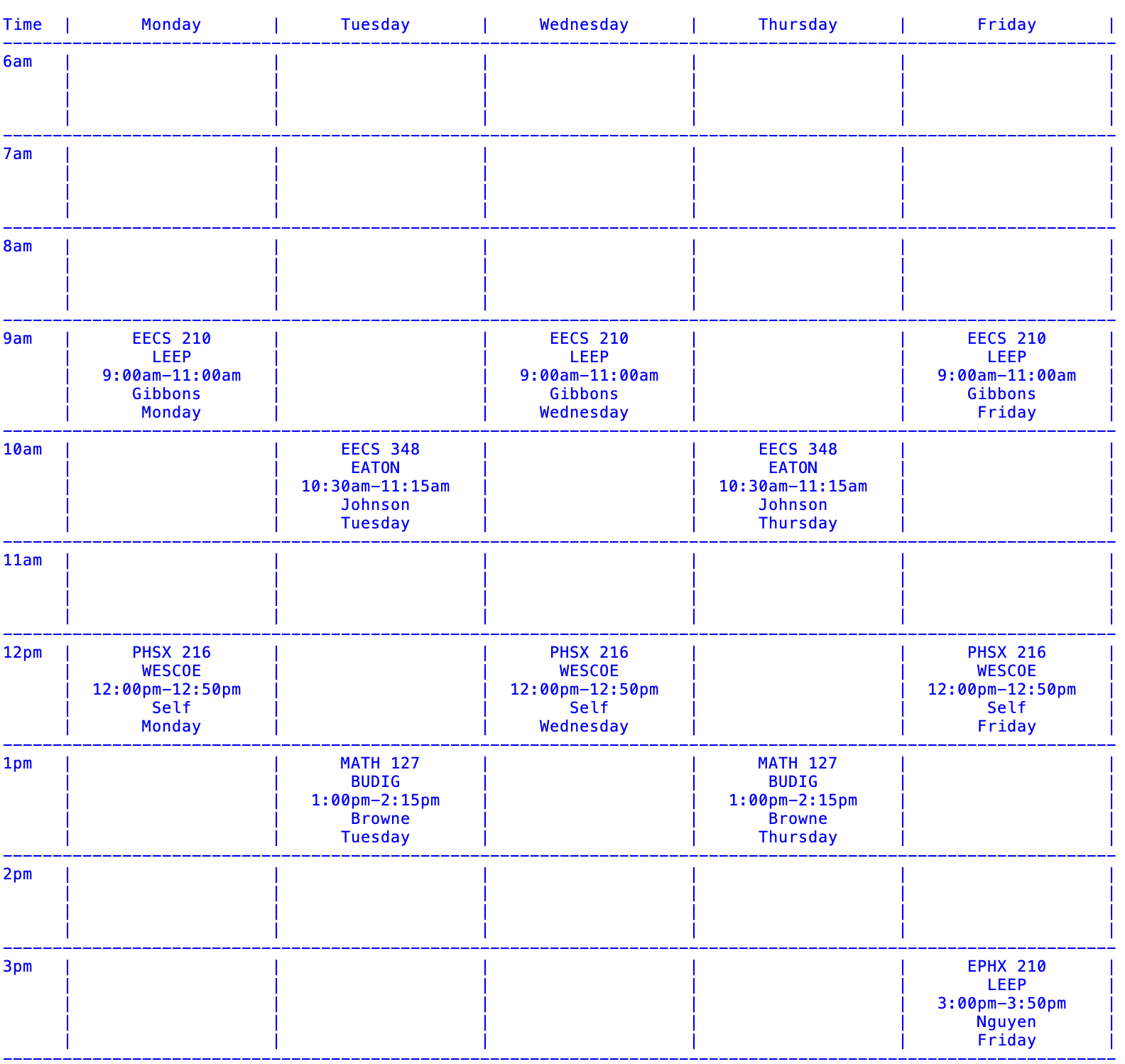
Schedule Builder allows users to instantly input class information—like title, location, time, duration, teacher, and day—and visually displays a clean, formatted weekly schedule. It handles different class lengths (50, 75, 110 minutes) and automatically places courses into the correct time slots across the week.
How we built it
We used Python to build the backend, with two main classes: Schedule and Sorter. The Schedule class organizes the weekly layout and time slots, while Sorter stores each class's specific data. An Executive file handles all user input and schedule printing. We carefully formatted the output to mimic a real-world timetable with column alignment and automatic row handling for multi-slot classes.
Challenges we ran into
One challenge was properly placing courses that spanned multiple time slots based on their duration. It was also tricky to dynamically adjust the visual layout to make everything readable, especially when multiple courses were stacked in the same hour range across different days.
Accomplishments that we're proud of
We're proud that our schedule builder can accurately handle courses of varying durations and still maintain a clean and consistent layout. It feels rewarding to have recreated a simplified version of KU's tool that’s flexible and functional from just a terminal interface.
What we learned
We learned a lot about time parsing, data formatting, and how to cleanly separate logic using object-oriented programming. We also gained experience working with user input, input validation, and aligning output in a readable table format.
What's next for Schedule Builder
Next, we want to add features like conflict detection, color-coded courses, and even export options to PDF or image formats. We'd also love to build a simple web interface to make it more user-friendly and accessible across devices.

Log in or sign up for Devpost to join the conversation.