
Inspiration
We got our inspiration from our own experiences as students. We noticed that one of the problems students, especially those in college, face is time management. With all of the assignments, projects, studying, and other various activities we must do, it is difficult to even split our time to ensure that all tasks are done. So, we thought we would build a tool to address this issue.
What it does
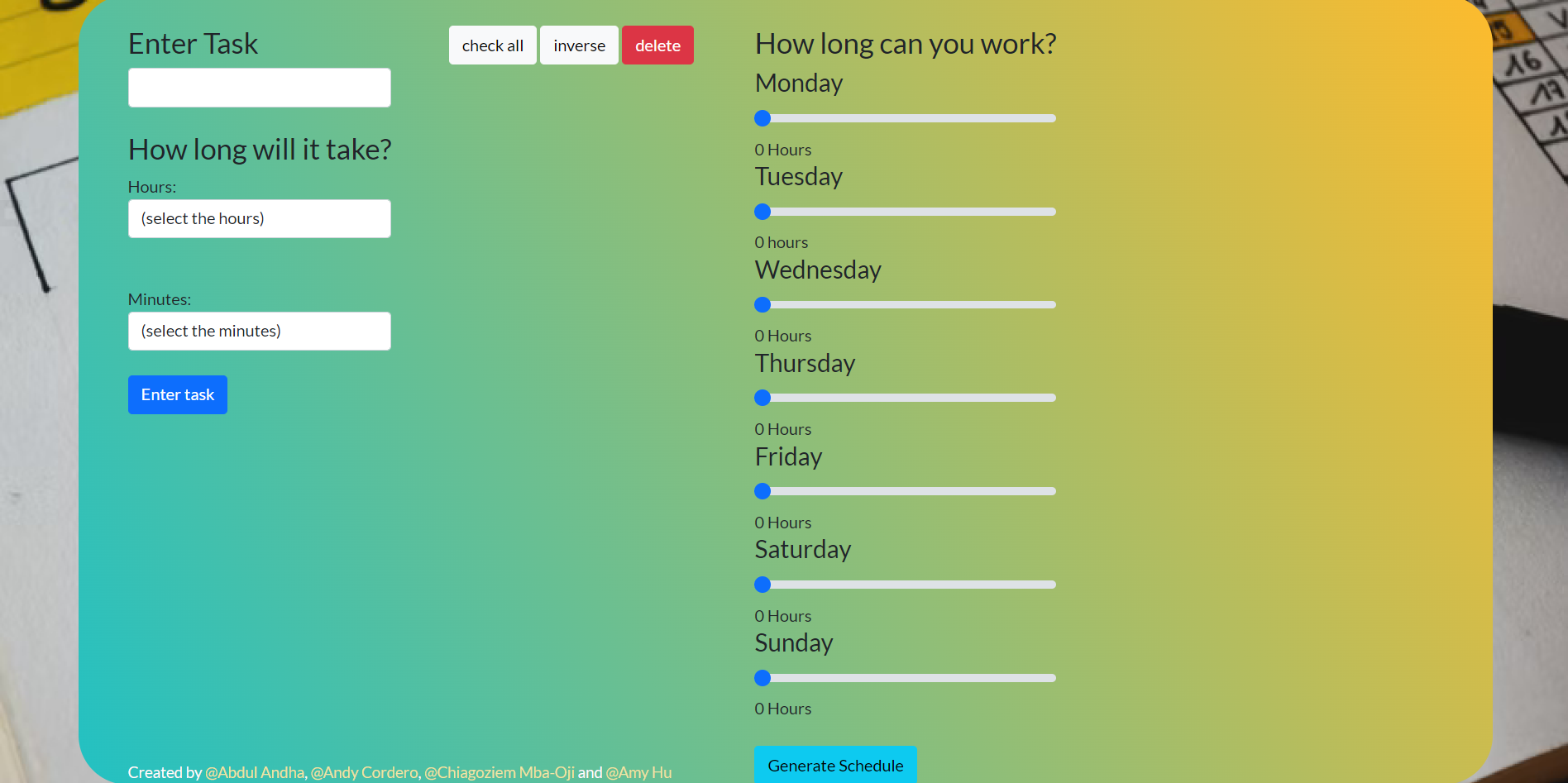
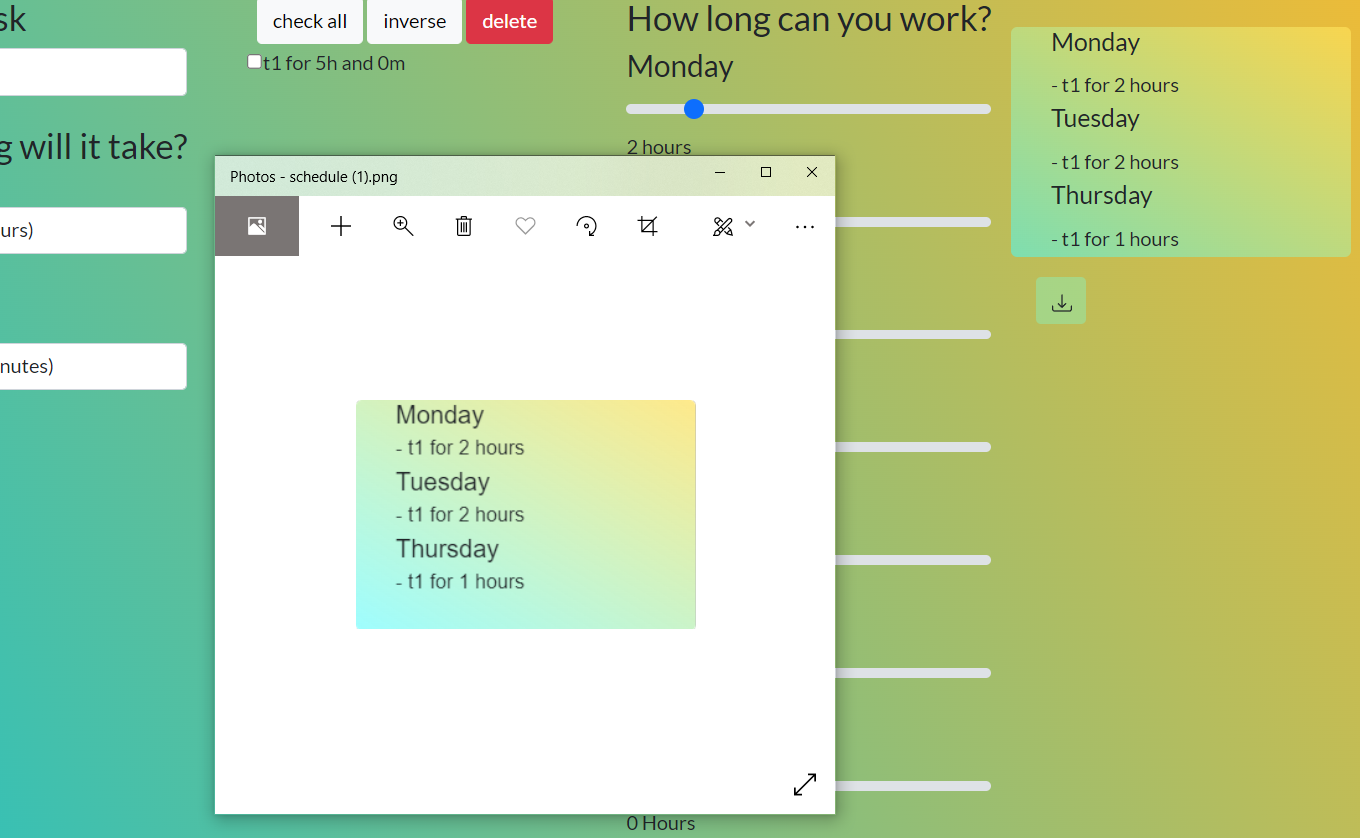
First, the schedule builder asks the users for some inputs. The user can input tasks and how long they estimate each task will take. The list of tasks will populate as the user inputs tasks one by one. Next, the user must use the sliders to indicate how long they can work each day. And of course, they can leave the slider at 0 for days when they don't have any time for the tasks. Finally, the user can press the "Generate Schedule" button to create a schedule. The program will look at the total time for all of the inputted tasks and the times the user is available each day and split the tasks accordingly. The final schedule will appear on the site and will be available as an image for the user to save.
How we built it
We used HTML, CSS, JavaScript, Jquery, and Bootstrap to build the program. Additionally, we created a repo on GitHub to collaborate with each other. Finally, we used Figma to design what the site will look like.
Challenges we ran into
One obstacle we faced was storing the data for the user to come back and view their schedule. While possible, we realized that it would be too many steps for the user to create an account and login every time. We wanted to make sure the tool is simple and takes only a few minutes to use every time. So, after some brainstorming, we decided to turn the final schedule into an image the user can download.
Accomplishments that we're proud of
One accomplishment we are proud of is submitting a working demo of our idea as this is the first hackathon for some of us. Additionally, we are proud of the simple input process and the image export feature. Finally, we are proud of the fact that we were all able to work so well together after just meeting at the start of the hackathon.
What we learned
We learned how to use Figma to collaborate on a design in real time and learned how to manage the project when it comes to working remotely. This really helped us plan the look of the website.
What's next for Schedule Builder
Schedule Builder can be scaled from this simple demo. It can be made into a cross platform app that reminds users to perform the tasks laid out in the schedule. Also, users can mark tasks as complete or add additional tasks throughout the week and the program would automatically update the schedule.

Log in or sign up for Devpost to join the conversation.