About the Project
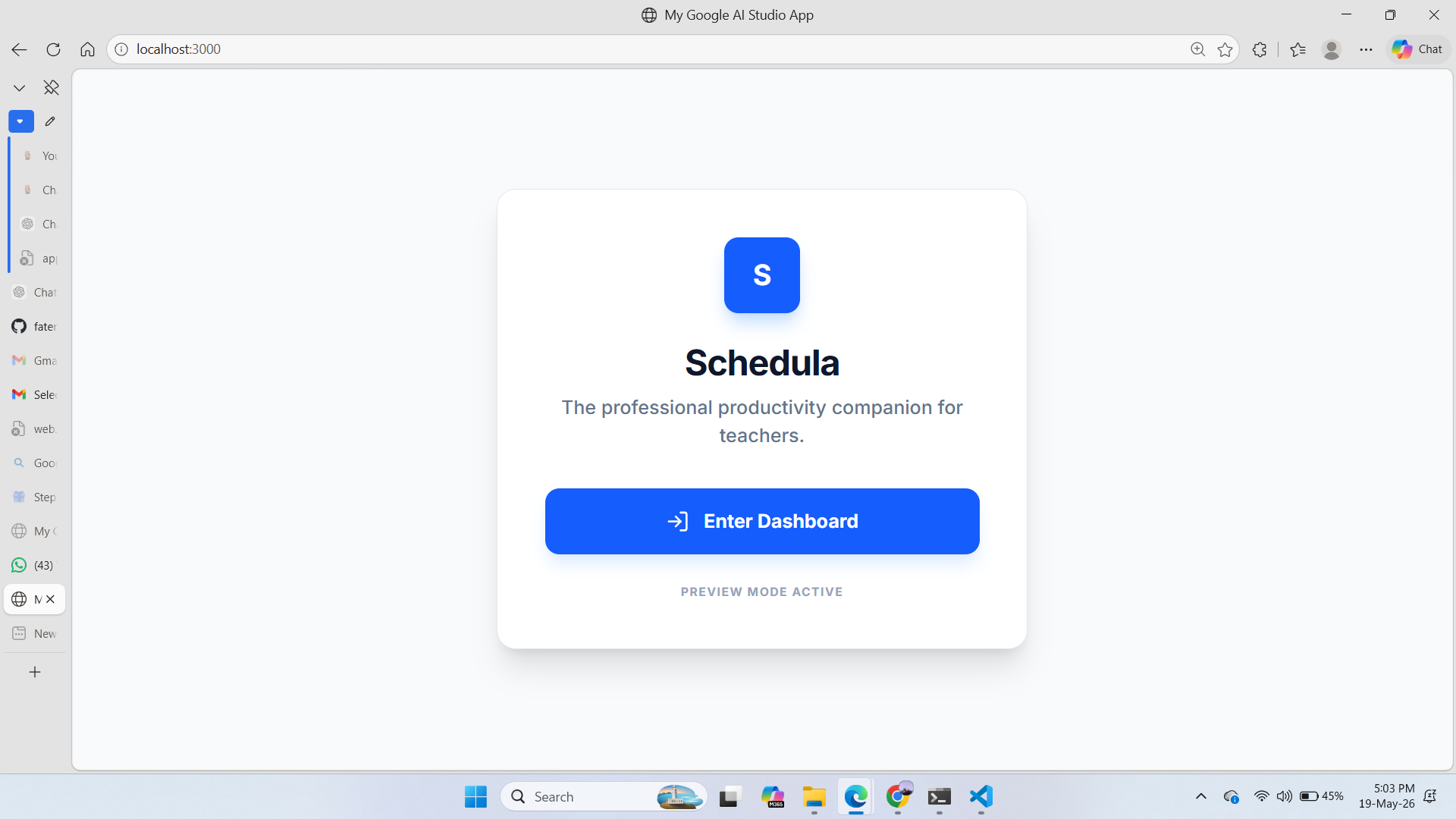
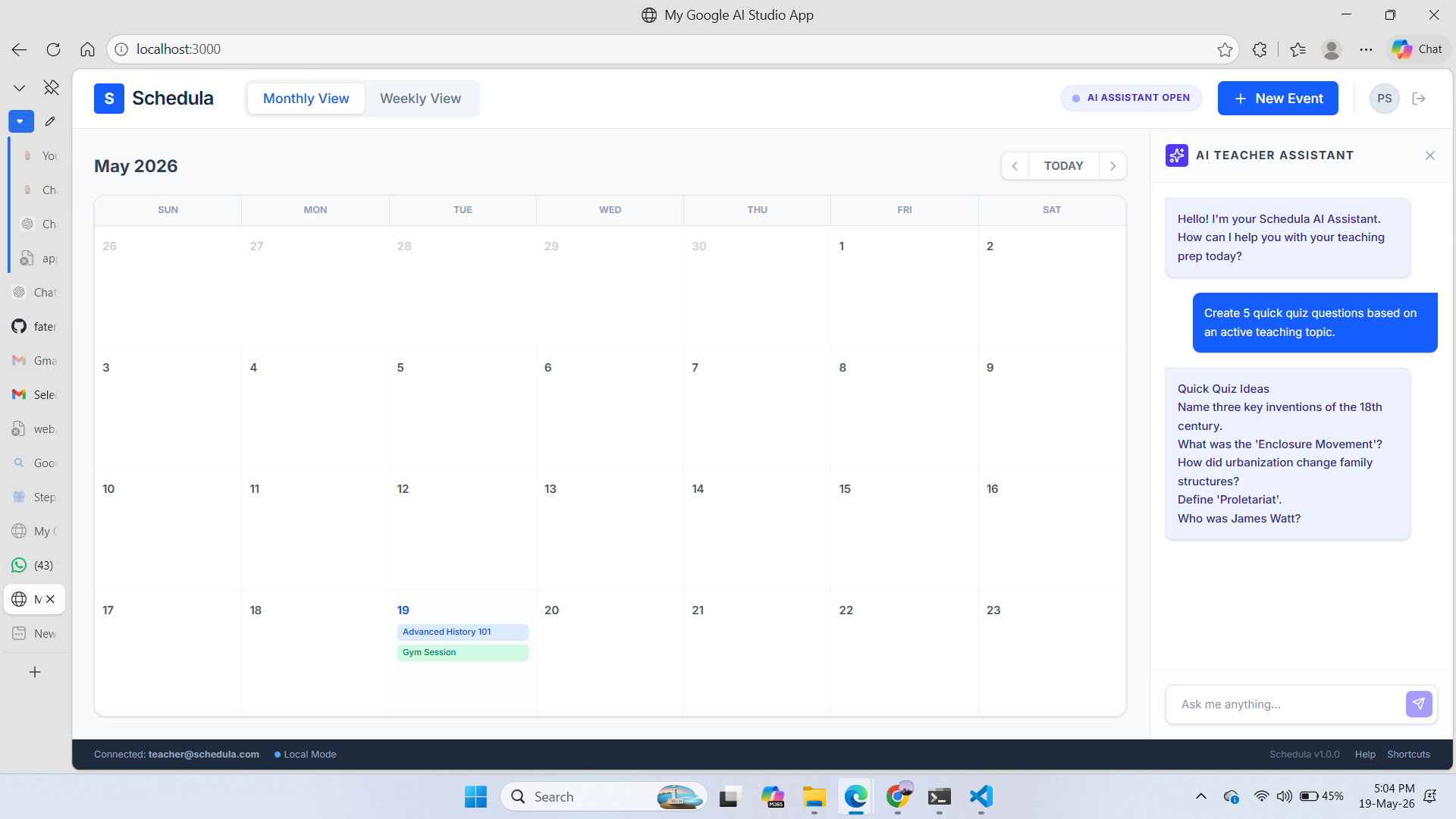
Schedula is an AI-powered calendar app designed for teachers. Its main goal is to help educators plan lessons, track events, and manage their teaching schedule efficiently. The app integrates with Google Calendar, Drive, Gmail, and Meet to streamline everyday teaching tasks, and it includes an AI Teacher Assistant to generate lesson plans, quizzes, and summaries automatically.
Inspiration
The inspiration for Schedula came from observing how teachers spend hours organizing schedules and lesson plans manually in multiple apps and sites. I realized that a smart, interactive calendar could save time and reduce stress, while AI could help generate educational content faster.
What it does
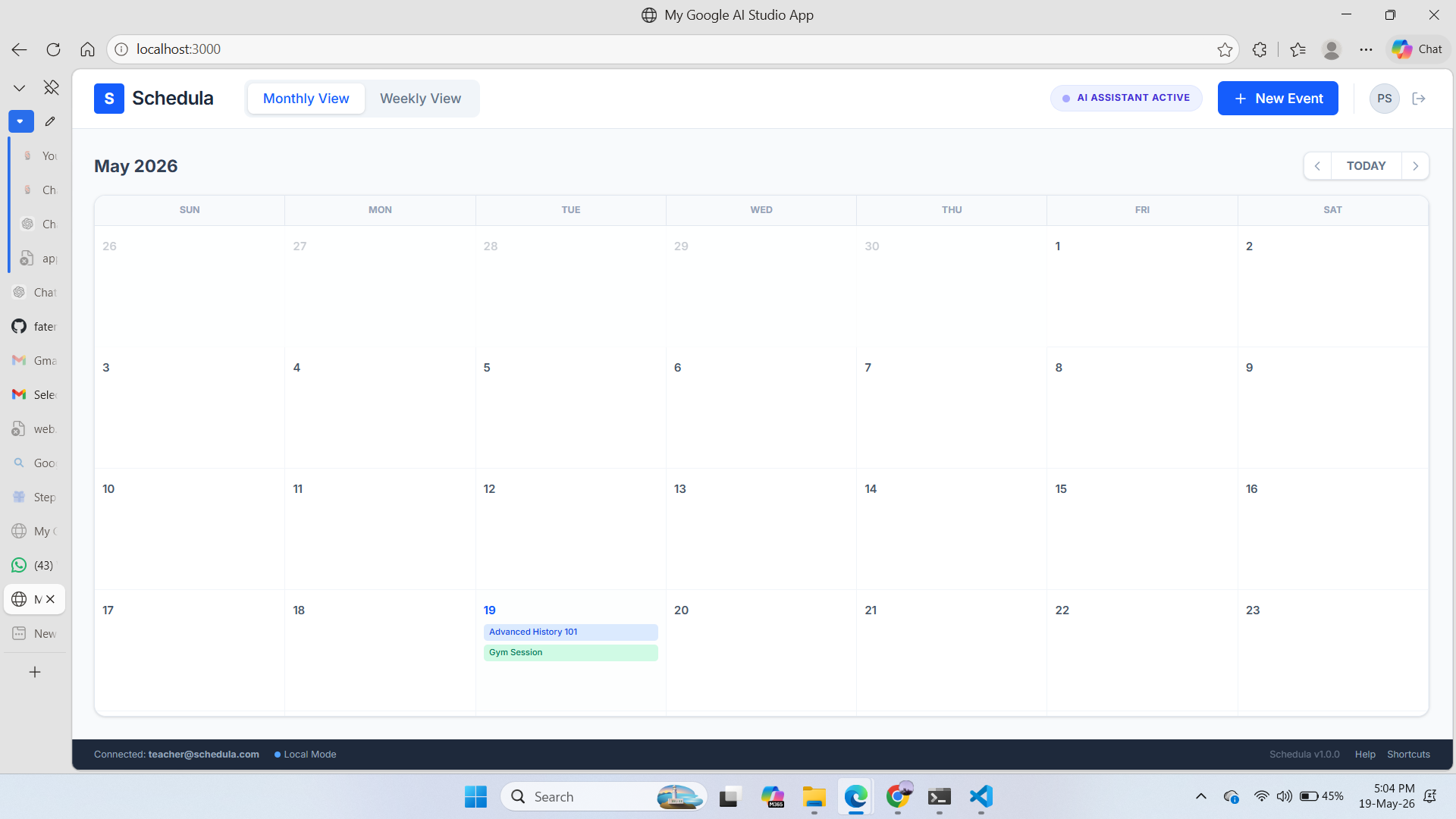
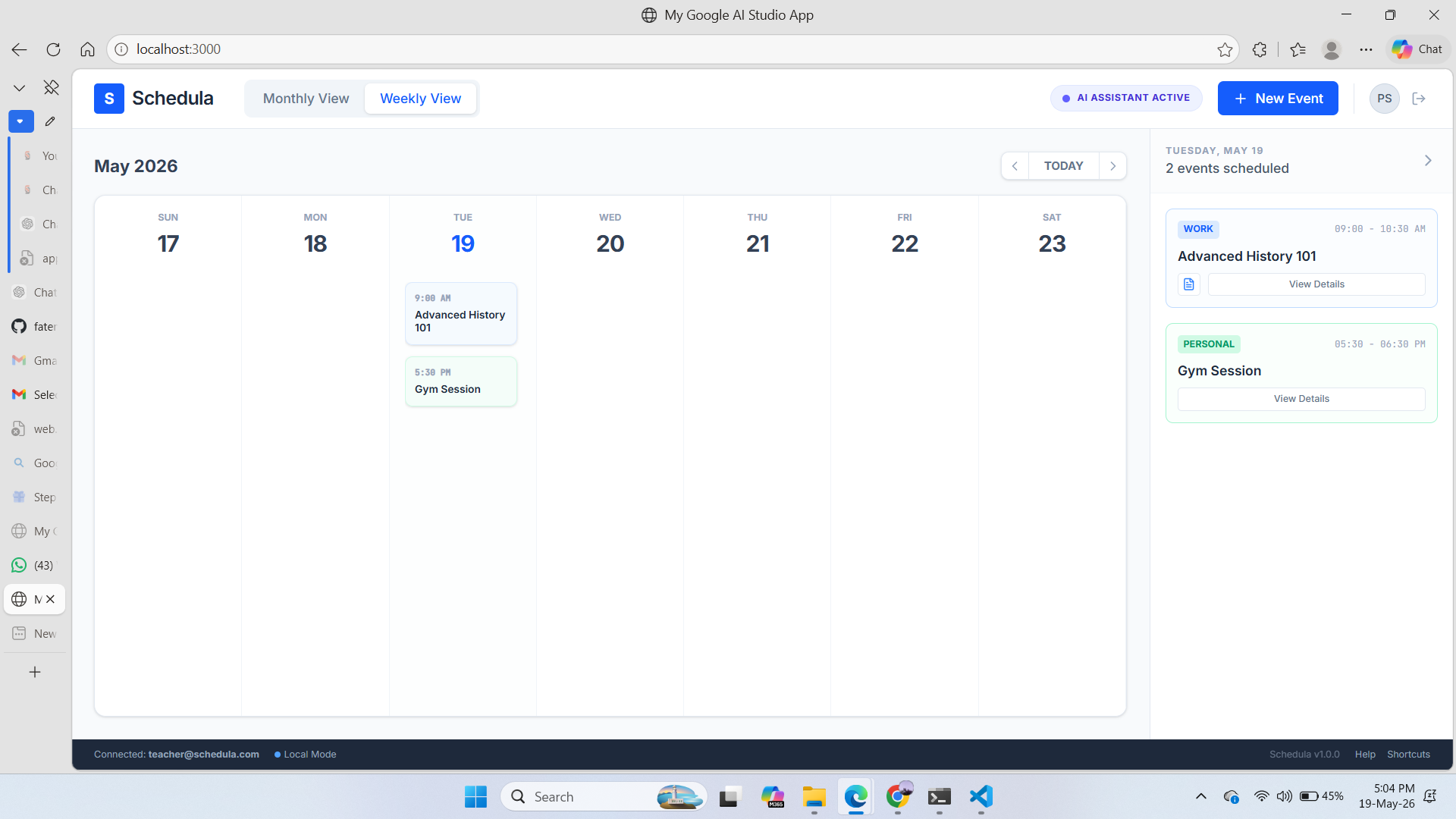
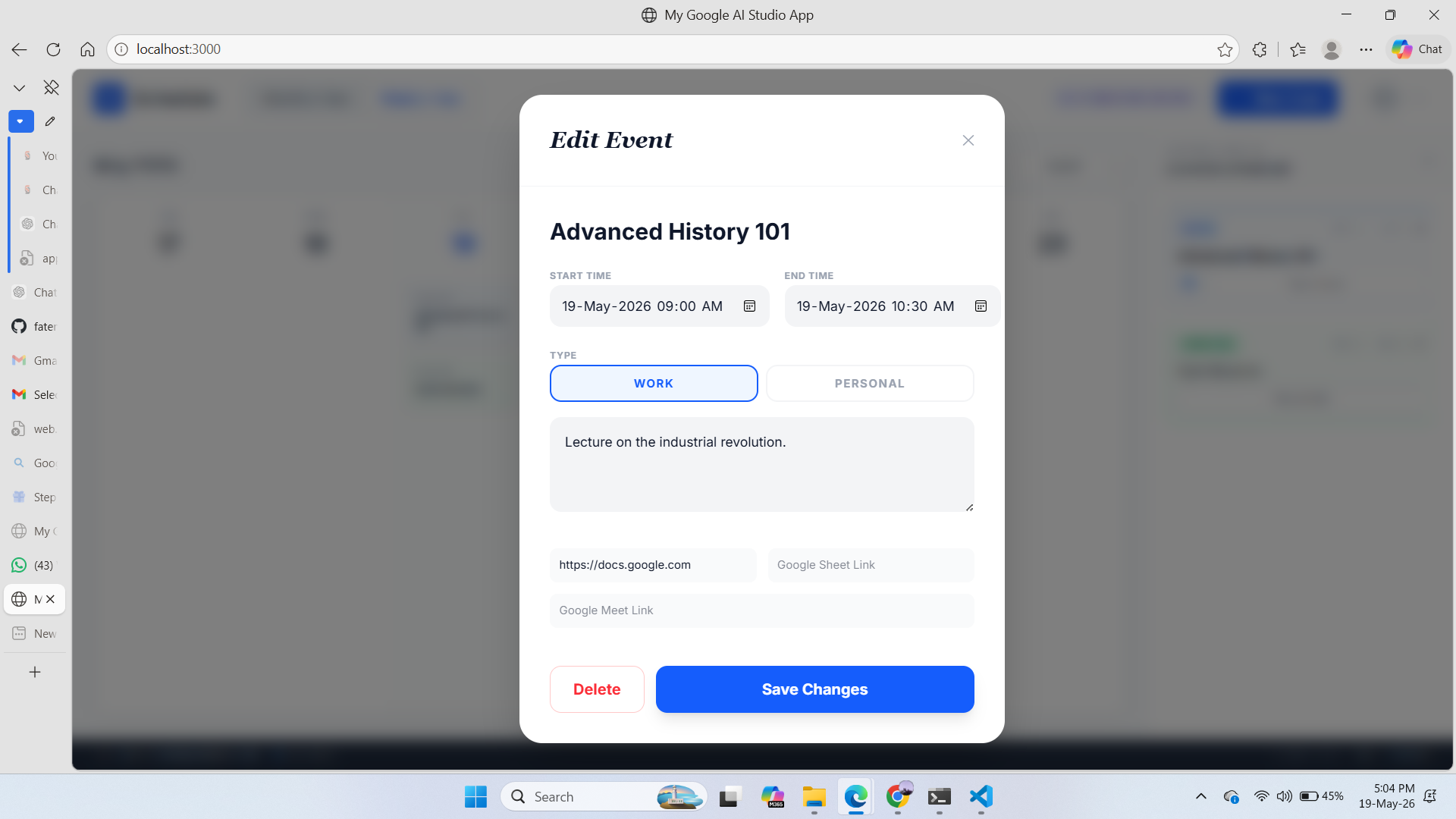
Calendar Management Provides monthly and weekly calendar views for teachers to visualize schedules clearly. Allows users to create, edit, and delete events easily for each date. Supports multiple events per day, ensuring comprehensive daily planning. Color-coded events: Blue → Work-related events (classes, meetings) Green → Personal events Event Details Each event can store: Title / Subject Start and End Time Google Doc link for lesson plans or notes Google Sheet link for attendance, grading, or planning Google Meet link for virtual classes or meetings Gmail draft trigger button for reminders or notifications AI Teacher Assistant Chat-style panel integrated into the calendar page. Generates lesson plans, quiz questions, and summaries based on teacher input. Outputs can be inserted directly into Google Docs, streamlining content creation. Google Workspace Integration Google Calendar API: syncs events between Schedula and the teacher’s Google Calendar. Google Drive API: stores and retrieves Docs and Sheets linked to events. Google Meet / Gmail API: creates meeting links and drafts emails for reminders. OAuth Login: secure login to access personal Google Workspace data. Productivity Features Quickly plan, track, and manage schedules in one interface. Ensures teachers spend less time on administrative tasks and more on teaching. Responsive design works on both desktop and mobile devices. Offline / Testing Support Includes stubbed dummy data for testing without API keys. Allows teachers to explore the app even without Google API integration during development.
How we built it
Frontend: Designed a monthly/weekly calendar UI using React and Tailwind CSS. Backend/Services: Created /services for Google API interactions (fetching events, creating Docs, sending emails) and AI features. AI Assistant: Integrated a chat-style assistant that generates lesson plans and quizzes. Deployment: Configured .env variables for API keys and ran the app locally with Vite. Planned deployment on Firebase Hosting. Testing: Used stubbed API data initially for quick testing before integrating live APIs.
Challenges we ran into
API Integration: Ensuring OAuth tokens were secure and Google API calls were modular. AI Assistant: Generating meaningful outputs while keeping the UI responsive. UI/UX: Designing a calendar interface that was clean, professional, and not too cluttered. Local Setup: Resolving port conflicts, environment variables, and managing dev server with Vite.
Accomplishments that we're proud of
Fully functional calendar UI with color-coded events. AI Assistant successfully generating lesson plans and quizzes. Modular service architecture for Google APIs. Local deployment with Vite for testing and online version hosted on GitHub for version control and collaboration.
What we learned
Building Schedula taught us: How to integrate Google APIs (Calendar, Drive, Gmail) securely with OAuth. How to structure a React/Next.js + Vite project with modular components. Implementing AI features and connecting them to frontend components. Handling asynchronous operations, state management, and responsive UI with Tailwind CSS. Deploying full-stack applications locally and with Firebase Hosting & Functions.
What's next for Schedula
Integrate all student-teacher communication channels (Google Meet, Gmail, Google Classroom) directly into Schedula. Automatically schedule classes, meetings, and deadlines based on teacher and student availability. Fully automate teaching tasks: AI generates lesson plans, quizzes, summaries, and assignments without manual input or switching apps. Unified platform: all communication, scheduling, and tracking centralized in one app. Real-time collaboration: multiple teachers and students synced with live updates via Firestore. Mobile support: responsive web and dedicated iOS/Android apps with offline mode. Analytics & insights: dashboards for teaching efficiency, student engagement, and AI-driven schedule optimization. LMS & multimedia integration: support for curriculum management, videos, slides, and interactive exercises.
Built With
- ai
- api
- clsx
- css
- date-fns
- esbuild
- express.js
- firebase
- gemini
- lucide
- markdown
- merge
- motion
- node.js
- react
- studio
- tailwind
- typescript
- vite

Log in or sign up for Devpost to join the conversation.