-
-
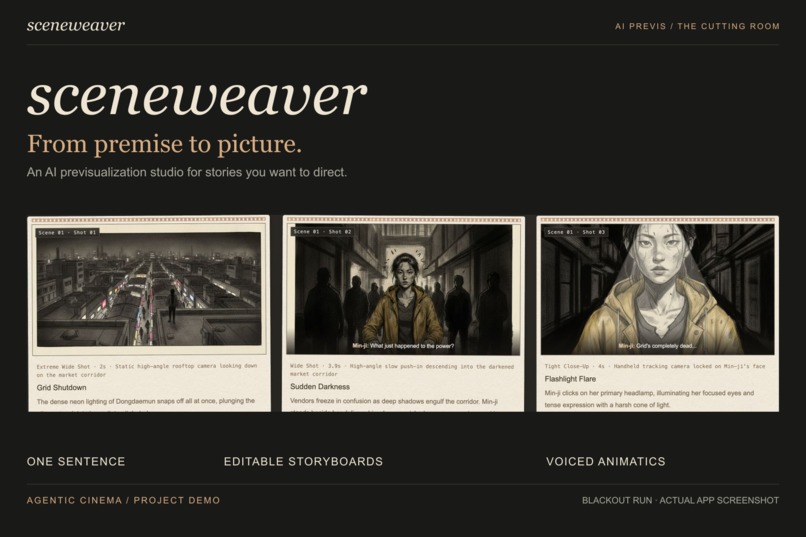
Cover
-
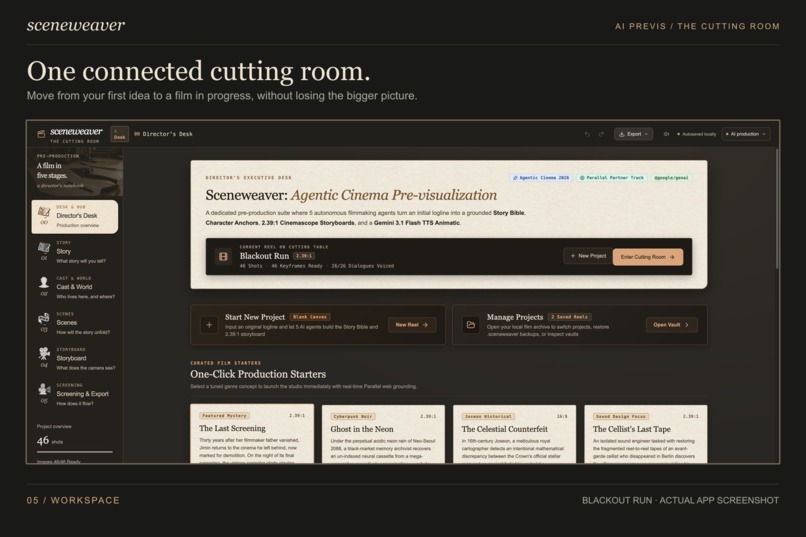
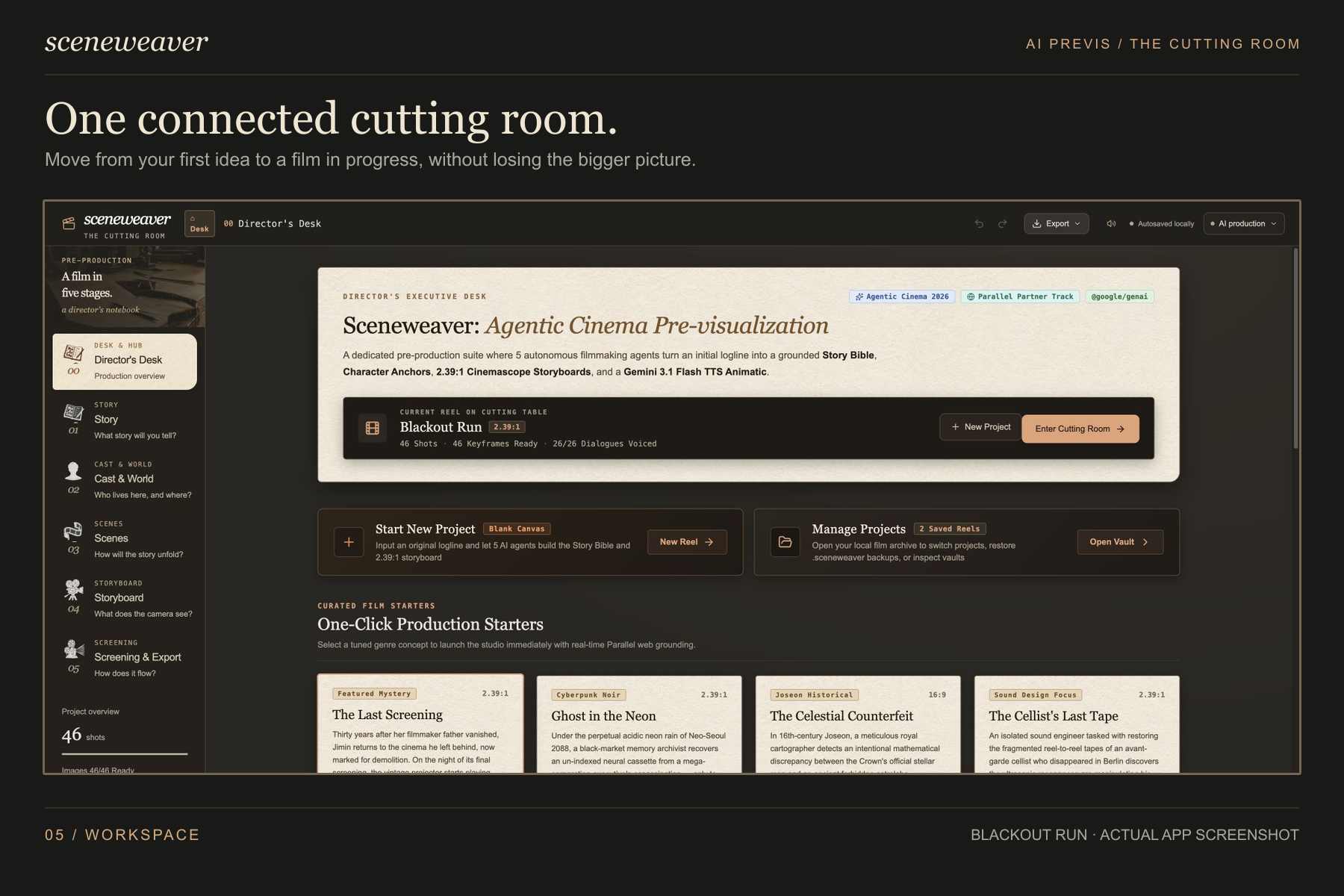
Main page - Director's desk
-
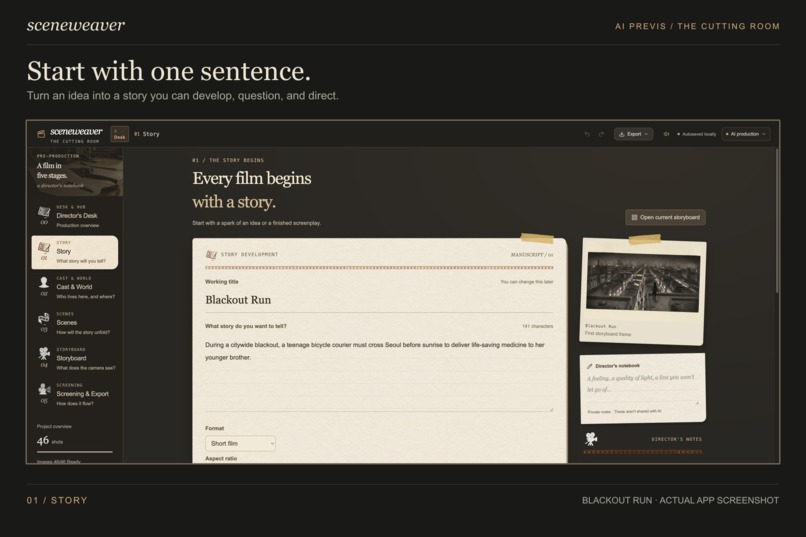
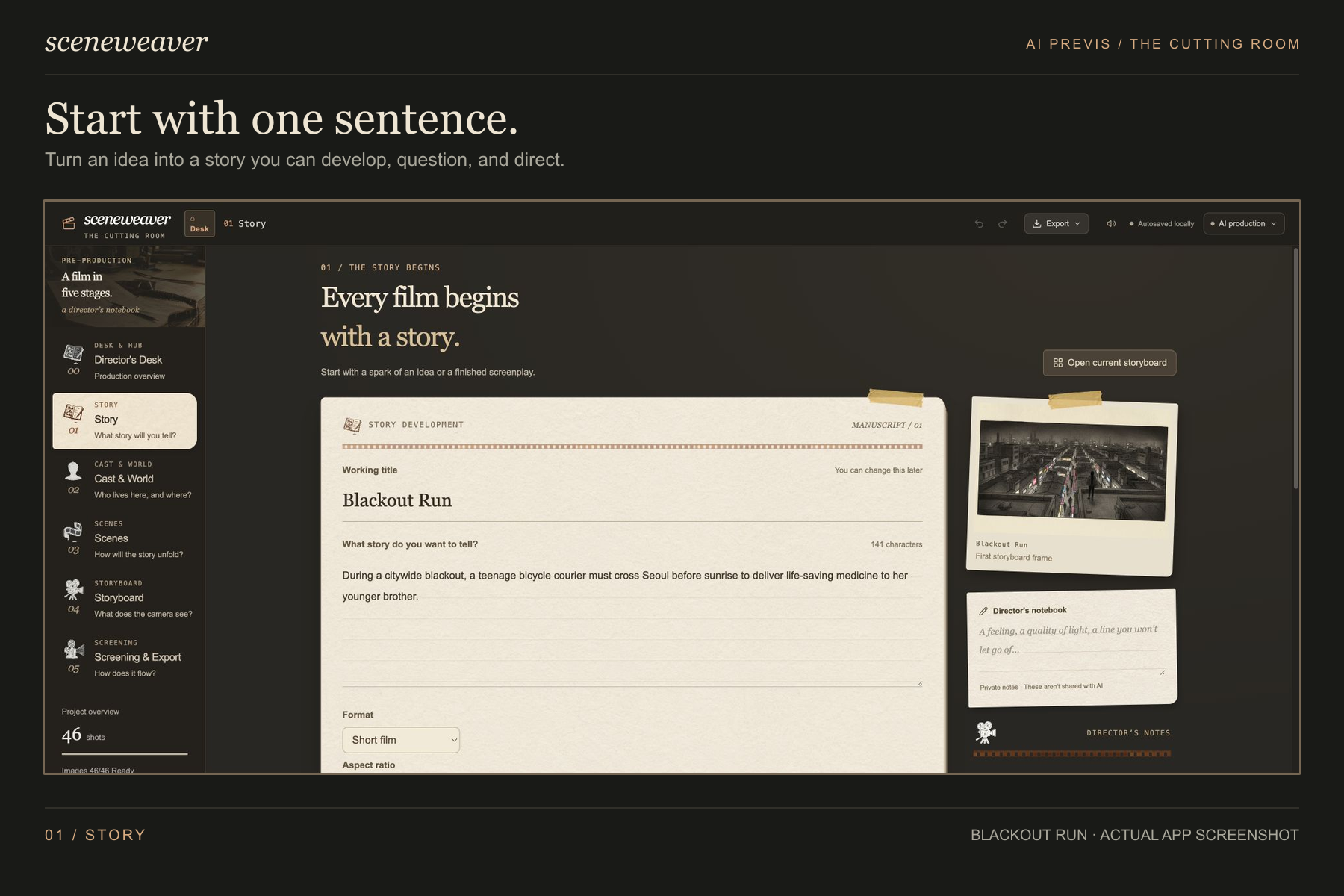
Start with a sentence
-
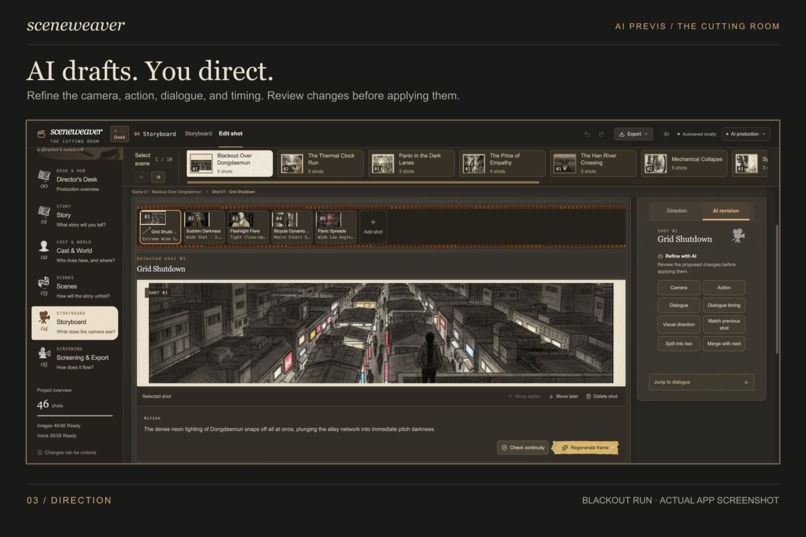
AI direction
-
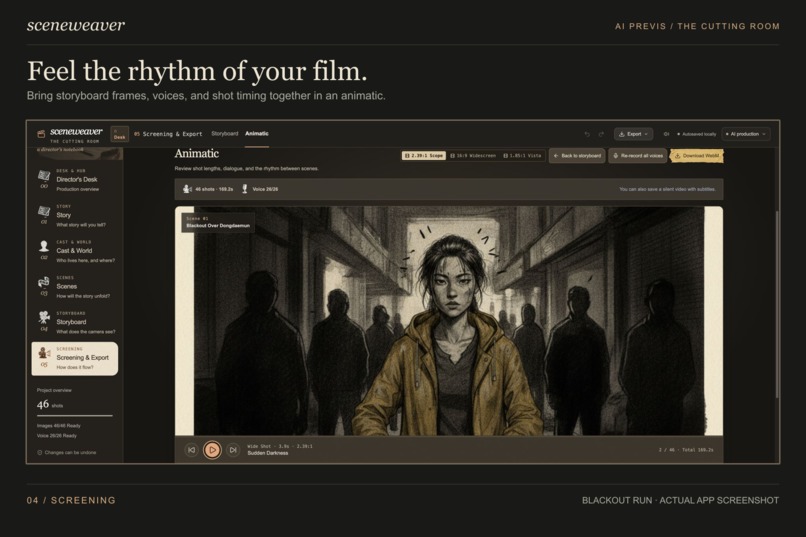
Animatic
-
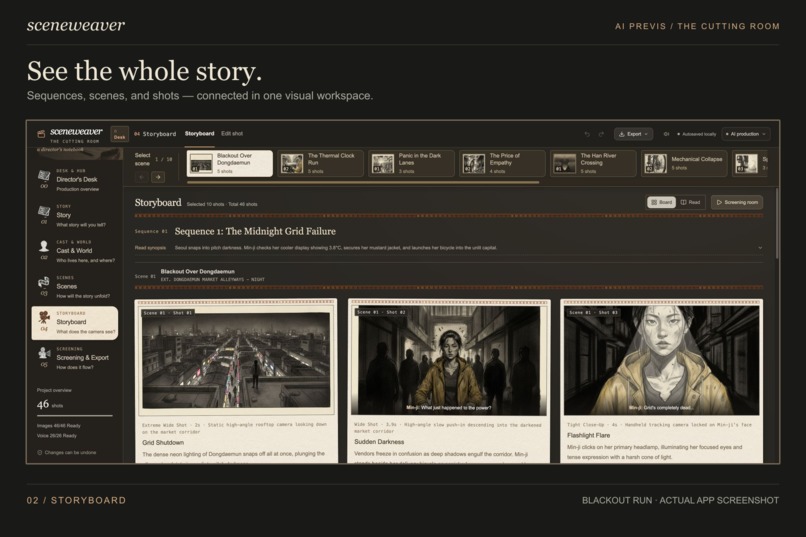
Storyboard
-
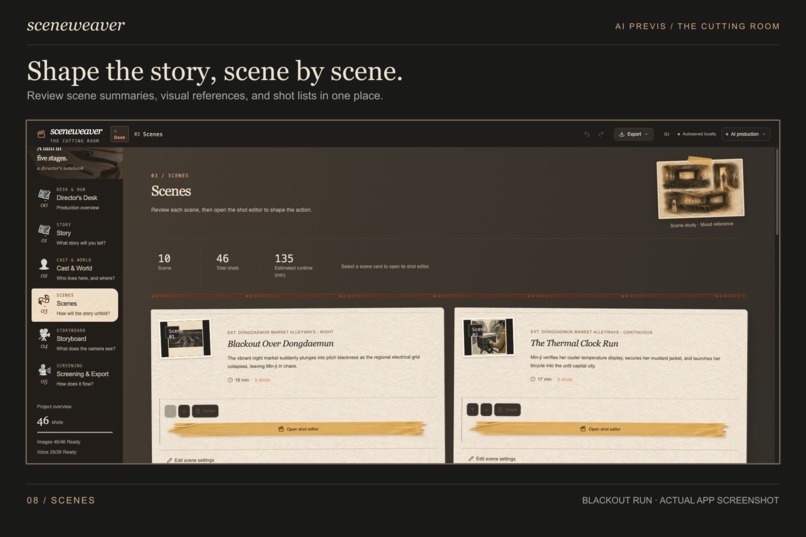
Scenes
-
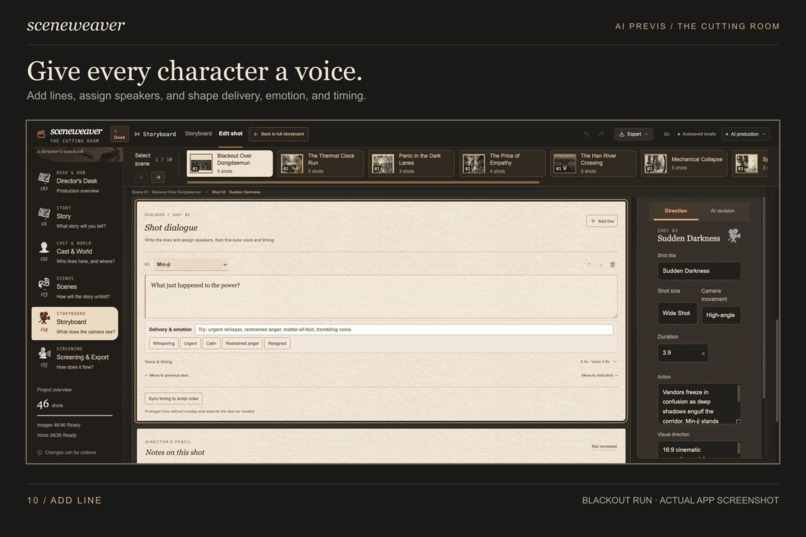
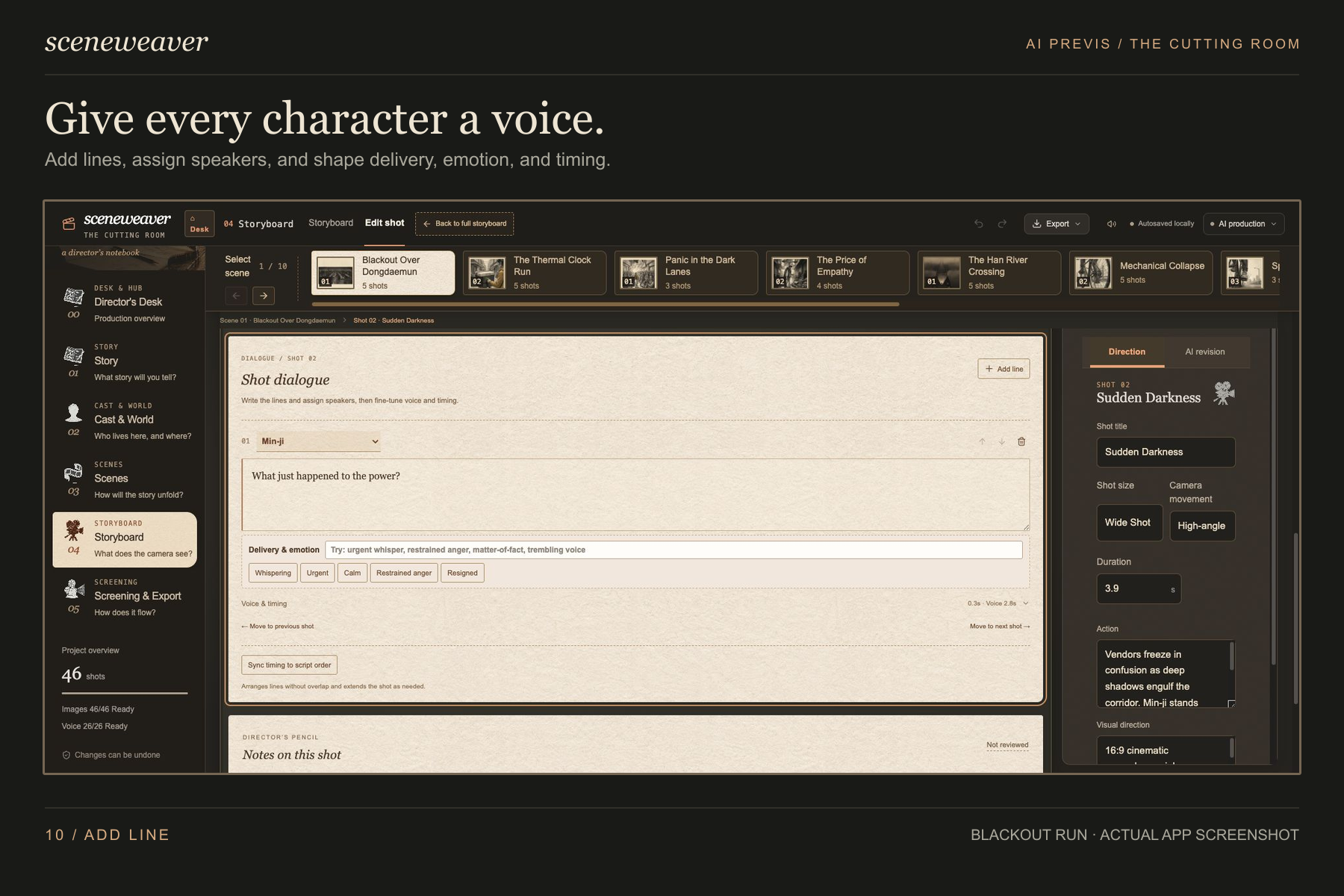
Add lines
-
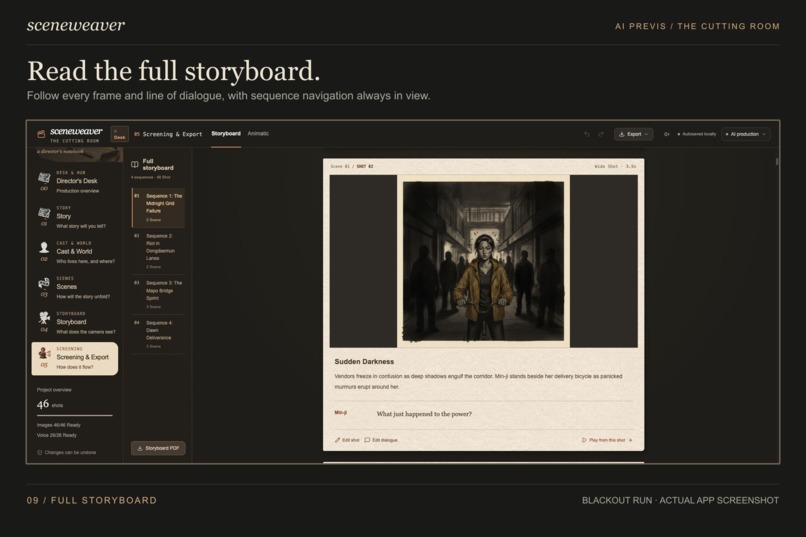
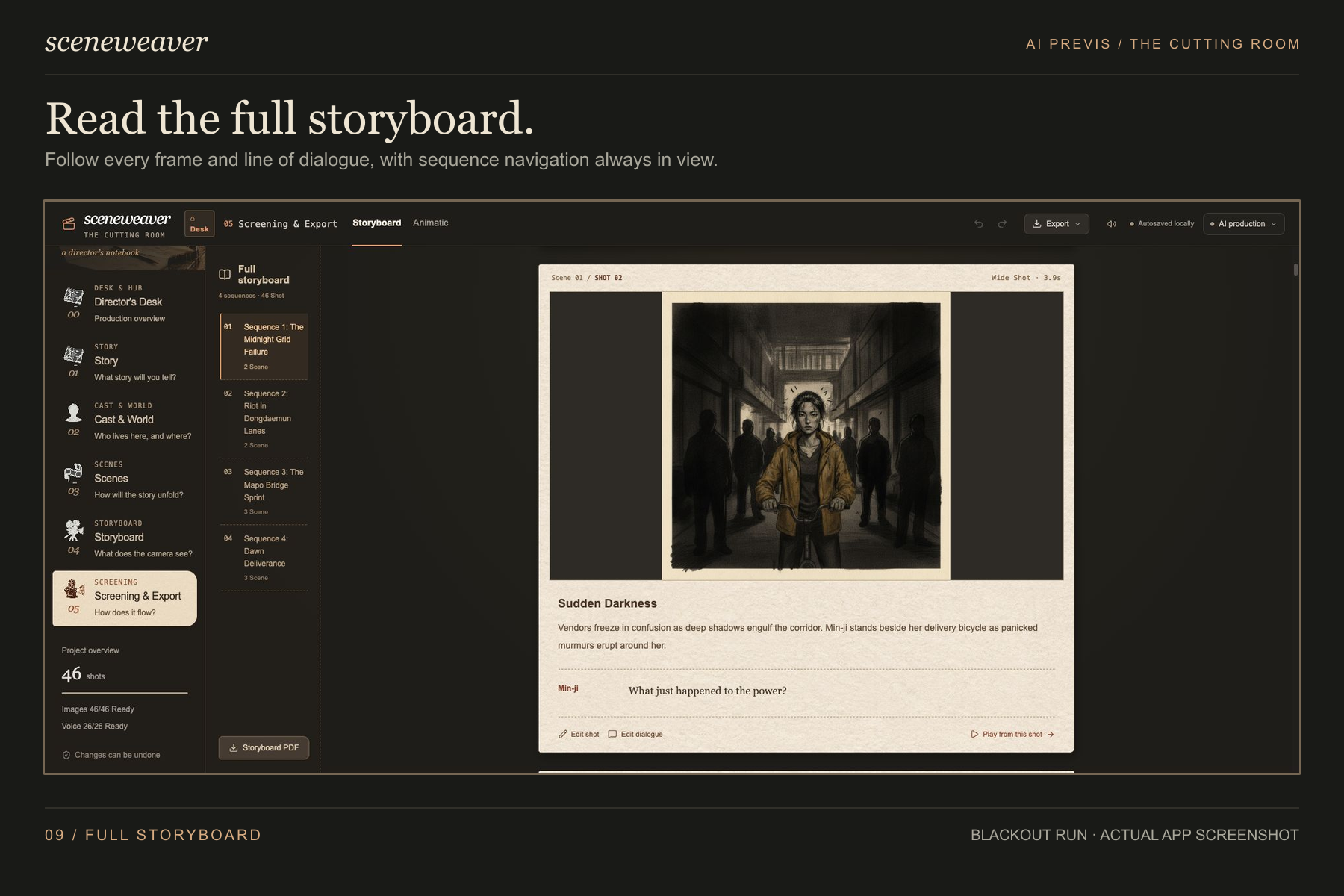
Story board
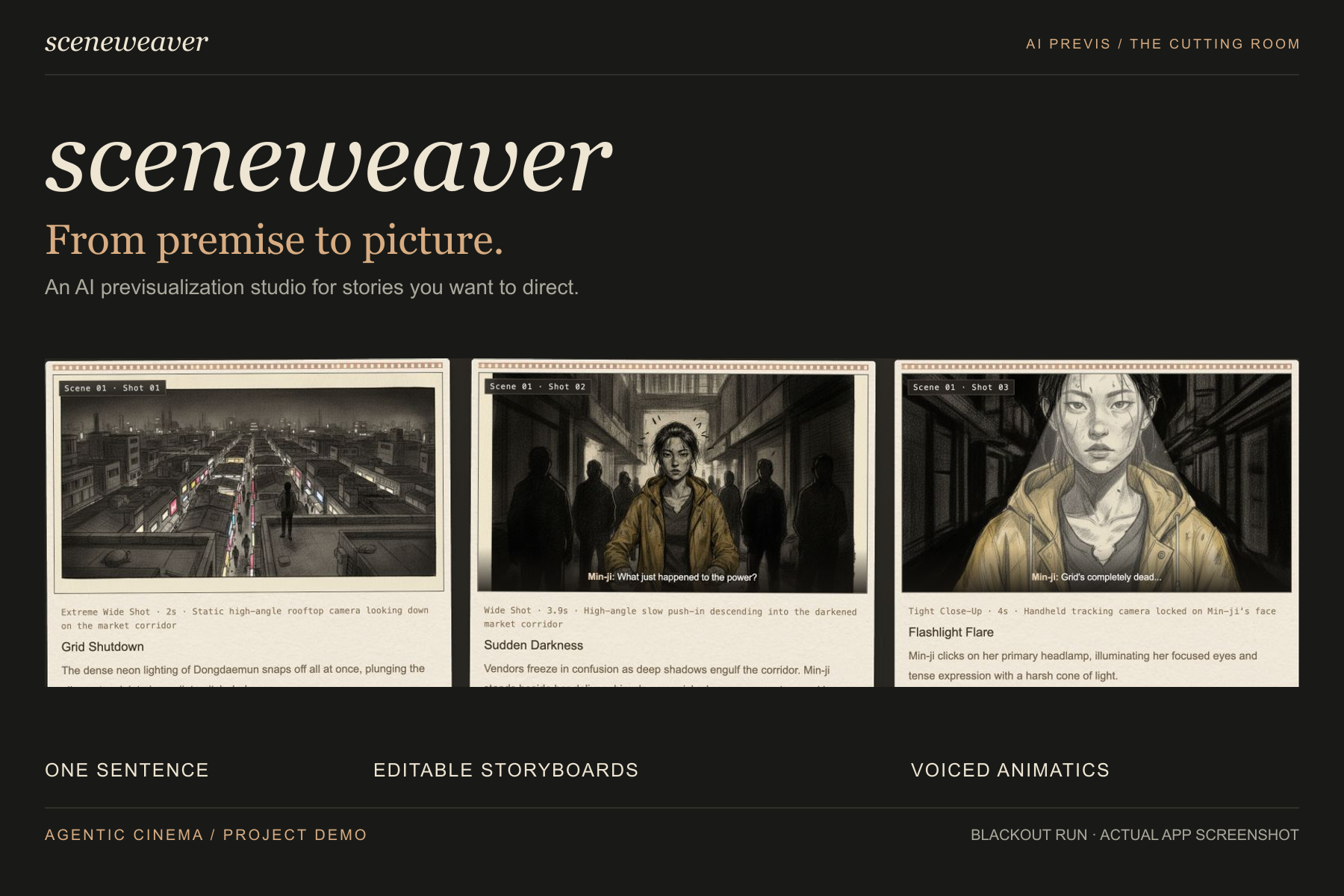
Inspiration
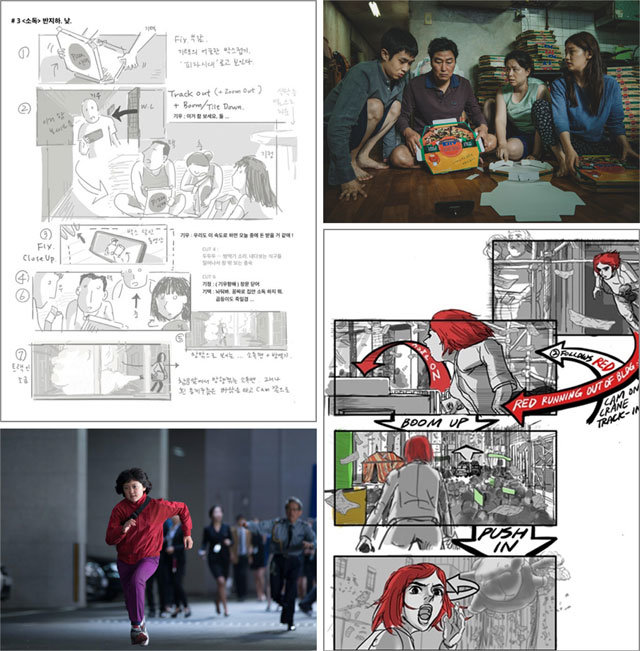
A major inspiration for Sceneweaver came from director Bong Joon-ho's remarkably detailed, comic-like storyboards. I saw an image of his hand-drawn storyboard and read about how carefully planning a film visually before production can help the cast and crew understand each shot in advance, reducing uncertainty, wasted time, and costly changes on set.
What stayed with me was that the storyboard was not simply a collection of attractive images. It was a practical filmmaking blueprint: composition, character movement, camera intention, and narrative rhythm were already visible before filming began. That level of preparation can make an ambitious creative vision much easier to communicate and execute.
I wanted to make that kind of visual planning more accessible. Not every writer or first-time director can draw a detailed storyboard or turn an early idea into a complete production plan. Sceneweaver therefore begins with a simple premise and uses AI to help the filmmaker progressively develop the characters, locations, sequences, scenes, shots, dialogue, and timing.
The goal is not to replace the director's decisions. It is to give filmmakers an editable visual blueprint early enough to explore ideas, catch problems, and communicate the whole film before production becomes expensive. Our guiding principle is simple: AI drafts. You direct.
What it does
Sceneweaver is a browser-based AI previsualization studio that connects story development, characters, locations, scenes, storyboards, dialogue, and animatic screening in one workspace.
The workflow moves from broad creative intent to specific filmmaking decisions:
- Start with a premise. Enter a working title and a one-sentence story. The Story Producer asks focused questions about the protagonist, stakes, conflict, tone, and ending.
- Build the story world. Develop character motivations and appearances, define important locations, generate visual concepts, and approve reference images.
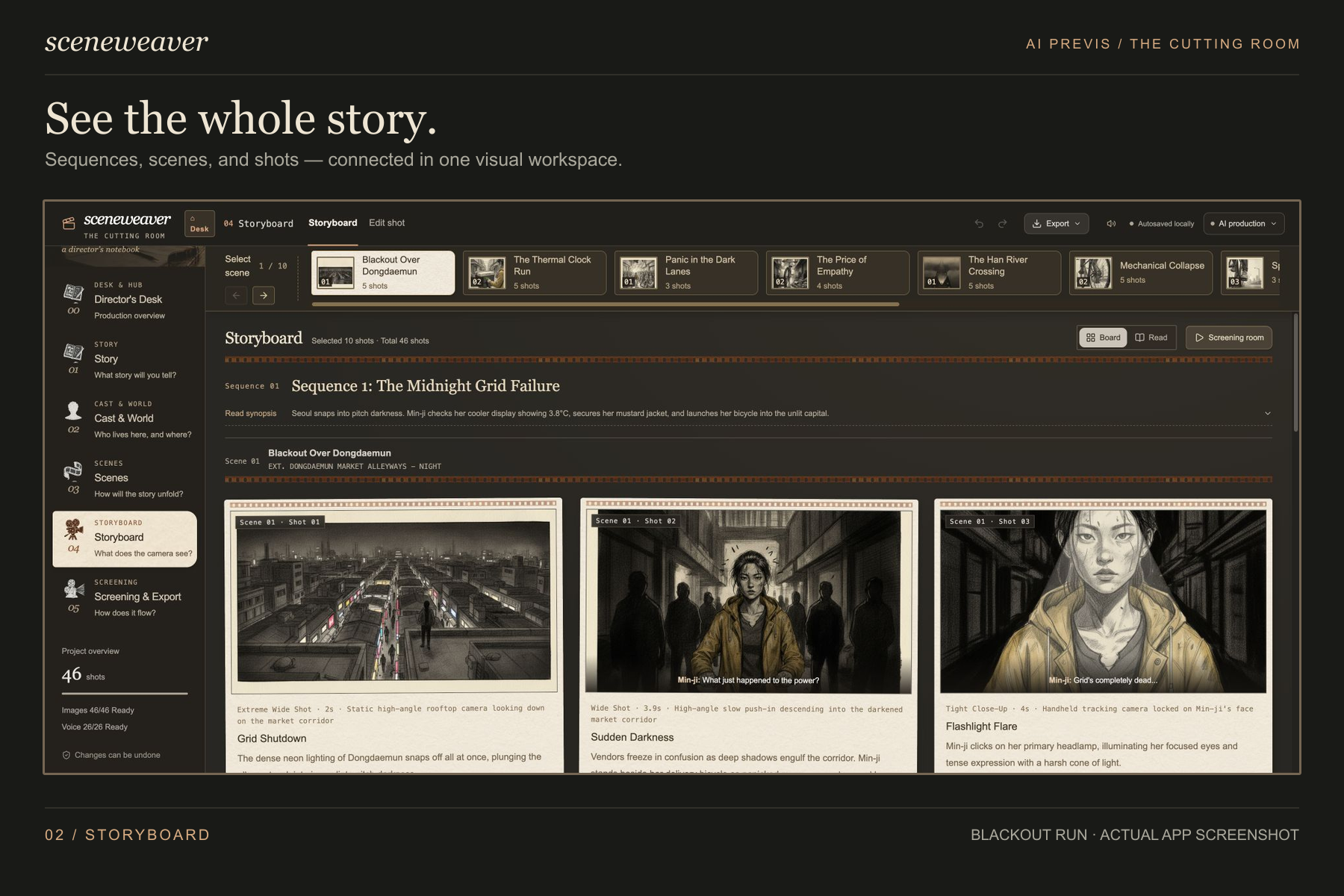
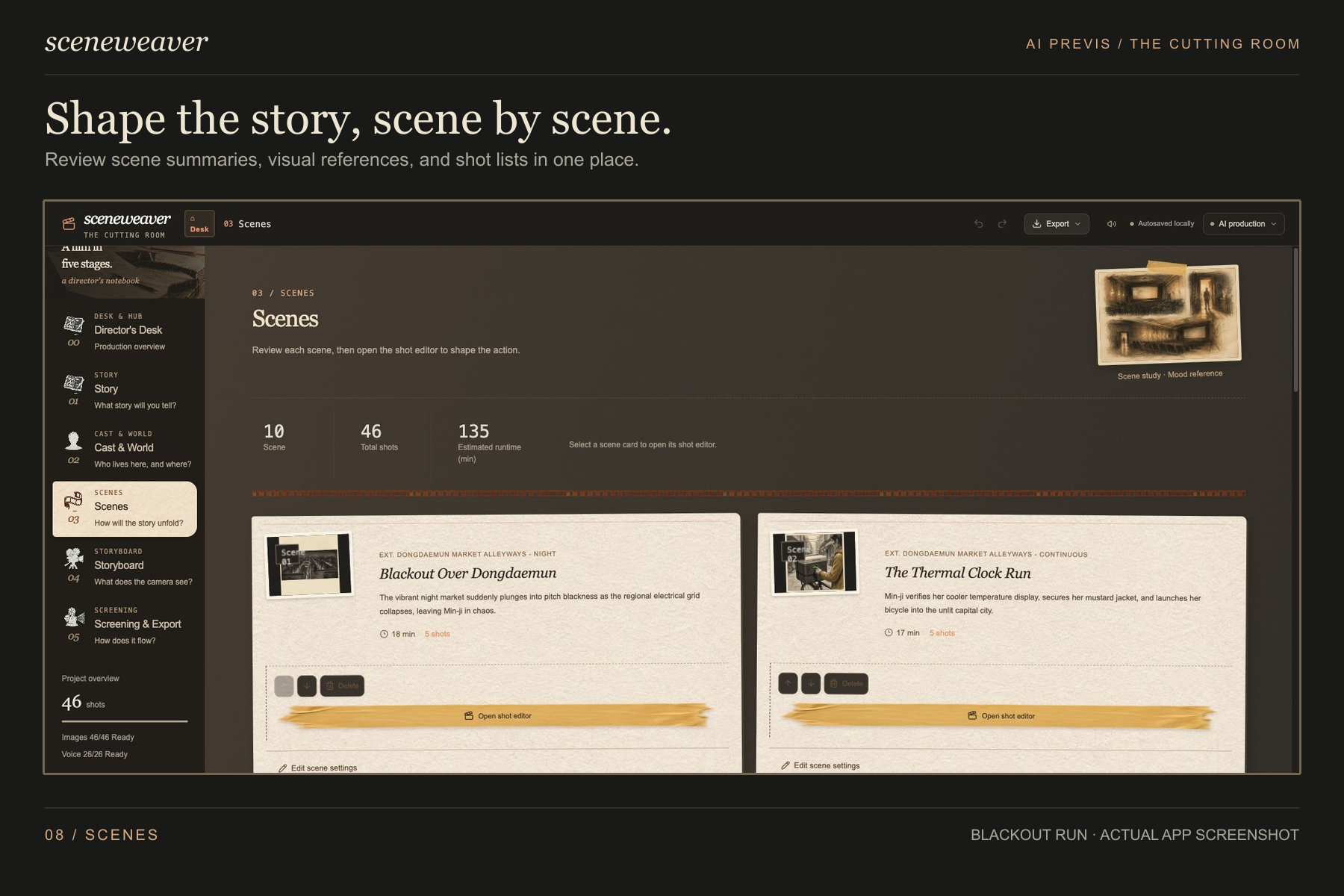
- Shape the structure. Organize the film into sequences and scenes, then review the dramatic purpose and shot count of each section.
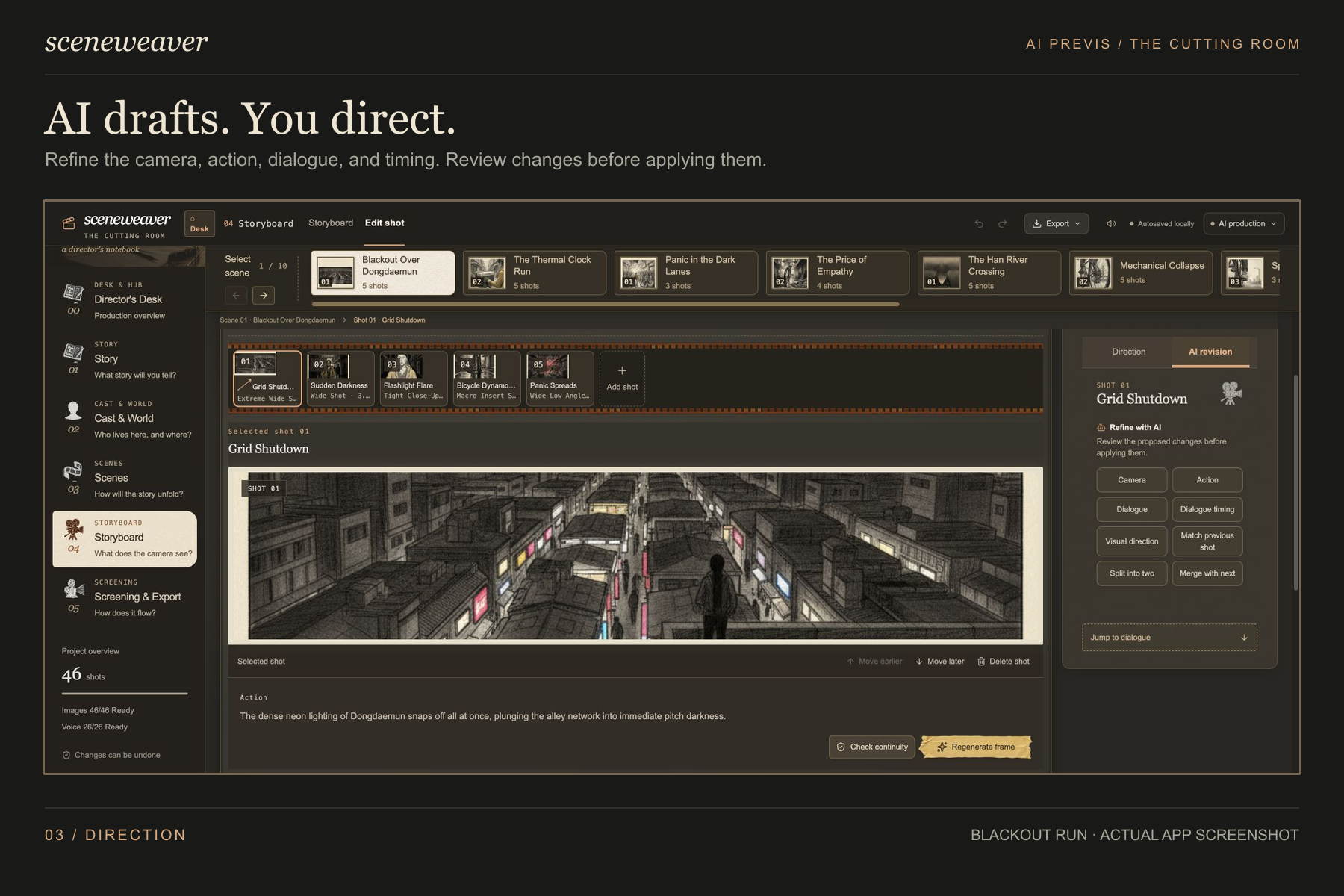
- Direct every shot. Edit shot size, camera movement, action, visual direction, dialogue, and duration. AI-assisted revisions can be reviewed before they are applied.
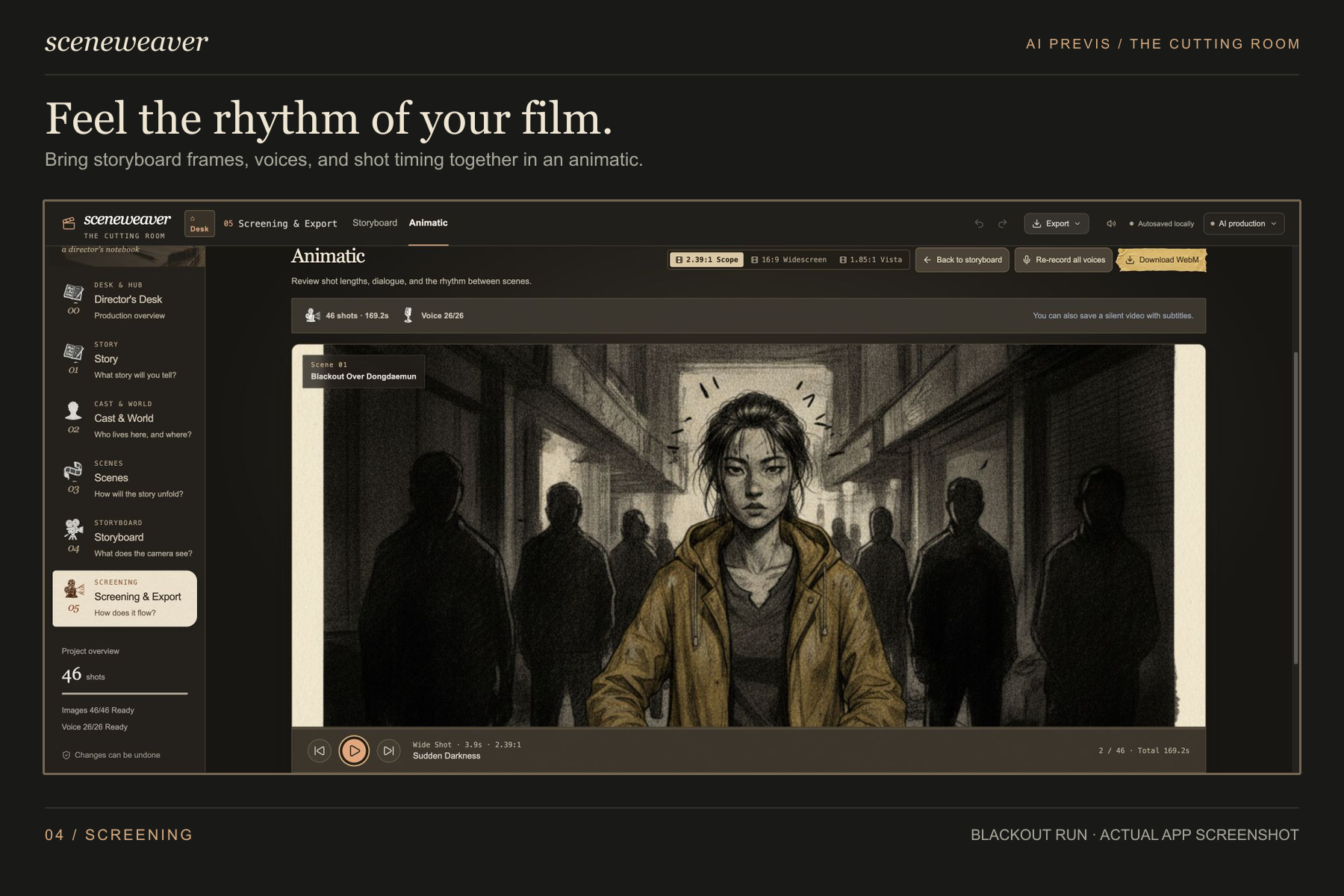
- Watch the film take shape. Combine storyboard frames, generated voices, subtitles, and shot timing into an animatic for evaluating pace and flow before production.
Five specialized filmmaking agents support the process:
- Story Producer develops the premise through interactive questions and grounded story research.
- Casting & World Director creates character, location, visual-reference, and voice profiles.
- Cinematographer & Storyboard Artist plans shot coverage and supports focused camera, action, dialogue, timing, visual, and continuity revisions.
- Script Supervisor uses multimodal analysis to check adjacent frames for camera-axis, eye-line, wardrobe, prop, and lighting continuity.
- Sound & Voice Director turns dialogue and performance direction into synchronized character voices for the animatic.
How we built it
Sceneweaver is built with React, TypeScript, Vinext, Vite, and Tailwind CSS and deployed as a containerized application on Google Cloud Run.
Each filmmaking agent is implemented as a focused module with typed contracts between stages. Instead of relying on one large prompt, the pipeline passes structured story, character, location, sequence, scene, shot, dialogue, and reference-image data to the next department. This makes individual results easier to edit and lets downstream agents work from approved upstream decisions.
Core text and multimodal workflows use the Gemini API. The official Google Gen AI SDK (@google/genai) is integrated and invoked through a dedicated runtime bridge. Google's native image-generation API creates character portraits, location concepts, sequence thumbnails, and storyboard frames, while approved images are passed into later generations as visual references.
For the Parallel Partner Track, the Story Producer and Cinematographer use the official parallel-web SDK to call the Parallel Search API. The agents search for relevant historical context, genre conventions, story lore, and cinematography techniques, then attach supporting sources to grounded creative material so filmmakers can inspect the research.
The Sound & Voice Director uses Gemini 3.1 Flash TTS to interpret dialogue and performance notes such as urgency, restraint, or whispering. Generated 24kHz PCM audio is converted into WAV data and synchronized with individual storyboard shots.
Structured production data and large media assets are persisted separately in the browser using IndexedDB. The export system supports project backups, shot-list data, subtitles, storyboard documents, and animatic review.
Challenges we ran into
Keeping five agents aligned. Each agent depends on work produced upstream. We created structured handoffs so continuity checks use the correct character references, previous shots, and camera decisions.
Grounding instead of hallucinating. Early agents sometimes invented plausible-sounding film or historical details. Parallel Search now retrieves supporting sources and attaches relevant citations to the research.
Making AI output editable. Filmmakers need control beyond one-click generation. Approved references, targeted regeneration, and revision previews let users change specific decisions without rebuilding the project.
Managing media and timing. Images and voices arrive asynchronously, while spoken dialogue rarely matches its estimated duration. We kept results tied to the correct shot and made animatic timing adjustable.
Connecting overview and detail. Users should be able to move from the full story to one shot or dialogue line without losing context. The interface keeps every production stage connected and editable.
What we learned
We learned that multi-agent reliability depends less on any single agent's intelligence and more on the contracts between them. Typed handoffs, approved visual references, and explicit grounding sources improved consistency more than simply making prompts larger.
The most useful creative AI is not always the AI that generates the most. It is the AI that asks the right question, provides a useful draft, and leaves the next decision understandable and editable.
We also learned that media persistence, continuity, and timing deserve as much attention as model output quality. A creative workflow is only useful if the filmmaker can keep working with its results.
What's next for Sceneweaver
Next, we want to extend continuity checks across complete scenes rather than only adjacent shots, strengthen character consistency, and let the Cinematographer reason over real camera and lens metadata. We also plan to add collaborative review tools so writers, directors, cinematographers, and producers can leave notes and develop the same film together.
Built With
- docker
- gemini-3.6-flash
- gemini-flash-image
- gemini-tts
- google-cloud
- google-cloud-text-to-speech
- google-gemini-api
- google-genai
- lucide-react
- node.js
- npm
- parallel-search-api
- parallel-web
- postcss
- react
- tailwind-css
- typescript
- vite


Log in or sign up for Devpost to join the conversation.