-
-
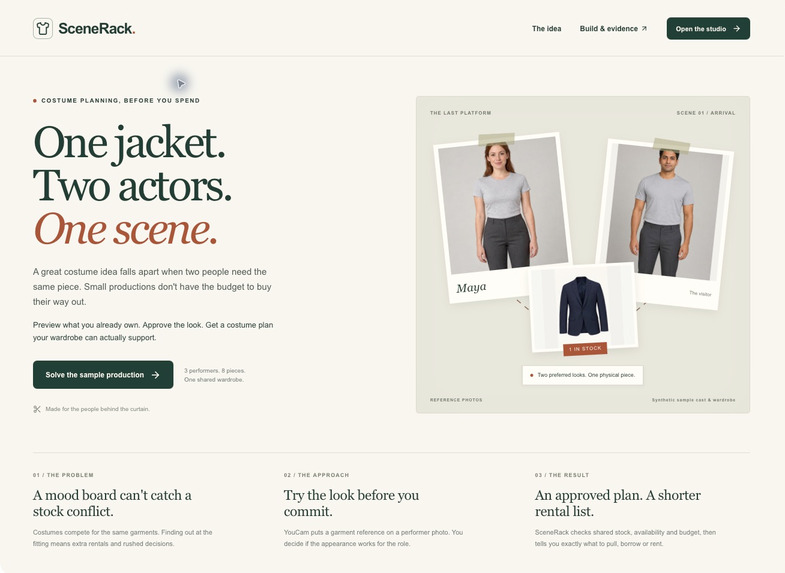
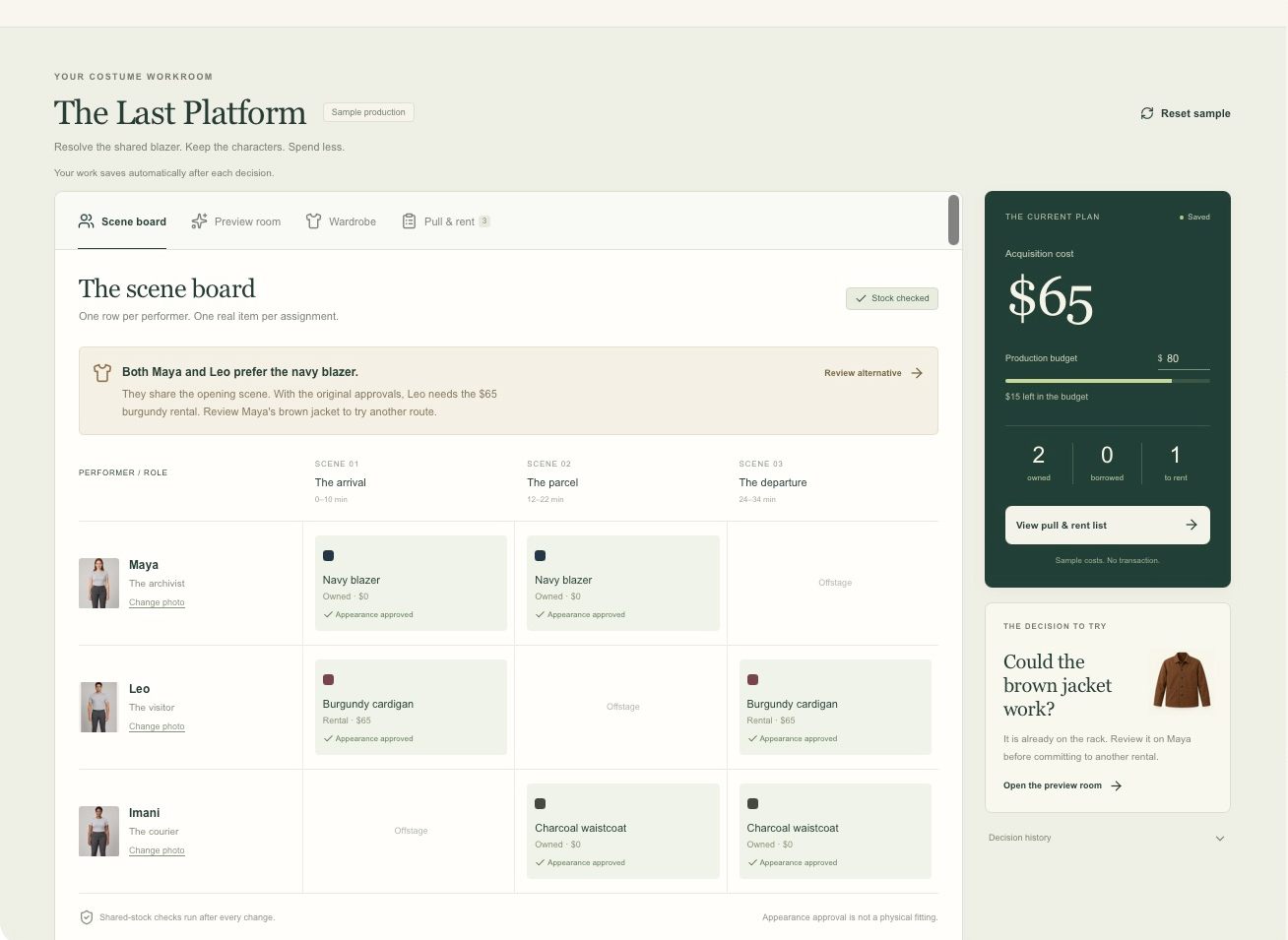
Problem: two performers want one physical jacket in the same scene. SceneRack links appearance review to a sourcing decision.
-
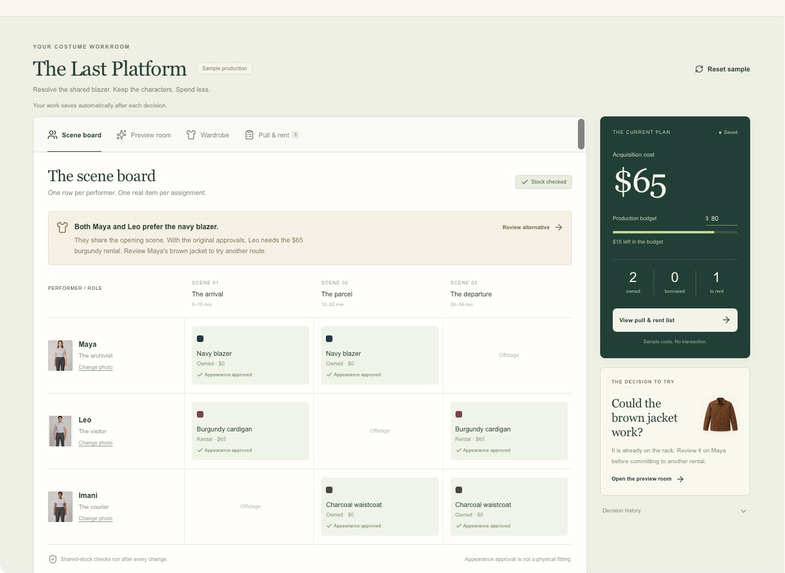
Initial plan: the shared navy blazer requires a $65 burgundy rental under the sample's existing approvals.
-
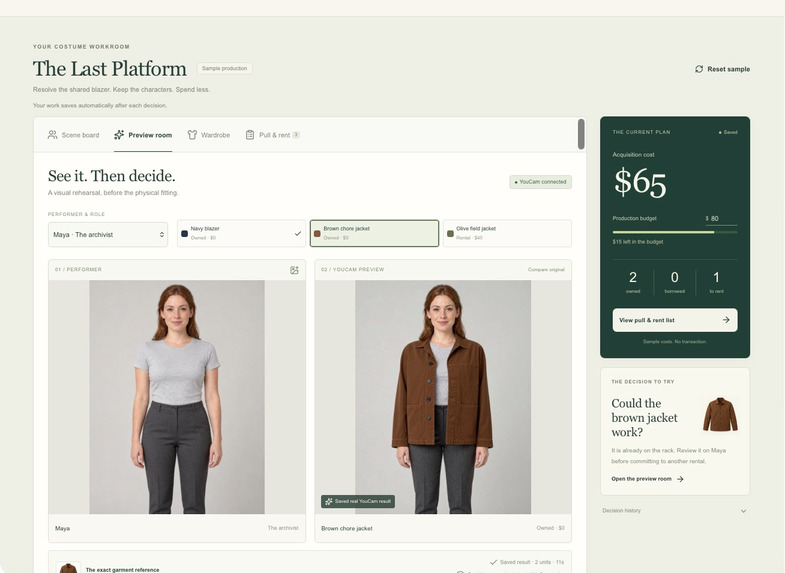
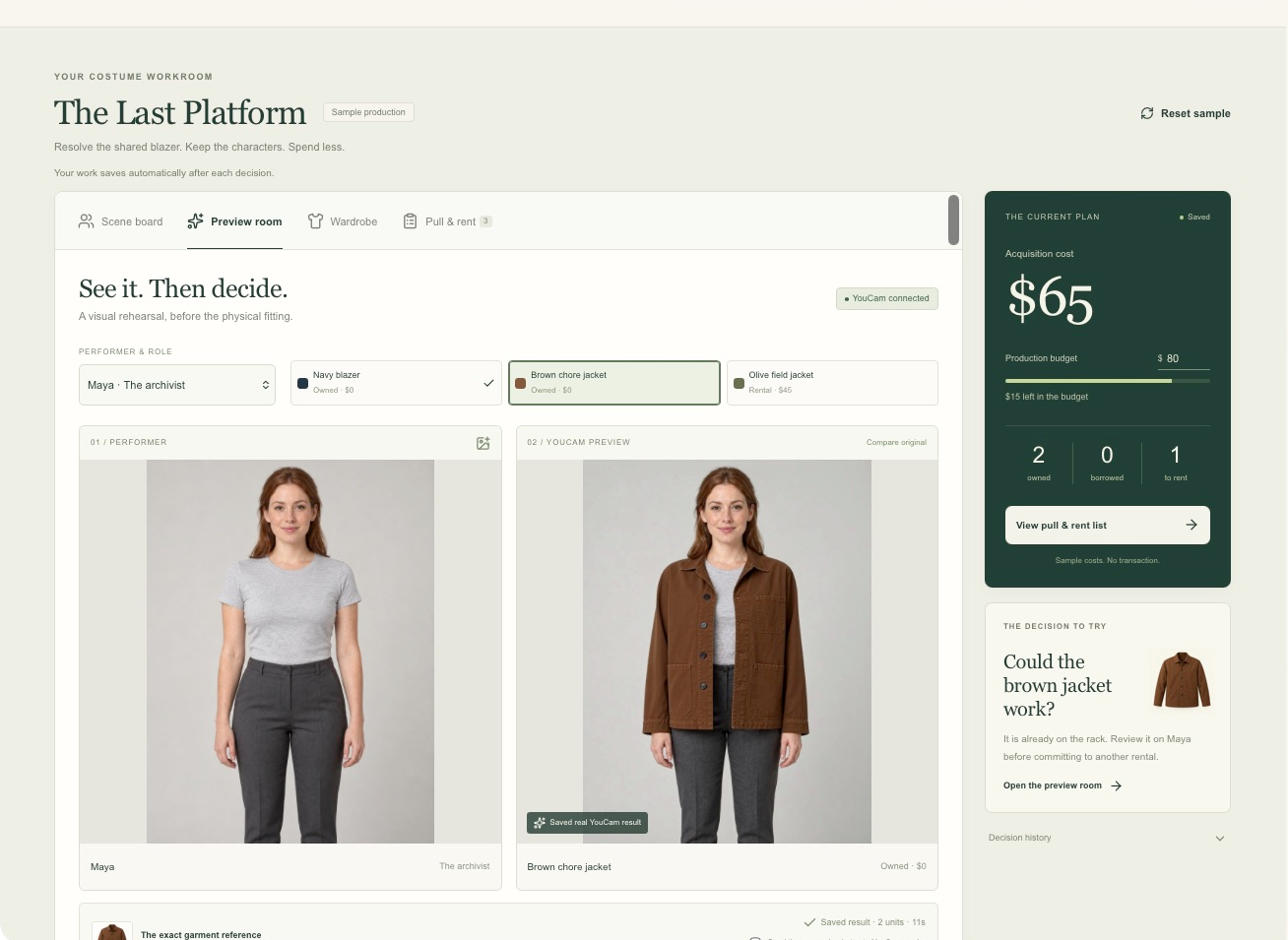
Real YouCam Clothes v4 output beside Maya's original image. Synthetic inputs; an appearance preview, not a fitting.
-
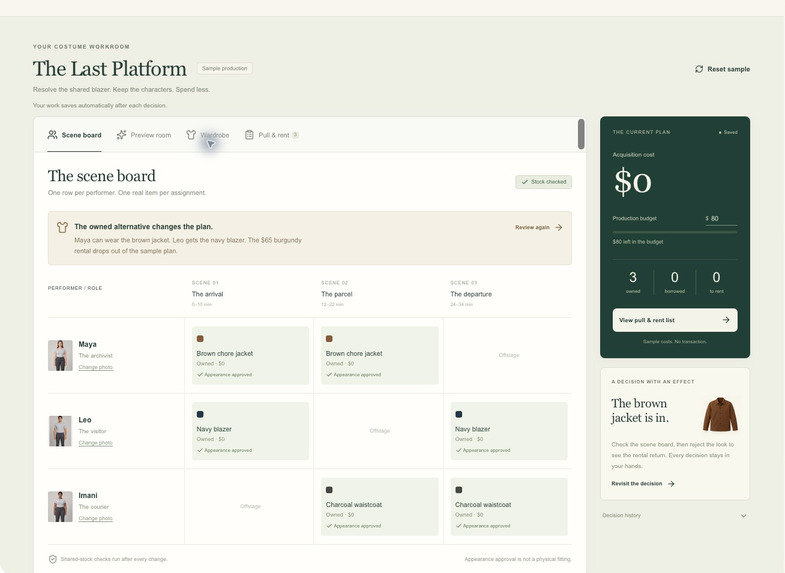
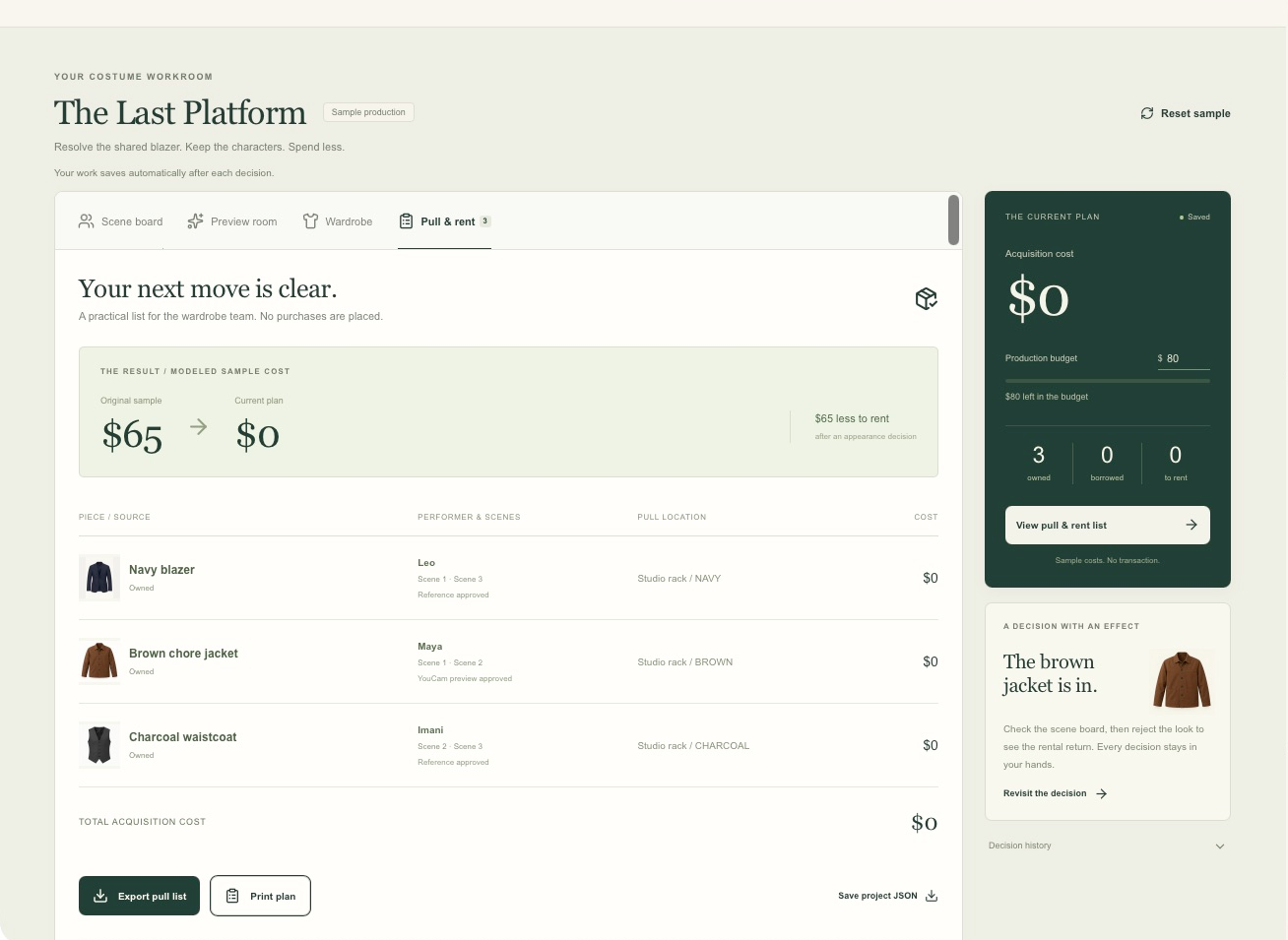
One approval changes the plan: Maya wears owned brown and Leo wears owned navy. Modeled acquisition cost is now $0.
-
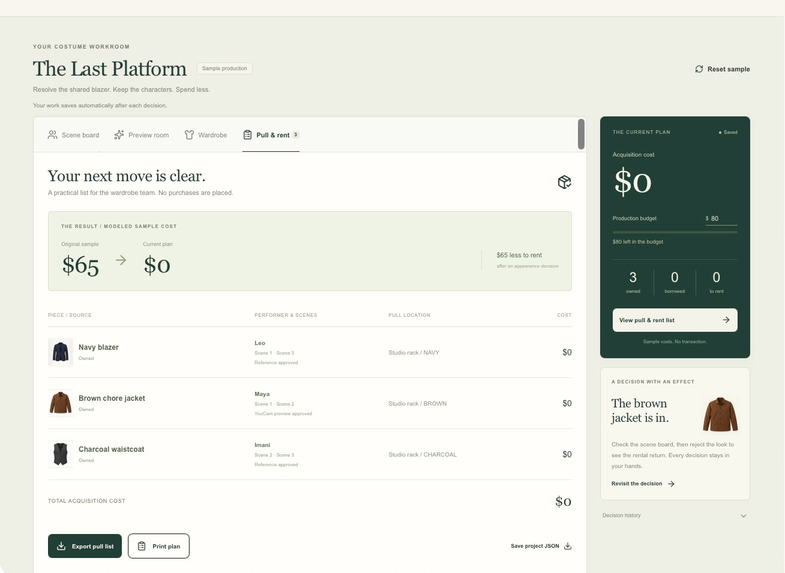
Exportable pull list: assigned performer, scenes, stock location and cost for each physical garment.

Inspiration
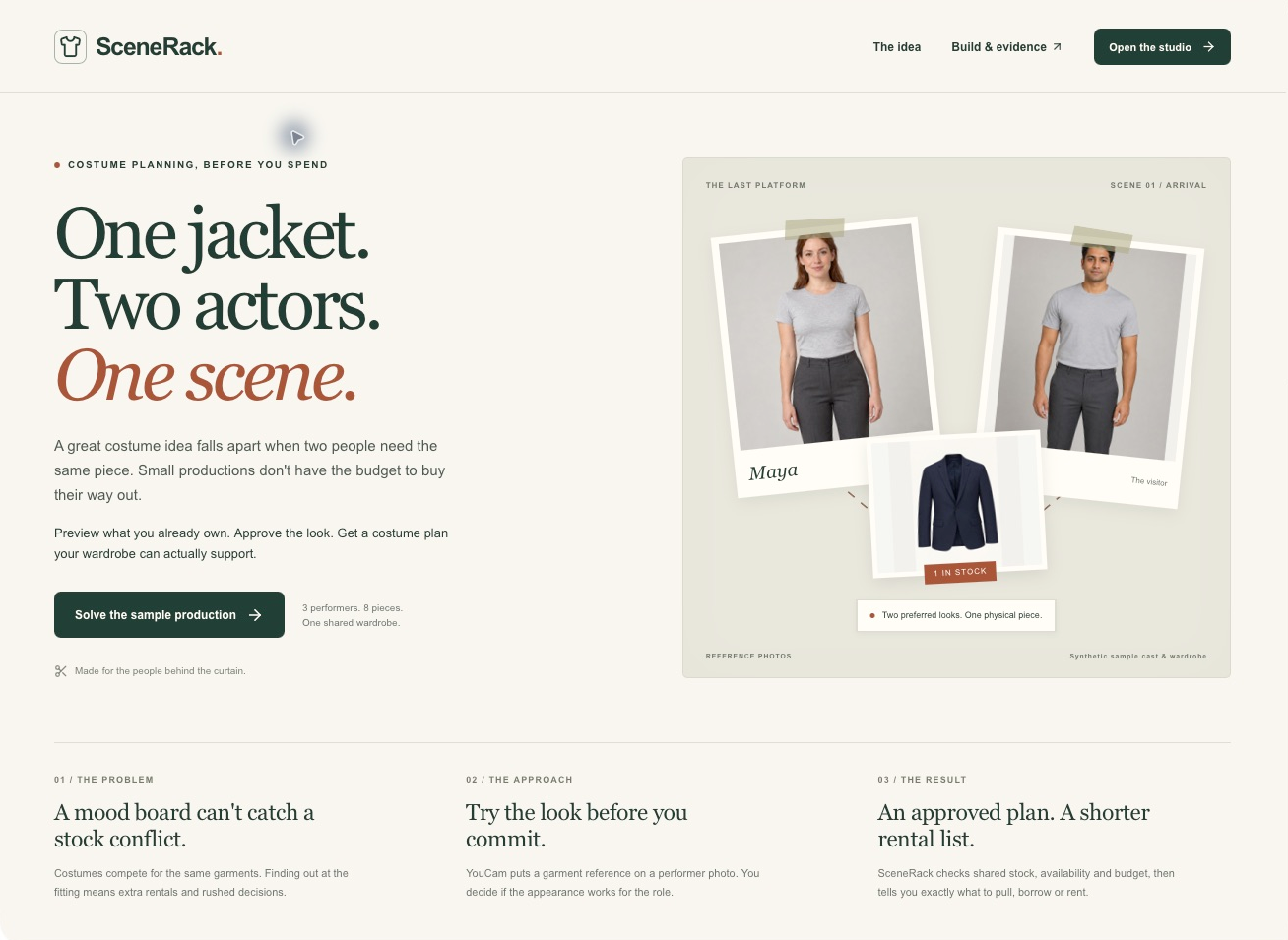
One jacket. Two actors. One scene.
A costume mood board can look convincing while asking the wardrobe team to do something impossible. Small productions share a limited set of pieces. If two actors need the same item at the same time, the team must change the design or spend on another rental.
I built SceneRack for small-theatre costume buyers who need to choose what to reuse, borrow or rent before they spend. Virtual try-on should help make that sourcing decision. SceneRack asks whether an owned alternative works for the role, then turns the answer into a feasible sourcing plan.
What it does
SceneRack connects a performer photo, an exact garment reference and the production's scene requirements. YouCam Clothes v4 generates an appearance preview. The designer approves the look, rejects it or flags a problem with the generated image.
That choice changes the plan. The allocation search checks approvals, item availability, wearer eligibility, scene timing, authorized handoffs and budget. It counts the acquisition cost once per physical item. The result is a scene board and an exportable pull, borrow and rent list.
In the fictional sample, Maya and Leo both prefer the only navy blazer. They share the opening scene. The initial approved plan requires a $65 burgundy cardigan rental. Approving the owned brown jacket for Maya gives Leo the navy blazer and brings the modeled acquisition cost to $0. Reject the look and the rental returns.
No transaction is placed. A real fitting is still required.
How I built it
The app uses React, TypeScript and Vinext on Cloudflare Workers. D1 stores production state, decisions and preview jobs. R2 stores private uploads and new results. A bounded exact search computes the lowest-cost feasible allocation in integer cents.
The YouCam integration runs on the server: register performer and garment JPEGs, upload to the signed destinations, create a Clothes v4 task, poll its status and save the returned image before its temporary URL expires. API credentials never enter the browser bundle.
Requests check current API pricing and available units. A unique input fingerprint reuses existing jobs; the admission query limits active requests and total reserved units. An ambiguous submission is never automatically repeated. Changing a source photo invalidates its old approvals and hides the old preview.
Challenges
A generated preview is not a product measurement. One of our real results added rolled cuffs that did not exist in the source jacket. I built a separate preview-quality flag so an image defect would not become a veto of a useful garment.
The other challenge was shared stock. A product recommendation is usually independent for each shopper. Theatre is different: two individually sensible choices can collide. The planner therefore treats each garment as one physical piece and only permits a handoff when the designer has authorized it and the scenes do not overlap.
Accomplishments
- Completed 12 real YouCam requests and saved their unchanged outputs with hashes and timestamps.
- Found 11 useful for limited appearance review in an AI-assisted inspection, with one result flagged. This is a selected synthetic fixture set, not an API accuracy estimate.
- Passed 23 planning and admission checks, including 200 randomized controlled scenarios, and 18 local HTTP checks for state, privacy boundaries and consent.
- Demonstrated a complete preview-to-decision-to-allocation-to-export workflow, including the reverse decision and an inventory withdrawal.
What I learned
The useful moment is not just seeing a new outfit. It is deciding that a garment already on the rack can support the production, then carrying that decision through the shared inventory and budget.
I also learned to separate three claims: the API completed a request, the image was useful for appearance review and a real costume is suitable to wear. Only the first two were evaluated here. Fit, mobility, condition and changeover timing still need people.
What's next
Test a real three-scene task with a costume lead. Measure completion time, missed conflicts and whether the preview changes a sourcing decision. Then extend the model to layered looks and multiple physical units of the same garment. Real supplier stock and rental booking would come after that validation.
AI assistance
We implemented this application with the help of Codex.
Testing instructions for judges
Reset the sample. Note the $65 acquisition cost. Open Review alternative, approve Maya's brown jacket and verify the $0 plan. Open Pull & rent and export the list. Reject the same look to restore the $65 rental. In Leo/brown, compare the cuffs against the source and use Flag preview quality. The evidence page distinguishes real API results, synthetic inputs and modeled outcomes.
For a reproducible local test, follow the public repository README. The complete sample planning flow and saved API results run without a YouCam key. Fresh previews require an authorized key. The public demo opens without an account. Original code and documentation are available under MIT; media and third-party materials retain their own applicable terms.
Built With
- cloudflare-d1
- cloudflare-r2
- cloudflare-workers
- drizzle
- lucide
- react
- typescript
- vinext
- youcam-api
- zod
