Inspiration
What it does
How we built it
Scene One — How We Built It
The Spark
It started with a frustration every creative person knows. You're sitting in a coffee shop, a parking garage, a hotel lobby — and you see it. The light coming through the blinds at exactly the wrong angle. The way two strangers aren't looking at each other. The particular loneliness of a chair pushed slightly away from a table. You see a film in it. And then you open your laptop, face a blank page, and the feeling evaporates.
Every AI filmmaking tool we looked at started with text. You describe the thing you already imagined, and the AI illustrates it. We wanted to go earlier than that — to the moment before the words, when you're just pointing at something and feeling it. That's where Scene One begins.
What We Built
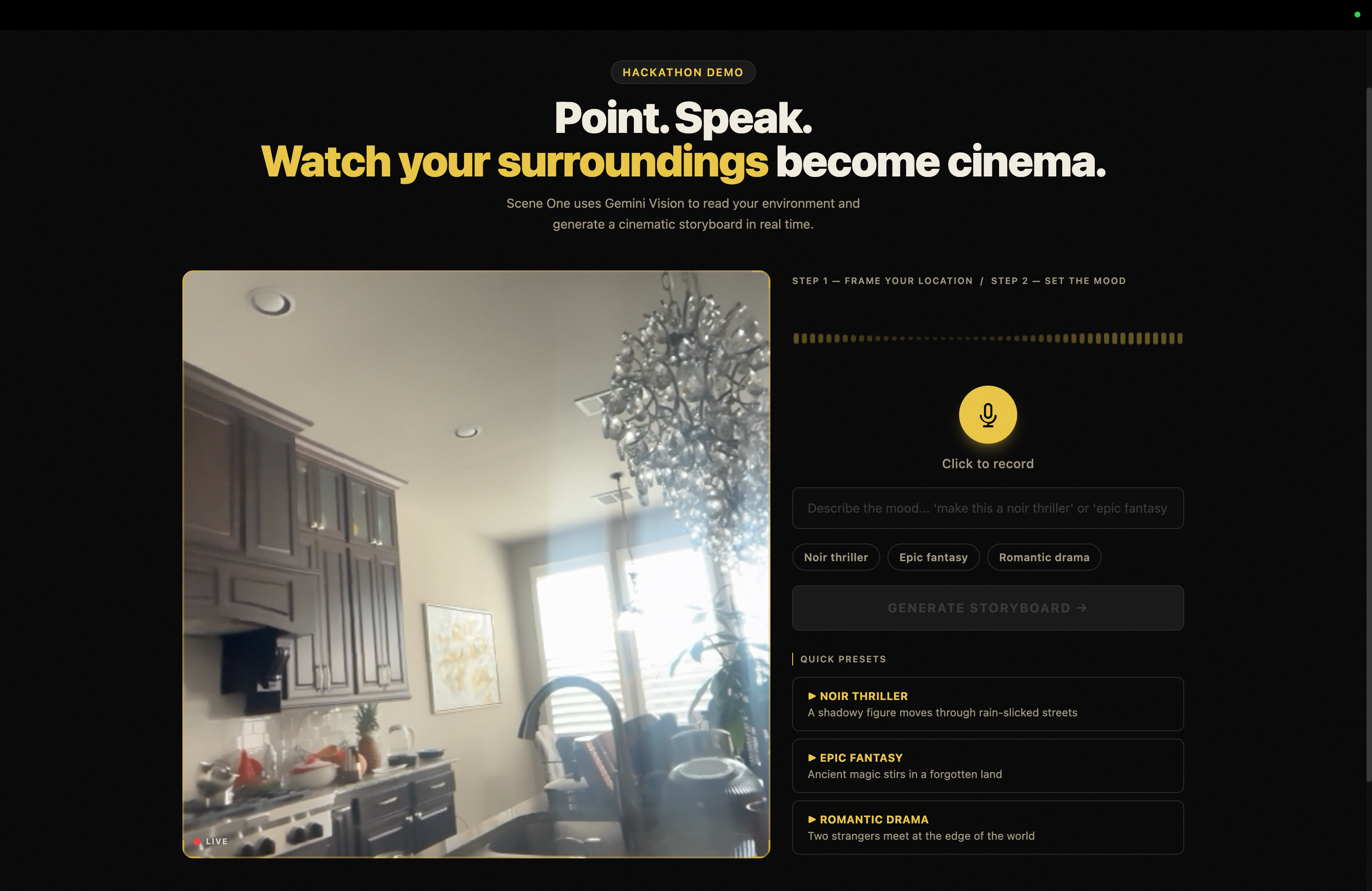
Scene One is a location-aware cinematic storyboard generator. You point your device camera at any physical space, speak a mood or genre, and Gemini 2.5 Flash reads your environment and invents a complete short film set within it. Not a description of what it sees — a transformation of it. The waiting room becomes the last place two estranged siblings will ever occupy together. The stairwell becomes where a detective overhears the confession that ends his career.
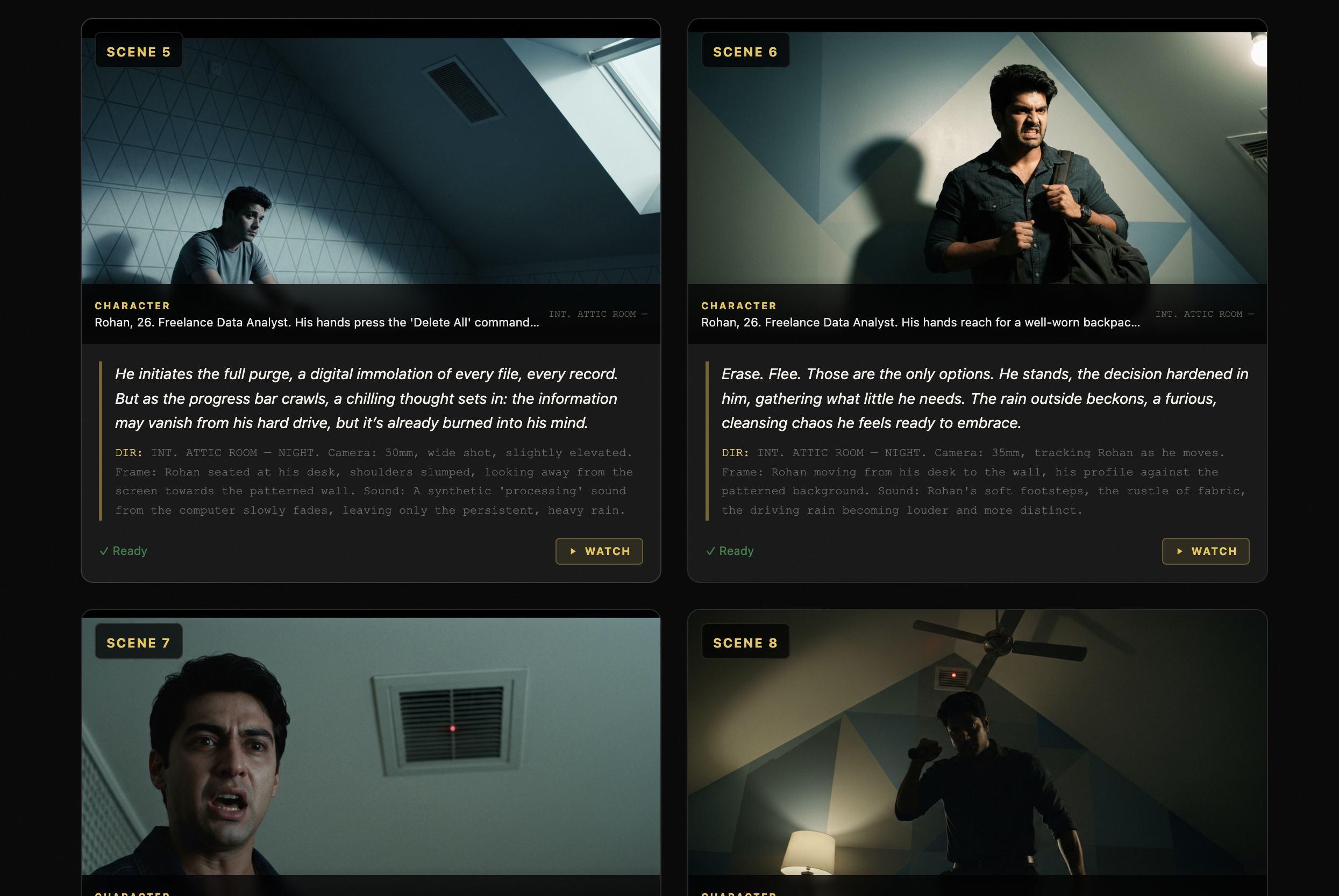
The output is a full storyboard — narration, character introductions, director's notes, and Imagen-generated cinematic stills for every scene — that streams panel by panel in real time. When generation completes, a single tap opens the animatic player: a full-screen film preview with Ken Burns effects on every frame, word-by-word subtitle reveals, and cinematic letterboxing. No video processing. No render queue. Just your surroundings, transformed.
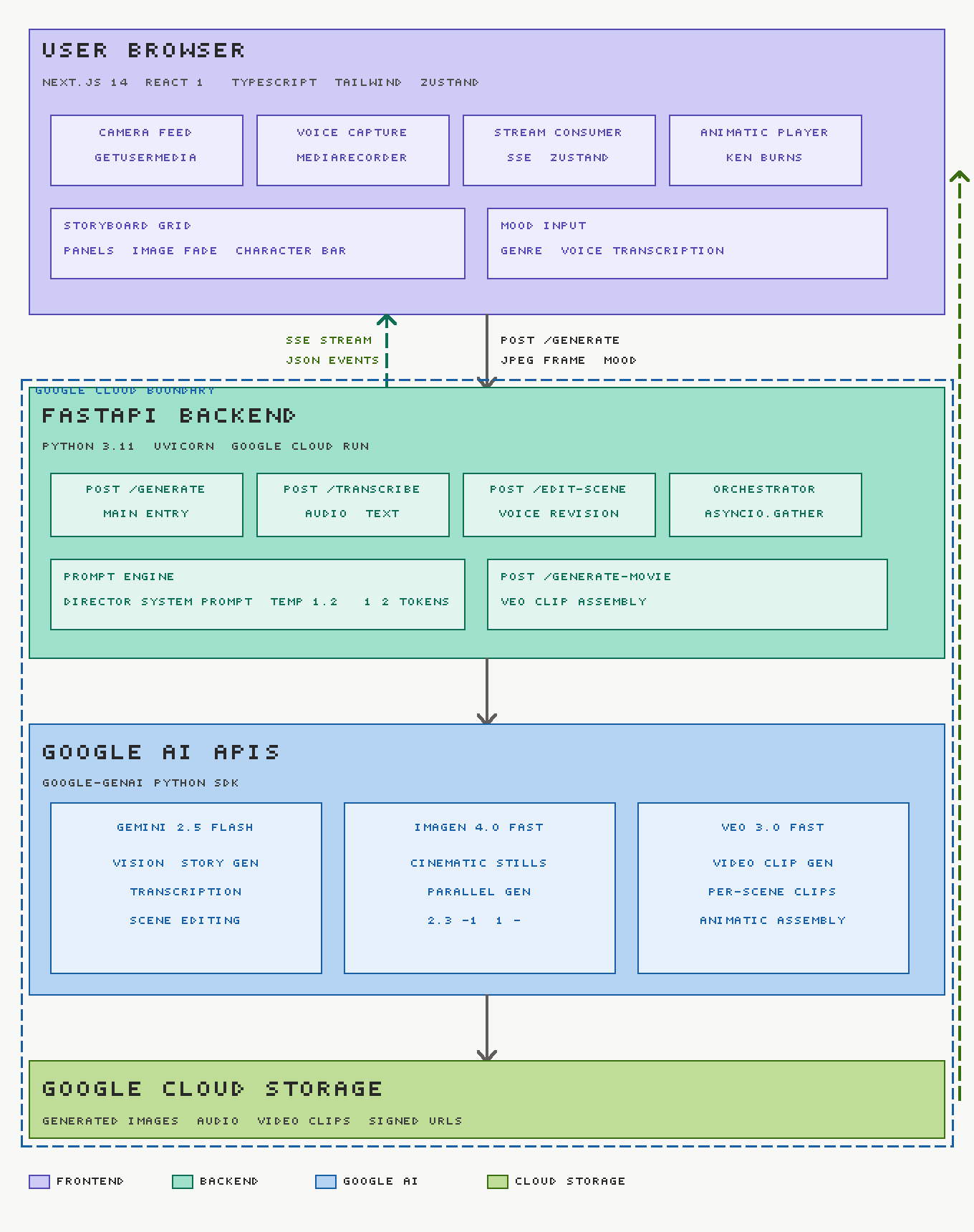
How We Built It
The streaming pipeline
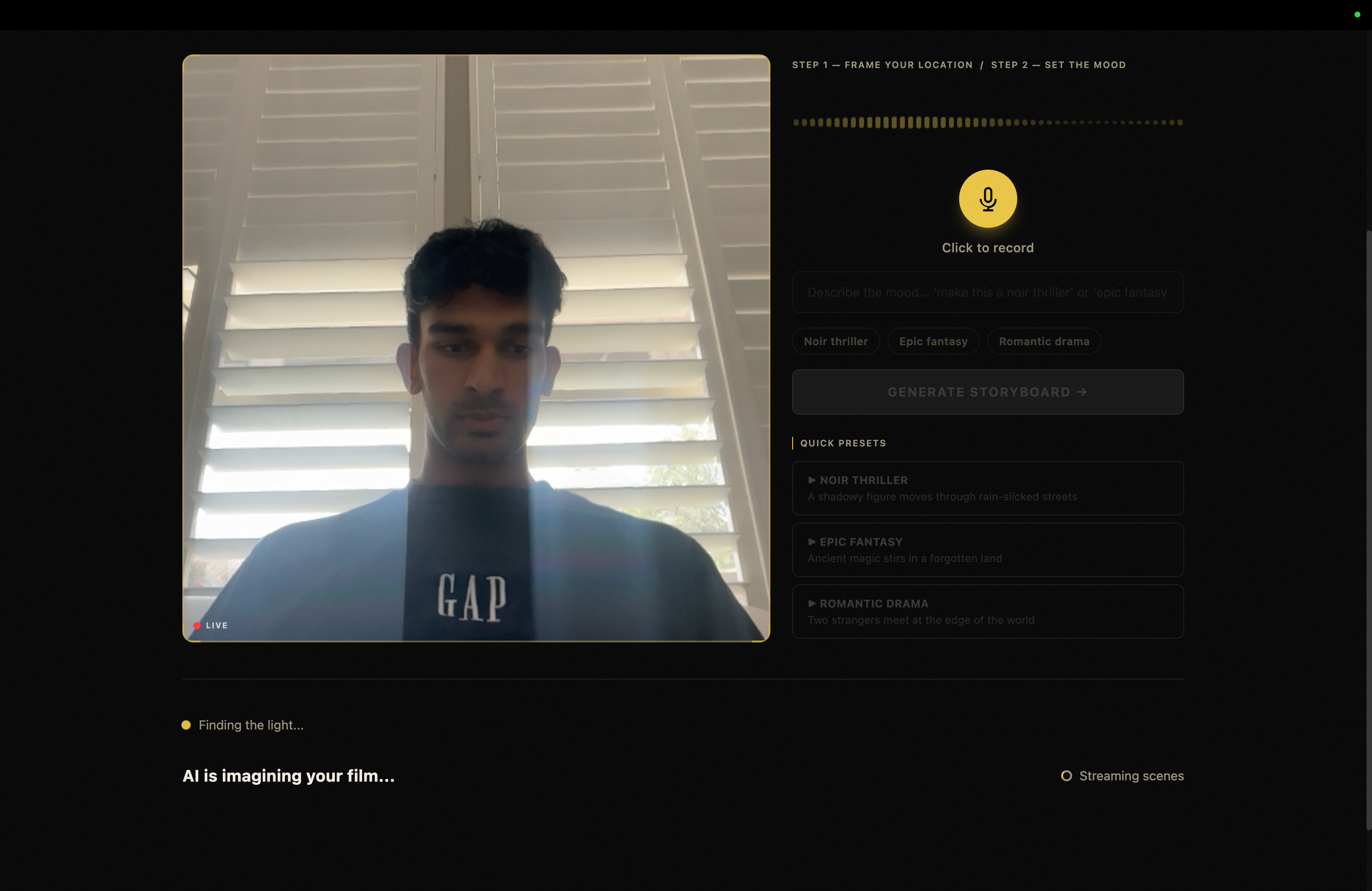
The core technical challenge was making the experience feel live, not like waiting for a file to download. We built the entire pipeline around Server-Sent Events — the moment Gemini generates a narration block, it streams to the frontend. The storyboard builds itself in real time as the user watches.
Image generation runs in parallel across all scenes using Python's asyncio.gather.
The time savings are significant. If $n$ is the number of scenes and $t$ is the average
Imagen generation time per scene, sequential generation costs:
$$T_{\text{sequential}} = n \cdot t \approx 8 \times 20s = 160s$$
Parallel generation reduces this to approximately:
$$T_{\text{parallel}} = \max(t_1, t_2, \ldots, t_n) \approx 20s$$
That difference — 160 seconds versus 20 — is the difference between a tool people abandon and one they actually use.
The prompt that changed everything
The most important code in the entire project isn't code. It's the system prompt we give Gemini.
Our first attempts produced storyboards that felt like illustrated captions — Gemini would describe the room, describe the lighting, describe a generic figure standing in it. Technically correct. Emotionally empty.
The breakthrough came when we stopped asking Gemini to describe and started asking it to invent. We gave it the constraints of a real screenwriter: one protagonist with a specific name, age, and job; one concrete want; one location it cannot leave; a dramatic arc with causal scene chains where each scene happens because of the previous one. We told it: the location is real, the story is invented, the emotion is true.
We also removed the fixed scene count. Constraining to exactly 6 scenes produced outputs that felt like filling slots. Giving Gemini a minimum of 8 and a maximum of 14 — and letting the story determine the actual count — produced films. The model naturally expands for complex emotional concepts and compresses for simpler ones.
Setting temperature = 1.2 was the final unlock. Lower temperatures made Gemini
cautious and generic. At 1.2 it takes creative risks. The narration started reading
like something a person actually wrote.
The animatic
The animatic player is built entirely in the frontend — no video generation required
for the core experience. Each scene's Imagen still plays for 5 seconds with a Ken
Burns effect (slow zoom or pan, assigned by sceneIndex % 4), narration appears
word by word with a 60ms stagger, and letterbox bars create a 2.39:1 widescreen ratio
regardless of device orientation. All of it is CSS @keyframes. No libraries. No
render pipeline. The result looks like a film preview and costs nothing to compute.
Veo 3.0 generates actual video clips for scenes when available, which the animatic player upgrades to automatically — the architecture treats video as progressive enhancement over the CSS animatic baseline.
What We Learned
Prompt engineering is cinematography. The prompt is the director's chair. Every constraint we added — specific focal lengths, motivated light sources, the rule that characters must do something rather than feel something — produced measurably better output. The model responds to craft the way a great actor responds to a great director. Give it vague instructions and it gives you vague output. Give it the precision of a shooting script and it gives you cinema.
SSE + parallel async is the right architecture for generative UX. Users will tolerate waiting for something that appears to be happening. They will not tolerate a spinner. The streaming storyboard — panels appearing one by one, images fading in as they arrive, the animatic unlocking at the end — turns a 20-second wait into a 20-second experience.
The input is the product. We pivoted late from a text-based concept generator to a camera-first one. The pivot cost us time. It was worth it. Pointing a camera at a real space and watching it become a story is a fundamentally different feeling from typing a description and getting illustrations back. The camera input makes the magic legible — you can see what the AI saw, and you can see what it imagined from it.
Challenges
The hardest problem was consistency. Gemini's JSON output structure would occasionally
drift — an extra scene, a missing image_prompt block, markdown fences wrapped around
the JSON. We solved this by switching from XML tag parsing to strict JSON schema
output, adding a fallback strip for markdown fences, and validating scene count before
streaming begins. The parser now handles malformed output gracefully rather than
silently failing mid-stream.
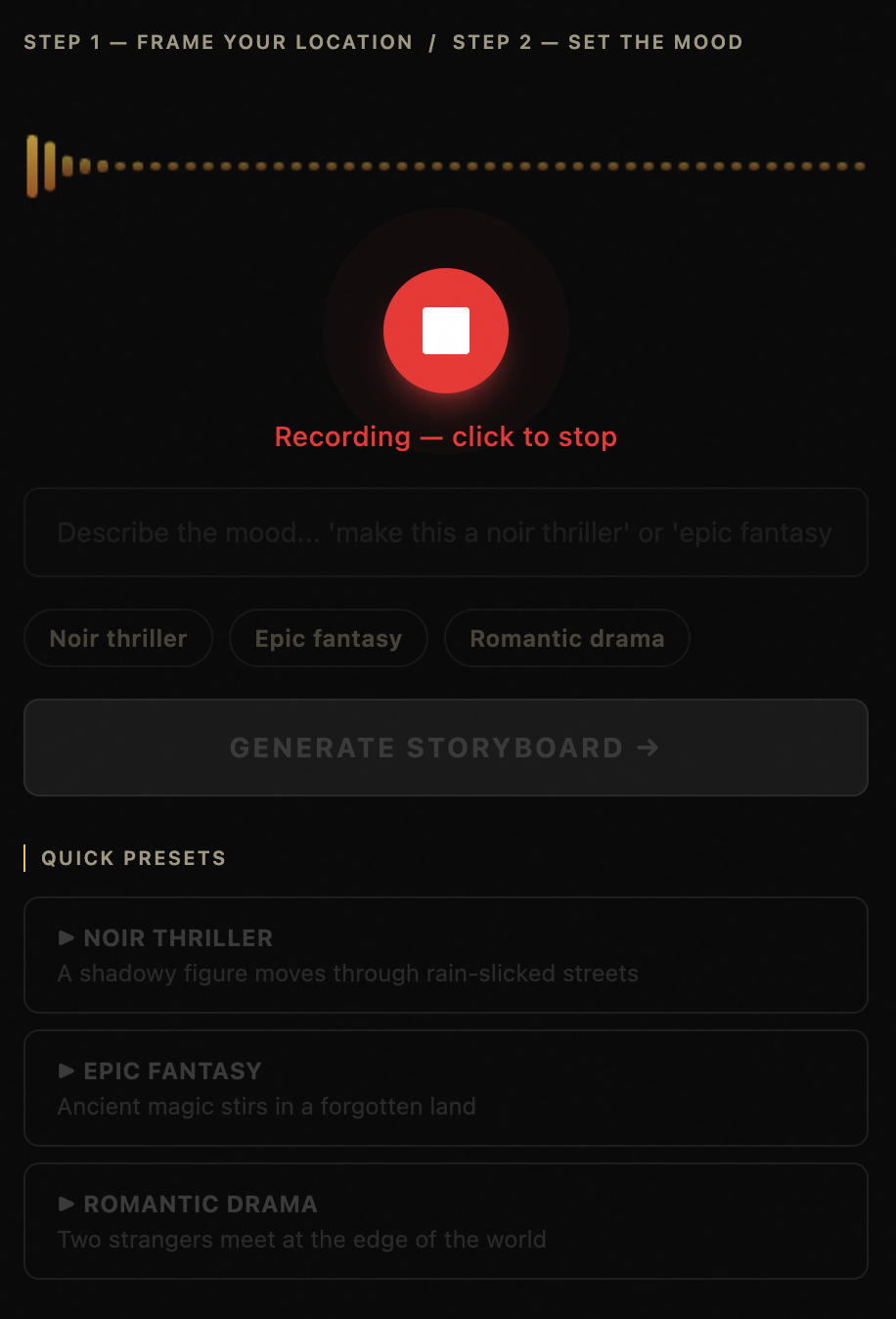
The second hardest problem was the demo itself. A tool that generates films from real environments is only as good as the environment you point it at during the demo. We learned this the hard way — a beige office wall produces a beige story. We built three preset prompts that bypass the camera for exactly this reason, and made sure our demo environment had something in it worth filming.
Built With
- Gemini 2.5 Flash — vision understanding, story generation, transcription, scene editing
- Imagen 4.0 Fast — parallel cinematic still generation
- Veo 3.0 Fast — video clip generation
- Google Cloud Run — backend deployment
- FastAPI — streaming backend with SSE
- Next.js 14 + TypeScript — frontend
- Zustand — state management across the streaming pipeline ## Challenges we ran into
Accomplishments that we're proud of
What we learned
What's next for Scene One
Built With
- canvas-api
- css-frameworks-&-libraries-next.js
- fastapi
- google-cloud-storage-ai-apis-gemini-2.5-flash
- google-genai-sdk-browser-apis-mediadevices-api
- imagen-4.0-fast
- javascript
- mediarecorder-api
- python
- react
- server-sent
- tailwind-css
- typescript
- uvicorn
- veo-3.0-fast
- web-audio-api
- zustand-cloud-&-infrastructure-google-cloud-run

Log in or sign up for Devpost to join the conversation.