Inspiration
When communicating an illustration, scene, or visual idea, it can be surprisingly difficult to explain exactly what you have in mind.
Sketches require drawing skills, while traditional 3D tools can be too complex when all you need is to quickly communicate composition, character placement, camera angle, and spatial relationships.
I built Scene Drafter to make that process easier.
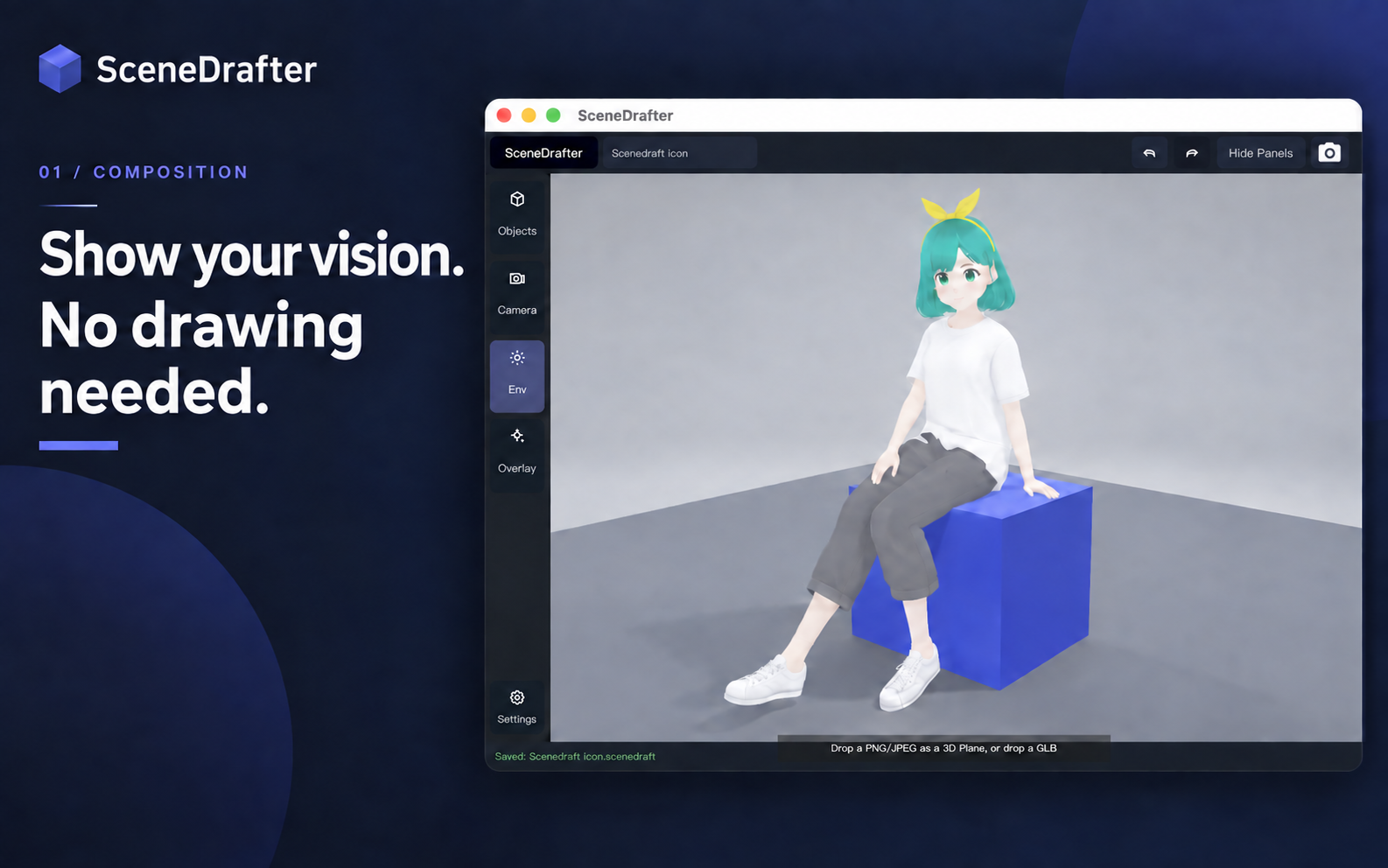
SceneDrafter is a lightweight 3D scene drafting tool for creators. It lets you arrange characters and objects, adjust the camera, and turn an idea into a clear visual reference — without having to learn professional 3D software.
What it does
With SceneDrafter, you can:
- Build a 3D scene from characters, props, floors, walls, and text
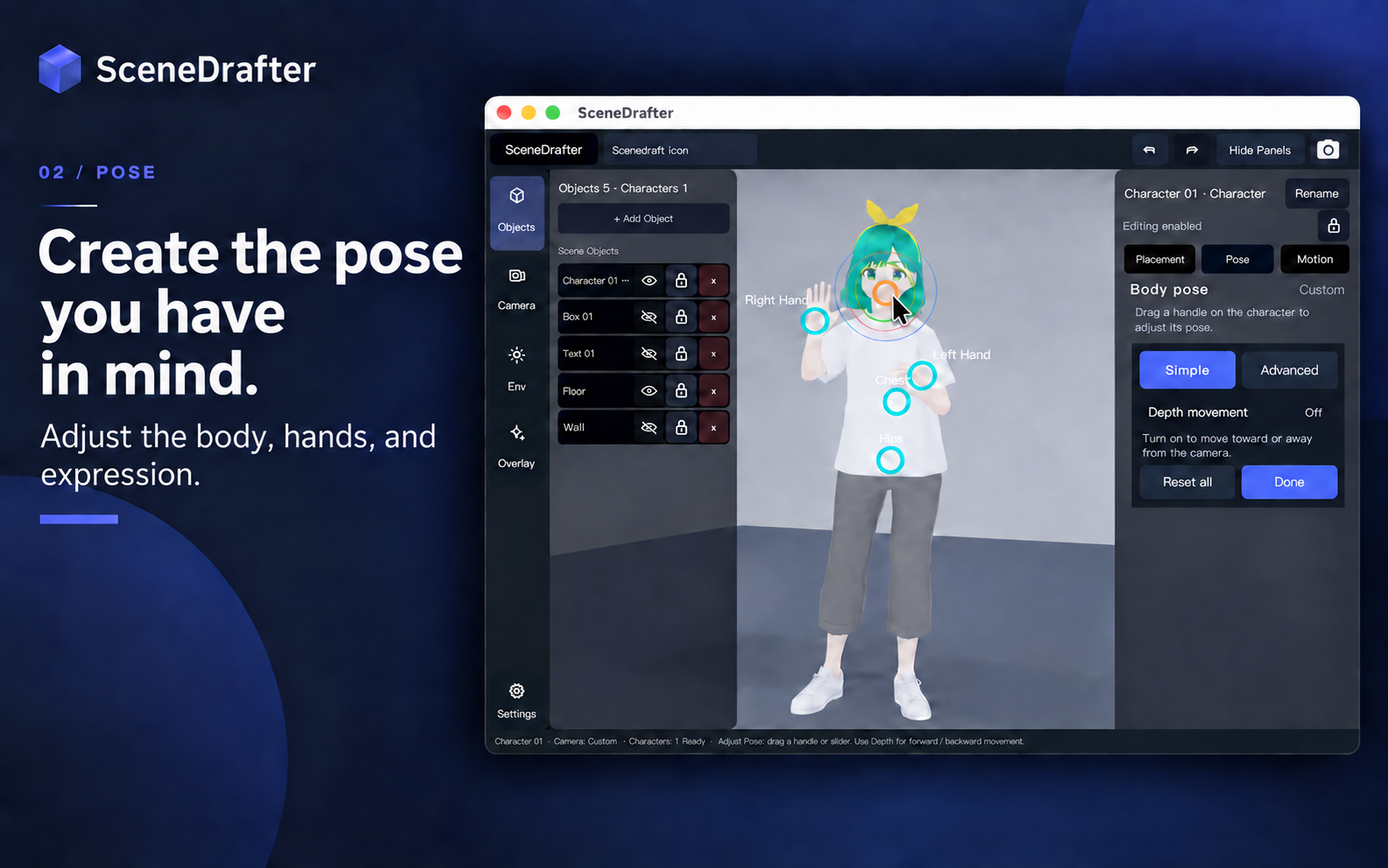
- Position and rotate objects directly in the scene
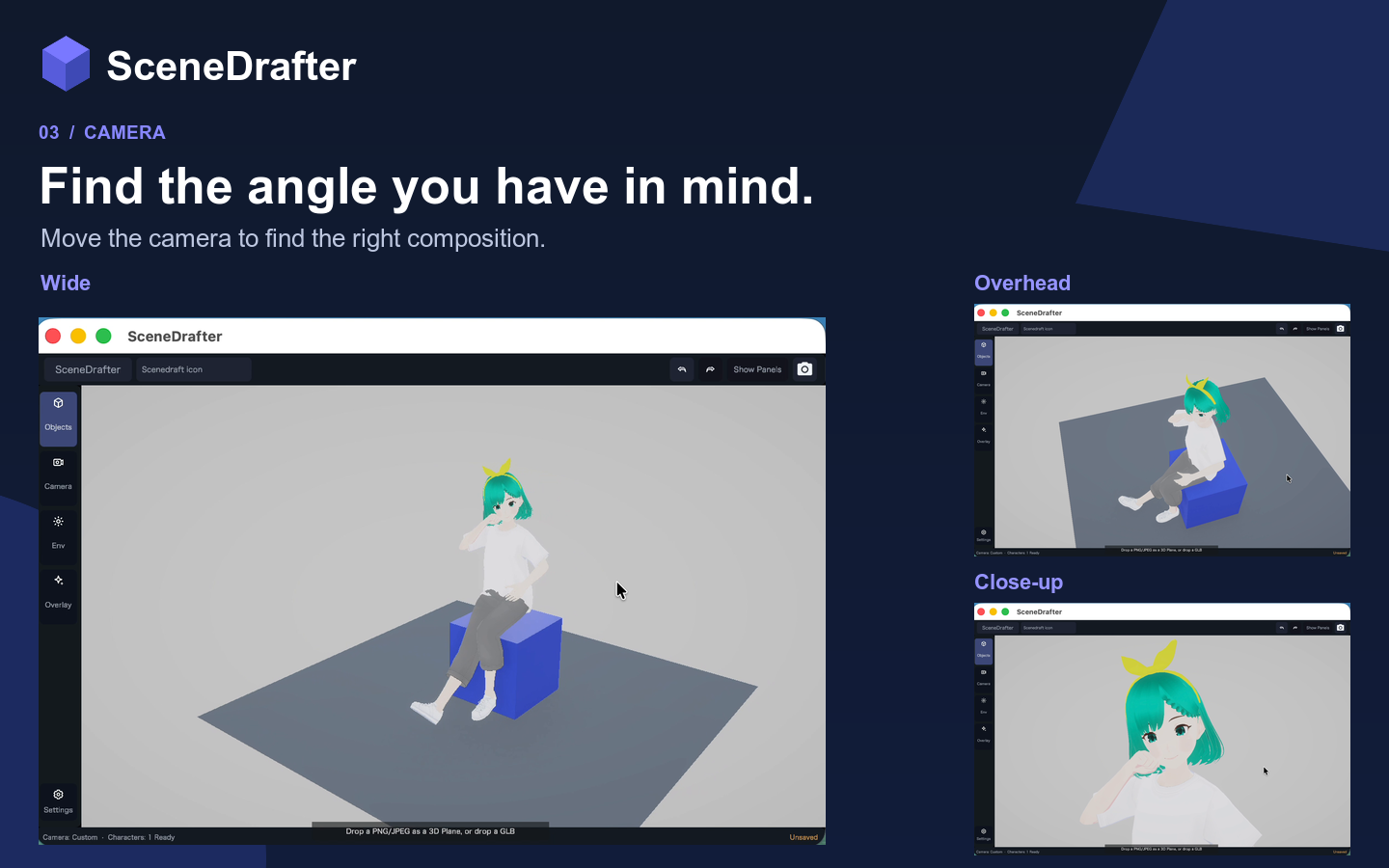
- Adjust the camera to explore different compositions and viewpoints
- Save scenes as editable
.scenedraftprojects - Export the result as PNG or JPEG images
- Use included templates to start creating immediately
- Upgrade to Pro for 4K image export and larger scenes with more characters and objects
- Connect AI agents to Scene Drafter with the Pro-only agent integration, allowing them to manipulate scenes, characters, objects, and cameras
The goal is not to replace full-featured 3D software.
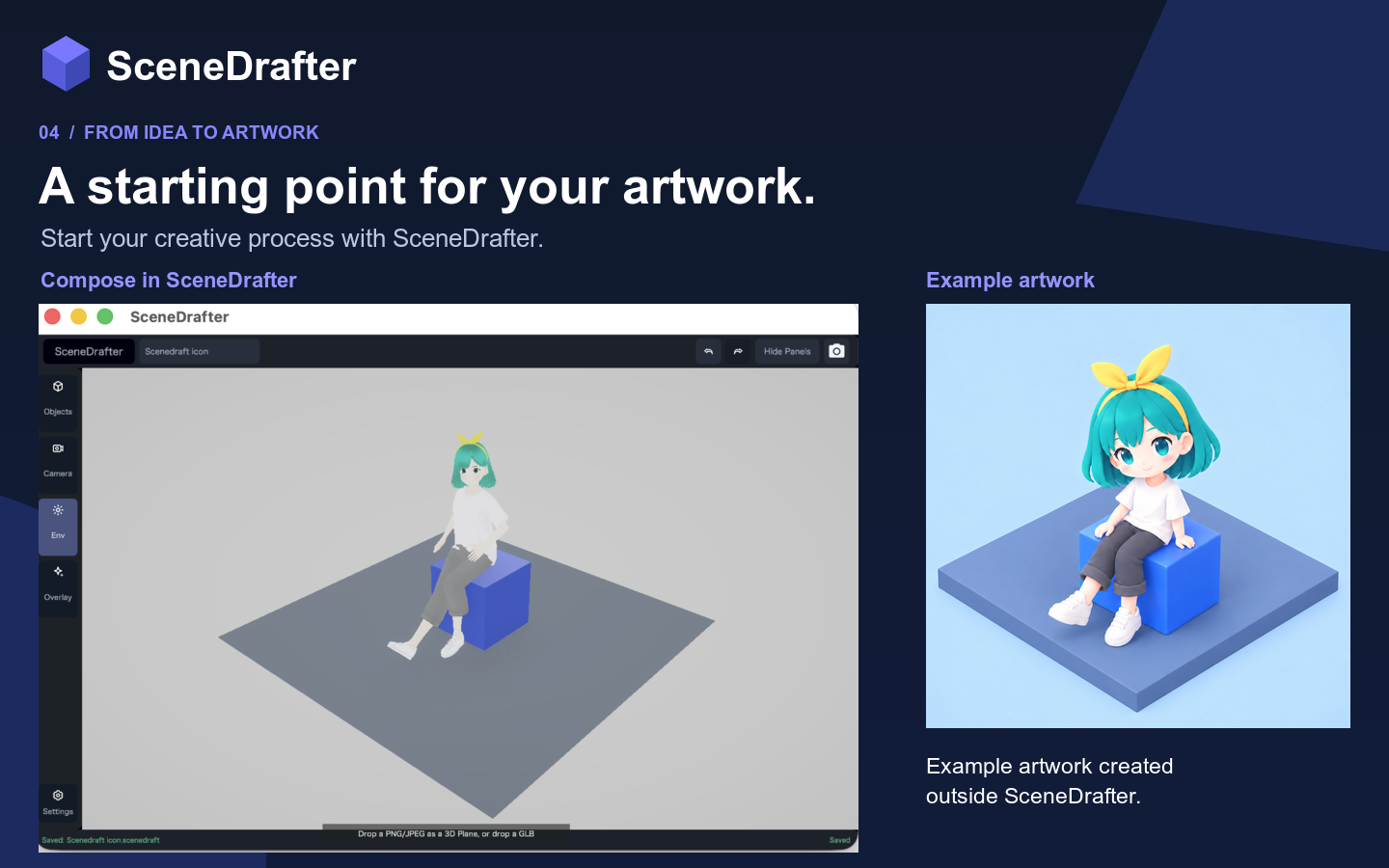
Instead, SceneDrafter focuses on the stage before production: turning an idea in your head into something other people can see and understand.
AI Agent Integration
SceneDrafter is also designed to work with AI agents.
With the Pro-only agent integration, an AI agent can operate the application itself — manipulating scenes, characters, objects, and cameras instead of only giving the user text instructions.
This creates a new workflow where a creator can describe what they want to change, while an AI agent works directly with the scene.
For example, an agent can help reposition characters, adjust camera composition, or modify scene elements as part of a larger creative workflow.
My goal is to make SceneDrafter not only a tool that humans can operate, but also a creative workspace that AI agents can work with.
Design
One of the main design goals was to make working in 3D feel approachable even for people who are not 3D artists.
Rather than exposing the complexity of a traditional DCC tool, SceneDrafter focuses the interface on the actions needed for scene drafting: selecting, positioning, composing, adjusting the camera, saving, and exporting.
For the RevenueCat Design Award, I would especially like judges to look at the overall scene-editing workflow: how quickly a user can go from opening the app to arranging a scene and producing a visual reference.
The experience is intentionally focused on the creative task rather than the underlying complexity of 3D.
Monetization
SceneDrafter uses a Free + Pro model.
The free version is designed to be genuinely useful for creating and exporting smaller scenes.
Pro is aimed at creators who need more advanced workflows. It removes practical limits for larger compositions, enables high-resolution 4K output, and unlocks AI agent integration.
RevenueCat manages the subscription experience so that monetization stays integrated with the product rather than interrupting the creative workflow.
What I learned
Building SceneDrafter made me think differently about 3D tools.
More functionality does not always make a creative tool better. For this product, one of the biggest challenges was deciding what not to expose and how to make spatial editing understandable without requiring users to learn the conventions of professional 3D software.
The project became less about building another 3D editor and more about creating a communication tool for visual ideas.
Adding AI agent support also changed how I think about creative software. Instead of treating AI only as something that generates text or images outside the application, I wanted to explore what happens when an AI agent can interact with the creative workspace itself.
That opens the door to a different kind of workflow: one where the user, the tool, and the AI agent can collaborate directly inside the same scene.

Log in or sign up for Devpost to join the conversation.