-
-
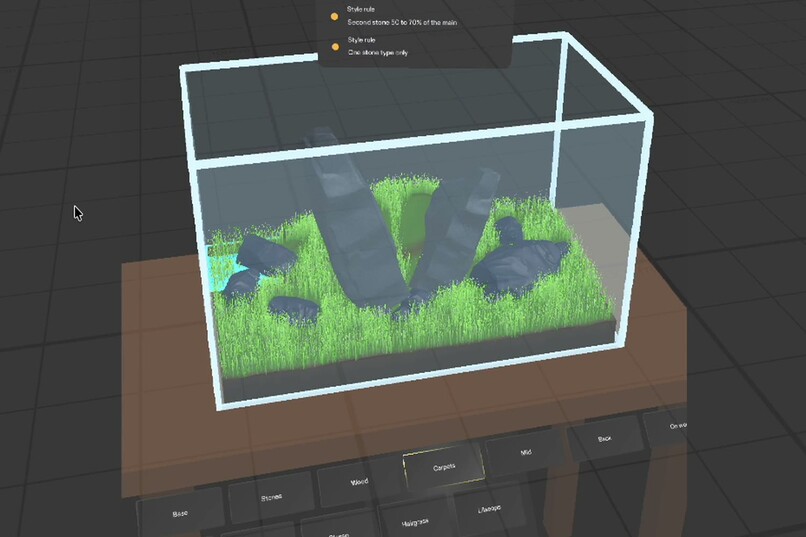
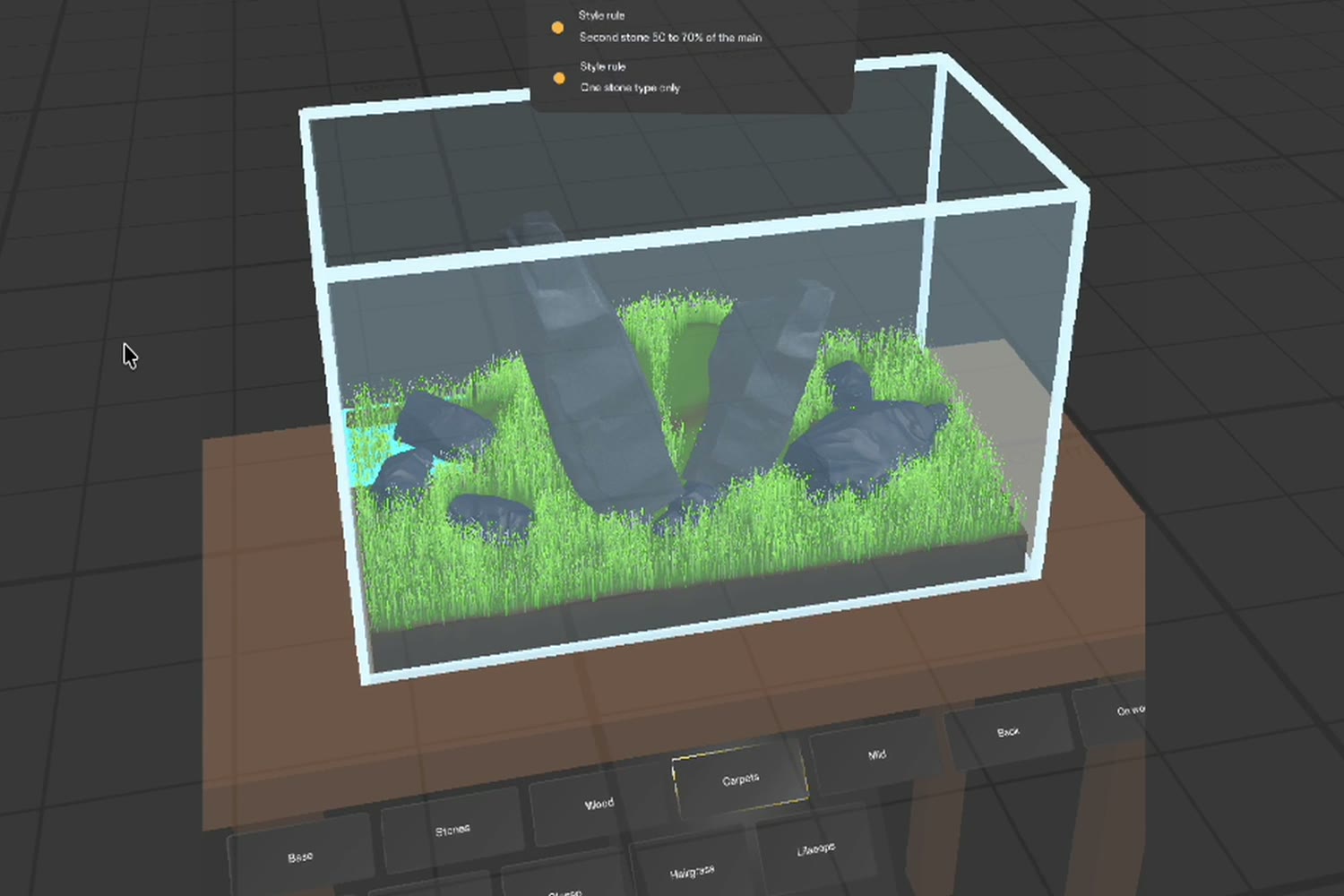
A 60 cm Iwagumi: two tall stones leaning apart, smaller stones at their feet, hairgrass laid tile by tile over a soil ridge.
-
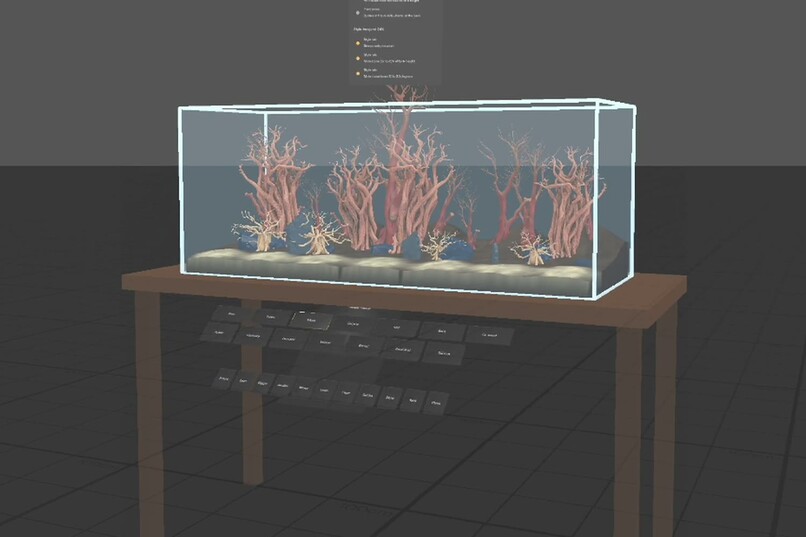
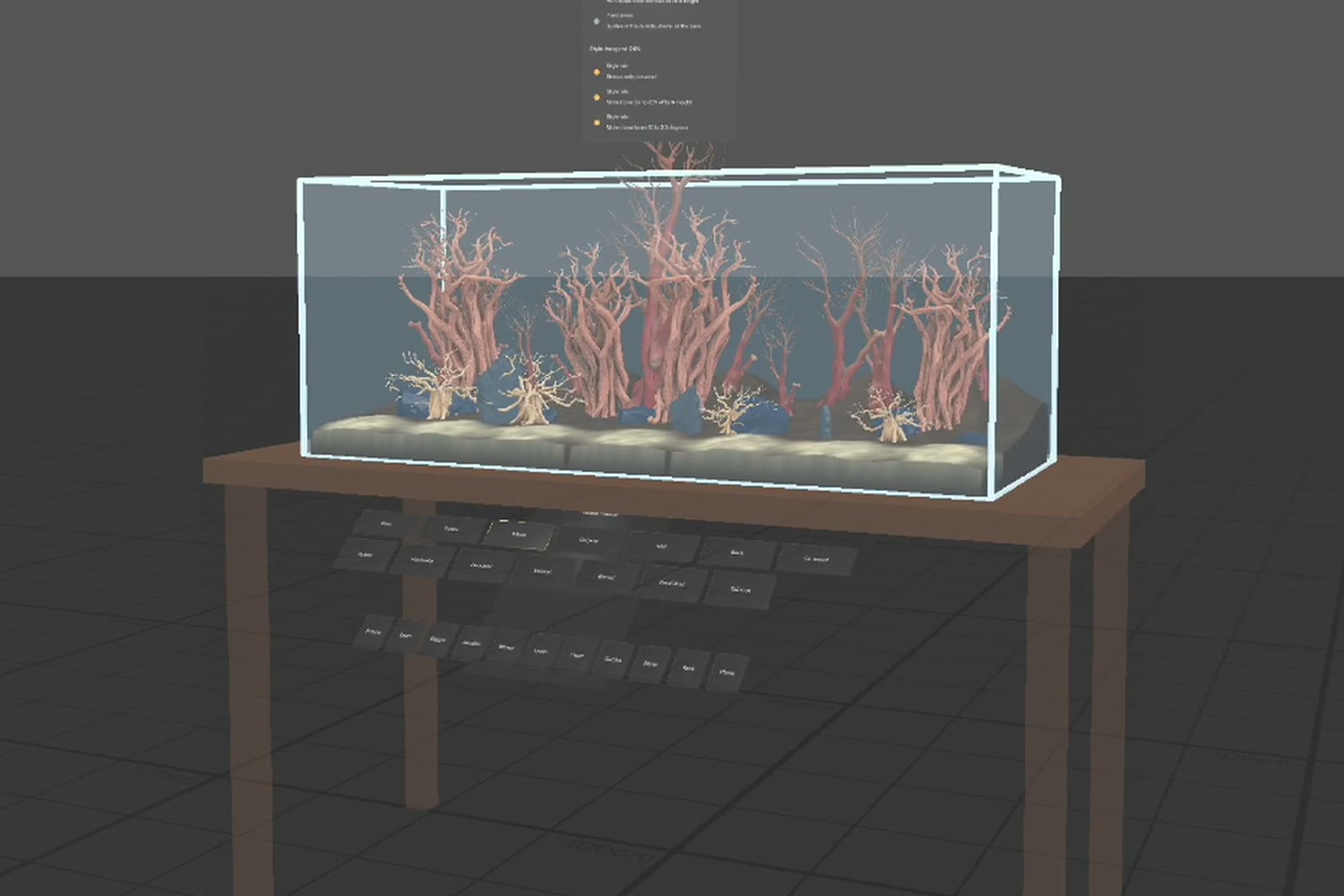
A 120 cm jungle tank before planting: white sand in front, soil banked at the back, grey stones and tall roots in three groups.
-
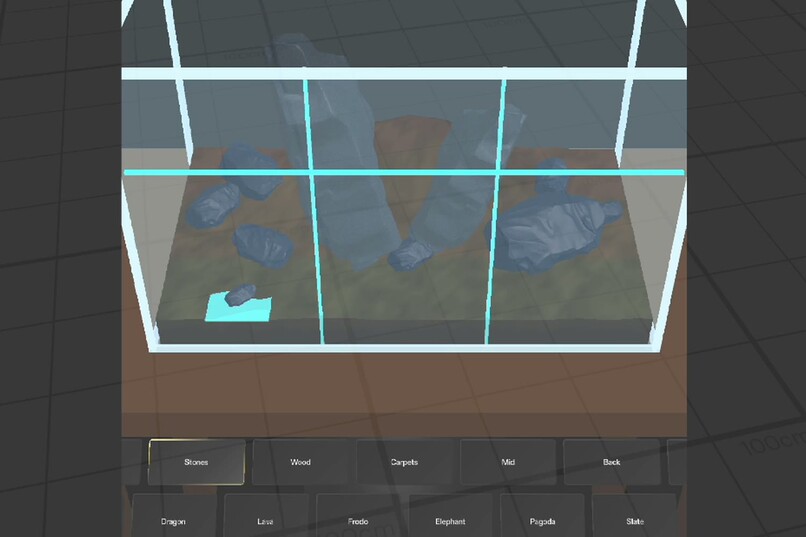
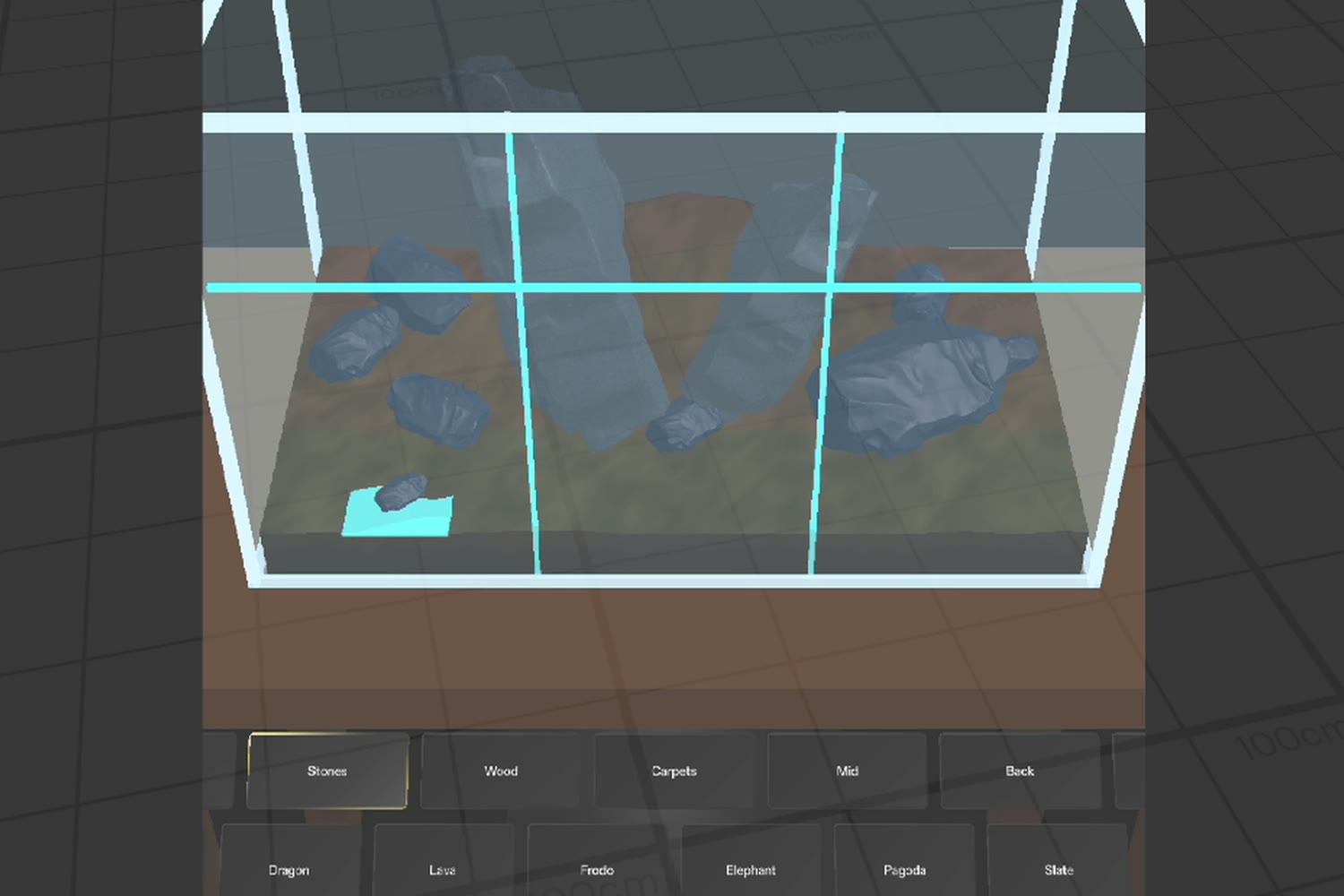
Building the 60 cm Iwagumi: stones placed from the palette at real size, with the thirds grid and depth zones on the tank.
-
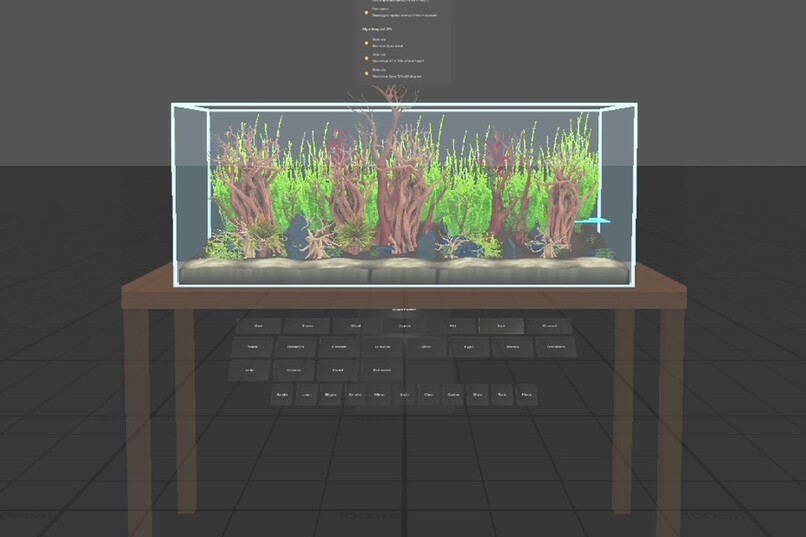
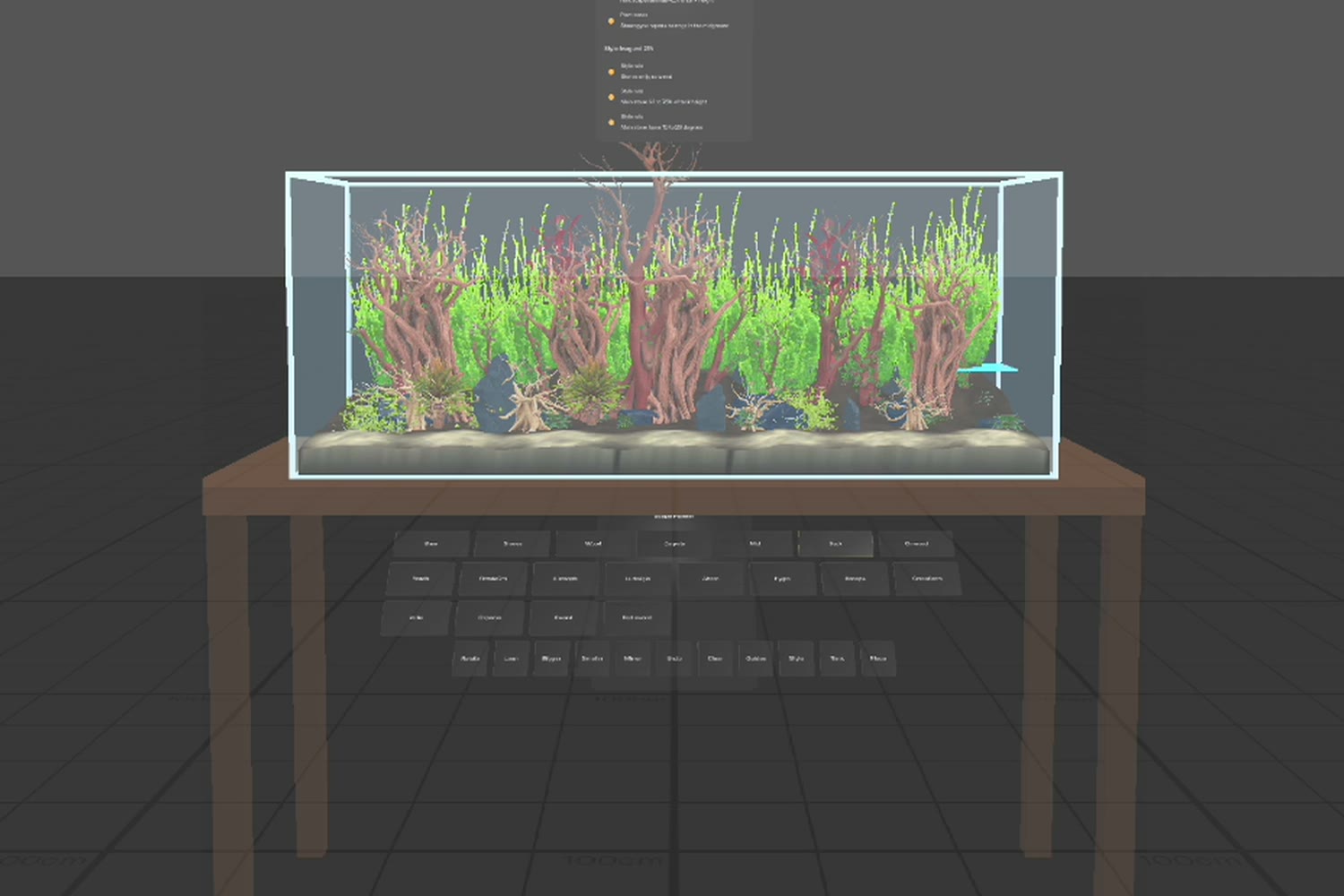
The same tank planted: moss and Anubias on the roots, crypts at their feet and a wall of green stem plants at the back.
-
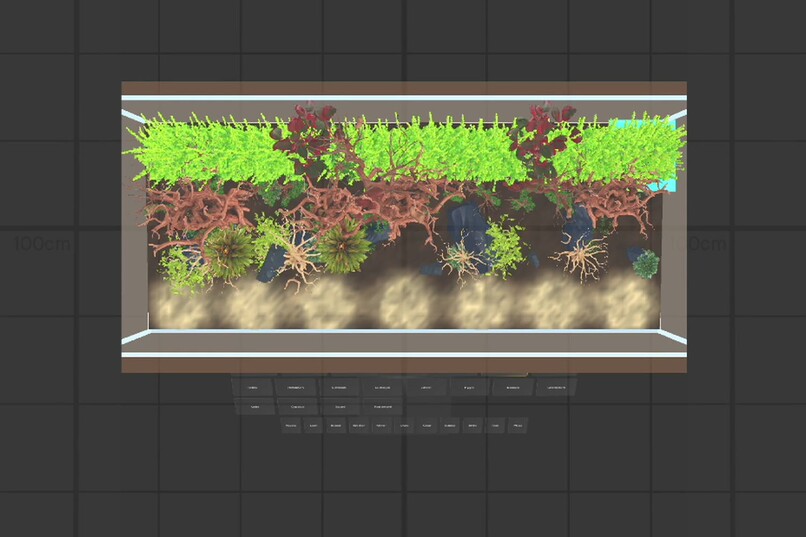
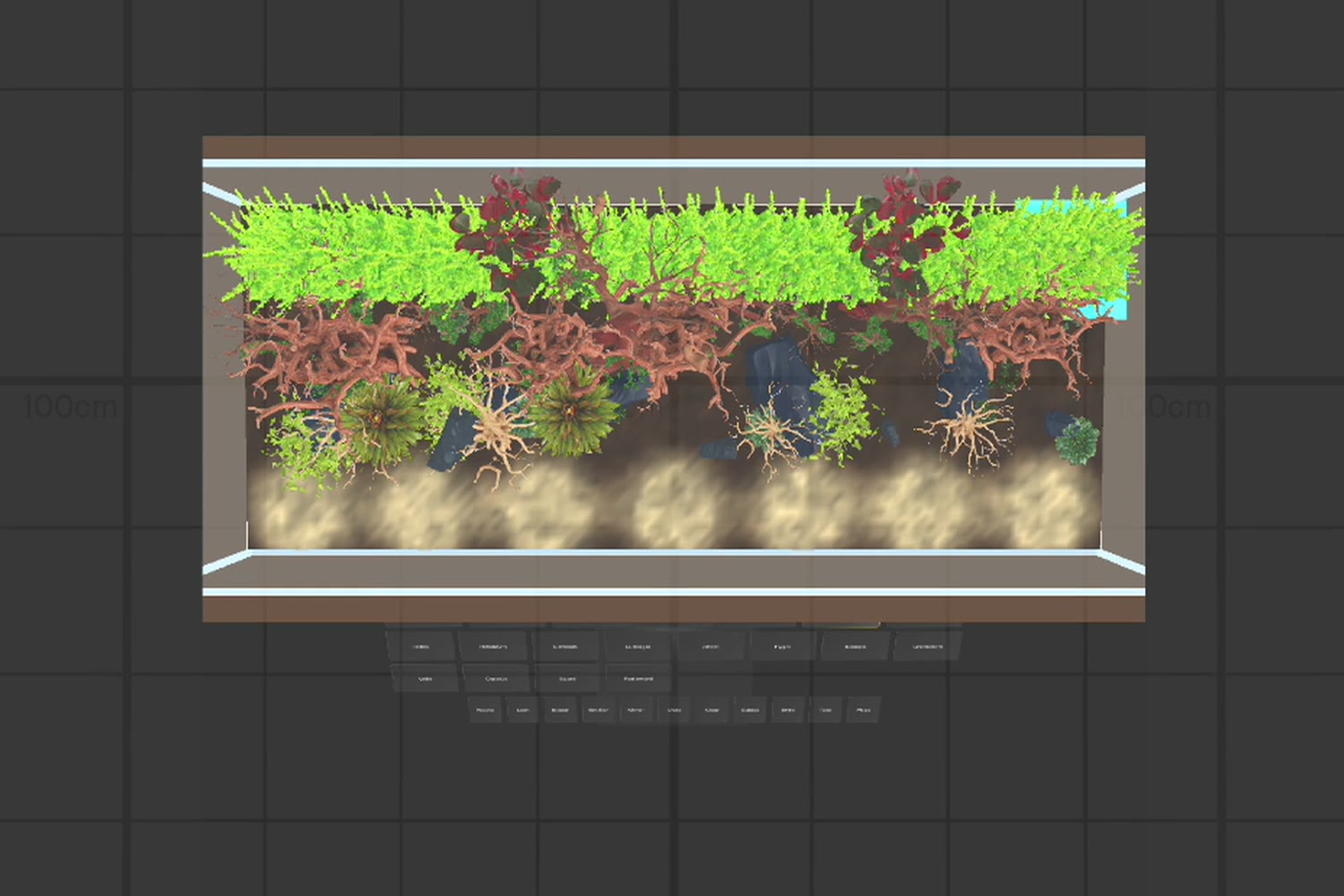
The planted 120 cm tank seen straight from above, to check the balance of the layout.
Inspiration
Aquascapers compose the layout dry, before any water goes in, because moving a stone later clouds the tank for days and uproots the plants. The hard part is judging scale and composition while your hands are busy with real stones and wet soil. A phone needs a free hand and shows the tank on a small screen. Glasses can show the plan in the tank itself, at real size, from where you stand.
What it does
Scape Planner puts a virtual aquarium on a table in front of you: six standard sizes from a 30 cm cube to a 120 cm tank. You build a layout in the same order a real aquascaper does:
- Substrate. Pile up soil and sand mounds; they merge into ridges and the cut face shows through the front glass.
- Hardscape. Seven stones and seven woods. Rotate, lean (up to 40 degrees, any direction), resize and mirror the selected piece, so a few models give many stones. Stones sink into the soil like real ones.
- Planting. Carpets are laid tile by tile and grow over the hills up to the foot of each stone. Midground and background plants stand at their real heights. Moss, Anubias and Bucephalandra attach to the wood and stone, low or mid-height on the side facing you, and move with their host.
A coach card checks the classic rules after every change (focal point on a third, odd number of pieces, a gap to the front glass, hardscape height, plant zones) and scores the layout against four styles: Iwagumi, Nature, Dutch and Jungle. A thirds grid and depth zones are drawn on the tank.
Who it is for
Hobby aquascapers setting up a new tank who want to try a layout before buying stones and plants, and beginners who know the theory but cannot yet picture it in a real tank.
How we built it
Planned with the Devpost Learn plan-lens skill pack: an interview, then
an approved design brief (in the repo's devpost folder, with the research
notes behind it). Built in Lens Studio 5.24 by an AI coding agent through
the Lens Studio MCP, following CLAD's skills: a two-phase scene
bootstrap, UI Kit panels, Spectacles Interaction Kit for grabbing, and LEAF
for testing.
The substrate, carpet tiles and moss are generated at runtime with MeshBuilder: the substrate is a height field, a carpet tile is a few thousand grass blades or leaves standing on it, and moss is small leaves laid over the surface of the wood. Stones, woods and plants are 3D models generated with Meshy for this project. The rules and the style scoring are pure functions, separate from the scene.
Twelve LEAF scenarios run in the preview and all pass: the done criteria from the brief, the newer features, and two complete layouts (a 60 cm Iwagumi and a 120 cm jungle tank) built through the palette.
About the video: it is a screen recording of the Lens Studio preview. The two layouts are built by LEAF scenarios that press the same palette buttons a user would. Because LEAF cannot drag to an exact spot, those scenarios place each finished piece with a scripted move that ends like a drag release; dragging by hand works and is covered by its own tests. The build sequences are sped up.
Challenges
- The field of view. The palette first floated beside the tank and then sat in front of it; both blocked the view into the tank. It now lies along the front edge of the table, below the line of sight.
- Realism at real scale. The first plants stood in pots and the moss looked like mushroom caps on the roots. We trimmed the models and replaced moss and carpets with generated geometry that follows the surface.
- Testing in the preview. Simulated pinches could lock up after a timeout; LEAF scenarios proved reliable, so all checks and both showcase builds run through LEAF.
What we learned
Designing for glasses is designing for one place: everything the user needs sits on and around the tank they are already looking at. Real scale is the point of the whole Lens: you judge a 30 cm root against a 45 cm tank by looking, not by measuring.
What's next
Anchor the plan to the real tank with world mesh, save and share layouts, a shopping list of stones, wood and plants from the finished layout, and plant growth over time.
Built With
- blender
- clad
- elevenlabs
- leaf-testing
- lens-studio
- lens-studio-mcp
- meshbuilder
- meshy
- specs
- spectacles-interaction-kit
- spectacles-ui-kit
- typescript

Log in or sign up for Devpost to join the conversation.