-
-
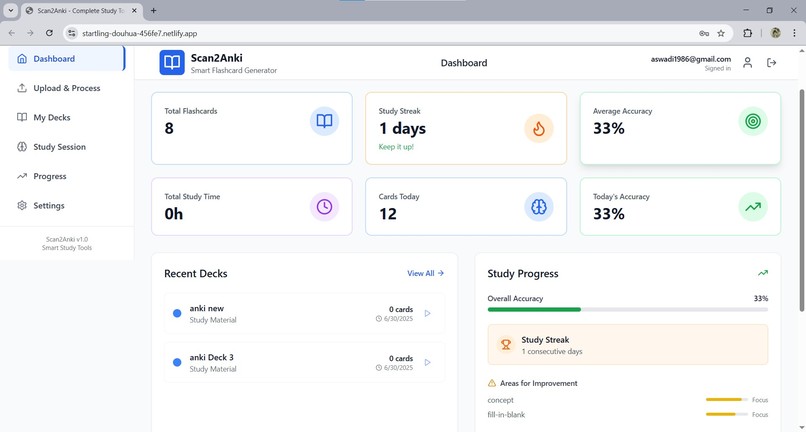
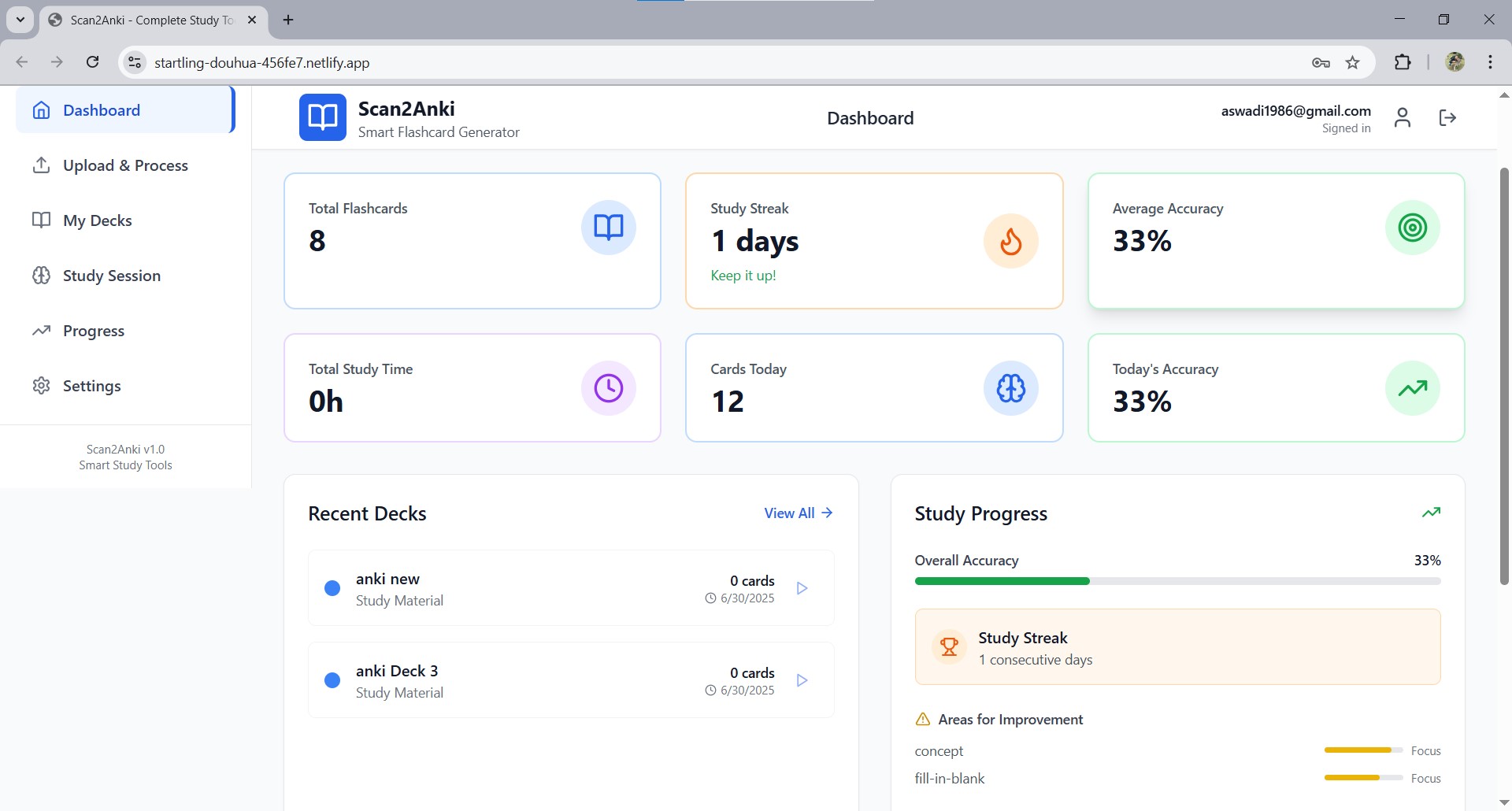
Dashboard
-
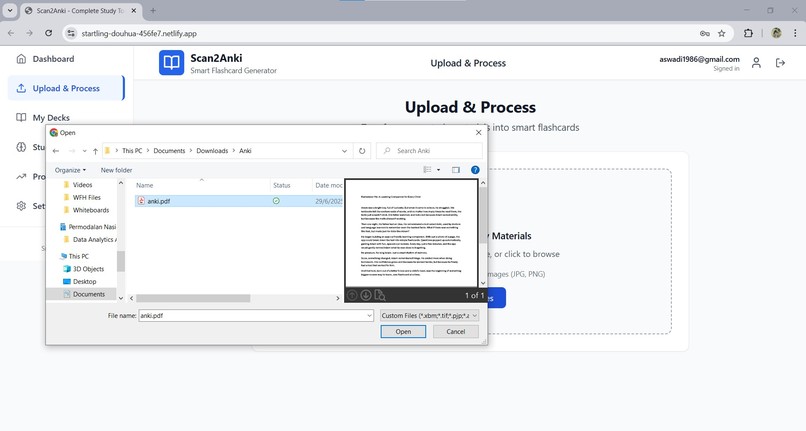
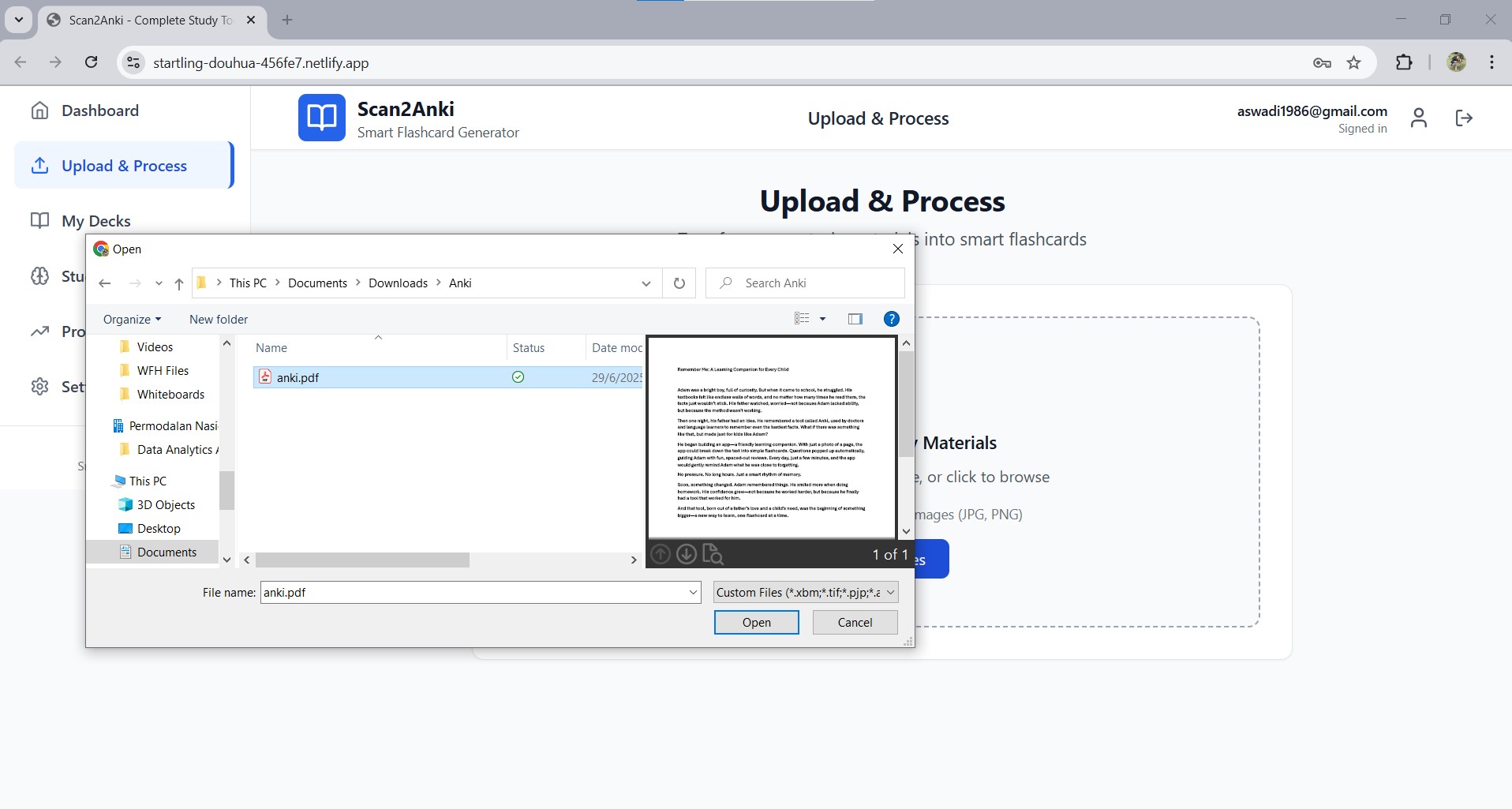
Upload & Process 1 - Pick any PDF/pictures that you have
-
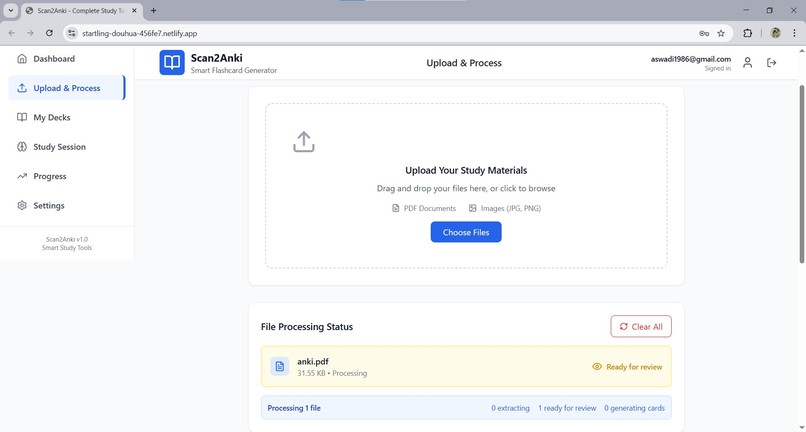
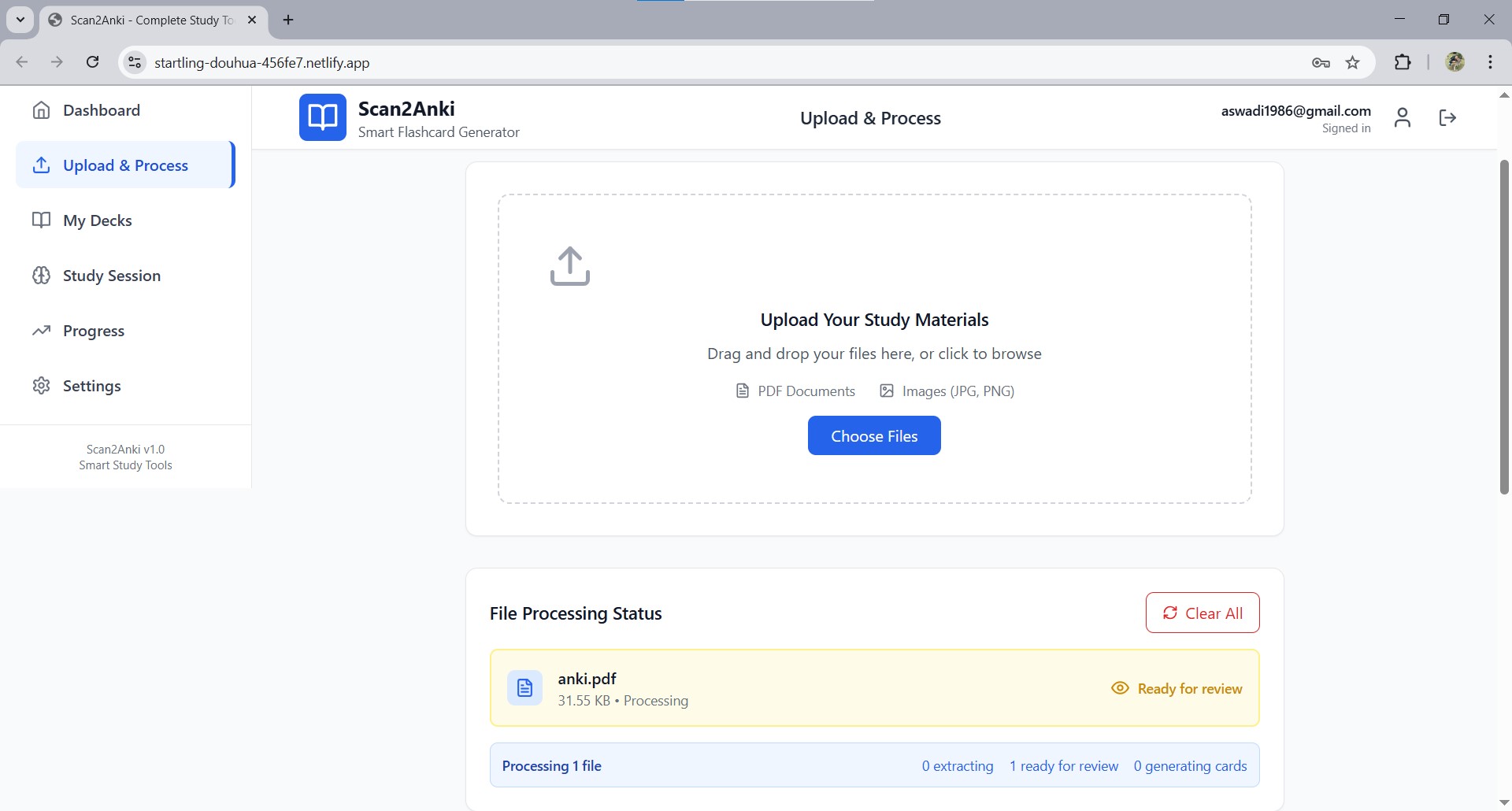
Upload & Process 2 - Once uploaded it will extract the text
-
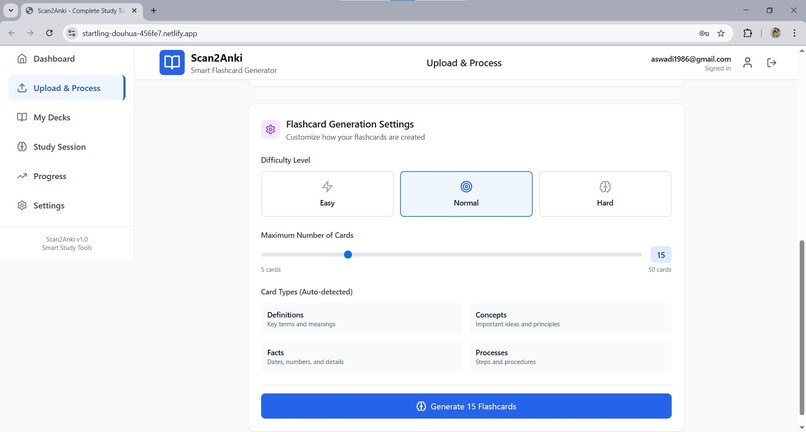
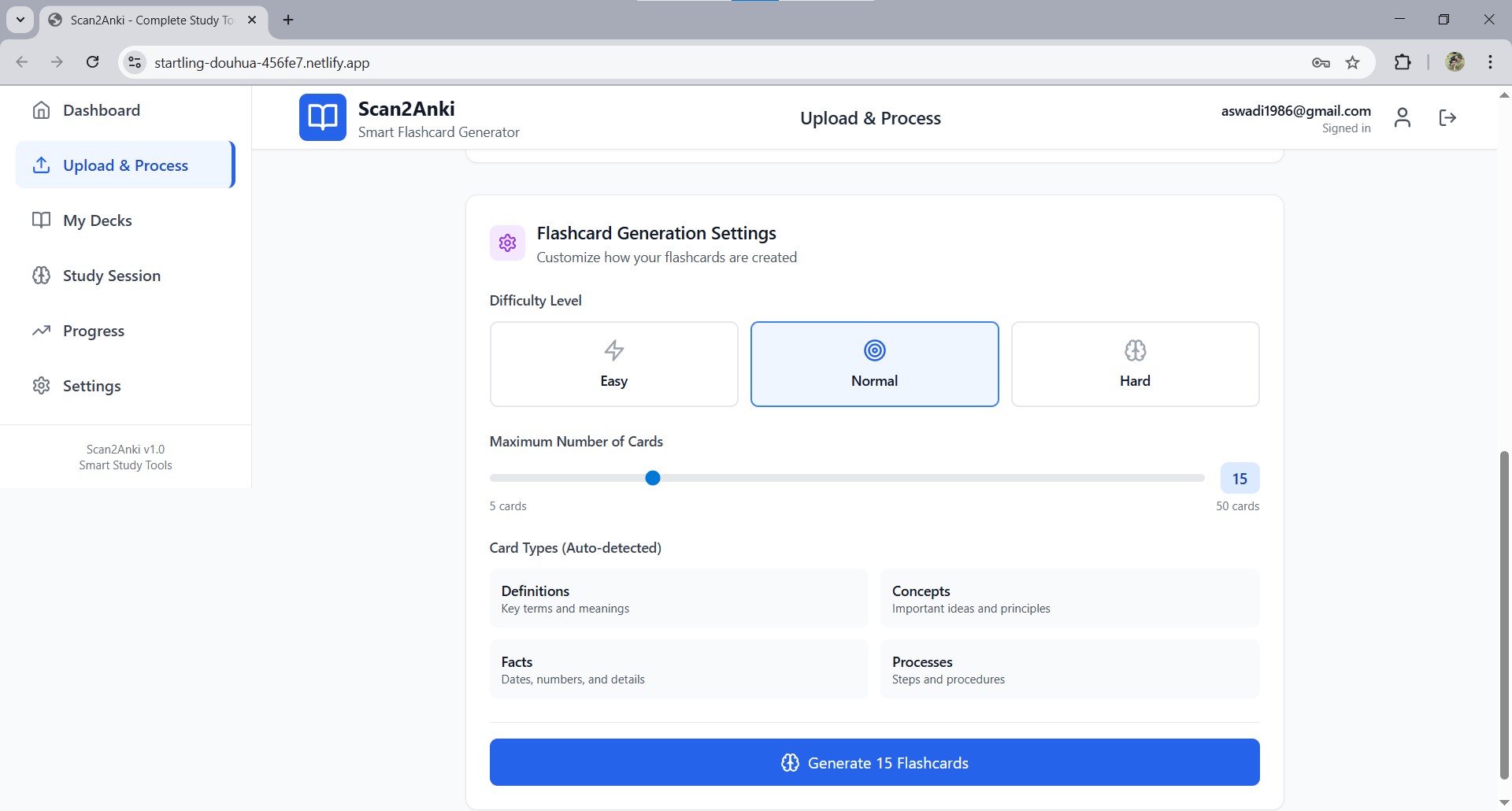
Upload & Process 3 - You can pick how many flashcards to be automatically generated
-
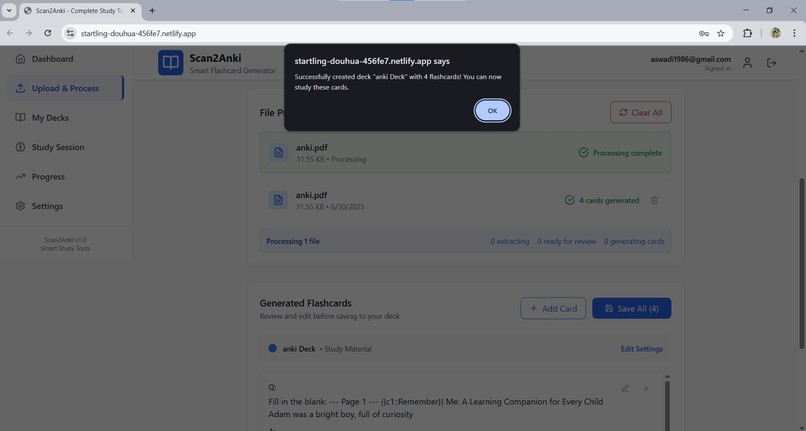
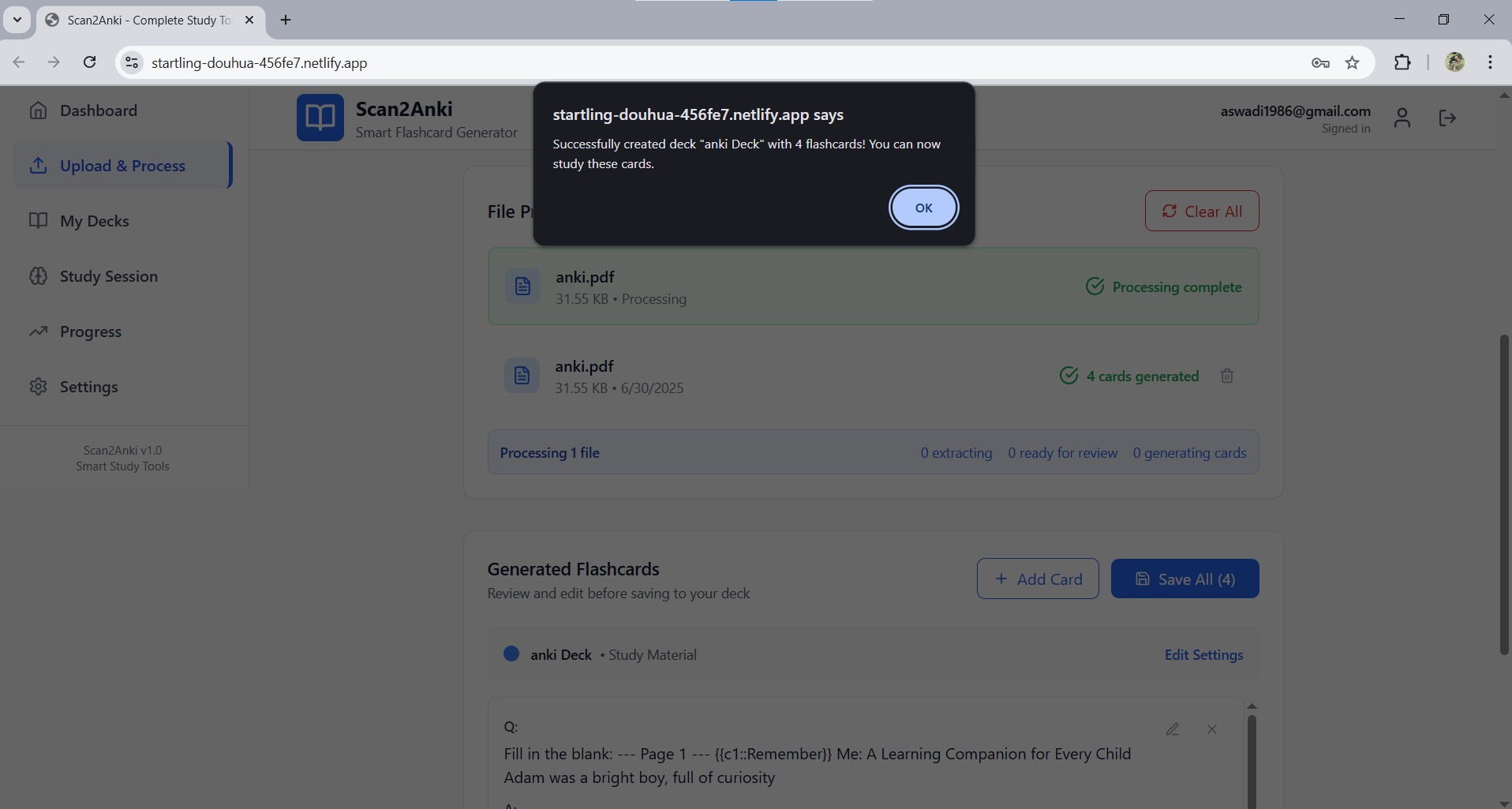
Upload & Process 4 - Notification once you completed the deck
-
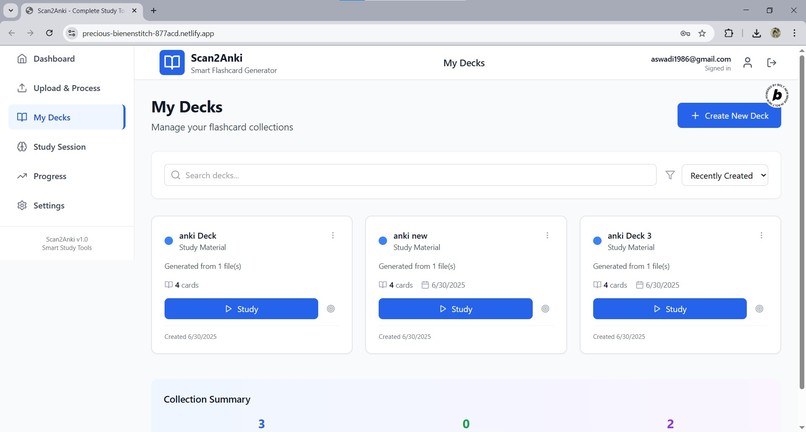
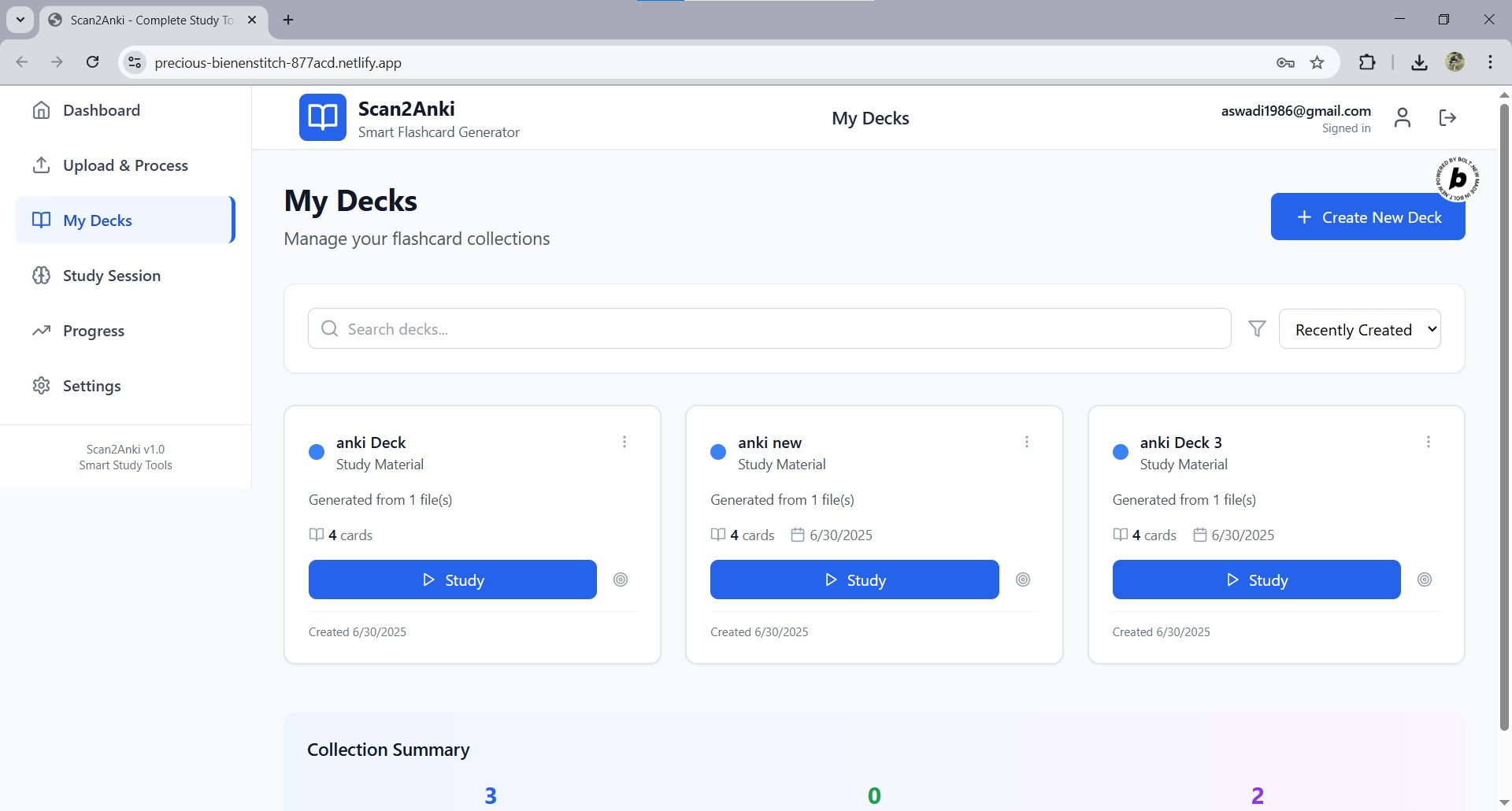
"My Decks" page
-
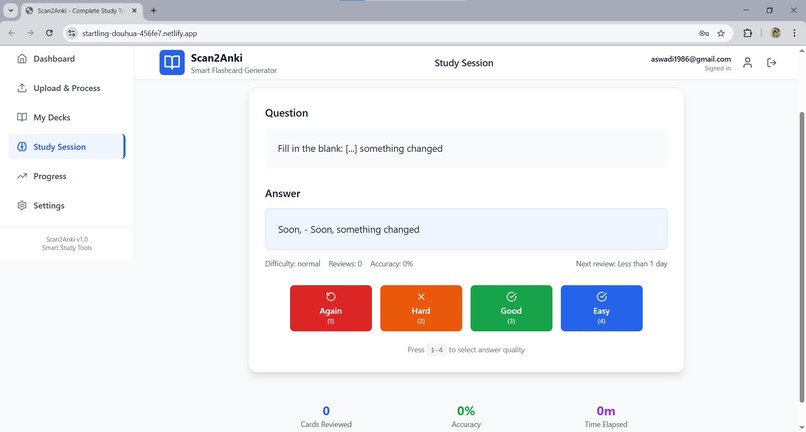
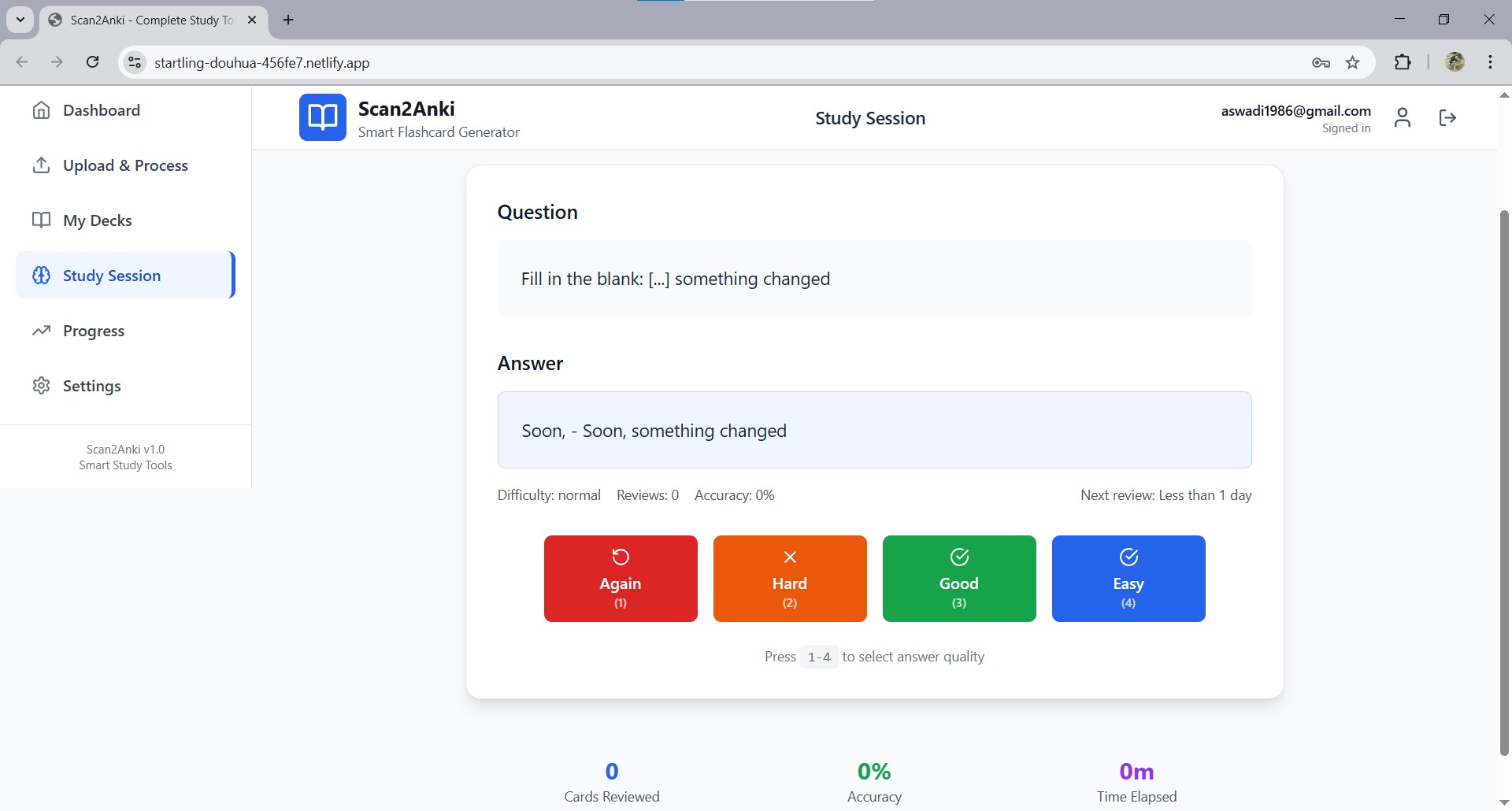
Study Session
🧠 Inspiration
The idea for Scan2Anki was born from two things: the power of the Anki spaced repetition system, and the real-life challenges of helping my kids study. Watching them sit with heavy textbooks, struggling to memorize facts while flipping pages, made me realize: studying shouldn’t feel like a chore.
One day, my son said, “I wish I could just pull the answers out and remember them.” That simple sentence planted the seed. What if there was a way to scan a textbook and instantly turn it into interactive, memory-boosting flashcards just like in Anki, but simpler and more automatic?
As a parent and someone who values efficient learning, I wanted to create something that helps students especially younger ones study smarter, not harder.
🚀 What it does
Scan2Anki is a mobile-friendly web app that transforms scanned textbook content into AI-generated Anki-style flashcards.
Here's what it offers:
- 📄 Upload PDFs or images of textbook pages
- 🔍 Extract text using OCR (Optical Character Recognition)
- ✏️ Automatically generate cloze deletion (fill-in-the-blank) flashcards
- 📚 Organize cards by chapter, subject, or custom tags
- 🔁 Study with a built-in spaced repetition system
- 📊 Track progress with key learning metrics like retention rate and review streaks
No app installs. Just open your browser and start learning.
🛠️ How we built it
I create the Product Requirement document in chatGPT and I asked Bolt.New to create for me. After back and forth chat for around 1 day. I got the result.
Everything was built with a mobile-first mindset to make it usable anytime, anywhere.
🧗♂️ Challenges I ran into
- AI-generated cloze logic: Teaching AI to pick the right blanks without making questions confusing took time and multiple refinements.
- Mobile usability: Designing a flashcard editing and review flow that works smoothly on small screens was challenging but crucial.
- OCR quirks: Ensuring reliable text extraction from scanned images, especially textbooks with mixed layouts, required tuning.
🏆 Accomplishments I'm proud of
- Built an end-to-end solution that turns textbooks into flashcards in seconds.
- Made studying feel interactive, intelligent, and accessible for any student with a phone.
- Transformed a personal pain point into a tool that can help many others.
📚 What we learned
- Real problems like helping your kids remember school content lead to meaningful, user-first products.
- Less is more: simplifying the learning journey matters more than adding more features.
- AI + OCR is a powerful combo when focused on solving a specific educational need.
🔮 What's next for Scan2Anki
- Bugs fix on some of the mobile does not work.
- 📷 Camera-based scanning for real-time flashcard creation
- 🧠 Voice-to-card input for auditory learners
- 🏅 Gamification features like XP and badges to boost engagement
- 🌐 Community sharing of decks for collaborative learning
- 🔗 Deeper AnkiWeb integration for syncing and backup
We're just getting started. Scan2Anki is on a mission to make learning personal, powerful, and effortless.
Built With
- netlify
- pdfjs-dist
- react
- supabase
- tailwind
- tesseract
- typescript
- vite

Log in or sign up for Devpost to join the conversation.