-
-
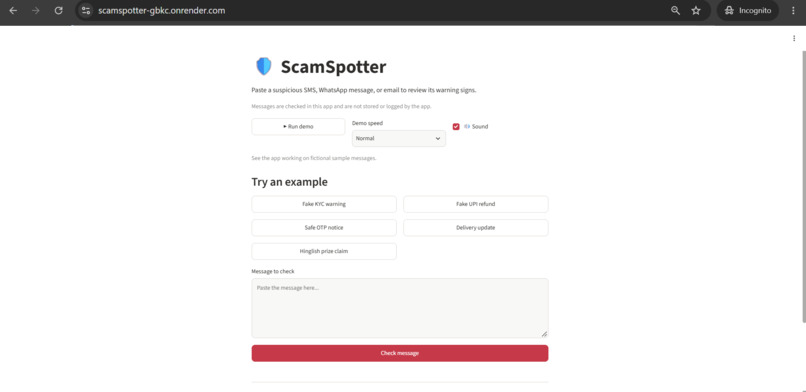
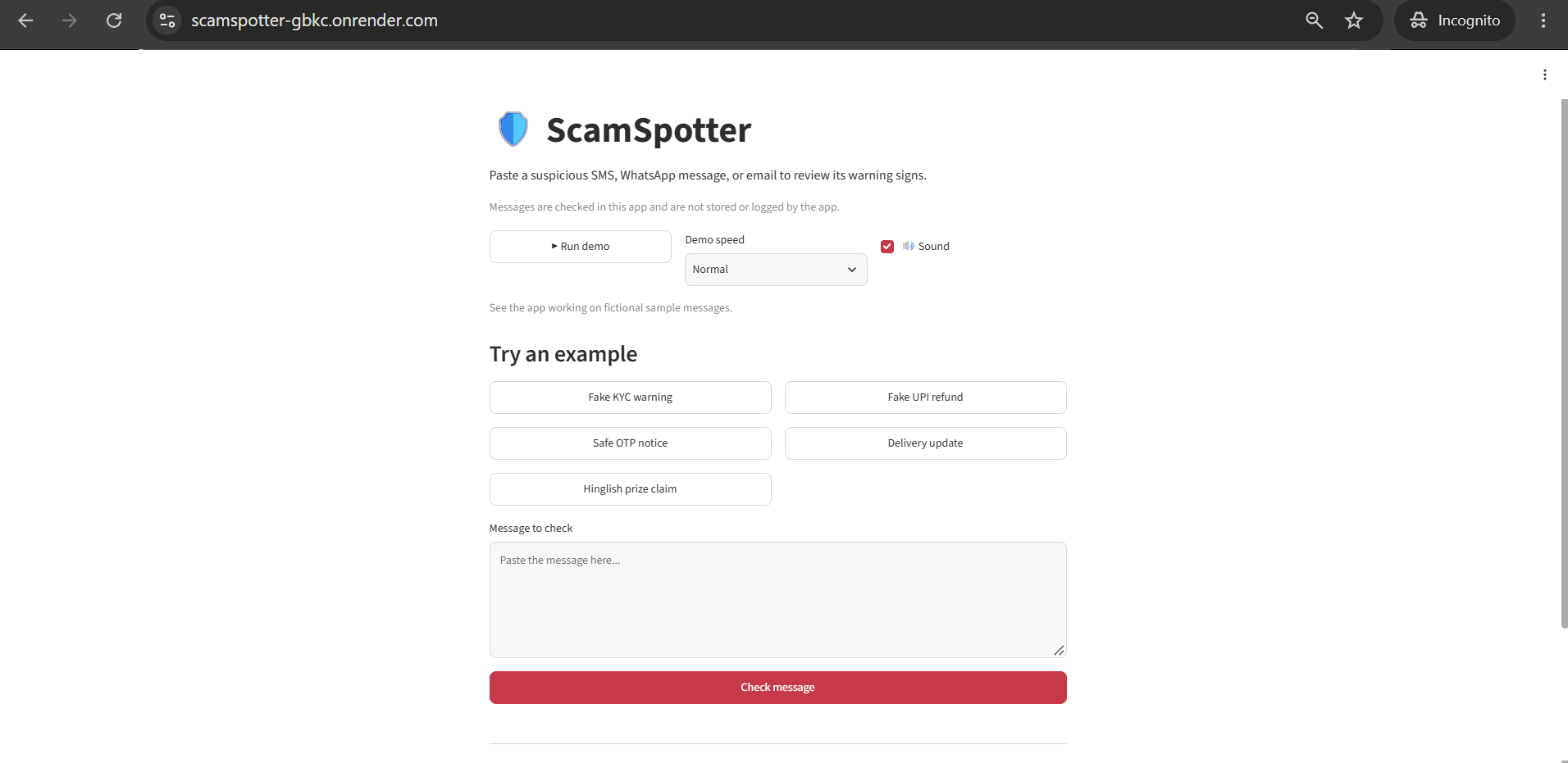
Home page: paste a message or try a sample, then click Check message
-
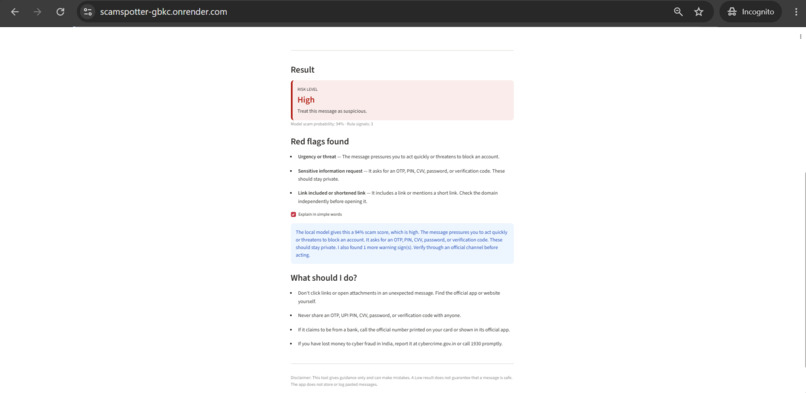
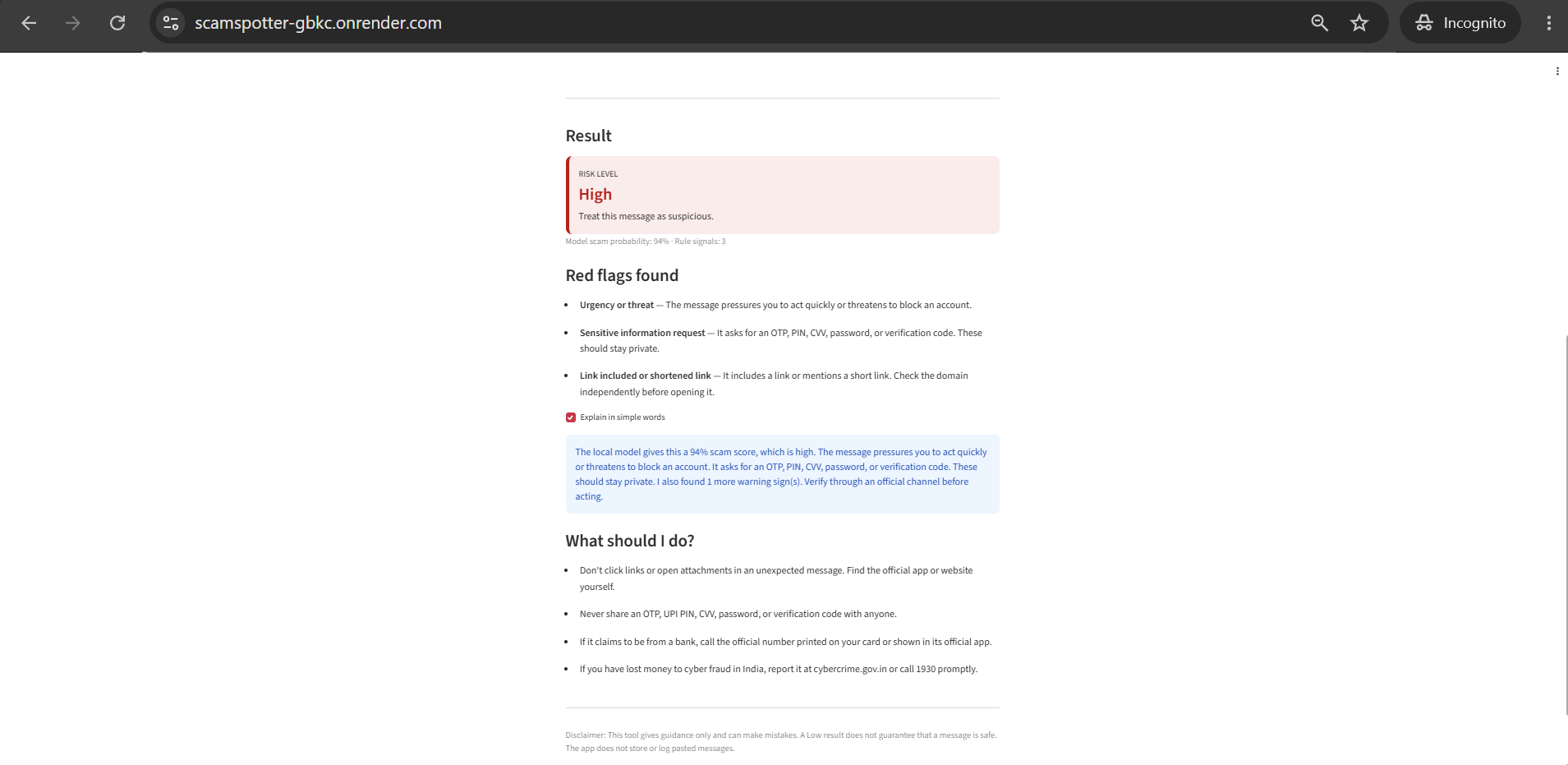
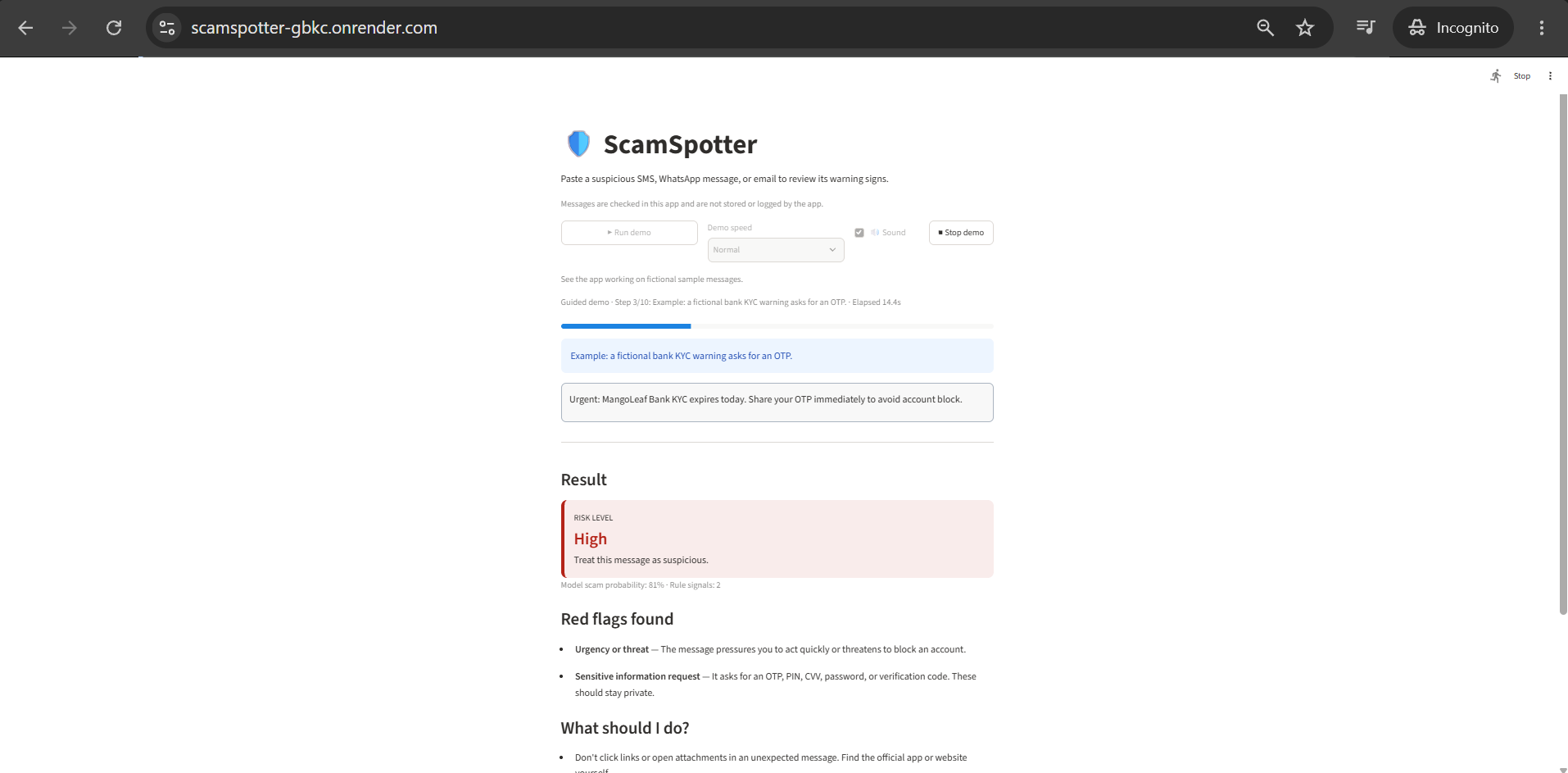
Fake KYC scam scores High, with red flags for urgency, OTP request and link
-
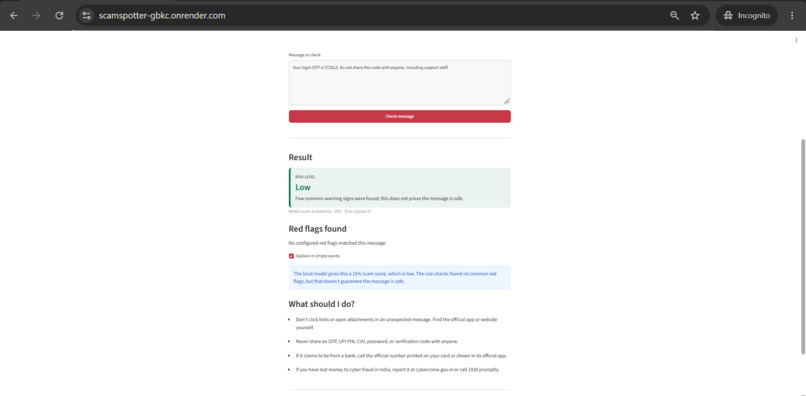
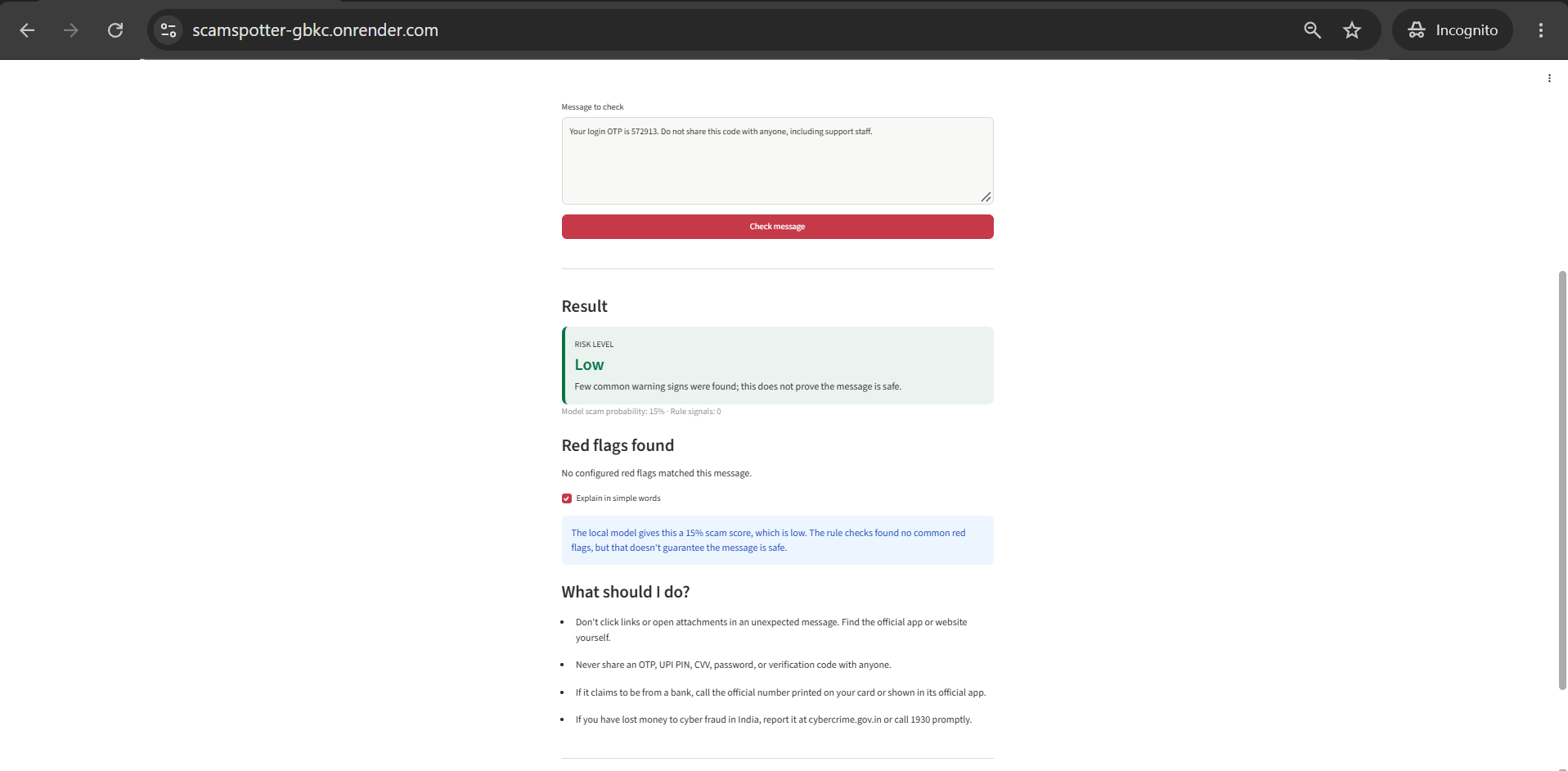
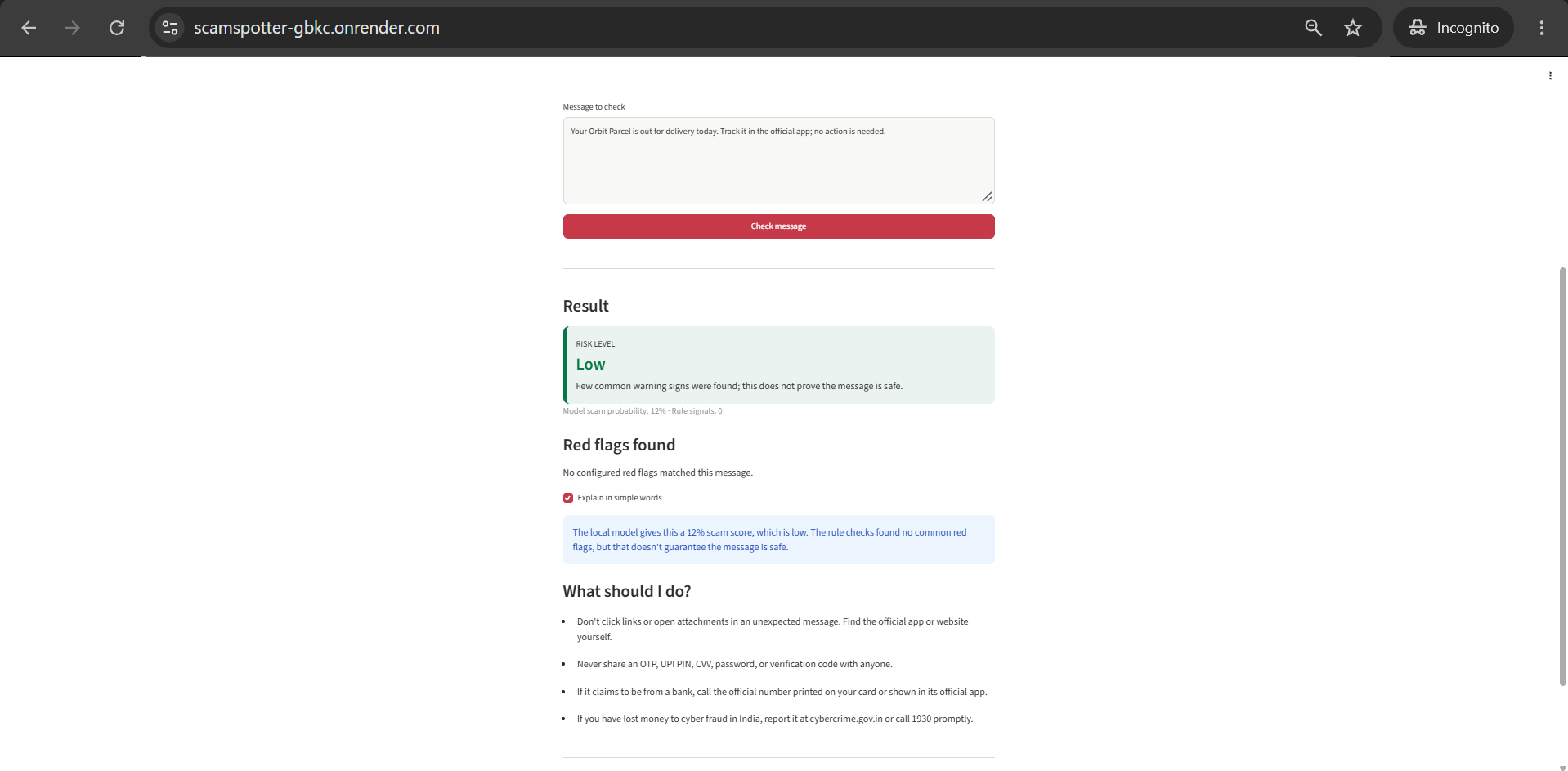
A genuine bank alert scores Low with no red flags, so it doesn’t cry wolf
-
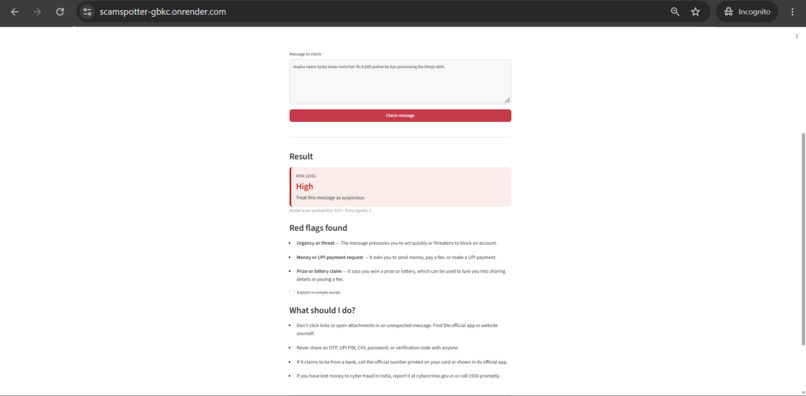
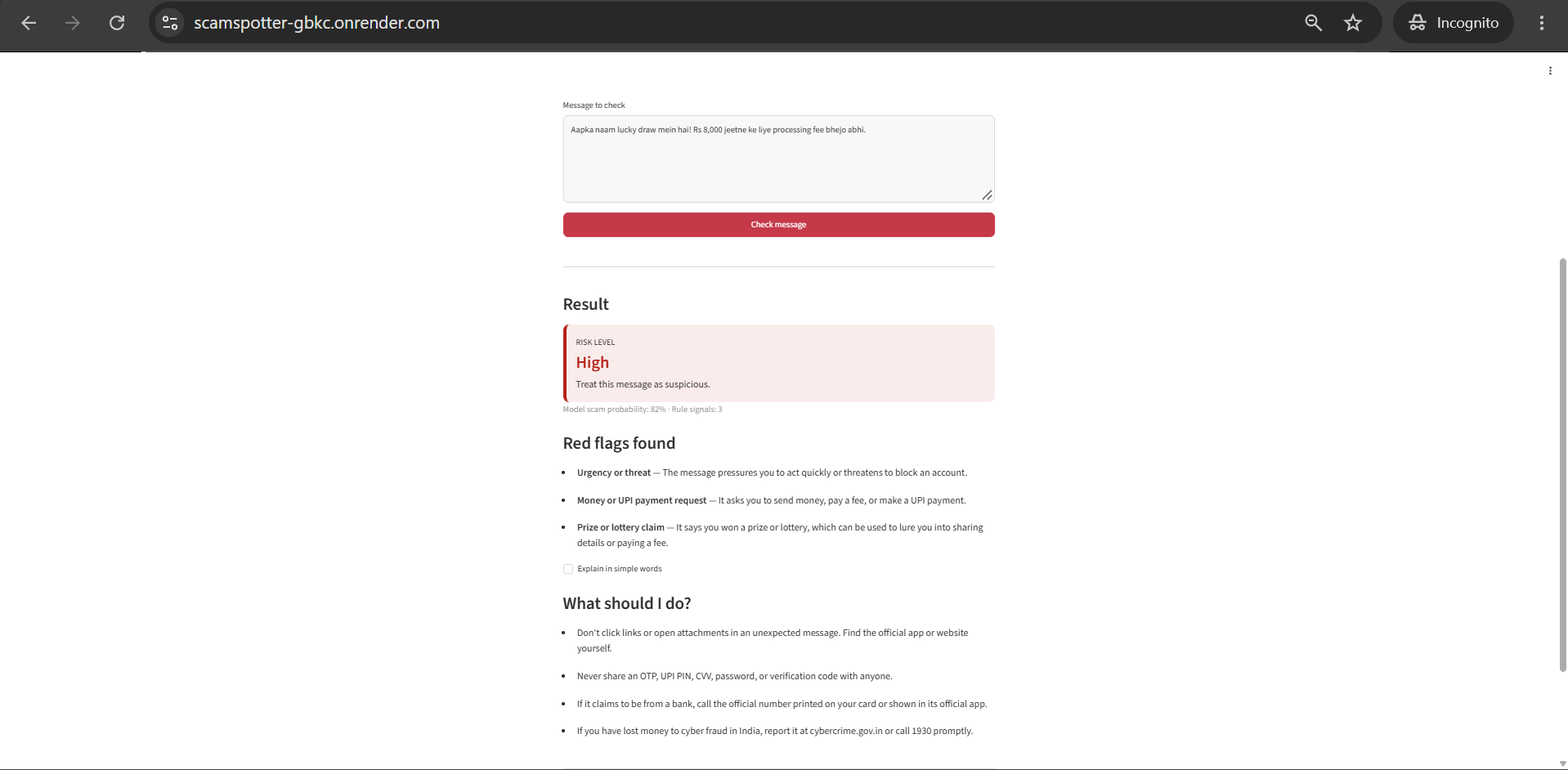
Hinglish prize scam scores High: urgency, payment request and prize claim
-
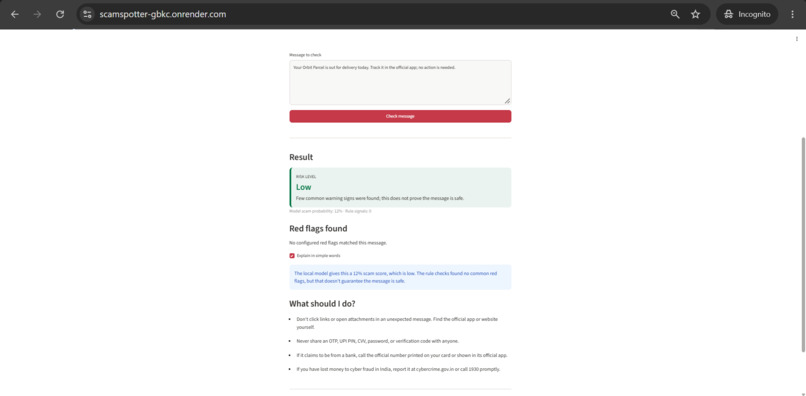
“Explain in simple words” turns the score and red flags into a plain summary
-
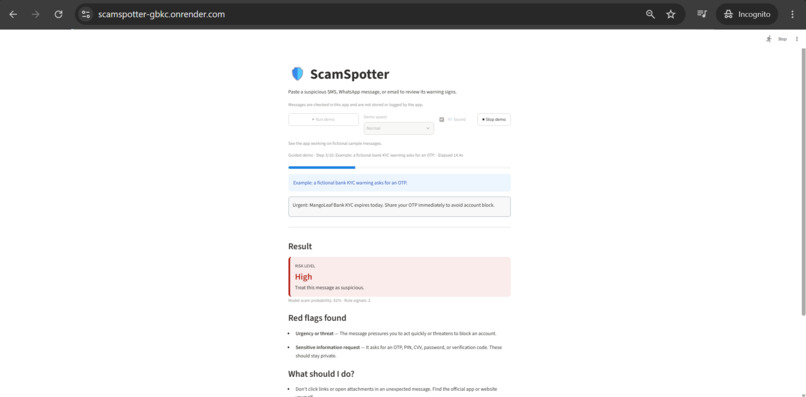
Built-in narrated demo runs sample messages through the real model and rules
Inspiration
Scam messages are part of daily life in India: fake KYC updates, "share your OTP" texts, UPI refund and prize messages, fake job offers and courier alerts. Many people, especially those less familiar with digital payments, can't tell a real bank alert from a scam, and one wrong tap can cost them their savings. I wanted to build a simple tool anyone can use to check a message before acting on it.
What it does
ScamSpotter is a web app where you paste a suspicious SMS, WhatsApp message or email. It returns:
- a risk level (Low, Medium or High)
- the red flags it found, such as urgency, requests for an OTP or money, suspicious links and prize claims
- plain advice on what to do, including reporting at cybercrime.gov.in or calling 1930 in India
- an optional "Explain in simple words" summary
It handles English and Hinglish (mixed Hindi and English), which is how many real scams are written. Genuine messages, like a bank alert that says "do not share your OTP", are meant to stay Low, so the tool doesn't cry wolf. Messages are checked inside the app and are not stored or logged.
The app also has a built-in narrated demo that types sample messages and runs them through the real model and rules, with no pre-recorded results.
How I built it
- Streamlit for the web interface, hosted on Render
- A scikit-learn text classifier (TF-IDF word and character features with logistic regression), trained on a synthetic dataset of fictional messages
- A set of editable red-flag rules (regular expressions and keyword lists) for English and Hinglish
- A combined score: the model's probability plus the number of red flags gives the final risk level
- edge-tts to generate the demo's narration voice
- pytest tests that check rules, scoring, state handling, and that every demo scene produces the result it claims
How I used AI
I used OpenAI Codex as a coding assistant to scaffold the project, generate the synthetic dataset, write the rules, tests and demo, and fix bugs, working from prompts I wrote step by step. I ran the app and tests myself, checked results on screen, found bugs that the tests missed, and reviewed and adjusted the output. The narration voice was generated with edge-tts (AI text-to-speech). The classifier itself is a small machine-learning model trained on the project's dataset.
Challenges and what I fixed
- Results vanished when ticking "Explain in simple words". Streamlit re-runs the whole script on every click, and the result only appeared on the button's own run. I fixed it by storing the analysis in session state.
- Misleading red flags on safe messages. A genuine "do not share your OTP" notice looked like an OTP request. I changed the rules to look for actual requests, not just keywords, and added tricky safe and scam examples, including very short and Hinglish ones.
- The demo froze on the live site. On the free host, the model was training during the first demo scene, which only showed up after deployment. I cached the model and warmed it up before the demo starts.
- Partial results and audio problems in the demo. The demo once showed only a stray advice bullet, then the audio player bar stayed visible, then a change left only narration with no typing or results. I regrouped the result display, moved the narration into its own hidden component, pinned the Streamlit version, and re-tested the whole flow each time.
What I learned
- How Streamlit's rerun model works, and why state must be kept in session state.
- That a local test run can hide deployment problems like cold starts.
- That passing tests don't prove a screen looks right, so I had to watch the app run after every change.
- That a perfect score on small, synthetic data is not proof of real-world accuracy. Codex generated the training data and examples, so my results are probably optimistic.
- How to work with an AI coding assistant: break the work into small prompts, then test and question every result.
Limitations
ScamSpotter is a guidance aid, not proof that a message is safe. The dataset is small and synthetic, the model scored 100% on my small synthetic checks (which does not establish real-world accuracy), and it can make mistakes. A Low result does not guarantee a message is safe.
What's next
In the next version I want to support more languages, starting with Hindi and Marathi in Devanagari script, collect more realistic and consented examples, and test it with real users to see whether the advice is clear and useful.
Try it
- Live app: https://scamspotter-gbkc.onrender.com (free hosting, so the first load can take up to a minute)
- Code: https://github.com/hafeza-zainab/ScamSpotter
Built With
- edge-tts
- github
- joblib
- logistic-regression
- machine-learning
- natural-language-processing
- openai-codex
- pytest
- python
- regex
- render
- scikit-learn
- streamlit
- tf-idf
