-
-
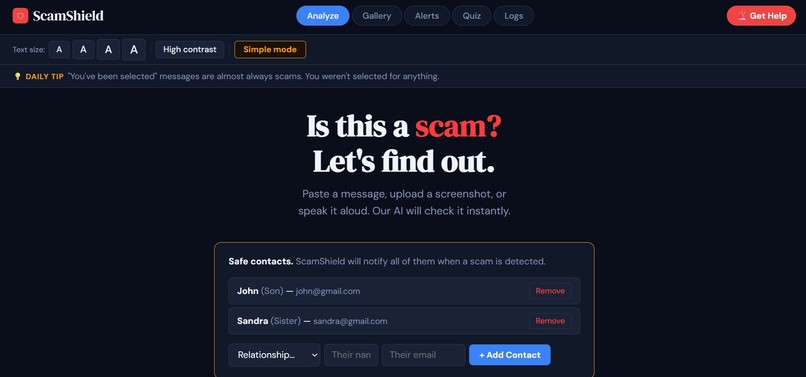
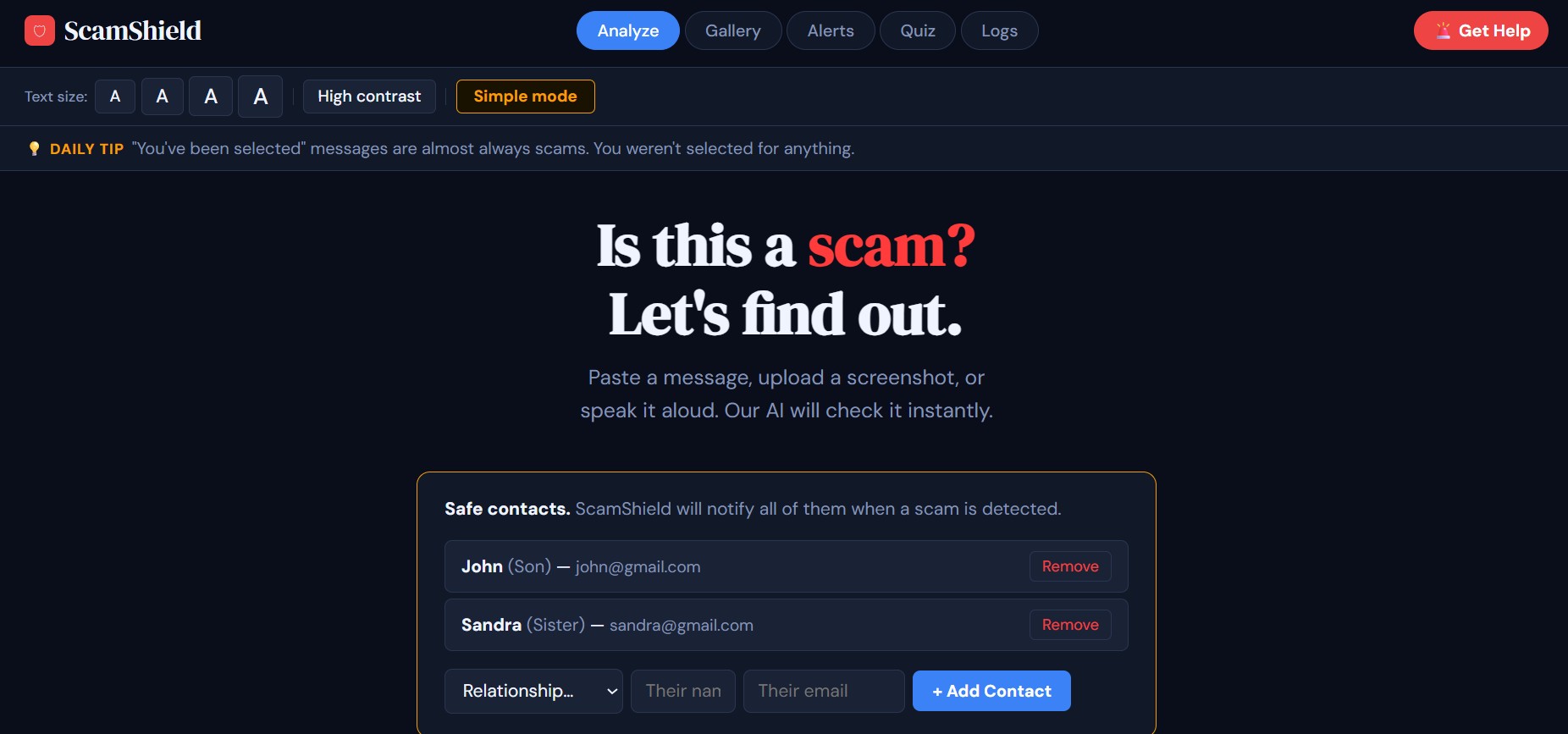
Home Page
-
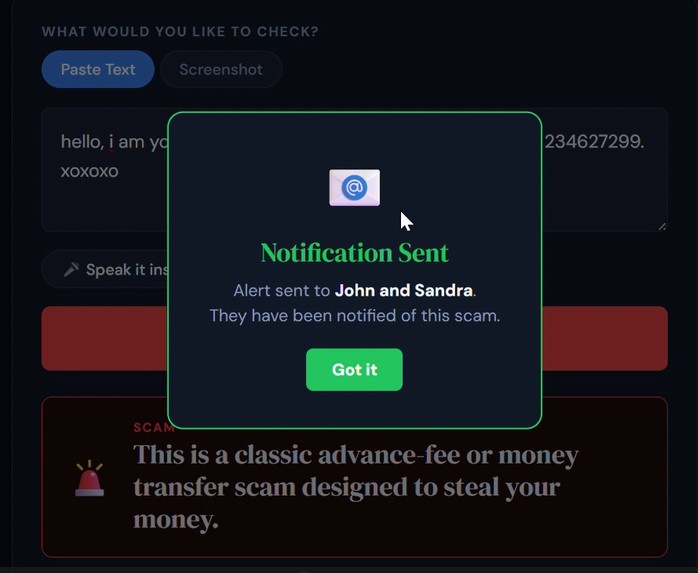
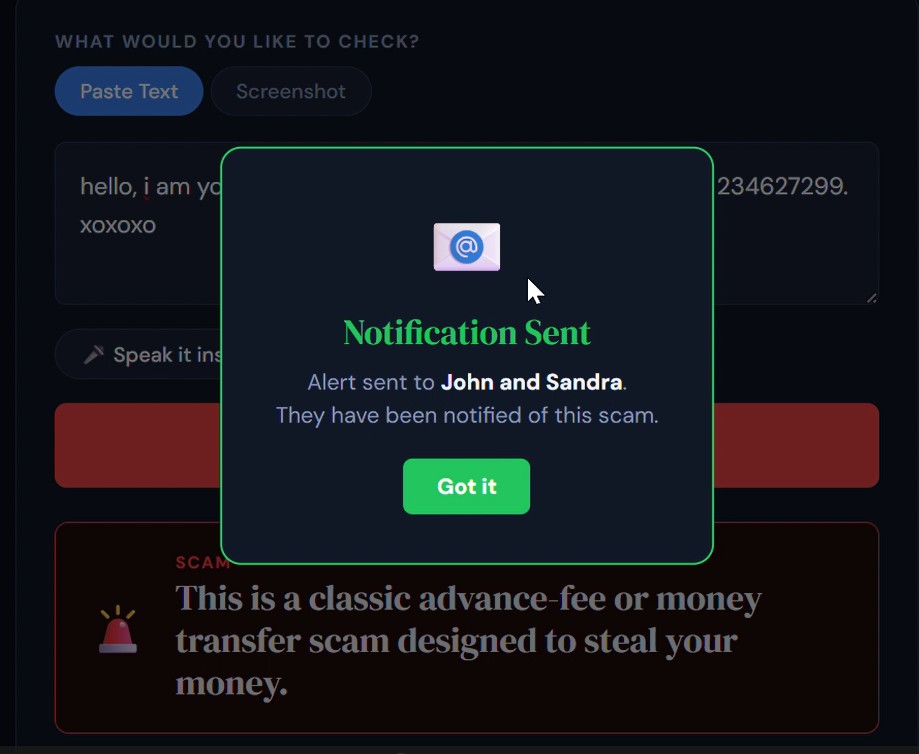
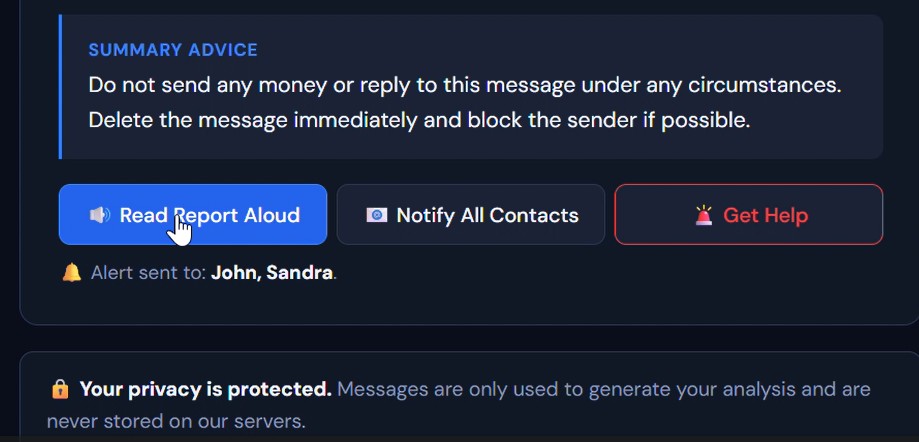
Auto-Notification for scam messages sent to safe contacts
-
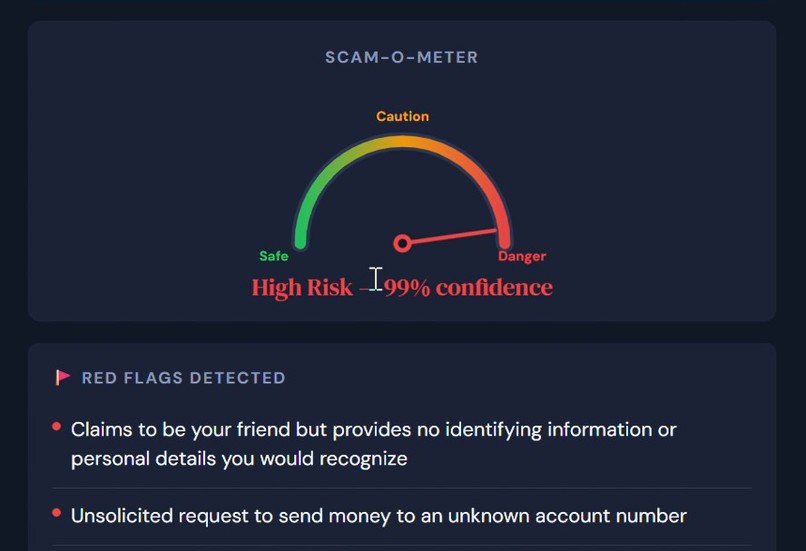
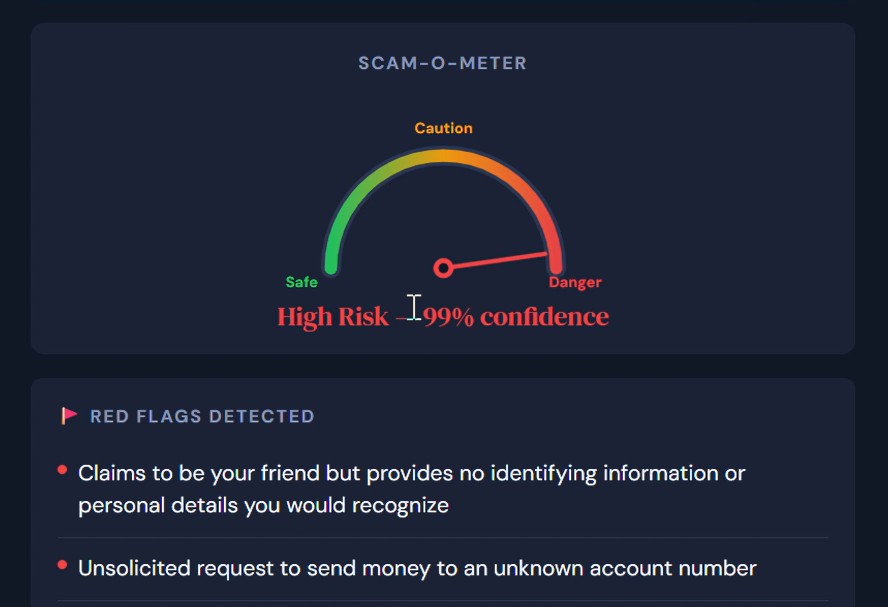
Scam Meter and Red Flags
-
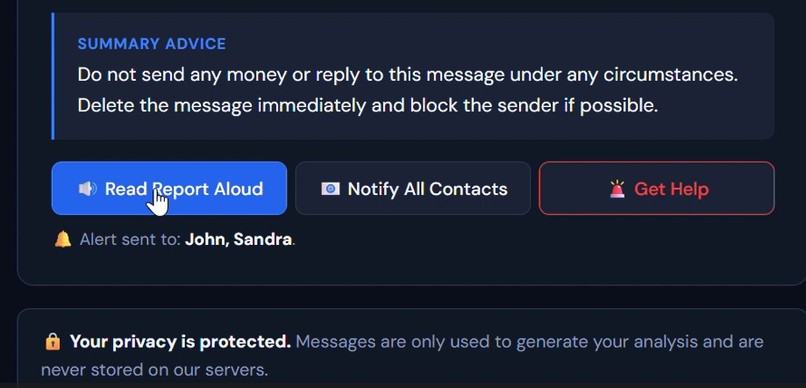
Read out loud feature
-
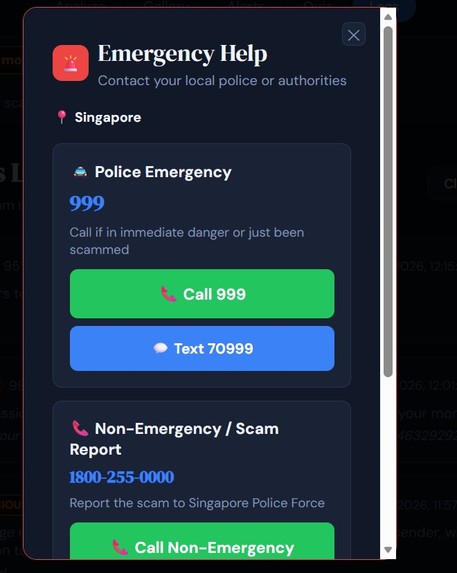
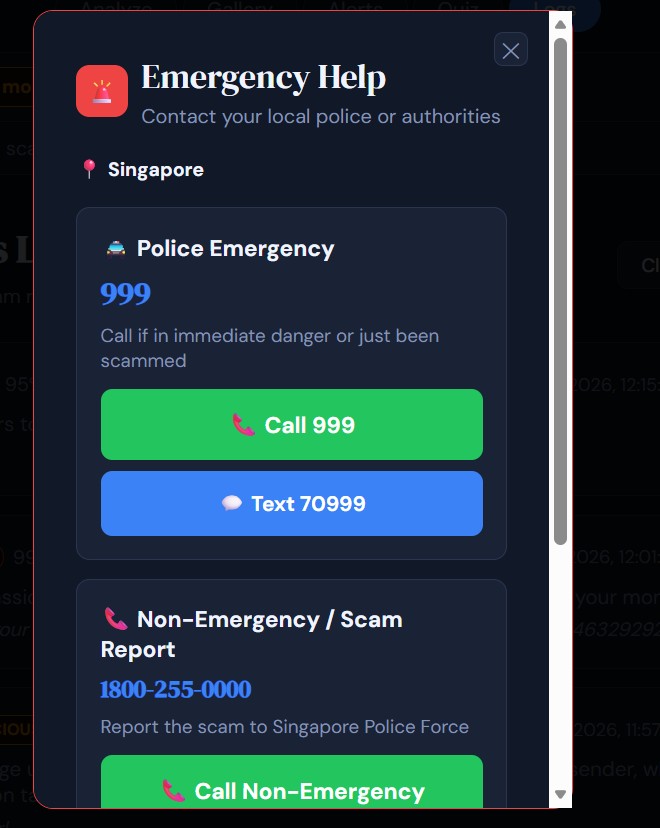
Emergency Contacts
-
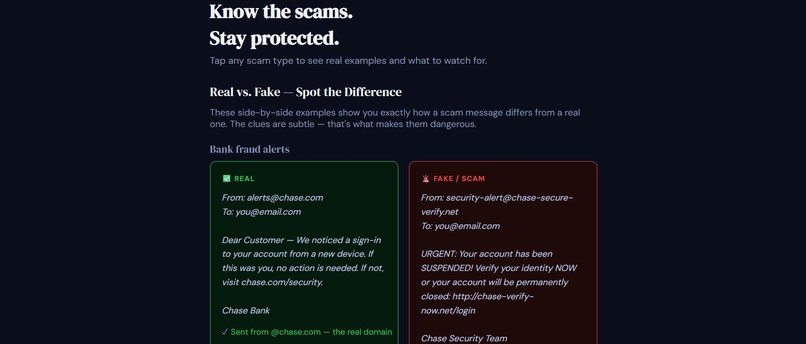
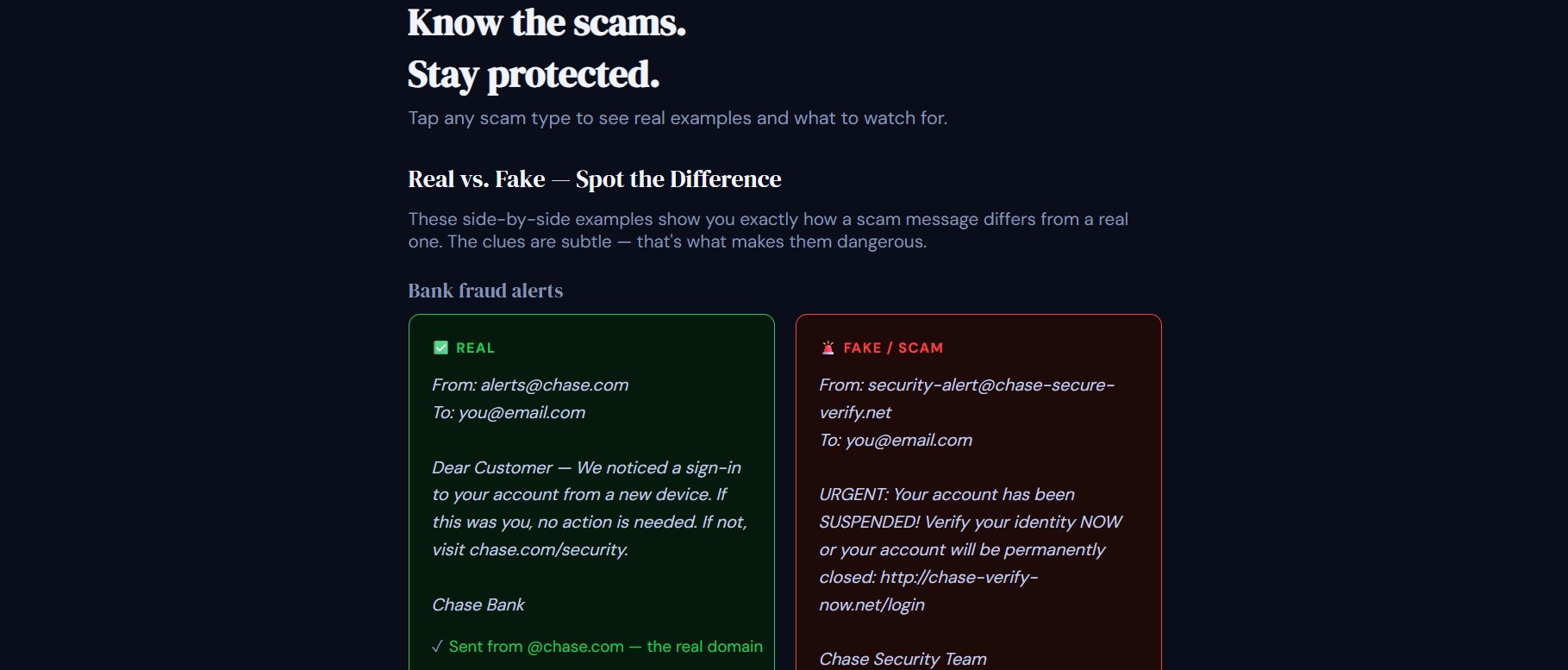
Scam vs Safe Messages
-
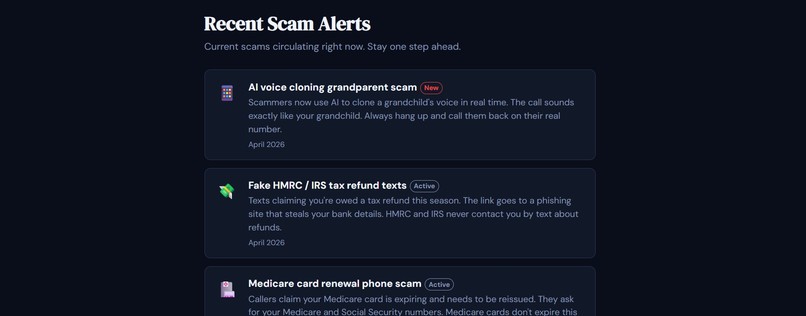
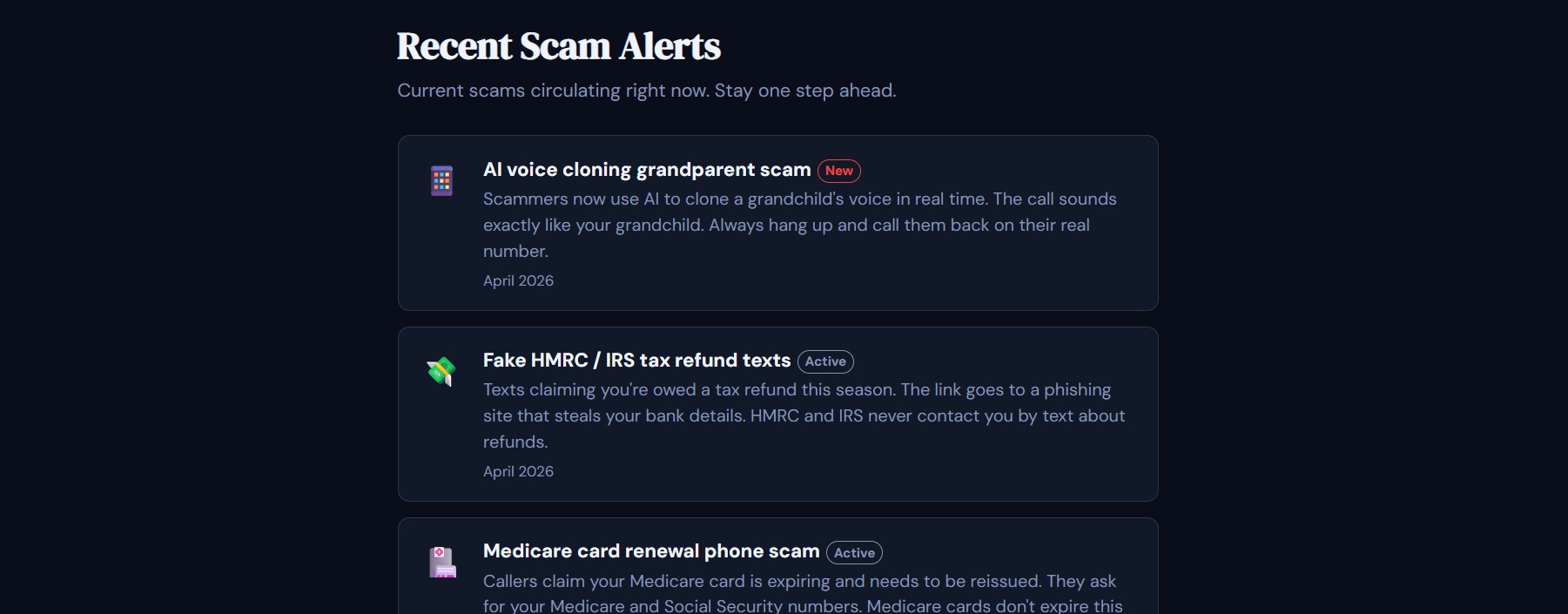
Recent Scam Alerts
-
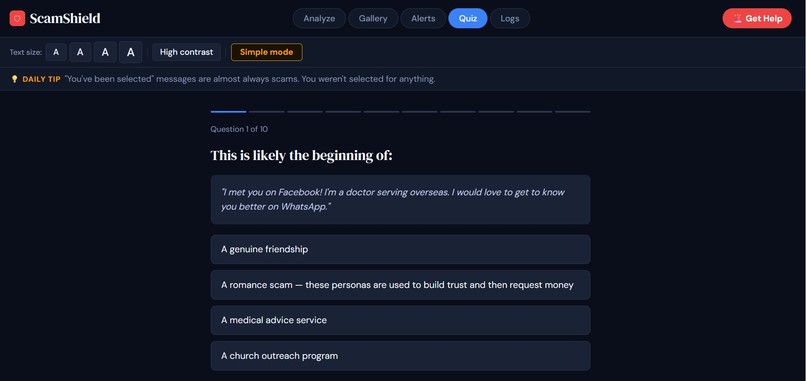
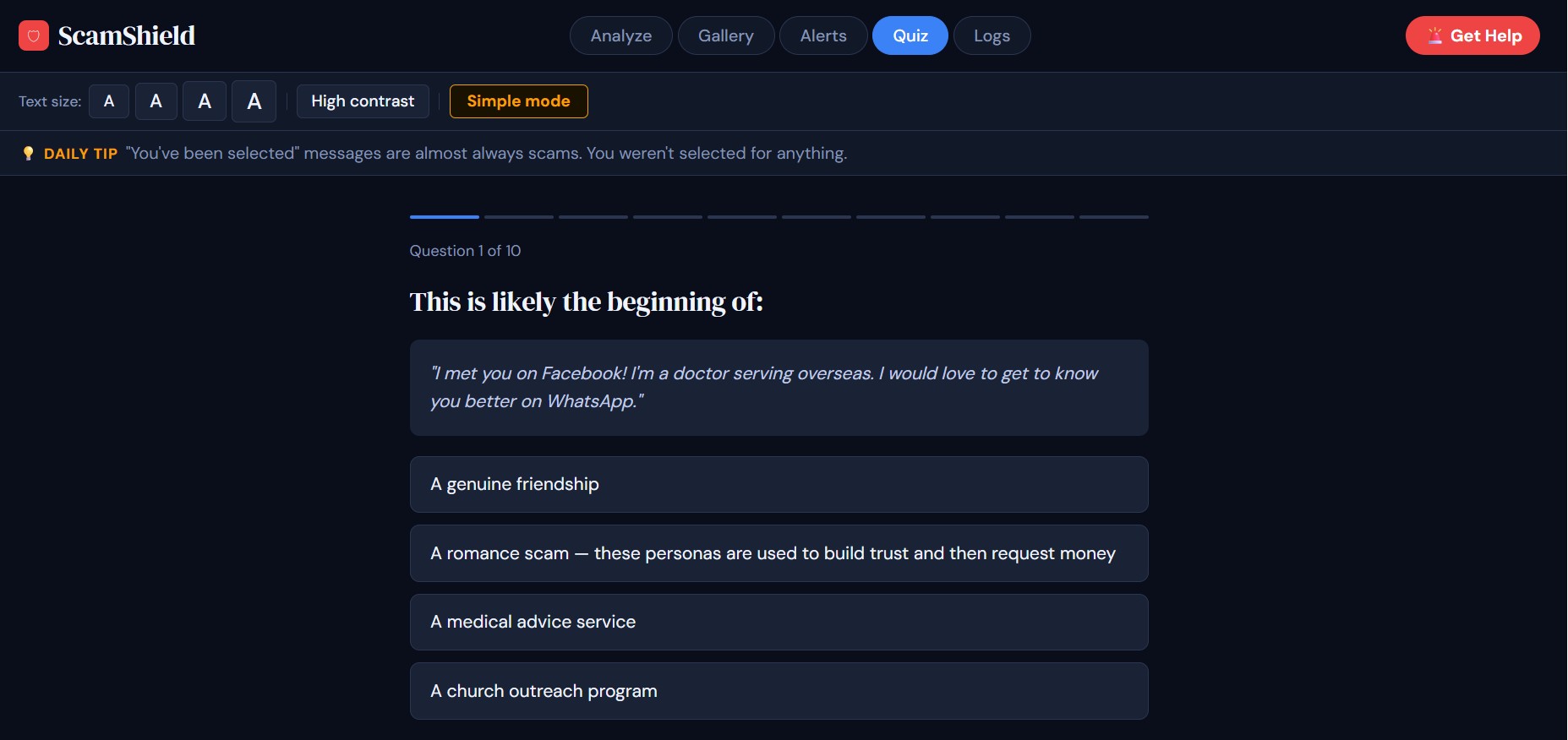
Quiz
-
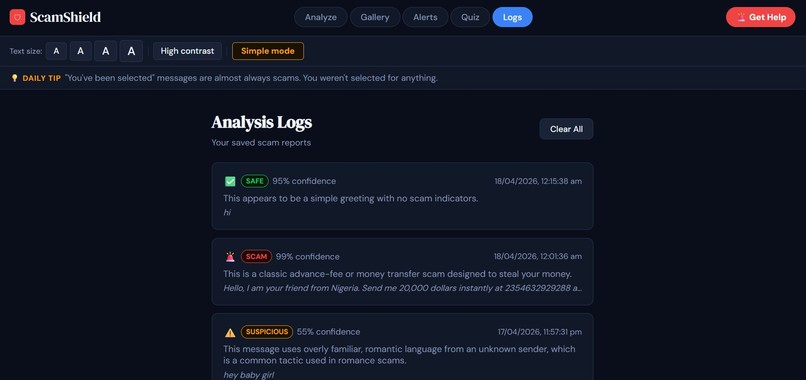
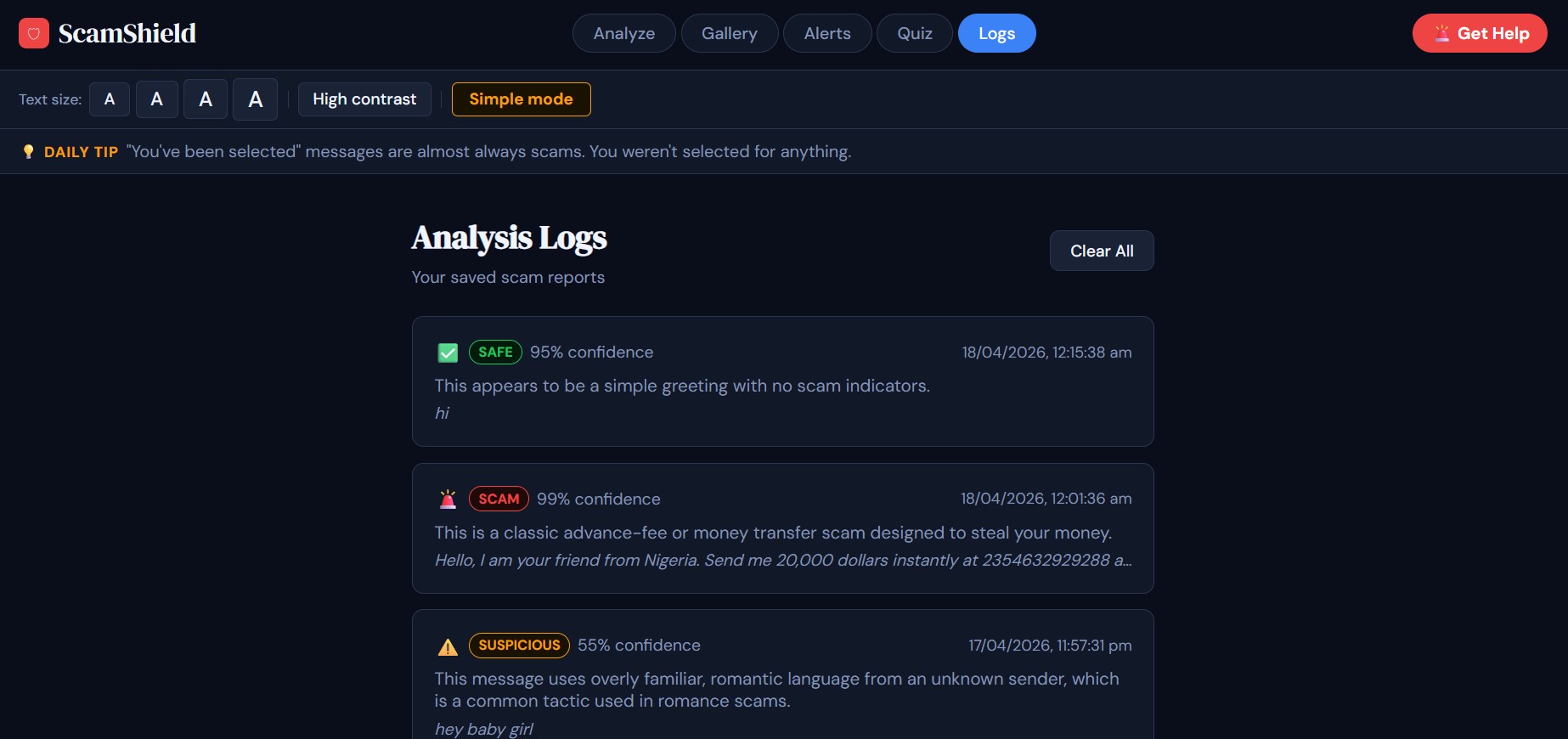
Analysis Logs
Overview
I have created the demo video for Scamshield which is accessible directly from the project page, and have provided the source code links and the link to the prototype itself. The prototype is currently hosted as an interactive Claude Artifact for demonstration purposes. I have also attached a drive link to a poster which describes the problem, solution and next steps clearly.
The application itself is built as a fully standalone HTML file and can be easily deployed to platforms like Vercel or Netlify with no additional setup.
🛡 ScamShield
AI-powered scam detection for senior citizens
ScamShield helps seniors instantly check if a message, email, phone script, or screenshot is a scam. Paste or speak suspicious content, get a clear verdict with a step-by-step action plan, and automatically alert trusted family members — all in a single HTML file with no install required.
Live Demo
Deploy to Vercel or Netlify by uploading
scamshield.htmldirectly.
No build step. No dependencies. No server.
What It Does
ScamShield uses the Claude AI API to analyse suspicious messages in real time and return a structured verdict. Every part of the interface is designed with senior citizens in mind; large text, high contrast, voice input, simple navigation, and plain-English explanations throughout.
Features
Core Analyser
- Paste text or upload a screenshot — supports both text input and image upload (Claude vision API)
- Voice input — tap "Speak it instead" to dictate a suspicious message using your microphone; speech is transcribed live
- AI verdict — returns SCAM, SUSPICIOUS, or SAFE with a confidence score
- Scam-O-Meter — animated semicircular gauge showing risk level from Safe → Caution → Danger
- Red flags breakdown — each detected red flag listed with severity (high / medium / low)
- Step-by-step action plan — 4 specific numbered steps (e.g. "Block the sender", "Report to the FTC at reportfraud.ftc.gov")
- Read Report Aloud — text-to-speech reads the full verdict and advice; tap again to stop
Safety Features
- Scam pause prompt — when a scam is detected, a 10-second "STOP — Do Not Respond Yet" banner locks the interface before results appear
- Auto-notify safe contacts — when a SCAM verdict comes back at ≥80% confidence, all saved contacts are notified instantly with a popup confirmation
Safe Contact System
- Multiple contacts — add as many trusted family members as needed (son, daughter, carer, friend, etc.)
- Auto-alert on high-confidence scams — notifications go to everyone on the list simultaneously
- Manual notify button — send a report to all contacts at any time from results or logs
- Migration support — previously saved single contacts are automatically migrated
Education
- Scam Gallery — 8 scam archetypes (IRS impersonation, grandparent, tech support, romance, phishing, Medicare, lottery, charity) with real example messages and red flags
- Real vs. Fake side-by-side — 3 annotated pairs showing a real bank alert / prize notification / IRS letter next to its fake equivalent, with callouts on every red flag
- Quiz mode — 30+ questions drawn randomly (10 per session), fully randomised each time, with instant feedback and explanations
- Recent Scam Alerts — curated list of scams actively circulating in 2025–2026
Accessibility
- Font size controls — 4 sizes (small → extra large), persists across sessions
- High contrast mode — pure black/white theme for visual impairments, persists across sessions
- Simple mode — strips the UI to just a text box and one big Analyze button; ideal for first-time or less confident users
- First-time walkthrough — 5-step guided intro on first visit, never shown again after completion
- Daily scam tip — rotating practical tip shown every day based on date
Logs
- Auto-logging — every analysis is automatically saved to the Logs tab
- Expandable entries — tap any log to see the full breakdown, red flags, and action plan
- Notify from logs — send any past report to contacts directly from the Logs tab
- Persistent — logs survive browser refresh via localStorage (up to 100 entries)
Emergency Help
- Get Help button — always visible in the top nav
- Location detection — uses browser geolocation + OpenStreetMap reverse geocoding, with IP-based fallback and a manual country selector
- Local police numbers — emergency and non-emergency lines for US, UK, Canada, Australia, Singapore, India, Ireland, New Zealand, Malaysia
- One-tap call / SMS — deep links to phone dialler and SMS for emergency numbers
- Online reporting links — direct links to FTC, Action Fraud, Scamwatch, and equivalent national agencies
Tech Stack
| Layer | Technology |
|---|---|
| Frontend | Vanilla HTML, CSS, JavaScript — single file, zero dependencies |
| AI | Claude Sonnet API (claude-sonnet-4-20250514) via api.anthropic.com/v1/messages |
| Vision | Claude vision API for screenshot analysis |
| Voice input | Web Speech API (SpeechRecognition) — Chrome/Edge |
| Text-to-speech | Web Speech Synthesis API — all modern browsers |
| Geolocation | Browser Geolocation API + Nominatim (OpenStreetMap) reverse geocoding |
| Storage | localStorage — no external database |
| Fonts | Google Fonts (DM Serif Display, DM Sans) |
| Hosting | Any static host — Vercel, Netlify, GitHub Pages |
Getting Started
Prerequisites
- A Claude API key from console.anthropic.com
Running locally
# Clone the repo
git clone https://github.com/your-username/scamshield.git
cd scamshield
Open scamshield.html in Chrome or Edge. The Claude API is called directly from the browser.
Note on the API key: For a demo or hackathon submission, the API key is injected via the
api.anthropic.comendpoint directly from the browser. For a production deployment, route requests through a serverless function (e.g. a Vercel Edge Function) so the key is never exposed in client-side code.
Deploying to Vercel
- Push
scamshield.htmlto a GitHub repo - Import the repo at vercel.com/new
- Set the output directory to
/and deploy - Your app is live at a
*.vercel.appURL — paste this into your hackathon submission
Deploying to Netlify
- Drag and drop
scamshield.htmlinto app.netlify.com/drop - Netlify gives you a live URL in under 30 seconds
Project Structure
scamshield/
├── scamshield.html   # Entire application — HTML, CSS, and JS in one file
└── README.md
Next Steps
- Develop the Voice Input function fully.
- Integrate more languages and accessibility.
- In production, this runs via a secure serverless API (e.g., Vercel Edge Function).
Demo Overview
The core functionality of ScamShield allows users to paste, speak, or upload suspicious messages and instantly receive an AI-powered analysis. The system classifies content as SAFE, SUSPICIOUS, or SCAM, provides a confidence score, highlights specific red flags, and generates a clear, step-by-step action plan. Additional features such as a Scam-O-Meter, voice input, and text-to-speech make the experience interactive and accessible for senior users.
Senior Citizen Impact
ScamShield directly improves technology literacy for senior citizens by teaching them how to recognize common scam patterns and think critically about digital messages. Instead of simply flagging risks, the system explains why something may be dangerous in plain English and provides actionable next steps. With built-in educational tools like a scam gallery and quiz mode, users gain hands-on experience, helping them build long-term confidence and independence when using technology.
Feasibility & Real-World Use
ScamShield is designed to be realistically deployed in senior centers and community spaces. It runs as a single webpage with no installation required and works on any modern device, including phones, tablets, and computers. The platform can be easily hosted on services like Vercel or Netlify, making it simple for organizations to adopt. In practice, it can function as a self-service safety tool, a guided learning station, or part of digital literacy workshops.
UI/UX Design
The interface is built specifically for senior users, prioritizing clarity, simplicity, and accessibility. Features such as large font options, high contrast mode, and a simplified interface reduce cognitive load. Voice input and text-to-speech enable hands-free interaction, while a built-in “STOP” delay helps prevent impulsive responses to potential scams. Every design choice focuses on creating a calm, intuitive, and supportive user experience.
Why This Matters
As scams become more sophisticated with the rise of AI, senior citizens are increasingly vulnerable to highly convincing fraud attempts. ScamShield addresses this growing problem by combining AI-powered detection with education and accessibility. It not only protects users in the moment but also equips them with the skills needed to navigate the digital world safely and confidently over time.
Built By
Anirudh Mannattil
License
MIT


Log in or sign up for Devpost to join the conversation.