-
-
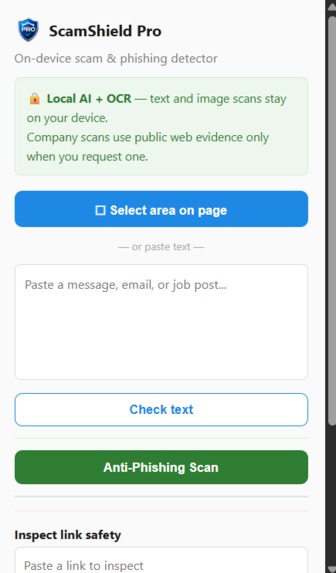
Chrome Extension
-
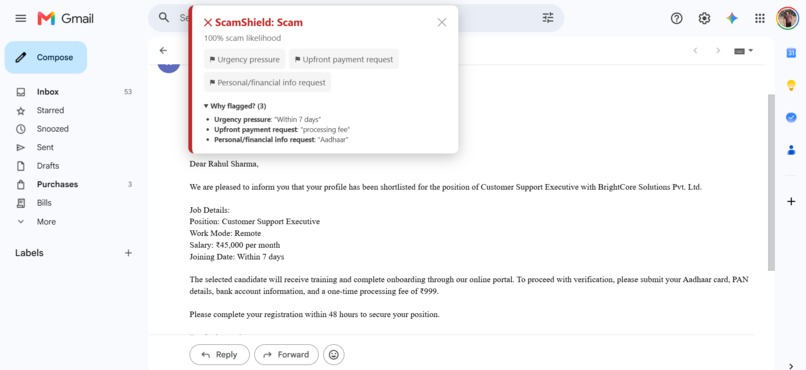
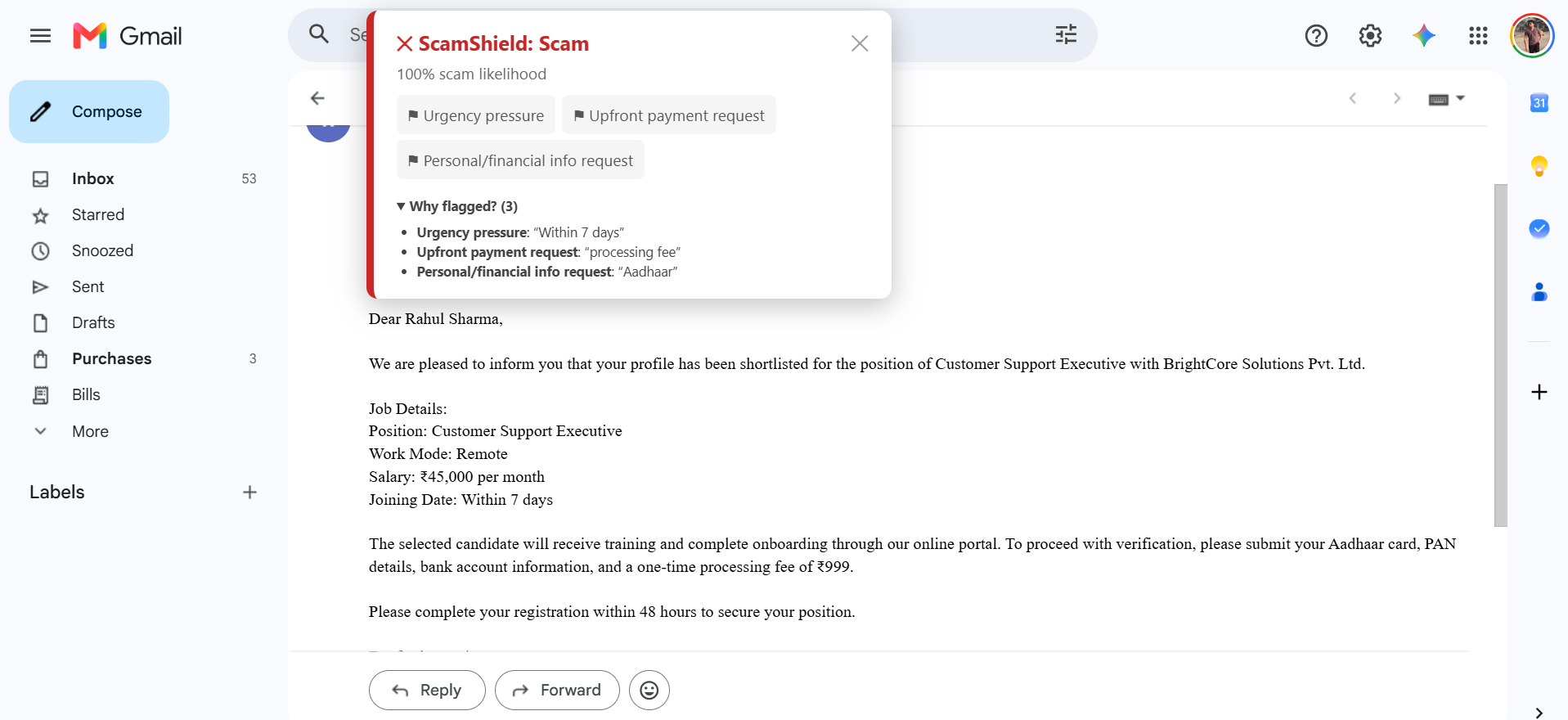
Text Scan - Scam Result
-
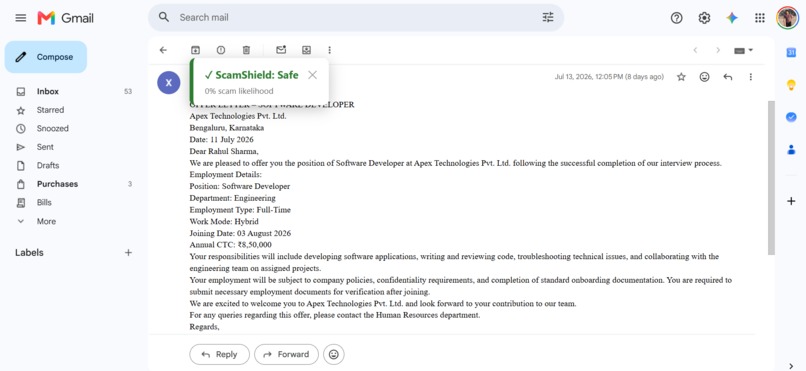
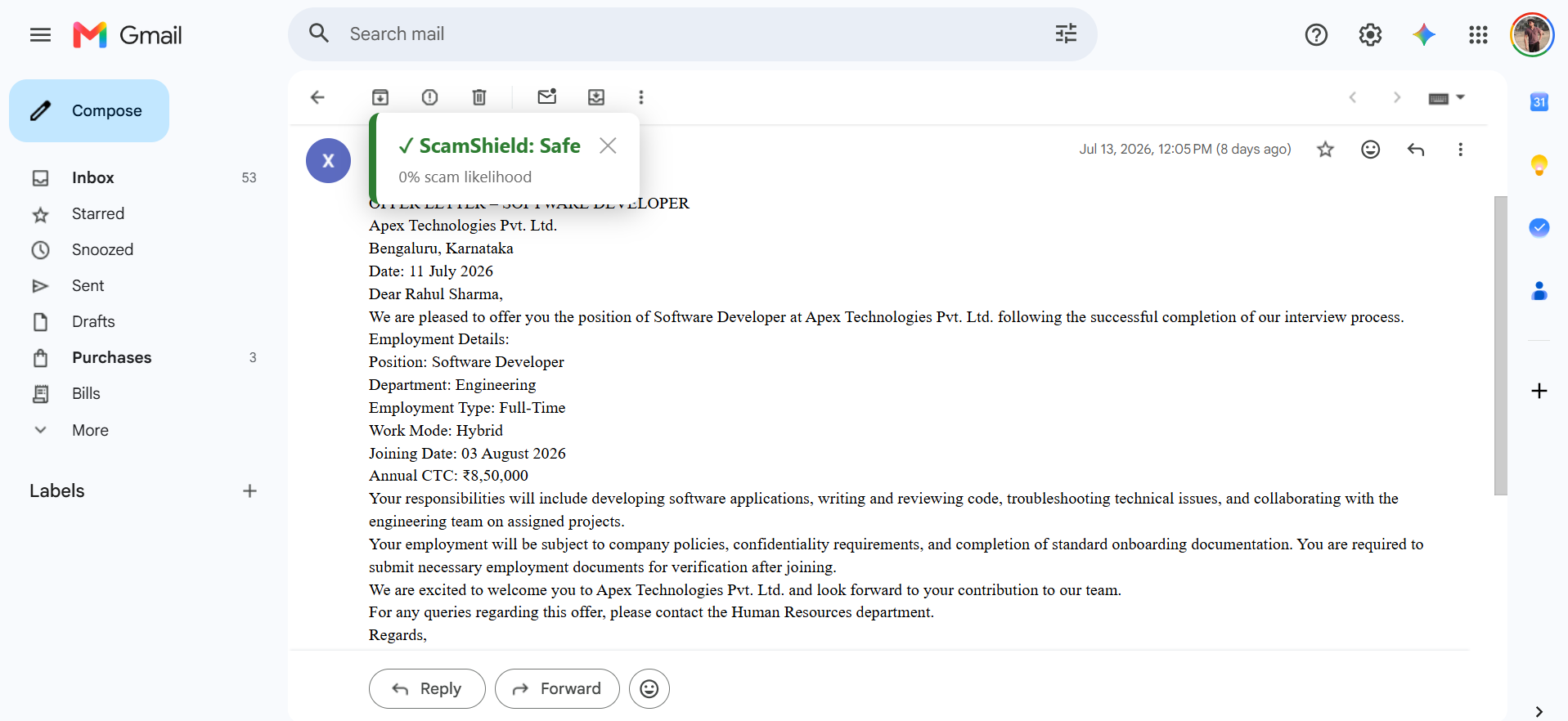
Text Scan - Safe Result
-
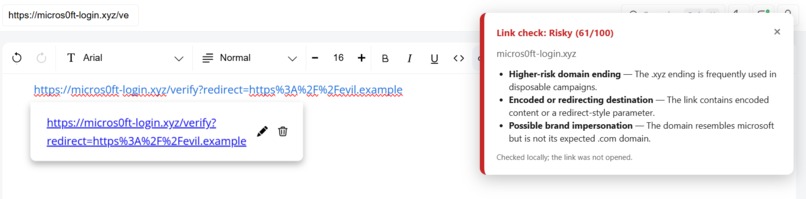
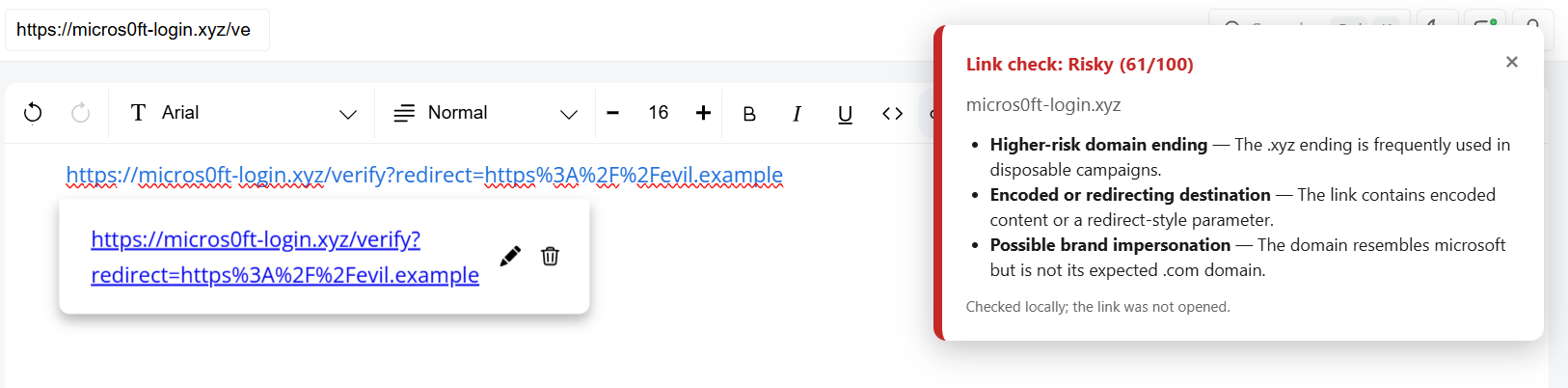
Link Scan
-
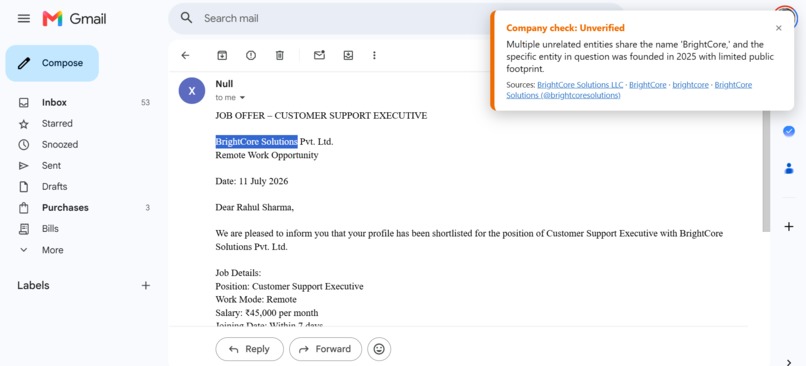
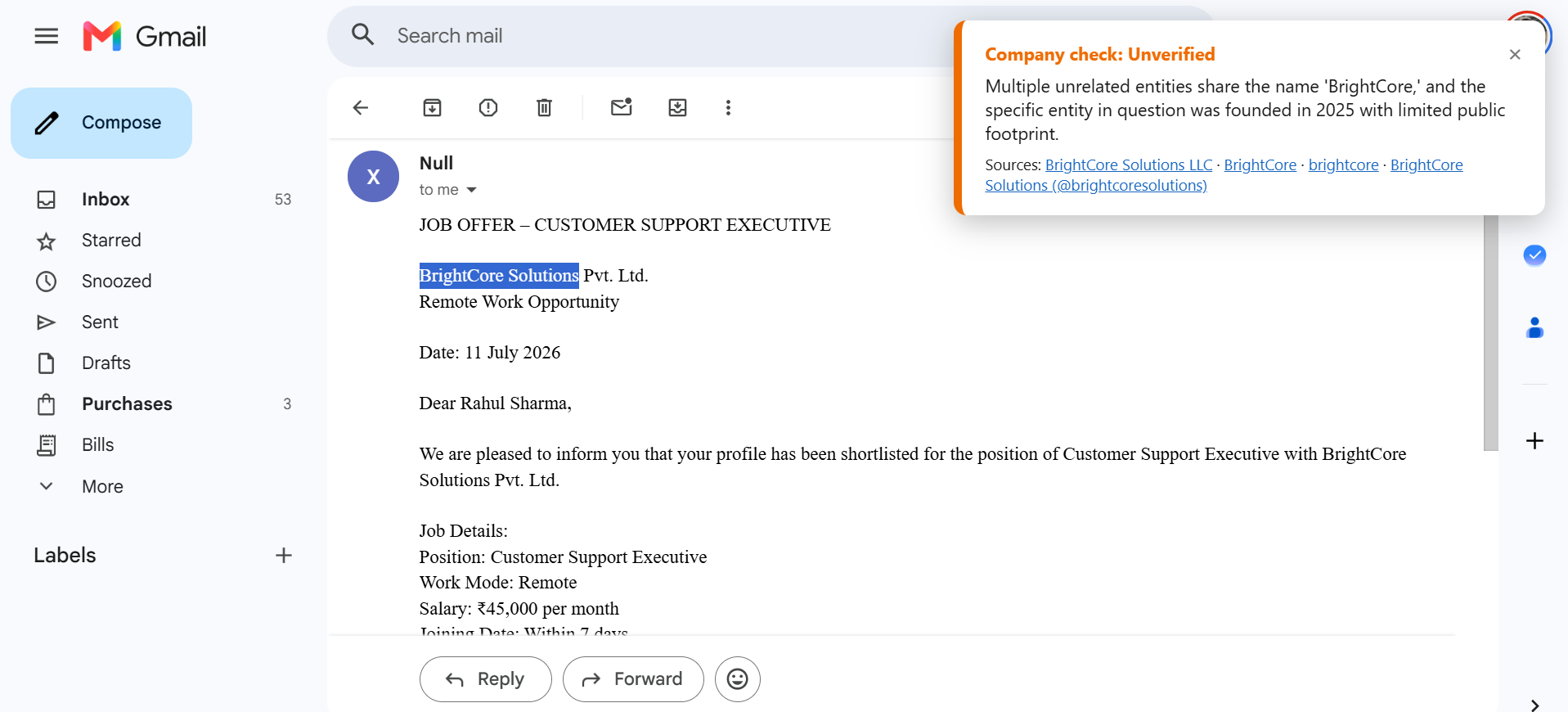
Company Scan
-
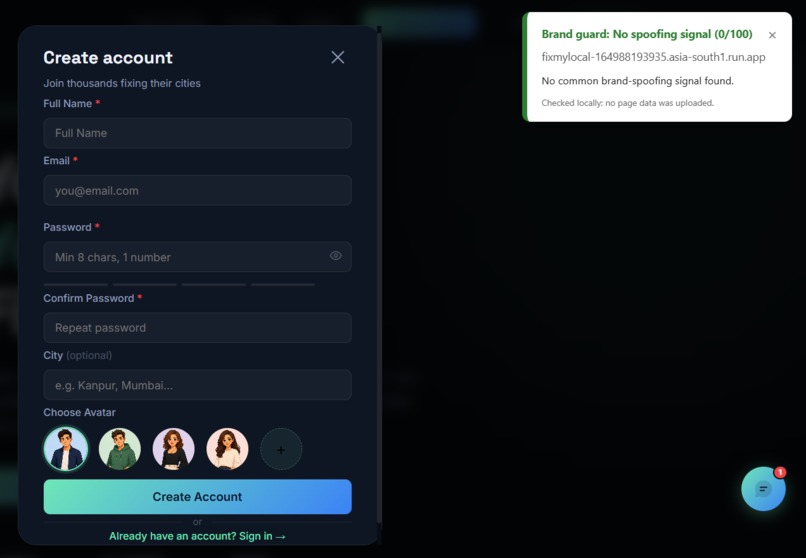
Anti-Phishing Scan
-
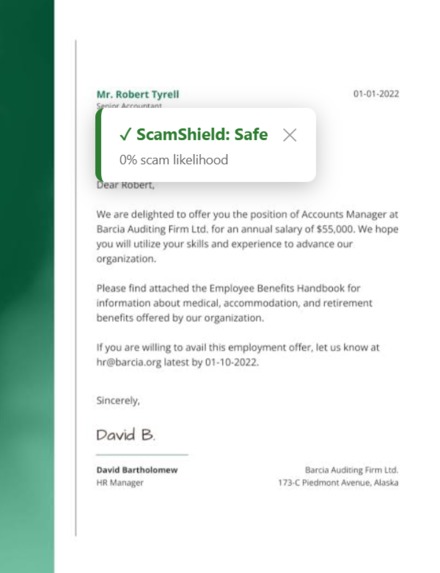
Image Scan
Inspiration
Scams are no longer just badly written lottery messages. Fake job offers, phishing emails, fake login pages, shortened links, and screenshot-based recruitment scams now look professional enough to fool students, job seekers, and everyday internet users.
The problem I wanted to solve was simple: people should not need to copy a private email, job offer, or suspicious link into a chatbot just to understand whether it is risky. They need a fast safety layer directly inside the browser.
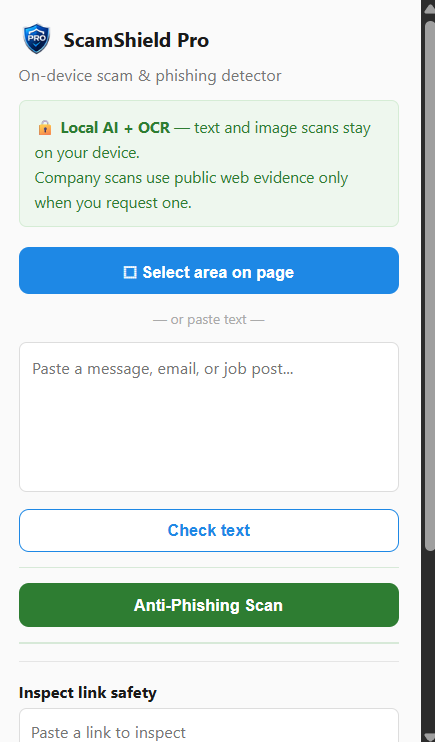
That is why I built ScamShield Pro: a local-first Chrome extension that analyzes suspicious text, image-based offers, links, and possible fake login pages without forcing users to leave the page.
What it does
ScamShield Pro combines several protection layers into one browser extension:
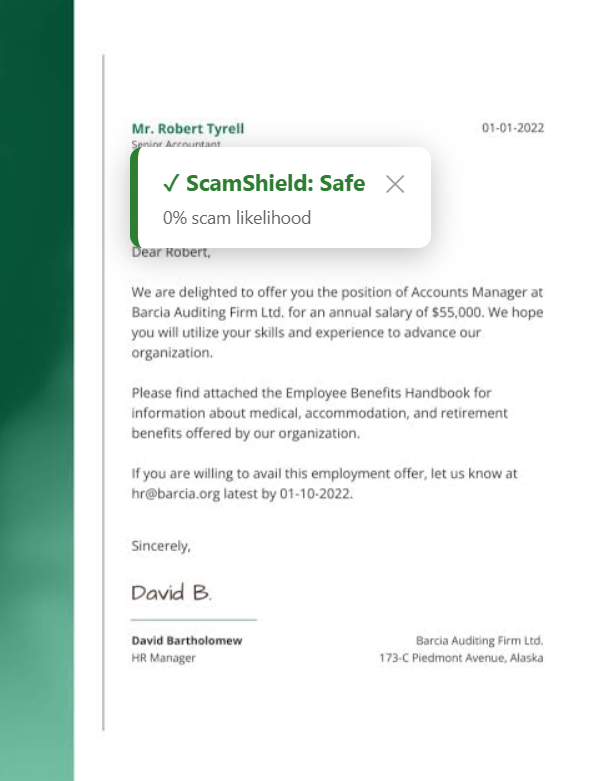
- Local scam detection: Users can paste text or drag-select text from a webpage. A fine-tuned DistilBERT model runs locally in the browser and classifies content as Safe, Risky, or Scam.
- Explainable evidence: Instead of showing only a percentage, ScamShield shows a Why flagged? panel with exact risk phrases such as “processing fee,” “within 48 hours,” “PAN details,” or “bank account information.”
- Local image OCR: Users can drag over text inside an image on a webpage. ScamShield captures only the selected region, extracts text locally with Tesseract OCR, and sends that text through the same local scam classifier.
- Link Safety Inspector: Users can paste or right-click a link to inspect it without opening it. It detects lookalike domains, URL shorteners, punycode, IP-address links, hidden redirects,
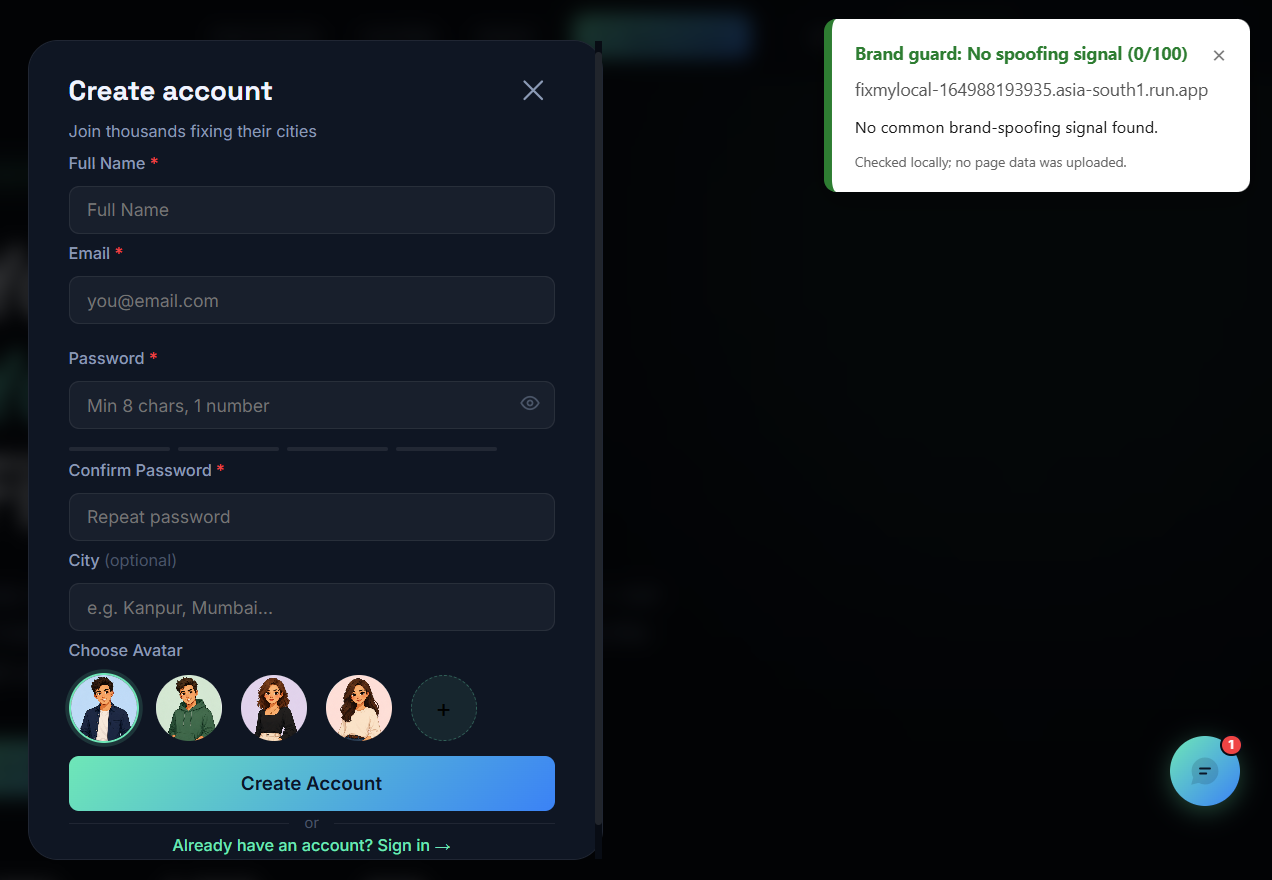
@tricks, and visible-link mismatches. - Anti-Phishing Scan: ScamShield checks claimed page brands, current domain, password/OTP fields, and form destinations to identify possible fake sign-in pages.
- Company Scan: Users can manually enter or select a company name to search current public evidence. It returns a short cautious verdict with source links, including publicly indexed web, Reddit, and LinkedIn results when available.
How I built it
The core scam classifier is a fine-tuned distilbert-base-uncased model exported to ONNX and dynamically quantized to int8. This reduced the model from roughly 268 MB to roughly 67 MB, making local browser inference practical.
The extension uses:
- Chrome Manifest V3
- Vanilla JavaScript
- Transformers.js
- ONNX Runtime Web with WASM
- An offscreen document for local model inference and Tesseract OCR
- Tesseract.js for selected-image OCR
- A Node.js backend deployed on Render for optional company research
- Tavily Search API for public web evidence
- Gemini as an optional short evidence summarizer, with a deterministic fallback
I also built a hybrid safety system around the model. The model provides broader language understanding, while transparent rules detect high-risk patterns such as upfront fees, urgency pressure, identity-data requests, suspicious links, and credential forms.
For uncertain model results, ScamShield performs a passive structural inspection. It can detect things such as sensitive forms, cross-domain form actions, or non-HTTPS delivery without executing scripts, submitting forms, following links, or uploading page content.
ML approach and iteration
The model started with SMS spam and employment-scam data. Early versions were strong on obvious scams but missed polished scams using softer wording like “refundable security amount.”
I iterated through multiple training versions:
- A baseline trained on public SMS spam and job-posting data.
- Synthetic borderline examples to catch soft-worded scams.
- Rebalanced safe examples to reduce false positives.
- A final contrastive dataset where scam and safe offers had similar structure, but differed on the decisive signal: whether money was requested before employment.
This made the model less dependent on generic HR wording and more sensitive to actual payment-request patterns.
Challenges I faced
The hardest part was making all of this work inside Chrome Manifest V3.
Service workers are not ideal for the DOM/WASM lifecycle needed by ONNX Runtime and OCR, so I used an offscreen document for local inference. I also had to solve content-script reinjection after extension reloads, selected-image screenshot cropping, OCR worker compatibility, score differences caused by OCR extraction, and safe communication between the popup, content script, background service worker, and offscreen document.
The company-research feature introduced another challenge: live web search must not expose API keys in the extension. I moved that logic to a small Render backend, kept keys in environment variables, and made the public research action explicitly opt-in.
What I learned
This project taught me that a useful security product cannot depend on a model score alone. Real-world scam detection needs a combination of local ML, explainable rules, safe browser inspection, careful privacy boundaries, and honest uncertainty.
I also learned how much product quality depends on integration work: making a model run locally is only one part of the problem. The user experience, OCR reliability, extension lifecycle, secret management, safe URL handling, and clear explanations matter just as much.
Built with Codex and GPT-5.6
I used Codex with GPT-5.6 as an active engineering collaborator throughout the project. It helped me design the multi-context Manifest V3 architecture, integrate local ONNX inference and OCR, build the phishing/link/brand protection features, create the research backend, debug real browser/runtime failures, and prepare the technical documentation.
The final result is a runnable privacy-conscious browser security tool, not just a model demo.
Built With
- chromeextension
- codex
- distilbert
- geminiapi
- gpt56
- huggingface
- javascript
- machine-learning
- manifestv3
- node.js
- ocr
- onnx
- onnxruntimeweb
- phishingdetection
- python
- render
- tavilyapi
- tesseractjs
- transformersjs
- webassembly

Log in or sign up for Devpost to join the conversation.