Inspiration
Almost everyone in India has received a message like "Dear customer, your SBI account will be blocked today. Update your KYC immediately: http://sbi-kyc-update.xyz". Most of us delete it without a second thought. Our parents and grandparents often can't. Fake KYC updates, parcel "customs fees", work-from-home job offers and "digital arrest" calls are draining people's savings every day, and the people hit hardest are elderly and first-time internet users who have no one to ask in the moment.
Existing advice says "be careful", but it doesn't tell you what exactly is wrong with this particular message. I wanted a tool that answers that question instantly, in simple language, and in the language people actually speak.
What it does
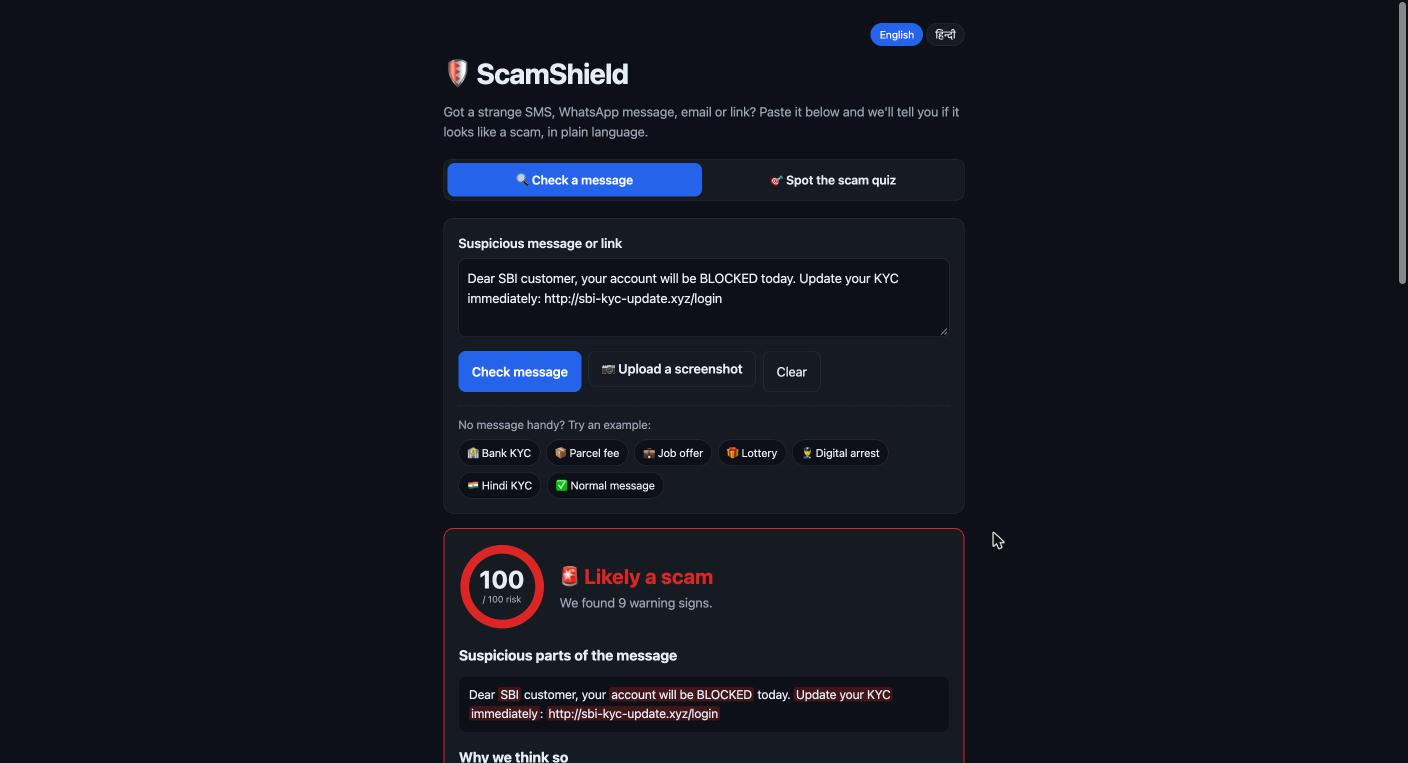
ScamShield lets anyone paste a suspicious SMS, WhatsApp message, email or link, or upload a screenshot, and get:
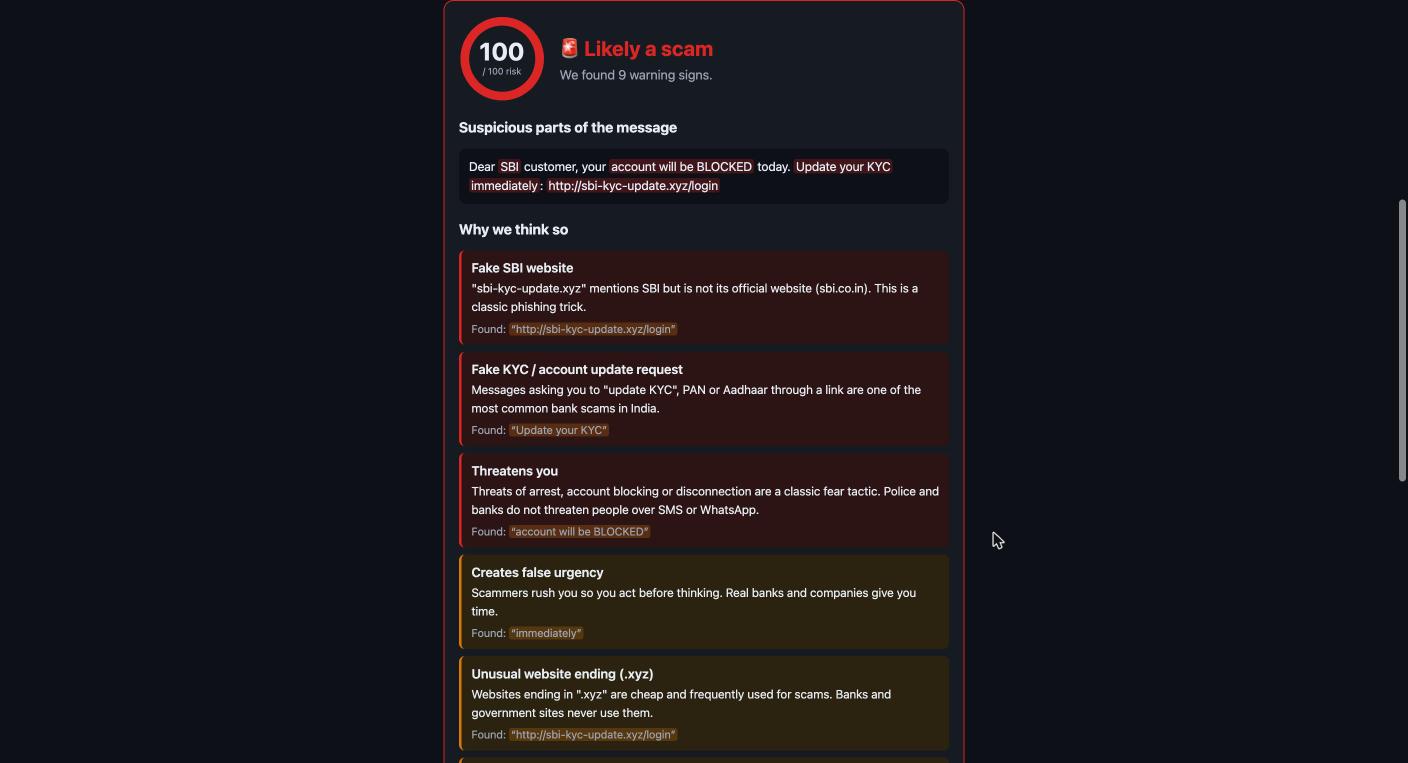
- An instant risk score (0–100) with a clear verdict: ✅ Looks safe, ⚠️ Suspicious or 🚨 Likely a scam
- The suspicious words highlighted right inside the message
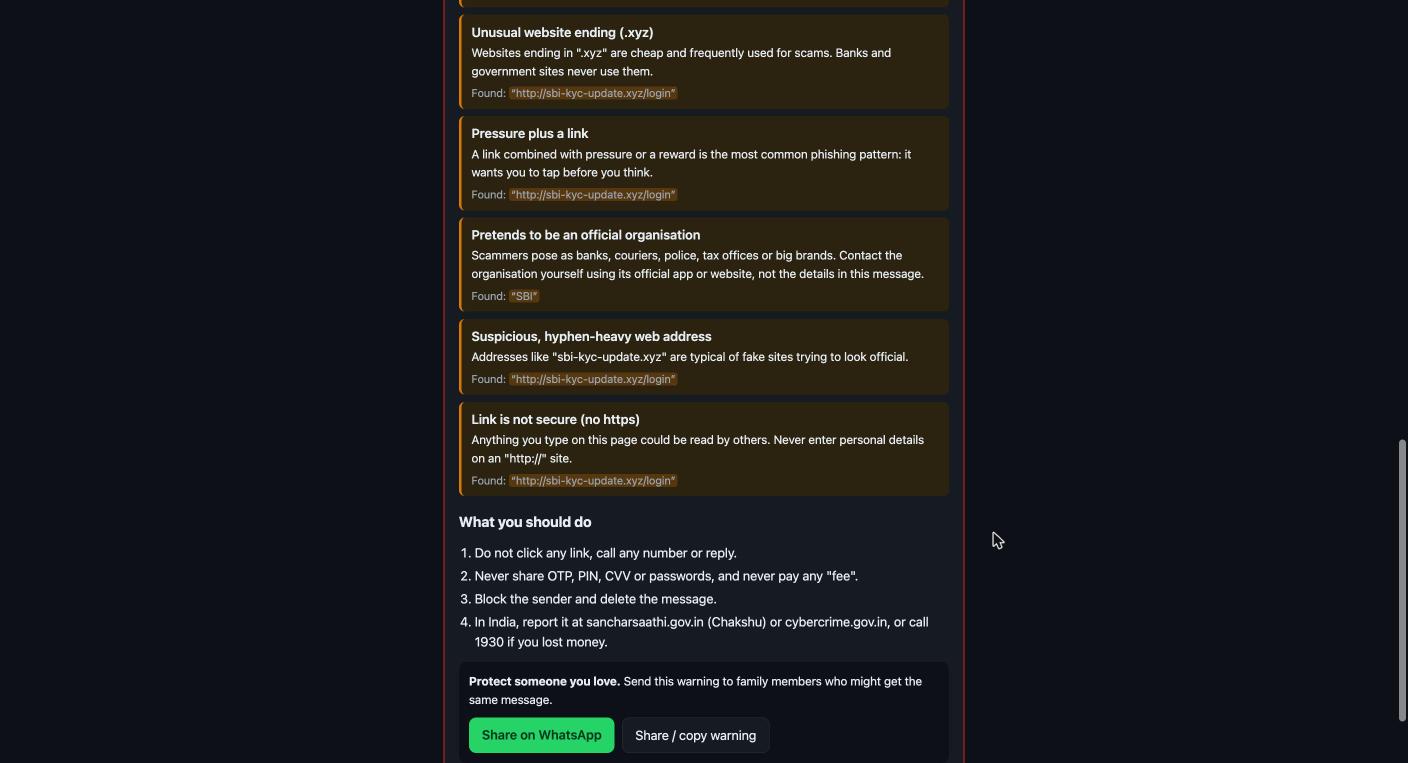
- A plain-language reason for every warning sign, e.g. "This link mentions SBI but is not SBI's official website"
- Clear next steps, including India's cybercrime helpline 1930 and the Chakshu / cybercrime.gov.in reporting portals
- "Warn your family": a ready-made warning shared on WhatsApp in one tap
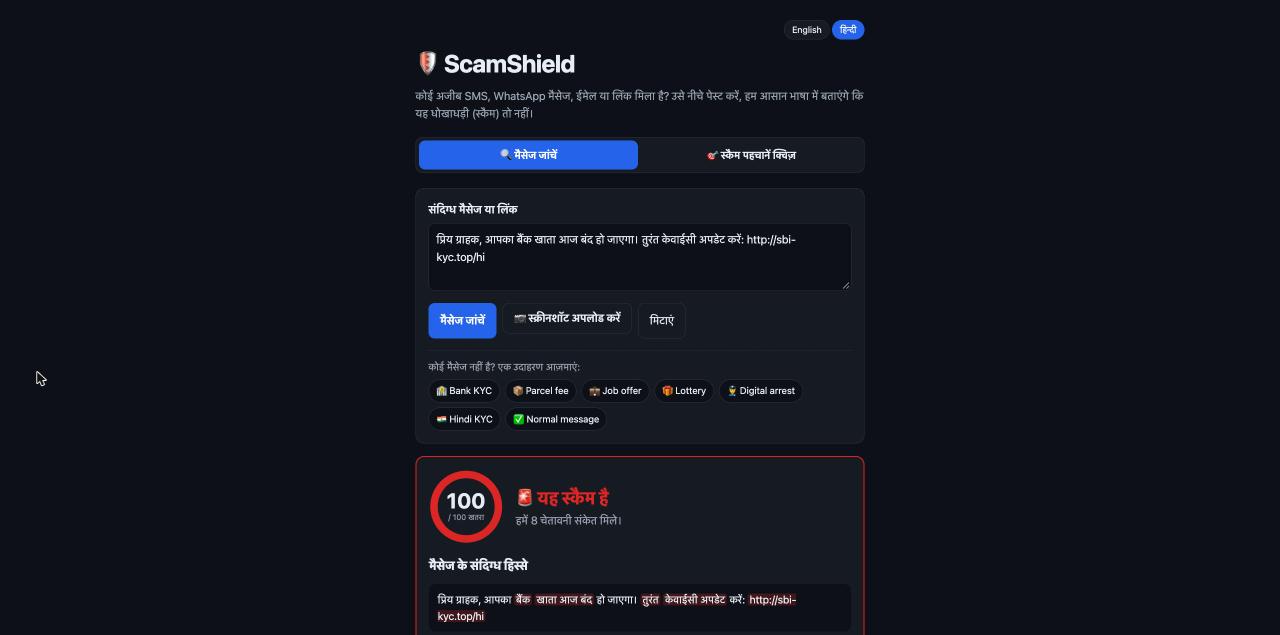
- Full Hindi support: it detects scams written in Hindi and Hinglish, and the whole interface switches to हिन्दी
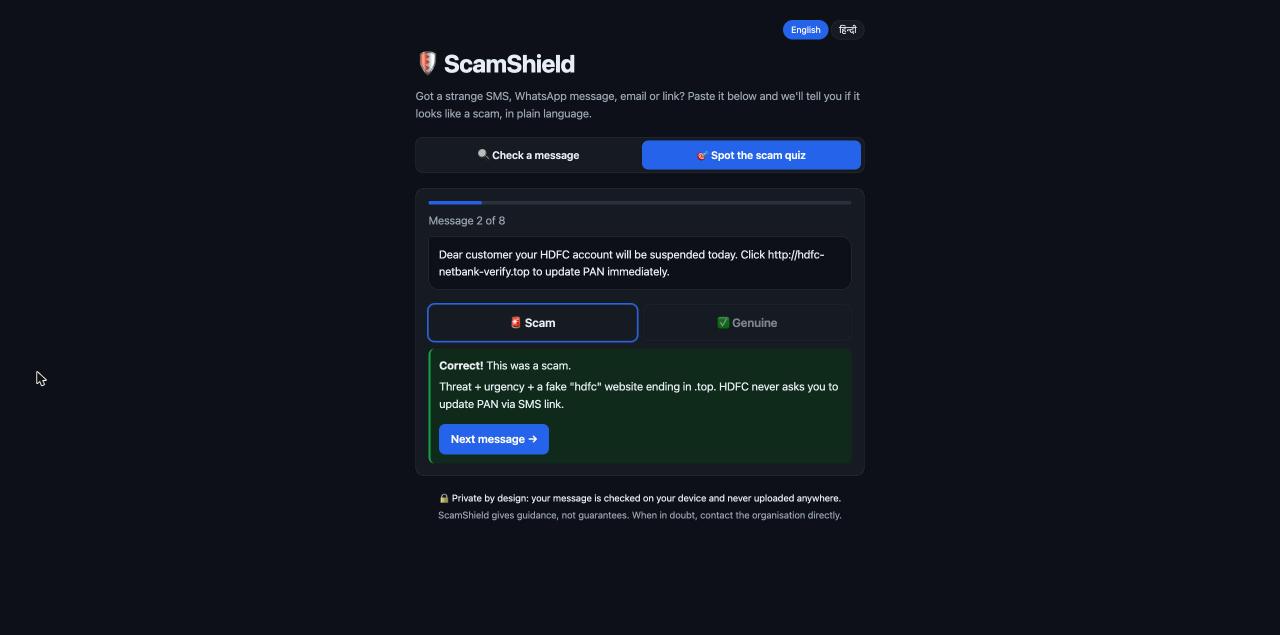
- A "Spot the Scam" quiz mixing real scams with genuine bank alerts and OTP messages, so people learn the difference instead of fearing every message
It catches fake KYC requests, OTP/PIN/password requests, threats, prize and lottery bait, payment "fees", fake jobs, remote-access apps (AnyDesk, .apk files), moves to WhatsApp/Telegram, impersonation, and dangerous links (URL shorteners, raw IP addresses, look-alike characters, risky domain endings and fake brand domains).
Privacy by design: everything runs in the browser. Messages and screenshots are never uploaded, and there's no sign-up.
How I built it
- React + Vite for a fast, mobile-first interface with large text, high contrast and dark mode, designed for older readers
- A custom rule-based detection engine in JavaScript. Each rule (urgency, threats, credential requests, …) has a set of patterns and a weight \( w_i \). Matching several patterns of the same type adds a confidence bonus \( b_i \) (up to +10), and links are checked separately. The final score is
$$\text{score} = \min\left(100,\ \sum_i (w_i + b_i)\right)$$
with 0–24 = safe, 25–59 = suspicious, 60–100 = likely scam.
- Link analysis that compares every domain against a list of official brand domains (e.g.
onlinesbi.sbi,hdfcbank.com) to catch look-alikes likehdfc-netbank-verify.top - Tesseract.js for on-device OCR of English and Hindi screenshots, loaded only when needed so the app stays fast
- Node's built-in test runner with unit tests for the detection engine, and GitHub Actions that runs the tests and deploys to GitHub Pages on every push
Challenges I ran into
- Avoiding false alarms. A genuine "₹500 debited from your HDFC account" alert mentions a bank too. I made brand names count only alongside another warning sign, so real alerts aren't flagged.
- The ₹ symbol broke my patterns. Regex word boundaries (
\b) don't work next to₹, so messages like "Pay ₹499 clearance fee" were slipping through. Tests caught it and I rewrote those patterns. - Hindi text. JavaScript treats Devanagari letters as non-word characters, so
\bsilently fails on Hindi. Every Hindi pattern had to be written differently from the English ones. - Balancing the weights. My first job-scam test only scored "Suspicious". I added the multi-match confidence bonus so messages with several signs of the same scam type score higher.
- Explaining, not just detecting. Writing explanations a 70-year-old would understand, in two languages, took as much effort as the detection itself.
Accomplishments that I am proud of
- A working, deployed app that anyone can use right now, with no account, no API key and no data leaving the device
- Explanations that teach people why something is a scam, so they get better at spotting the next one on their own
- Hindi and Hinglish support, plus screenshot upload, so people who aren't comfortable typing in English can use it too
- One-tap family sharing, because scams spread through families and so can warnings
What I learned
- Good scam detection is as much about communication as about pattern matching. A score alone doesn't help someone who doesn't know what to do next.
- How scam messages are put together: almost all of them combine pressure (urgency or threats) with an action (a link, a code, a payment).
- Practical lessons in regex and Unicode, on-device OCR, accessibility for older users, and setting up CI/CD with GitHub Actions and Pages
What's next for ScamShield
- More Indian languages: Tamil, Bengali, Marathi, Telugu
- A WhatsApp bot so people can forward a suspicious message and get the answer in the same chat
- A browser extension that warns before you open a dangerous link
- A community-reported database of scam numbers and links
- Partnering with senior-citizen groups and schools for scam-awareness sessions using the quiz
