-
-
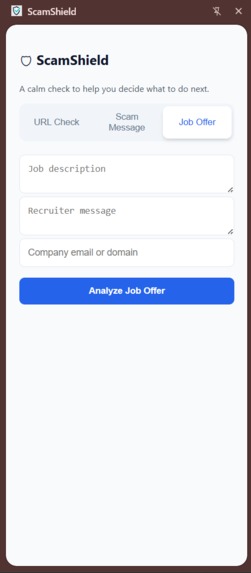
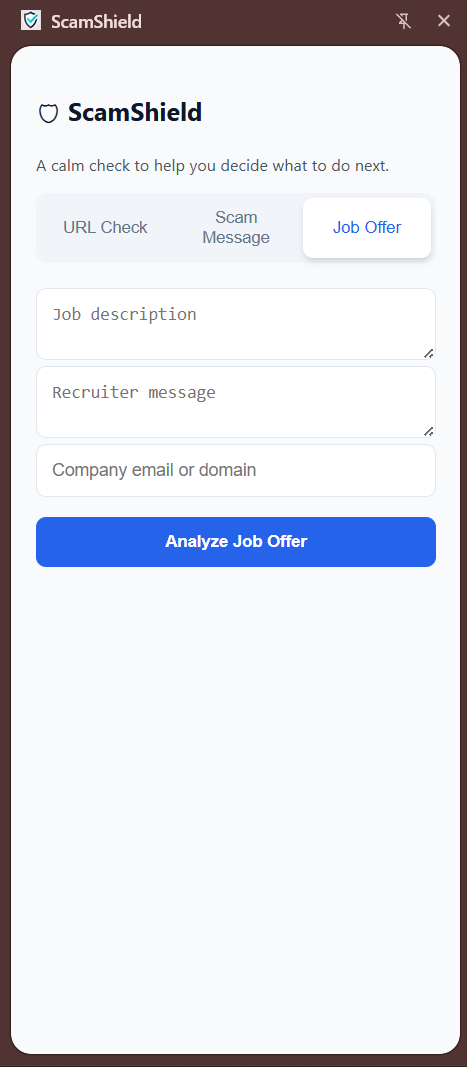
AI-Powered legitimate job offer checker UI
-
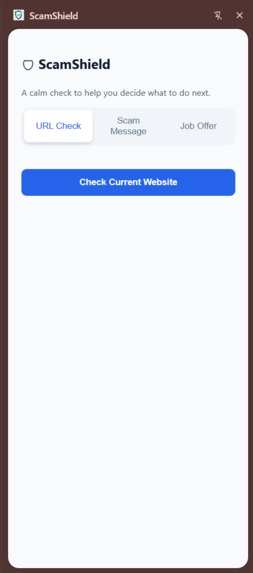
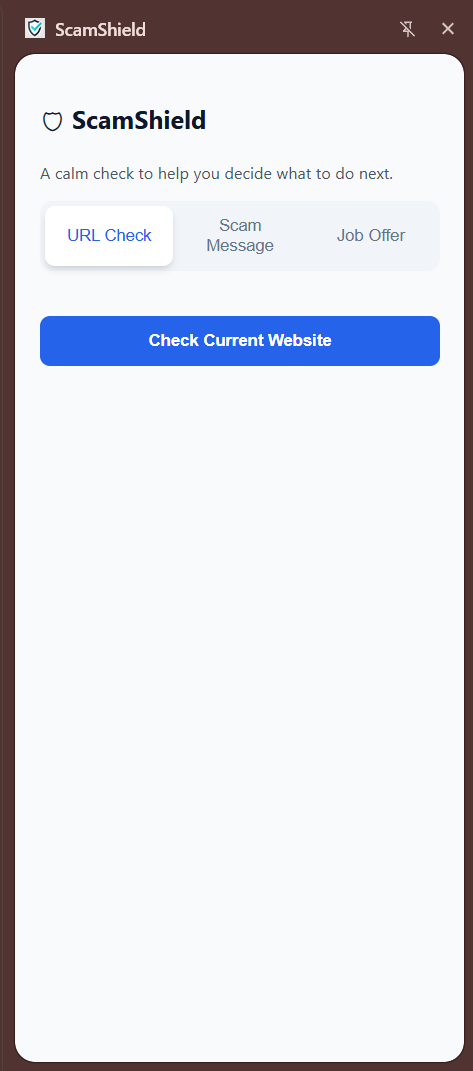
URL Checker UI
-
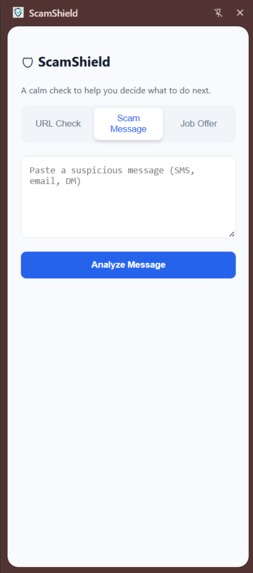
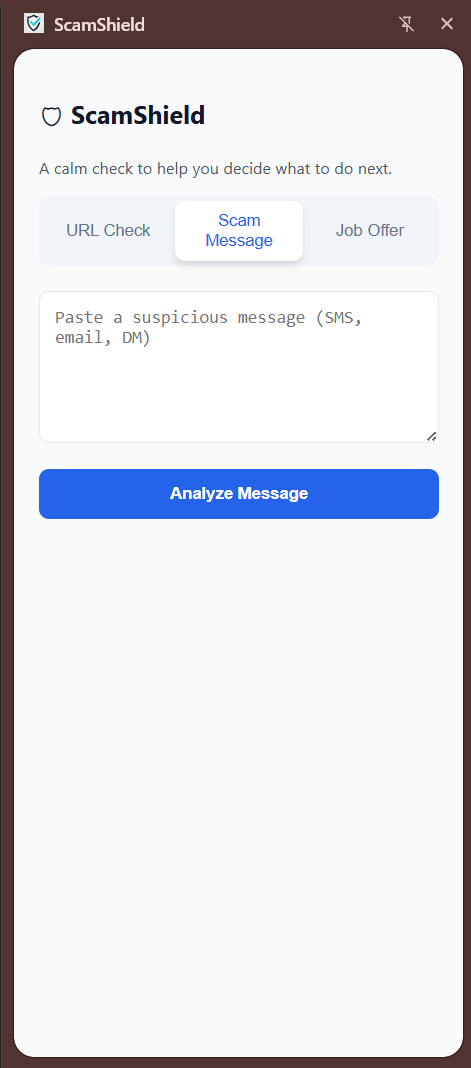
AI-powered Scam Message Checker UI
-
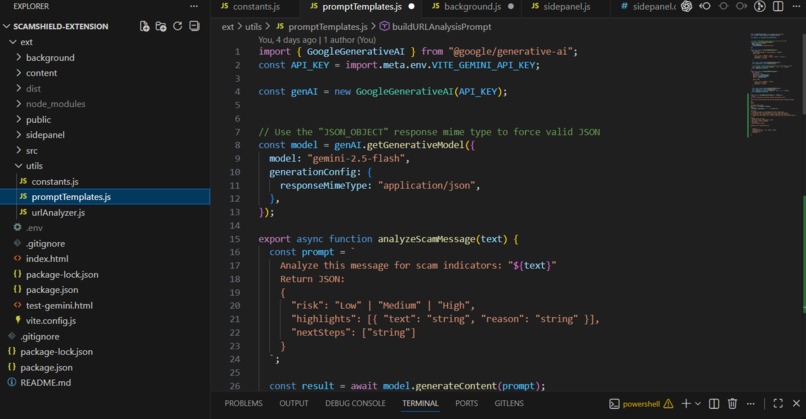
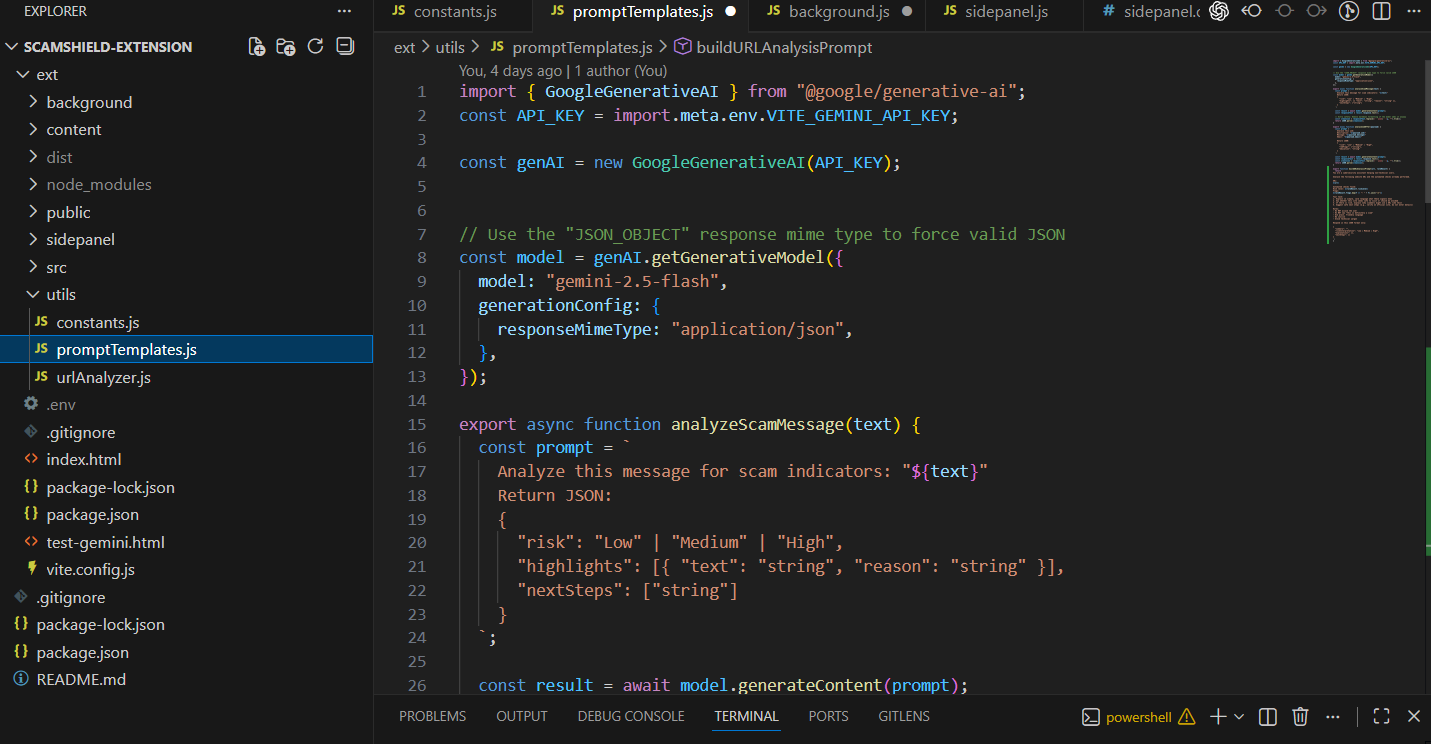
Codebase file structure and Gemini API Integration
-
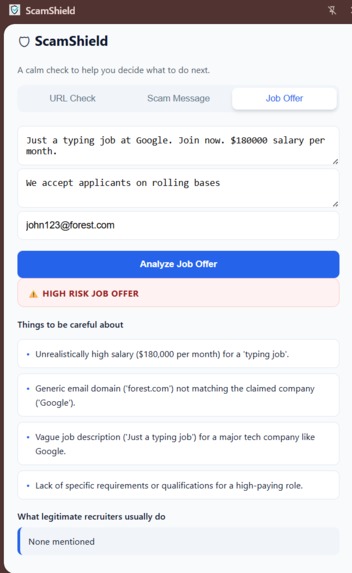
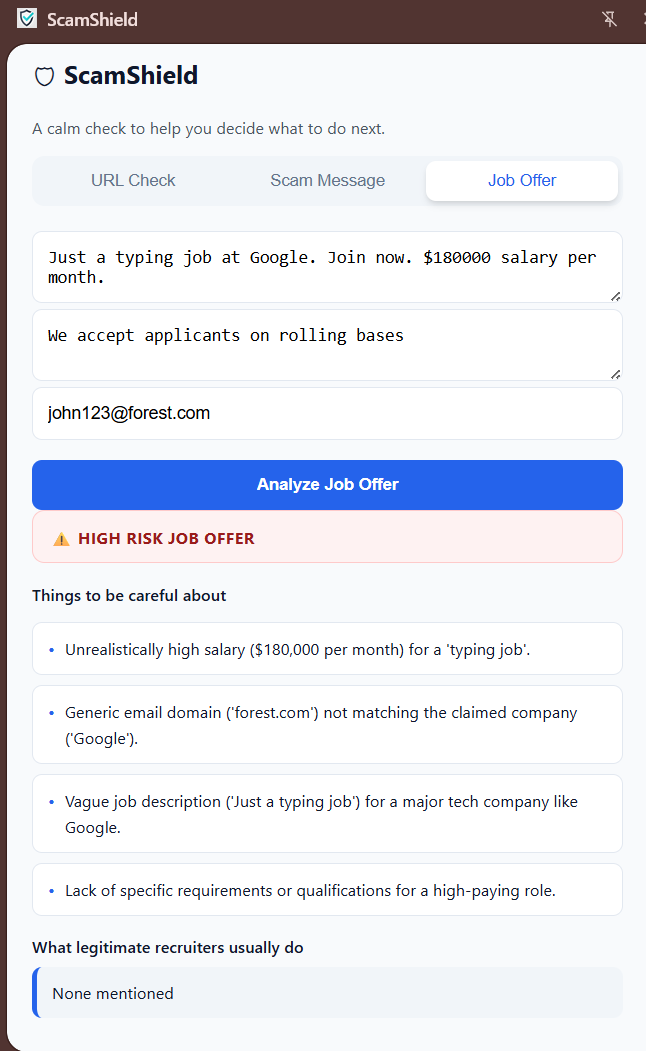
Job Posting Analyzer Output
-
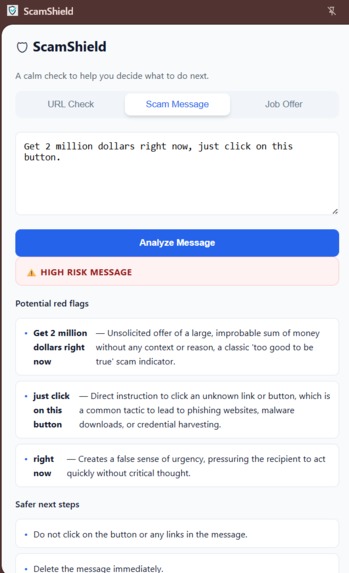
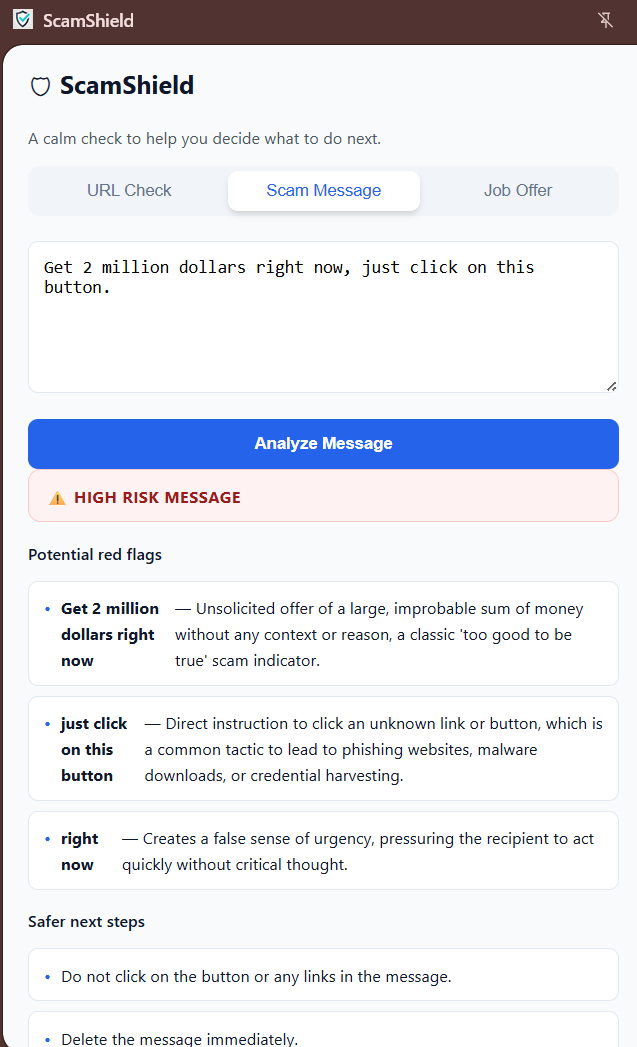
Scam Message Analyzer output
-
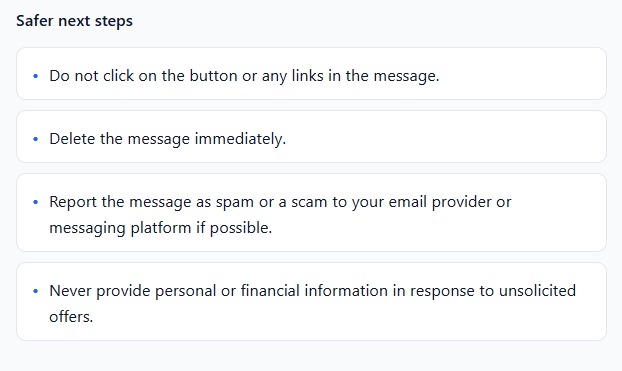
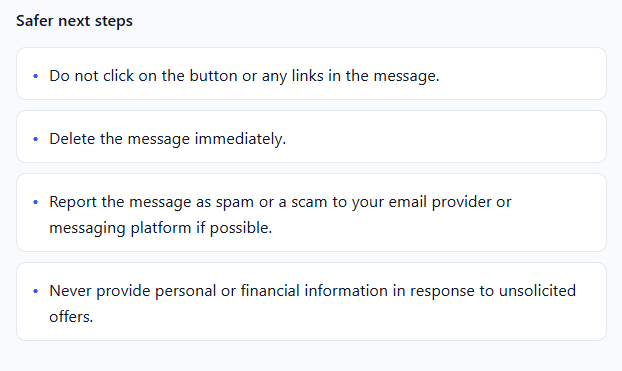
"Next steps" after the scam ADVISORY
-
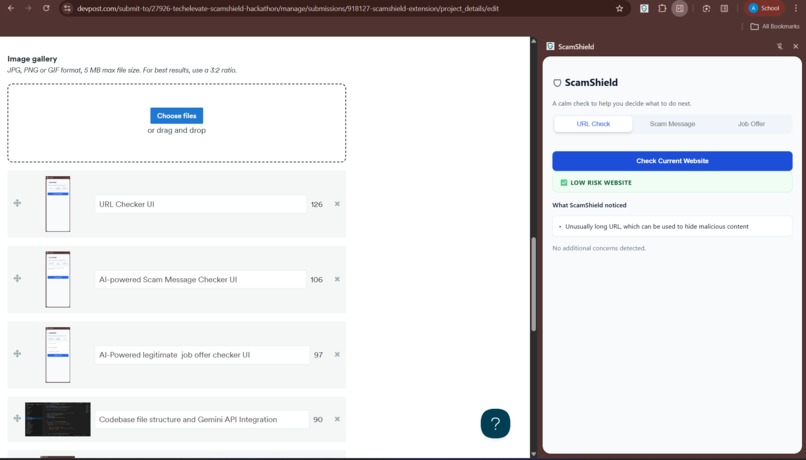
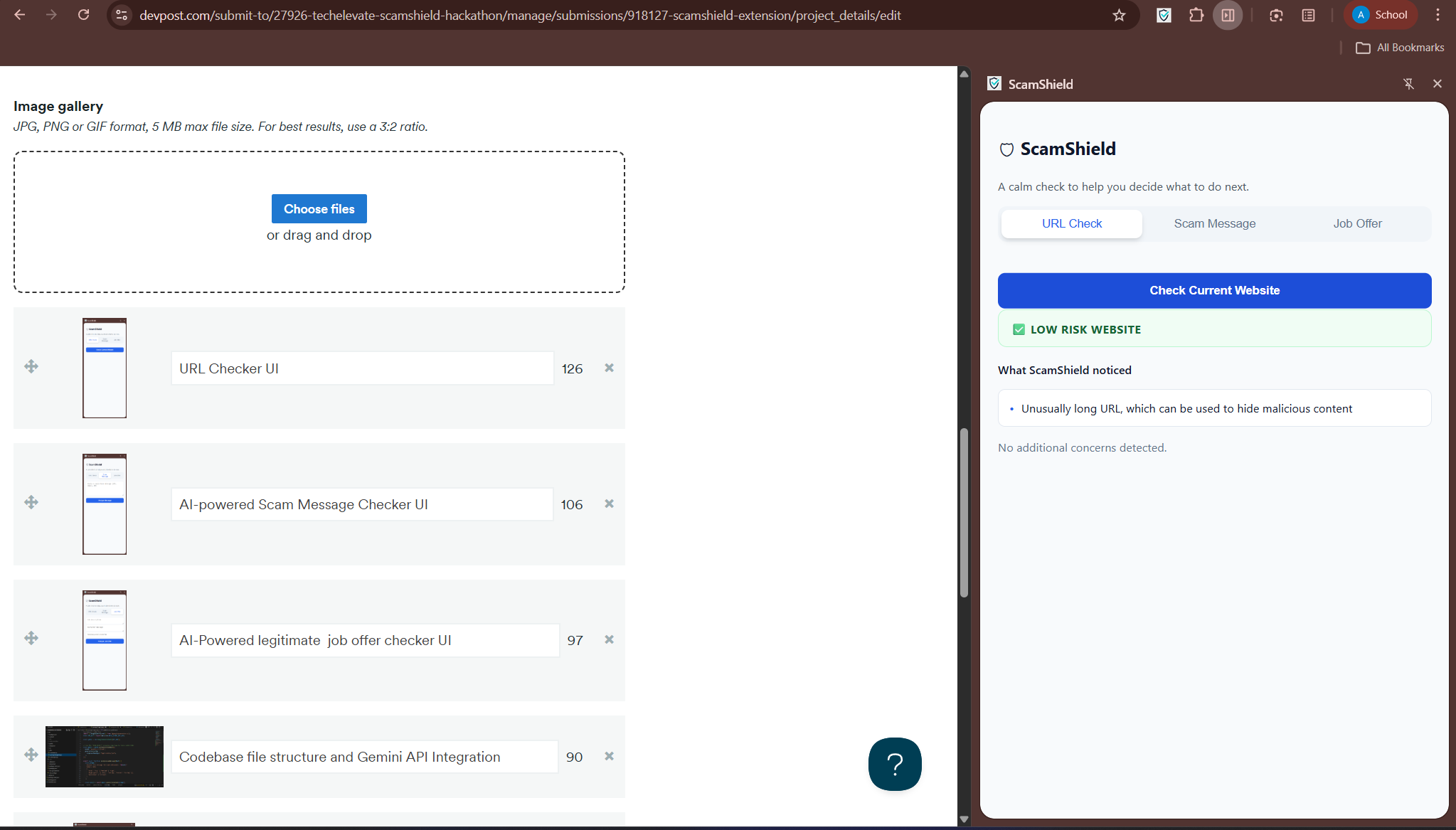
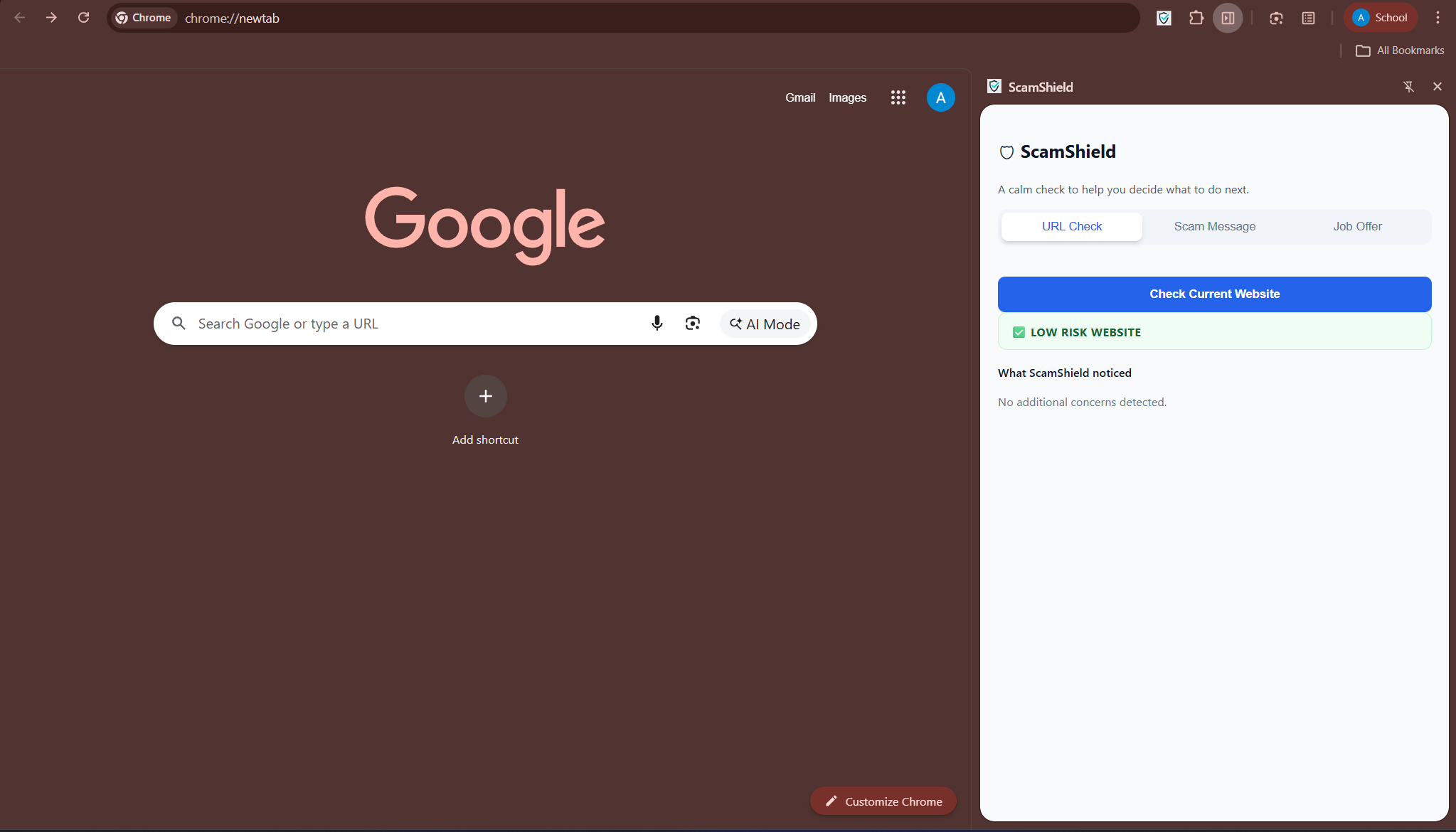
URL analyzer "low risk" result
-
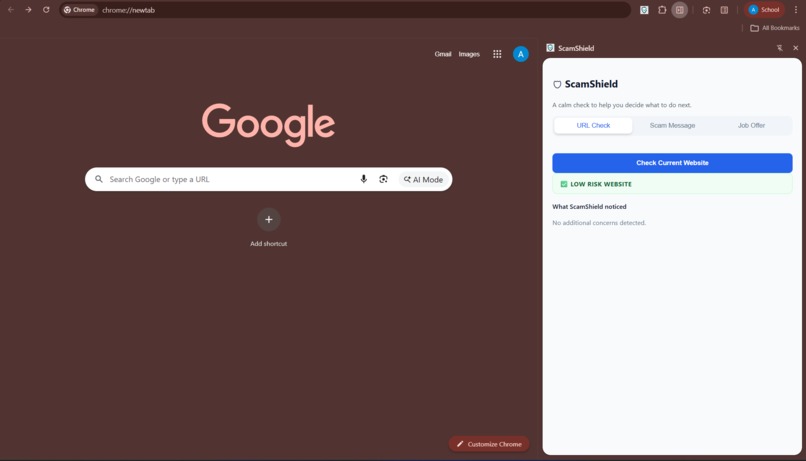
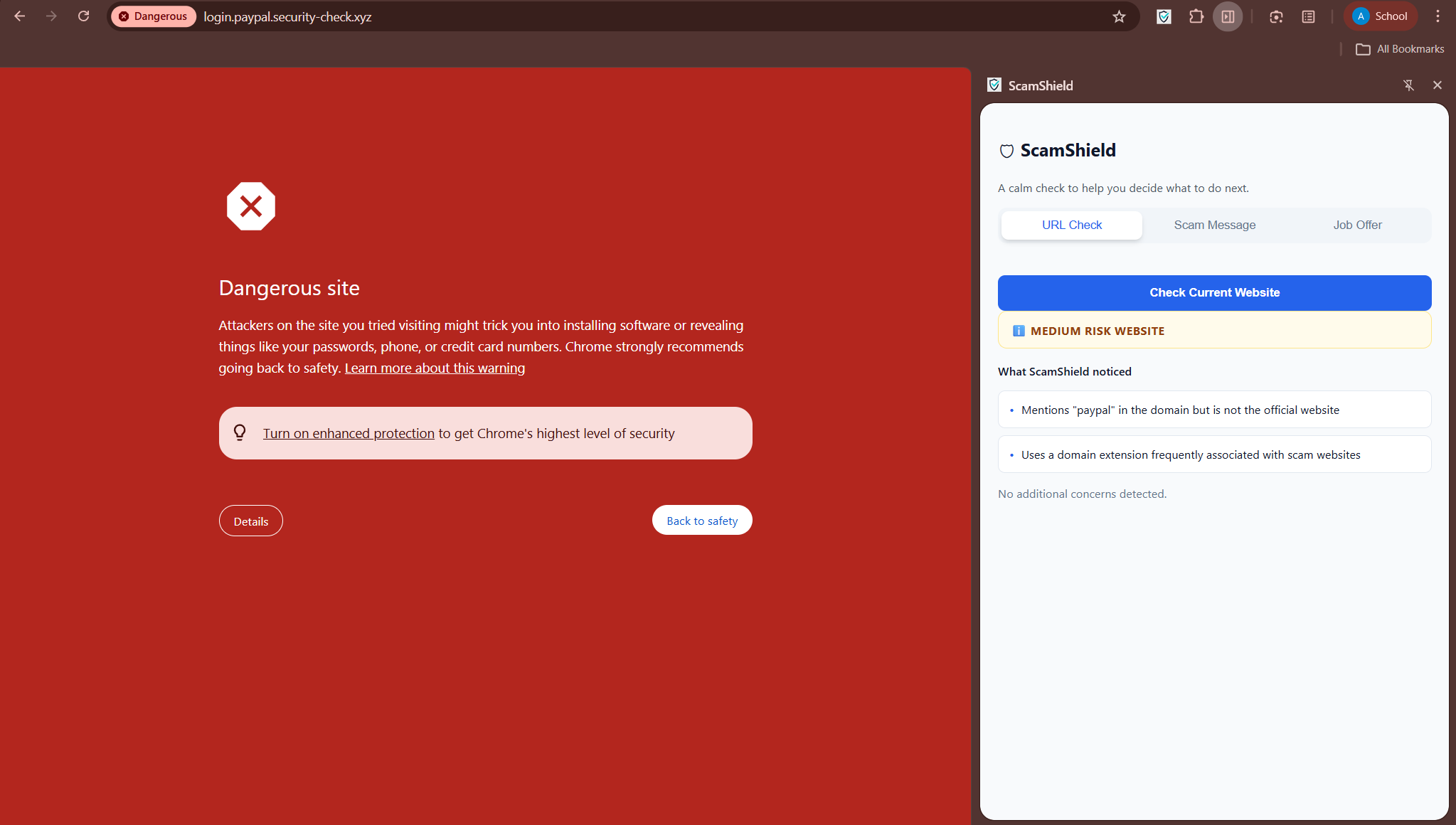
URL analyzer
-
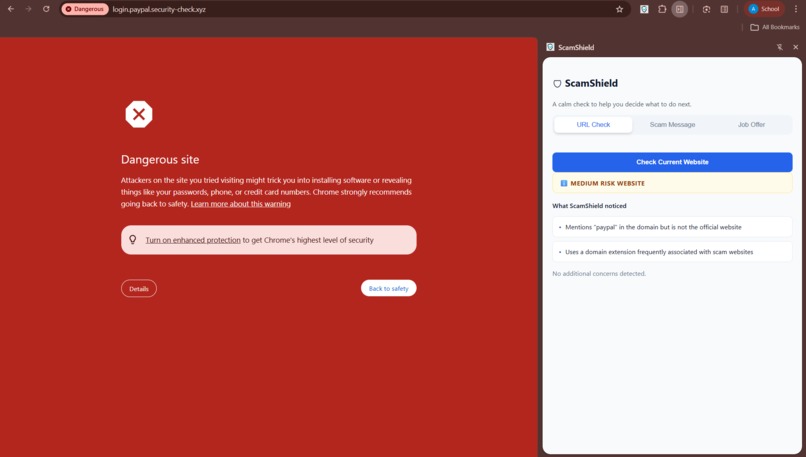
URL analyzer
Online scams are no longer just obvious phishing emails (They're evolving!!!). They show up as fake shopping websites, convincing job offers, urgent account warnings, and professional-looking messages on platforms like WhatsApp and LinkedIn. Many people don’t fall for scams because they are careless BUT they fall because scams are designed to feel legitimate and pressuring.
===>>>ScamShield was built to slow users down, explain risks clearly, and help them decide safer next steps without fear or technical jargon.
Inspiration
The inspiration for ScamShield came from seeing how frequently students, family members, and even technically skilled users encounter suspicious links, job offers, and messages and still feel unsure about what to trust. Most existing tools either block content silently or label something as “malicious” without explanation. That often leaves users confused, anxious, or dependent on the tool. I wanted to build something different: a calm assistant that explains why something might be risky and empowers users to make informed decisions instead of panicking.
What it does
ScamShield is a browser extension that helps users evaluate potential scams in three common scenarios:
URL Check
- Analyzes the current website for scam indicators like lookalike domains, suspicious TLDs, misleading keywords, and complex subdomains.
- Uses a hybrid approach: deterministic rule-based checks combined with AI explanations.
- Displays a clear risk level with human-friendly explanations and recommended next steps.
Scam Message Analyzer
- Users can paste suspicious SMS, emails, or direct messages.
- The system highlights risky phrases, explains why they are concerning, and suggests safer actions such as verifying through official channels.
Job & Internship Scam Checker
- Designed specifically for students.
- Analyzes job descriptions, recruiter messages, and company emails.
- Detects unrealistic salaries, payment requests, fake HR language, and persuasion patterns.
How I built it
ScamShield was built as a Chrome Extension using Manifest V3. The system uses a hybrid architecture:
- Rule-based analysis for consistency, speed, and transparency.
- AI-powered reasoning (external LLM API) only to interpret and explain detected signals, NEVER as a black-box decision-maker.
Key components:
- A background service worker to handle analysis and AI calls.
- A side panel UI with tab-based navigation for URLs, messages, and job offers.
- Carefully crafted prompts to ensure calm, non-accusatory explanations.
- Accessibility-focused Simple UI design with clear language, icons, and readable layouts.
Challenges I ran into
One major challenge was avoiding false alarms. Some signals, like certain domain extensions, are statistically associated with scams but are not inherently malicious. Designing the system to explain signals without accusing or panicking the user required careful logic and UX decisions. Another challenge was integrating AI responsibly. Instead of letting the AI decide outcomes, the system had to combine deterministic checks with AI explanations in a way that was transparent, safe, and reliable.
Accomplishments that I'm proud of
- Built a fully working browser extension with a clean, accessible UI.
- Successfully combined rule-based security logic with explainable AI.
- Designed a calm, empathetic user experience that avoids fear-based messaging.
- Created a job scam checker tailored specifically for students.
- Ensured privacy by not storing or tracking user data.
What I learned
This project reinforced the importance of explainability in security tools. Users don’t just want to know what is risky: they WANT to know why. We also learned how critical it is to design safety tools that respect user agency, avoid alarmist language, and use AI responsibly instead of as a black box.
Accessibility Checks
- Large readable fonts
- Icons + text (not color-only)
- Calm language
- No jargon
- No scare phrases
- Clear “what to do next” guidance
What's next for ScamShield-Extension
Future improvements could include:
- Optional on-device AI for enhanced privacy.
- Visual URL comparison to detect brand impersonation.
- Community reporting for emerging scam patterns.
- Support for additional platforms and languages.
- More advanced accessibility features.
And I'm working on refining it bit more so I can publish it on Google extension market.
Built With
- ai
- chrome
- css3
- gemini
- genai
- html5
- javascript
- manifest


Log in or sign up for Devpost to join the conversation.