-
-
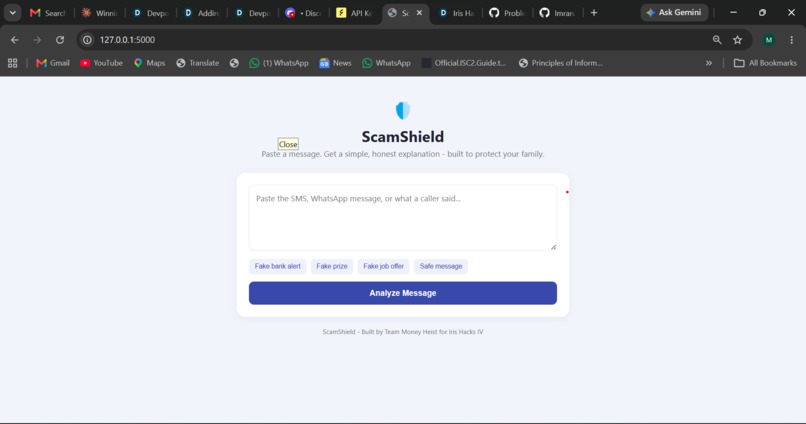
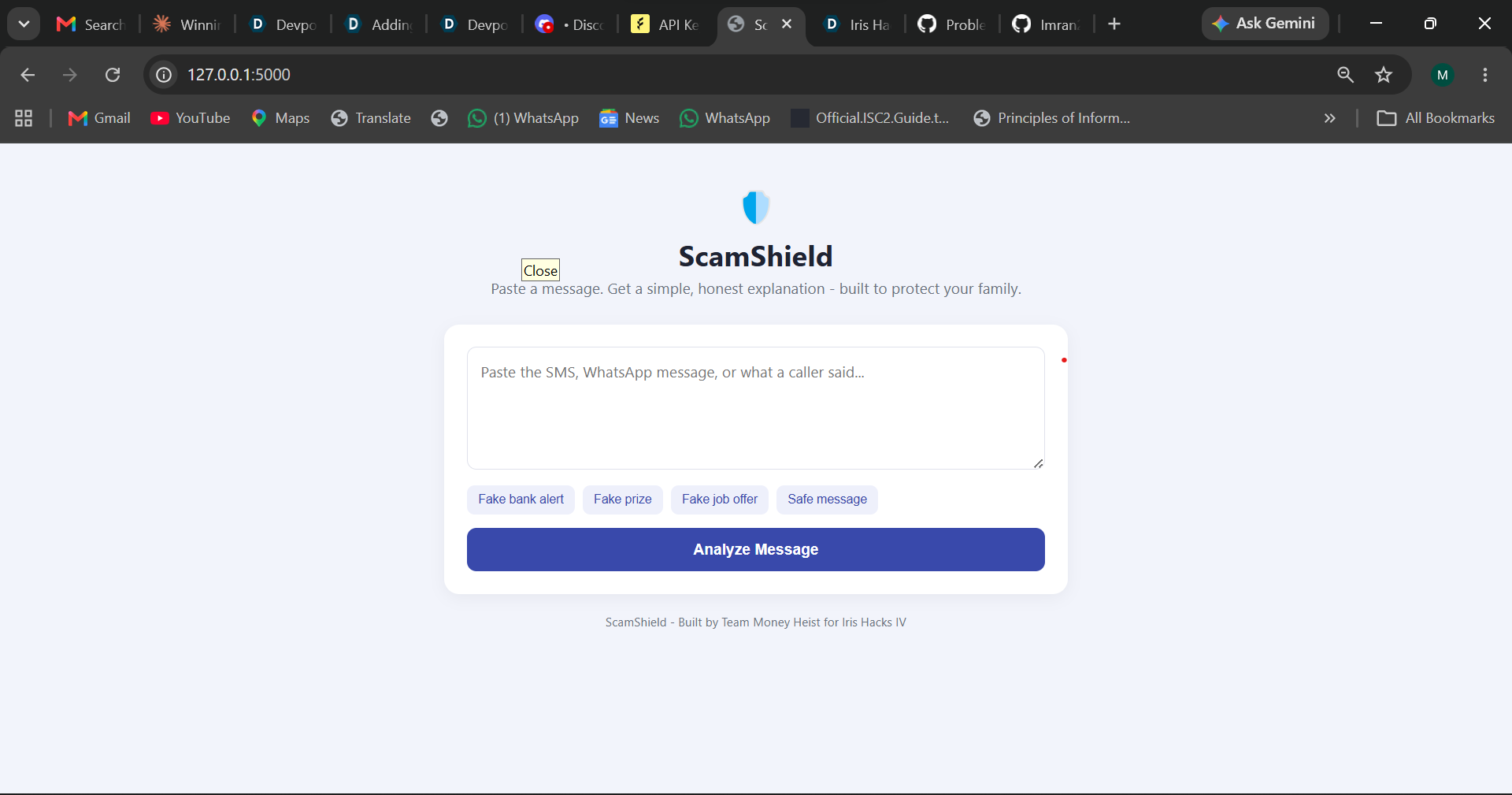
Interface/homepage or landing page
-

ScamSheild is analysing the pasted content.
-
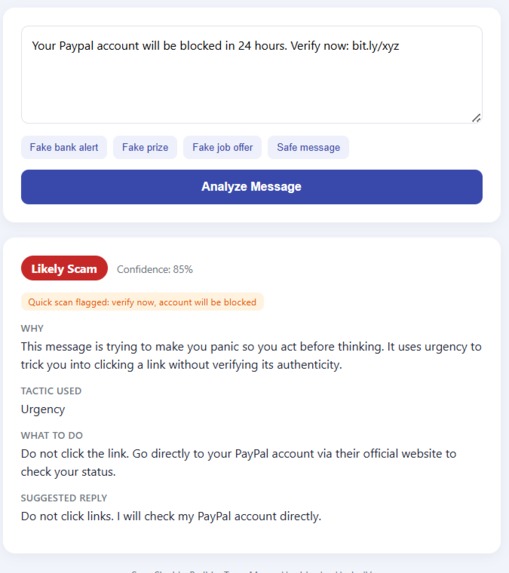
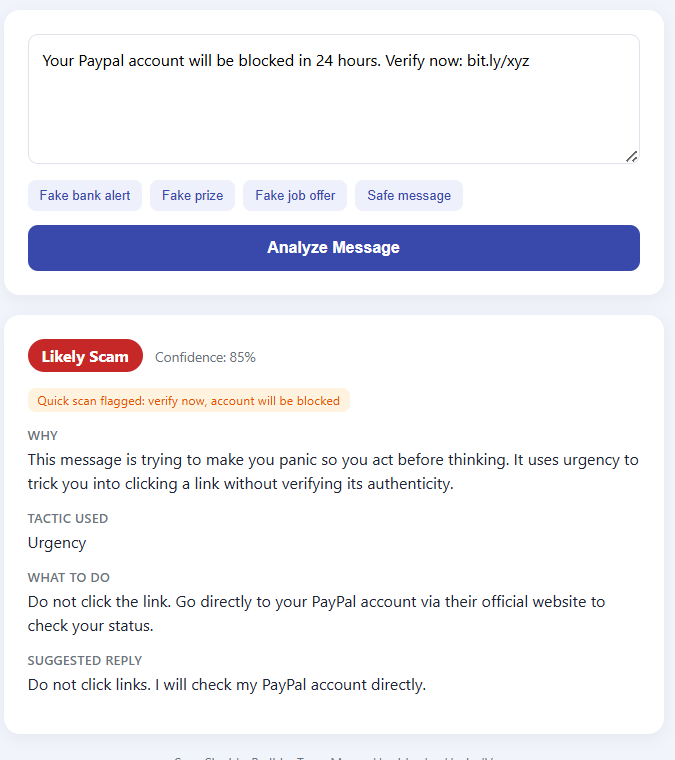
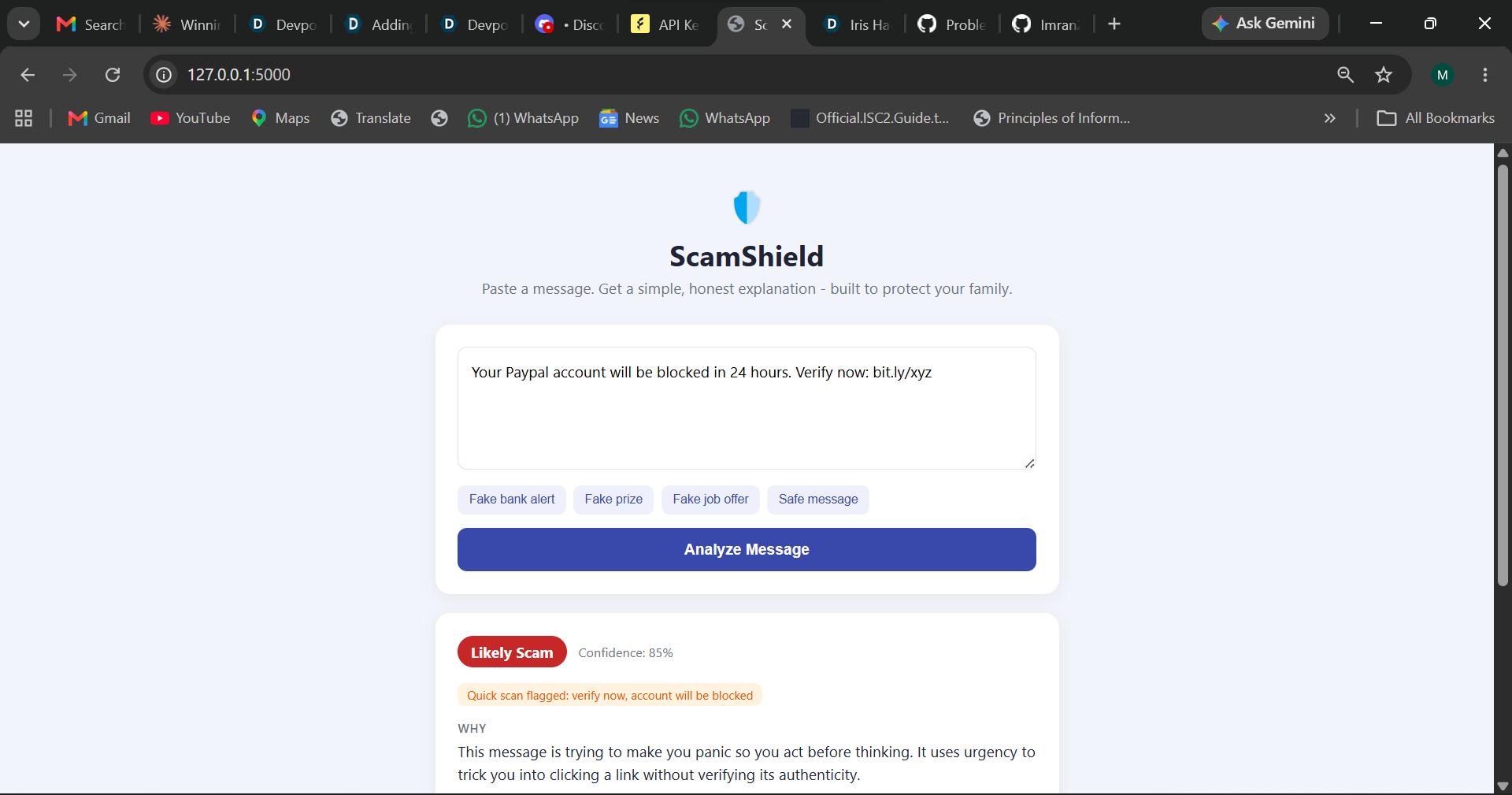
ScamShield flags it as "Likely Scam" with a confidence score and the urgency tactic identified
-
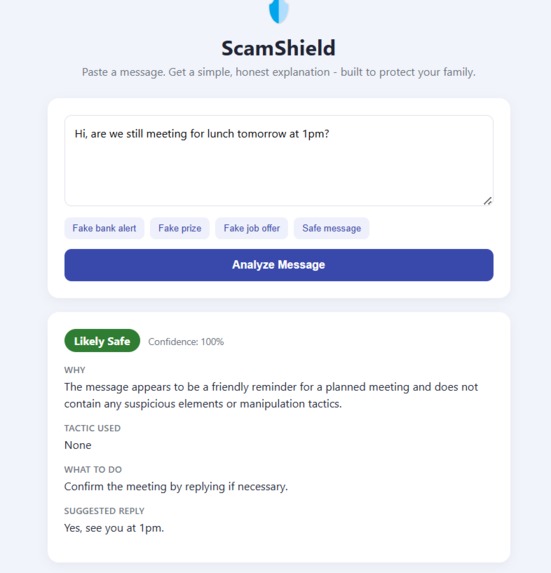
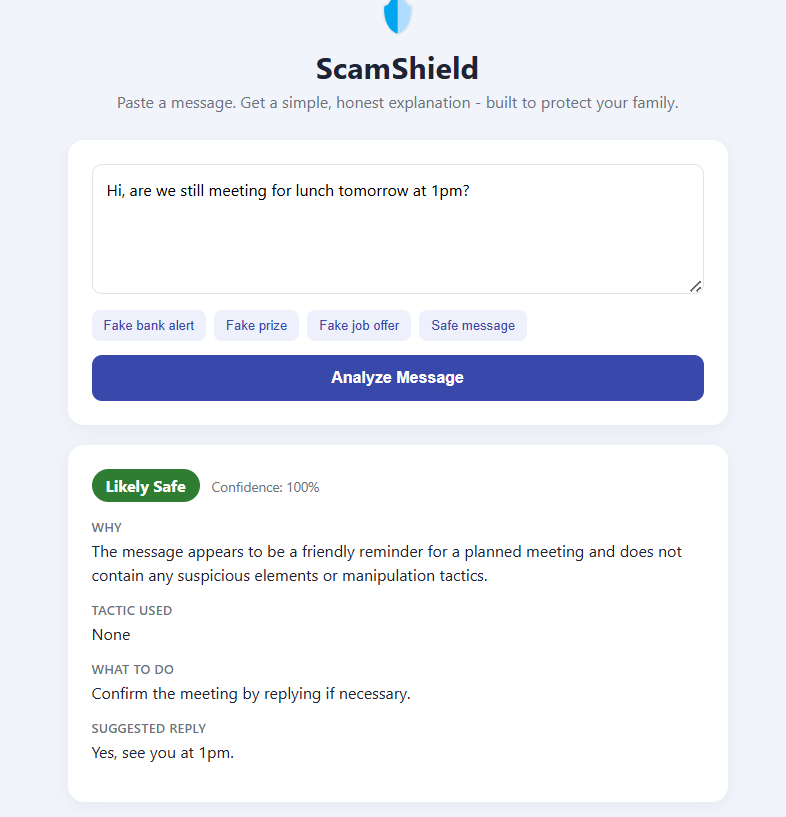
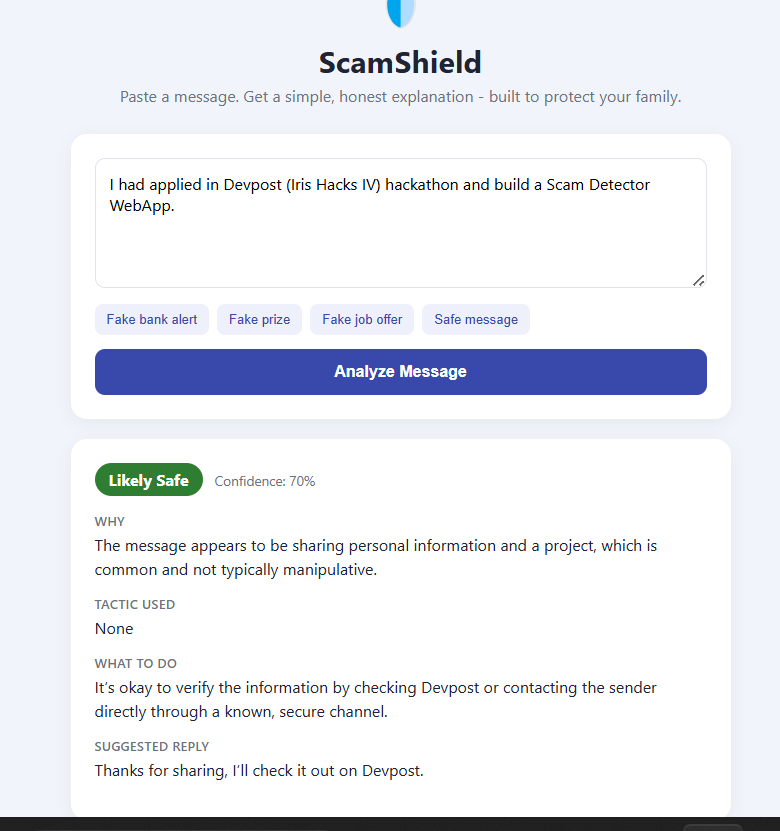
An everyday, harmless message correctly marked "Likely Safe" — ScamShield avoids false alarms
-
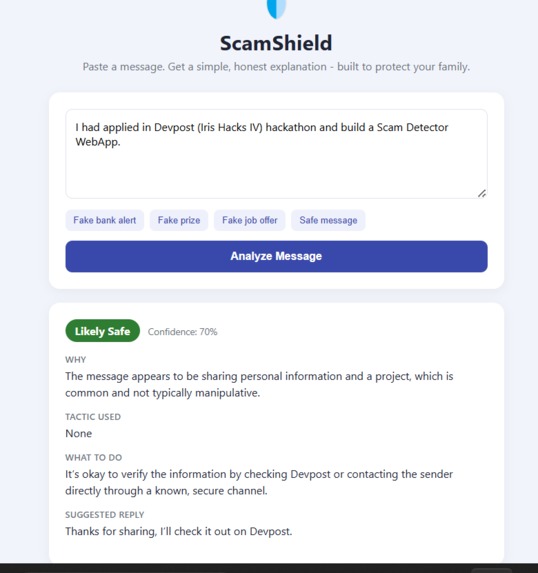
ScamShield correctly recognizes genuine, non-threatening messages, not just flagging everything as suspicious
-
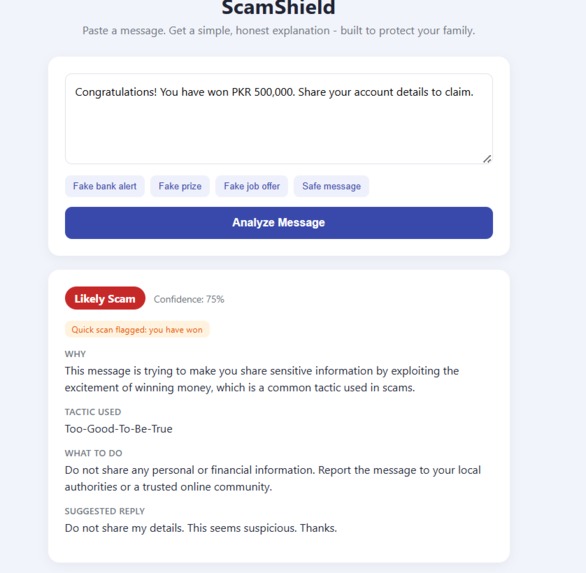
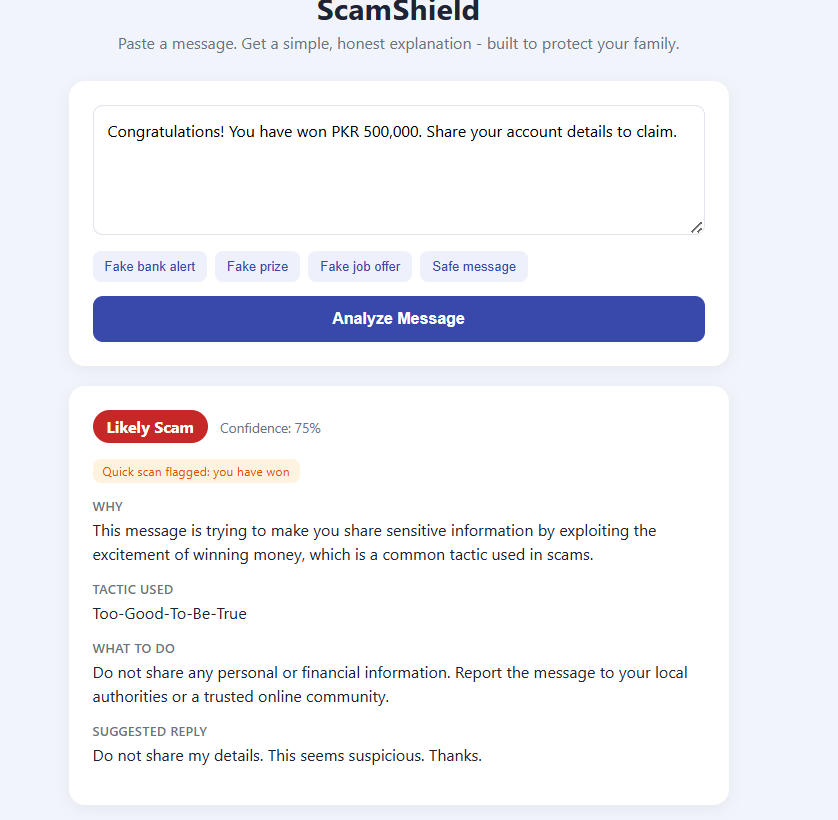
After analysing provides-> Plain-language explanation, safety advice, and a ready-to-send safe reply — no jargon, just clarity
-
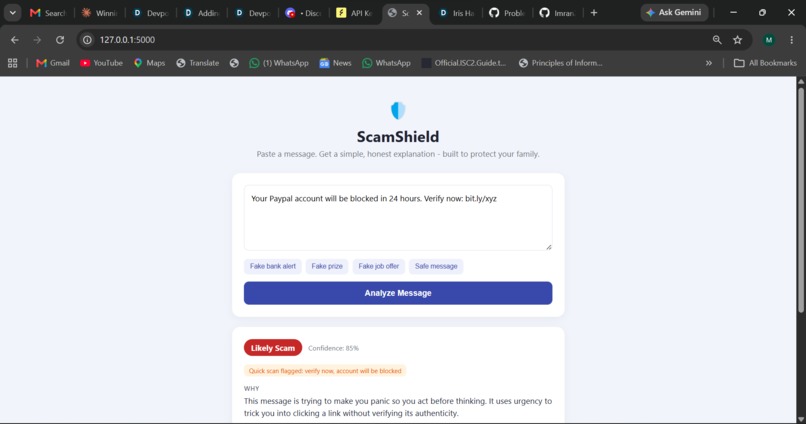
A fake Paypal"account blocked" scam message pasted into ScamShield for analysis

Inspiration
It started with something small, a basic spam-word filter one of our teammates had built while learning Python, just checking if a message contained words like "buy now" or "click this." It worked for obvious spam, but it was easy to fool, and it couldn't explain why something was suspicious.
That got us thinking about a real problem closer to home: our parents, grandparents, and less tech-savvy relatives regularly receive scam messages — fake bank account alerts, fake courier "clearance fee" texts, fake job offers asking for CNIC and bank details. Younger, tech-savvy people usually spot these instantly. Many others can't, and either panic unnecessarily or lose money.
We wanted to build something that didn't just say "safe" or "scam," but actually explained the manipulation tactic in plain, human language — the way we'd explain it to a family member sitting next to us.
What it does
ScamShield lets someone paste any suspicious message — an SMS, WhatsApp text, or what a caller said — and get back:
- A clear verdict (Likely Scam / Possibly Suspicious / Likely Safe) with a confidence score
- A plain-language explanation of why, naming the psychological tactic used (urgency, fear, fake authority, too-good-to-be-true)
- Practical advice on what to do next
- A ready-to-send safe reply, so the person doesn't have to figure out what to say themselves
It's built specifically around real, common scam patterns — fake payment app alerts, courier/customs fee scams, and fake job offers — rather than vague, generic warnings. Instead of a simple safe/unsafe label, ScamShield explains the exact manipulation tactic being used and gives people a clear, actionable next step.
How we built it
We used Flask for the backend and a simple HTML/CSS/JS frontend, with Featherless AI powering the actual scam analysis.
The architecture is a hybrid, two-layer approach:
- A fast keyword pre-check — evolved directly from our teammate's original basic spam filter — scans for common red-flag phrases instantly.
- AI reasoning via Featherless — the flagged phrases (if any) are passed as a hint, not a verdict, to a language model that reads the full message in context, reasons about intent, and returns a structured JSON response (verdict, explanation, tactic, advice, safe reply).
This hybrid design means the app doesn't just pattern-match words like the original filter did — it actually reasons about context, while still keeping a lightweight layer for speed and transparency.
Challenges we faced
One of our biggest challenges wasn't the AI logic — it was environment setup. None of us had worked much with Flask, environment variables, or API keys before, so getting FEATHERLESS_API_KEY correctly set in our terminal session (and understanding why it kept resetting between sessions) took real trial and error. We also had to debug a tricky "Failed to fetch" / invalid JSON error that turned out to be caused by opening the HTML file directly in a browser instead of running it through the Flask server — a small but important lesson in how client-server communication actually works.
On the AI side, getting the model to reliably return valid JSON (instead of chatty, unstructured text) took several rounds of prompt refinement.
We also used AI assistance (Claude) to help us learn Flask, debug errors, and understand concepts like environment variables and API calls as we went — since this was many of our first real hands-on projects with a web framework and an external AI API. We made a deliberate effort to understand why each part of the code works, not just copy it, since we wanted this hackathon to genuinely teach us something we didn't know coming in.
What we learned
- Basics of Python frameworks and modules such as (Flask, JSON, OS, SYS).
- How a Flask backend and a JavaScript frontend actually communicate (the request → process → response cycle), especially how to connect and authenticate with an external AI service like the Featherless API using environment variables
- What prompt engineering really means in practice — how instructing an AI model well is its own skill, separate from traditional coding
- The real limitations of simple keyword-matching versus context-aware AI reasoning
- That debugging environment/setup issues is often harder than writing the actual logic — and a normal part of building anything real
What's next for the ScamShield
- Expanding our scam pattern database with more real, community-sourced examples
- Adding support for analyzing screenshots of messages (not just pasted text)
- Adding a simple history/log feature so repeat scam patterns can be tracked over time


Log in or sign up for Devpost to join the conversation.