-
-
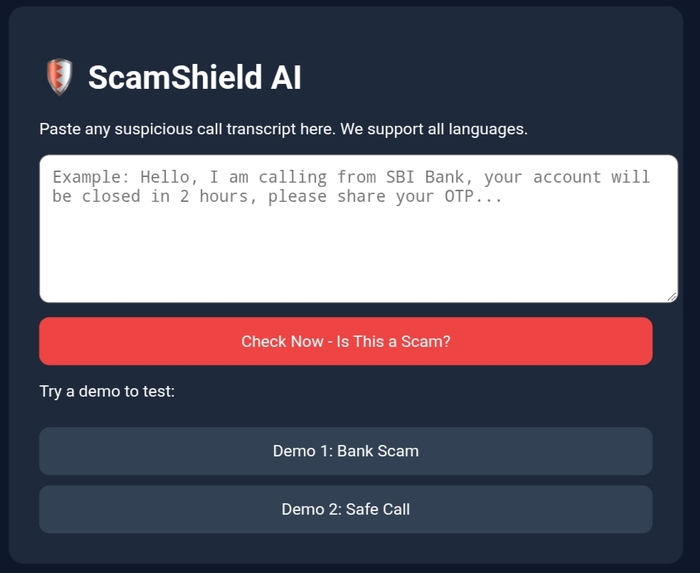
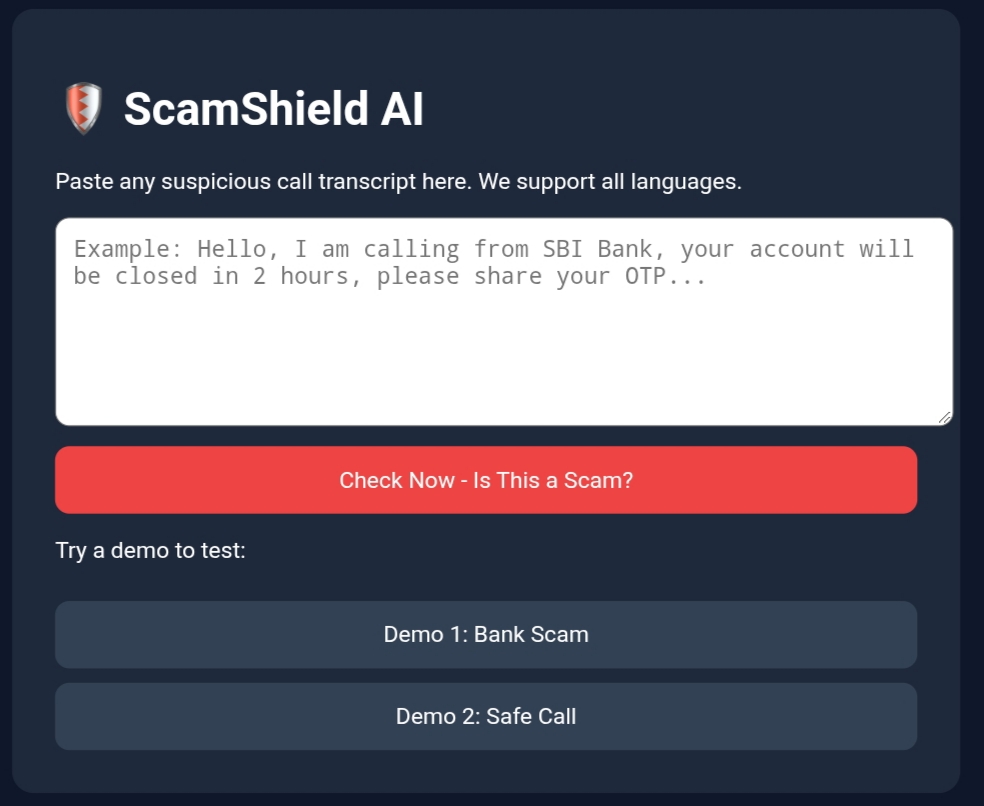
Screen 1
-
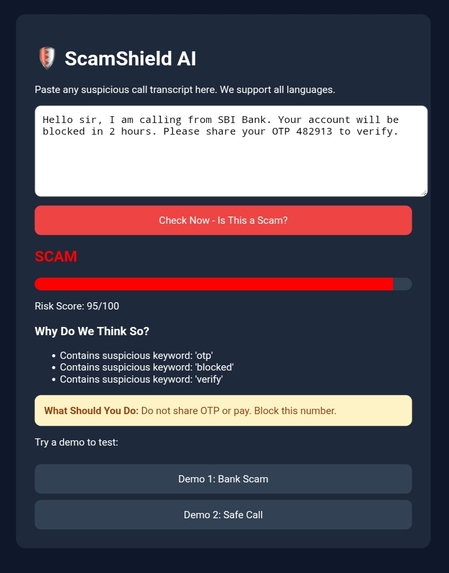
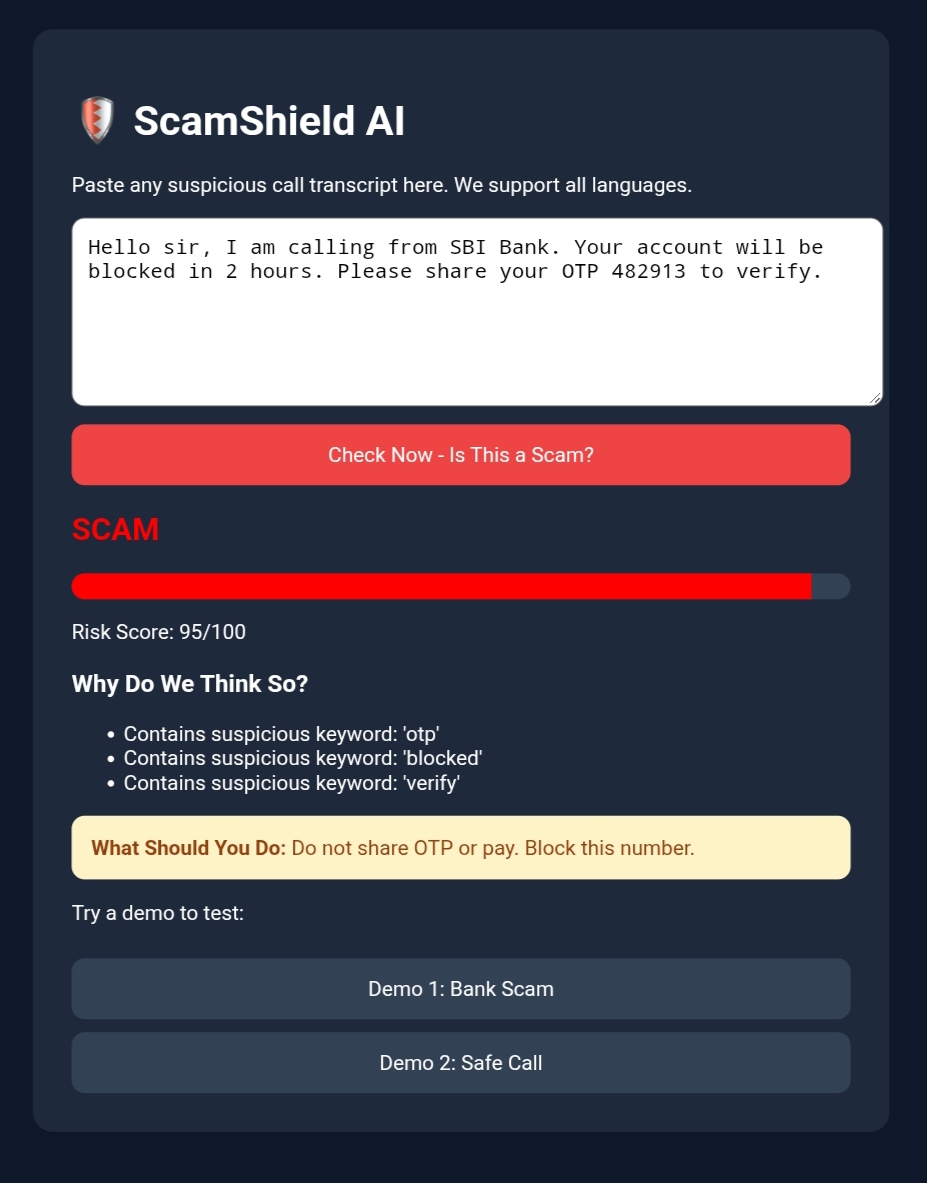
Checking Demo 1
-
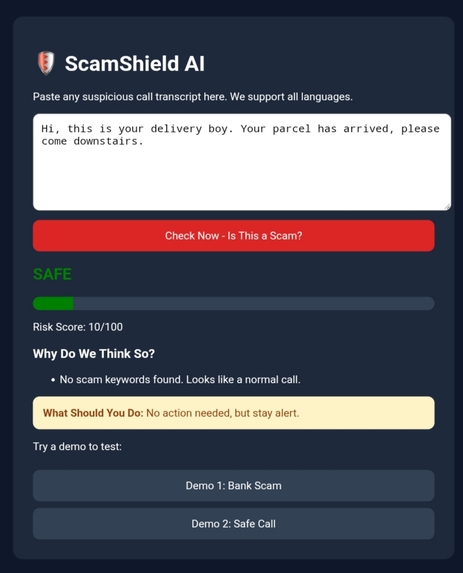
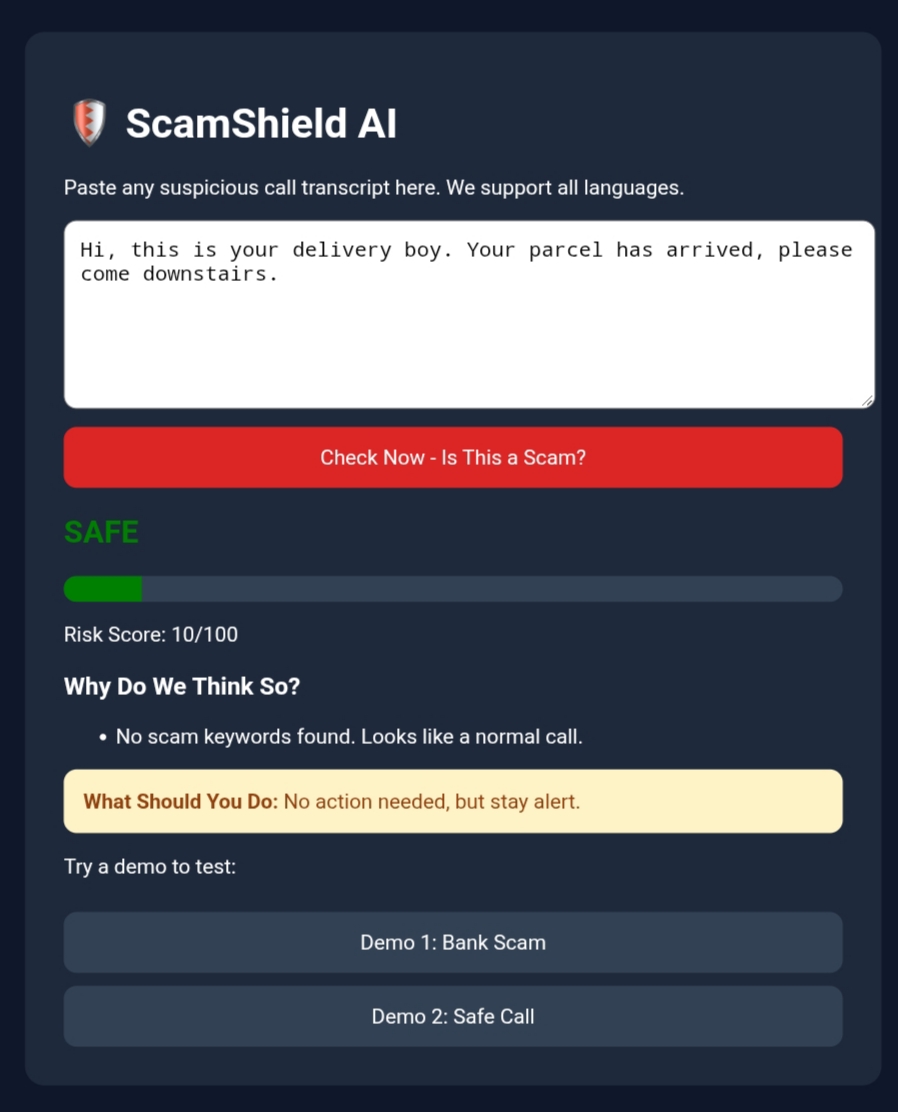
Checking Demo 2
-
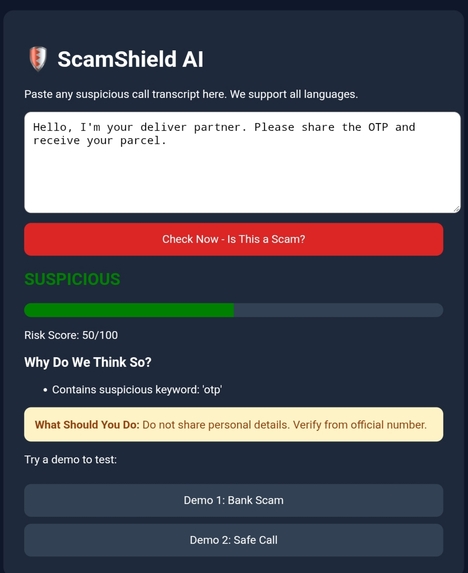
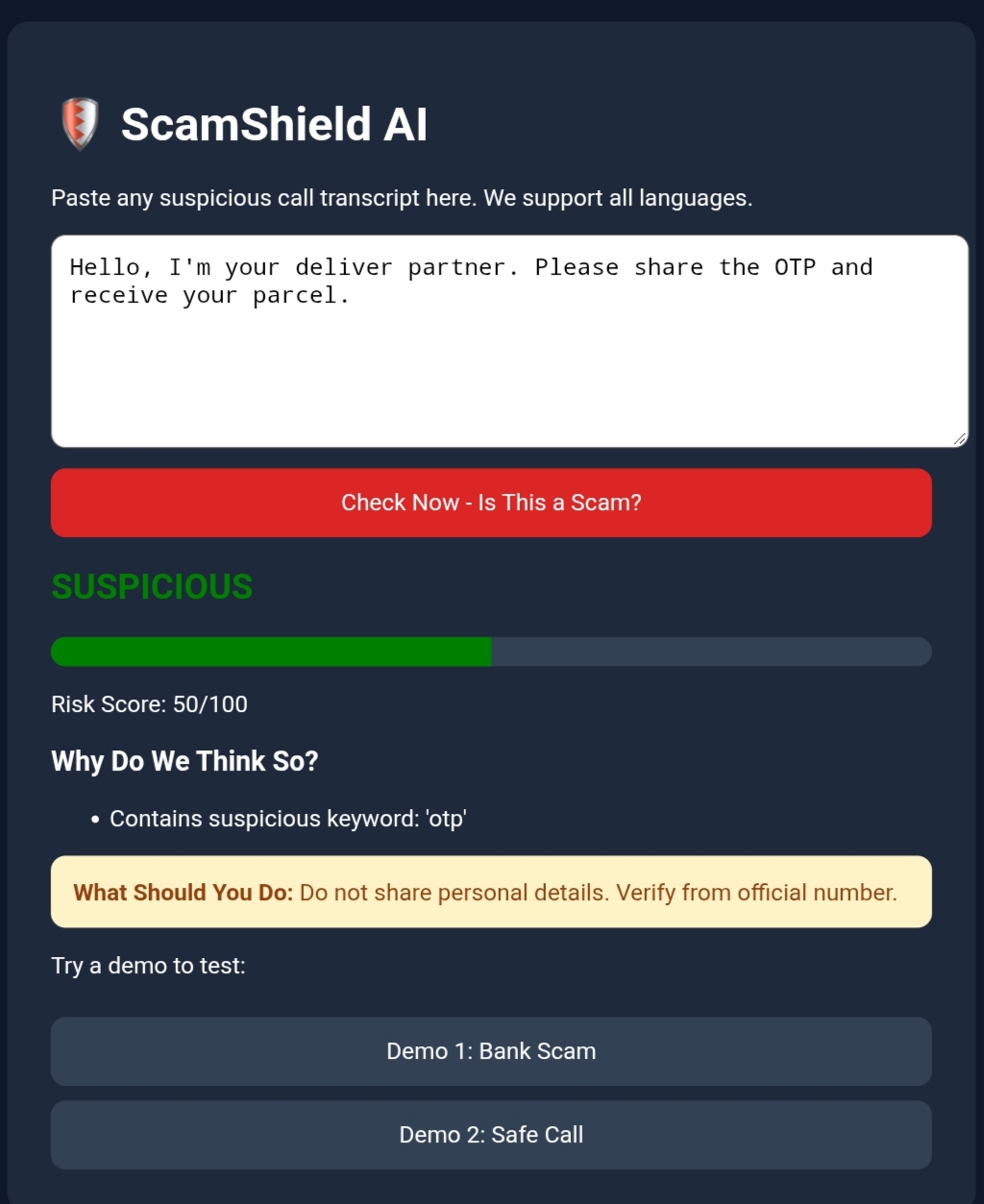
Checking another message
Inspiration
Scam calls and messages are a growing problem in India, especially for elderly people and less tech-savvy users who often fall for bank fraud, OTP scams, and fake KYC calls.
Many victims lose money not because they are careless, but because scam messages create panic and urgency — "Your account will be blocked", "Share your OTP now", "Your KYC is expired".
I wanted to build a simple tool that anyone can use before trusting a suspicious message — a tool that says Pause. Check. Protect.
That idea became ScamShield AI.
What it does
ScamShield AI is an AI-powered scam detection web application built to protect users from fraud.
The user just pastes any suspicious call transcript, SMS, WhatsApp message, or email into the app.
The app uses Google Gemini AI to analyze the text, detect scam patterns like urgency, OTP requests, fake bank warnings, and fake KYC alerts, and then shows a clear result:
- SCAM or SAFE verdict
- Risk Score from 0 to 100
- Red Flags found in the message
- Simple explanation in easy language
- What to do next
No technical knowledge is needed. Just paste, check, and stay safe.
How I built it
I built ScamShield AI using Python, Flask, HTML, CSS, and JavaScript.
The frontend is built with HTML, CSS, and JavaScript for a clean, simple, and mobile-friendly interface that anyone can use, including elderly and less tech-savvy users.
The backend is built with Python and Flask. It takes the pasted message, processes it, and sends it to the AI for analysis.
For the AI, I used Google Gemini 2.0 Flash via the Gemini API. It analyzes the message for scam patterns like urgency, OTP requests, fake bank warnings, and fake KYC alerts, and returns a verdict, Risk Score, red flags, explanation, and what to do next.
I also added an Offline Rule-based Fallback. If the Gemini API is unavailable, the app still works using rule-based detection for common scam keywords and patterns, so the user is never left unprotected.
The complete flow is:
- User pastes a suspicious call transcript or message
- Flask backend processes the input
- Gemini 2.0 Flash analyzes it, or the rule-based system takes over if offline
- The app shows SCAM or SAFE, Risk Score, red flags, and safety advice instantly
Challenges I ran into
One of the biggest challenges was making the AI output reliable. Gemini sometimes gave different formats, so I had to design a strict structured prompt and add strong parsing and validation to always get a clean verdict, risk score, and red flags.
Another challenge was handling API failures. If the Gemini API was slow or unavailable, the app would stop working. To solve this, I built an Offline Rule-based Fallback that detects common scam patterns using keywords and rules, so the user always gets a result.
I also had to keep the app simple for elderly and less tech-savvy users. Many scam detectors use technical terms, so I focused on simple language, clear SCAM / SAFE colors, and easy next steps.
Finally, connecting the Python Flask backend with the frontend and testing it with real Indian scam messages like fake KYC calls, OTP fraud, and bank account blocked messages took a lot of debugging and testing.
Accomplishments that I'm proud of
I are proud that we built a complete working product that can protect real people from real scams in India.
I successfully integrated Google Gemini 2.0 Flash with a Python Flask backend and made it return a clear SCAM or SAFE verdict with a Risk Score, red flags, and simple advice.
I built an Offline Rule-based Fallback, so the app works even when the AI API is down — the user is never left unprotected.
Most importantly, I made the app simple enough for elderly and less tech-savvy users. Just paste a message, and within seconds you get a clear answer and what to do next.
What I learned
I learned how to integrate Google Gemini AI into a real project using Python and Flask, and how to design prompts to get structured and reliable output from an AI model.
I learned how to build a fallback system. AI APIs can fail, so a good product always needs a backup plan — Offline Rule-based Fallback taught us how to combine AI with traditional rule-based logic.
I also learned how important UI and UX are. For elderly and less tech-savvy users, a simple design, clear colors, and easy language matter more than complex features.
Finally, I learned a lot about real scam patterns in India — OTP fraud, fake KYC calls, fake bank warnings, and how scammers use urgency and panic to trick people.
What's next for ScamShield-AI
Next, I want to add support for more Indian languages like Hindi and Bengali, so elderly users can understand results in their own language.
I also plan to add voice call and audio transcript analysis, image and screenshot scanning for WhatsApp and SMS screenshots, and URL and link checking.
I want to add a scam reporting feature, where users can report scam numbers and messages to help protect others.
In the future, I also plan to build a mobile app version and a browser extension, so users can check any suspicious message instantly, anywhere.
