-
-
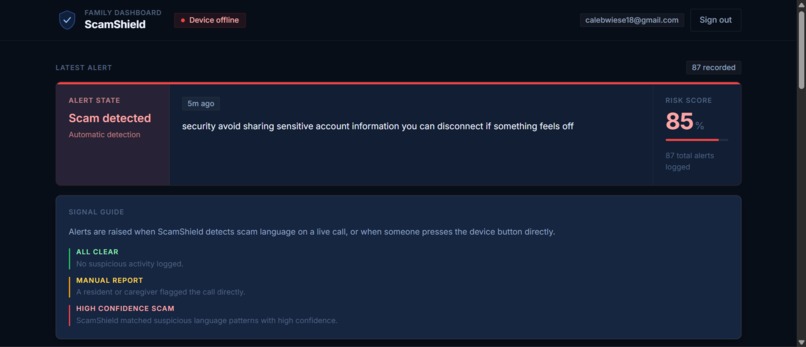
Dashboard
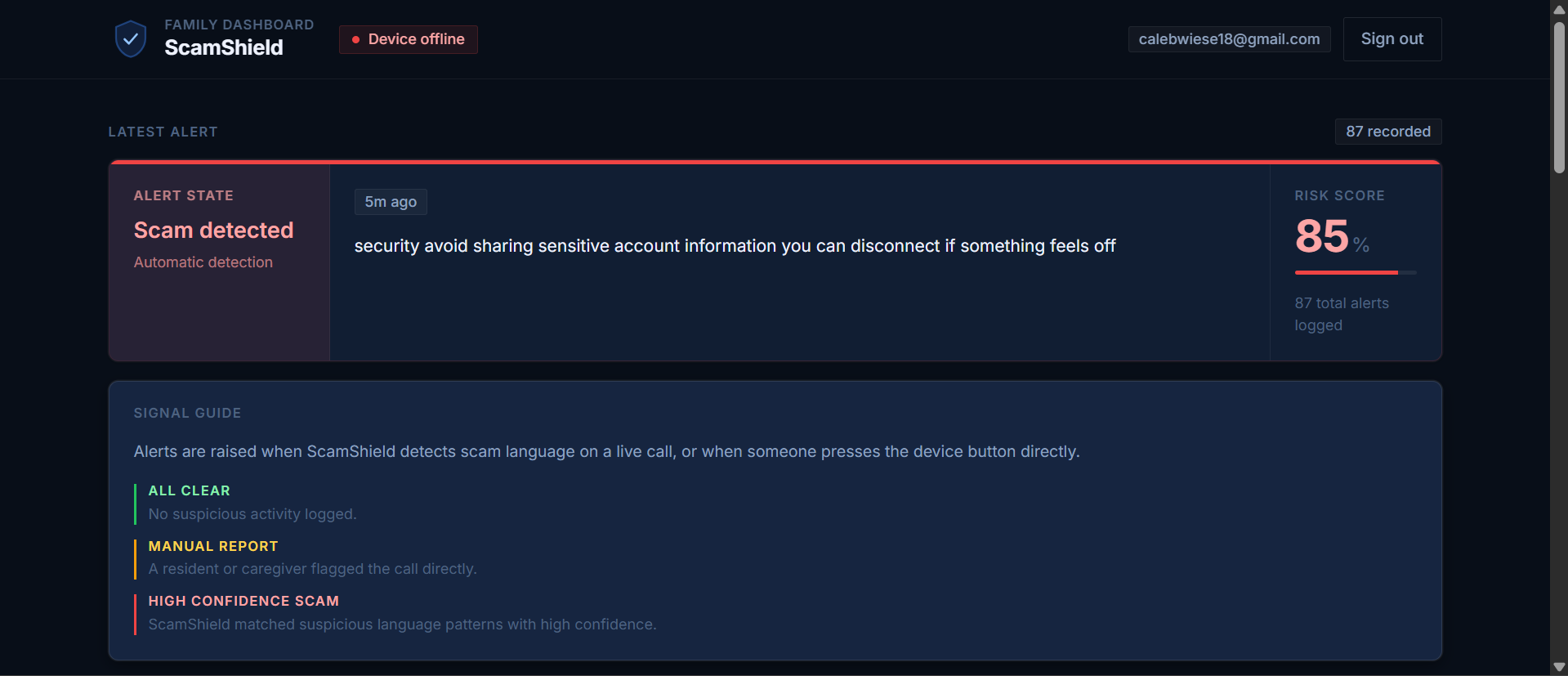
ScamShield — Project story
Inspiration
Phone scams targeting older adults are one of those problems that feel invisible until it is too late. Victims are often isolated, trusting, and pressured in the moment, before a family member has any chance to step in. We built ScamShield to act like a silent guardian during those calls: something that can listen in real time, recognize scam patterns, warn the person immediately, and get their family involved before money or personal information is lost.
What it does
ScamShield is a Raspberry Pi device that listens to calls on speakerphone, detects scam patterns using AI, and instantly alerts both the person on the call and their family. There is no app to install and no major behavior change required. The user simply places the phone on speaker near the device.
When ScamShield detects a likely scam, it launches a full alert pipeline:
- Google Nest plays a spoken warning—we can use a fixed safety script or, when enabled, a short script tailored to the call (see below).
- LEDs and a buzzer give immediate local feedback.
- A SenseCAP display shows the alert state.
- Trusted family members receive notifications (WhatsApp in our pipeline).
- The event is logged locally and synced so a secure family dashboard can show what happened.
The user can also trigger the same pipeline manually with a physical button if something feels suspicious before the system catches it.
How we built it
We built ScamShield as a full hardware-plus-software system.
On the Raspberry Pi (Python) we handle end-to-end real-time processing: audio capture, speech-to-text (speech to text is local), scam scoring, hardware control, alert delivery, local SQLite storage, and a FastAPI server for the dashboard and health checks.
Detection with Gemini + keywords
We send rolling transcript chunks (with conversation context) to the Google Gemini API to get a 0–100 risk score and a short analyst-style reason—for example, impersonation, pressure to pay, or gift-card demands. That keeps the system adaptable to phrasing that simple rules would miss. We also run a keyword fallback on the current chunk so that if the model is slow or unavailable, we still have a deterministic signal. Alerts fire when the score crosses a threshold or enough keywords match, tuned so we react quickly without crying wolf on every odd phrase.
Voice on the Nest with ElevenLabs
For the Google Nest audio warning, we use ElevenLabs text-to-speech: we generate a cached default clip at startup, and on each alert we can synthesize fresh speech from the same voice. In dynamic mode, Gemini writes a short, calm spoken script from the transcript + score + reason (with safety rules so we don’t echo scammer tactics verbatim). That text is sent to ElevenLabs, written to warning.mp3, and streamed over HTTP to the Nest so Chromecast can play it. We added cache-busting on the URL so the speaker doesn’t replay an old clip when the file on disk updates.
Family dashboard
For the family-facing side, we built a secure dashboard in Next.js with TypeScript and Auth0. It shows device status, recent alerts, transcripts, and timestamps so trusted family members can monitor what happened from anywhere. We deployed it with Vercel and used ngrok (or similar) so the hosted app can reach the Pi’s API securely over HTTPS without exposing the home network.
Challenges we ran into
Our biggest challenge was integrating many moving pieces into one reliable experience. We were not just building a web app or a hardware prototype in isolation. We had to connect live audio, local STT, Gemini scoring, GPIO hardware, Nest playback over the LAN, ElevenLabs latency and API quotas, SMS delivery, a secure dashboard, remote tunneling, and deployment in a hackathon timeline.
We also had to balance sensitivity and reliability: react fast enough to help, but not alert on every odd phrase. Wiring Gemini + keywords + cooldowns and rolling context helped. Debugging Auth0, cloud deployment, device ↔ dashboard connectivity, and custom domain setup while keeping the product understandable for non-technical users was its own sprint.
We also intended to use the SenseCap Indicator to provide a more friendly way for our users to interface with ScamShield, but our unit was DOA during testing.
What we learned
We learned how to build a real-time system that bridges hardware, AI (Gemini for reasoning, ElevenLabs for natural voice), backend services, and frontend product design. We gained experience with Raspberry Pi integration, streaming-style event pipelines, secure authentication, dashboard deployment, and designing for accessibility in a high-stakes context.
Most importantly, we learned that for a product like this, accuracy is only part of the challenge. Trust, clarity, and speed matter just as much. A scam warning only helps if it reaches the user in a way that is immediate, understandable, and actionable—whether that is a clear voice on the Nest, a flash of red, or a text to family. That idea shaped every part of ScamShield.
Built With
- auth0
- elevenlabs
- fastapi
- google-gemini-api
- googlenest
- grove-sensors
- next.js
- ngrok
- python
- railway-postgres
- raspberry-pi
- sensecap-indicator
- sqlite
- twilio
- typescript
- vercel

Log in or sign up for Devpost to join the conversation.