Inspiration
Online scams are no longer rare or technical — they’ve become part of everyday digital life. From phishing emails and fake domains to crypto wallet scams and burner phone numbers, attackers rely on one thing: users not knowing how to verify information.
While working on this project, I noticed that most verification tools are:
Scattered across multiple websites
Designed for security professionals, not regular users
Locked behind paid plans or API keys
I wanted to build something that answers a simple question:
“Can I trust this?”
ScamShield was inspired by the idea of creating one universal entry point where anyone — even with zero cybersecurity background — can paste suspicious data and get clear, actionable answers instantly.
What it does
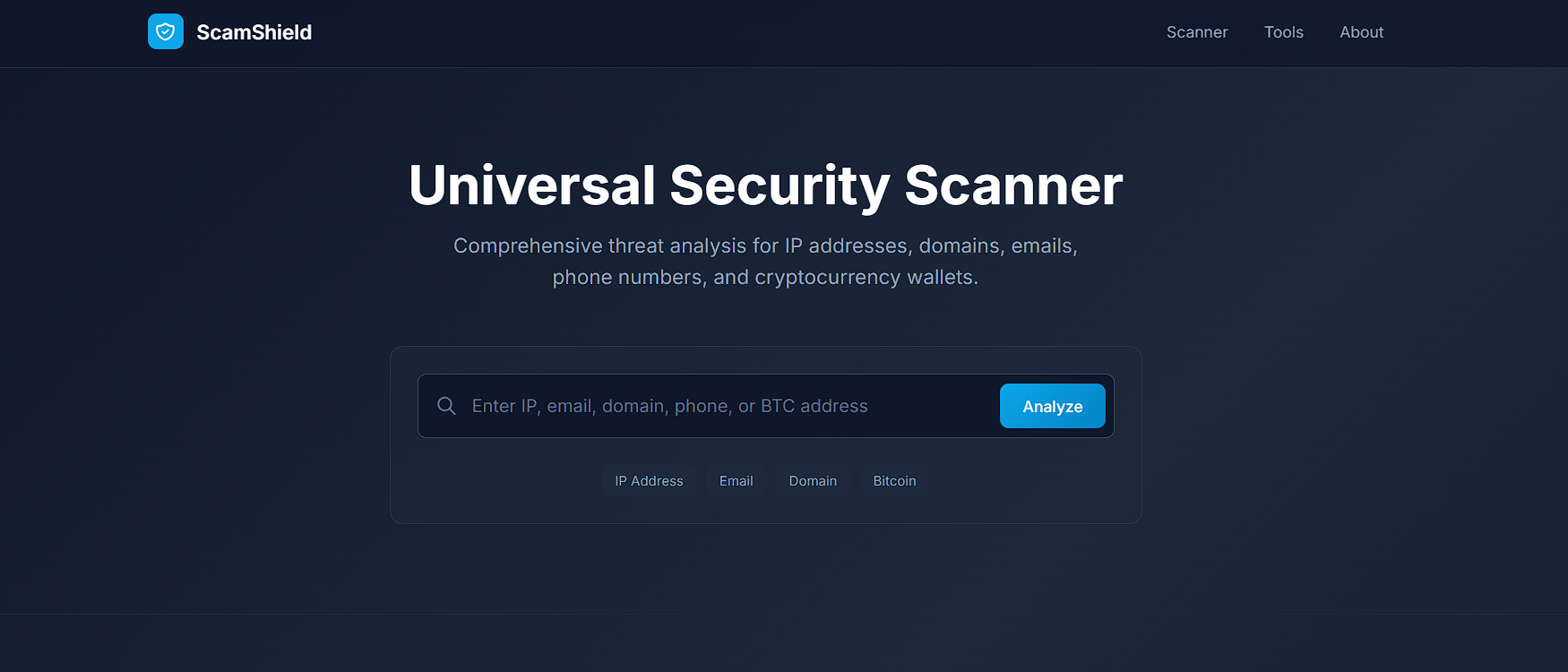
ScamShield is a universal security scanner that automatically identifies what type of data the user enters and runs relevant security checks across multiple trusted sources.
It supports:
IP addresses (location, ISP, VPN detection)
Email addresses (disposable & suspicious email detection)
Domains (age, registration analysis)
Phone numbers (VOIP & burner pattern detection)
Bitcoin wallets (transaction & volume analysis)
Usernames (cross-platform existence checks)
Names (nationality prediction for identity context)
Live phishing URL feed
Behind the scenes, ScamShield performs parallel analysis and produces a simple risk classification:
Risk Level ∈ { LOW , MEDIUM , HIGH } Risk Level∈{LOW,MEDIUM,HIGH}
The result is presented through a visual dashboard designed for clarity, not intimidation.
How we built it
ScamShield was built as a single-file, client-side web application, optimized for hackathon demos and real-world usability.
Tech Stack
HTML5 — semantic structure
CSS3 + Glassmorphism — modern, professional UI
Tailwind CSS (via CDN) — fast, responsive styling
Vanilla JavaScript — no frameworks, no dependencies
Public REST APIs — real-time threat intelligence
System Flow User Input → Auto Detection → Parallel API Calls → Risk Scoring → Visual Report User Input→Auto Detection→Parallel API Calls→Risk Scoring→Visual Report
Key design choices:
No backend required
No API keys needed
Runs entirely in the browser
Easy to open, share, and demo
Challenges we ran into
Auto-detecting input types reliably (IP vs domain vs email vs wallet)
Handling inconsistent API response formats
Avoiding CORS issues while staying client-side only
Designing a UI that feels professional and trustworthy, not flashy
Presenting complex security data in a way non-technical users can understand
Balancing depth of analysis with demo time constraints
Each challenge required trade-offs between accuracy, speed, and usability.
Accomplishments that we're proud of
Built a fully working security analysis tool with 8 integrations
Achieved zero-backend deployment
Designed a universal input system instead of separate tools
Created a clear risk model understandable by anyone
Integrated a live phishing feed for real-world relevance
Delivered a polished, demo-ready product as a solo project
What we learned
Cybersecurity tools must prioritize clarity over complexity
Public APIs can be powerful when combined intelligently
UX design plays a critical role in user trust
Even simple heuristics can provide high-value threat insights
Building client-only apps requires careful handling of rate limits and errors
Most importantly, I learned how to think like both an attacker and a defender when evaluating digital trust.
What's next for ScamShield
If continued beyond the hackathon, the next steps include:
VirusTotal & AbuseIPDB integration
AI-powered phishing message analysis
Persistent scan history with exports
Browser extension for one-click scans
Backend support for saved reports and alerts
Community-driven scam reporting
ML-based adaptive risk scoring
The long-term vision is to make ScamShield a daily-use trust companion

Log in or sign up for Devpost to join the conversation.