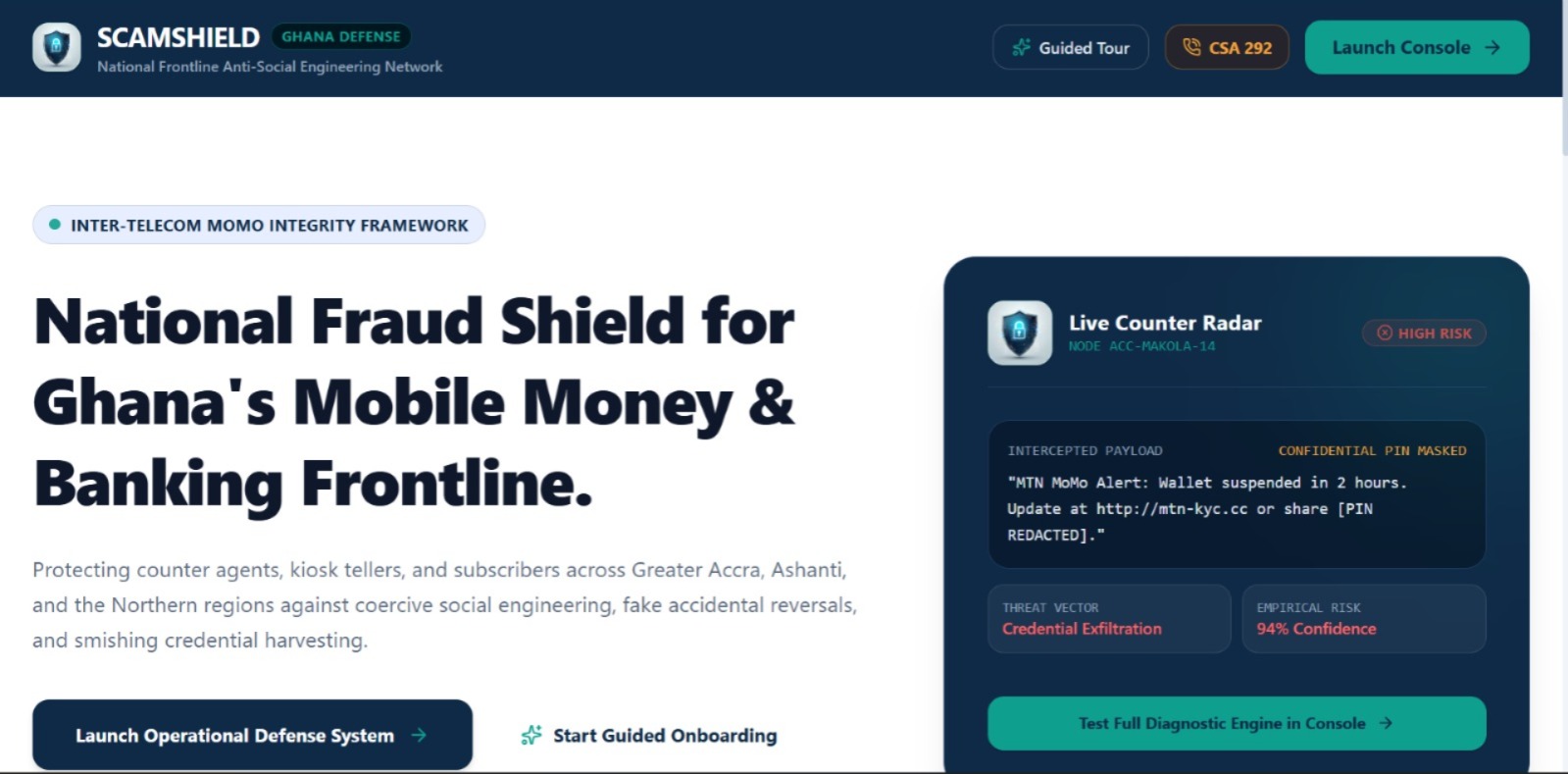
ScamShield Business
Project Overview ScamShield Business is an open-core security platform designed to help individuals and businesses identify and investigate suspicious messages before money or sensitive information is put at risk. Users can submit suspicious messages, links, or screenshots and receive an estimated risk assessment, explainable warning signs, limitations of the check, and a clear recommended next step. The project is designed with Ghana's mobile-money and digital-payment environment in mind, while remaining adaptable to similar markets.
Prototype note: Describe only the features that are implemented and demonstrated in the current prototype as completed. Any other capabilities in this document should be presented as planned or proposed functionality.
What Inspired Us
ScamShield Business was inspired by the risk people face when they receive urgent messages asking them to share sensitive information, click a link, or make a payment. In mobile-money and digital-payment settings, a convincing message can pressure someone to act before they have time to verify the request.
We wanted to explore a tool that does more than label a message suspicious. It should help users understand why something raises concern and what practical step they can take next.
We also saw an opportunity to design for business workflows not only individual users including customer-support agents handling reports and finance staff checking unexpected supplier payment changes.
Our motivation is to make scam assessment more understandable, actionable, and adaptable to the needs of Ghana and similar markets.
The Problem We Address
Message-based social engineering can use urgency, impersonation, suspicious links, requests for one-time passwords (OTPs) or PINs, and unexpected payment-detail changes to influence a person's decisions.
A useful tool should help users: Submit suspicious text or a screenshot for analysis. Review an estimated risk level and the warning signs behind it. Understand what the system could not verify.
Receive one clear next step. Keep a short incident summary when they explicitly choose to save it.
ScamShield is intended to support informed decisions; it does not prove a sender's identity or guarantee that a message is genuine.
Core Features
Suspicious-Message Scanning Users can paste suspicious content into the app and initiate a check. Screenshot submission and text extraction can be described as available only if they work in the current prototype.
Estimated Risk Assessment The result presents one of four verdicts: Low concern Suspicious High risk Unable to assess The verdict is an estimate based on the checks performed, not a guarantee.
Explainable Warning Signs Instead of relying on a score alone, ScamShield highlights specific indicators that contributed to the assessment, such as urgency, requests for sensitive codes, or a suspicious link. The exact signals shown should reflect the checks implemented in the prototype.
Link Context Where supported, the result can display the destination host without opening the link and label it "Not opened." This helps users inspect the available information without treating the link as verified.
Clear Next-Step Advice The result gives the user a practical recommendation, such as avoiding sharing an OTP or PIN and verifying a request through an official app or a previously established channel.
Customer, Agent, and Supplier Contexts The intended workflows include: Customer: Check a suspicious message received directly.
Agent: Review a customer's concern and copy advice to send through the organisation's own support tool.
Supplier: Review a message about changed payment details and independently confirm the change before paying.
These contexts help position ScamShield as a business tool rather than only a consumer-facing checker.
Incident History The planned history feature stores short incident summaries only when a user chooses to save them. Raw messages should not be stored as part of an incident summary. The interface should communicate storage limitations clearly; browser storage is not an encrypted vault.
Investigation Support Proposed investigation tools include question prompts, analysis of a reply, and a claim ledger that marks claims as consistent, contradicted, unanswered, or unverified. These labels describe the evidence available; consistent does not mean true.
How We Built the Project ScamShield Business was approached as a practical security product with a clear user journey: submit suspicious content, assess the available signals, explain the result, and recommend a next step. The prototype's intended workflow is:
Input: The user submits a suspicious message or supported content type.
Analysis: The system runs the checks available to the prototype. If an online AI service is used, the interface should clearly communicate that fact and provide an honest fallback when it is unavailable.
Assessment: The system presents an estimated verdict and score based on the available checks.
Explanation: The user sees the warning signs and the limitations of the analysis.
Action: The app recommends a practical next step and offers further investigation where supported.
Optional record: If the user chooses to save an incident, the app stores a short summary rather than the raw message.
The interface is designed to be mobile-first, with clear language, large touch targets, consistent risk colours, and a straightforward navigation structure.
The visual design uses deep navy (#0F2A47) as the primary
colour and teal (#0E9F8E) as an accent. Risk states use distinct
colours, with low concern represented neutrally rather than as a success
or guarantee.
For reliability and trust, the app should distinguish between local checks and AI-assisted analysis, explain when a check could not be completed, avoid inventing official helpline numbers, and never imply that it monitors calls or other apps unless that capability truly exists.
Implementation accuracy: The exact programming languages, frameworks, models, database, APIs, and deployment tools used should be added here by the team. They have not been specified in the project description used to prepare this document, so this document does not assume them.
What We Learned
The project highlights several lessons about building security software: A score is not enough. Users need to understand the warning signs that led to an assessment.
Uncertainty must be visible. The app should state what it could not check and avoid presenting an estimate as certainty. Advice should be actionable.
A clear next step is more useful than a frightening warning without guidance.
Business workflows differ. A customer checking a message, an agent helping a customer, and a finance worker verifying a supplier change have different needs.
Privacy is part of product design. Saving short summaries instead of raw messages reduces unnecessary retention, and storage limitations should be disclosed honestly.
Fallbacks too matter. If an online AI service is unavailable, the app should state that clearly and only show results supported by its local checks.
A prototype must not overclaim. Features, performance, financial impact, and detection accuracy should be demonstrated or measured before being presented as proven.
Open-Source and Business Model ScamShield Business is intended to follow an open-core model. The open-source core can support transparency, community contribution, adaptation to local scam patterns, and self-hosting.
Potential paid offerings could include enterprise integrations, multi-user administration, advanced case management, audit logs, analytics, managed deployment, and support. These are business-model proposals unless they are already implemented.
A public repository should include an appropriate OSI-approved licence, a clear README, setup instructions, tests, contribution guidance, and security/privacy notes. The exact licence and repository details should be filled in by the team.
Intended Impact
ScamShield Business aims to help individuals and organisations make more informed decisions when faced with suspicious messages. For business users, it could support more consistent triage and investigation of reports.
These benefits should be evaluated through testing---for example, by measuring how accurately the prototype identifies labelled test cases, how often it produces false alarms, and how long a user takes to interpret a result.
If a score is calculated on a scale from (0) to (100), it should be labelled an estimated risk score and documented according to the actual scoring method. The score should not be described as a calibrated probability unless the system has been validated for that interpretation.
Limitations and Responsible Use
ScamShield cannot guarantee that a message is genuine or fraudulent. A link host being displayed does not prove the destination or sender is legitimate.
The result depends on the content provided and the checks available. Online AI analysis may involve sending submitted content to an external service; the interface should disclose this before use.
Browser-based history is not an encrypted vault. Users should independently verify payment changes and sensitive requests through a channel they already trust.
Conclusion ScamShield Business combines explainable scam assessment, practical next-step guidance, and business-oriented workflows in a mobile-first interface. Its central principle is simple: help users understand the warning signs and make a more informed decision before they act. The project's credibility depends on keeping its claims aligned with the actual prototype, communicating uncertainty honestly, and testing its usefulness against realistic scenarios.
Built With
- css
- gemini
- gemma
- html
- react
- tailwind
- typescript

Log in or sign up for Devpost to join the conversation.