-
-
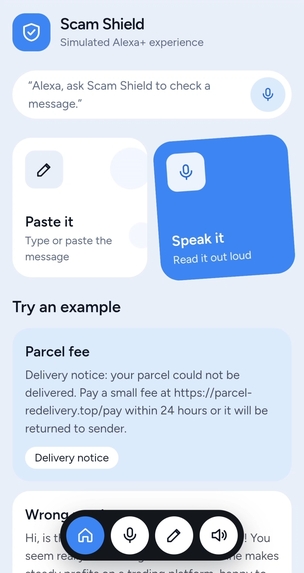
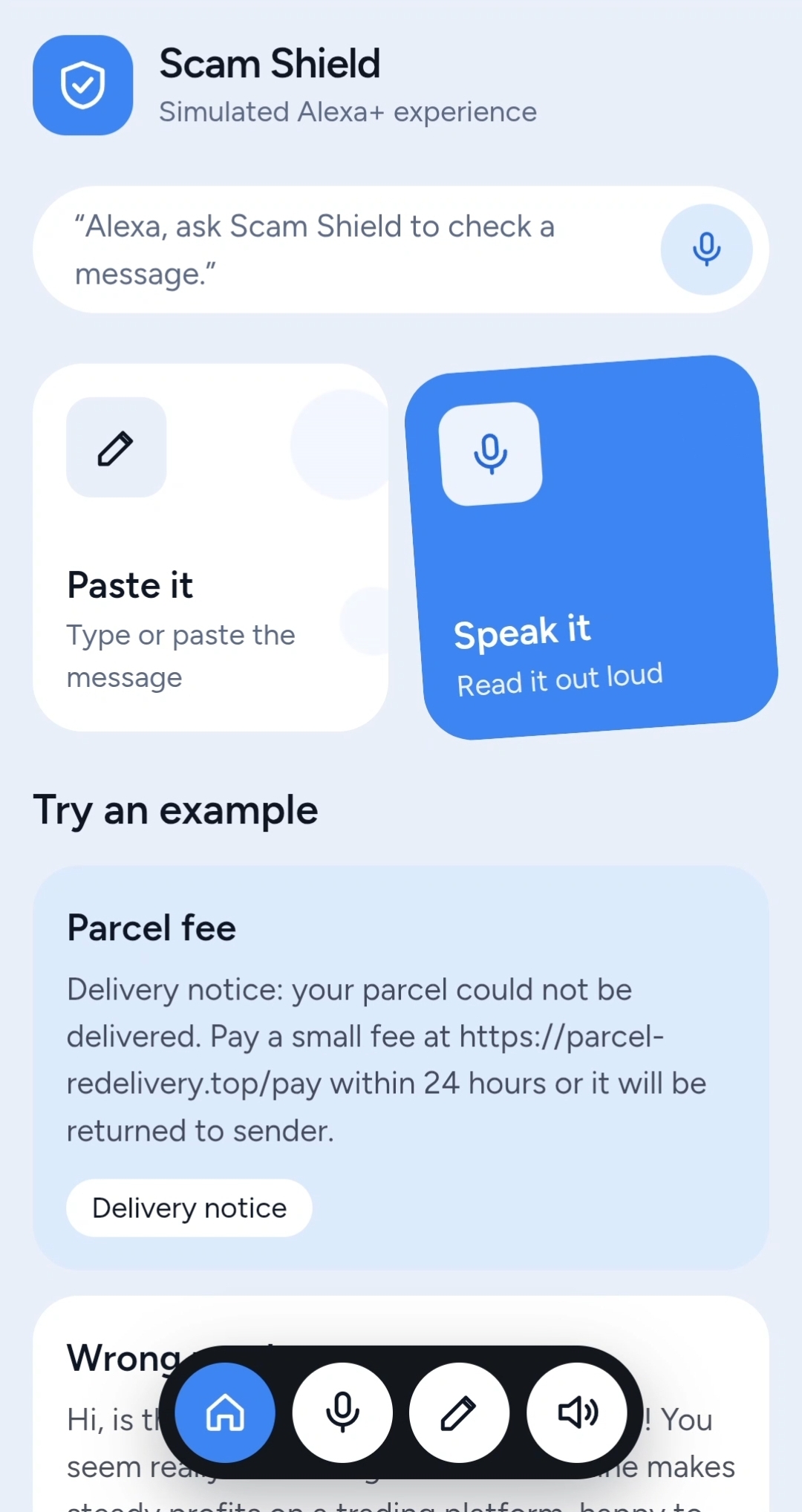
Simulated Alexa Experience
Inspiration
I get a lot of scam messages here in Ghana. Often I can tell right away, especially when it's a local scam I've seen before. But sometimes I genuinely can't tell whether a message is real, and that moment of doubt is exactly what scammers count on.
I had this idea long before the hackathon: what if I could just ask for help? What if I could be in my room, get a suspicious message, and say "Alexa, is this a scam?", read the message out loud, and get a straight answer? Scam texts pretend to be anyone: a bank, a courier, a mobile money agent, a boss. A company can only vouch for messages that come through its own platform, so I wanted something that checks a message from any sender.
What it does
Scam Shield checks any suspicious message and tells you what it found:
- Say it or paste it. A simulated Alexa+ experience in the browser: speak the message and hear a short spoken verdict, or paste the text.
- A clear verdict (likely scam, suspicious, likely legit, or cannot tell) with a confidence level.
- Red flags marked in your own text. Tap a highlighted phrase to see why it was flagged.
- What to do next, and always how to verify through an official channel you already trust, never through links or numbers in the message.
- Follow-ups by voice or text: "Why?", "What should I do?", "Read me the red flags."
- An MCP tool,
check_message, so any MCP-compatible assistant can call the same checker. It's protected by a token.
It never opens links, never stores messages, and says plainly that it can't know who sent a message. It helps you spot patterns.
How I built it
Every check runs in two steps. First, a transparent rules layer runs eleven pattern checks (urgency, threats, unusual payment methods, requests for codes or PINs, suspicious link text, impersonation, secrecy, and more). Then an AI model reads the whole message with those findings and gives a second opinion in a strict JSON format. Any red-flag quote the AI returns is verified as an exact piece of your message before it's highlighted, so the highlights are always real. If the AI is unavailable, the app still works from the pattern checks alone.
The app is Next.js, TypeScript and Tailwind, deployed on Vercel, with no database. Speech uses the browser's Web Speech API. The MCP server runs over Streamable HTTP and shares the same code as the website.
Challenges I ran into
False alarms. Simple keyword rules can't tell "send me your PIN" from a real bank saying "never share your PIN", so a genuine verification code could look like a scam. I added checks that understand negation, wrote tests with legitimate messages, and made the rules hints for the AI rather than verdicts. I also had to calibrate the AI. It was too confident about a vague message, so now it says "cannot tell" when it should.
Voice is fragile. On some devices the microphone can pick up the assistant's own voice, so the app ignores audio until its prompt finishes. Speech support also varies by browser, so typed input always works.
Untrusted text. The message itself might contain instructions aimed at the AI. The app treats it as data, flags the attempt, and ignores it.
What I learned
Rules and AI work better together than either alone: the rules are transparent and predictable, and the AI understands context. Making the AI show its evidence, and checking that evidence, builds trust. And an honest "I can't tell" is better than a confident wrong answer.
What's next
- Test it with Alexa+ itself, since registering an MCP server there happens in Amazon's own tools.
- Add scam patterns that are common in Ghana and across Africa, such as mobile money fraud, and support local languages. The pattern rules are English-only today.## Inspiration
Built With
- model-context-protocol
- next.js
- node.js
- openai-api
- playwright
- react
- tailwind-css
- typescript
- vercel
- vitest
- web-speech-api
- zod
