-
-
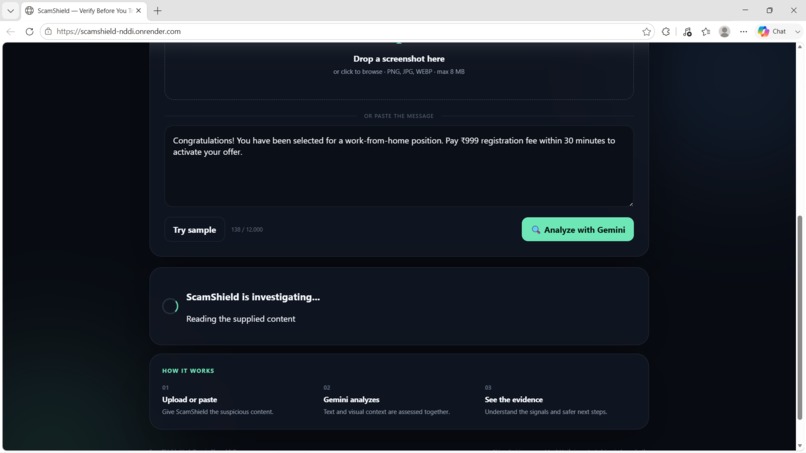
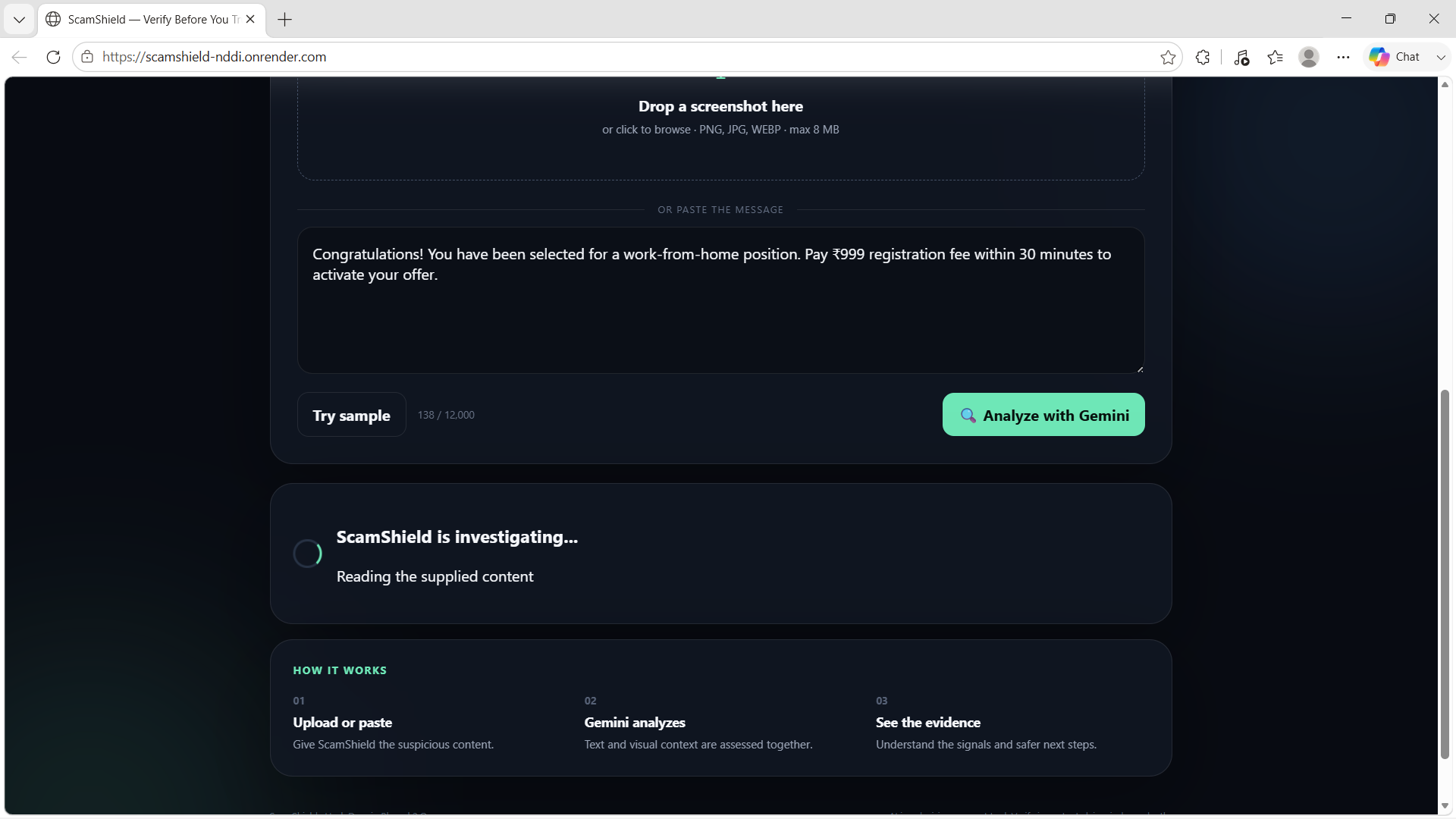
Analyzing Text Messages
-
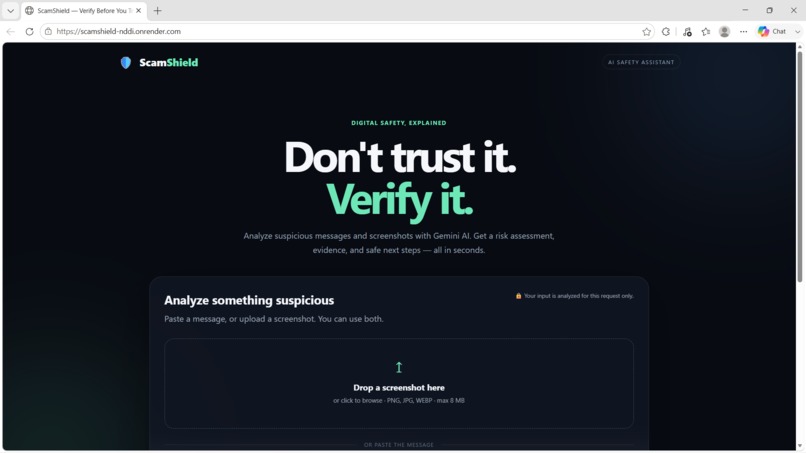
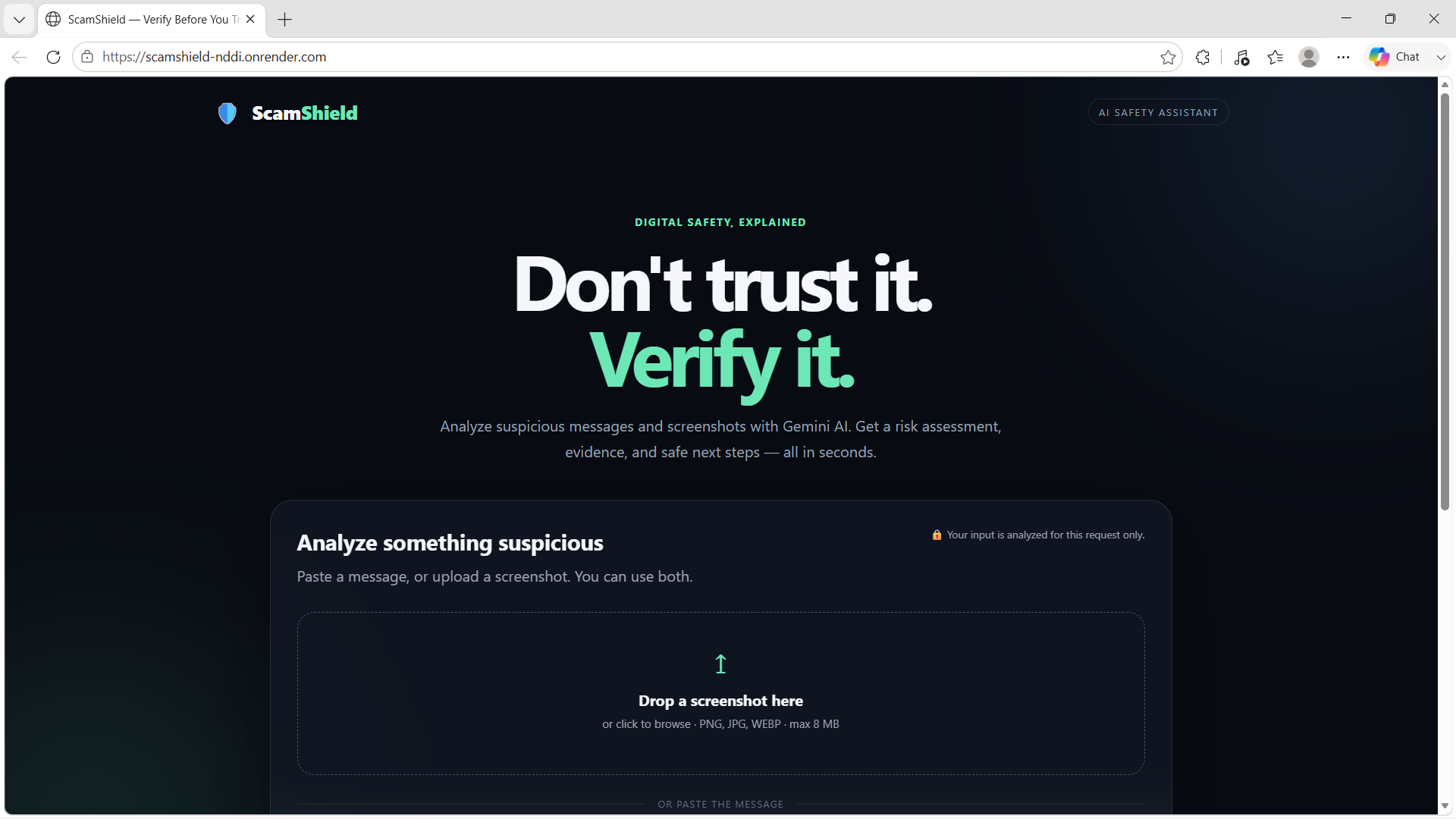
Main Dashboard
-
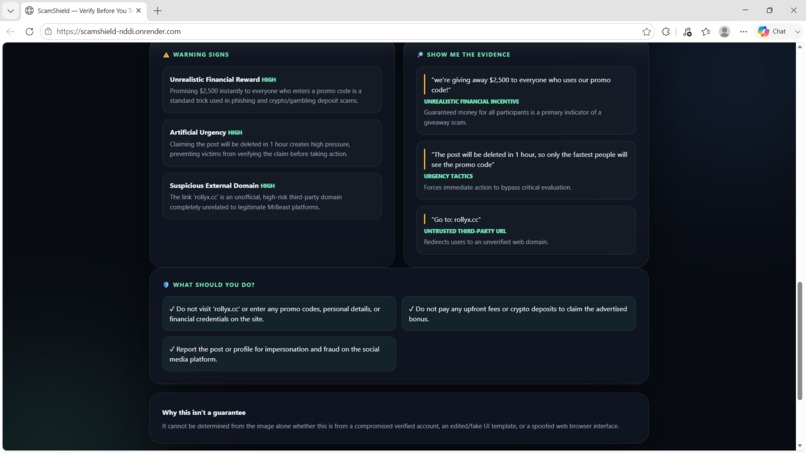
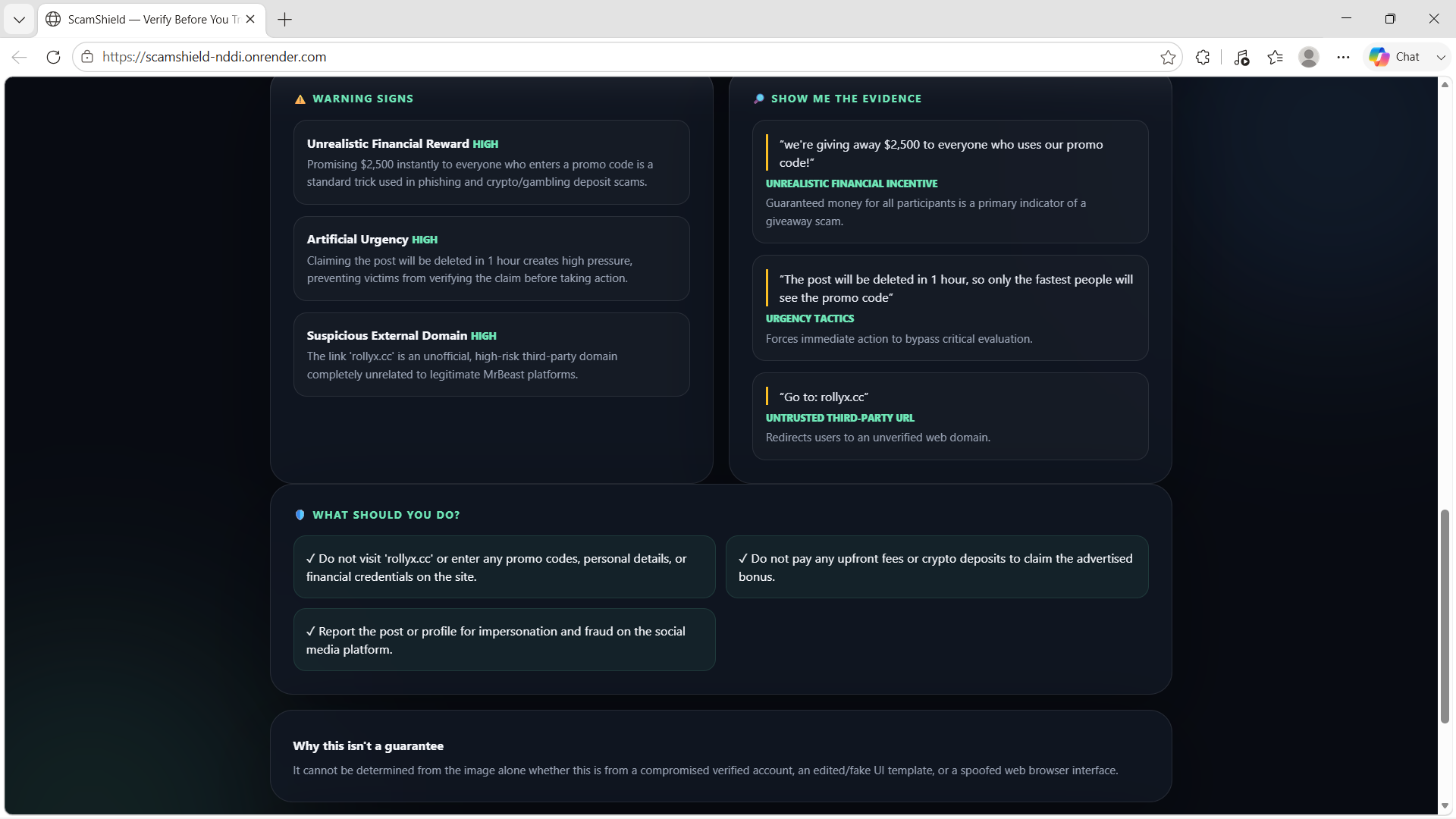
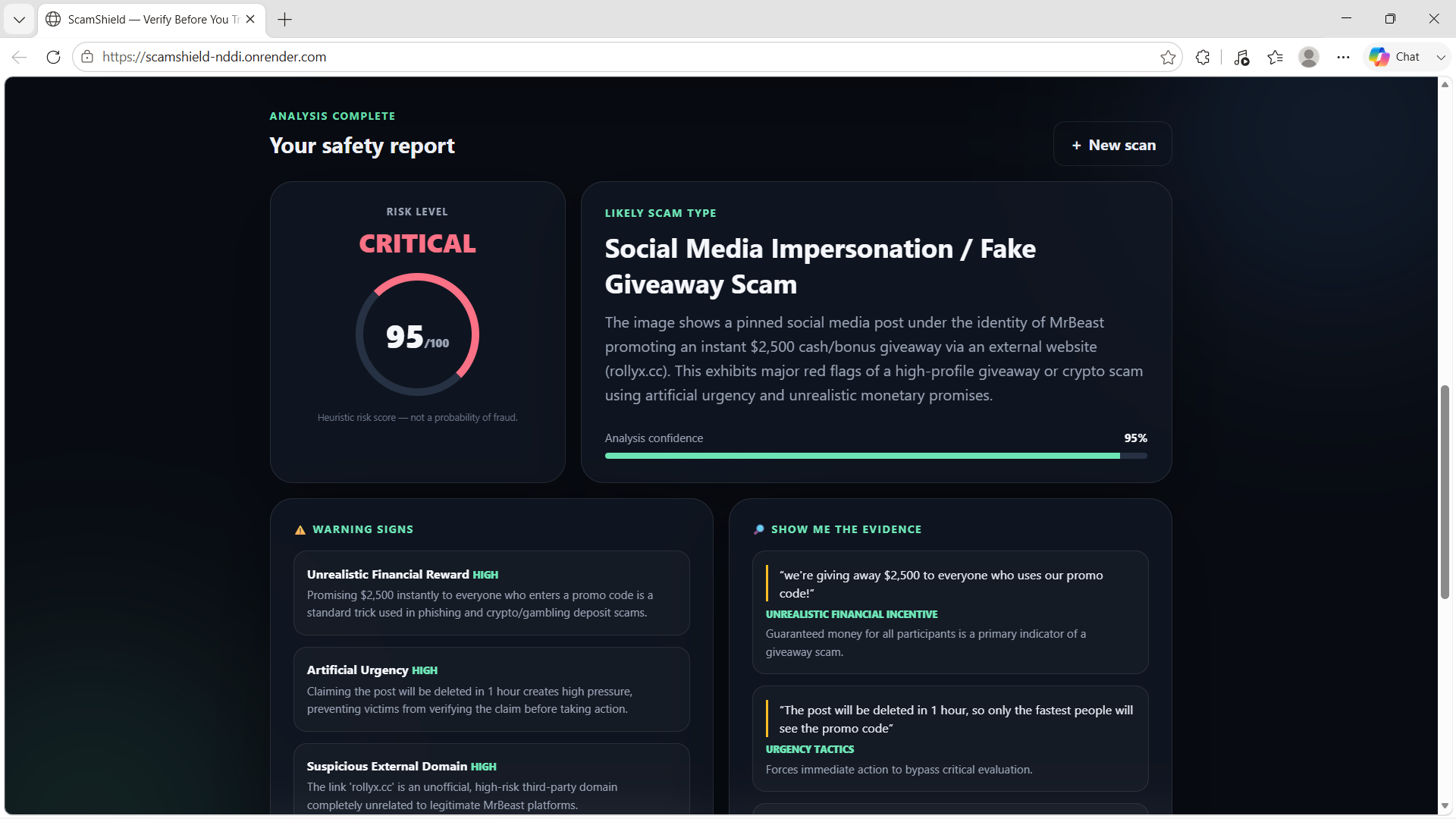
Image analysis results
-
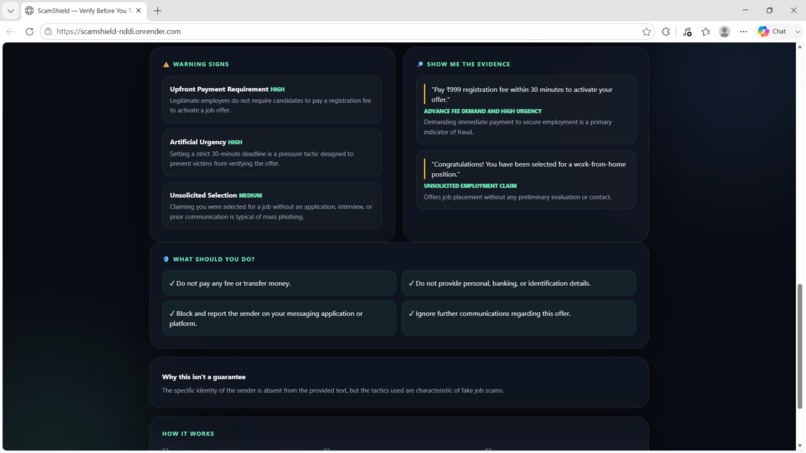
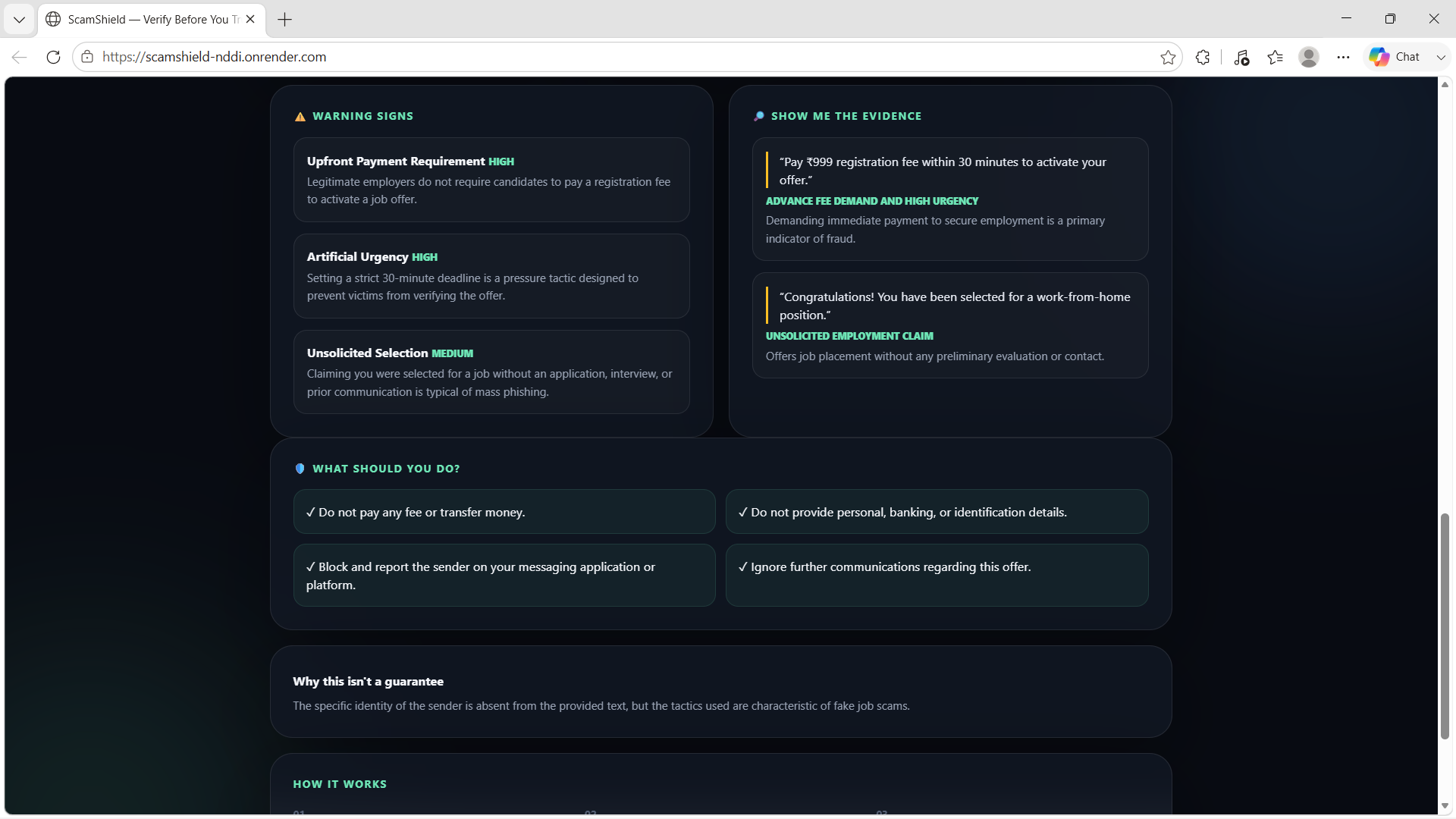
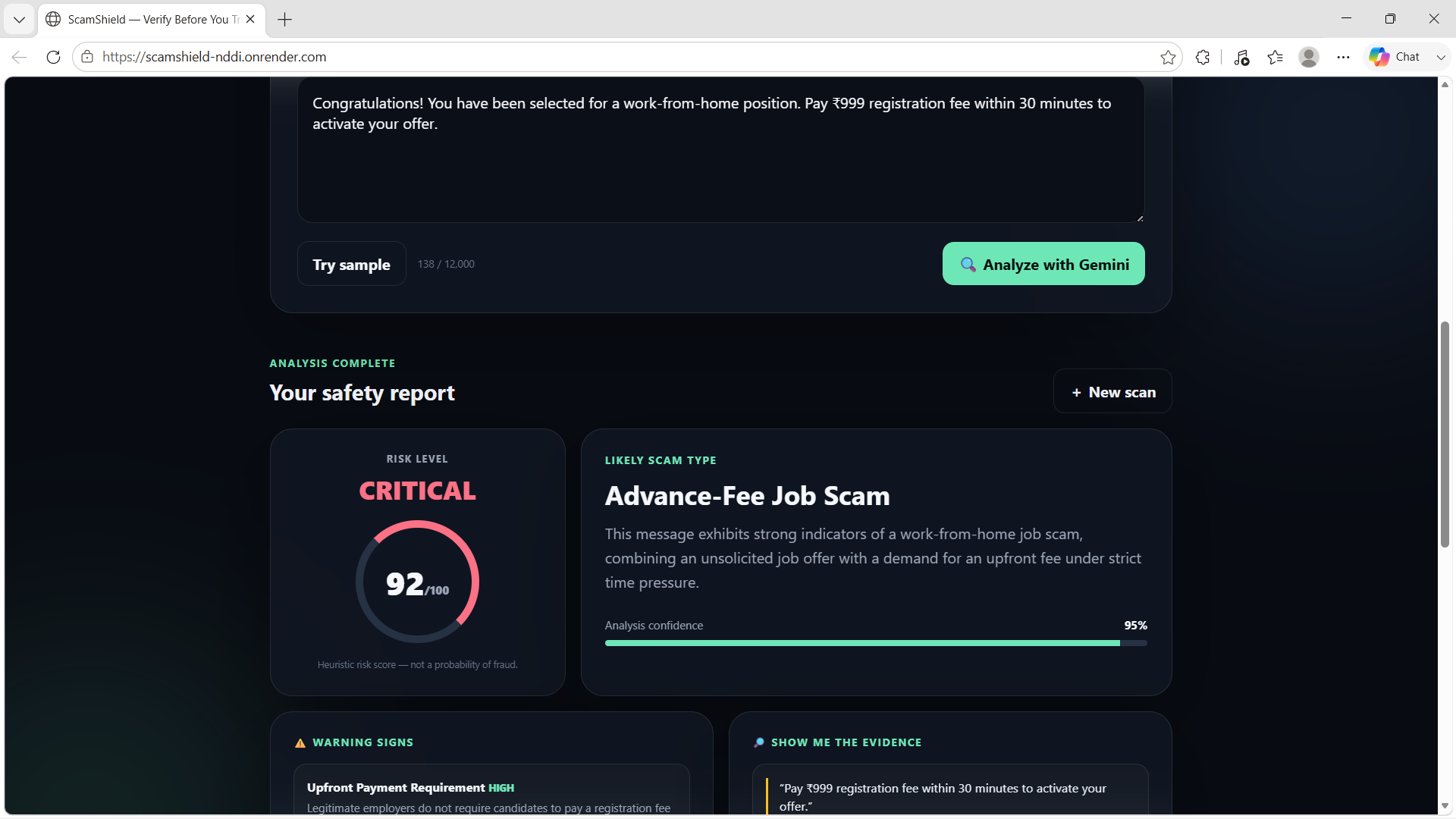
Text Message analysis results
-
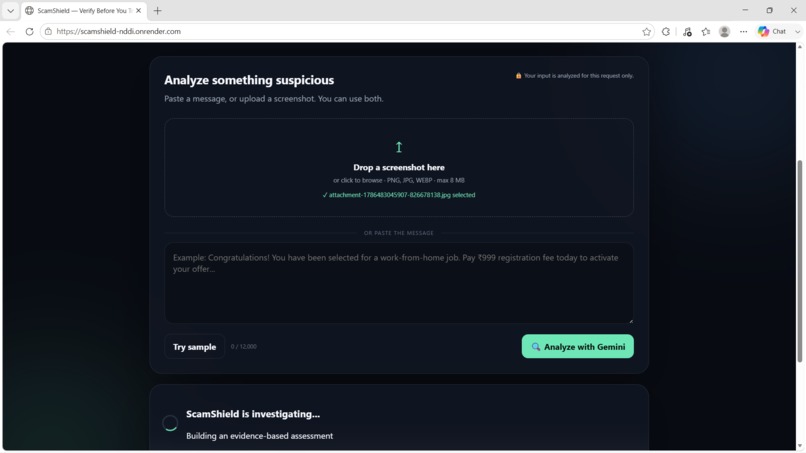
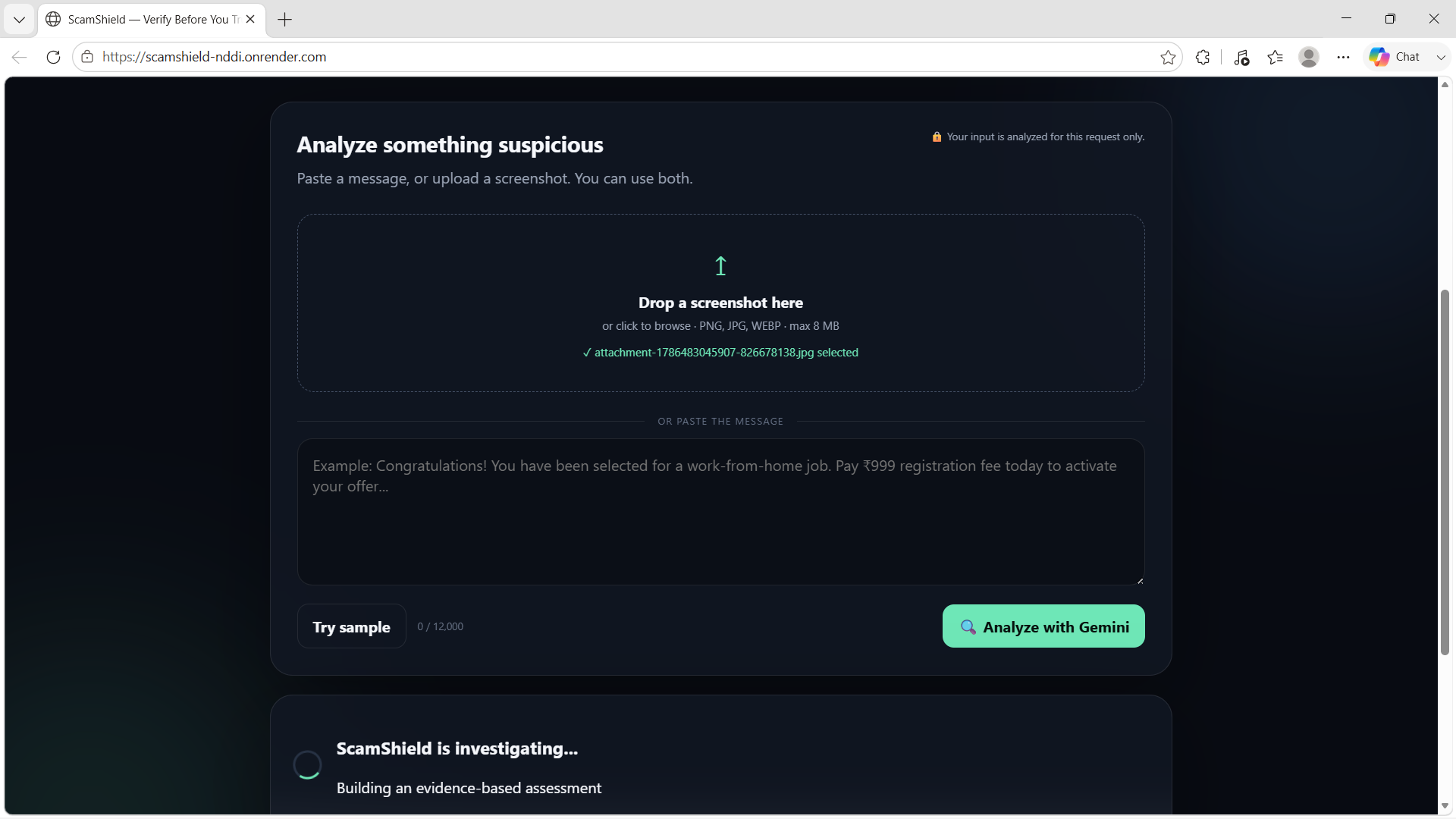
Image Analaysis
-
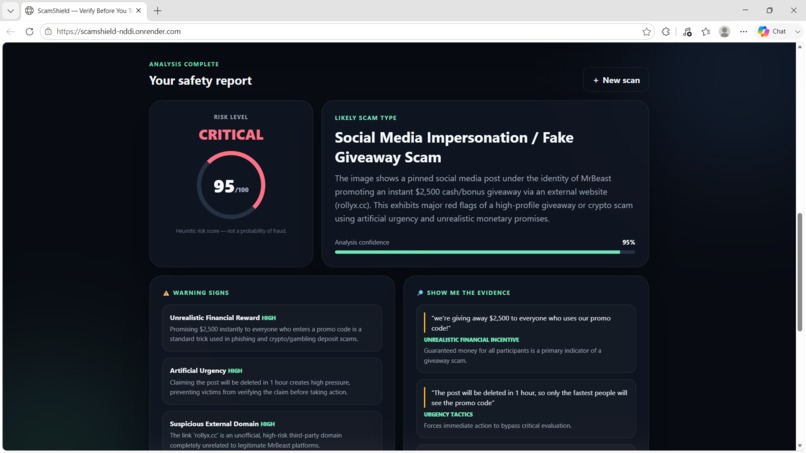
Image analysis results
-
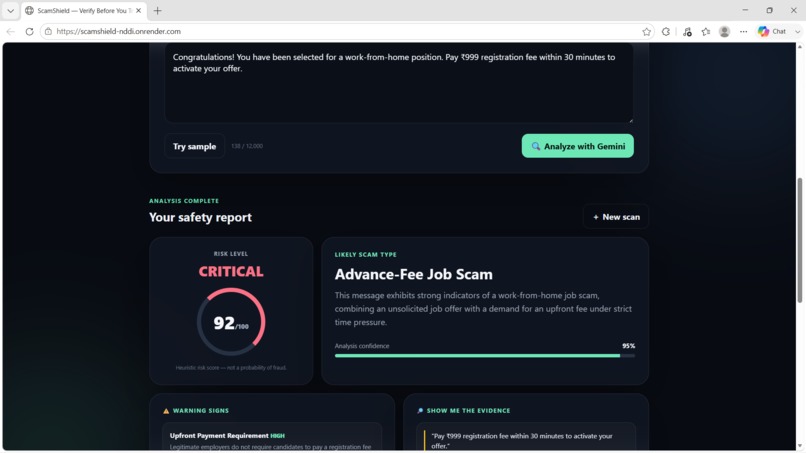
Text Message analysis results
Inspiration
Scam messages are becoming increasingly convincing. A suspicious message may look like a genuine job offer, prize notification, banking alert, delivery update, or even a message from someone we know. The problem is that simply telling people "this might be a scam" isn't always enough — they need to understand why it is suspicious.
That inspired me to build ScamShield, an AI-powered tool that helps users analyze suspicious messages and screenshots and understand the warning signs behind them.
My goal was simple: don't just detect a possible scam — explain it.
What ScamShield Does
ScamShield allows users to either:
- Paste suspicious text directly into the application
- Upload a screenshot of a suspicious message
The application analyzes the content using Google's Gemini API and provides:
- A risk score and risk level
- The likely type of scam
- Specific warning signs detected
- Evidence from the message that contributed to the assessment
- An explanation of the reasoning
- Recommended safe actions for the user
The screenshot analysis is particularly useful because many scams are shared as images rather than plain text.
How I Built It
I built ScamShield as a web application with a Python FastAPI backend and a lightweight HTML, CSS, and JavaScript frontend.
The core architecture is:
User → ScamShield → FastAPI Backend → Gemini API → Structured Analysis → User
I used Gemini to understand both textual and visual inputs and return a structured assessment of suspicious content.
The backend handles the API communication and processing, while the frontend presents the analysis through a simple interface designed to make the results easy to understand.
I also deployed the application online so it can be accessed without running it locally.
Challenges I Faced
One of my biggest challenges was making the AI output useful rather than simply returning a generic "scam" or "not a scam" answer.
I wanted ScamShield to provide understandable reasoning, so I structured the analysis around multiple factors such as risk level, scam category, warning signs, evidence, and recommended actions.
Another challenge was supporting screenshots as well as text. This required designing the application so that the same analysis workflow could work with both textual and visual information.
Since I was building the project from scratch, I also had to learn how to connect a web application to an AI API, securely manage API keys using environment variables, deploy a FastAPI backend, and connect the deployed application to the Gemini API.
What I Learned
Building ScamShield taught me much more than just how to use an AI API.
I learned how to:
- Build and connect a frontend and backend
- Work with FastAPI and Python
- Integrate Gemini's multimodal capabilities
- Handle image and text inputs
- Structure AI responses into useful information
- Secure API keys using environment variables
- Use Git and GitHub for version control
- Deploy a web application to the internet
- Design an AI application around a real-world problem
Most importantly, I learned that a useful AI product isn't just about generating an answer. It is about presenting the answer in a way that helps a person make a better decision.
What's Next
ScamShield is currently an MVP, but there is significant potential to expand it.
Future versions could include browser and messaging-platform integrations, additional scam databases, multilingual scam detection, URL and domain analysis, and improved detection using continuously updated scam patterns.
My vision is to make ScamShield a practical first line of defense for people who encounter suspicious digital messages.
Built With
- css
- fastapi
- geminiapi
- github
- html
- javascript
- python
- render

