-
-
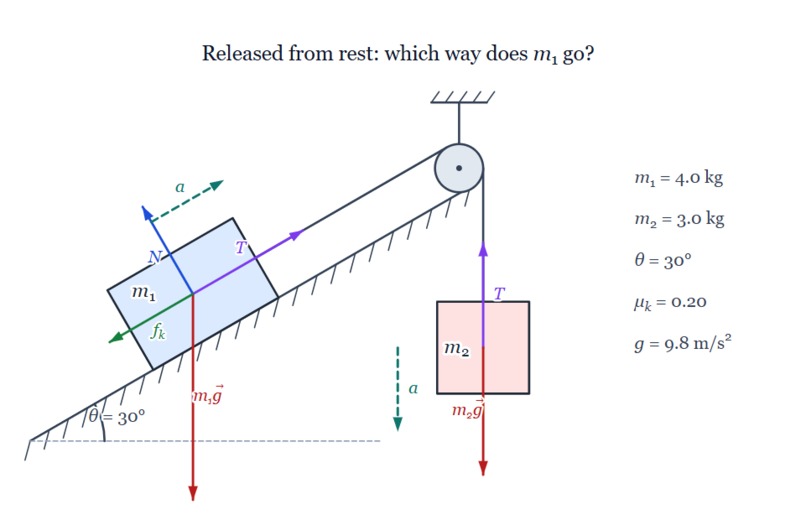
Diagram produced by the WebMCP
-
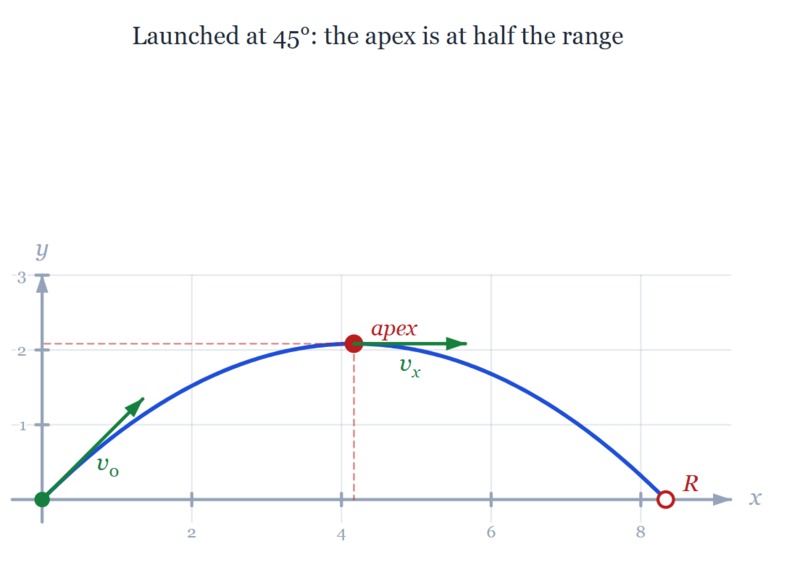
Diagram produced by the WebMCP
-
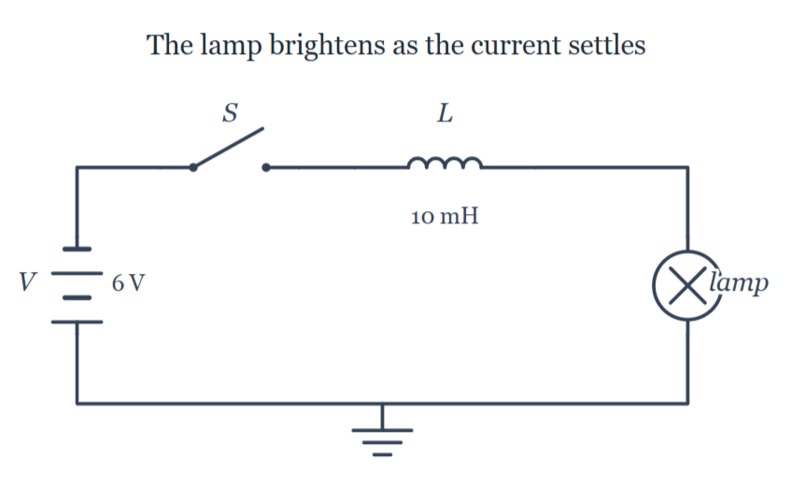
Diagram produced by the WebMCP
-
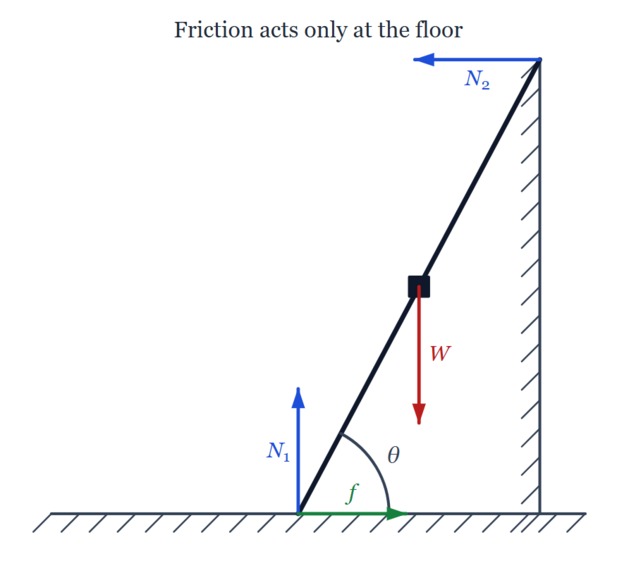
Diagram produced by the WebMCP
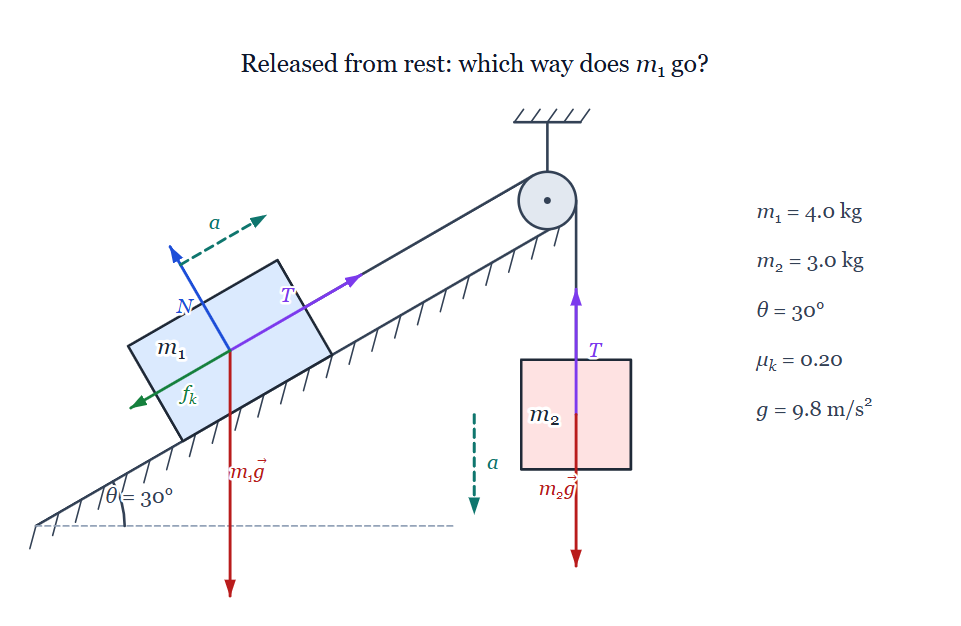
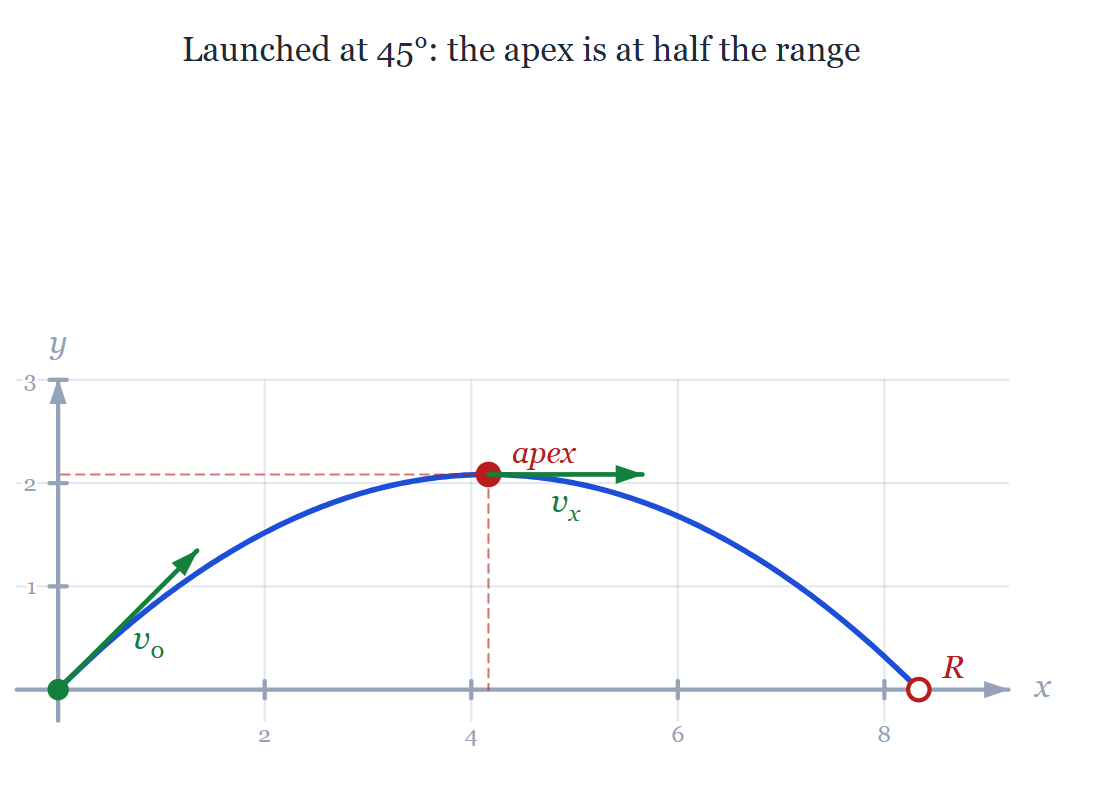
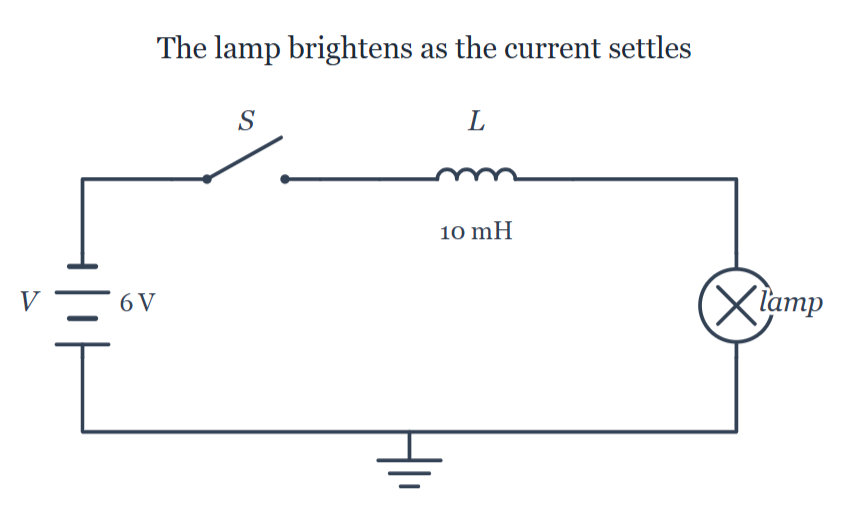
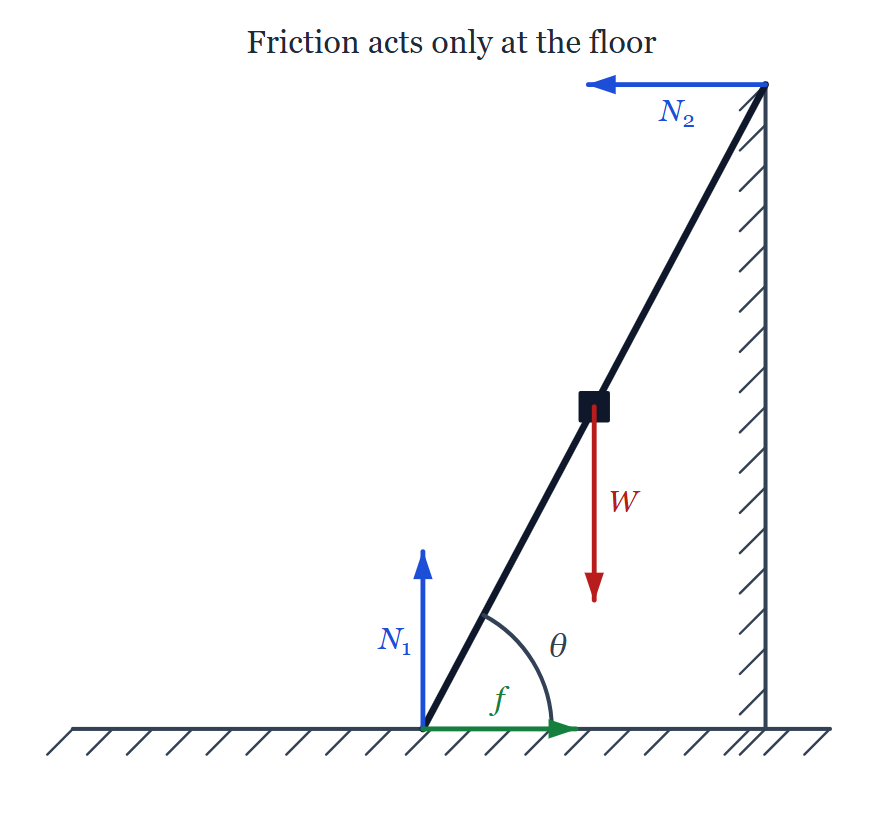
ScAInce Draw
As a physics student, I've learned that the right diagram can often make a difficult problem immediately understandable. While sketching a figure on paper takes only a few seconds, creating the same diagram digitally is surprisingly time-consuming. Unlike mathematical equations, which are straightforward to typeset (thank goodness we have LaTeX), diagrams are a completely different story. I've spent dozens (maybe hundreds) of hours tweaking figures just to make it look right.
With the rise of AI, I became curious whether it could automate this process. The results were initially disappointing. At first there was no even harness for generating diagrams, and even when equipped with general-purpose coding tools, AI struggled to produce accurate diagrams -even for simple block diagrams, let alone figures describing physics problems.
This led me to an important observation: diagram creation is an ideal human-in-the-loop task. AI can dramatically accelerate the drafting process, but the final validation should remain with the human, who ultimately decides whether the figure correctly represents the intended concept.
This idea became ScAInce Draw.
What is ScAInce Draw?
ScAInce Draw is a graphical application for creating mathematical and physics diagrams, which covers geometry, mechanics, optics, circuits.
The application is equipped with WebMCP, exposing a rich set of tools that allow AI agents to construct diagrams programmatically while performing numerous validations. These validations help prevent common issues such as overlapping elements, inconsistent layouts, and incorrect object placement.
Beyond the WebMCP itself, ScAInce Draw also includes a dedicated Skill. As demonstrated throughout this year, MCPs are significantly more effective when paired with a skill.
Human–AI Workflow
ScAInce Draw supports two complementary workflows:
Human → AI
- The user quickly sketches the diagram.
- The AI refines it into a clean, pixel-perfect figure.
AI → Human
- The AI generates the initial diagram from a natural-language description.
- The user validates the result and applies the final adjustments.
Current Status
ScAInce Draw is still an early-stage prototype, but it already demonstrates the potential of combining WebMCP with a domain-specific graphical application.
The application is still relatively simple, but it already contains a substantial amount of validation logic. In my testing, it consistently generates accurate diagrams from well-crafted prompts (e.g. from elementary mechanics problem statements).
There is still considerable room for improvement, particularly in refining the generated layouts and validations. However, my experiments consistently show that integrating WebMCP significantly improves both the quality and the speed of AI-generated scientific diagrams (as an alternative to simply asking ChatGPT to click around the browser and figure out what it can do)
Ultimately, ScAInce Draw demonstrates that meaningful diagram generation is not simply a drawing problem - it is a collaborative workflow where AI accelerates creation while humans provide the final validation and scientific judgment.
Built With
- chatgpt
- css3
- html5
- javascript
- mathjax
- node.js
- skills
- webmcp

Log in or sign up for Devpost to join the conversation.